
The Realities of Educational Video Creation Today
Making a good educational video is not about flashy graphics or pushing out as much content as possible. It’s about making the information stick and making it easy for learners to access and understand. If you’re a trainer or teacher, you probably know this already, but the details matter: video length, visuals, narration, and even how you share and track your videos all have a direct effect on whether people learn or just leave.
What Actually Works? Insights from Research and Industry
Let’s start with the numbers and what real creators have found. A study of millions of MOOC video sessions (Guo et al., 2014) found that videos under six minutes keep almost 100% audience engagement. But stretch a video beyond 9-12 minutes and you lose half your viewers. After 12 minutes, most people have checked out.
So, if you’re aiming for retention, shorter is better. This is echoed everywhere on Reddit, teaching blogs, and in edtech vendor advice. The best practice is focusing each video on a single clear learning objective and using micro-learning (2-4 minutes) for simple takeaways. For more complex topics, keep it under 15 minutes.
But duration isn’t the only thing that matters. Engagement requires more than just talking at the camera. Showing your face builds trust and makes the message feel personal. At the same time, animated visuals and graphics help your audience grasp abstract or complicated ideas (Reddit /r/youtubers). People need both a human connection and visual clarity.
Production Best Practices
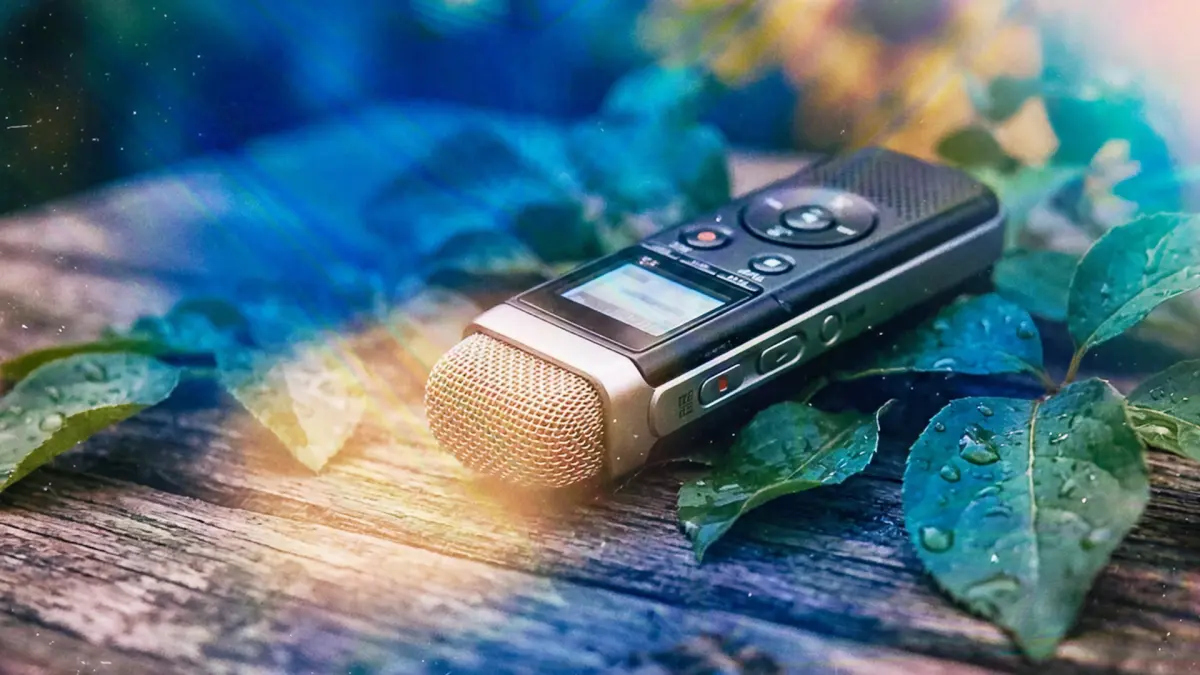
Sound quality is non-negotiable. You can get away with average visuals, but poor audio loses your viewers fast. Use a decent microphone positioned close to the speaker, edit out filler words and long pauses, and always include captions not just for accessibility, but because many people watch videos without sound (TechSmith). If you use AI voices, make sure they’re natural and clear.
Another overlooked factor: the first 10 seconds set the tone. If you don’t hook your audience quickly, retention plummets. In practice, this means summarizing the “what’s in it for me” up front.
Finally, show sources, add clear chapters, and integrate simple calls to action like prompts to think, click, or answer a question so your content isn’t just watched, but processed.
Active Learning: The Key to Results
Videos work best when viewers are forced to do something with embedded questions, branching scenarios, or short quizzes along the way (Szpunar et al., 2013; 2014). Even tiny prompts can disrupt mind wandering and boost note-taking. Completion rates, retention, and test scores all go up when learners interact with the material.
And don’t overlook analytics knowing where and when viewers drop off, rewatch segments, or falter on quizzes is the feedback loop trainers need. It helps refine the next version and focus on what works.
Localization and Repurposing for Scale
Translating and repurposing content isn’t just for multinational companies. Even small organizations benefit: making short “clips” or “shorts” from longer videos multiplies your reach without redoing work. AI tools can now localize content in dozens of languages and even create realistic avatars with different voices, which is a game changer for accessibility and inclusivity (Synthesia).
The statistics are clear: platforms using AI to produce educational video save up to 80% of traditional production time and cut localization costs by about 90%.
Where Most Teams Struggle
Knowing these best practices is one thing; implementing them especially at scale in a large organization is much harder. I see it all the time: educators and trainers waste hours fiddling with PowerPoints, rebuilding videos from scratch for every update, or relying on outside vendors for simple edits. They also lose track of which versions they’ve published, can’t centralize feedback, and don’t know who’s actually watching.
How Colossyan Can Help
How Paramount cut training video production from weeks to hours
Paramount replaced manual video production with Colossyan's AI avatars, cutting production time from weeks to hours across their global L&D team.
Read the full story →At Colossyan, we have built our platform to remove exactly these headaches. Here’s what I see working for real teams:
If you need to convert a standard training doc or PDF into a fast, focused video, our Doc to Video feature does this with almost no learning curve. You upload, review the generated scenes, and it’s ready complete with AI-powered visuals and an avatar of your choice. Updating a script later doesn’t require a reshoot; edits are instant.
You can add customized avatars (even cloning real voices), personalizing your training while staying scalable. Avatars establish trust like facecams, but are easier to update and localize. For teams working across regions, our Instant Translation delivers new language versions that keep pace with the original all without manual rework.
I’m a big believer in organization. With Colossyan, all drafts and generated videos are neatly managed with folders, and Brand Kits mean every output is consistent with company identity. You can quickly tag in reviewers, get feedback right on the draft, and manage roles in larger workspaces.
Embedding interactive quizzes in videos is simple, so you can include practice or checks before, during, or after each concept supporting active learning without outside tools. And with built-in analytics, I can see exactly how viewers engage: total watch time, quiz scores, even where people drop off. This drives real improvements in both content and outcomes.
SCORM export makes sure any video fits right into an LMS with pass/fail data for compliance or tracking learner progress. Sharing is easy, via links, embeds, or file downloads.
Finally, our automation and templates mean trainers aren’t stuck designing from scratch each time. Colossyan saves time on repetitive steps from pronouncing tricky terminology (useful if your company has jargon or specific product names) to instantly applying house fonts and colors.
A Practical Workflow for Modern Teaching
Here’s how I’d approach educational video creation based on the best advice out there and what I’ve learned at Colossyan.
Start with researched content: write a script focused on a single objective and a real-world example. Use visuals (preferably animated) to clarify hard concepts. Add a trusted, realistic avatar for presence. Keep each video short ideally 2-6 minutes, with chapters or segments. Insert quick quizzes or prompts to force engagement. Use captions, and if you need more reach, translate.
Test different approaches. Measure where people leave, where they replay, and how they perform on quizzes. Make incremental improvements. Repurpose longer pieces into shorts for micro-learning and social channels.
The technology now exists to make this process efficient and scalable, even for big teams with no video design background. But the fundamentals aren’t changing short, clear, interactive, and visually supported videos win.
No More Excuses: Transforming Learning Content
If viewers aren’t learning, it’s rarely their fault. The format needs improving. Following proven structures and using the right video platform means educational video isn’t just a “nice to have” anymore. It’s a standard for good teaching.
In my view, if you want to modernize your training or teaching, you don’t need more slides, longer videos, or expensive equipment. You need clear objectives, focused scripts, snappy editing, good visuals, and simple tools that let you test, update, and measure results at scale.
That’s what Colossyan delivers. And, based on what I’ve seen, that’s what leads to actual learning.