
When searching for text-to-video software that delivers fast, studio-quality content, you’re looking to eliminate the traditional trade-off between speed and quality—historically, you could create videos quickly with amateur results or achieve professional quality through slow, expensive production. Modern text-to-video software powered by AI promises to deliver both: studio-quality output in time frames that traditional production cannot match. But separating platforms that actually deliver on this promise from those that overpromise and underdeliver requires understanding what “studio quality” actually means and which technologies genuinely achieve it.
The best text-to-video software doesn’t just automate slideshow creation—it generates professional presenter-led videos with photorealistic digital humans, natural voice synthesis, and production values suitable for any professional context. Colossyan exemplifies this capability, producing training and communications videos with broadcast-quality AI avatars in 30 minutes to 2 hours—a process that traditional studio production requires 3-6 weeks to accomplish. This focused guide examines seven text-to-video software platforms that actually deliver studio-quality results quickly, compares their capabilities and limitations, and provides selection criteria for achieving professional output without traditional production timelines or costs.
Defining “Studio Quality” for Video
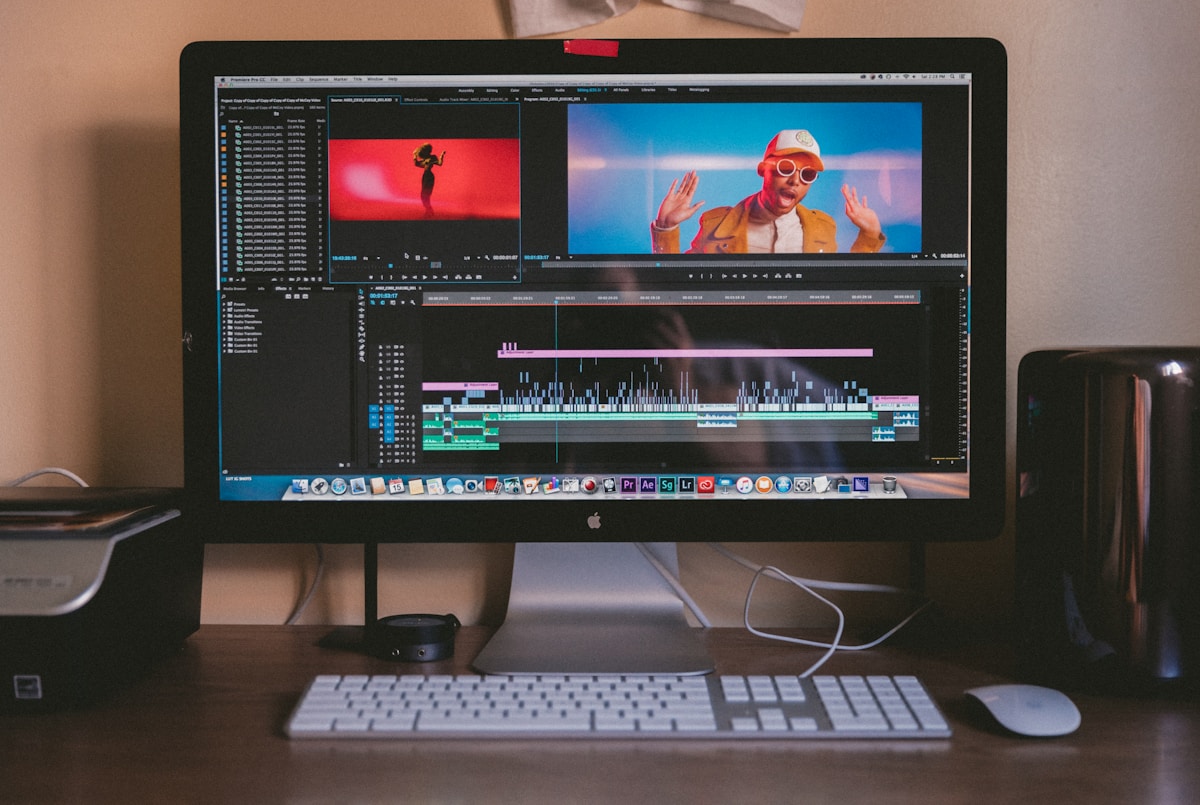
Clear standards prevent misunderstanding what “studio quality” means.
Studio Quality Criteria
Visual Quality:
- 1080p minimum resolution (4K preferred)
- Professional color grading
- Proper lighting and exposure
- No visual artifacts or compression issues
- Broadcast-standard output
Audio Quality:
- Clear, professional narration
- Proper audio levels and mixing
- No background noise or artifacts
- Broadcast-standard audio
Production Value:
- Professional appearance and polish
- Smooth transitions and pacing
- Appropriate graphics and branding
- Consistent quality throughout
Content Credibility:
- Appears professionally produced
- Builds rather than undermines credibility
- Suitable for any business context
- Viewers focus on content, not production quality
Speed Requirement:
- Significantly faster than traditional (hours/days vs. weeks/months)
- Without sacrificing quality standards above
The 7 Best Text-to-Video Software for Studio Quality
1. Colossyan: Best Studio Quality + Speed
Why it delivers studio quality:Visual Excellence:
- Photorealistic AI avatars (broadcast quality)
- 1080p and 4K output options
- Professional lighting and composition
- Zero visual artifacts
Audio Excellence:
- Neural TTS indistinguishable from professional narration
- Perfect audio mixing
- Perfect lip-sync across 80+ languages
- Broadcast-quality audio
Production Polish:
- Professional templates and styling
- Smooth transitions
- Brand customization
- Consistent quality across all videos
Speed Advantage:
- Create studio-quality video in 30 min - 2 hours
- Traditional studio: 3-6 weeks for same quality
- 95-99% faster without quality compromise
Enterprise Features:
- Screen recording integration
- Interactive video elements
- Multi-language capability
- Instant updates (edit text, not re-film)
- Collaboration tools
- Analytics
Best for:
- Corporate training requiring studio quality
- Professional business communications
- Organizations needing speed AND quality
- Global content (multilingual)
Real results:
- Fortune 500 companies use for training
- 40-60% higher engagement than text
- 90-95% cost savings vs. traditional production
Pricing: Enterprise subscription; exceptional ROIStudio Quality Rating: ⭐⭐⭐⭐⭐ (broadcast standard)Speed Rating: ⭐⭐⭐⭐⭐ (30 min - 2 hours)
2. Synthesia: Professional Avatar Platform
Studio quality strengths:
- High-quality AI avatars (140+ options)
- Professional output
- Good audio quality
- Multiple languages
Speed:
- 1-3 hours per video
Limitations vs. Colossyan:
- Fewer training-specific features
- No interactive elements
- Higher cost for volume
Best for:
- Marketing videos needing avatar variety
- General business communications
Pricing: Starts $30/month; enterprise customStudio Quality Rating: ⭐⭐⭐⭐⭐Speed Rating: ⭐⭐⭐⭐
3. Descript: High-Quality Editing Platform
Studio quality strengths:
- Professional video editing capabilities
- High-quality output (4K support)
- AI voice generation
- Transcript-based editing
Speed:
- 2-5 hours (depends on editing complexity)
Limitations:
- Not pure text-to-video (requires footage)
- More editing-focused than generation
- Steeper learning curve
Best for:
- Editing existing high-quality footage
- Podcast video with professional polish
- Content requiring precise editing
Pricing: Starts $12/monthStudio Quality Rating: ⭐⭐⭐⭐⭐Speed Rating: ⭐⭐⭐
4. Adobe Premiere Pro + AI Extensions: Professional Suite
Studio quality strengths:
- Industry-standard professional quality
- Complete control over all aspects
- High-end effects and capabilities
- AI extensions adding automation
Speed:
- 8-40+ hours per video
- AI features improve some workflows
- Still requires significant expertise
Limitations:
- Not fast (defeats “fast” requirement)
- Expensive
- Steep learning curve
- Manual production still required
Best for:
- Maximum quality control needed
- Artistic/creative projects
- Professional video editors
Pricing: $54.99/monthStudio Quality Rating: ⭐⭐⭐⭐⭐Speed Rating: ⭐ (too slow for “fast” category)
5. Pictory: Polished Content Repurposing
Studio quality strengths:
- Clean, professional appearance
- Good for social media
- Professional templates
- Smooth editing
Speed:
- 30 min - 2 hours
Limitations:
- Stock footage limits customization
- Not presenter-led (slideshow style)
- Less professional than AI avatar platforms
Best for:
- Blog-to-video conversion
- Social media content with polish
- Marketing videos
Pricing: Starts $23/monthStudio Quality Rating: ⭐⭐⭐⭐ (professional for social, not training)Speed Rating: ⭐⭐⭐⭐⭐
6. Vyond: Professional Animation
Studio quality strengths:
- Professional animation quality
- Polished, consistent output
- Good for explainers
- Brand customization
Speed:
- 4-12 hours per video
Limitations:
- Animation style not suitable for all contexts
- Slower than AI avatar tools
- Learning curve
Best for:
- Animated explainer videos
- Concept visualization
- Organizations wanting animation style
Pricing: Starts $49/monthStudio Quality Rating: ⭐⭐⭐⭐Speed Rating: ⭐⭐⭐
7. HeyGen: Budget Studio Quality
Studio quality strengths:
- Good quality AI avatars (not quite Colossyan level)
- Professional enough for most business use
- Fast generation
- Affordable
Speed:
- 15 min - 1 hour
Limitations:
- Quality step below Colossyan/Synthesia
- Fewer advanced features
- Basic customization
Best for:
- Budget-conscious teams needing professional appearance
- Testing AI video before major investment
- Simple content needs
Pricing: Starts $24/monthStudio Quality Rating: ⭐⭐⭐⭐ (good, not broadcast)Speed Rating: ⭐⭐⭐⭐⭐
Quality vs. Speed Matrix
| Software | Studio Quality | Speed | Best For |
|---|---|---|---|
| Colossyan | Broadcast ⭐⭐⭐⭐⭐ | 30m-2h ⭐⭐⭐⭐⭐ | Training, professional business |
| Synthesia | Broadcast ⭐⭐⭐⭐⭐ | 1-3h ⭐⭐⭐⭐ | Marketing, communications |
| Descript | Broadcast ⭐⭐⭐⭐⭐ | 2-5h ⭐⭐⭐ | Editing, podcasts |
| Adobe Premiere | Cinema ⭐⭐⭐⭐⭐ | 8-40h ⭐ | Maximum control |
| Pictory | Social ⭐⭐⭐⭐ | 30m-2h ⭐⭐⭐⭐⭐ | Social media |
| Vyond | Professional ⭐⭐⭐⭐ | 4-12h ⭐⭐⭐ | Animation |
| HeyGen | Business ⭐⭐⭐⭐ | 15m-1h ⭐⭐⭐⭐⭐ | Budget option |
Use Case Selection
Corporate Training (Studio Quality Essential)
Best choice:ColossyanWhy:
- Training demands professional quality (credibility matters)
- Speed enables comprehensive training libraries
- Interactive elements drive engagement
- Multilingual critical for global workforce
- Updates must be fast (training changes frequently)
Quality delivered: Broadcast-standard, suitable for any training contextSpeed delivered:30 min - 2 hours per video
Marketing & Communications
Best choice:Colossyan (highest quality) or Synthesia (avatar variety)Why:
- Professional appearance builds brand credibility
- Fast turnaround matches marketing pace
- Consistent quality across campaigns
Alternative:Pictory for social media where speed >> perfection
Budget-Conscious Professional Use
Best choice:HeyGenWhy:
- Best quality-to-price ratio
- Professional enough for most business contexts
- Fast generation
- Affordable testing
When to upgrade: When quality difference impacts results (training, high-stakes comms)
Achieving Studio Quality: Best Practices
How Sonesta cut 80% of video production costs
Sonesta replaced traditional video production with Colossyan's AI avatars, cutting costs by 80% while scaling content across their hotel properties.
Read the full story →Input Quality Matters
Studio output requires quality input:Script Quality:
- Professional writing
- Clear, conversational language
- Appropriate length and pacing
Brand Assets:
- High-resolution logos
- Professional graphics
- Consistent styling
Planning:
- Clear objectives
- Audience understanding
- Content structure
Reality: AI tools produce studio-quality OUTPUT from quality input. “Garbage in, garbage out” still applies.
Platform Optimization
Colossyan optimization:
- Select appropriate avatar for context
- Use professional voices
- Add brand elements
- Include screen recordings where relevant
- Test interactive elements
- Review before finalizing
Result: Broadcast-quality output in 30 min - 2 hours
Quality Control Process
Before publishing:
- Preview completely (don’t skip)
- Check audio levels (consistent throughout)
- Verify branding (correct logos, colors)
- Test on target devices (mobile if applicable)
- Get stakeholder approval (when required)
Colossyan advantage: Easy to regenerate if changes needed (edit text, not re-film)
ROI of Studio-Quality Text-to-Video
Traditional studio production:
- Cost: $10,000-50,000 per video
- Time: 3-8 weeks per video
- Updates: Re-film required ($10,000-50,000)
Studio-quality text-to-video (Colossyan):
- Cost: $100-300 per video (subscription model)
- Time: 30 min - 2 hours per video
- Updates: Edit text, regenerate (minutes, $0)
Example ROI (30 studio-quality training videos/year):
- Traditional: $300,000-1,500,000
- Colossyan: $20,000-40,000
- Savings: $280,000-1,460,000 (93-97%)
- Time savings: 90-240 weeks
Plus strategic advantages:
- Create comprehensive training library (not just few videos)
- Update easily (training stays current)
- Multilingual (global reach)
- Consistent quality (no variation between videos)
Frequently Asked Questions
Is AI-Generated Video Really “Studio Quality”?
Yes—top platforms (Colossyan, Synthesia) produce broadcast-standard output:Evidence:
- Used by Fortune 500 for professional training
- Passes quality standards of major corporations
- Viewers focus on content, not production method
- 40-60% higher engagement than text proves effectiveness
Reality: Technology has crossed quality threshold. The question isn’t “is it good enough?” but “which platform delivers best quality?”Answer:Colossyan consistently delivers highest quality
Can You Really Create Studio Quality in Hours?
Yes—this is the revolutionary aspect:Traditional studio timeline:
- Pre-production: 1-2 weeks
- Production (filming): 1-3 days
- Post-production: 2-4 weeks
- Total: 4-7+ weeks
Colossyan timeline:
- Script writing: 1-3 hours
- Video generation: 30 min - 1 hour
- Review/refinement: 30 min
- Total: 2-4.5 hours
Why it’s possible:
- AI eliminates filming entirely
- No studio setup or teardown
- No actor scheduling or retakes
- Automated post-production
- Perfect first-take quality
Reality: Speed without quality sacrifice is the transformational value proposition
What About Creative Control?
Honest answer:What you control:
- Script and message (complete control)
- Avatar selection
- Voice and language
- Branding and styling
- Scene structure
What’s automated:
- Avatar performance
- Lip-sync
- Basic camera work
- Lighting
- Audio mixing
Tradeoff:
- Less creative control than full studio production
- More than adequate for most business content
- Faster and cheaper by 95%+
Best approach: AI for 80% of content (Colossyan), traditional studio for 20% requiring artistic direction---
Achieving Studio Quality at Speed
You now understand the seven best text-to-video software options that deliver fast, studio-quality content, from broadcast-standard AI avatar platforms (Colossyan, Synthesia) to professional editing tools (Descript) to budget options (HeyGen). The right choice depends on your quality requirements, use case, and budget—but for professional business content requiring both studio quality and speed, Colossyan delivers the optimal combination.
The transformation is substantial: organizations implementing studio-quality text-to-video software report 93-97% cost reduction and 95-99% time savings vs. traditional studio production while maintaining or exceeding professional quality standards. This enables comprehensive video strategies previously impossible due to production constraints.
The key insight: modern AI has eliminated the traditional trade-off between speed and quality. Top platforms deliver broadcast-standard results in timeframes that enable entirely new approaches to video content.
Ready for studio-quality content at speed?Explore Colossyan to experience broadcast-standard text-to-video that delivers professional quality in 30 minutes to 2 hours—transforming how organizations create training and communications without traditional production timelines or costs.

