The AI video generator that follows your direction.
Drop in a PDF, URL, or script. Our agent drafts a video plan you can edit before anything renders, then applies your brand kit automatically.





Most AI agents guess. A good one shouldn't.
They're built around these three tradeoffs.
Tuned for speed. Accuracy becomes your problem.
Reads like every other AI out there.
Whatever it makes, it ships. Flaws and all.
Cora.
Colossyan's first agent. Drafts the scenes. You direct what ships.
Watch Cora show its work.
Drop in your source and Cora drafts the full video plan: every scene traced back to what you gave it, nothing rendered until you approve. Below is a walkthrough of that flow.


- SMS
- Fake login pages

 phishing-policy.pdf
Point an AI video generator at a topic and it runs on autopilot.
It ships the script before you've read a line. The machine made the call, but your name is on the result.
We built Cora on the opposite belief: the human stays in charge of what gets made.
Cora brings you a plan to approve, scene by scene. Nothing renders until you say go.
Cora drafts. You direct. And when the facts change, the video changes with them.
That's one piece of a bigger belief: knowledge should be alive, not archived.
A few things Cora has done lately.
- 📄 Video plan drafted from a 24-page PDF
- 🎨 Brand kit applied to 3 videos
- 🌍 5 languages queued from one source
Start anywhere. Cora turns it into video.
You get an editable draft to direct, not a finished video to fix.




When the source changes, the plan changes with it.
Soon the agent will re-read any source after rendering, flag what changed, and let you decide which scenes to regenerate.
What Cora won't do.
Enforced by the agent, not just promised in a policy.
Cora never publishes without you.
No auto-publish. Your draft waits in your workspace until you approve it.
Cora doesn't improvise.
Every scene comes from your source, and cites the paragraph it came from, so anyone can trace a claim back.
Your content never trains our models.
Your inputs stay in your workspace. We never train models on customer content. Ever.
You can revoke at any moment.
Avatars, voices, brand kits, sources: all opt-in, all revocable, with a full audit log you can export.
Six capabilities. One agent. You direct.
Pick a starting point, approve every step, ship in your brand.
Multiple sources, one draft
Upload PDFs, slides, docs, and URLs together. Each one feeds a single coherent draft, not a stack of separate videos.
Your media travels with the source
Charts, diagrams, and photos from your documents land in the right places automatically. No re-uploading.
Bring your own script or video plan
Already wrote the copy? Paste a script. Already mapped the scenes? Bring a video plan. The AI Video Generator picks up from wherever you are.
Targeted questions up front
A handful of questions before any drafting begins. The result matches what you actually need, not a generic guess.
Two checkpoints before render
An outline arrives first to shape the direction. Then a full video plan with scenes, script, and visuals. Reshape, reorder, or restart at either stage. Nothing renders until you say go.
Brand kit applied automatically
Your fonts, colours, and logos carry across every scene by default. Nothing leaves looking off-brand.
Cinema-grade video. Fully directed.
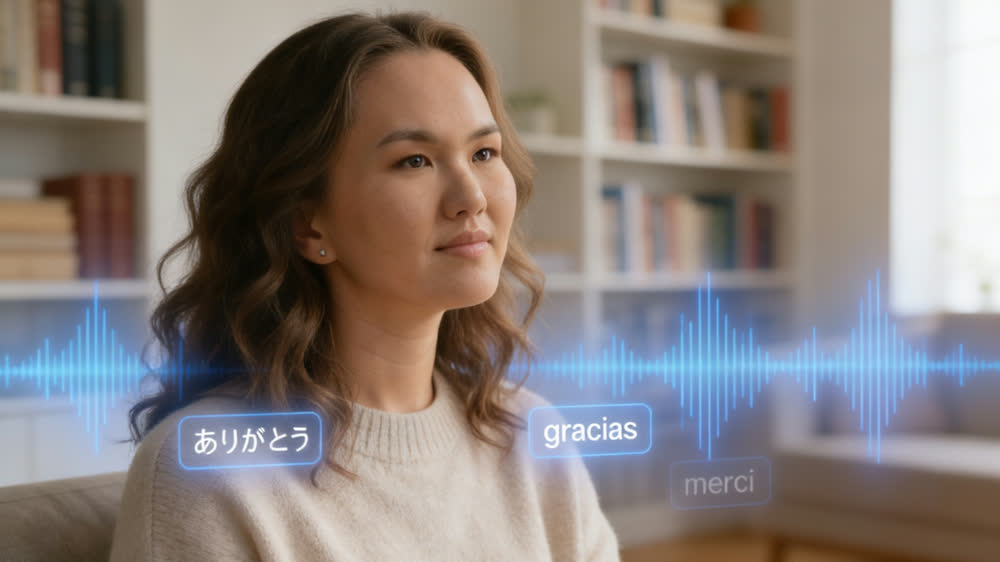
Multi-avatar dialogue, motion infographics from your source, dubbing in 100+ languages, the frontier of text-to-video. Every capability, plan-first.
 Coming soon Coming soon
  Coming soon Coming soon
 Teams ship video they used to outsource.
“The biggest benefit of Colossyan is being able to have training material that never goes obsolete.” Read AmeriSave Mortgage case study


“We’ve been able to replace an average of 10 hours of walkthrough meetings every month by generating a Colossyan video.” Read Paramount Pictures case study


“Colossyan’s technology and its translation capabilities have revolutionized our training processes, especially in a multi-lingual environment like ours.” Read Sonesta case study


Frequently asked questions
Everything you need to know about the AI Video Generator and Cora.
The AI Video Generator is a feature inside Colossyan that turns a document, URL, or script into an editable training video. You give it a source and it returns a draft with an outline, a scene-by-scene video plan, an avatar, voiceover, and your brand kit applied. You stay the editor, and it removes the blank page.
Cora is the agentic engine inside Colossyan, your AI assistant. The AI Video Generator is the feature you interact with, and Cora is what reads your source, plans the scenes, and assembles the draft. You direct the work and approve each step, and Cora carries it out.
The AI Video Generator works in four steps. Cora reads the source you provide, proposes an approach for you to approve, then drafts a scene-by-scene video plan. After you approve the plan, it renders scenes with an avatar, voiceover, and your brand kit. Nothing renders until you say go.
The AI Video Generator accepts PDFs, Word documents, and PowerPoint decks with speaker notes, plus public URLs and scripts you paste in. It reads the source, pulls out the structure, and turns it into a scene-by-scene video plan you can edit. SharePoint and Confluence connectors are coming soon.
The AI Video Generator supports more than 100 languages. Cora can translate a finished video, its on-screen text, and its voiceover together, with lip-synced delivery so the avatar matches the new audio. You build the video once and localize it for global teams without rebuilding each version by hand.
Yes, at every step. Cora asks before drafting, you approve the approach before the video plan, and you approve the plan before any scene renders. Once the draft opens in the editor you can rewrite a line, swap the avatar, change a translation, or restructure the plan. The draft is a starting point, not a final cut.
Not automatically yet. Cora cannot auto-generate quizzes, branching scenes, or click-to-continue prompts, and those features are on the roadmap. Today you add interactivity yourself in the Colossyan editor once the video plan is ready, and every interactive element you add is SCORM-trackable.
Yes. Your inputs are processed under enterprise SSO and the same security controls as the rest of Colossyan. Colossyan does not train foundation models on customer content, and your source files stay inside your workspace boundary. Nothing you upload is used to train shared models.
Colossyan is an AI platform for training and enablement, so it includes SCORM and xAPI export, lip-synced translation, brand kits, and citations back to your source material. Generic generators optimize for speed and ship whatever they make. Cora shows you a plan first and changes nothing without your sign-off.

Direct your next video. Don't just generate it.
Access is rolling out in waves. Join the list and we'll email you when your wave opens.