
Customer onboarding is more than a welcome email; it’s the critical juncture where your relationship with a customer is solidified or starts to fray. For enterprise L&D and customer education teams, the core problem is that traditional methods—static PDFs and lengthy webinars—fail to deliver relevant, engaging guidance at scale. This one-size-fits-all approach leads to information overload, low adoption, and ultimately, churn. It’s a system that works against your existing tools, not with them.
This article presents a counter-argument: by adopting a modern, video-first strategy, you can transform onboarding from a cost center into a powerful growth engine. We’ll explore 10 customer onboarding best practices that are not just theoretical but immediately actionable. These strategies are specifically designed to help you reduce time-to-value, increase product proficiency, and build lasting customer loyalty from day one.
A crucial first step in any customer onboarding process is crafting effective welcome messages that set the right tone and expectations. From there, the real work begins. The following list provides a roadmap for building a sophisticated, scalable, and highly effective onboarding program.
Our central argument is that you don’t need to rip and replace your existing tech stack. Instead, you can supercharge it. We’ll demonstrate how AI-driven video tools like Colossyan act as a force multiplier, integrating with your LMS and CRM to scale your efforts. This guide provides a blueprint for creating an onboarding experience that not only retains customers but turns them into advocates for your brand.
1. Progressive Disclosure and Microlearning Modules
One of the most effective customer onboarding best practices is to avoid overwhelming new users with a tidal wave of information. Instead, adopt a strategy of progressive disclosure by breaking down complex training into bite-sized microlearning modules. This approach is rooted in cognitive load theory, which posits that the human brain can only process a limited amount of new information at once. By delivering content in small, manageable chunks, you significantly improve knowledge retention and reduce user fatigue.
This method involves presenting information and features to users precisely when they need them, rather than all at once. For enterprise L&D teams, this means structuring your onboarding sequence as a series of short, focused lessons that build upon each other. Think of it like a guided tour where each stop reveals just enough information for the next step, ensuring users feel competent and motivated to continue.
Why It Works
This strategy mirrors successful consumer platforms like Duolingo, which unlocks lessons sequentially, and Slack, which gradually introduces features as users engage with the platform. The core benefit is that it transforms a daunting learning curve into an achievable, step-by-step journey, leading to higher completion rates and faster time-to-value for your customers.
How to Implement It with Your Existing Tools
- Create Focused Video Modules: Use a tool like Colossyan to produce short, avatar-narrated videos (3-5 minutes max) that each cover a single concept. This makes content digestible and easy to update.
- Structure Paths in Your LMS: Use the branching logic in your existing Learning Management System (LMS) to create sequential learning paths with these video modules.
- Incorporate Knowledge Checks: Place short quizzes between video modules within your LMS to reinforce learning before the user moves on to more advanced topics.
- Scale Globally, Effortlessly: Instead of reshooting videos for different regions, use Colossyan’s auto-translation features to deliver your video modules in multiple languages, ensuring a consistent and inclusive experience for every user worldwide. Learn more about how video-based modules enhance customer education.
2. Personalized Learning Paths with Role-Based Customization
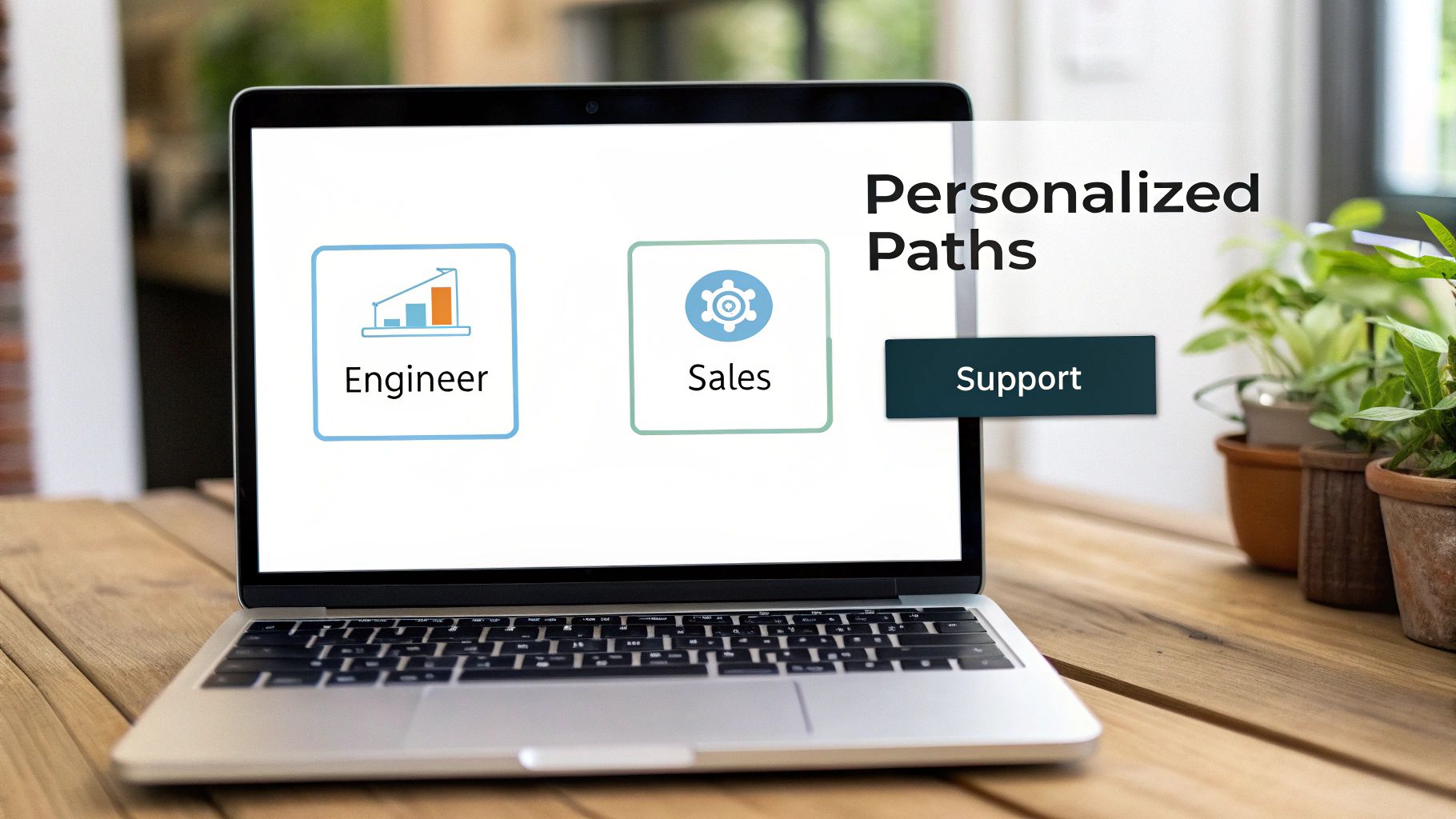
Generic, one-size-fits-all onboarding no longer meets the complex needs of enterprise customers. A superior customer onboarding best practice is to deliver personalized learning paths tailored to a user’s specific role, department, or proficiency level. This ensures that every user receives relevant, high-impact information that directly relates to their daily tasks, dramatically accelerating their time-to-value and product adoption.
Instead of forcing a sales representative and a system administrator to sit through the same generic product tour, role-based customization delivers distinct content streams. The salesperson learns about lead management and CRM integration, while the administrator focuses on user provisioning and security settings. This targeted approach prevents cognitive overload and keeps users engaged by demonstrating the product’s value in their specific context.
Why It Works
This strategy is employed by leading enterprises like Microsoft and Shopify, which create distinct onboarding programs for different user personas (e.g., engineers vs. merchants). By personalizing the journey, you make the user feel understood and valued, which builds confidence and fosters a deeper connection with your product from day one. It directly answers the user’s primary question: “How does this tool help me do my job better?”
How to Implement It with Your Existing Tools
- Map Key User Roles: Identify your 5-10 primary customer personas and document their unique goals and training needs. This map is the blueprint for your custom learning paths.
- Create Modular Video Content Scalably: Develop a core library of foundational videos. Then, use Colossyan to easily create multiple versions with tailored scripts for each role—no reshoots required.
- Use Brand Kits for Consistency: Maintain brand consistency across all personalized content. Colossyan’s Brand Kits ensure that logos, colors, and fonts are uniform, even when rapidly producing role-specific video variations.
- Automate Path Assignment: Leverage your CRM or HRIS data to automatically assign users to the correct learning path in your LMS upon signup. Colossyan’s API can integrate with your existing systems to automate the delivery of the right video sequence to the right user at scale.
3. Interactive Video with Branching Scenarios and Decision Trees
To truly elevate customer onboarding, move beyond passive video consumption and embrace interactivity. A powerful customer onboarding best practice is to embed branching scenarios and decision trees directly into your training videos. This transforms learning from a one-way broadcast into an immersive, two-way conversation where users actively participate in their education. Learners make choices that directly affect the video’s narrative, creating a “choose your own adventure” style of training that mirrors real-world situations.
This method is particularly effective for teaching complex workflows or situational decision-making. Instead of just telling users what to do, you let them practice in a safe, simulated environment. For L&D teams, this means creating scenario-based training where outcomes vary based on user decisions. Platforms like Colossyan enable this by allowing you to build conditional pathways with conversational AI avatars, creating realistic interaction scenarios.
Why It Works
This approach is grounded in active learning principles, which demonstrate that learners retain information far better when they do, rather than just watch. By making choices and seeing immediate consequences, users build muscle memory and confidence. It’s the difference between reading a manual on how to handle a difficult customer and actually navigating a simulated conversation, making it ideal for sales, support, and compliance training.
How to Implement It with Your Existing Tools
- Map Key Decision Points: Start by identifying 2-3 critical scenarios from your customer journey and map them out as simple decision trees.
- Use Conversational AI Avatars: Leverage Colossyan to create realistic practice scenarios. For example, an AI avatar can play the role of a client, and the user must choose the correct response to advance. This content can then be embedded into your existing learning platform.
- Base Scenarios on Real Data: Create authentic and relevant scenarios by analyzing support tickets and call recordings. This ensures your training addresses actual pain points.
- Track Learner Pathways in Your LMS: Upload your interactive content to your LMS and analyze which branches users choose most often. This data reveals common misconceptions, providing valuable feedback for both your training and product teams.
4. Multi-Channel Content Delivery with LMS Integration
Effective customer onboarding best practices demand meeting users where they are, rather than forcing them into a separate training portal. This is achieved through multi-channel content delivery, an approach that embeds learning directly into the tools your customers and employees already use every day. By integrating training with your Learning Management System (LMS), chat platforms, and other workflow tools, you reduce friction and transform onboarding from a disruptive event into a seamless part of the daily routine.
This strategy ensures that learning is always just a click away, whether a user is in their primary LMS like SAP SuccessFactors or needs a quick tutorial within Slack. It’s about making access to information effortless and contextual, which significantly boosts engagement and knowledge application. Instead of isolating training, you weave it into the very fabric of the user’s digital workspace.
Why It Works
This omnichannel approach mirrors how modern work gets done. By delivering content within established workflows, you eliminate the cognitive load of context-switching and make learning feel more relevant and timely. Integrations like Coursera for Business within corporate LMS platforms or Skillsoft’s Percipio platform demonstrate the power of embedding education directly into the enterprise ecosystem, driving higher adoption and completion rates.
How to Implement It with Your Existing Tools
- Audit Your Tech Stack: Identify every platform where users consume information, including your primary LMS (e.g., Canvas, Workday), knowledge base, and communication tools like Slack or Microsoft Teams.
- Prioritize SCORM/xAPI Exports: Use a tool like Colossyan to export your video modules as SCORM packages. This ensures seamless integration with your existing LMS, allowing you to maintain compliance and track completion data accurately.
- Automate with API Workflows: Leverage Colossyan’s API to connect your HRIS or CRM to your LMS. For example, automatically assign a personalized video onboarding sequence when a new user is added, ensuring a consistent and timely experience.
- Distribute MP4s for Wider Reach: For platforms with limited integration capabilities, export high-quality MP4 videos from Colossyan and distribute them via email, chat channels, or internal knowledge bases.
- Enable Single Sign-On (SSO): Implement SAML SSO for your training portals to provide single-click access, removing the friction of remembering yet another password and encouraging more frequent engagement.
5. Embedded Microassessments and Knowledge Checks
Effective customer onboarding isn’t about passive content consumption; it’s about active learning and verified comprehension. One of the most impactful customer onboarding best practices is to integrate embedded microassessments directly into your training content. Instead of a single, high-stakes exam at the end, this method involves placing brief quizzes, polls, and knowledge checks throughout the learning journey to confirm understanding in real-time.
This approach transforms training from a lecture into a dialogue. It leverages established learning science principles like retrieval practice, which reinforces memory by prompting users to recall information. It also provides immediate diagnostic feedback, allowing you to identify and address knowledge gaps the moment they appear, rather than letting misunderstandings compound. This accelerates proficiency and drastically shortens the user’s time-to-value.
Why It Works
This strategy is proven effective by platforms like Duolingo, which embeds quick translation exercises within lessons, and Coursera, which uses in-video quizzes to check comprehension before moving on. The core benefit is that it makes learning an interactive, low-pressure experience. For enterprise L&D teams, it provides invaluable data on where new customers are struggling, enabling data-driven content improvements.
How to Implement It with Your Existing Tools
- Embed Quizzes in Videos: Use your LMS or authoring tools to add 1-2 brief quiz questions directly into your training videos. Place them after explaining a critical concept to immediately test retention.
- Provide Immediate, Specific Feedback: Don’t just say “Correct” or “Incorrect.” Use your LMS to offer constructive feedback like, “Not quite. The reporting dashboard is found under the Analytics tab. Let’s review that section.”
- Use Conditional Branching: Set up rules in your learning platform. If a user scores below 70% on a microassessment, automatically guide them to a 2-minute review video. If they score above 90%, unlock an advanced module.
- Ask Application-Based Questions: Move beyond simple recall. Pose scenario-based questions that require users to apply their new knowledge, such as, “A high-priority ticket arrives. Based on the process you just learned, what is your first step?” This tests true understanding.
- Analyze Performance Data in Your LMS: Regularly review quiz data in your existing analytics dashboard to spot trends. If 60% of new users fail the same question, it’s a clear signal that the training module for that feature needs to be revised for clarity.
6. Peer Learning and Social Onboarding Components
Effective customer onboarding shouldn’t be an isolated, individual experience. A powerful best practice is to integrate peer learning and social components by building a community around the learning process. This strategy moves beyond one-to-many content delivery and fosters a collaborative environment where users learn from both the material and each other. It involves creating structures like cohort-based learning, mentorship, and peer-to-peer discussion forums.
By wrapping your core educational content in a social layer, you accelerate product adoption and build a stronger sense of community. New users feel more connected and supported when they can ask questions of experienced peers, share insights within a cohort, and learn from real-world applications discussed by others. This transforms onboarding from a simple checklist into a dynamic, engaging, and human-centered journey.
Why It Works
This approach is successfully used by companies like Slack, which facilitates team-based learning through dedicated channels, and Google, which uses structured peer mentorship alongside formal training. The core benefit is that it reduces the burden on your support team by creating a self-sustaining ecosystem of knowledge. New users get context-specific answers faster, and experienced users solidify their own expertise by teaching others, leading to deeper product engagement for everyone.
How to Implement It with Your Existing Tools
- Assign Onboarding Buddies: Match new customers with experienced “buddy” users from their own organization. Provide a structured guide with milestones for them to review together.
- Use Video as a Discussion Starter: Use Colossyan videos as the foundational “talking points.” Instruct mentors and mentees to watch a short training module and then discuss how to apply the concepts within your existing collaboration tools.
- Build Onboarding Cohorts: Group new customers who start around the same time into cohorts. This creates a sense of camaraderie and a safe space to ask “beginner” questions.
- Create Dedicated Channels: Set up a Slack or Teams channel for each onboarding cohort. Use it to facilitate discussions, share success stories, and allow peers to help troubleshoot problems, fostering a vibrant learning community. This also provides valuable, real-time feedback on your customer onboarding best practices.
7. Spaced Repetition and Retrieval Practice Scheduling
How Paramount cut training video production from weeks to hours
Paramount replaced manual video production with Colossyan's AI avatars, cutting production time from weeks to hours across their global L&D team.
Read the full story →A major pitfall in customer onboarding is treating it as a one-time event. Effective learning requires fighting the natural human tendency to forget. This is where spaced repetition comes in, a powerful technique based on the Ebbinghaus forgetting curve. It involves strategically re-exposing users to critical information at increasing intervals to move knowledge from short-term recall into long-term memory.
Instead of a single viewing, this method schedules touchpoints to review crucial content after one day, three days, one week, and so on. This active recall process interrupts the forgetting process, ensuring that foundational knowledge sticks. For enterprise L&D teams, this means building a continuous learning loop rather than a front-loaded information dump, leading to sustained product adoption and expertise.
Why It Works
This neuroscience-backed strategy is the engine behind highly effective learning platforms like Duolingo and Anki. By scheduling reviews at scientifically optimal moments, you make learning more efficient and durable. This is one of the most impactful customer onboarding best practices for complex products, as it ensures users don’t just learn a feature once but master it for good, dramatically reducing support tickets and churn.
How to Implement It with Your Existing Tools
- Create Refresher Micro-Videos: Use Colossyan to generate short, 1-2 minute video recaps of core concepts. These concise refreshers are perfect for spaced review, as they reinforce key takeaways without needing to re-record.
- Automate Scheduling with an LMS: Use your existing LMS to create automated workflows. Set rules that trigger reminder emails with a link to a refresher video after a user completes a core module, scheduled at intervals like 3, 7, and 30 days.
- Design Retrieval Practice Quizzes: Go beyond passive re-watching. Use your LMS to schedule short quizzes or scenario-based questions that force users to actively retrieve information. This “desirable difficulty” strengthens memory pathways far more than simply viewing the content again.
- Tier Your Content: Define content tiers in your learning plan: Tier 1 (core workflows) gets an aggressive spacing schedule, while Tier 2 (advanced features) can have less frequent touchpoints.
8. Real-World Scenario and Problem-Based Learning
One of the most impactful customer onboarding best practices is to anchor learning in authentic, contextual scenarios that users will actually face. Instead of teaching abstract features or policies in isolation, use problem-based learning to immerse users in realistic situations. This approach, rooted in situated cognition theory, dramatically improves the transfer of knowledge from training to real-world application because users learn by doing in a relevant context.
This method shifts the focus from “what the feature does” to “how to solve a problem with the feature.” For customer education teams, this means creating training that mirrors the user’s daily workflow and challenges. Rather than a dry explanation of a reporting dashboard, you present a scenario: “Your manager needs to see last quarter’s lead conversion rates by region before the 10 a.m. meeting. Let’s build that report together.” This makes learning immediate, relevant, and far more memorable.
Why It Works
This strategy is effective because it forces active problem-solving rather than passive information consumption. It’s why medical schools use case-based learning and pilots use flight simulators. By grappling with a realistic challenge, users build a deeper, more functional understanding of your product. They don’t just learn a feature; they learn how to achieve an outcome, leading to faster proficiency and greater confidence.
How to Implement It with Your Existing Tools
- Create ‘Day-in-the-Life’ Scenarios: Build onboarding modules that walk users through a typical workflow. Use Colossyan to create a video showing a realistic sequence: “Here’s how you handle a new support ticket, from initial response to resolution using our platform’s key features.”
- Develop Role-Play Simulations: Use Colossyan’s conversational AI avatars to simulate interactions with customers, clients, or colleagues. Build branching scenarios where the user’s choices determine the outcome, providing a safe space to practice difficult conversations before deploying them in your LMS.
- Base Content on Real Problems: Analyze support tickets and customer feedback to identify the most common challenges. Build your onboarding scenarios directly around solving these specific pain points.
- Include Failure Scenarios: Create short videos showing an incorrect way to handle a situation and ask the user, “What could have been done differently here?” This critical thinking exercise reinforces best practices and proactively addresses common mistakes. Learn more about creating engaging training with AI video generation.
9. Gamification and Progress Visualization
One of the most powerful customer onboarding best practices is to transform learning from a passive requirement into an engaging, motivational experience. By incorporating gamification and clear progress visualization, you tap into intrinsic human drivers for achievement, competition, and completion. Instead of facing a dry checklist, new users are greeted with progress bars, achievement badges, and milestone celebrations that create a sense of forward momentum and accomplishment.
This strategy leverages behavioral psychology to boost engagement and drive higher completion rates. It turns the onboarding journey into a rewarding adventure where users are motivated to see what they can unlock next. For enterprise L&D teams, this means reframing training from a mandatory task to a challenge that users want to complete, significantly improving knowledge retention and long-term user adoption.

Why It Works
This approach is validated by highly successful platforms like Salesforce’s Trailhead, which uses badges and points to train millions, and Duolingo, whose streaks and leaderboards keep users coming back daily. The core benefit is that it makes learning feel less like work and more like a game, fostering a positive emotional connection to your product from day one. This leads to deeper engagement and a faster path to user proficiency.
How to Implement It with Your Existing Tools
- Start with Progress Indicators: Use the built-in features of your LMS to display a visual progress bar or a percentage-complete indicator. This gives users immediate feedback.
- Award Meaningful Badges: Tie badges within your learning platform to the completion of key learning modules or the mastery of specific features. A badge for “Data Reporting Pro” is more impactful than one for “Watched 5 Videos.”
- Celebrate Milestones with Video: Use Colossyan to create short, personalized celebration videos triggered at key milestones. A quick, AI-avatar-led message saying, “Congratulations! You’ve completed the setup phase,” adds a powerful human touch.
- Introduce Opt-In Leaderboards: Foster friendly competition by implementing team-level leaderboards within your LMS or community platform.
- Create Achievement Paths: Design specialized onboarding tracks like a “Power User Path” or an “Administrator Certification Path” using the curriculum tools in your existing system.
10. Analytics-Driven Continuous Improvement and Content Iteration
One of the most critical customer onboarding best practices is to treat your program not as a static, one-time creation but as a living system that evolves with data. This involves an analytics-driven continuous improvement cycle, where you use learner data to constantly identify gaps, refine content, and optimize the entire learning journey. Instead of launching an onboarding sequence and assuming it works, this approach demands that you systematically track key metrics to make informed, iterative enhancements.
This methodology transforms onboarding from an art into a science. Enterprise L&D teams collect and analyze data on everything from video completion rates and quiz performance to real-world job performance metrics. These insights reveal exactly where the onboarding process is succeeding and where it’s failing, allowing for targeted updates that directly address user sticking points and knowledge gaps, ensuring the program’s effectiveness scales over time.
Why It Works
This approach is used by data-centric organizations like Google and Tableau to directly link training initiatives to business outcomes. For example, by analyzing onboarding data against new hire ramp-up times, Tableau was able to identify and fix inefficiencies in their training, reducing the time it took for new employees to become fully productive by 30%. The core principle is simple: what gets measured gets improved.
How to Implement It with Your Existing Tools
- Establish Baseline Metrics: Before launching, define what success looks like in your analytics platform. Key metrics include time-to-value (TTV), feature adoption rates, and support ticket volume from new users.
- Track the “Big Three”: Focus on completion rates, assessment scores, and real-world application using data from your LMS and CRM.
- Identify Learner Drop-Off Points: Use your platform’s analytics to see where engagement falters. If a high percentage of users abandon the onboarding after a specific module, that content likely needs to be revised.
- Correlate Training with Outcomes: Connect onboarding data from your LMS to business goals in your CRM. For instance, determine if customers who completed a specific advanced feature module submit fewer support tickets related to that feature. This proves the direct ROI of your content.
10-Point Comparison: Customer Onboarding Best Practices
From Onboarding Overload to Activated Customers
Navigating the landscape of customer onboarding can feel like a monumental task, but the journey from a new user to a dedicated advocate is paved with strategic, well-executed practices. We’ve explored ten powerful strategies, from implementing progressive disclosure to leveraging analytics for continuous improvement. The common thread weaving through all these customer onboarding best practices is a fundamental shift in mindset: moving away from a one-size-fits-all information dump and toward a guided, personalized, and value-driven experience.
This isn’t about simply checking boxes. It’s about orchestrating a series of “aha!” moments that build momentum and confidence. By breaking down complex information into microlearning modules, personalizing paths based on user roles, and embedding knowledge checks, you create a learning environment that respects the user’s time and cognitive load. To prevent customers from feeling overwhelmed and ensure a smoother learning curve towards activation, it’s vital to explore various strategies to overcome information overload, ensuring your content empowers rather than paralyzes.
Turning Best Practices into Business Impact
The true power of mastering these concepts lies in their ability to transform your onboarding from a cost center into a powerful revenue driver and a distinct competitive advantage. A seamless, engaging onboarding experience directly impacts key business metrics:
- Reduced Time-to-Value (TTV): By guiding users directly to the features that solve their core problems, you accelerate their journey to realizing the product’s value.
- Increased Product Adoption: Interactive, role-based content encourages deeper engagement with your platform, moving users beyond basic functionality to advanced, high-value features.
- Lower Churn Rates: Customers who are confident and successful with your product from day one are significantly more likely to remain loyal long-term.
- Decreased Support Costs: An effective onboarding program proactively answers common questions and builds user self-sufficiency, reducing the burden on your support teams.
The ultimate goal is to create a self-perpetuating cycle of success. An activated customer is not just a retained user; they become a source of positive case studies, referrals, and valuable product feedback.
Your Path to Onboarding Excellence Starts Now
Adopting these advanced strategies may seem daunting, especially for enterprise teams managing complex products and diverse user bases. However, the key is not to implement everything at once. Start by identifying the biggest point of friction in your current process. Is it user drop-off during a specific module? Is it low feature adoption for a critical tool?
Select one or two of the best practices discussed, such as introducing interactive video scenarios or personalizing a single learning path, and pilot the change. Measure the impact, gather feedback, and iterate. This focused approach allows you to build momentum and demonstrate value, making it easier to secure resources for broader implementation. Remember, your existing tools, like your LMS and CRM, are the foundation, but modern, scalable content creation is the engine that drives true engagement.
Platforms like Colossyan Inc. are designed to be that engine, acting as a force multiplier for your customer education teams. You can produce high-quality, AI-driven video content in minutes, not weeks, making it feasible to implement role-based personalization, create interactive scenarios, and support a global audience with multi-language capabilities. This approach bridges the gap between ambitious strategy and practical execution, allowing you to build an onboarding experience that not only educates but also activates and retains your most valuable customers.
Ready to transform your onboarding from a simple checklist into a strategic growth engine? Discover how Colossyan Inc. empowers teams to create scalable, engaging, and personalized video training content without the need for cameras or crews. Start building a world-class customer onboarding experience today by visiting Colossyan.


