Your company's tech stack is a powerful ecosystem of specialized tools: a CRM for sales, an HRIS for people management, and collaboration platforms that keep everyone connected. So why is your Learning Management System (LMS) so often left stranded on an island? For modern L&D teams, the real power isn't in the LMS itself, but in connecting it to the tools your business already relies on. This learning management system integration isn't a technical luxury—it's the key to proving L&D's value.
Why Your LMS Is Only as Good as Its Integrations
A disconnected training platform creates more problems than it solves. It operates in its own world, trapping valuable data and preventing you from seeing the bigger picture. When your LMS can't communicate with your other systems, you're stuck with frustrating manual work, a disjointed user experience, and a massive blind spot in your analytics.
This isn't just a minor annoyance. More than 412,402 companies worldwide use an LMS, yet a whopping 52% of users are unhappy with them. The number one reason? A failure to integrate with other platforms. It's the single biggest source of frustration for L&D pros today, a fact backed up by plenty of recent LMS statistics.
The Problem with Data Silos
When your LMS is an island, your team gets bogged down in repetitive, low-impact tasks. Think manually enrolling every new hire into onboarding or exporting CSV files just to prove who completed compliance training.
This admin headache is a huge time-sink, but the strategic cost is even higher. Without integration, you have no way to connect your training initiatives to the real-world business outcomes happening in your other tools.
How do you prove your new sales training actually led to bigger deals in your CRM? Or that your customer service modules genuinely reduced support tickets in your helpdesk software? These questions are almost impossible to answer when your data is locked away.
Building a Modern Learning Ecosystem
A truly modern learning ecosystem turns your LMS from a simple content library into a strategic business driver. The argument is simple: create a network where data flows freely between all your platforms to unlock powerful insights and serious automation.
Imagine an environment where your systems just work together:
Your HRIS automatically enrolls new hires into their required onboarding paths the moment they join.
Your CRM triggers a product knowledge video for a sales rep right after they log a call about a new feature.
Your collaboration tools like Slack or Teams notify a manager when someone on their team completes a key certification.
This interconnected approach is where tools like the AI video platform Colossyan become so powerful. By creating and exporting SCORM-compliant video content, Colossyan acts as a vital bridge in this ecosystem, enhancing the tools you already use.
It lets you deploy engaging, scalable, and fully trackable video training directly within the integrated setup you’ve built. Suddenly, learning management system integration stops being a technical chore and becomes your biggest strategic advantage.
A well-integrated system doesn't just make life easier; it delivers tangible business results. Let's break down the difference.
The Impact of an Integrated vs Siloed LMS
The difference between an integrated LMS and a siloed one shows up fast.
A siloed LMS adds friction. Learners deal with extra logins and disconnected systems, admins spend time on manual tasks, and training data lives in isolation. As a result, engagement is low and it’s hard to connect learning activity to real business outcomes.
An integrated LMS removes that friction. Learning is accessible through existing tools, workflows are automated, and training data connects directly to performance metrics. This makes it easier to deploy relevant training quickly, improve adoption, and demonstrate the impact of L&D.
The takeaway is simple: siloed systems slow teams down. Integrated systems make learning easier to run, easier to use, and easier to justify to the business.
Building Your Integration Strategy From the Ground Up
Jumping into an LMS integration without a solid plan is a fast track to wasting time and money. A successful strategy isn't about the tech itself; it's about the people and processes the tech is meant to serve. Before you even whisper the word "API," you need a crystal-clear picture of what your organization is actually trying to achieve.
Your first move should be to get all the key stakeholders in a room—virtual or otherwise—to map out the entire learning journey. This isn't just an IT or HR conversation. You need insights from sales, customer support, and any other department that depends on training to hit its goals. The idea is to get past assumptions and uncover the real-world friction that's holding people back.
Asking the Right Strategic Questions
As you guide this conversation, your goal is to pinpoint genuine pain points and opportunities. Keep the discussion focused on business outcomes, not technical jargon.
Here are a few areas to dig into:
Automation: What repetitive, manual tasks are eating up your team's time? Think user enrollment, pulling reports, or tracking certifications.
Data Gaps: What crucial performance data is missing? How can connecting your systems finally prove the ROI of your training initiatives?
User Experience: Where do your learners get tripped up? Is forcing them to log into three different platforms to complete one training module a common complaint?
This process naturally helps you sort your "must-haves" from the "nice-to-haves." You'll quickly find that essential integrations, like Single Sign-On (SSO) or a direct link to your HRIS, float to the top because they solve immediate, widespread problems. For a deeper dive into vetting potential partners, check out our guide on creating a vendor profiling workbook.
Integrating Content Creation from Day One
One of the most common mistakes is treating content as a total afterthought. Your integration strategy has to account for how training materials are actually created, deployed, and tracked from the very beginning. Thinking about your content creation tools early on will save you a world of hurt later.
For example, if your goal is to rapidly deploy product update videos to your sales team, your video creation platform must talk to your LMS. An integrated approach is the difference between a seamless workflow and a future filled with manual uploads and tracking spreadsheets.
This is exactly why platforms like Colossyan are built to enhance your existing tools. By generating SCORM-compliant video content, every training module you produce is instantly ready to work with your LMS. The moment a learner hits play, their progress, quiz results, and completion status are automatically fed back into your system. No manual work required.
By planning for content from the start, you're not just connecting systems; you're building a smarter, more future-proof learning ecosystem. It ensures your AI-generated training is not only engaging but also completely measurable, letting you tie learning activities directly to performance metrics.
Decoding Your Core Integration Options
Getting into the technical side of learning management system integration can feel like a headache, but it really just boils down to picking the right tool for the right job. You don't need to be a developer to have a good conversation with your IT department. The idea is to understand what each integration method excels at so you can build the best setup for your training programs.
Think of it like building a specialized team. You wouldn’t ask your best writer to manage the company's network infrastructure, right? In the same way, you wouldn't use a content-focused standard like SCORM to handle system-wide automations. Each integration type has its own superpower, and knowing the difference is the first step toward a seamless learning ecosystem.
Application Programming Interfaces (APIs)
APIs are the unsung heroes of the software world. They act as messengers, letting your different systems talk to each other and swap data securely. If you want to create automated workflows between your LMS and other crucial business platforms, APIs are what make it happen.
A classic example I see all the time is hooking up an LMS with a CRM. Using an API, you could instantly assign a new product training module in the LMS the second a sales rep logs a client call about that specific product. This creates a real-time connection that makes training incredibly timely and relevant.
For those with more complex needs, digging into concepts like microservices architecture can open up even more scalable and robust integration possibilities.
SCORM and xAPI for Content
While APIs are all about connecting entire systems, SCORM (Sharable Content Object Reference Model) and its modern successor, xAPI (Experience API), are focused on connecting content to your LMS. They act as a universal language, making sure your learning materials can be tracked and measured consistently, no matter what tool was used to create them.
To help you decide which approach fits your situation, here's a quick breakdown of the most common integration methods.
Choosing the Right Integration Method for Your Needs
APIs Used for system-to-system automation and real-time data exchange. Colossyan doesn’t replace APIs, it plugs into ecosystems that already use them.
SCORM The standard way to track course completion and quiz results. Colossyan exports AI-generated videos as SCORM packages that work in any LMS.
xAPI Used for more detailed learning data beyond completion, such as in-video interactions and learner choices.
SSO Handles authentication. Learners log in once through their LMS and access Colossyan content without additional sign-ins.
Ultimately, the goal is to create a frictionless experience for both learners and administrators, and choosing the right mix of these methods is how you get there.
Your LMS has to know when a learner finished a course, what they scored on a quiz, or even how much of a video they actually watched. SCORM and xAPI provide the standardized script for your content to report this critical data back to the LMS.
This is exactly where a platform like Colossyan fits perfectly into the puzzle. When you build an interactive training video in Colossyan and export it as a SCORM package, you're essentially creating a smart, self-contained learning object.
This package can be uploaded to pretty much any modern LMS, and it will immediately start reporting all that crucial learner data—no custom coding required. This kind of seamless learning management system integration for content is a game-changer. It frees up your developers to work on those bigger system-to-system API connections while ensuring your engaging AI videos are a fully measurable and impactful part of your training strategy.
Bringing an Integration Project to Life
Okay, you've got your strategy down on paper. Now it's time to actually make it happen. Moving from a plan to a live integration is less about ticking off boxes and more about steering a project through a series of make-or-break moments. This is where the real work begins—wrestling with configurations, solving data mapping puzzles, and testing everything until it's bulletproof.
The first step is always the initial technical handshake between systems. Your IT team and the LMS vendor will get on a call (or several) to set up API keys, configure security protocols, and make sure the basic connection is solid. Think of it as laying the foundation of a house. Nothing else can happen until you know it’s stable.
The Make-or-Break World of Data Mapping
Once the systems can talk to each other, the really tricky part starts: data mapping. I can't stress this enough—this is the most critical, and most frequently underestimated, piece of a learning management system integration. You're essentially teaching two different systems how to speak the same language.
For example, you need to map the "Employee ID" field in your HRIS to the "User ID" field in your LMS. Get that wrong, and you'll end up with duplicate accounts or, even worse, users who can't access their required training. The devil really is in the details here.
We see the same challenges pop up time and time again:
Field Mismatches: Your HRIS uses separate "First Name" and "Last Name" fields, but the LMS expects one "Full Name" field.
Format Differences: One system loves dates in MM/DD/YYYY format, while the other insists on DD-MM-YYYY. It sounds minor, but it can break the entire sync.
Custom Fields: You have unique internal fields for job codes or regional departments that don't have a standard equivalent in the LMS.
Test, Test, and Test Again with a Pilot Group
Before you even dream of a company-wide launch, you need to run a proper User Acceptance Test (UAT). The best way to do this is with a small, hand-picked pilot group. Make sure this group is a good mix of your employee base—grab a new hire, a manager who relies on team reporting, and a veteran employee who has seen it all. Their feedback will be invaluable.
The point of a pilot test isn't just to squash bugs. It's about validating the entire experience from a real user's point of view. Is Single Sign-On actually seamless? Are people being enrolled in the right courses automatically? Is it intuitive? Starting small lets you catch and fix the awkward, frustrating problems before they affect everyone.
You will run into problems during this phase. That's a given. SSO authentication will fail because of a tiny misconfiguration. You'll find a weird data mismatch that only affects one department. Having a clear way for your pilot group to report issues is key to keeping things organized and managing everyone's expectations.
Taking the Headache Out of the Content Puzzle
While your tech team is heads-down on the platform-to-platform connections, your L&D team can get back to what they do best: creating great learning content. This is where leveraging tools with built-in compliance can be a game-changer. For a great example of how this works, see how Colossyan and ClickLearn integrate to make training workflows smoother.
Instead of getting tangled in the technical weeds of content standards, you can use a platform like Colossyan to create AI-powered video training that is already SCORM-compliant. You just build your video, export the SCORM package with one click, and upload it directly to your LMS.
This approach effectively decouples content creation from the systems integration project. It's a much smarter way to work. While engineers focus on the heavy lifting of data and authentication, your content team can be confident that every video they produce will work perfectly in the new environment from day one. It just makes the whole rollout process smoother for everyone involved.
Unlocking Performance with AI and Automation
A fully integrated LMS is more than just a convenience—it’s the launchpad for a truly intelligent learning ecosystem. When you connect your LMS to other business systems, you unlock the power of AI and automation, turning your training platform from a passive library into a proactive performance engine.
This is where a learning management system integration really starts to pay off, moving beyond simple efficiency gains. It creates a network that listens for business triggers and responds with perfectly timed, relevant training. This isn't just a trend; it's a fundamental change in how companies build skills.
By 2026, a staggering 72% of enterprises are expected to adopt AI-enhanced learning systems. This surge is directly tied to integration, which allows the LMS to pull real-time data from CRM, HR, and project management tools to deliver training that actually makes sense in the moment.
From Reactive to Proactive Learning
Imagine a sales rep loses a big deal. Instead of waiting for a quarterly review, your integrated CRM flags the event, and within minutes, the LMS automatically assigns a short, AI-generated video covering objection handling for that specific competitor. This isn't science fiction; it's the power of an interconnected learning environment.
This proactive model can work across your entire business:
Project Management: A developer gets assigned to a project using a new coding framework. The project tool triggers the LMS to deliver a micro-learning module on best practices for that framework.
Customer Support: Your helpdesk software spots a spike in tickets about a new feature. This automatically kicks off the creation and assignment of a quick "how-to" video for the whole support team.
Onboarding: A new hire's profile in your HRIS shows they’ll be working with a specific software suite, triggering a personalized learning path with introductory videos.
Scaling Personalized Content with AI
Trying to manage this level of personalization manually would be impossible. The key is to combine a smart integration strategy with AI-driven content creation tools. This is precisely where platforms like Colossyan fit into the picture.
An integrated system provides the "when" and "why" for training. An AI video platform like Colossyan provides the "what." Together, they create a closed-loop system that adapts to your organization's real-time needs, delivering training at the exact moment it's needed most.
Beyond just triggering assignments, integrating powerful AI software for small business can dramatically improve your LMS capabilities, offering personalized learning paths and intelligent content recommendations.
With Colossyan, you can use an API to generate personalized video content at a massive scale. For example, you could create hundreds of unique onboarding videos, each customized with the new hire's name, department, and manager—all triggered automatically by your HRIS. You can learn more about how to auto-create videos with Colossyan’s API in our guide. These videos are then pushed through your integrated LMS, creating a memorable, scalable, and fully automated experience.
Your Learning Management System Integration Questions Answered
Even the most solid integration plan can hit a few snags. When you get into the weeds of a learning management system integration, tough questions always pop up. Let's walk through some of the most common challenges L&D pros face and get you some clear, actionable answers.
What Is the Difference Between a SCORM and an API Integration?
This is a classic, and it's easy to get them mixed up. Think of SCORM as the universal language for your learning content and an API as the secure messenger between your software systems. You really need both working together for a smooth-running learning ecosystem.
A SCORM integration is what lets your e-learning course—say, an interactive video you built in Colossyan—talk to any compliant LMS. It's how the course reports vital data like completion status and quiz scores back to the mothership. It’s all about the content communicating effectively.
An API integration, on the other hand, is a much deeper connection between two separate pieces of software. It allows your LMS to automatically swap data with other business tools. A perfect example is connecting to your HR software to automatically enroll new hires into their onboarding pathway.
Key Takeaway: You use SCORM for content-to-LMS communication and APIs for system-to-system automation. One handles the "what" (the course), and the other manages the "who" and "when" (the user and the trigger).
How Can I Justify the Cost of LMS Integration to Leadership?
Getting buy-in from the top means speaking their language. Forget the technical jargon and focus on business impact. Your proposal needs to be framed around clear ROI and efficiency gains that leadership can immediately grasp.
First, do the math. Calculate the hours your team currently burns on manual tasks like user enrollment, pulling reports, and chasing down compliance training records. Present this as a direct, tangible cost saving in terms of salary hours.
Then, pivot to the strategic value. Show them how a learning management system integration unlocks the data you need to draw a straight line from training to results. Imagine being able to prove that your new product training directly correlates with a 15% increase in sales. Now you’re not talking about a cost—you’re talking about an investment that makes your people and your technology more valuable.
Where Should We Start if We Have No Integrations?
If you're staring at a blank slate, my advice is always the same: start with the integration that delivers the biggest immediate impact for the lowest complexity. For almost every organization, that’s Single Sign-On (SSO).
Why SSO first? Because it’s a quick win that everyone will notice. It instantly improves the user experience by removing the friction of remembering yet another password. This directly boosts adoption rates and, as a bonus, cuts down on all those "I forgot my password" tickets flooding your IT helpdesk.
Once that’s in place, your next priority should be connecting your LMS to your HRIS. This one integration automates the entire user lifecycle—from onboarding new hires to deactivating them when they leave. It saves countless admin hours and ensures your user data is always clean and accurate. Nail these two foundational integrations first, and you'll build incredible momentum for whatever comes next.
Ready to create engaging, SCORM-compliant video content that slots perfectly into your integrated learning ecosystem? With Colossyan, you can produce AI-powered training videos that are instantly ready for any LMS, simplifying your content workflow and freeing up your team to focus on bigger strategic goals. Learn more and start creating today.
Dominik founded Colossyan in 2020 with the mission of helping workplace learning teams leverage AI video to make knowledge transfer easy. With over 6 years of experience in the synthetic media space, Dominik is passionate about using AI to make high-quality content creation accessible to all.
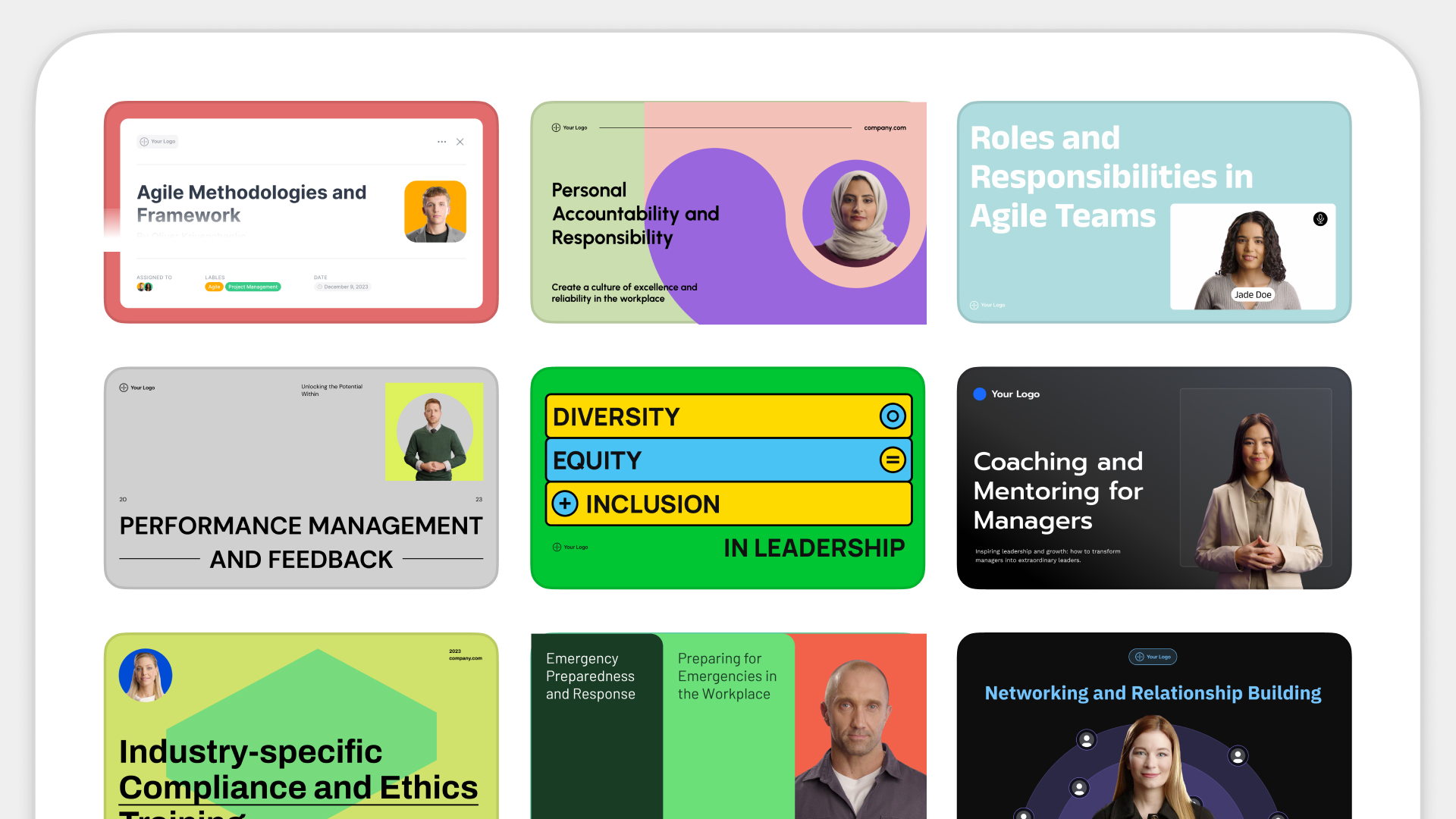
Networking and Relationship Building
Use this template to produce videos on best practices for relationship building at work.
Oops! Something went wrong while submitting the form.
example
Thank you - your video is on its way!
If you’d like to try out Colossyan and create a video yourself, just visit our website on your desktop and sign up for a free account in seconds. Until then, feel free to check out our examples.










.avif)


%20(1).avif)




.webp)
.webp)





