For Learning and Development (L&D) teams, the pressure is on. The demand for instant, personalized training has completely swamped the old ways of doing things. Static documents and manual video production just can't keep pace with the business anymore, making automating content creation less of an option and more of a necessity. The argument isn't about replacing your current tools, but supercharging them with AI.
Why Manual Training Content Creation Is Falling Behind
In today’s business world, speed is everything. Enterprise L&D and sales enablement teams are hitting a wall with the conventional approach to creating training materials. Those detailed PowerPoints, endless PDFs, and professionally shot videos? They’ve become a massive bottleneck.
This manual process isn't just slow; it's incredibly expensive and a nightmare to scale across a global company.
The real problem is how rigid these old methods are. When a product gets an update or a compliance policy shifts, the entire content library needs a painful, time-consuming overhaul. This usually means a long back-and-forth with designers, videographers, and subject matter experts—a process that can drag on for weeks, if not months. The result? Employees are stuck with outdated information, which hits their performance and, ultimately, the company’s bottom line.
The Pain Points of an Outdated Process
Relying on manual content creation causes the same headaches over and over again, holding back the entire organization. These aren't just minor annoyances; they're fundamental roadblocks to effective corporate training.
Here's what teams are up against:
High Production Costs: The bills for professional video shoots, voice actors, and editing software licenses stack up fast. It makes creating a diverse library of training or niche content feel almost impossible to justify.
Content Creation Bottlenecks: When all requests have to go through a small, specialized team, urgent training needs end up in a long queue. This delays critical knowledge from getting to the people who need it.
Inconsistent Messaging: Without a central, easy-to-update system, you get chaos. Different departments and regions end up using slightly different versions of training materials, which dilutes your brand and message.
Lack of Scalability: Manually translating a single training video into a dozen languages is a monumental task. It effectively locks out global teams from getting timely, relevant training.
The good news is that the shift away from these manual methods is already happening, thanks to innovations like auto course creation software that can dramatically accelerate development.
By automating the most labor-intensive parts of content creation, organizations can pivot from being reactive to proactive, ensuring their teams always have the most current and effective training materials at their fingertips.
This is exactly where AI-driven platforms clear a path forward. Instead of building every single video from scratch, teams can use tools like Colossyan to breathe new life into their existing assets. Those PowerPoints and documents that were once static can now be transformed into engaging training videos, making your existing tools more powerful than ever.
What Automating Content Creation Actually Means for L&D
Let’s pull back the curtain on what automating content creation really means for Learning and Development teams. It has less to do with robots taking over and more to do with giving your team a brilliant assistant to handle the most draining, repetitive parts of video production.
Think of it as upgrading from building furniture piece-by-piece with hand tools to running a precision assembly line. You’re still the architect—you design the final product, set the quality standards, and make all the creative calls. The system just handles the tedious, time-consuming assembly, letting you produce more, faster, and with perfect consistency.
This new approach is all about solving the classic bottlenecks that bog down L&D teams everywhere.
Sky-high costs, glacial turnarounds, and inconsistent messaging aren’t separate problems. They’re all tangled together, and automation is designed to unravel that knot.
From Content Creator to Content Director
This shift completely reframes the role of an instructional designer. Instead of getting lost in the technical weeds of video editing or scheduling voice actors, they graduate to becoming content directors. Their energy moves from hands-on execution to strategic oversight, making sure every training video is impactful, on-brand, and hits its mark.
This is all possible because of a few core technologies working in harmony inside a platform like Colossyan Creator.
AI Avatars: These photorealistic presenters completely remove the need for pricey, time-sucking video shoots. Just pick an avatar, give them a script, and they’ll deliver it with natural expressions and gestures.
Text-to-Speech (TTS): Modern TTS tech can turn your script into incredibly natural-sounding audio in hundreds of voices and languages. Need to tweak a compliance statement? Just edit the text. No expensive re-recording sessions required.
Automated Translation: Instantly convert your entire video—voiceover, on-screen text, everything—into over 80 languages. Scaling your training for a global audience becomes a task of minutes, not months.
The whole point is to let your team focus on instructional quality, not production logistics. When you automate the mechanics of video creation, you free up your best people to do what they do best: design learning experiences that actually change behavior and drive results.
To give you a clearer picture, let's compare the old way of doing things with the new automated workflow.
Comparing Manual vs Automated Video Creation
The difference between a traditional production cycle and an AI-driven one is night and day. The old process is linear, rigid, and full of dependencies, while the new one is flexible, iterative, and incredibly fast.
Scripting Traditional: Script is written and sent through multiple review cycles. With Colossyan: Script is written or generated and edited in real time.
Casting & Filming Traditional: Hire actors, book a studio, schedule a film crew. With Colossyan: Choose a ready-to-use AI avatar from a diverse library.
Voiceover Traditional: Hire a voice actor, record in a studio, edit audio files. With Colossyan: Type your script and generate natural-sounding audio instantly.
Editing Traditional: A video editor spends hours or days cutting footage and adding graphics. With Colossyan: Scenes, avatars, and assets are assembled automatically.
Localization Traditional: Hire translators and voice actors for every language. With Colossyan: Translate video, voice, and text into 80+ languages in one click.
Updates Traditional: Requires reshoots and re-edits, often starting from scratch. With Colossyan: Edit the script or swap an asset and regenerate in minutes.
Automation doesn't just speed things up; it fundamentally changes what's possible for L&D teams, making scalable, high-quality video training accessible to everyone.
The Driving Force Behind Automation
This isn’t just about making life easier; it's a direct response to a massive business need. The market for AI-powered content creation is absolutely exploding, projected to rocket from $2.15 billion in 2024 to $10.59 billion by 2033. This growth is fueled by an insatiable demand for personalized, high-volume content that manual methods could never hope to match. You can get the full rundown from this market analysis by Grand View Research.
By automating content creation, L&D teams can finally keep pace with the business. They can rapidly produce essential training for new hire onboarding, complex product explainers, and urgent compliance updates. This is how L&D stops being seen as a cost center and starts transforming into a strategic driver of the business. The real power is putting high-quality, scalable video training in the hands of every team, right when they need it.
Integrating AI Video into Your Existing Tools and Workflows
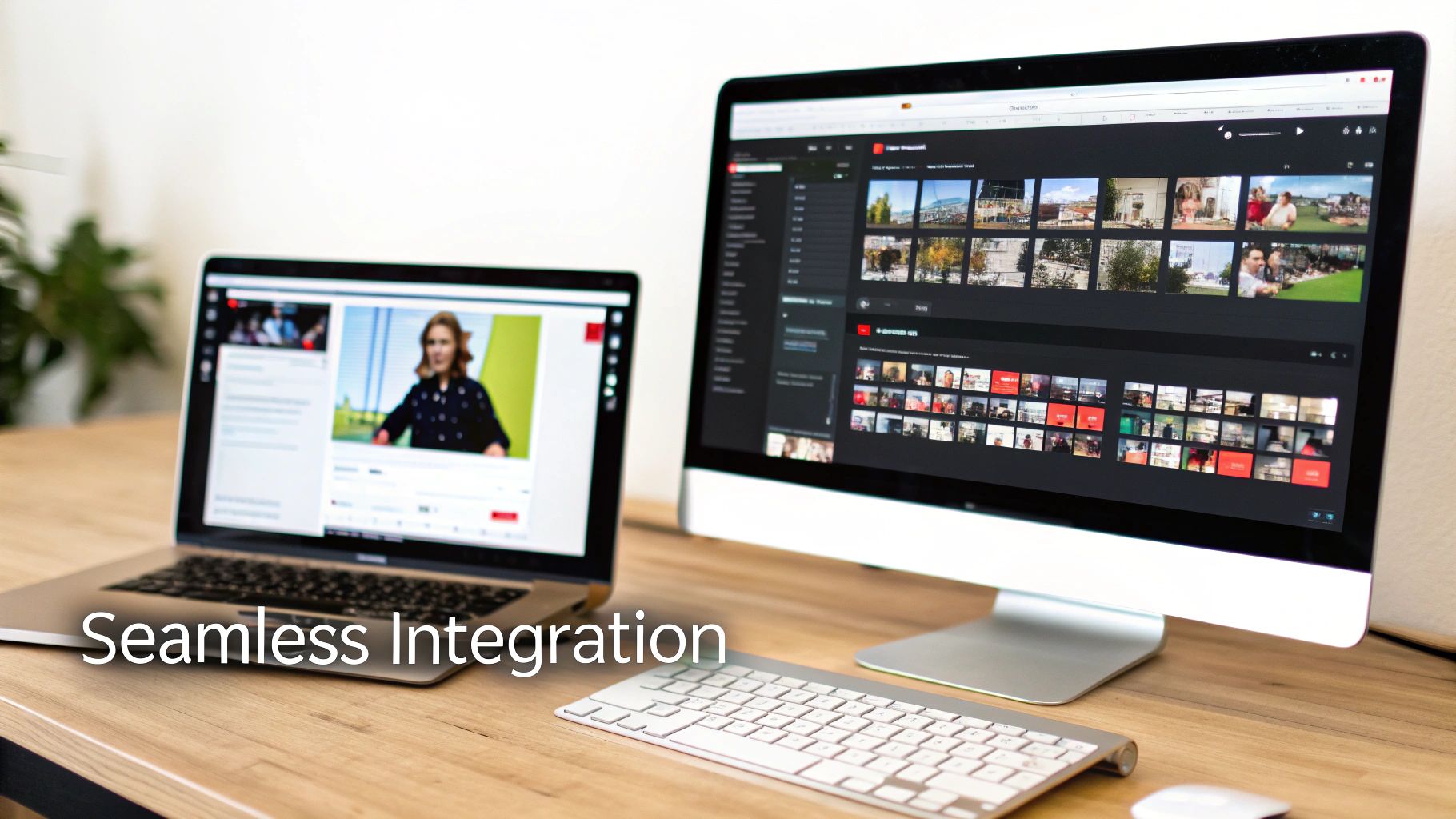
Bringing new technology into the fold often feels like a massive project, one that forces your team to ditch the tools and processes they already know. But getting started with automating content creation shouldn't mean starting from scratch. The argument for AI video is strongest when it plugs right into your existing setup, making the tools and content you already have even more valuable.
This is exactly where a platform like Colossyan comes in. Think of it as a force multiplier, not a total replacement. Instead of tossing out years of work on PowerPoint decks or re-recording every single software demo, you can spin them into dynamic, professional-looking training videos with just a few clicks. It’s all about creating a smooth on-ramp to video production without throwing a wrench in your team’s established rhythm.
Unlocking Value from Your Existing Assets
Your company has probably poured thousands of hours into creating presentations, documents, and screen recordings. An AI video platform is designed to make all that existing content work much harder for you.
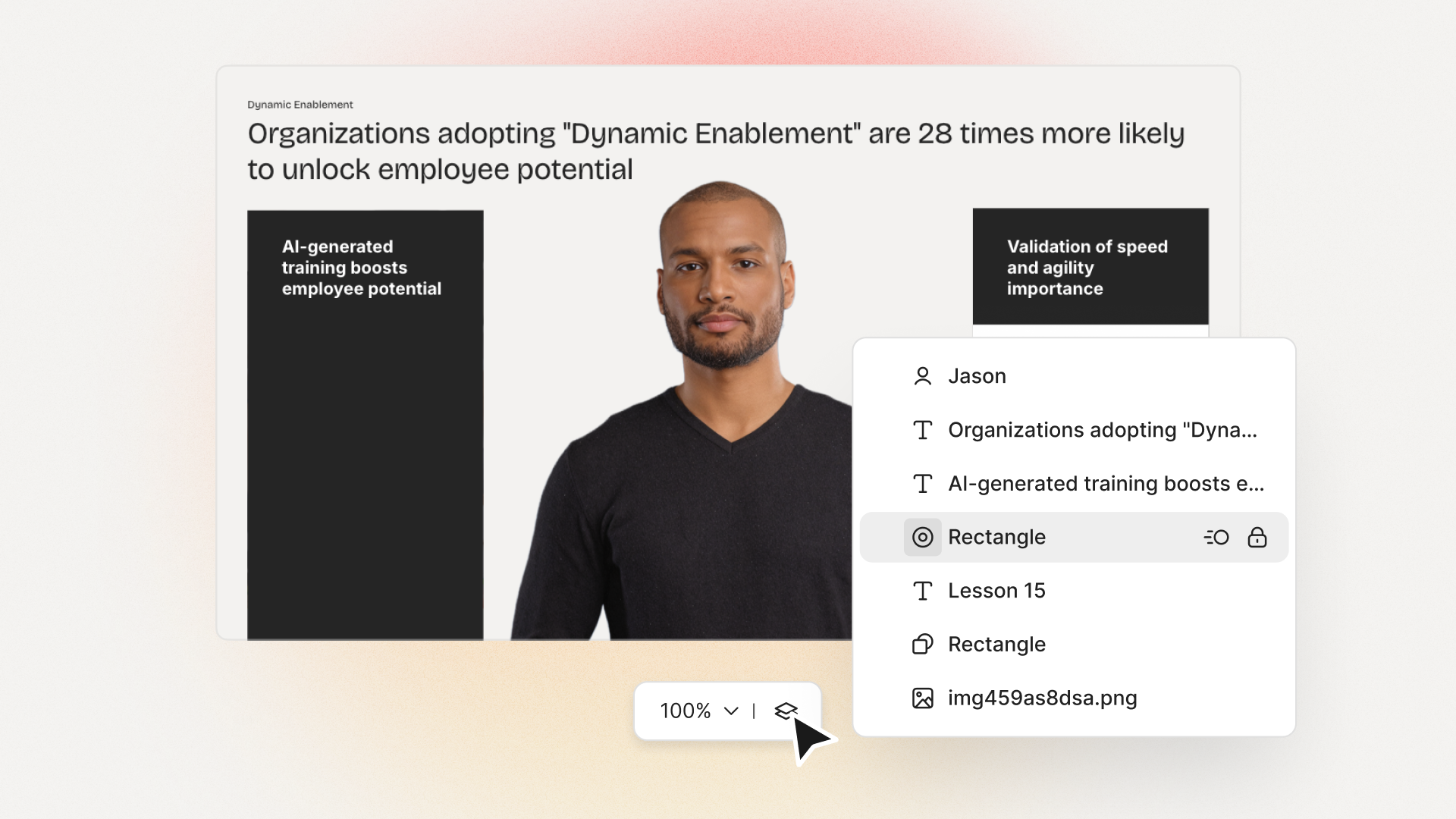
Let’s look at a common scenario. You’ve got a detailed PowerPoint that your trainers use for live sessions. Instead of letting it just sit on a server, you can import it directly into Colossyan. From there, the platform instantly turns each slide into a separate video scene, all ready for you to add narration. This single workflow is a game-changer for L&D teams trying to quickly convert existing PowerPoint content into engaging videos.
The same goes for that simple screen recording of a software walkthrough. You can instantly give it a major upgrade by adding an AI avatar to act as a guide, creating a polished how-to video that feels personal and direct. Just like that, a raw recording becomes a high-quality, reusable training asset.
The core idea is simple: integration should feel like an upgrade, not a migration. Colossyan meets you where you are, using your current content library to get production moving from day one.
Building a Connected Content Ecosystem
Real integration is more than just importing a few files. It’s about building a connected pipeline that takes you from creation all the way to delivery and tracking. This is especially important in enterprise learning environments.
A critical piece of this puzzle is Learning Management System (LMS) compatibility. AI video platforms like Colossyan are built to support SCORM (Sharable Content Object Reference Model), which is the universal standard for e-learning content.
This means you can:
Export Directly to Your LMS: Move your new video modules into your existing learning platform without any friction.
Track Learner Progress: Keep an eye on completion rates, engagement, and quiz scores right inside your LMS.
Ensure Compliance: Keep a central, auditable record of all training activities for any regulatory needs.
This direct connection to your LMS closes the loop, making AI-generated video a measurable and fully baked part of your corporate training strategy.
Maintaining Brand Consistency at Scale
One of the biggest worries with automating content is losing your brand's unique look and feel. Without the right guardrails, AI-generated content can feel generic or disconnected from your company's identity. That's why features like Brand Kits are so important.
A Brand Kit lets you upload your company’s logos, color palettes, and specific fonts. Once it's set up, every video your team creates will automatically stick to those guidelines, ensuring perfect brand alignment every time. Combine that with collaborative workspaces, and you’ve created a controlled environment where team members can create, review, and approve content without any bottlenecks.
This mix of speed and control is exactly what enterprises are looking for. In fact, North America's AI-powered content creation market is expected to jump from $0.92 billion in 2025 to $2.22 billion by 2032. A huge driver of that growth is the need for AI that can deliver personalization and brand consistency at a massive scale.
As you start working these new tools into your process, think about related tasks, too. For example, knowing how to transcribe video to text online can make your AI-generated videos even more useful by making them more accessible and easier to search.
How Different Departments Win with Automated Content
Theory is great, but the real test of any new technology is how it performs in the trenches. When it comes to automating content creation, the value isn’t just some abstract idea—it becomes crystal clear when you see how different teams can completely overhaul their workflows, speed up communication, and hit tangible business goals. Suddenly, AI video generation shifts from a neat concept to a real competitive edge.
This is exactly where platforms like Colossyan Creator go from being an interesting tool to an essential part of the operational toolkit. Let's dig into some practical, real-world examples of how various teams are getting major wins.
HR and Onboarding Reimagined
Human Resources and onboarding teams are always under pressure to give every single new hire a consistent, top-notch welcome. A generic, one-size-fits-all onboarding deck just doesn’t fly anymore. A new salesperson needs totally different information than a new engineer, and hires in another country need materials in their own language.
The Old Way: Manually creating and updating dozens of role-specific presentations was a logistical nightmare. Getting content translated was a slow, expensive ordeal with outside agencies, causing delays and a disjointed experience for international team members.
The Automated Way: Now, an HR team can just take their standard onboarding PowerPoint and import it directly into Colossyan. From there, they can duplicate the project in a flash to create personalized video modules for different roles. The sales version might have a welcome from the CRO and specific CRM training, while the engineering version features the CTO and a walkthrough of the dev environment.
With a single click, these personalized videos can be auto-translated into over 80 languages, complete with accurate voiceovers and subtitles. A task that once burned through months and a huge budget now takes a few hours. This lets HR focus on the human side of onboarding, ensuring every new hire feels valued and ready to go from day one.
Customer Education at Scale
Support teams are often buried under an avalanche of the same repetitive questions. Sure, detailed knowledge base articles are good, but most customers would much rather watch a quick video than read a wall of text. But building and maintaining a full video library by hand? It's a nearly impossible task.
The Old Way: Maybe a few high-priority topics got the video treatment, but the production pipeline was too sluggish to keep pace with customer needs. As the product changed, those videos quickly became outdated, causing more confusion than they solved.
The Automated Way: A customer education team can now build a scalable video support system. They can copy the text from existing support docs and help center articles right into a video script. Using screen recordings and AI avatars, they generate a whole library of micro-learning videos that answer the most common questions.
The real game-changer here is agility. When a user interface gets an update, the team doesn't need to reshoot anything. They can just update the relevant screen recording, tweak the script, and regenerate the video in minutes. This proactive approach slashes agent workload and helps customers help themselves, boosting satisfaction across the board.
Sales Enablement in Real Time
In a market that moves at lightning speed, the sales team needs the latest product info yesterday. When a new feature drops, just firing off a PDF and hoping for the best is a recipe for muddled messaging and blown opportunities.
The Old Way: Sales enablement would create dense documents or host long webinars to announce updates. This usually meant low engagement, since reps could hardly find time for lengthy training sessions. By the time they were on a call with a prospect, the key details were often long forgotten.
The Automated Way: Now, when the product team ships an update, the sales enablement lead can turn release notes or a brief PDF into a dynamic, two-minute video. Using a professional AI avatar, they can clearly walk through the new feature, its benefits, and the key talking points.
This bite-sized video gets shared directly in Slack or email, letting reps get fully up to speed in the time it takes to grab a coffee. The result? A sales team that’s always aligned, confident, and ready to articulate value, turning product updates into immediate revenue opportunities.
Measuring the Real ROI of Your Automated Content
To get real buy-in for automating content creation, you need to talk about more than just surface-level perks. "Faster" and "easier" sound nice, but they don't move the needle for executive leadership. Instead, L&D leaders have to draw a straight line from AI-driven tools to actual financial and operational wins.
It's all about measuring the return on investment (ROI) in a language the whole business understands.
The first, and most obvious, win is the massive reduction in production time. If you’ve ever worked with a traditional video agency, you know a single training video can get stuck in production for weeks, sometimes even months. That slow pace creates a serious bottleneck, leaving critical training initiatives sitting in a long queue.
Using a platform like Colossyan collapses that timeline from weeks down to a matter of hours. Think about it: an instructional designer can take a simple PowerPoint deck and spin it into a fully narrated, avatar-led video in a single afternoon. That speed is a direct, measurable boost to efficiency that gets crucial knowledge out to your team when they need it.
Calculating Direct Cost Savings
Speed is one thing, but the direct cost savings are what really turn heads. A single, professionally shot video can easily run you thousands of dollars once you add up the costs for studio time, actors, camera crews, and post-production. That price tag makes it impossible to create the volume and variety of content that today’s learners need.
Automating video creation basically wipes those expenses off the books. Instead of a pay-per-video model, you’re looking at a predictable subscription that allows for unlimited creation. This shift means your team can build out an entire library of training materials for what a handful of traditional videos would have cost. The ROI calculation is simple: just compare your old video production invoices to the platform's subscription fee.
The real game-changer is scalability. When you can create high-quality content without high variable costs, you can finally serve niche training needs, push out continuous updates, and support every single department without blowing the budget.
Tracking Learner Engagement and Business Outcomes
Making content faster and cheaper is a fantastic start, but the ultimate prize is better learning. One of the biggest advantages of using AI video platforms with SCORM compatibility is the ability to track detailed engagement metrics right inside your Learning Management System (LMS).
This is where you move beyond simple view counts and focus on the KPIs that prove you’re making a real impact:
Completion Rates: Are people actually finishing the training? Higher completion rates are a strong signal that the content is engaging and easy to follow.
Knowledge Retention: Use in-video quizzes to check if learners are really absorbing the material.
Performance Improvements: This is the big one. Can you connect training completion to on-the-job metrics, like fewer support tickets or shorter sales cycles?
There's a reason this market is exploding. Projections show the global digital content creation space growing from $27.1 billion in 2023 to a whopping $90.4 billion by 2033, with AI tools driving a huge chunk of that growth. It all comes down to a simple truth: AI helps businesses get better results, more efficiently.
The Global Impact of Automated Translation
For any company with a global footprint, the ROI of automation gets even better with features like automated translation. Manually translating and re-recording a video for every new market is painfully slow and incredibly expensive.
With Colossyan, you can translate a video into over 80 languages with just a single click.
This capability slashes the costs and dramatically speeds up the timeline for international training rollouts. When L&D leaders can connect faster, cheaper, and more effective content creation to tangible business outcomes, they can clearly show just how powerful automation really is. You can learn more about how investing in AI video drives business outcomes in our detailed guide.
Navigating Security and Compliance in an AI-Powered World
Bringing powerful AI tools into your automated content creation workflow is a game-changer for efficiency. But for any serious business, especially those in finance, healthcare, or tech, it immediately brings up the big question: what about security?
In these regulated fields, protecting sensitive data isn't just a good idea—it's the law. You can't let the rush to innovate with AI punch holes in your security or compliance walls.
This is exactly why enterprise-grade security features have to be at the top of your checklist when looking at any AI platform. A tool can have all the bells and whistles, but if it's not built on a foundation of trust and solid security, it's a non-starter. You need total confidence that your data, users, and content are locked down tight.
Core Pillars of Enterprise Security
When you partner with a platform like Colossyan for your content, you're placing your trust in their hands. That trust has to be earned through transparent, rock-solid security measures.
Here are the key compliance and security benchmarks you should be looking for:
SOC 2 Compliance: Think of this as a rigorous, independent audit that confirms a company knows how to securely manage customer data. For enterprise software, this is a critical seal of approval.
GDPR Adherence: If you do any business in or with the European Union, making sure your AI partner is fully compliant with the General Data Protection Regulation (GDPR) is absolutely non-negotiable.
SAML SSO Integration: Security Assertion Markup Language (SAML) Single Sign-On (SSO) is a must-have. It lets your team log in using your company's existing identity provider, which centralizes access control and enforces your own security policies.
Peace of mind comes from knowing your AI content creation platform is built with enterprise security at its core. It’s about enabling your teams to create and innovate safely and responsibly, without introducing unnecessary risk to the organization.
Platforms built for the enterprise, like Colossyan, tackle these concerns head-on. It's not just about the standard certifications. The ability to set up custom security agreements adds another crucial layer of protection, letting your legal and IT teams shape the protocols to fit your company's specific rules.
This all-around approach means that as you're speeding up content production, you're also strengthening your security—not weakening it. Picking a partner with these credentials lets you get back to what matters: creating great training content, knowing the tech behind it is secure by design.
Answering Your Questions About Automating Content Creation
As more teams start looking at automating content creation, a lot of practical questions pop up. And they should! Moving from the old way of doing things to an AI-powered workflow is a big shift, and it’s smart to kick the tires and understand how everything works. This section tackles the most common questions Learning and Development (L&D) teams ask about getting started, quality control, and where human expertise still fits in.
We want to give you clear, straight-up answers so you can make a good call and see how a platform like Colossyan could slot into your strategy.
Can AI-Generated Videos Actually Match Human Quality?
This is usually the first question out of the gate, and it's a big one. The worry is whether an AI avatar and voice can really connect with an audience the way a human presenter can. A few years ago, the answer would have been a firm "no," but the technology today is playing in a completely different league.
Modern AI avatars are incredibly lifelike, complete with natural facial expressions and gestures that sync up perfectly with the narration. On the audio side, text-to-speech has come a long way from those clunky, robotic voices of the past. Now, you can pick from hundreds of top-notch voices in different languages and accents, and even tweak the tone, speed, and emphasis to get it just right.
While AI handles the on-screen delivery, the real substance of the video—the script, the instructional design, the visuals—is still 100% in your team's hands. What you get is a professional, polished video that’s often impossible to tell apart from one shot in a traditional studio.
How Much Technical Skill Do I Need To Get Started?
A lot of teams hesitate because they think automating content creation requires a computer science degree or a team of developers. The truth is, modern AI video platforms are built for creators, not coders. The user interface in a tool like Colossyan Creator feels more like building a PowerPoint presentation than editing a video.
You genuinely don't need any prior experience in video production. The workflow is designed to be simple:
Write or paste your script: This is the heart of your video.
Choose an AI avatar and voice: Browse a diverse library to find the perfect presenter for your topic.
Add your visuals: Drop in your own images, screen recordings, or pull from built-in stock media.
Click generate: The platform does the heavy lifting, stitching everything together into a finished video.
The whole thing runs in your browser, so there’s nothing to install. This approach puts the power directly into the hands of instructional designers and subject matter experts, letting them create amazing videos without needing a dedicated production crew.
Will My Content Sound Generic or Robotic?
This is a totally valid concern. Nobody wants their brand's unique voice to get lost in an automated workflow. But the goal of enterprise-grade AI tools isn’t to create generic mush; it’s to help you produce brand-aligned content, just much, much faster.
Here’s how you keep the human touch and avoid that "robotic" feel:
Treat the AI script as a first draft: Let the AI generate a starting point, then have a human editor punch it up with your brand’s specific tone, add compelling stories, and weave in real-world examples.
Use Brand Kits: Upload your company’s logos, color palettes, and fonts. This ensures every single video looks and feels like it came from your team.
Pick the right voice: Don't just go with the default. Experiment with different AI voices to find one that truly captures your brand’s personality, whether it’s authoritative, friendly, or high-energy.
When you blend AI's speed with human creativity and oversight, you get content that feels both authentic and consistent across the board.
Will Search Engines Penalize AI-Generated Content?
This question comes up a lot, especially for teams creating content for their website or public knowledge base. The short answer is no. Search engines like Google care about high-quality, helpful, and original content, and they don't really care how it was made. They've been very clear that they do not penalize content just because AI was involved.
What they do crack down on is low-quality, spammy content that adds no real value. The trick is to use automation as your creative assistant, not a replacement for quality control. As long as you’re making sure the final video is well-scripted, accurate, and genuinely useful for your audience, you have nothing to worry about. The focus, as always, should be on the value you're providing to the viewer.
Ready to see how Colossyan can help you scale your training content without ever compromising on quality? Turn your PowerPoints, PDFs, and plain-text scripts into engaging, studio-quality videos in a matter of minutes.
Nikitas leads brand and content at Colossyan, shaping how knowledge is communicated, experienced, and scaled. He spends most of his time fighting unnecessary complexity and reminding people that clarity is not boring.
Networking and Relationship Building
Use this template to produce videos on best practices for relationship building at work.
Oops! Something went wrong while submitting the form.
example
Thank you - your video is on its way!
If you’d like to try out Colossyan and create a video yourself, just visit our website on your desktop and sign up for a free account in seconds. Until then, feel free to check out our examples.









.avif)





%20(1).avif)




.webp)
.webp)





