When you create SCORM content, the goal is to bundle your e-learning materials into a standardized package that your Learning Management System (LMS) can understand and track. The process boils down to using an authoring tool, designing your course, defining what counts as "complete," and then exporting it all as a single .zip file.
This process is what ensures that all the important data—like learner progress, quiz scores, and completion status—gets reported back to your LMS accurately.
What Is SCORM and Why Is It Still Essential?
Let's cut right through the technical jargon. SCORM, which stands for Sharable Content Object Reference Model, is the universal language that lets your e-learning course "talk" to your LMS. Think of it as the technical handshake that guarantees your training content will work predictably inside any compatible system, no matter where it was built.
I like to explain it as the USB standard for corporate training. You can plug any USB stick into any computer and it just works. SCORM does the same for e-learning content. You can upload a SCORM-compliant course into your LMS and trust that it will track learner activity correctly. For any organization that relies on data, this interoperability isn't just a nice-to-have; it's essential.
This is especially true for businesses in highly regulated sectors like finance, healthcare, or manufacturing. For them, being able to prove an employee finished a mandatory compliance module isn't just a feature—it's a legal and operational requirement. SCORM delivers that concrete, irrefutable record of who did what, and when.
The Business Case for a Timeless Standard
Sure, there are newer standards like xAPI floating around, but SCORM remains the backbone of corporate training for one simple, powerful reason: unmatched compatibility. It's the old, reliable workhorse that virtually every LMS on the planet understands right out of the box.
This widespread adoption creates a stable, predictable world for L&D professionals. When your team invests time and money into building SCORM content, you can be confident it will still work years from now, even if you decide to switch LMS vendors. That kind of longevity protects your investment in content development like nothing else.
Just look at the numbers. The market for SCORM authoring tools is projected to be worth over $1 billion in 2024, and it's not hard to see why. L&D teams are under immense pressure to create more training, faster, for a global workforce. Historically, this meant grappling with complex, specialized software like Articulate 360, which often comes with a steep learning curve and hefty per-user costs. But the game is changing.
Revitalizing SCORM with Modern Tools
The conversation isn't about whether SCORM is "old." It's about how we can make it work smarter in today's environment. This is where a new wave of modern, AI-powered platforms is making a huge difference. While traditional authoring tools required specialized skills and countless hours of manual work, new workflows are making SCORM creation accessible to just about anyone.
Instead of building static, click-through slide decks, you can now produce dynamic, engaging video-based training that is fully trackable. This approach doesn't just cut down on production time; it also boosts learner engagement significantly.
The real breakthrough here is empowering subject matter experts—the people who actually have the knowledge—to create high-quality, SCORM-compliant training themselves. This eliminates the classic bottleneck of having to rely on a small, overworked team of instructional designers.
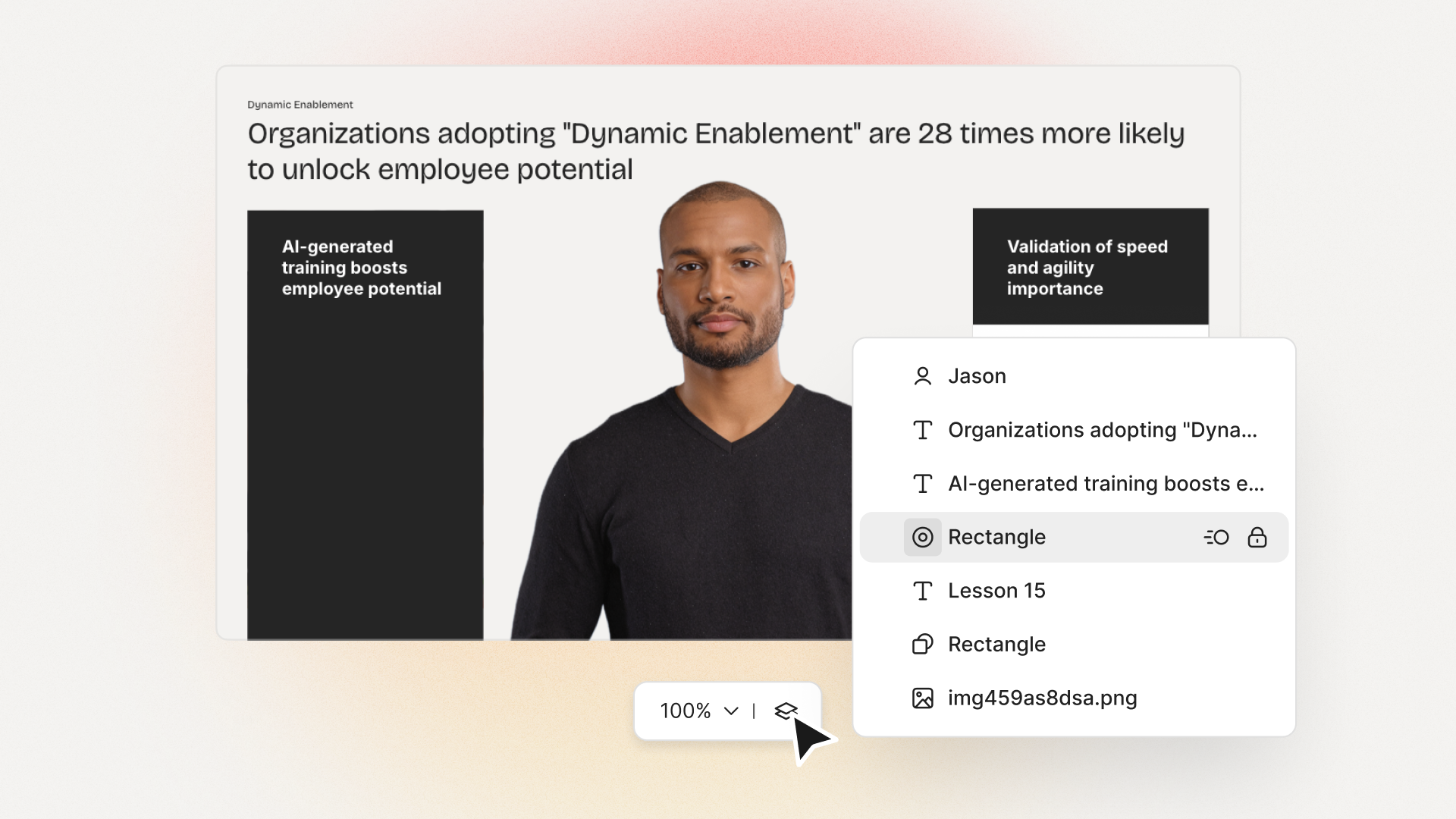
Platforms like Colossyan Creator are a perfect example of this shift. A sales manager, for instance, can take a simple PowerPoint, upload it, and have it instantly converted into a professional video led by a realistic AI avatar. From there, they can add interactive quizzes, drop in a screen recording of a new CRM feature, and export the whole thing as a SCORM package in minutes.
This workflow isn't just about speed; it's about agility. If a business process changes, the content can be edited and redeployed the same afternoon. That ability to keep training materials fresh and relevant is exactly what ensures SCORM keeps its place as a vital part of the modern learning toolkit.
For L&D teams, understanding what SCORM can track is fundamental to measuring the impact of your training programs. Here's a quick breakdown of the core data points.
Core SCORM Tracking Capabilities
Ultimately, these data points are what allow you to connect training activities to real business outcomes, proving the value of your L&D initiatives.
Choosing the Right SCORM Authoring Workflow
Your SCORM authoring workflow isn't just a process—it's a strategic decision that hits your budget, timeline, and the quality of your training programs head-on. Picking the right path determines whether you can scale your content efficiently or create a resource-draining bottleneck for your L&D team.
This isn't about finding the one "best" tool. It’s about matching your workflow to your business goals. Do you need absolute creative freedom for a high-stakes flagship course? Or do you need to empower dozens of subject matter experts to quickly create solid training on the fly? Each path comes with its own trade-offs.
Let's dig into the three main approaches organizations are taking today.
Traditional Authoring Tools: The Powerhouses
The most established route revolves around classic, desktop-based authoring tools like Articulate Storyline or Adobe Captivate. These are the heavyweights of the e-learning world, giving you incredible power and granular control over every last pixel of a course.
With these platforms, seasoned instructional designers can build out incredibly complex branching scenarios, fully custom interactions, and polished, on-brand designs. If you’re aiming to create a truly bespoke e-learning experience from the ground up, this is where you'll find the horsepower.
But all that power comes with a hefty price tag. These tools require specialized skills, usually demanding dedicated instructional designers who have spent years mastering the software. This often creates a dependency on a small group of experts, which can slow down production and turn simple updates into a major project. Plus, with licensing fees often topping $1,000 per user per year, scaling this approach across a large company gets expensive, fast.
Lightweight and Niche Tools: The Specialists
Another popular workflow is to use lighter, often cloud-based tools that are built for one specific job. Think of platforms that are fantastic at creating quizzes, interactive videos, or simple slide-based modules. They're typically much easier to pick up and less of a financial commitment than the traditional giants.
This approach is perfect when a team needs to whip up a specific type of content without needing an all-in-one suite. A sales team, for example, could use a specialized video quiz tool for quick knowledge checks after a product update. Simple and effective.
The main drawback here is fragmentation. You might end up juggling one tool for video, another for assessments, and a third for simulations. Trying to stitch these pieces together into a single, cohesive SCORM package that reports data consistently can become a real technical headache and lead to a disjointed learner experience. It works for one-off tasks but can struggle to support a broader, more scalable training strategy.
The AI-Powered Workflow: The Scalability Engine
A newer, more modern workflow is emerging, centered around AI-powered, browser-based platforms. This approach completely changes the game, shifting content creation from a highly technical task to a much more intuitive one. It’s how you truly democratize content creation and accelerate your SCORM output.
This model is built for speed and scale. Instead of staring at a blank canvas, you start by repurposing assets you already have. A subject matter expert can upload a PowerPoint deck, a PDF, or just a simple script and let AI transform it into a professional video module, complete with a realistic AI avatar narrator. This effectively removes the instructional designer as a bottleneck and empowers the people who actually have the knowledge to build the training themselves.
The core advantage of this workflow is pure efficiency. By automating the most time-consuming parts of production—like voiceover recording, video editing, and localization—teams can focus on what really matters: the quality and accuracy of the content.
For instance, a platform like Colossyan Creator lets you add interactive quizzes and branching scenarios directly into the video, then export a fully compliant SCORM package with a single click. This integrated system sidesteps the fragmentation of the niche-tool approach and the steep learning curve of traditional software.
Looking ahead to 2026, SCORM is still the industry's workhorse. It’s compatible with major tools like ActivePresenter and Articulate, and its ability to be reused is a huge plus. It works with 95% of LMS platforms, giving you standardized reporting on the "big four": completion, score, time spent, and satisfaction.
But while creating SCORM content has traditionally been a manual process, the corporate training market is growing at a 13% CAGR, demanding a much faster pace. AI-powered platforms like Colossyan's Editor 3.0 are the answer, turning text or PPTs into interactive avatar videos with quizzes and exporting them directly to SCORM without any extra steps. This is the kind of speed that allows L&D teams to finally keep up with the business. You can dive deeper into e-learning market projections and tool comparisons to see where the industry is heading.
To help you decide, let's compare these workflows side-by-side.
Comparing SCORM Authoring Approaches
Choosing your authoring approach directly impacts how quickly you can create, how much it will cost, and how engaging your final product will be. The table below breaks down the key differences between traditional, specialized, and AI-powered tools to help you align your choice with your team's specific needs and resources.
Ultimately, the best workflow is the one that removes friction. Whether it’s the deep customizability of a traditional tool or the raw speed of an AI platform, the right choice will empower your team to build better training, faster.
How to Create SCORM Content with AI Video
Forget the days of needing to be a seasoned instructional designer chained to a clunky desktop application to create SCORM content. With a modern, video-first workflow, you can turn a simple script or even a dusty old PowerPoint deck into a fully interactive, trackable e-learning module. And you can do it in a fraction of the time.
This approach means pretty much anyone on your team can build high-quality training. Let's walk through how it's done, using Colossyan Creator as a real-world example. We'll cover it all, from generating the video to embedding quizzes and nailing the export settings. This is how you create SCORM content that’s not just compliant, but genuinely engaging.
Start with Your Existing Assets
The absolute fastest way to build new training is to use what you already have. Why start from a blank slate when you're sitting on a goldmine of existing knowledge? This is where an AI-powered workflow really shines, letting you repurpose assets like a PowerPoint from a recent workshop, a PDF guide, or a simple text script.
In a platform like Colossyan, for instance, you can just import these materials directly. Upload a PPT, and it automatically converts each slide into a scene in the video editor. The AI is smart enough to pull the text from your slides to generate a script, which is then ready for an AI avatar to narrate. That single step can save you hours of manual setup.
What we're seeing here is a major shift toward accessibility and speed. These AI-driven tools drastically lower the barrier to entry, making it possible for more people to create top-notch, compliant e-learning.
Generate Scenes with AI Avatars and Screen Recordings
With a script in hand, it's time to bring your content to life. This is where AI avatars become your secret weapon. Instead of the headache of coordinating with human presenters or booking studio time, you can pick from a huge library of AI avatars to narrate your content professionally.
The process is surprisingly straightforward:
Choose Your Avatar and Voice: Pick an avatar that fits your brand's vibe and a voice from a library with hundreds of options across dozens of languages.
Add Visuals and Screen Recordings: Flesh out each scene with relevant stock footage, images, or your own media. You can also easily drop in screen recordings to demonstrate software or walk through a process—a must-have for most corporate training.
Refine Pacing and Emphasis: Just like you would direct a human presenter, you can adjust the timing of scenes and add pauses to create a natural, conversational rhythm.
This approach doesn't just speed up production; it makes localization almost trivial. Need the same course in Spanish or Japanese? Just feed it a translated script, pick a localized avatar, and you can have a new version ready in minutes, not weeks.
And when you're working with long-form video that needs to be integrated into SCORM, a good AI video summarizer can be a lifesaver for breaking down lengthy footage into more digestible segments.
Drive Engagement with Interactive Quizzes and Branching
Let's be honest: a video by itself is a passive experience. It's the interactivity that turns it into a genuine learning module that can actually measure comprehension. The good news is you no longer need to bolt on a separate quiz tool; you can build interactions right into the video timeline.
You can embed different kinds of questions, such as:
Multiple-choice questions for straightforward knowledge checks.
Open-ended questions to get learners thinking more critically.
Video responses where learners record their own answers.
But you can go way beyond simple quizzes by implementing branching scenarios. Imagine showing a customer service scenario and then asking the learner, "What do you do next?" Based on their answer, the video can jump to different scenes that show the outcome of their choice. This creates a powerful, personalized learning path that keeps the user actively involved.
Key Takeaway: Embedding interactivity directly into the video is what bridges the gap between passive content and an effective, trackable SCORM course. It’s how you verify that learning has actually occurred.
Configure Completion Criteria for Accurate Tracking
So, how does your LMS know when a learner has actually finished the course? You tell it by setting the completion criteria before you export the SCORM package. This is a critical step for ensuring the data you get back is meaningful and aligns with your training goals.
Common completion criteria include:
Watching a Percentage of the Video: You can require a learner to watch, say, 80% or more of the video content to get credit.
Passing a Quiz: Completion can be tied to achieving a minimum score on a quiz, like 75% or higher.
Viewing All Scenes: For critical compliance training, you might need to ensure the learner has viewed every single part of the module.
Modern authoring platforms make this incredibly simple. Instead of digging into code in a manifest file, you're just selecting your criteria from a dropdown menu. This ease of use means anyone can configure a course for accurate tracking, no technical expertise required. For more tips on speeding up your production, check out our guide on how to create AI instructional videos 10x faster.
Export a Compliant SCORM Package
The final step is getting your module out the door. With a platform like Colossyan, this is literally a one-click process. You choose the SCORM version you need—SCORM 1.2 is usually the go-to for the widest compatibility, while SCORM 2004 offers more detailed reporting—and the system packages everything up into a tidy, compliant ZIP file.
That file contains your video, all the interactive elements, and the all-important imsmanifest.xml file that acts as the instruction manual for your LMS. By automating this final, often tricky, technical step, the whole workflow removes one of the biggest traditional headaches and delivers a course that's ready to upload and launch immediately.
Packaging and Exporting Your SCORM Course Correctly
Once you've built out your course, the last hurdle is packaging it all up into a single, neat ZIP file that your LMS can actually understand. In the past, exporting a SCORM package felt like a deeply technical, anxiety-inducing task. Thankfully, it doesn't have to be that way anymore.
Just knowing a little about what's happening behind the scenes can demystify the whole thing.
Think of the export process as creating a self-contained instruction kit for your LMS. This kit tells the system precisely what content to display, in what order, and how to track a learner’s every move. Getting this part right is what ensures all your hard work translates into reliable, accurate data.
The real magic behind this communication is a file you’ll likely never have to touch with modern tools, but it's essential to know it exists: the imsmanifest.xml file.
Understanding the Role of the Manifest File
At the heart of every single SCORM package is the imsmanifest.xml file. You can think of it as the course's table of contents and instruction manual all rolled into one. It’s a simple text file that lists every single asset in your course—videos, images, quizzes—and defines the entire structure of the learning experience.
This manifest tells the LMS a few critical things:
The Course Structure: It outlines all the learning components (known as Sharable Content Objects or SCOs) and how they’re organized.
Resource Locations: It provides the exact paths to all your media files so the LMS knows where to find everything.
Completion Rules: It contains the logic for what it means to be "complete" or "passed," based on the criteria you set inside your authoring tool.
Not too long ago, instructional designers might have had to manually crack open this file to tweak the code and fix compatibility issues. It was a tedious, error-prone mess. Fortunately, this is one of the biggest technical headaches that modern authoring platforms have completely solved.
The core argument for a modern workflow is simple: your team’s time is better spent creating impactful content, not debugging XML files. A platform like Colossyan handles the complexity of generating a perfect, compliant manifest file every single time you click "export."
This automated approach doesn't just save a ton of time; it dramatically reduces the risk of human error that can lead to tracking failures down the line. It ensures your course will behave predictably, no matter which LMS you upload it to. If you've ever dealt with content from tools like Articulate, you'll appreciate how a seamless, one-click process simplifies everything. You can learn more about Colossyan's integration with Articulate and how it can improve your workflow.
Key Export Settings You Need to Know
When you’re ready to export, you’ll typically be presented with a couple of key choices. While a tool like Colossyan defaults to the most common settings, understanding your options helps you make the right call for your specific situation.
The most important decision you'll make is choosing between SCORM 1.2 and SCORM 2004.
SCORM 1.2: This is the old reliable. It's the most widely supported version across nearly every LMS in existence. It tracks the essentials, like completion status (e.g., incomplete, passed, failed) and a single final score. For 95% of corporate training scenarios, SCORM 1.2 is the safest, most dependable choice you can make.
SCORM 2004: This version is more advanced and offers more granular tracking. For example, it can separate a learner's completion status from their success status, meaning you can know if someone finished the content but failed the quiz. The catch? Not all LMSs fully support its advanced features, which can sometimes lead to frustrating compatibility issues.
So, what's our recommendation? Unless you have a very specific reporting need and have confirmed your LMS fully supports SCORM 2004, stick with SCORM 1.2. It provides all the core tracking most organizations need and guarantees the broadest compatibility.
With a platform like Colossyan, the entire packaging and export process is boiled down to just a few clicks. You select your SCORM version, define your completion criteria in a simple menu, and hit export. The system automatically gathers all your assets, generates the compliant manifest file, and bundles everything into a clean ZIP file, ready for immediate upload to your LMS. This one-click simplicity removes a major technical barrier, empowering anyone on your team to create and deploy SCORM content with confidence.
Testing and Deploying Your Content in an LMS
Getting a perfect SCORM package exported feels like a win, but it’s only half the battle. The real moment of truth arrives when you drop it into your Learning Management System (LMS). This is where you find out if you've created a seamless learning experience or a support ticket nightmare.
Think of this phase as your pre-flight checklist. Before hundreds of learners get access, you have to verify that the content doesn't just launch correctly but actually talks to your LMS the way it's supposed to. It's a non-negotiable step for making sure your tracking data is solid from day one.
The goal here is simple: catch problems before your learners do. After all, if a course doesn't track completion or report scores, the whole point of using SCORM is lost.
Your Essential Pre-Deployment Checklist
Before you roll out your new course to everyone, push it to a small, controlled test group. I always recommend picking users on different devices and browsers to catch those weird, unexpected compatibility issues that the LMS might not flag on its own.
Your testing needs to confirm three core functions are working perfectly:
Launch and Navigation: Does the course actually open for everyone? Are all the interactive bits—quizzes, videos, buttons—working as designed?
Completion Tracking: When a user hits the completion criteria you set (like watching 80% of a video or passing a quiz), does the LMS immediately mark the module as "complete"?
Score Reporting: If you've got assessments, are the scores being passed back to the LMS gradebook accurately and without delay?
Nailing these three things will save you from the most common headaches that frustrate learners and mess with your data. For an even deeper dive into getting your platform ready, this checklist for LMS employee training success is a fantastic resource.
Using SCORM Cloud for Advanced Debugging
So, what do you do when your SCORM package works flawlessly for one person but breaks for another? Or when it tracks completions in your staging environment but not in the live LMS? These are the moments when a dedicated debugging tool is worth its weight in gold.
SCORM Cloud is the industry-standard testing ground. It gives you a perfectly clean, neutral environment to figure out if the problem is with your SCORM package or your specific LMS configuration.
The professional move is to test every course in SCORM Cloud before it ever touches your LMS. It provides detailed communication logs between the content and the host system, revealing errors that most LMSs hide.
This is the key takeaway: if your content runs perfectly in SCORM Cloud, you can confidently go to your LMS administrator and say the issue isn't with your course file. That insight alone can save you hours—sometimes days—of painful back-and-forth troubleshooting.
Ultimately, while testing tools are essential for diagnostics, starting with a clean, compliant package from a modern authoring platform like Colossyan minimizes the need for debugging in the first place. When your tool handles the technical side of packaging correctly, you can spend less time fixing things and more time deploying training that works.
Got Questions About Creating SCORM Content?
Even when you have the right tools in your corner, a few practical questions always pop up during a SCORM project. I’ve seen L&D pros run into the same handful of challenges over and over, so let's clear them up right now.
What’s the Real Difference Between SCORM 1.2 and SCORM 2004?
This one comes up all the time. Think of SCORM 1.2 as the trusty, universal adapter in your tech drawer. It’s the most widely supported version and plays nicely with just about every LMS out there. It gets the job done by tracking the essentials: completion status (like passed/failed) and a single final score. For most corporate training, it’s the safest, most reliable bet.
SCORM 2004 is the newer, more sophisticated model. It can track more detailed data, like separating completing the course from passing the quiz. That's handy for complex compliance scenarios. The catch? Not all learning platforms fully support its advanced features, which can lead to some seriously frustrating inconsistencies.
Honestly, for most organizations, SCORM 1.2 is the way to go. Its reliability is unmatched. The good news is that modern authoring tools like Colossyan Creator take the guesswork out of it—you just pick your version from a dropdown menu when you export.
Can I Update a SCORM Course After I’ve Uploaded It?
Yes, but the old-school way is a total pain. You have to dig up the original project file in your authoring tool, make your edits, export a whole new package, and then manually upload and replace the old file in your LMS. If you have dozens of courses, this turns tiny updates into a massive headache.
This is exactly where a cloud-based, AI-driven workflow changes the game.
With a platform like Colossyan Creator, you just log in, tweak the video or update a quiz question right in your browser, and export the new SCORM package. The entire process takes minutes, not hours.
This kind of agility means your training content is never out of date, which is a lifesaver for fast-moving topics like product updates or policy changes.
Help! Why Isn’t My SCORM File Tracking Completion?
This is probably the single most common—and infuriating—problem L&D teams face. When your course refuses to tell the LMS that someone finished it, the issue usually boils down to one of three culprits:
Mismatched Completion Rules: The logic you set in your authoring tool (e.g., "pass the quiz with an 80%") might be configured in a way your LMS doesn't understand.
LMS Quirks: Sometimes there's a subtle conflict between how your SCORM package was built and how your specific LMS interprets the data. Every LMS has its own personality.
A Broken Manifest File: The imsmanifest.xml file is the brain of your SCORM package. If it has errors or gets corrupted, it can't communicate properly with the LMS.
Your first step should always be to test the package in a neutral environment like SCORM Cloud. If it works there, the problem is almost certainly on your LMS's end. But the best fix is prevention. Using a modern tool that generates clean, standardized packages from the start dramatically reduces the chances you'll ever have to troubleshoot these issues.
Ready to stop wrestling with clunky tools and start creating engaging, trackable training in minutes? With Colossyan Inc., you can turn existing PowerPoints and docs into professional AI videos, drop in interactive quizzes, and export compliant SCORM packages with a click.
As a product manager at Colossyan, David develops interactive features that help workplace learning teams produce more engaging video content. Outside of work, David enjoys singing and nerding out over fantasy books. He lives in London.
Networking and Relationship Building
Use this template to produce videos on best practices for relationship building at work.
Oops! Something went wrong while submitting the form.
example
Thank you - your video is on its way!
If you’d like to try out Colossyan and create a video yourself, just visit our website on your desktop and sign up for a free account in seconds. Until then, feel free to check out our examples.







.avif)


%20(1).avif)




.webp)
.webp)





