Choosing an e-learning maker in 2026 isn’t easy. There are now more than 200 tools listed on industry directories, and every product page claims a new AI breakthrough or localization milestone. The good news is certain trends have become clear. Cloud-based, AI-native tools with instant collaboration, scalable translation, and reliable SCORM/xAPI tracking are taking over - and the market is moving from slow, high-touch custom builds to simple, reusable workflows and quick updates.
This guide lays out how to navigate the choices, what matters now, how to judge features, and where video-first tools like Colossyan fit.
The 2026 landscape: why making the right choice is hard
The pace of change is the first challenge. The authoring tool market listed over 200 products by late 2025. AI isn’t a checkbox now; it's embedded everywhere. Tools like Articulate 360 use agentic AI to turn static materials into courses in minutes. Others let you upload a policy document or slide deck and see an interactive course ready almost instantly.
Cloud-native platforms are now the baseline. Their speed comes from shared asset libraries, in-tool review, and “no re-upload” updates - features that desktop tools just can’t match (Elucidat’s breakdown).
Localization quickly shifted from nice-to-have to critical. Some tools handle 30 languages, others hit 75 or 250+, and all claim “one-click” translation. Yet the quality, workflow, and voice options vary a lot.
And analytics still lag. Most systems push data to your LMS, but not all have native dashboards or support deeper learning records like xAPI.
When people compare on Reddit or in buyer guides, the same priorities keep coming up: a clean interface, fair pricing, SCORM tracking everywhere, help with translation, and the option to pilot before you buy.
What is an “e-learning maker” now?
It’s a broad term, but most fall into three camps:
- All-in-one authoring platforms: Examples are Articulate Rise/Storyline, Adobe Captivate, Elucidat, Gomo, dominKnow | ONE, Lectora, iSpring, Easygenerator, Genially, Mindsmith. These let you build, localize, and (sometimes) distribute learning modules of all types.
- Video-first or interactive video platforms: Colossyan turns Word docs, SOPs, or slides into videos with avatars, voiceovers, and quizzes, ready for LMS use. Camtasia is video-first too, but it focuses more on screen capture.
- LMS suites or hybrids: Some are bundling in authoring and distribution, but most organizations still export SCORM or xAPI to their own LMS/LXP.
Know what you need: authoring, distribution, analytics, or a mix? Map this before you start shortlisting.
A decision framework: twelve checks that matter
1. Speed to create and update.
AI script generation, document import, templates, and instant updates are the gold standard. Elucidat says templates make modules up to 4x faster; Mindsmith claims 12x. With Colossyan, you upload a doc or slide deck and get a polished video draft with avatars and voice in minutes.
2. Scale and collaboration.
Look for: simultaneous authoring, real-time comments, roles and folders, asset libraries. Colossyan lets you assign admin/editor/viewer roles and keep teams organized with shared folders.
3. Localization and translation workflow.
Don’t just count languages; check workflow. Gomo touts 250+ languages; Easygenerator does 75; Genially covers 100+; others less. Colossyan applies Instant Translation across script, screen text, and interactions, and you get control over pronunciation.
4. Distribution and update mechanism.
SCORM support is non-negotiable: 1.2 or 2004. Dynamic SCORM lets you update content in place without re-exporting (Easygenerator/Genially); Mindsmith pushes auto-updating SCORM/xAPI. Colossyan exports standard SCORM with quiz pass/fail and share links for fast access.
5. Analytics and effectiveness.
Genially provides real-time view and quiz analytics; Mindsmith reports completions and scores. Many tools still rely on the LMS. Colossyan tracks video plays, quiz scores, and time watched, and exports to CSV for reporting.
6. Interactivity and gamification.
Genially shows 83% of employees are more motivated by gamified learning; branching, simulated conversations, MCQs are now table stakes. On Colossyan, you build quizzes and branching scenarios, plus multi-avatar conversations for real-world skills practice.
7. Mobile responsiveness and UX.
True responsiveness avoids reauthoring for every screen size. Rise 360 and Captivate do this well. Colossyan lets you set canvas ratios (16:9, 9:16, 1:1) to fit device and channel.
8. Video and multimedia.
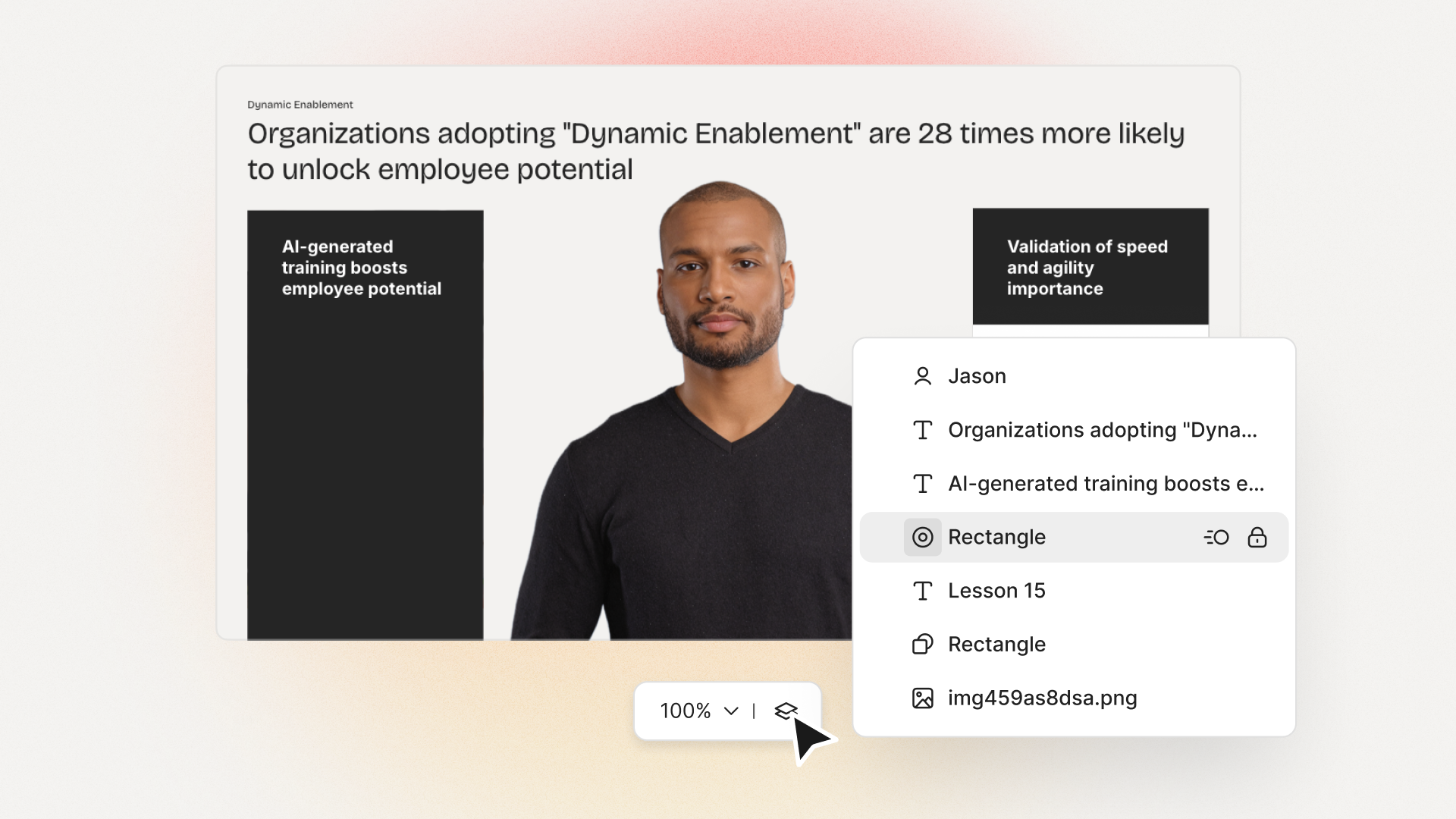
Expect slide-to-video conversion, automatic voiceover, avatars, brand kits. With Colossyan, you drag in slides, choose avatars (including your own), auto-generate script, and add music, stock video, or AI-generated images.
9. Security and privacy.
ISO 27001, GDPR, SSO, domain controls - must-haves for any regulated environment. Colossyan lets you manage user roles and permissions; check your infosec rules for more details.
10. Accessibility.
Support for closed captions, WCAG/508, high contrast, keyboard nav. Mindsmith is WCAG 2.2; Genially and Gomo publish accessibility statements. Colossyan exports SRT/VTT captions and can fine-tune pronunciations for clear audio.
11. Pricing and TCO.
Subscription, perpetual, or free/open source - factor in content volume, translation, asset limits, and hidden support costs. Open eLearning is free but manual. BHP cut risk-training spend by 80%+ using Easygenerator; Captivate is $33.99/month; iSpring is $720/year.
12. Integration with your stack.
Check for SCORM, xAPI, LTI, analytics export, SSO, and content embedding. Colossyan’s SCORM export, share links, and analytics CSV make integration straightforward.
Quick vendor snapshots: strengths and trade-offs
Articulate 360 is great for a big organization that wants AI-powered authoring and built-in distribution, but Rise 360 is limited for deeper customization. Adobe Captivate offers advanced simulations and strong responsive layouts but takes longer to learn. Elucidat is all about enterprise-scale and speed, while Mindsmith leads for AI-native authoring and multi-language packages. Genially stands out for gamified interactivity and analytics, and Gomo wins on localization breadth (250+ languages) and accessibility.
Colossyan’s core value is rapid, on-brand video creation from documents and slides - useful if you want to turn existing SOPs or decks into avatar videos for scalable training, with quizzes and analytics built in. For basic software simulation or deeply gamified paths, you might pair Colossyan with another specialized authoring tool.
Distribution, tracking, and update headaches
SCORM 1.2/2004 is still the standard - you want it for LMS tracking. Dynamic SCORM (Easygenerator, Genially) or auto-updating SCORM (Mindsmith) kill the pain of re-exports. If your LMS analytics are basic, pick a tool with at least simple dashboards and CSV export. Colossyan handles standard SCORM, as well as direct link/embed and built-in analytics.
Localization at scale
Language support ranges from 30+ to 250+ now. But don’t just count flags: test the voice quality, terminology, and whether layouts survive language expansion. Colossyan lets you generate variants with Instant Translation, pick the right AI voice, and edit separate drafts for each country. Brand terms won’t be mispronounced if you manage Pronunciations per language.
Interactivity and realism
Gamification is provable: the University of Madrid found a 13% jump in student grades and 83% of employee learners say gamified modules are more motivating. For compliance, use branching scenarios. Skills training works better with scenario practice or “conversation mode” - something you can build with multi-avatar videos in Colossyan.
Security, governance, and accessibility
Always confirm certifications and standards - ISO 27001, SOC 2, GDPR. Use role-based permissions and asset libraries to keep governance tight. Colossyan’s workspace management and access controls were built for this, but final oversight depends on your own team.
TCO and budgeting
Subscription may seem cheaper, but annual content, translation, and update workloads matter more. Easygenerator cut BHP’s risk training spend from AU$500k to under AU$100k. The real gain comes from reusable templates and dynamic update paths. Colossyan reduces ongoing spend by slashing video creation time and letting anyone with docs or slides drive production.
Picking your use cases and matching tools
Compliance needs detailed tracking and branching, so think Gomo or Captivate. For onboarding or sales, speed and multi-language are key; Colossyan lets you push out consistent playbooks across markets. Software training means screen demos - Captivate is strong here; Colossyan’s screen recording plus avatars is a good fit for guided walk-throughs.
Implementation: a 90-day plan
Start small: pilot 3–5 doc-to-video builds, test export to LMS, check analytics and language variants. Next, standardize templates, set up brand kits and permissions, integrate with your analytics. Expand to 10–20 full modules, add branching, and run A/B tests on engagement.
FAQs and final reality checks
SCORM is still necessary. Authoring tools aren’t the same as an LMS. Agentic AI means auto-structuring your content, like turning a manual into an interactive video with quizzes. Cloud is standard unless you need offline creation for rare cases. Always test your translations for voice and terminology.
Colossyan’s place in the stack
I work at Colossyan, where our focus is helping L&D and training teams turn existing content - documents, SOPs, slides - into engaging, on-brand, interactive videos quickly. You upload a file, choose an AI avatar (even your own), select a brand kit, add quizzes or branches, translate in a click, and export a SCORM module to plug into your LMS. Analytics reporting, closed captions, and branded voice controls are part of the workflow. For teams who want to move fast, localize easily, track outcomes, and deliver visually consistent training without specialist design skills, Colossyan is a strong complement or even main workhorse - with the caveat that for very deep gamification or advanced simulations, you might connect with a more specialized authoring tool.
The bottom line
Match your tool to your needs: speed, collaboration, scalable translation, interactivity, and analytics matter most. Use pilots and a detailed RFP checklist to separate real value from feature noise. And if quick, scalable, high-quality corporate training video is a core use case, Colossyan is ready to help - especially when you need to go from static resources to interactive, trackable videos without hassle.








.avif)


%20(1).avif)




.webp)
.webp)





