

Creating professional video content is no easy task.
It can take weeks to create your video storyboard, write a script, find the right talent, and actually film your footage. Not to mention the several additional weeks it may take to edit everything together.
Fortunately, this time and resource intensive video creation process is now becoming a thing of the past. With the right AI video generator, you can produce more engaging content for significantly less – and much faster.
Whether you’re creating training videos, social media content, or new material for your YouTube channel, we’ve compiled the best AI video generators to check out in 2026.
In this blog, we’ll provide you with an overview of each tool and its primary use case.
What can AI video tools do?
If you’re new to AI generated videos, you might be wondering about the capabilities and limits of these new-age video tools.
So, what can you actually do with an AI video tool? The short answer – a lot. You can create videos from just a prompt, bring your content to life with text-to-speech AI avatars and voiceovers, and translate your content to virtually any language, for starters.
This wide array of features has already made AI video a useful tool for teams across industries, including marketing, sales, and learning and development teams. Not only do these platforms make it easier to create high-quality content at scale without any actors or equipment, but they can also enhance your storytelling abilities by allowing for animations, higher-quality video editing, and greater accessibility.
And this is only the tip of the iceberg. As the AI video industry continues to develop at a remarkable pace, the capacity of these video generator tools will only continue to expand.
In fact, it’s likely we’ll see interactive video content reach new heights very soon, due to the development of conversational AI avatars. Imagine – in just a year’s time, you might be holding a conversion with an AI avatar rather than just watching them in a video.
Although we’re not there just yet, this list of the best AI video generators already has a lot to offer in 2026. Let’s dive in.
Overview of the best AI video generators for 2026
Short on time? Here’s an overview of our top picks for the best AI video generators in 2026. Keep reading for a comprehensive review of the pros and cons of each tool.
- Best AI video generator for AI avatar videos: Colossyan
- Best video generation tool for social media videos: Canva
- Best AI-powered video editor: CapCut
- Best AI video editor for animated videos: Powtoon
Best AI video generator for avatar training videos: Colossyan
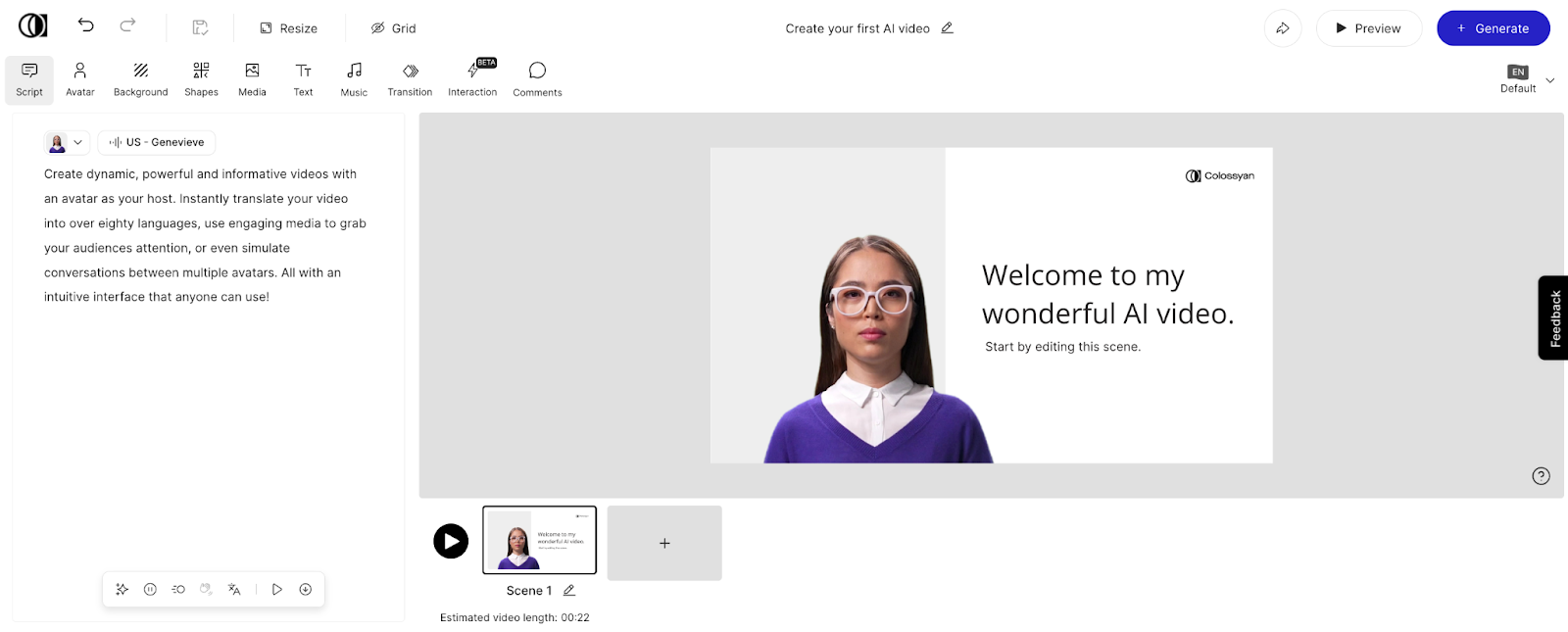
Colossyan’s video editing interface
Colossyan is the #1 AI video platform that allows teams to turn text into engaging videos complete with AI avatars and humanlike voice overs.
With dozens of different templates, automatic translation to over 80 languages, 300+ diverse AI avatars, and 700+ AI voices to choose from, Colossyan enables you to create high-quality video content without any filming equipment or actors.
Colossyan’s key use cases include:
- Training videos
- eLearning content
- Sales enablement
- Employee onboarding
- Internal communications
Check out how it works:
Key features of Colossyan
All of Colossyan’s features are designed with ease of use in mind, with the objective of making your video creation experience more efficient, engaging, and cost effective.
- Custom avatars: Create a personalized AI avatar of yourself in seconds using just your webcam or cell phone
- Scenario avatars: Colossyan’s library of avatars includes those in offices, medical facilities, construction sites, and more
- Multiple-choice quizzes: Assess learner understanding by adding knowledge checks into your videos
- Branching scenarios: Guide learners through decisionmaking-based paths for more immersive learning experiences
- Document to video: Automatically turn your existing PowerPoints, Word documents, or PDFs into a video draft complete with voiceovers and AI avatars
- Automatic translations: Automatically translate your videos into different language variants – no extra effort required
- Voice cloning: Clone your voice and add it to your personal avatar to further personalize your content
- User-friendly interface: With scene-based editing, creating a video is as easy as creating a PowerPoint
- Screen recording: Easily create explainer videos by capturing your screen with Colossyan’s built-in screen recorder
- SCORM export: Seamlessly distribute your content to your Learning Management System via SCORM export
Curious to see these features in action? Take advantage of Colossyan’s free trial today – no credit card required.
Limitations of Colossyan
Although Colossyan has significantly improved its avatar quality recently – including by launching its instant custom avatar feature – Colossyan’s stock avatars remain less customizable. For example, generative outfits are not yet available, but are coming soon.
Colossyan pricing
Whether you’re a freelancer, small business, or large-scale enterprise, Colossyan offers several different pricing plans:
- Starter plan: Free forever, with 20 minutes of video per month on the NEO model, access to 300+ AI avatars, and an AI script assistant.
- Professional plan: From $59 per month (billed annually), with 30 minutes of video per month on NEO plus 10 minutes on NEO2, Colossyan’s Professional plan includes watermark removal, AI image generation, SCORM export, 20 custom avatars, and 5 voice clones. Add up to 3 editors on the Professional plan.
- Enterprise plan: For companies scaling their video creation, the enterprise plan includes 4K video, SCORM export, a dedicated customer success manager, and more. Contact our sales team for pricing.
Alternative tools for AI avatar videos
Here’s a look at some of the other AI video generator solutions out there.
Synthesia
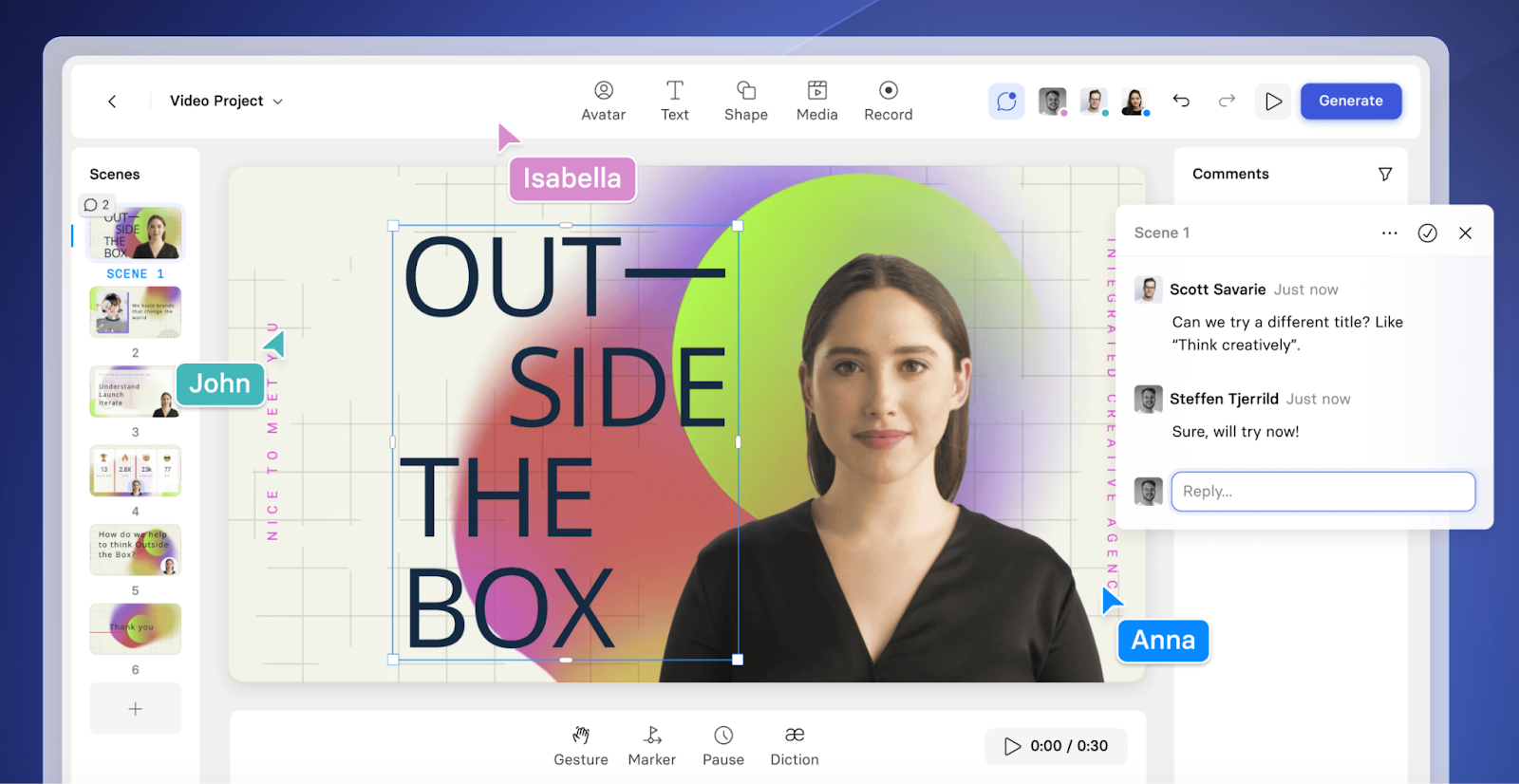
Synthesia’s video editing interface
Synthesia is a popular AI video generator on the market today. Like Colossyan, the platform offers automatic translations, a wide selection of video templates, and many diverse avatars.
That said, Synthesia isn’t our top pick for AI avatar videos, as the tool is missing features like branching scenarios, SCORM export, and multiple-choice quizzes – all of which are necessary for teams looking to make interactive video content.
Pro tip: Check out our full Colossyan vs. Synthesia comparison to learn more.
HeyGen
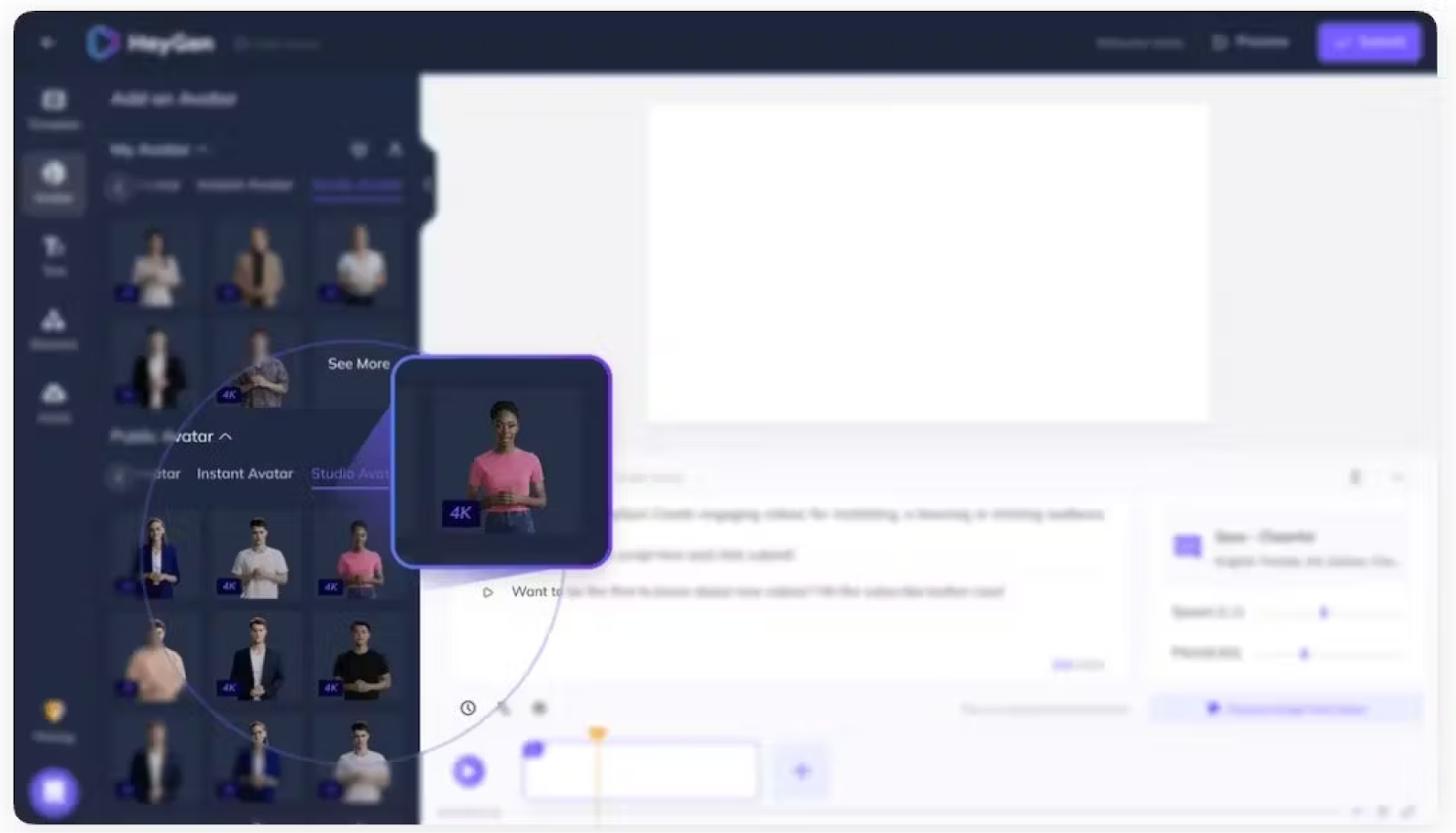
HeyGen’s AI avatar selection
Like Colossyan and Synthesia, HeyGen is one of the best AI video generators out there. It supports animated photo avatars, templates, and a ChatGPT-powered script writer.
However, HeyGen’s supported translation languages are rather limited to the other two tools, offering only 40 language options. In terms of pricing, the platform can also get expensive for teams producing more than 30 minutes of video per month.
Pro tip: Check out our full Colossyan vs. HeyGen comparison to learn more.
Best tool for social media AI videos: Canva
How Sonesta cut 80% of video production costs
Sonesta replaced traditional video production with Colossyan's AI avatars, cutting costs by 80% while scaling content across their hotel properties.
Read the full story →Canva is widely known as a web-based graphic design tool that’s great for creating social media content. But with its AI-powered video editor, creating content for social media is simple.
Canva’s AI video editor can be used to convert text to video, images to video, and auto create videos from your existing library. And with its focus on video dimensions for different social media platforms, Canva is a worthwhile option for content marketers looking to create social media content, entrepreneurs, or just video enthusiasts.
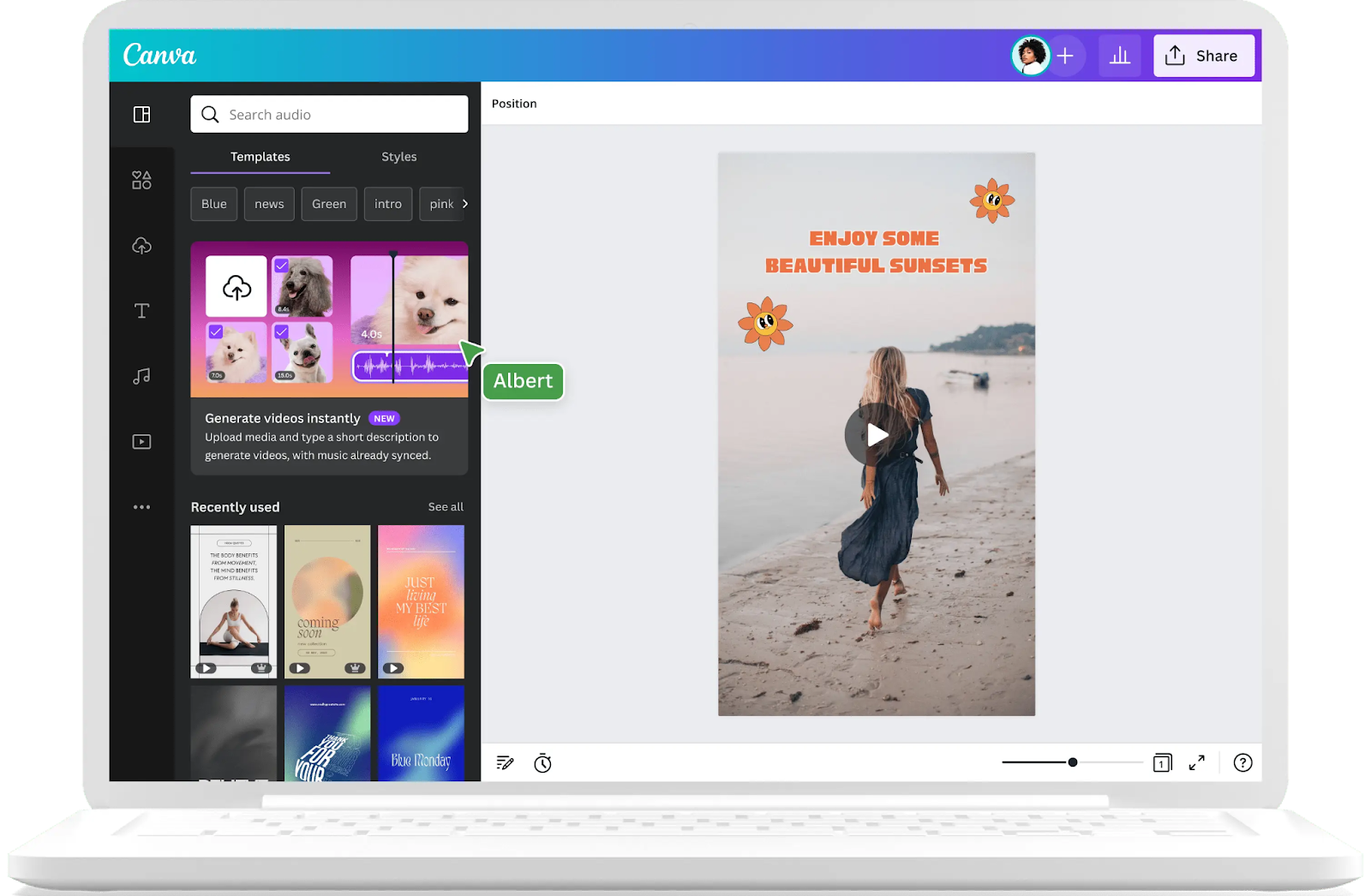
Canva’s AI video editor
Pros of Canva
- Large library of templates that are ready for use
- Easy resizing for different platforms, allowing you to use the same videos across TikTok, Instagram, or Facebook
- Background removal with the Pro plan
Cons of Canva
- Content created with the free version is watermarked
- Not as many advanced editing features compared to other specialized video editing solutions
Alternative AI tools for social media content
If Canva falls short of what you’re looking for in a social media AI video maker, FlexClip and VistaCreate may be worth checking out:
FlexClip
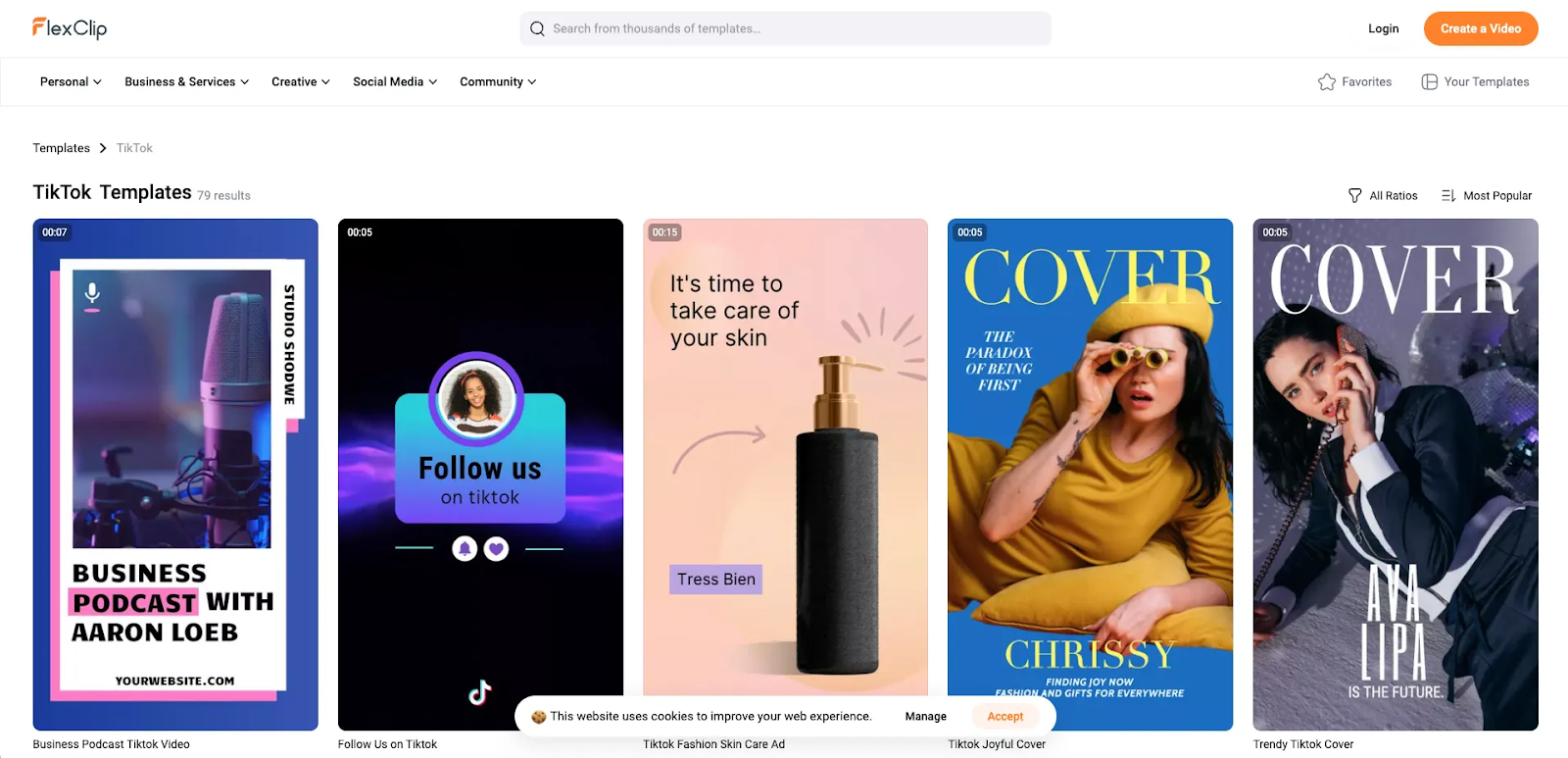
FlexClip’s TikTok templates
FlexClip is a versatile AI-powered video creation tool tailored for social media content creators, marketers, and small businesses. It provides a rich library of customizable templates, stock assets, and drag-and-drop features that make video creation intuitive and fast.
Users can easily create engaging content such as promotional videos, tutorials, or personal stories for platforms like Instagram, TikTok, and YouTube.
FlexClip’s AI tools simplify tasks like text-to-video conversion, automatic scene transitions, and aspect ratio adjustments, ensuring content is optimized for various platforms. Plus, its interface is beginner friendly.
VistaCreate
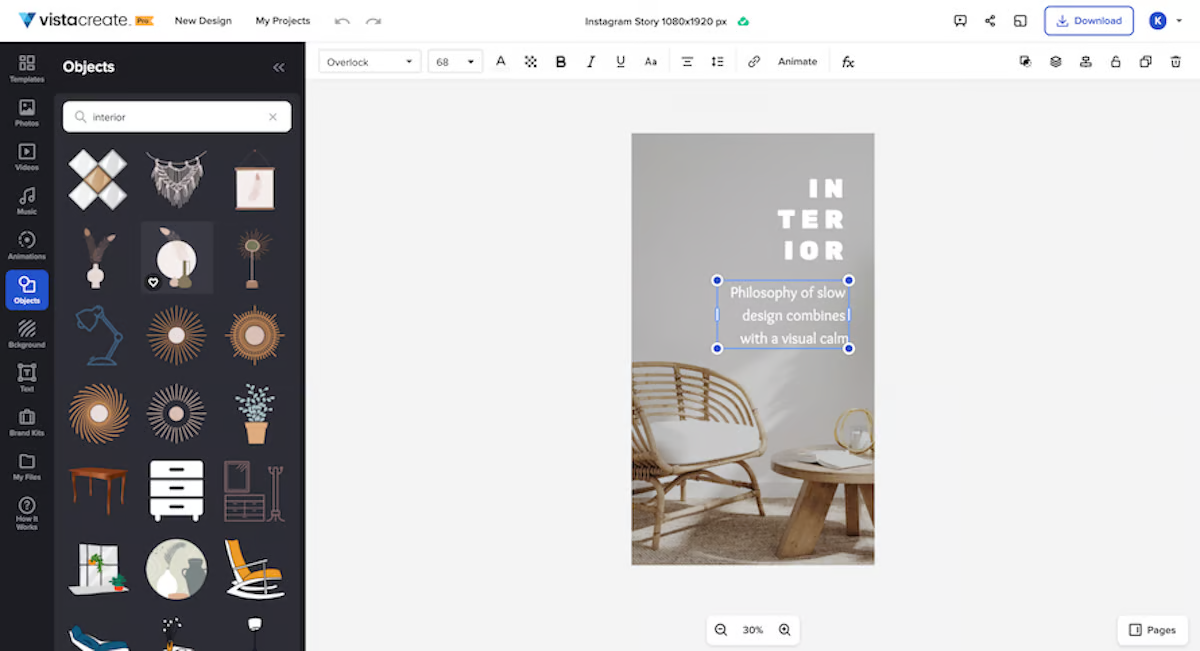
VistaCreate’s editor
VistaCreate, formerly known as Crello, is an intuitive AI-powered video maker tool designed to help businesses and individual creators produce standout social media content.
It offers a vast collection of ready-made templates tailored for platforms like Instagram, TikTok, and Facebook, along with AI-driven features like automated animations, background removal, and quick resizing for different formats.
With an extensive library of stock footage, music, and graphics, VistaCreate enables effortless customization for branded content.
Best solution for AI-powered video editing: CapCut
CapCut is a cutting-edge AI video editing tool with mobile, desktop, and browser platforms that allow users to produce engaging, professional-quality content quickly and efficiently.
CapCut offers a suite of features that are well-suited for short-form video editing, including automated subtitles, AI-powered scene transitions, and background removal. The editing tool also offers advanced features like motion tracking and AI-assisted keyframe animations, which both help in crafting high-quality content.
Another feature that helps make CapCut our top pick as an AI-powered video editing tool is its collaborative features, allowing more than one person to easily work on the same project.
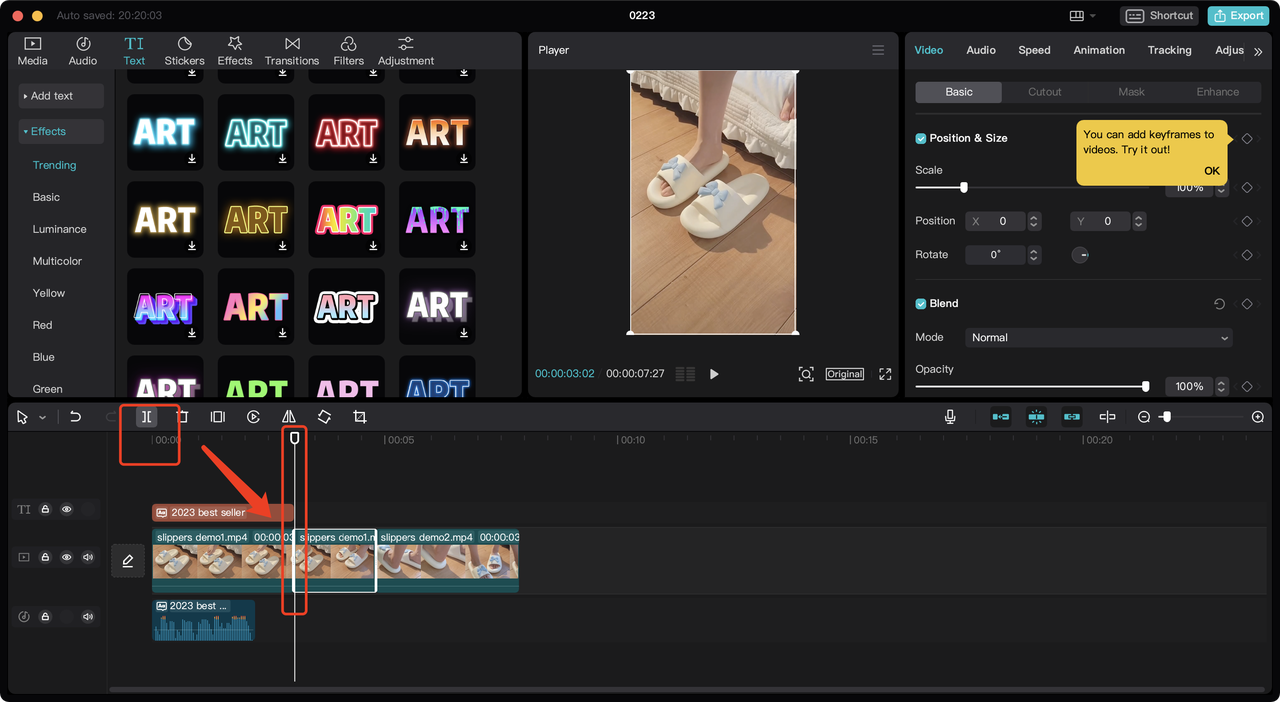
CapCut’s TikTok editor
Pros of CapCut
- Automated subtitles for streamlined captioning
- Resizing capabilities make it well-suited for social media content
- Free to use
Cons of CapCut
- The app’s mobile-first design may be inconvenient for those looking to create videos on a computer
- CapCut’s advanced editing features are lacking compared to more professional-grade video editing software, such as Adobe Premiere Pro or Final Cut Pro
Alternative AI video editing tools
If CapCut is too social media focused to meet your exact needs, there are a couple of other AI video editing tools that can get the job done instead.
Check out Descript or Filmora AI instead:
Descript
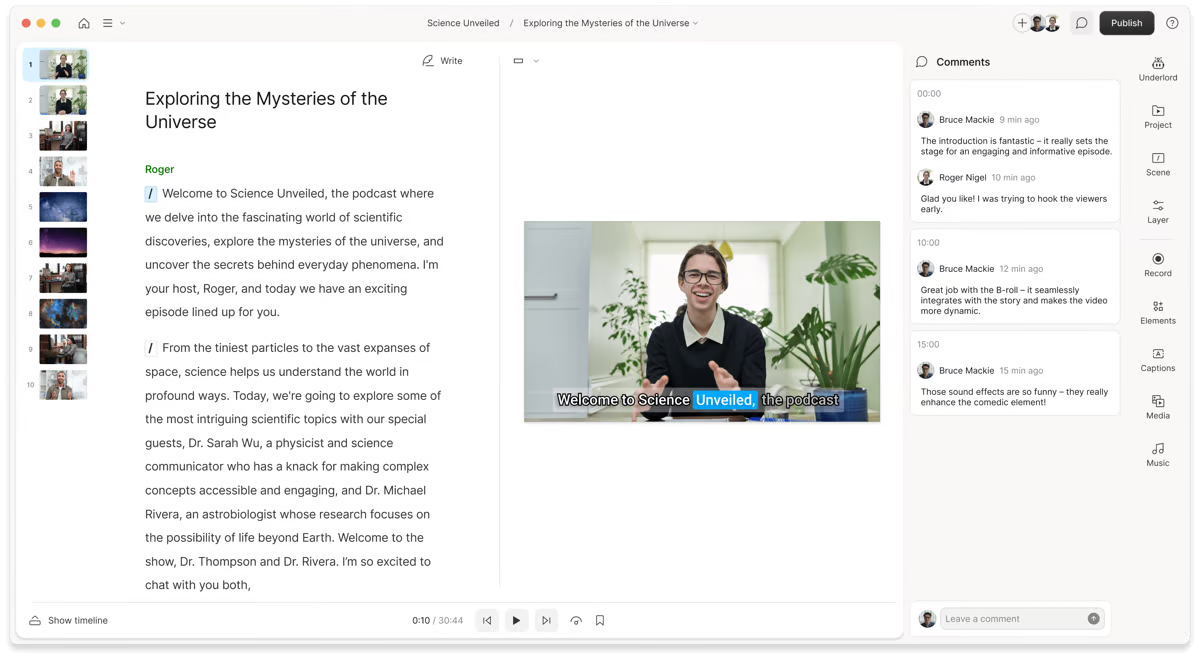
Descript’s script editor
Descript is a powerful AI video and audio editing tool designed to simplify content creation. Its standout feature is its text-based editing interface, which allows users to edit video and audio by editing the transcript, making complex edits as simple as editing a document.
The platform is able to cater to a variety of content needs thanks to its advanced capabilities like overdubbing and multi-track editing, as well as its AI-powered features like filler word removal and voice cloning.
Filmora AI
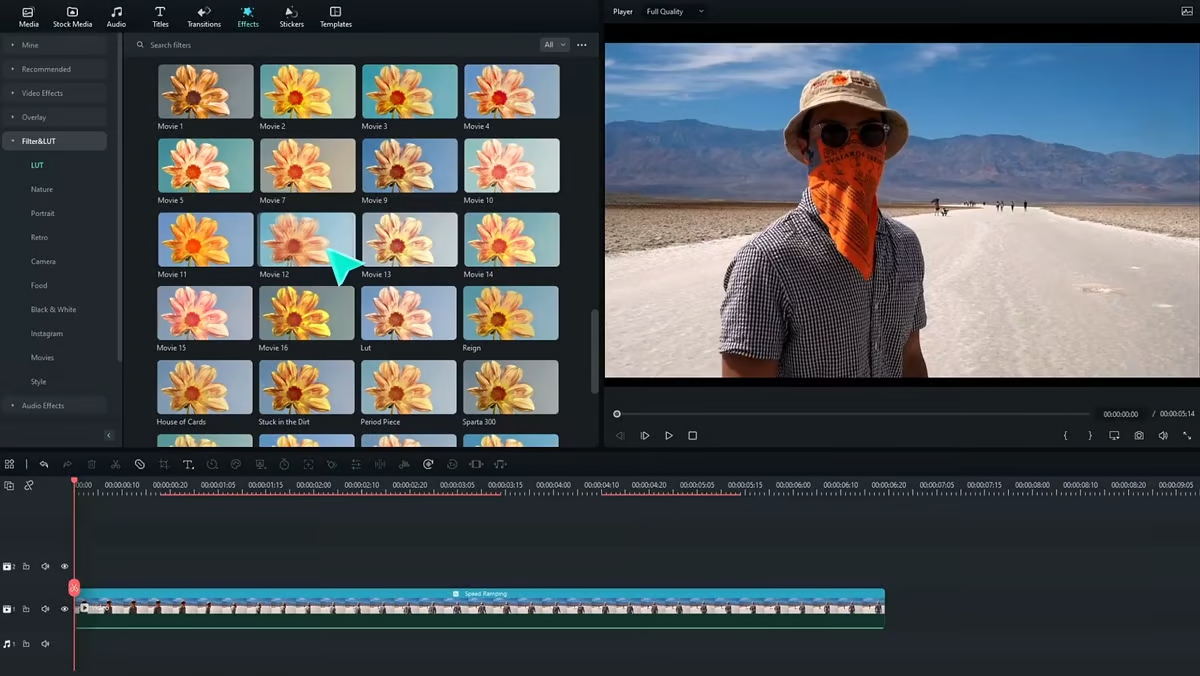
Filmora’s editing interface
Filmora is another CapCut alternative that’s known for its drag-and-drop interface that’s beginner friendly.
The AI video editing solution is a solid choice for those prioritizing simplicity and efficiency when creating content. Although you won’t get the highly advanced features typical of typical professional video editing software, its AI features like cutout and motion tracking still deliver the main capabilities needed for video production.
Best option for AI animated videos: Powtoon
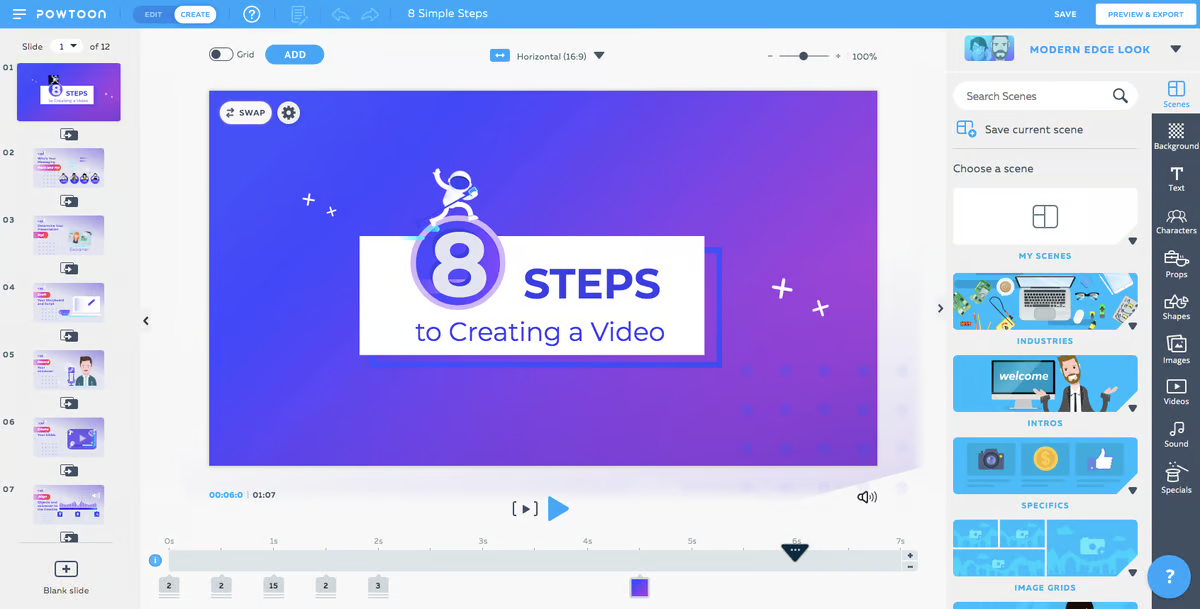
Editing an animated video in Powtoon
Powtoon is an intuitive animated video creation platform that empowers users to produce engaging, professional-quality content without requiring advanced design skills.
With its AI-powered tools, users can quickly customize templates, add animations, and incorporate dynamic characters to create videos for presentations, marketing, or training. The platform offers drag-and-drop functionality, a rich library of assets, and seamless integrations with popular tools, making it easy to adapt content for various audiences and purposes.
Whether crafting explainer videos or corporate updates, Powtoon simplifies the animation process, enabling users to bring ideas to life with creativity and efficiency.
Pros of Powtoon
- Extensive template library with customizable assets for marketing and training videos
- Comprehensive asset library with a large collection of ready-to-use animated characters, graphics, and music tracks
Cons of Powtoon
- Limited customization capabilities for premade templates and assets
- Subscription costs needed to access higher-quality exports and access to more premium assets may be expensive for some teams
Alternative AI video generator tools for animation
Each AI video maker for animated content tends to have its own style of animations, meaning you might have a strong preference for the output of one platform over another.
Although there are many other solutions out there, Animaker and Vyond are two other popular alternatives to Powtoon.
Animaker
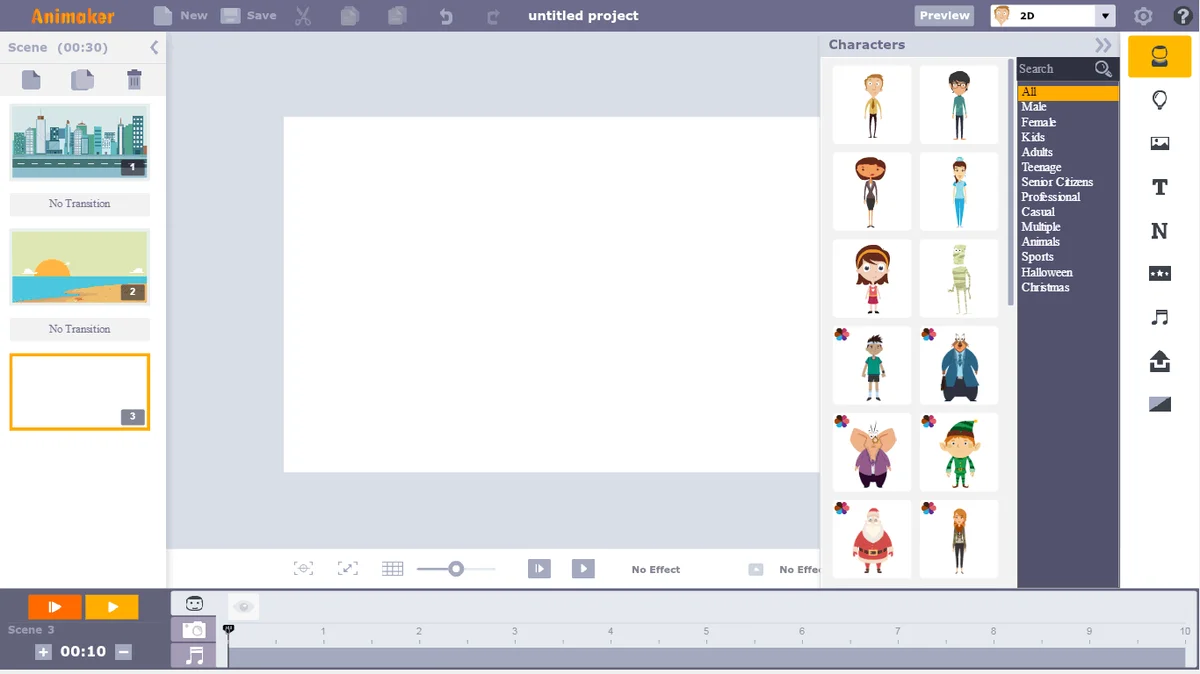
Animaker’s editing interface
Animaker is a worthwhile AI video animation tool for those looking for an affordable option. Unlike Powtoon, Animaker offers a freemium model that includes access to its character builder, gif downloads, real-time collaboration, and more.
At the same time, if advanced audio editing is a priority for your team, then Animaker’s offerings may fall a bit short.
Vyond
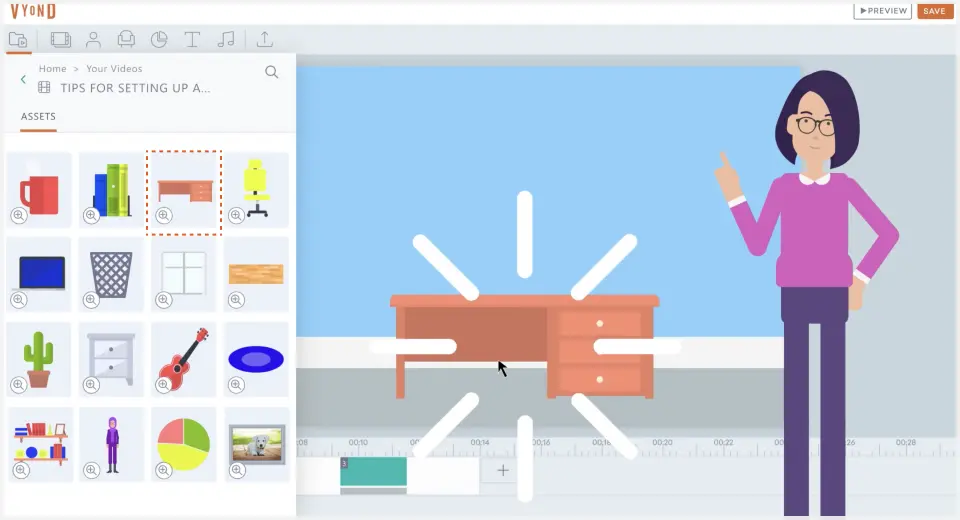
Vyond’s editing interface
Vyond is an AI video maker with many different features, although its animation maker is one of its main feature offerings.
The AI video generator allows you to start by entering a simple prompt into its software to get your project off the ground, opt for a template, or just start your project from scratch. Using its large asset library, Vyond’s animations can bring your content to life, whether you’re creating content for L&D, marketing, sales, or internal communications.
The best AI video generator for all use cases
If you’re looking for an AI video generator that’s flexible enough to suit most of the use cases on this list, then you’ll want to check out Colossyan.
Colossyan can be used for a ton of different use cases, including eLearning content development, employee onboarding, and even social media marketing materials.
Colossyan’s instant avatar feature even allows you to create a custom avatar from just a photo, meaning you can now bring your static animations to life using the tool. The best part? Creating an instant avatar is totally free.
Plus, with scene-based editing, the platform is so easy to use that you don’t need any video editing experience to produce a professional-quality result.
Ready to try it for yourself? Take advantage of Colossyan’s 14 day free trial today – no credit card required.