


Lumen5 has long been recognized as a leading name in the AI video creation space - especially for marketing and social media teams.
The platform’s ability to turn blog posts or URLs into short promotional videos has made it popular among marketers looking to repurpose existing content. Its drag-and-drop interface and brand templates make it simple to produce social-ready clips in minutes.
But for teams that need to create learning content, training videos, or professional internal communication materials, Lumen5 may not tick every box. Its creative automation is impressive, but its lack of interactivity, avatars, and advanced export options limits its flexibility for enterprise use.
That’s why we’ve compiled this guide to the 8 best Lumen5 alternatives - complete with key features, pros, cons, and pricing to help you find the right platform for your needs.
Why look for a Lumen5 alternative?
Lumen5 is built primarily for marketing and social media video creation. By transforming blog content into video form, it enables teams to boost engagement and save time on video editing.
However, for corporate training, L&D, or multilingual communication, Lumen5 often falls short.
Here’s why:
-
It doesn’t include AI avatars, voice cloning, or interactive features, making it less suitable for instructional content.
-
There’s no SCORM export, meaning videos can’t easily be embedded in learning management systems.
-
Language localization requires manual editing, and the platform lacks automatic translation.
-
Its AI only supports basic script summarization, not end-to-end video generation.
If you need to create educational, explainer, or internal videos at scale, Lumen5’s marketing-first approach may not provide the flexibility you’re looking for.
Lumen5 pros
-
Easy-to-use interface for marketers
-
Blog-to-video workflow for fast content repurposing
-
Rich media library and templates
-
Collaboration features and brand kits
Lumen5 cons
-
No AI avatars or voice cloning
-
No interactivity or SCORM export
-
Manual language editing - no instant translation
-
Limited analytics and reporting
-
Designed for social videos, not eLearning or enterprise communication
Comparing the 8 best Lumen5 alternatives
Looking for a more versatile Lumen5 alternative? Here’s our roundup of the top platforms that offer greater automation, customization, and scalability.
1. Colossyan
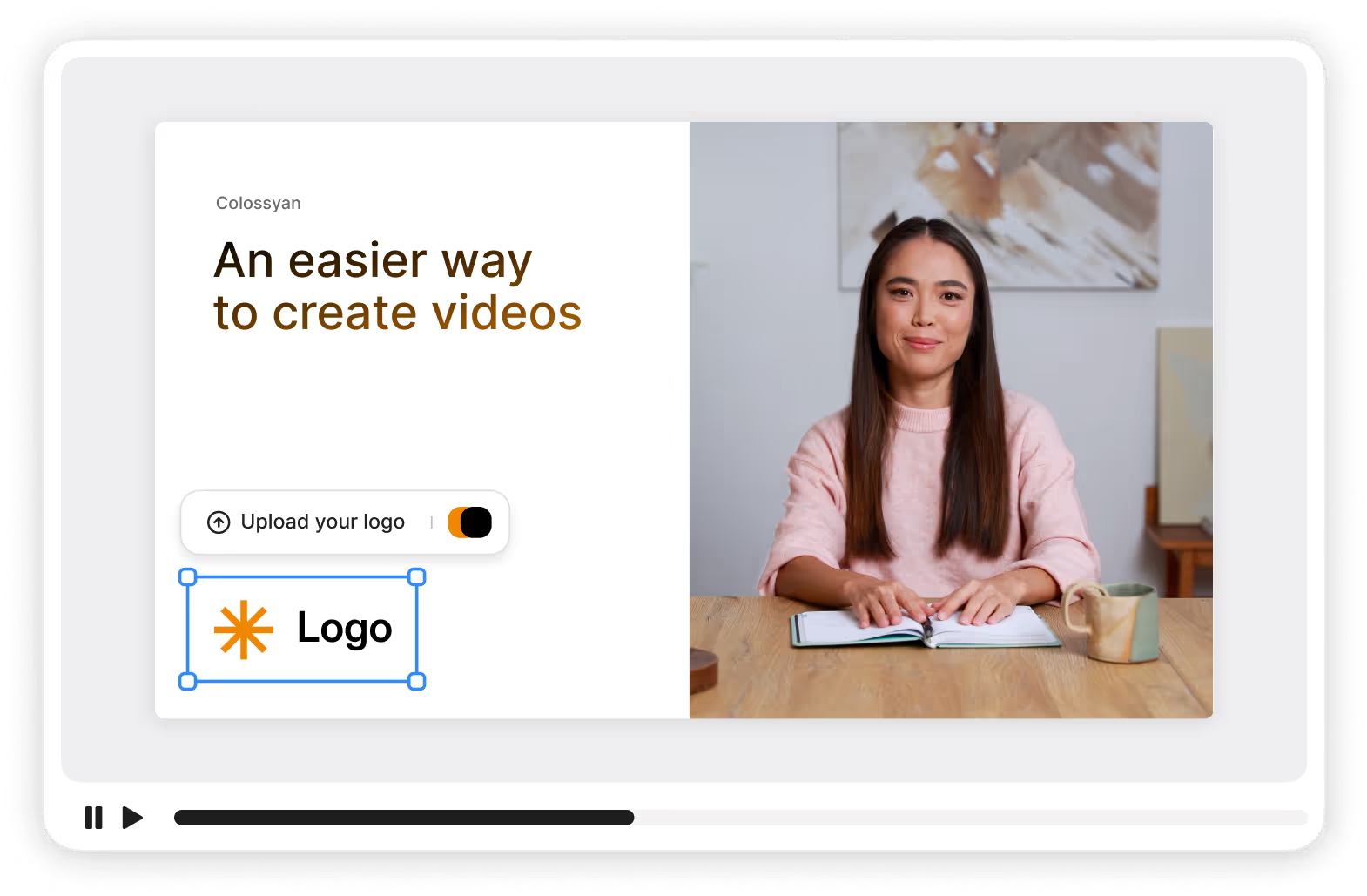
Colossyan is the leading AI video platform for teams looking to turn documents or text into engaging videos with AI avatars.
Unlike Lumen5, Colossyan is built for learning, corporate communications, and training videos - complete with interactivity, branching, and SCORM export for LMS integration.
Used by leading companies such as Vodafone, Novartis, and Paramount, Colossyan empowers teams to create studio-quality videos in minutes without filming or editing.
Key features
-
Document-to-video: Upload text or training documents to auto-generate a video.
-
AI avatars: 200+ realistic avatars, including custom and conversational options.
-
Interactive videos: Add quizzes, branching, and clickable options.
-
Voice cloning and pronunciation control for localization precision.
-
Instant translation into 100+ languages.
-
SCORM export for LMS compatibility.
-
Collaboration tools with comments and shared projects.
-
AI script assistant to generate or adapt video scripts.
Potential drawbacks
- Smaller music library than some competitors (currently being expanded).
Pricing
-
Starter plan: Free, with 20 minutes of video per month on the NEO model.
-
Professional plan: From $59/month for 30 minutes of video per month on NEO plus 10 minutes on NEO2, with up to 3 editors.
-
Enterprise plan: Includes SCORM export, 4K video, and a dedicated success manager.
2. Synthesia
Synthesia is one of the most established AI video creation platforms, helping teams make professional avatar videos in minutes.
Key features
-
140+ avatars
-
Templates and automatic translations
-
Browser-based editing
Limitations
-
No interactivity or SCORM export
-
Limited branding customization
Pricing
- From $29/month
3. HeyGen
How Sonesta cut 80% of video production costs
Sonesta replaced traditional video production with Colossyan's AI avatars, cutting costs by 80% while scaling content across their hotel properties.
Read the full story →
HeyGen is ideal for teams that need fast, personalized marketing videos with avatars.
Key features
-
Custom avatars
-
Templates
-
Automatic translation
Limitations
-
No SCORM or interactivity
-
Limited collaboration
Pricing
- From $24/month
4. Runway
Runway is a creative AI platform that blends text-to-video generation with advanced editing and motion tracking tools - ideal for filmmakers and designers.
Key features
-
Text/image-to-video generation
-
Background removal
-
Motion tracking and visual effects
Limitations
-
No avatars or SCORM export
-
More suitable for artistic storytelling than training content
Pricing
- From $15/month
5. Hour One

Hour One lets users create AI avatar videos using uploaded scripts or text.
Key features
-
Document-to-video workflow
-
Custom avatars
-
Templates and API support
Limitations
-
No interactivity
-
No SCORM export
-
Limited voice personalization
Pricing
- From $30/month
6. Elai.io
Elai offers a strong prompt-to-video feature set for teams wanting to create short training or marketing clips.
Key features
-
80+ avatars
-
Custom voices
-
Multilingual support
Limitations
-
No SCORM export or interactivity
-
No analytics or branching
Pricing
- From $29/month
7. Veed

Veed is a traditional video editor with some AI features for recording, captioning, and translation.
Key features
-
Screen and webcam recording
-
Subtitles and audio editing
-
Collaboration tools
Limitations
-
No AI avatars
-
No document upload workflow
Pricing
- From $25/user/month
8. DeepBrain AI
DeepBrain combines conversational avatars with team collaboration, making it suitable for explainer or news-style videos.
Key features
-
80+ avatars
-
Conversational scenes
-
Workspace collaboration
Limitations
-
No SCORM or interactivity
-
Limited template variety
Pricing
- From $29/month
Get started with a free AI video generator today
Lumen5 is a fantastic solution for marketers and content creators, but for corporate training, onboarding, and multilingual video production, you’ll likely need more automation and interactivity.
That’s where Colossyan stands out. With AI avatars, document-to-video conversion, SCORM export, and interactive branching, Colossyan helps teams create professional videos at scale - no editing required.
👉 Try Colossyan for free today, or book a demo to see how your team can produce high-quality videos in minutes.