Most companies can crank out a video or two. But making business videos that are on-brand, repeatable, and work for different audiences and platforms? That’s hard. Teams get stuck coordinating scripts, branding, translations, and compliance. One video takes weeks, then needs to be completely rebuilt for next quarter or another country.
There’s a better way. Instead of reinventing the wheel for every new asset, you need a clear, ten-step framework - one you can use for explainers, compliance, product, or L&D. This framework aligns with your tools, and highlights where AI-native video creation (like Colossyan) removes bottlenecks in training and internal comms.
Here’s a complete approach that lets you plan, produce, localize, and ship business videos at scale.
The 10-step repeatable framework
1) Define the business goal and single success metric
Don’t start with the visuals or fancy script. Know why you’re making the video and how you’ll measure success. Otherwise, you get nice-looking videos that don't matter. Write a one-line goal and pick a metric - completion rate, demo signups, policy acknowledgment, or something else you can track.
Wistia’s deep video analytics that sync with HubSpot, Marketo, or Salesforce are an example - perfect when your goal is driving MQLs from video. At Colossyan, we support real measurement: set up interactive quizzes, set SCORM pass/fail rules, and monitor completion rates and scores right inside Analytics or your LMS.
2) Pinpoint audience, channel, and aspect ratio early
You need to know: Who are you targeting? Where will this run - TikTok, website, LMS? Is it vertical, square, or widescreen? If you get this wrong, you’ll redo your work later.
Invideo (with 25 million users) supports all common aspect ratios with real-time previews, so you don’t waste time reformatting. Adobe Express lets you resize for Reels, TikTok, Stories, and YouTube in the same project. In Colossyan, you just set the Canvas to 16:9, 9:16, or 1:1, and use grid alignment to keep everything sharp as you generate different platform versions.
3) Draft the script structure before visuals
Most teams jump into visuals too soon. Script clarity means less wasted effort later. Write your outline. Tools like FlexClip can auto-generate scripts or turn text/PPT/PDFs into video, and voiceover with AI. Adobe Express is built for quick script tweaks and speed changes for rough cuts.
At Colossyan, you can use Doc to video or Prompt to video to generate the first draft from a Word/PDF. With the AI Assistant, you can rewrite or simplify, and even fix grammar. Add pauses and pronunciation rules for brand or technical terms early on to avoid headaches during review.
4) Lock brand identity and visual system
Inconsistent branding slows approvals and hurts trust. Stick to your brand kit from the beginning. Invideo has thousands of customizable templates and access to 16 million+ stock assets. Adobe Express adds their own template library plus rights-cleared media.
For extra polish, MakeWebVideo lets you start with 3,500+ After Effects templates - no After Effects skills needed. In Colossyan, we use Brand Kits to auto-apply fonts, colors, and logos. All assets are stored centrally in our Content Library, and we rely on templates and shapes to keep everything visually aligned.
5) Choose voice and on-screen talent
Your narrator sets the tone, and global business often means working in multiple languages. Vimeo can translate audio and captions into dozens of languages in minutes. Wistia records and polishes your webinars and marketing content with AI.
With Colossyan, you pick from dozens of voices or even clone your own - helpful when subject matter experts or execs need to “present” without being filmed. You can create Instant Avatars from real people, correct tricky words with the Pronunciations tool, and even run up to 4 avatars in conversation mode for dialogue scenes or role-plays.
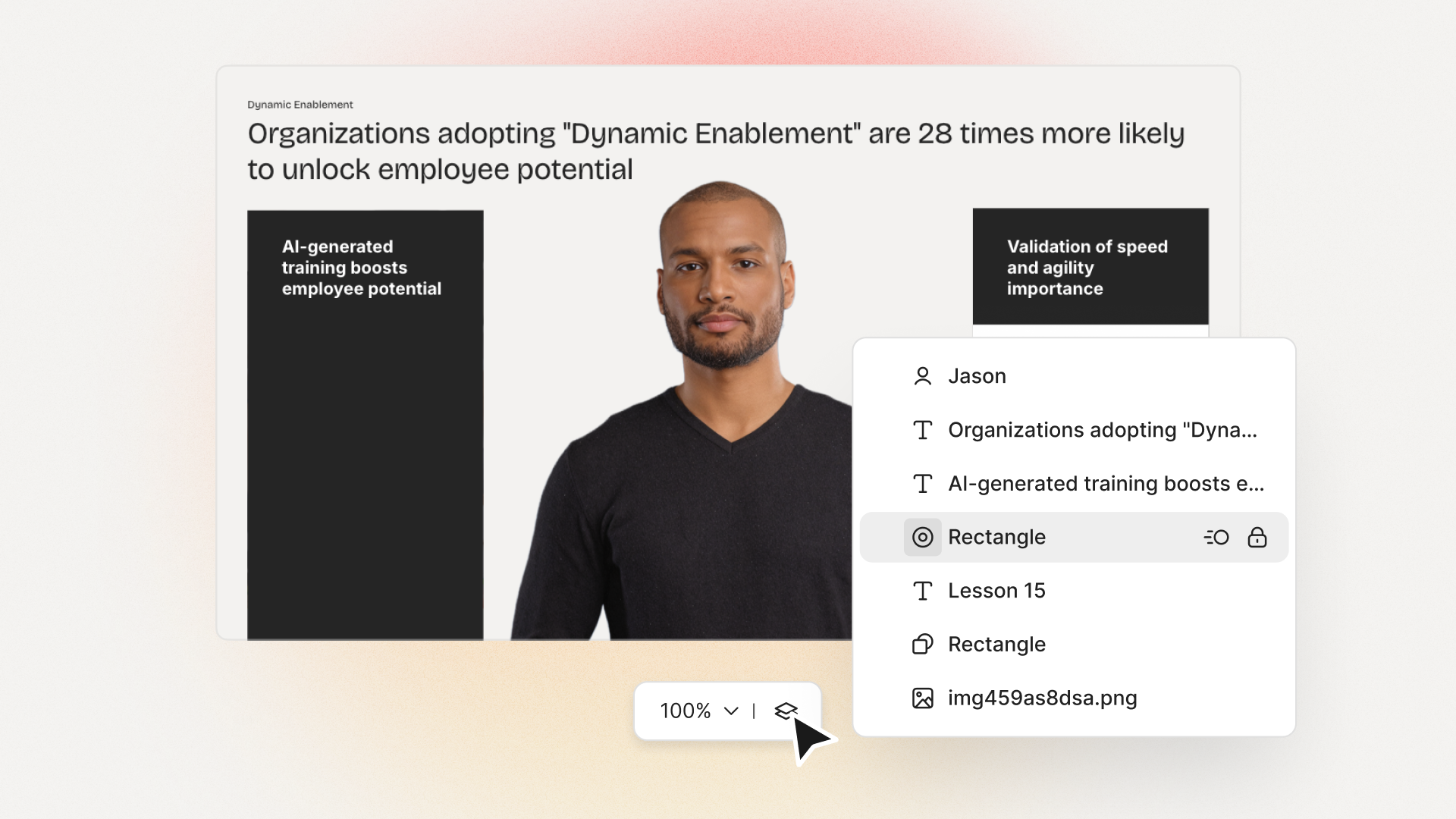
6) Assemble scenes and motion in the editor
Good pacing keeps people watching. Adobe Express handles animation, filters, and fast B-roll cuts. MakeWebVideo delivers full-HD cinematic openers in about 15 minutes.
In Colossyan, Animation Markers let you precisely time entrances or exits. Add transitions, text layers, and media, or screen record demos. Preview scene by scene or full video to tighten your pacing before publishing.
7) Add interaction for retention and assessment
Passive watching doesn’t work for training or compliance. People forget. Wistia makes webinars evergreen and interactive. Vimeo’s in-player Q&A pins answers to the exact timestamp - a lifesaver for long trainings.
At Colossyan, we add Multiple Choice Questions and Branching, set pass marks, and export videos as SCORM packages (1.2/2004) for your LMS. This makes completion and learning measurable, not just a guess.
8) Localize and make it accessible
If your workforce or customers are global, translations and accessibility can’t be an afterthought. Vimeo automates captions, SEO titles, descriptions, and more; Wistia localizes in 50+ languages.
For us at Colossyan, Instant Translation lets you adapt on-screen text, voice, and interactions. You just pick the language, choose a native-sounding voice, and export closed captions in SRT/VTT formats.
9) Collaborate, review, and version
Review cycles drag down most projects. Adobe Express solves this with real-time edits, commenting, and autosave. Vimeo offers granular privacy, time-coded comments, and version control. Invideo is built for team collaboration with 24/7 support.
In Colossyan, feedback is baked in - just comment directly on drafts or generated videos. Organize content with folders, manage access with Workspace Management, and control who sees what with roles and permissions.
10) Publish, host, and measure
You’re not done until you measure real results. Vimeo plays your videos at max resolution, ad-free, in a customizable player. Enterprise accounts get privacy (password, SSO), full compliance (SOC 2, ISO 27001, GDPR), and monetization options.
Wistia’s player gives you deep analytics and syncs to your marketing stack. Adobe Express includes a Content Scheduler for planning social posts.
At Colossyan, you can share by link or embed, export in MP4 or audio, and always get captions. Our Analytics show plays, watch time, quiz scores, or you can export CSVs for reporting. For learning, SCORM lets you track completion and scores in your LMS.
Example workflows you can reuse
A repeatable framework means you get predictable, fast results. Here’s what it looks like in practice:
48-hour compliance update: Upload your new policy PDF, import into Colossyan, use Brand Kit, correct legal terms via Pronunciations, add quiz, set pass mark, and export as SCORM. Host longer-form Q&A on Vimeo for reference. This cuts turnaround and ensures tracking.
Product launch explainer + social cutdowns: Start with a one-pager and a demo screen recording. Colossyan converts your doc to video with an Instant Avatar presenter, screen-record the demo, and quickly resize for all platforms. Use Adobe Express for a social variant and schedule the campaign. Invideo’s templates speed up teaser production using stock music and B-roll.
CEO town hall recap for global teams: Gather highlights, generate an Instant Avatar for the CEO in Colossyan, clone the voice, translate scripts into major languages, and export captions. If sharing externally, Wistia hosts the recap and ties viewer analytics back to CRM engagement.
Tooling blueprint: when to use what
- Fast edits and scheduling for social: Adobe Express
- Template-heavy, stock-rich marketing: Invideo
- Secure hosting, privacy, and compliance: Vimeo
- Cinematic After Effects look without software: MakeWebVideo
- AI-speed for converting docs and URLs: FlexClip
- Interactive training and measured compliance: Colossyan
checklists for repeatability
Pre-production: Define the goal and the metric. Decide audience and channel, aspect ratio. Sketch the script. Get brand assets and ensure accessibility is part of the plan.
Production: Import and generate your draft (Colossyan is perfect here). Assign avatars or voices. Insert media, apply style, use Animation Markers.
Interactivity and localization: Add quizzes or branching, configure SCORM, generate captions, and run Instant Translation.
Review and approvals: Use comments for feedback, control versions, and lock branded elements. Check legal and terminology.
Publish and measure: Export files, embed, upload to LMS, and monitor analytics.
Metrics that matter and how to instrument them
Measure what counts: Engagement (views, watch time), learning (quiz and completion), localization coverage (languages, captions), and speed (cycle time). Use Colossyan Analytics or export CSVs; for deep hosting analytics, look to Vimeo or Wistia.
Common pitfalls and quick fixes
- Off-brand visuals: Stick to Brand Kits and locked templates.
- Mispronunciations: Set them with Pronunciations.
- Low retention: Add Interactions, shorten scenes, use Animation Markers.
- Wrong aspect ratios: Decide up-front and preview.
- Slow localization: Run Instant Translation and use multilingual avatars.
Real-world examples from the market
Adobe Express gives you a free, browser-based editor that exports watermark-free MP4s and resizes for every channel - work with your team in real time and schedule posts (see product).
Invideo has 25 million customers, 7,000+ templates, and 16 million+ stock assets across iStock and Shutterstock - great for global teams who need content fast (see product).
Vimeo powers 287 million+ users with secure, ad-free playback, perfect privacy, and SOC/ISO compliance. Host your business videos and monetize if you need (see product).
MakeWebVideo’s 3,600+ After Effects templates get you cinematic quality without new software - Full HD downloads in minutes (see product).
FlexClip turns text, PPT, PDF, or URLs into scripts and videos with AI tools, and promises content 10x faster (see product).
Wistia is trusted by 375,000+ customers, with an ad-free player, webinars, and deep analytics for CRM attribution (see product).
Where Colossyan fits best
We see the biggest impact where training and internal communication need to scale. With Colossyan you can:
- Convert docs or PPTs straight into video, saving hours.
- Apply your Brand Kit for consistency every time.
- Use AI avatars (even your execs) or instant voice clones to keep content fresh and personal.
- Add interactive quizzes and branching for knowledge checks and feedback.
- Export SCORM and track completion/scores - critical for compliance and L&D.
- Roll out content in any language, with Instant Translation and closed captions in a few clicks.
- Keep content organized, collaborate quickly, and manage access with Workspace Management and folders.
- Pull reports and monitor engagement with detailed Analytics or CSV exports.
30-minute script template
- Hook (15 sec): “If you’re struggling with [pain], this will show you how to [outcome].”
- Problem (30 sec): Biggest friction and its cost.
- Solution (60–90 sec): Three steps with supporting visuals.
- Proof (30–45 sec): Use a data point or fast case.
- Next step (15–30 sec): Explain what to do next (quiz, review, action).
- Mark terms for Pronunciations and regional lines for localization.
Appendix: repeatable production sprint (Mon–Fri)
- Mon: Set the goal/metric, script outline, gather assets.
- Tue: Generate draft (Colossyan), style it, pick avatar/voice, preview.
- Wed: Add interaction, translate, captions, gather feedback.
- Thu: Address feedback, finalize versions, export.
- Fri: Publish, review analytics, plan next improvements.
Final thoughts
Making business videos that fit every channel, stay on-brand, and scale doesn’t have to be slow or complicated. Use this ten-step framework, choose the right tool for the job, and let smart AI platforms like Colossyan handle the grunt work. Measure what matters, iterate fast, and focus energy where your team brings the most value.








.avif)


%20(1).avif)




.webp)
.webp)





