AI can make a photo say anything. This isn’t just a meme trend - it’s now a workflow for marketers, trainers, and anyone making content at scale.
You might want a quick GIF for Twitter, a multi-language product promo, or a full interactive training with analytics that plugs into your LMS. Different jobs call for different tools. Here’s the reality in 2026: most viral posts start with free “talking photo” apps; companies standardize video output with platforms like Colossyan that turn documents into polished, branded, and measurable interactive video - no manual editing or filming needed.
Here’s how I think about it, and what the facts show.
Talking photo vs talking avatar vs full ai video
Start with definitions. A talking photo app lets you upload a selfie or product image and animates the mouth and face to match voice or text. It’s good for quick explainer content, social posts, and funny clips. Fast, no design skill required, but you get only one shot - no reshoots, no deep edits.
A talking avatar is a more controlled version. Pick an AI-presenter - pre-built or a digital copy of your own staff - that reads a script. It’s better for brand consistency, ad campaigns, or video series. No awkward selfies, stronger lip-sync, and you can swap messages on demand.
A full AI video editor goes even further. You get a scene timeline, interactions, embedded quizzes, brand kits, voice cloning, and exports for anything from YouTube to SCORM-compliant e-learning.
The underlying tech: the tool finds face landmarks, maps audio to mouth movement, animates expressions, and makes a video. Some offer more control - like emotion presets, pose intensity, and voice/gesture selection.
Quick-start apps for social (free and freemium)
If your main goal is to spark engagement on social, here’s what stands out:
Mango AI Talking Photo gives you 30 seconds for free per video, animating any frontal photo via text, upload, or direct recording. File support covers JPG, PNG, and WEBP. You can tweak background, choose emotions, remove watermarks, and add subtitles. Their UI arrives in 30 languages. The tool expands to face swaps, talking pets, and quirky AI video effects. For a meme - like a cat “thanking” your followers - it checks the boxes.
Vozo AI Talking Photo ramps up with 110+ languages, 300+ voices, multi-speaker lip-sync, and voice cloning. Web, iOS, Android: you can work anywhere. Basic functions are free. Drop in two customer faces, upload a script, output a multilingual Instagram Reel: done.
Wondershare Virbo advertised 460+ languages and 350+ avatars, but the product closed to new users mid-2025. Existing subscribers can still use the app; everyone else is redirected to Media.io’s Talking Avatar. Always check tool status, especially if you see older tutorials.
HeyGen’s free plan supports unlimited talking photos and has 230+ avatars in 140+ languages. Simple, but you lose some granular animation and facial controls.
For specialty or mobile use, Tokking Heads and Talkr make quick meme-style animations (pets and babies are a hit). Avatarify is decent for fast iOS/Android face animations - spotty for advanced editing. SpeakPic on Android has over a million installs but averages only 2.5 stars, with lag, crashes, and heavy ads as major complaints. Reviews beg for more emotional controls and fewer interruptions.
Vidnoz AI Talking Photo stands out for pure scale: 1900+ avatars, 2000+ AI voices, and three motion modes (from subtle to expressive). It’s all browser-based, MP4 export, and claims to be free for commercial use.
The demand is clear: people want free or near-free ways to lip-sync a photo, especially for throwaway memes. Features like watermark-free export, longer clips, and smoother facial controls are the paywalled upgrades.
When to use which tool: a simple decision framework
If you just want a quick, one-off talking head video and don’t need analytics or interactivity, Mango AI, HeyGen’s free version, Vozo AI, or Vidnoz get it done. If you want translations, custom voices, or multi-speaker capability, Vozo AI and Vidnoz offer more for free than most.
But once you care about consistent branding, multiple videos, assessment, or integration with training systems - or if you’re running campaigns in different markets - point solutions fall short. That’s when you need an enterprise-grade workflow. This is where i see Colossyan making a real difference.
Step-by-step: make a talking presenter for training with colossyan
Let’s say your team has a dry “Code of Conduct” PDF and you want an avatar-led training with quizzes, tracking, and localization - everything ready for your LMS.
Here’s how we handle it at Colossyan:
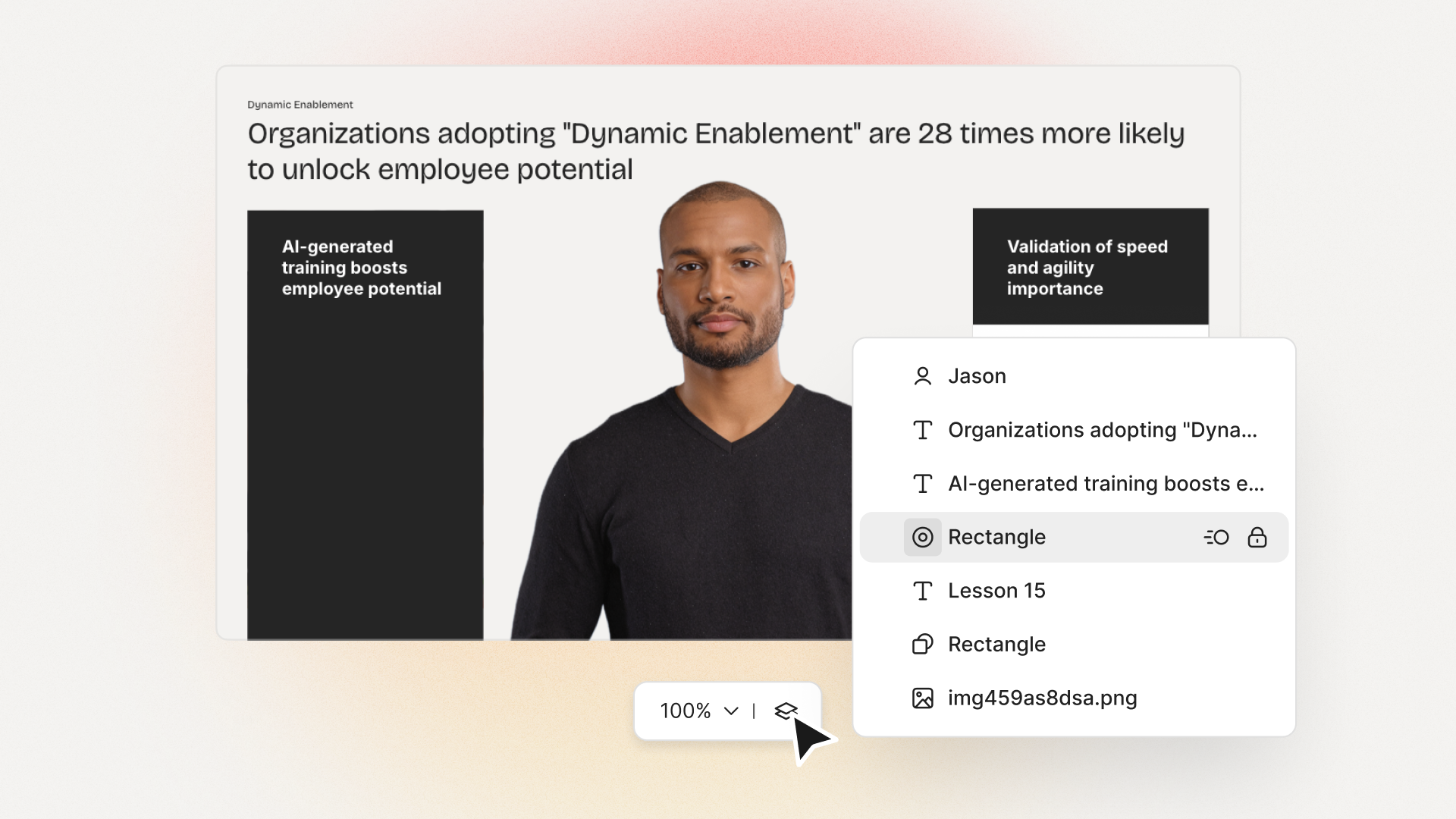
Upload your PPT or PDF. Our system splits it into scenes, auto-detects main talking points, and can even write the initial script. You can also drop in a whole document and let “Doc to Video” auto-generate a first draft.
Layer on your Brand Kit (fonts, logos, company colors) to match compliance needs.
Pick an avatar presenter from our library, or create your instant avatar based on a short clip of your HR person. Mount a consistent, cloned voice - or use our pronunciation tool to ensure niche terms or acronyms (“SCORM”, “DEI”, office names) come out right.
Embed MCQs for understanding, use Conversation Mode to stage dialogues (like manager–employee role-plays), and set branch points for scenario-based quizzes.
Need to cover different regions? Use Instant Translation. In a few clicks, duplicate and revoice content in Spanish, French, German, or any supported language - keeping timing and style consistent.
Push the finished SCORM file into your LMS, or share by link. Monitor analytics: who started, who finished, quiz scores, and even drop-off points. Export data to CSV if compliance requires audits.
Step-by-step: turn a product image into a talking ad concept
Social paid or organic needs a tighter package.
Here’s a blueprint: start with the ideal aspect ratio (9:16 for vertical) and drop your product image in as the focal point. Pull a spokesperson avatar over the product. Script it simply: address a pain, state a benefit, show proof, and close with a call to action.
Add our Brand Kit for instant design consistency. Use Animation Markers to cue text or spotlights as the avatar hits key lines. Layer subtle music beneath the narration, and tweak volumes for clarity. Finally, preview both the scene and the whole video. Duplicate for rapid A/B tests, tweaking voice, avatar, or script variant. Export MP4 and watch analytics for engagement or conversion spikes.
Localization and accessibility: voices, languages, and subtitles
Vozo AI, Mango AI, Vidnoz, and HeyGen all brag about language reach (from 30 to 140+ options) and voice variety. That’s solid for social, but no guarantee your training stays on-brand or pronounces product names the right way.
With Colossyan, instant translation covers script, on-screen text, and quiz prompts - retaining screen layouts and timings. Our Pronunciations tool fixes mispronunciations and foreign terms. Need fine-tuned line breaks for each language? Export as separate drafts, so nothing looks cramped or awkward.
Subtitles are a button away - vital for accessibility or compliance.
Legal and ethical guardrails (consent, likeness, compliance)
It’s easy to forget: putting someone’s face, voice, or likeness in a video without agreement can break laws or spark backlash as Cyberlink reminds. Get written consent. Don’t fake testimonials. If you handle compliance training, use formal approvals, SCORM exports, and analytics to build audit trails.
Sample scripts/prompts for social, training, and ads
- Social meme: Animate a selfie to say, “POV: When the meeting could’ve been an email.” Add music, captions. Use Mango or Tokking Heads in 9:16.
- Training: Drop a policy doc into Colossyan and prompt, “Summarize this into 5 scenes on phishing. Add 1 quiz.” Use animated avatars, multi-choice questions, and export to your LMS.
- Product ad:
- Hook: “Tangled cables slowing you down?”
- Value: “The ZipDock snaps into place - organize in seconds.”
- Proof: “Tested by 2,000+ IT teams.”
- Close: “See the difference on your desk today.”
Preflight checklist and troubleshooting
Use bright, clear, straight-on photos for lip-sync precision. Know the limits: Mango AI gives you 30s per video for free. Free apps watermark or restrict exports. If your product or brand name trips up the AI, insert custom pronunciations. Multi-speaker? Vozo AI does it on photos; for avatars and conversation, Colossyan handles it with up to four avatars per scene.
If you need mobile: Vozo AI and Tokking Heads run on iOS/Android. For structured training, stick to desktop tools - more screen, more control. Tool unstable? Save scripts first - users of SpeakPic, especially, complain about crashes and cannot delete data.
Always check if a tool is still alive - Wondershare Virbo, for example, discontinued public service in 2025.
How Colossyan helps for social, training, and advertising
For social managers, I can spin up on-brand videos at any ratio, clone voices, swap avatars, and drop analytics into every post. For L&D, features like Doc/PPT import, interactive quizzes, instant avatars, branch scenarios, workspace control, and SCORM exports make mass training straightforward and measurable. For marketers, I rely on Brand Kits, instant translation, cloned voices, and quick variant duplication for A/B testing - always seeing real engagement data.








.avif)


%20(1).avif)




.webp)
.webp)





