Speaks the SCORM your LMS expects.
Pick the version at export. Colossyan handles the manifest, tracking, scoring, and bookmark state.




SCORM capabilities across Colossyan Video and Colossyan Learn.
Two products, two slightly different SCORM stories. Here is exactly what each one ships today.
| Capability | Colossyan Video | Colossyan Learn |
|---|---|---|
| SCORM 1.2 | Yes | Yes |
| SCORM 2004 (4th edition) | Yes | On the roadmap |
| Generated (non-interactive) videos | Video embedded in the package | n/a |
| Interactive videos | Streamed by default, self-contained on request | n/a |
| Full courses | n/a | Exported as a single SCORM package |
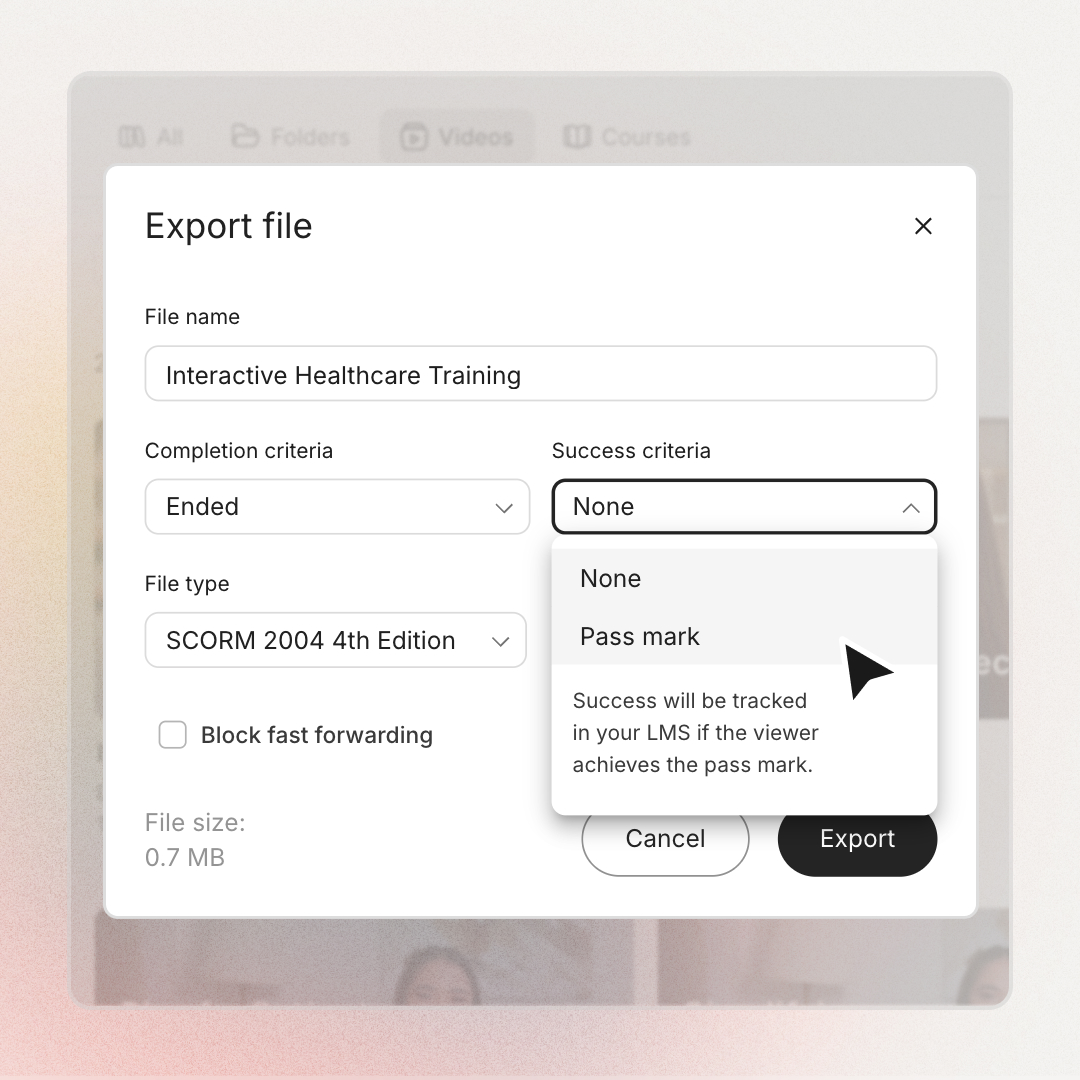
| Completion criteria | Started or Ended | Started or Ended |
| Success criteria (pass mark) | Interactive videos only | Yes, set as a pass percentage |
| Block fast-forwarding | Interactive videos only | n/a |
| Bookmarking and resume | Interactive videos only | n/a |
| Availability | Enterprise plans | All Colossyan Learn customers |
Two outputs, one SCORM package.
Pick your starting point. From either side, the flow ends in a .zip your LMS will track.
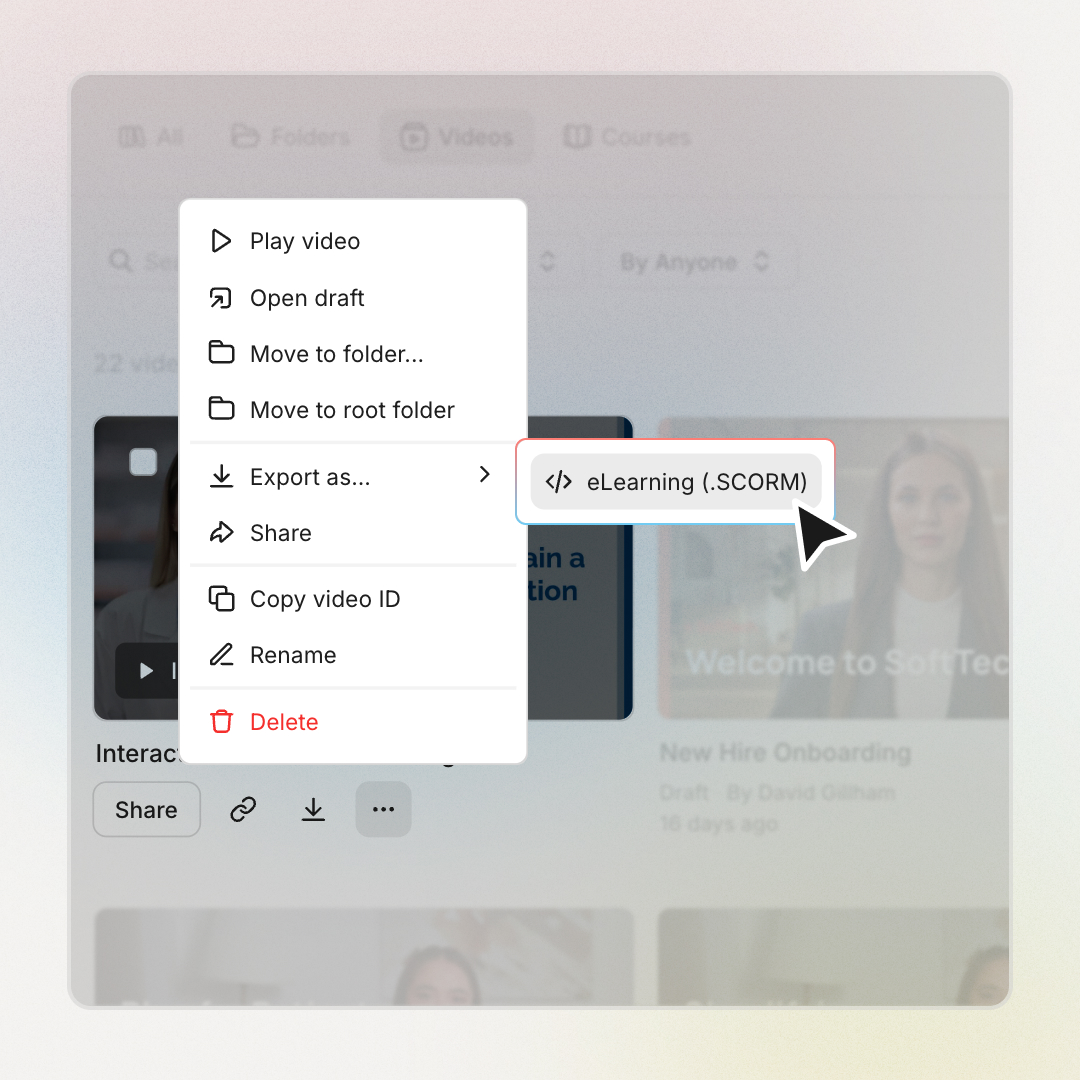
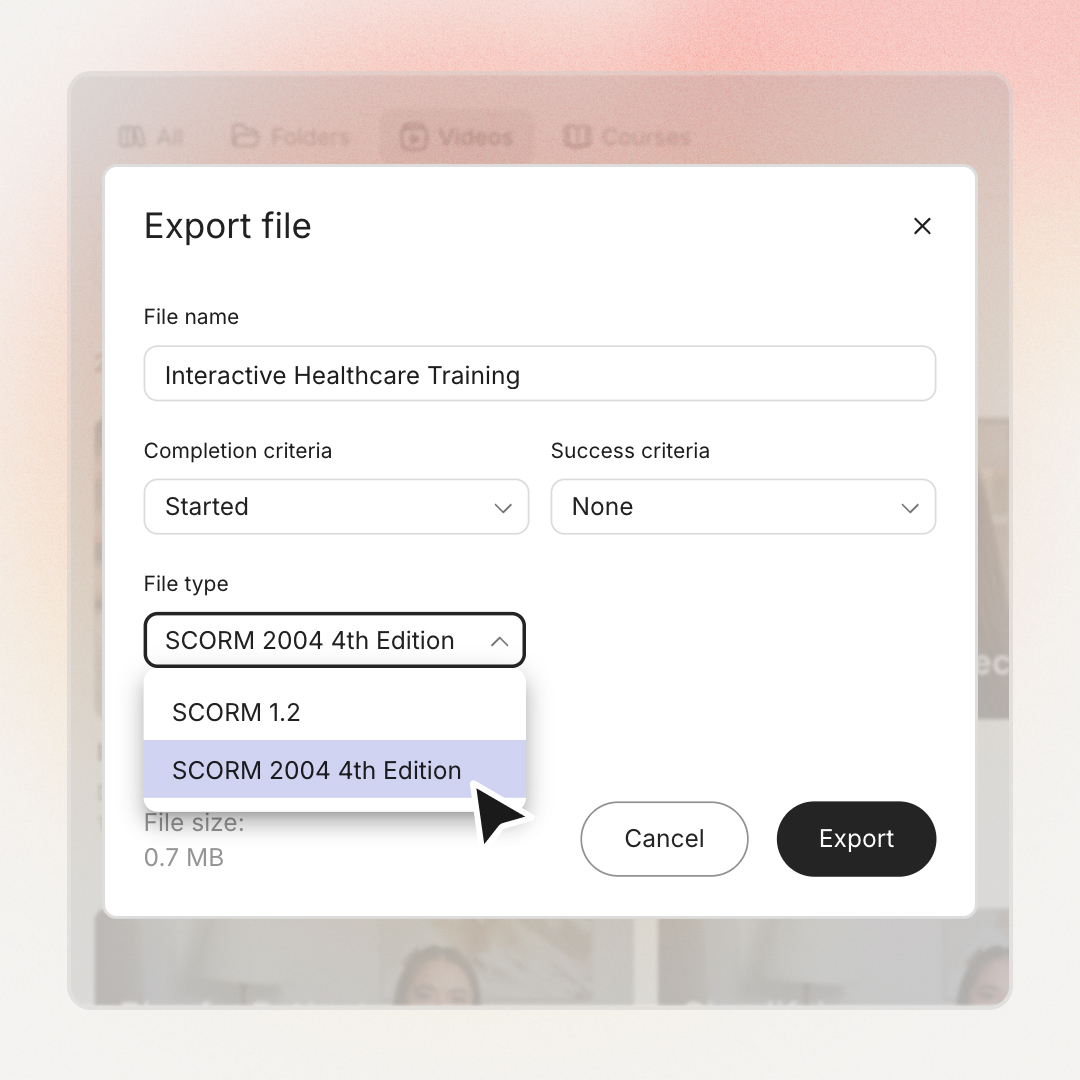
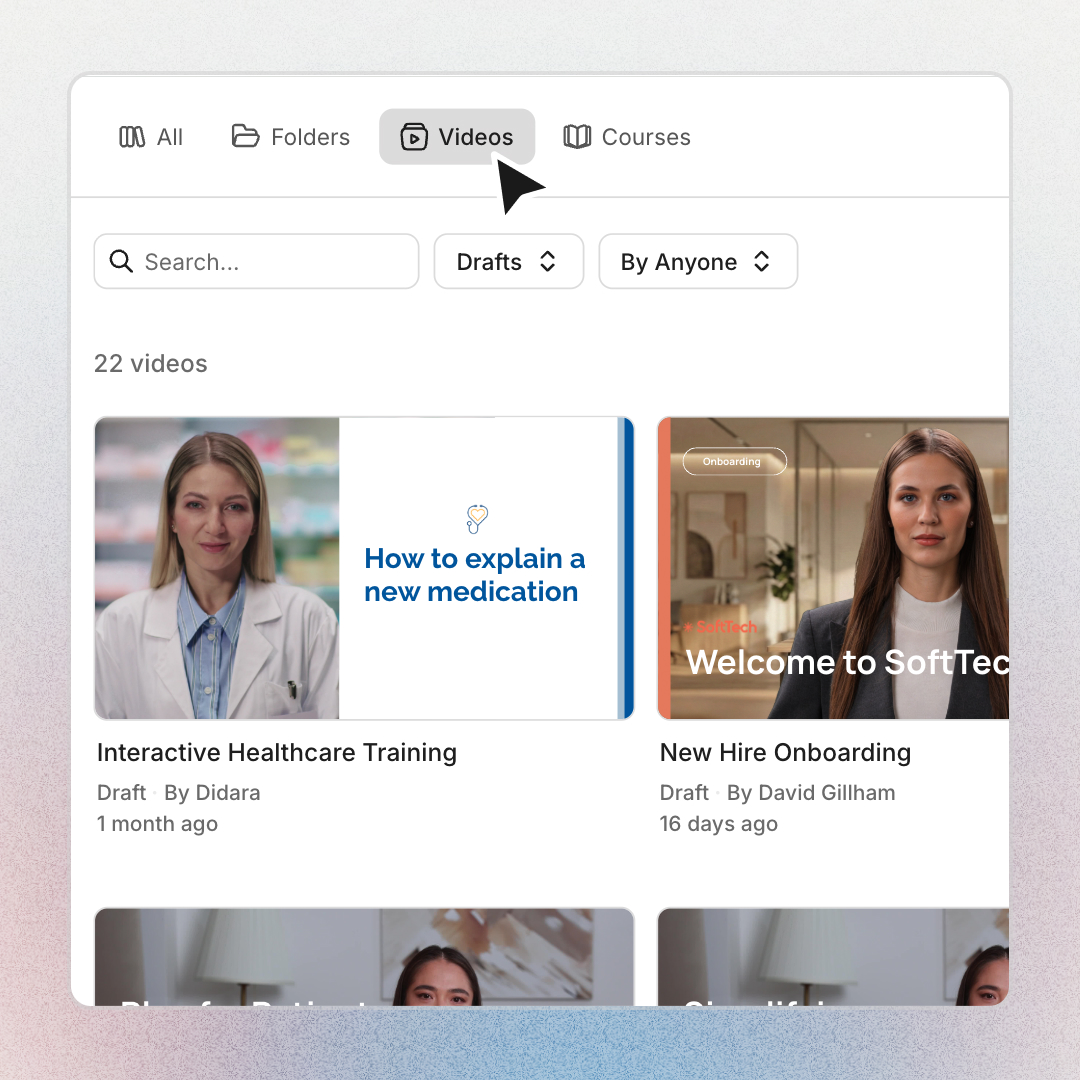
From the Video library to a SCORM package in four clicks.
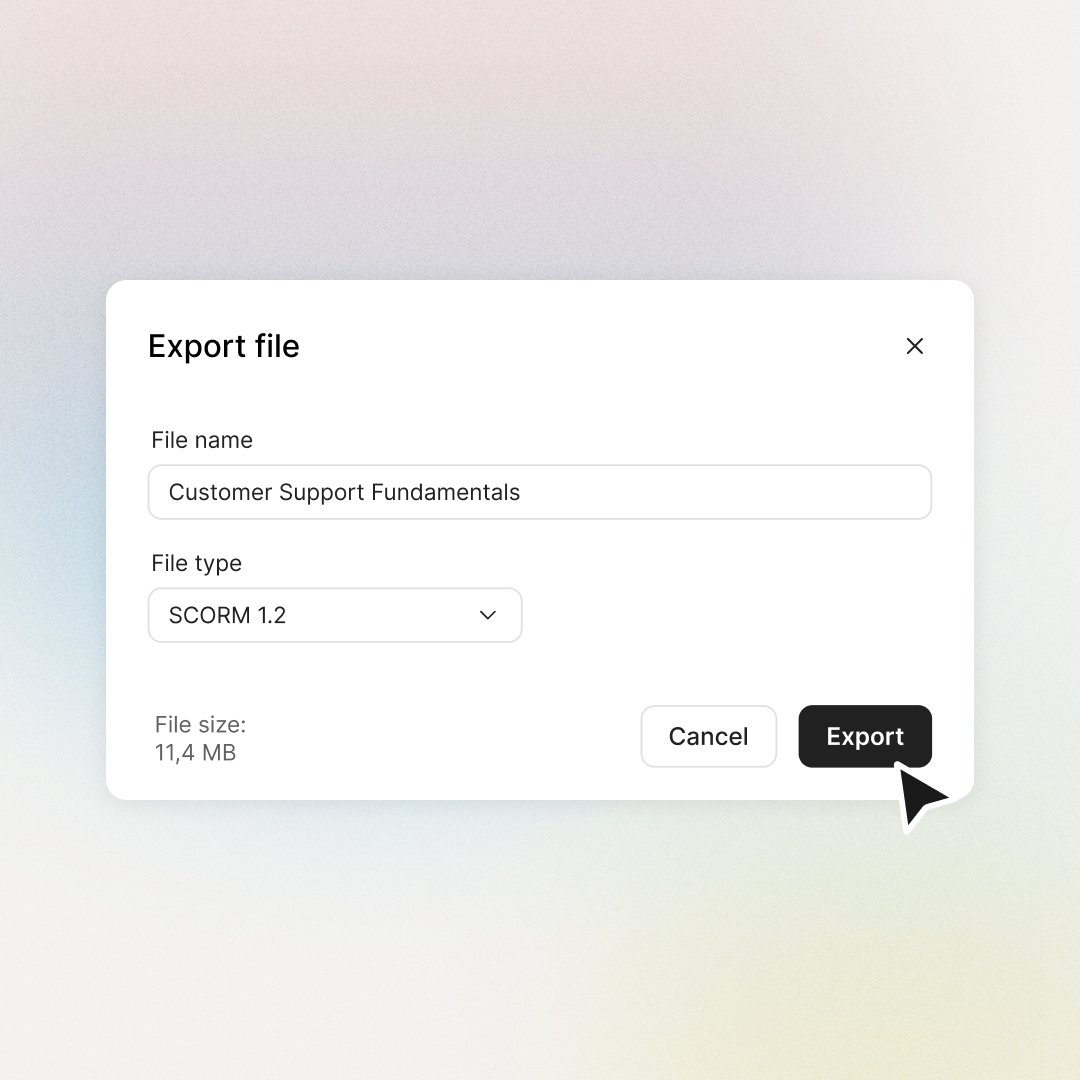
From the Learn editor to your LMS in four steps.
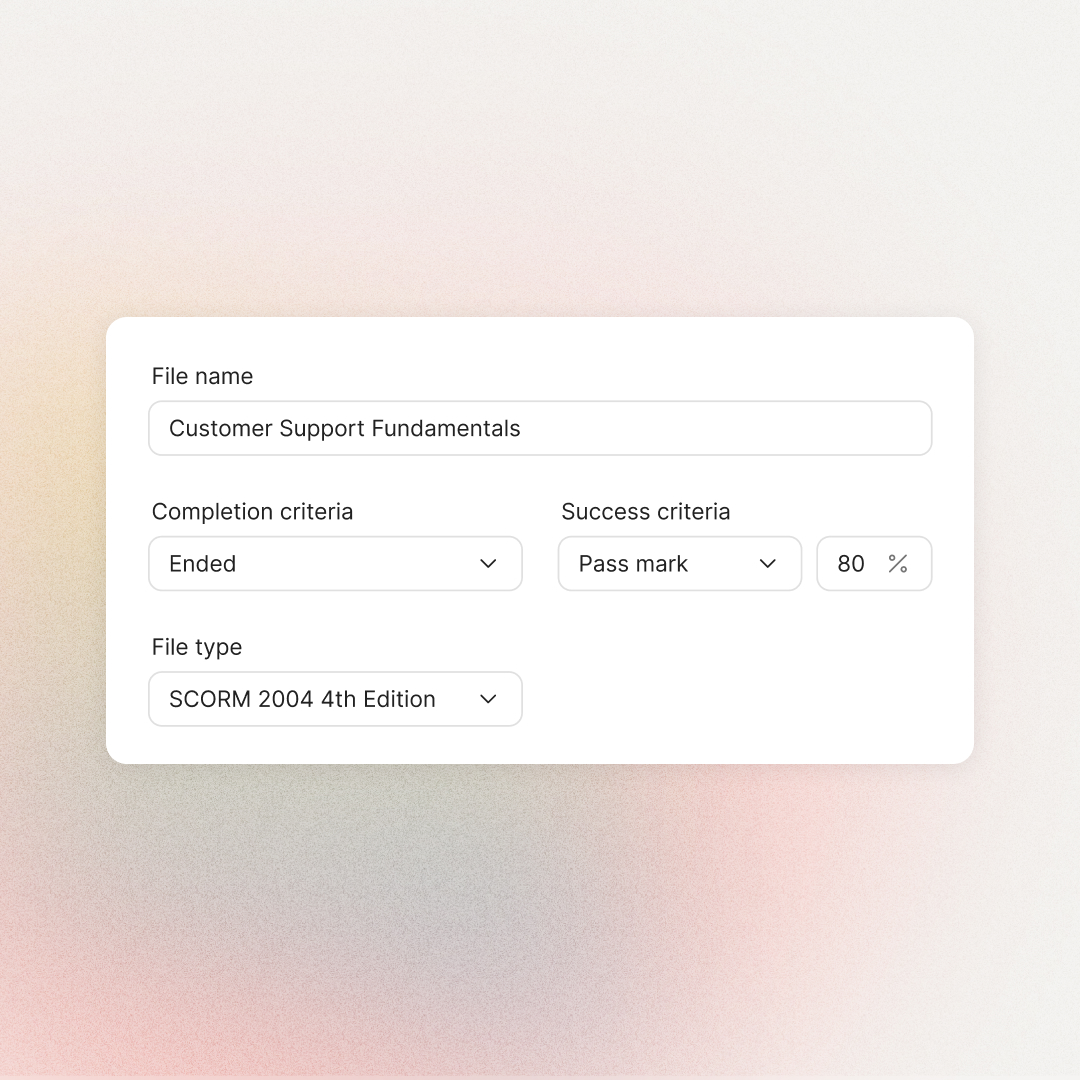
Multiple-choice and multiple-response questions inside quiz blocks feed the score. Questions in learner question blocks are formative and do not count toward the pass mark. You set the pass mark as a percentage when configuring the export.
What interactive video adds on top of standard SCORM.
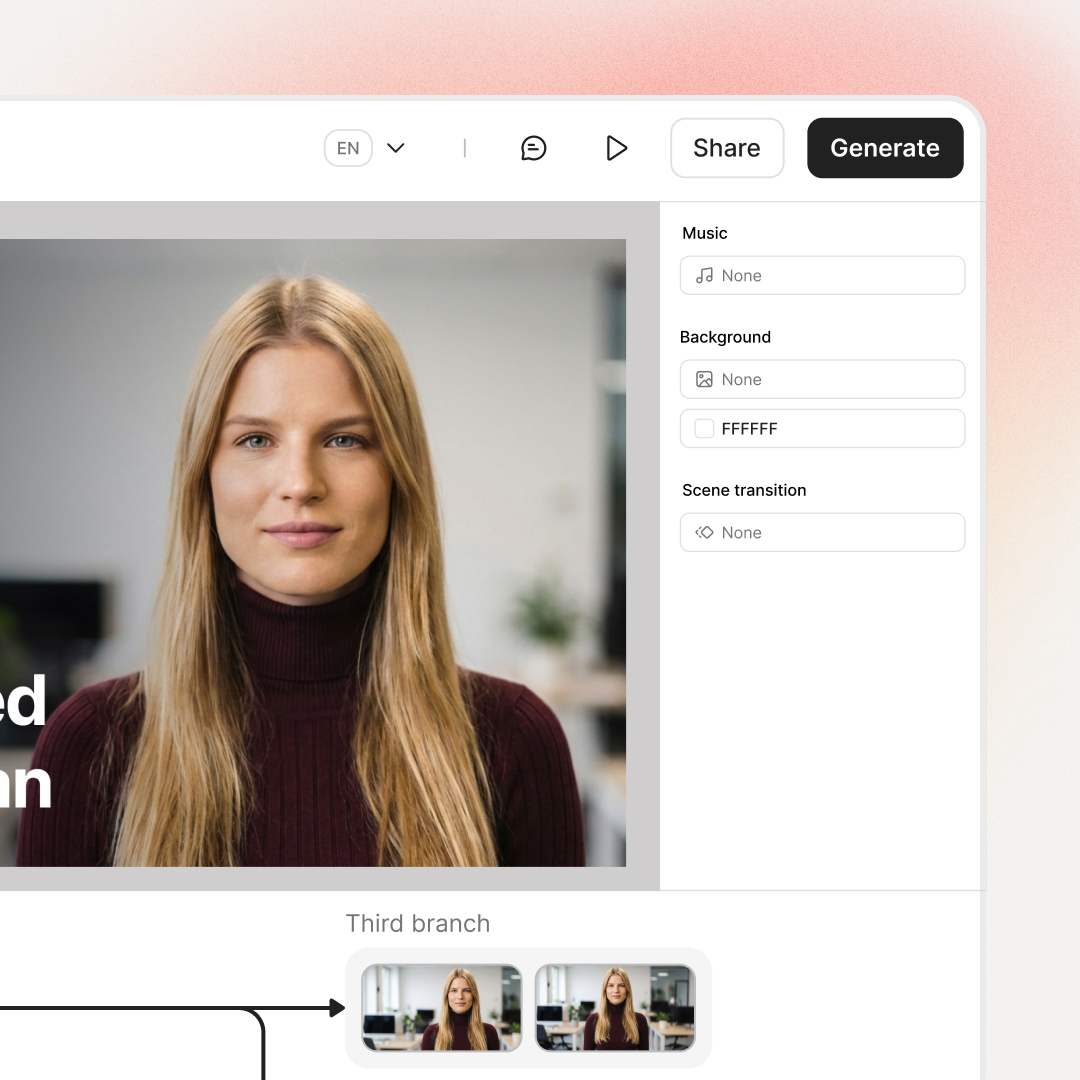
Three things Colossyan ships with its interactive video exports that wrapping an MP4 in SCORM won't get you.
A per-export toggle that stops learners scrubbing to the end. Use it on compliance and certification courses where proof-of-watch matters.
A reopened video drops the learner back at their last scene, with branch, MCQ answers, captions, and language preserved. SCORM 1.2 holds the last 25 jumps; 2004 stores more for complex branching.
Interactive video .zips stream their media from Colossyan, so the package stays small and uploads fast. Fully self-contained exports are available for air-gapped or strict-offline setups.
Completion and success are not the same thing.
Completion answers did they engage? Success answers did they pass? They are independent settings.
Tested against the reference SCORM player.
Every Colossyan SCORM export is tested against SCORM Cloud (Rustici), the reference player for the standard. Customers run them on Moodle, Cornerstone, Docebo, 360Learning, and every other major LMS.
 Moodle
  Cornerstone
  Docebo
  360Learning
  TalentLMS
  Litmos Moodle Cornerstone Docebo 360Learning TalentLMS Litmos
 Coming next for SCORM at Colossyan.
These features are in active development. Dates are not committed yet, but here is where we are focused.
SCORM 2004 for Colossyan Learn
Brings Learn course exports up to the same standard Colossyan Video already ships, including longer bookmarking history for complex branching content.
xAPI export (Video and Learn)
A richer tracking standard than SCORM. Captures detailed learner activity data beyond completion and score, useful for off-LMS reporting and analytics.
Dynamic SCORM (Video and Learn)
Publish a video or course to your LMS once. Edit it in Colossyan and push updates straight to the LMS, no re-export or re-upload. Removes the maintenance burden of keeping large content libraries in sync.
Rated 4.6 on G2 by L&D teams using Colossyan.




Training content that never goes obsolete
The ease of content update and cost savings are remarkable. Colossyan's AI technology and its translation capabilities have revolutionized our training processes, especially in a multi-lingual environment like ours.

Cutting-edge AI for new hire training
The AI technology they've built into their software is truly cutting-edge and has significantly improved our new hire training program productivity.

Like extending our team
Working with Colossyan feels like we have extended our team. The ease of using Colossyan Creator to create engaging learning materials has been a game changer.

90% video production cost reduction
With Colossyan, we were able to cut around 90% of our video production costs. We chose Colossyan because we liked their company culture and the quality of their product.

We Have Partnered With Colossyan!
Colossyan Creator is a cost-effective, user-friendly tool that allows our global team to produce interactive, multilingual training videos in just minutes. While there is a minor initial learning curve, the platform's ability to scale professional content across 80+ languages has made it an essential partner for our enterprise.

SCORM at Colossyan, answered.
The questions buyers and L&D admins ask most often.
A SCORM-compliant video is a video lesson wrapped in a SCORM package so a Learning Management System can track who watched it, for how long, and whether they passed any associated quizzes. SCORM defines the rules; the video sits inside an imsmanifest.xml and a small set of HTML and JavaScript files that talk to the LMS. Colossyan integrates with every major LMS that accepts a standard SCORM package.
Go to the Library in Colossyan Video, open the Videos tab, click the three dots on the video thumbnail, choose Export as then eLearning (.SCORM), set the completion criteria, and click Export. Both generated and interactive videos export as SCORM 1.2 or SCORM 2004 (4th edition). See pricing for which Colossyan Video plans include SCORM export.
Open the course in the Colossyan Learn editor, click Export in the top-right corner, choose SCORM 1.2, configure completion and success criteria, and download the .zip. Upload that .zip to your LMS like any other SCORM package. If the Export button is greyed out, generate any remaining video drafts first.
Any LMS that supports SCORM 1.2 works with Colossyan, and any LMS that supports SCORM 2004 (4th edition) works with Colossyan Video. Customers run Colossyan SCORM packages on Moodle, Cornerstone, Docebo, 360Learning, TalentLMS, and Litmos, plus other major enterprise platforms. The full list of Colossyan integrations includes authoring tools, video platforms, and LMS systems.
Colossyan Video exports SCORM 1.2 and SCORM 2004 (4th edition) for both generated and interactive videos. Colossyan Learn exports SCORM 1.2 today, with SCORM 2004 on the roadmap. SCORM 1.2 covers most LMS use cases. SCORM 2004 unlocks longer bookmarking histories, which matters for complex branching content. See pricing for which plans include SCORM export.
A Colossyan SCORM package reports completion status (Started or Ended), success status against a pass mark, score percentage from scored quiz questions, and total time spent. Interactive videos additionally store bookmark state: the current scene and branch, MCQ answers, the path taken, volume, captions, and the selected language.
Yes. Interactive videos exported from Colossyan Video include a per-export toggle that prevents learners from skipping ahead. The toggle matters for compliance and certification training, where the organisation needs proof that the learner watched the full content rather than scrubbing to the end.
Yes. Multiple-choice and multiple-response questions inside quiz blocks count toward the success criteria and report scores back to the LMS. Questions in learner question blocks are formative and do not count toward the pass mark. You set the pass mark as a percentage when configuring the export. Build assessments with the AI Assessment Generator inside Colossyan Learn.
Yes, SCORM remains the most widely supported eLearning standard and is required by most enterprise LMS platforms. SCORM 1.2 gives the broadest compatibility; SCORM 2004 adds longer bookmarking histories. xAPI is growing for off-LMS tracking and is on the Colossyan roadmap, but for standard video-and-course training, SCORM stays the safe choice. Compliance training teams running SCORM-tracked certification still standardise on SCORM 1.2.
Try a SCORM export in your own LMS.
Book a 20-minute walk-through with the team, or start for free and ship a test package to your sandbox today.