
Organize Online Events
Engage your audience with this bold and colorful webinar video template.
- Intro and outro slides with placeholders for your company's logo and CTA
- Different customizable layouts on each slide
- Professionally designed graphics to help you visualize your ideas
- Pre-selected and editable transitions, actors and voices
- 700+ voices in 120+ languages
Click "Use template" next to any template you like.
Edit the video's script and slides to match your content. You can also add your company's logo, as well as replace any of the visual assets on the slides. All of our templates are fully customizable.
After customizing your video, preview and generate. Your video is ready!
What are templates?
Templates are designed, fully customizable videos, which you can use and edit to match your subject. Templates are here to help you speed up your process, so that you won't have to start your video from scratch.
Can I use these templates for my video?
Absolutely! All the templates are made to help our creators with video production, and you're welcome to use any of them for your videos.
How do I use a template?
Click "Use template" next to the template you like. Next, edit the slides and text to match your subject. You can add your company logo, replace some graphics, or even keep the template as it is — the choice is yours. When you're happy with the result, preview and generate your video.
Can I change how my template looks?
Yes. You can click on any elements on your slides to change or replace them, as well as the script, actors and transitions. You can also add any new assets to the slides — the freedom is yours.
I don't see a template that matches my subject.
Our library of templates is constantly growing, but you can easily customize an existing template to match your subject. If you have any ideas for more templates, we're happy to get your feedback.
About this template
What’s in this template
An explainer for anyone planning a virtual event. It starts by defining a virtual event as one where people attend a session online instead of in person, then organizes its advice by timing. The sample script covers:
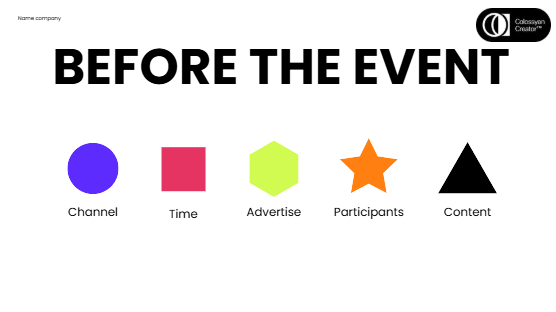
- Before the event: choosing a platform and format that lets your audience stay connected, and picking the right date and time.
- Advertising the event through online tools that reach more people at a lower cost than traditional advertising.
- Interactive guides, such as video tutorials on signing up, paying and joining the platform.
- Registering participants with a tool such as Eventbrite or a simple Google form to estimate attendance.
- During the event: keeping attendees engaged, etiquette and privacy concerns.
- After the event: sending a survey, ideally within 12 hours, following the social chatter with a hashtag, making webinars public if the content is not sensitive, and offering ways to keep networking.
Who it’s for
Event and community managers, marketing teams running webinars, and internal comms or L&D teams planning virtual all-hands and training sessions.
How to adapt it
- Name the platform you actually use, and show where attendees click to join.
- Replace the generic registration advice with your own sign-up page or form.
- Add your event etiquette rules and privacy notice to the “during” section.
- Add your survey link and follow-up plan to the closing scene.
- Use screen recording to demonstrate your registration flow, and translate the video for international attendees.
Explore similar templates
Preventing Harassment
Use this template to create training videos about preventing harassment at work.
Product demo tour
Showcase your product’s features and benefits with this simple template for a product demo tour.
Public speaking and presentation skills
Sharpen your team’s abilities with this public speaking and presentation skills template.