

Most of the work in building training is not the part anyone shows off. Before a course exists, someone has to write the objectives, structure the modules, draft the assessment questions, document the process the training is about, and work out how it all translates for teams in other countries. Then it has to be packaged so the LMS can actually track it. It is steady, unglamorous work, and it eats the first week of almost every project.
AI is genuinely good at this kind of work now. The catch is that a lot of the tools built for it sit behind a signup form, a trial countdown, or a paywall around the simplest steps. This roundup focuses on the free ones, organized by the job you are actually trying to get done.
A quick note before the list. We make some of the free tools mentioned here, so treat this as a useful starting map rather than a neutral referee. We have tried to be honest about where a free tool helps and where it does not. If you want to test one while you read, try Colossyan free with no credit card required.
What makes a free AI tool worth using
Free is easy to advertise and harder to mean. A few things separate a tool that saves you time from one that just adds a step.
It respects the craft. A general chatbot will happily generate learning objectives, but it does not know the difference between a recall task and an application task. Tools built on instructional design principles, like Bloom’s taxonomy, produce output you can actually use instead of output you have to fix.
It does not make you sign up to try it. If you have to create an account and start a trial before you can see whether a tool is any good, that is not really free. The best free tools let you do the job in the browser and decide afterwards.
It removes a real step. The tools worth keeping are the ones that take a task you do every single time and make it faster, not the ones that are impressive once and then forgotten.
Free AI tools by the job to be done
Dubbing and localizing video
Content that only exists in English does not exist for most of a global company. And if the English version changes while the translations do not, you have quietly shipped several versions of the wrong answer.
This is the job where free tools have historically been weakest. Free translation tools will get you a rough text draft, but training video is harder than straight translation. The wording, the tone, and the on-screen text all have to stay aligned, and a video needs audio people can listen to for ten minutes without giving up.
Colossyan’s Video Dubbing tool is free and covers over 100 languages, with lip-sync. That last part matters more than it sounds. Most cheap localization leaves the mouth moving to the original language, which is the thing that makes dubbed training feel like something to endure rather than watch. The tool re-renders the speaker’s mouth to match the new audio instead.
The honest limit: the free tool dubs one clip at a time. If you need to localize a whole library and keep every language in sync when the source changes, that is what the video translator inside Colossyan is for.
Writing learning objectives
Clear, measurable objectives are the foundation of any course, and they are also where a lot of training quietly goes wrong. “Understand the policy” is not something you can observe or assess. “Identify three signs of a phishing email” is.
Colossyan’s free Learning Objectives Generator turns a topic into objectives mapped across all six Bloom’s levels, so each one names an action you can actually measure. It runs in the browser with no signup. A general AI assistant can draft objectives too, but you will usually need to push it to make them specific and measurable, since it is not built around the taxonomy by default.
Building assessments and quizzes
Writing good assessment questions is slower than it looks. The format is not the hard part. The hard part is writing questions that test whether someone understood, and writing wrong answers that are believable enough to mean something. A quiz where three of the four options are obviously silly tests nothing.
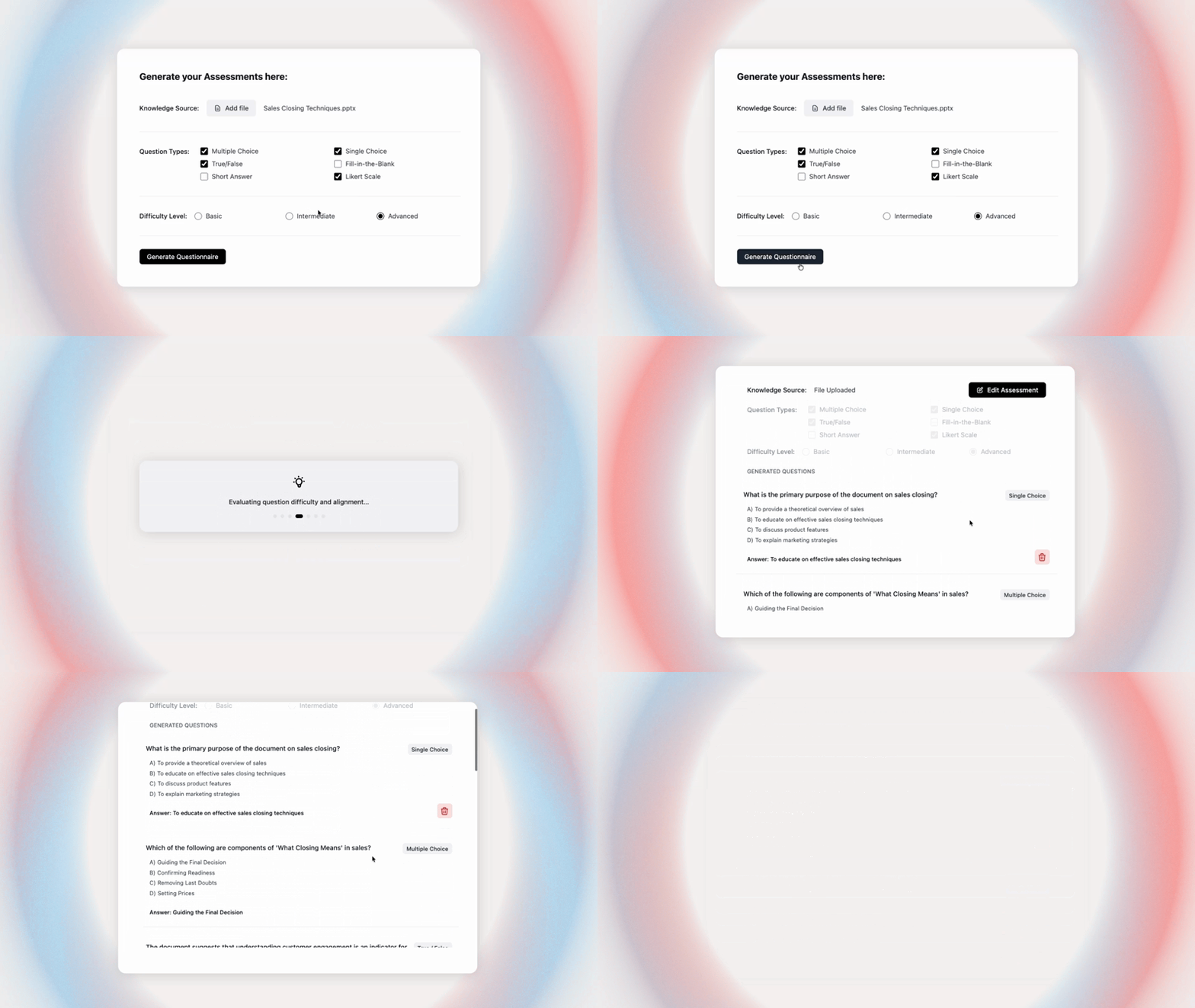
Colossyan’s free AI Assessment Generator builds quizzes and knowledge checks from your own content, with more than five question types and plausible distractors. If you reach for a general model instead, watch for throwaway wrong answers and questions that only check recall.
Structuring a course
A course is a sequence that builds, not a pile of content in a row. Before you open a single slide, it helps to settle the outcome, break the material into modules with one clear idea each, and order them so every step assumes the one before.
Colossyan’s free Course Outline Generator drafts that structure from a topic in seconds, which is a fast way to beat the blank page and get something you can reshape. General AI tools can produce an outline as well, though they tend to give you a flat list of topics rather than a sequenced path, so expect to do the ordering yourself. If you want the outline to become a full course with lessons and assessments attached, that is what Colossyan Learn does.
Documenting a process
A lot of training exists because a process is not written down anywhere. Someone knows how the return authorization works, or how to escalate a safety incident, and the training is really an attempt to get that out of their head. The blocker is usually that nobody wants to write the procedure.
Colossyan’s free AI SOP Generator turns a described process into a structured standard operating procedure across nine sections, covering the parts people forget, like scope, roles, and what to do when it goes wrong. It is useful even when you are not building training, and it gives you a clean source document to build the training from afterwards.
Getting content into your LMS
You can build something good and still lose a week to packaging. If your LMS needs a SCORM file and your content is a slide deck or an HTML page, you either buy an authoring tool or start reading about manifest files.
Three free tools cover this without any authoring work:
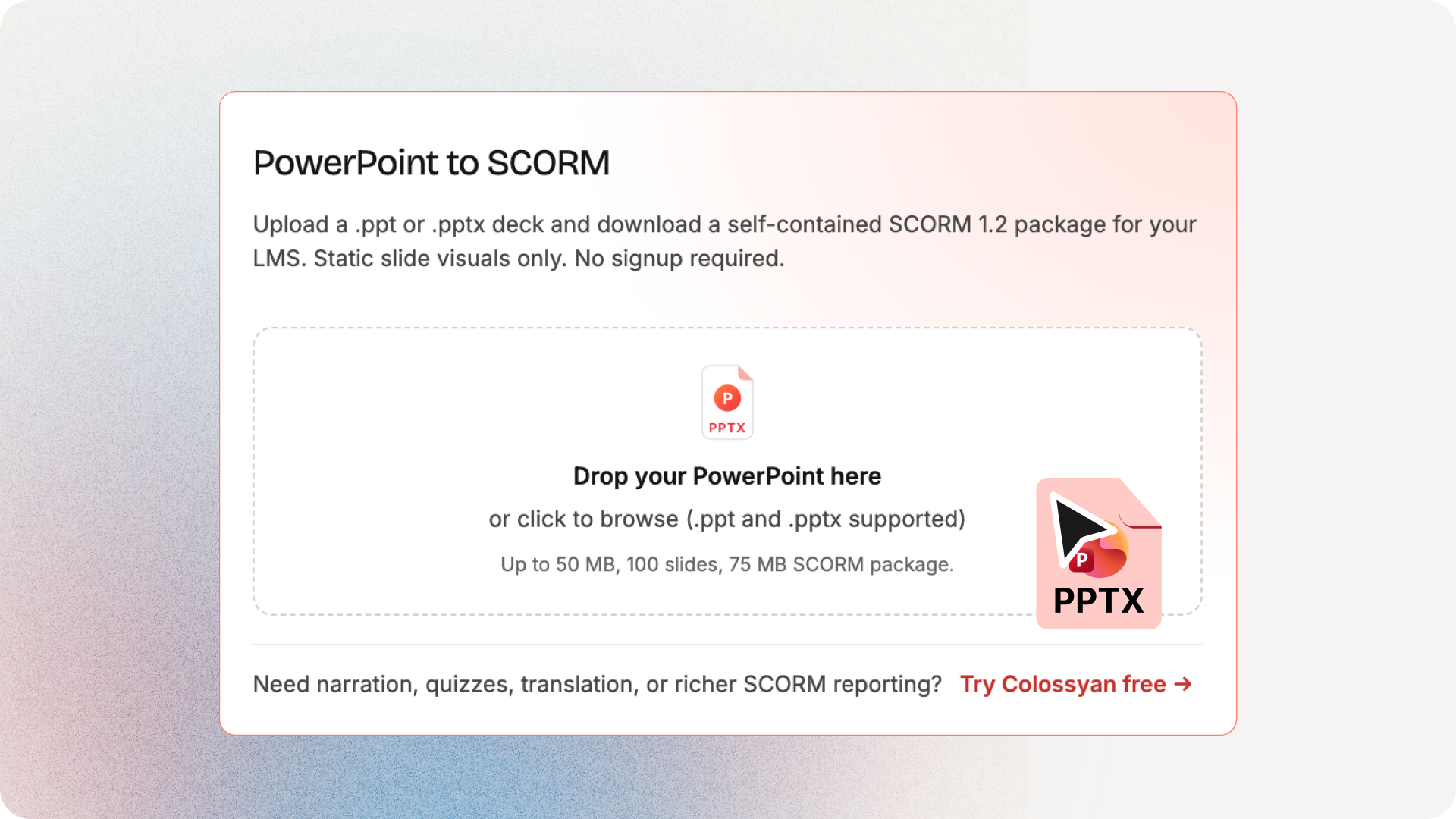
- PowerPoint to SCORM Converter wraps an existing deck as a SCORM 1.2 package.
- HTML to SCORM Converter does the same for HTML content, including Claude artifacts.
- SCORM Viewer lets you preview and test a package before you upload it, which is the step most people skip and then regret.
SCORM 1.2 is the right default here. It has the broadest LMS support, and unless you have confirmed your LMS handles SCORM 2004 and you need the extra reporting, there is no reason to reach for it. We go deeper on this in our guides to SCORM compliance and creating SCORM content that works with your existing tools.
These converters wrap content as it is. If you want tracked, interactive video with pass marks and bookmarking, that is SCORM export inside Colossyan.
General drafting and brainstorming
For everything that does not have a purpose-built tool, a free general assistant is still useful. Free tiers of the major AI assistants are good for brainstorming module ideas, rewriting clunky passages, and summarizing source material. Just remember that they are generalists. The more your task depends on instructional design, the more a training-specific tool will save you.
Using them where you already work
Two of these now run as ChatGPT apps, so if that is where you already draft, you can use the AI Assessment Generator and the Course Outline Generator without switching tabs. Video Dubbing is coming to ChatGPT as well. The browser versions on the hub do the same job if you would rather not connect anything.
Free does not have to mean generic
The most common complaint about free AI tools is that the output is generic. That is usually true when the tool is a thin wrapper around a prompt. It is less true when the tool is built around how people actually learn.
This is the real line to draw when you are choosing. Ask whether the tool understands the job. Does the objectives tool know its verbs? Does the assessment tool write believable distractors? Does the outline tool sequence, or just list? A tool that gets these right is doing instructional design work, not only generating text, and that is what makes free worth using.
How to use these without creating more work
A few habits keep AI tools from quietly adding to your workload.
Start with the tool, then edit, rather than asking it to be perfect first time. The point is a strong draft you shape, not a finished product you accept on faith.
Keep your source material handy. Tools that work from your own content give far better results than tools you only describe a topic to.
Use the specific tool for the specific job. Reaching for a general assistant on a task that has a purpose-built tool usually costs you more editing time than it saves.
Chain them. Objectives feed the outline, the outline feeds the assessment, the SOP becomes the source for all three. Each tool is more useful when its output becomes the next one’s input.
How Paramount cut training video production from weeks to hours
Paramount's L&D team used Colossyan to replace slow manual video production with AI-powered training video creation, helping teams move from draft to finished content much faster.
Read the full story →Why some of these are free
It is fair to ask why a company would give this away. The honest answer is that in a world where AI can draft a lot of this in seconds, charging for the basics stopped making sense. The hard, valuable work in training is building production-quality video, keeping it accurate as the business changes, and doing that across every language a company runs in. The groundwork is not where the value sits, so there is little reason to lock it up.
The short version
If you build training, the biggest free win right now is localization. Dubbing a video into over 100 languages with lip-sync, without paying per language, changes what you can realistically ship. After that, the fastest wins are in the prep work and the packaging: objectives, assessments, course structure, SOPs, and getting a deck into your LMS as SCORM. Pick tools that understand the craft, skip anything that makes you sign up just to look, and treat the output as a strong starting point rather than a finished article.
All eight are on the free tools hub, in the browser with no signup. More are being added.
Frequently asked questions
Yes. Several tools handle specific training tasks for free and without a signup, including dubbing video, writing learning objectives, generating assessments, outlining courses, drafting SOPs, and converting content to SCORM. Purpose-built tools tend to give better results than general assistants for these jobs.
Look for one that dubs the video rather than only translating the text, and that syncs the lips to the new audio. Colossyan's Video Dubbing tool is free and covers over 100 languages with lip-sync. General translation tools will give you a text draft but leave the audio and on-screen text for you to handle.
Look for a tool built around Bloom's taxonomy so the objectives come out measurable. Colossyan's free Learning Objectives Generator maps objectives across all six Bloom's levels in the browser. A general AI assistant can also help if you prompt it to be specific and measurable.
Yes. The free PowerPoint to SCORM Converter wraps an existing deck as a SCORM 1.2 package with no authoring work, and the SCORM Viewer lets you test the package before you upload it. If you need tracked interactive video rather than a wrapped deck, that requires a Colossyan plan.
No, and that is not the point. They remove repetitive prep work so the people doing the design can spend their time on judgement, structure, and quality, which is where the real value is.
Only when the tool is a thin wrapper around a prompt. Tools built on instructional design principles produce output that respects how people learn, which is far more usable.