


Key Takeaways
- Production is the easy part. Getting a complete knowledge pack out of your subject matter expert is what takes the time.
- Training video creation runs through five stages, and most teams start at the fourth.
- Content goes out of date as soon as it is ready, and the update cost is the one almost nobody budgets for.
- Film what should come from the heart, animate the abstract, and generate anything procedural, multilingual, or likely to change.
- Completion rates and view counts tell you someone pressed play, not whether anyone can now do the thing.
Training videos are video content made to teach people how to do their jobs. Onboarding, compliance, safety, software walkthroughs, product knowledge, soft skills. Unlike a live session they can be watched on demand, repeated, translated and updated.
That last word is where most training libraries fall over, and I come back to it twice below.
I run Colossyan, so what follows comes from watching training teams do this badly and then well, and from a lot of calls where someone describes the same problem in slightly different words. Colossyan is the agentic platform for training and enablement. Agents draft your videos and courses from material you already have, and you approve what ships. You can try it free, no credit card while you read, if you like.
Training video examples, and what each type is for
Which kind you’re making changes almost everything about how you make it. Real ones of each sit in our examples library.
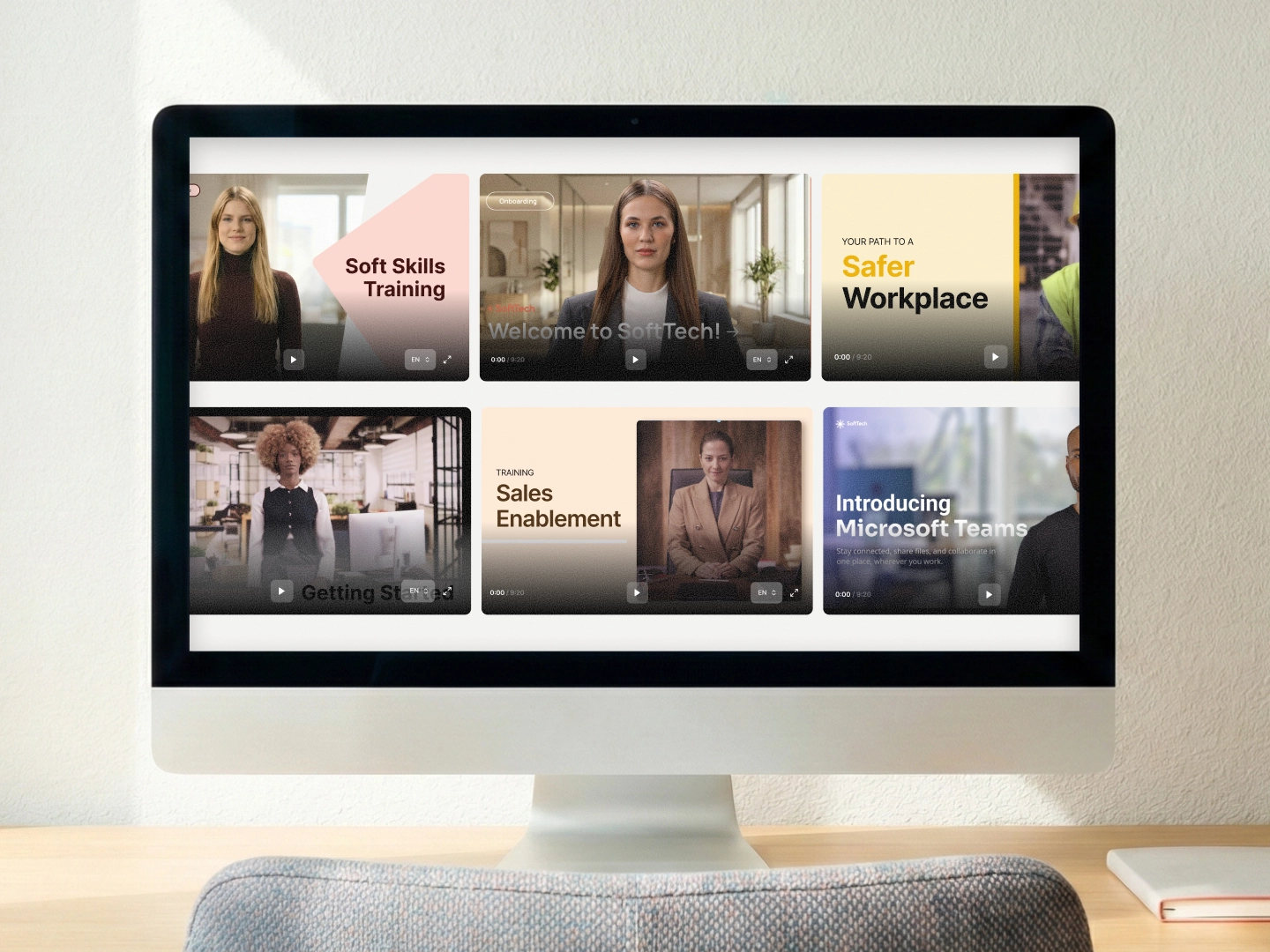
Onboarding
Onboarding videos introduce a new hire to the company, the tools, the way things work. It repeats more than anything else a company owns, which is why it’s often the first thing a team moves to video.
Compliance
Data protection, health and safety, anti-bribery, whatever your regulator cares about. Legal will read the script. Assume that from the start and write something that survives review, because accuracy and auditability matter here in a way that production polish doesn’t. The people signing it off are not the people watching it.
Software and process walkthroughs
Screen recording carries most of the weight. The narration explains why, not what’s already on screen.
Safety
Procedures where getting it wrong hurts someone. If your audience is deskless, assume a phone rather than a laptop, sometimes a second language, sometimes no sound. Design for that first.
Product knowledge
Sales and support need it, and the next release makes a good part of it wrong.
Soft skills
Giving feedback, handling an objection, de-escalating a complaint. Branching earns its place here, because the learner has to choose and then live with the choice. We went deeper on that in our piece on gamification and AI in learning.
What good training videos look like
Keep it clean and not too crowded. Basic design principles apply here the same as they do anywhere else.
Richard Mayer spent two decades running controlled studies on multimedia learning, published as Multimedia Learning with Cambridge University Press. Four of his findings still describe what separates a video people learn from and a video people sit through.
- Coherence. Cut anything decorative that doesn’t carry meaning.
- Redundancy. Don’t duplicate your narration as on-screen text. Graphics plus narration beats graphics plus narration plus the same words written out, and it shows up in retention.
- Segmenting. Break long content into pieces the learner controls.
- Modality. Narration explains, visuals demonstrate. Give each one a job.
Most bad training videos break these in the same way:
- Too much on screen at once
- Text that duplicates the voiceover
- One unbroken twenty-minute run with no way to stop and think
Then there’s interactivity, which isn’t in Mayer but matters just as much for anything involving judgement. Let people choose and see where the choice led. It works better than telling them the right answer. For structured courses rather than standalone videos, online training modules software is the neighbouring category.
Here’s what that looks like in practice.
Paramount was running ten to fifteen live cybersecurity walkthrough sessions every month. They moved the material to on-demand video. They got roughly ten hours a month back and about 20,000 people still got trained, in their own language.
Xylem Kendall put safety training for 3,000 deskless workers onto their phones, presented by avatars of the company’s own safety officers.
The Illinois Principals Association had a problem that has nothing to do with budget. Educators didn’t want to be on camera. Production was taking sixty to eighty hours a title. Remove the camera requirement and the bottleneck goes. They now save around sixty hours per video.
Mentor Group localised sales training across sixty countries and cut roughly 90% of their production cost.
You can watch several of these formats in our examples library. Two repay a close look. The Microsoft Teams walkthrough lets the screen recording carry the explanation and uses the presenter only to frame it. The HIPAA module puts its comprehension checks mid-flow, so someone who stopped following finds out during the module and not at the end. If you’re working from still images, turning photos into talking presenters is a related technique.
How to create a training video
Teams get stuck in two places: collaborating with SMEs to get a knowledge pack ready, then the actual creation of the content. Almost every plan I see accounts for the second one only.
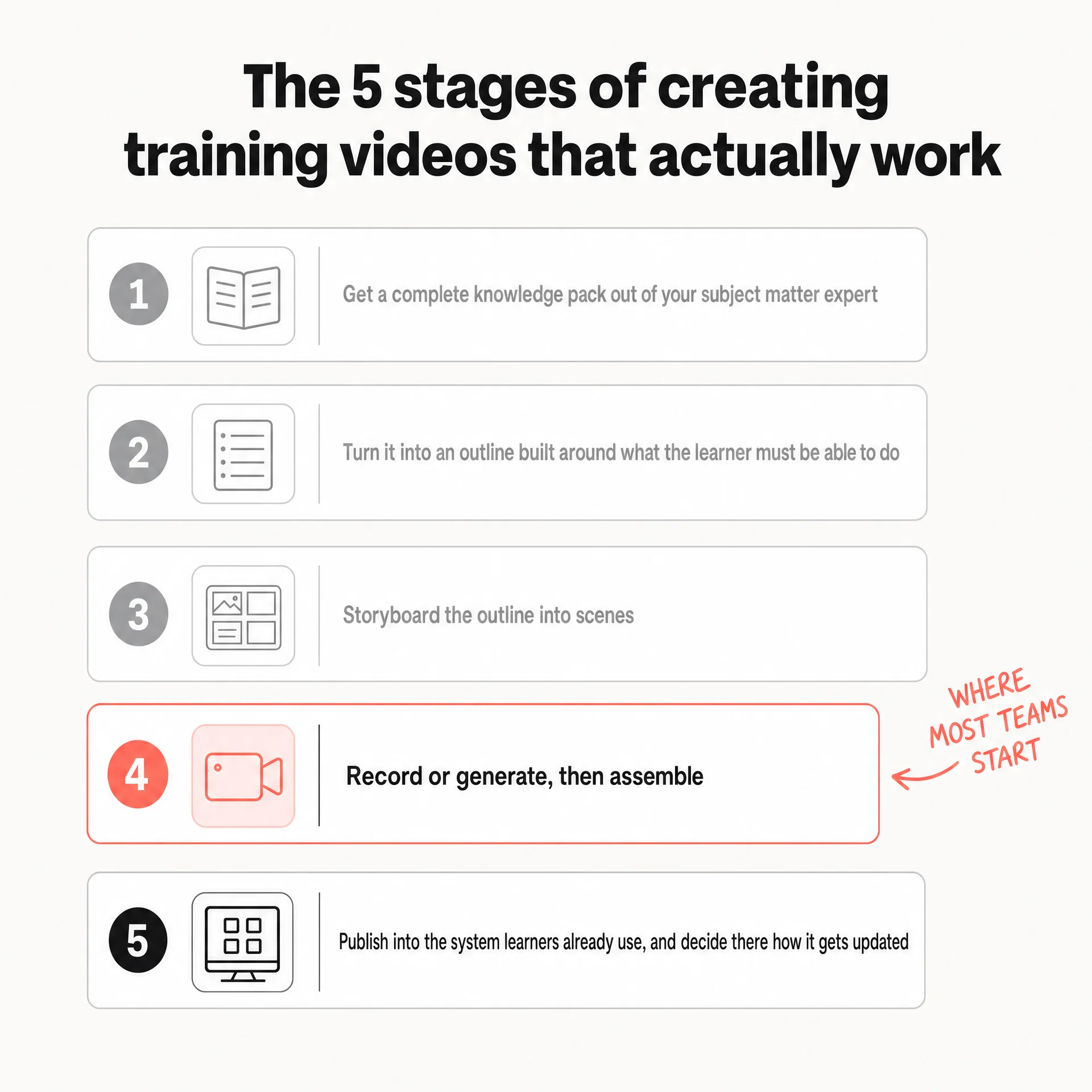
Training video creation runs through five stages, and most teams I see who set out to create training videos start at the fourth.
- Get a complete knowledge pack out of your subject matter expert.
- Turn it into an outline built around what the learner must be able to do.
- Storyboard the outline into scenes.
- Record or generate, then assemble.
- Publish into the system your learners already use, and decide right there how it gets updated.
Get the knowledge out of the expert first
Production is the easy part.
What takes the time is getting a complete knowledge pack out of the person who knows how the thing actually works. That person rarely has time to write it down, and almost never wants to be filmed explaining it. Both of those are reasonable positions and neither is going to change because you sent a calendar invite.
TM Forum’s old process shows what it costs. Building a course meant PowerPoint plus a subject matter expert recording, two to three weeks, and any change meant going back and re-inviting the presenter. Their expert’s calendar became the critical path for every future edit.
Get the material out once, thoroughly, in writing, and interview the expert yourself if they won’t write it down.
Outline and storyboard before you produce
Projects go wrong when you don’t start with a really good outline and storyboard. That part is critical. You need to focus on preparing as much content as possible, and then work backwards towards creating the video content itself.
An outline tells you what the learner must be able to do at the end, and what has to happen for them to get there. A storyboard turns that into scenes. Outlining is also the cheapest stage to redo, so do your arguing there.
Then produce
With a script and a storyboard settled, production is short. A few things I’d get right.
Aim for five to seven minutes a module. If a topic needs twenty, that’s three modules, and Mayer’s segmenting principle is the reason.
If the learner has to reproduce something in a system, show the system. Presenter for the why, screen for the how.
Audio is the one production value people consciously notice. Bad audio reads as a low-effort video no matter how good the visuals are, and it’s the cheapest thing on this list to fix.
Add captions by default. A lot of workplace viewing happens with the sound off.
Publish it where people already are
Put the video into the system your learners already use. Don’t build a new destination for them to remember. If that’s an LMS, check SCORM export before you commit to a tool, and it’s worth comparing the corporate training platforms already in play. A course creator handles packaging if you’re building full courses.
How long it actually takes
Normally I hear that it took them weeks beforehand, because of either more traditional processes or really inferior software. Afterwards it takes them less than a day, which is a great outcome by any measure.
| Company | Before | After |
|---|---|---|
| AFNB | About 30 days per video, around EUR 20,000 per project | 1 to 2 days, an 80 to 90% saving |
| TM Forum | 2 to 3 weeks | 2 to 3 days |
| Stellantis | 4 hours for a short video | 1 hour |
The update problem
This is my favourite one, and the one almost nobody budgets for.
There’s a saying that content goes out of date as soon as it’s ready, and in this ever-changing world that holds. Think of a use case like AI enablement. Someone changes a process, IT swaps a system, a regulator revises a rule, and every video referencing the old way is now wrong.
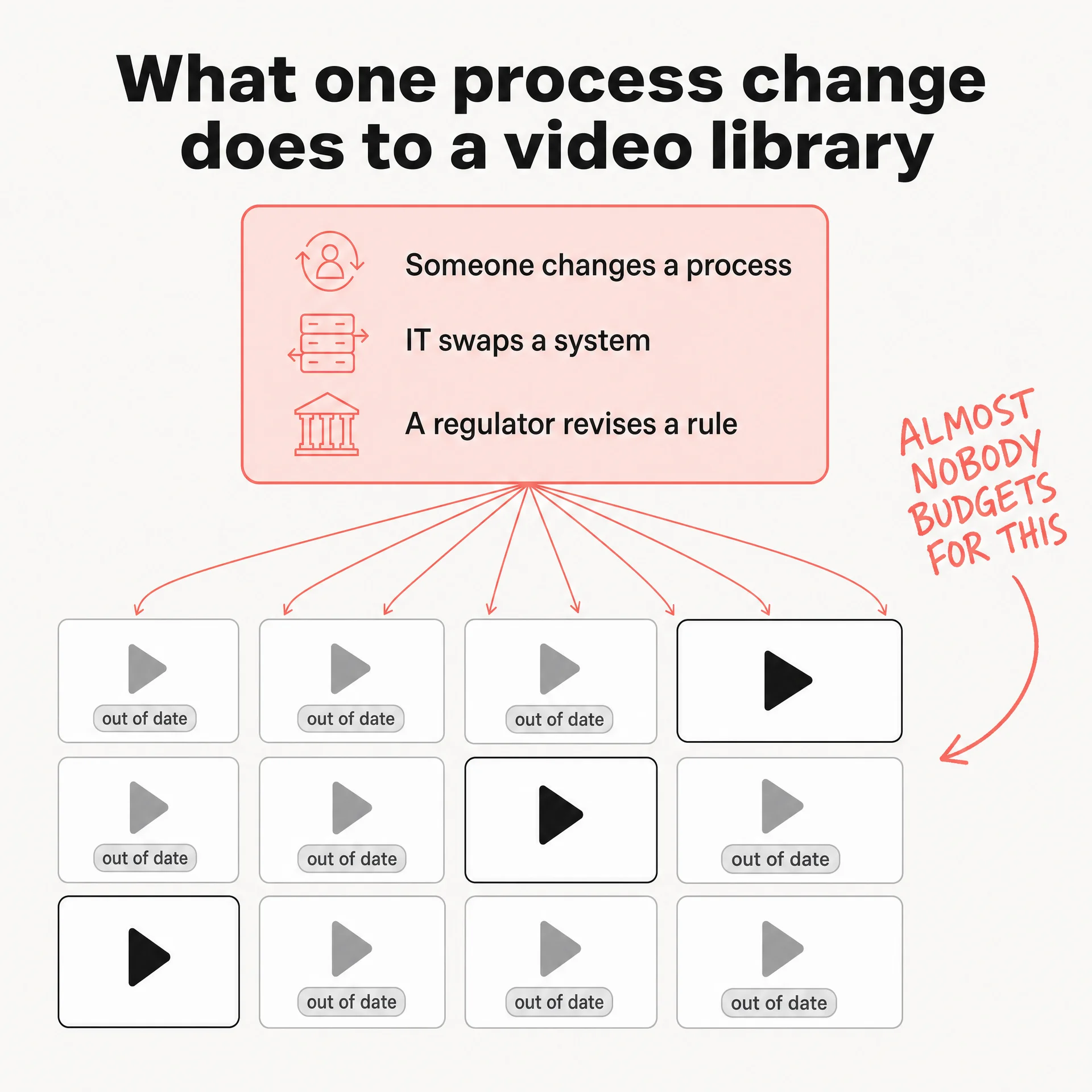
It costs you two things. Compliance risk on the use cases where it matters, for as long as the wrong version is live. And the perception of quality, which gets really bad from every aspect once a library starts to age.
Teams used to solve this with headcount. One airline we spoke to kept a team whose entire job was to find which training modules a manual update affected, rewrite them, and send them out to be re-narrated. That was back when changing a video meant redoing it.
Regulated work makes it sharper. A pharmaceutical company told us they had to prove, for compliance, that a specific video reflected a specific change, while the content lived in four different systems.
Some of this has nothing to do with accuracy at all. A customer walked us through a course that was factually fine and just looked old. People read that as an organisation that stopped paying attention.
No tool fixes this on its own. So we need better ways of keeping content up to date, and it’s a part of the creation process that a team shouldn’t ignore. Decide at the outline stage how a piece gets updated, who owns it, what triggers a review. Do that and updating is a small scheduled task. Leave it and you’re looking at a reshoot, which never gets approved.
How Xylem Kendall moved safety training onto 3,000 workers' phones
Regulatory and safety content changes constantly, and 11 states means 11 sets of rules to keep pace with. Updating the video replaced reprinting the manual and mailing out a fresh set of test forms.
Read the Xylem Kendall training video case study →Filmed, animated, or AI generated
Three different tools for three different jobs.
Film it when you want some kind of really special video, the sort that should come from the heart. A Christmas video that’s genuinely personalized, or something one to one. That’s a superior experience, and generating it would throw away the only thing that made it worth doing.
Animate it when you’re explaining something abstract with no natural footage. A data flow, a decision tree, a concept.
Generate it when the content is procedural, needs several languages, or will need changing. Between them that covers most compliance, onboarding, product and process training, which is most of what a training team owns. An AI video generator handles this class of work, and our roundup of video learning software covers the wider field.
Quality is the objection worth taking seriously and I won’t pretend generated video is automatically good. What you get is a draft you can read and fix before it ships. A shoot won’t give you that without booking everyone back.
Training videos for employees
Reach is usually the harder half. Before video, Xylem Kendall ran that safety training on printed manuals: tests completed by hand, forms signed, mailed back. The training existed. Getting it to people in the field, and knowing they had done it, was the problem. Closed captions and translation came with the move.
An internal audience also lets you do something you cannot do outside the company, which is put your own people on screen. Those Xylem Kendall avatars are their own HR and safety staff. Joy Lacher, their assistant director of L&D, described employees seeing “real people wearing the company logo and training them in person”.
And the audience keeps arriving. Xylem Kendall names high turnover as one of the three reasons it needed training that scales, and DSV built its onboarding for a workforce of more than 75,000. Our checklist on internal training platforms covers what to look for there.
One thing I’d do regardless: if you’re creating AI content, I’ve seen that disclosing it is good practice. A line in the description is enough, and it costs a great deal less than someone working it out for themselves later.
How to tell whether training videos worked
Most teams stop at completion rates, and a completion rate only proves someone pressed play.
You need to track the actual KPI that you intend to move. For a sales enablement video, that means whether sellers can win more deals. For compliance, whether people pass faster or better.
Which sounds obvious, and is rarely done, because that number usually belongs to someone else. Getting agreement upfront with whoever owns it is most of the work. Do it before production, not after, or you’ll be arguing about attribution with someone who never agreed to the target in the first place.
Business results take time to show, though, and you’ll need evidence before then. So sometimes you have to pick more leading indicators. Can people do the same as they’ve done before but with less training time, because the video was more engaging? In that case you’re saving time for the employees, and that shows up immediately. If onboarding drops from five days to three across 200 hires, that’s 400 days of productive time you didn’t have last year.
Or maybe they increase their rate of learning, because video is a new medium that allows better personalization, through interactivity for example. Interactivity lets you check understanding mid-flow, so you find the gap while you can still close it.
Keep the engagement metrics, but demote them. If everyone stops at four minutes, the video has a problem at four minutes. If one section gets rewatched three times, it’s either the most important thing in there or the least clear, and you should find out which. Those numbers show you where the video is broken. They won’t tell you whether it worked.
Where training videos are going
I believe that in 2026 it’s a must to provide video as a format besides everything else, and you should really focus on diversifying the modality, because that’s what helps the personalization. It lets you focus the content on a given use case and a given persona.
I’m not saying you shouldn’t deliver courses. But the cost and production of a video is now so much easier, and it just gives a much more premium experience.
And if the update problem is the one you recognised, that’s the part to test first. Open the draft, change the line that’s wrong, republish.
If you’re choosing tooling, what to look for in a training video platform is the place to start, we compared the wider field of training video software, and we ranked the best training video production companies if you’d rather outsource. Our use cases show where most teams begin.
More on training videos
Making them
- How to easily make instructional videos
- Software training videos, step by step
- AI instructional videos
- Building AI video into an L&D and HR workflow
- Layer control for messy training scenes
Choosing tooling
- 9 things to look for in a video training platform
- Training and development tools for 2026
- Online training development software
- Company training platforms
Particular kinds
Making them work
- Asynchronous vs synchronous learning
- A testing framework for training videos
- Why nobody finishes your training docs
- Why content alone doesn’t change behaviour
- What video analytics can tell you
- Best practices most companies miss
- Learning theories for workplace training
Frequently asked questions
A training video teaches someone how to do part of their job. In a workplace that usually means onboarding a new hire, running mandatory compliance training, walking through software, or rehearsing a difficult conversation. The practical difference from a live session is that one recording serves everyone who joins afterwards, in whatever language they need.
Get the knowledge out of your subject matter expert and into a written outline before anyone touches a camera, then storyboard it, then produce. Teams that skip straight to recording usually end up re-recording. Most of the difficulty in training video creation happens before anyone presses record.
Paramount replaced an average of 10 hours of monthly cybersecurity walkthrough meetings with on-demand video for around 20,000 employees. Xylem Kendall moved onboarding and safety training for more than 3,000 deskless utility workers off printed manuals and onto their phones. DSV built onboarding modules for a 75,000-person logistics workforce.
It depends what you are replacing. AFNB's studio process cost around EUR 20,000 a project and took about 30 days, and they now produce in one to two days at an 80 to 90% saving. Mentor Group cut roughly 90% of their production cost localising sales training across sixty countries.
Track the business outcome you intended to move rather than the video metrics. For sales enablement that means whether sellers win more deals. For compliance it means whether people pass, and how quickly. Completion rates and view counts tell you someone pressed play; they don't tell you whether anyone can now do the thing.