


Blog
7 Best Video Editors With Built-In Voice-Over Features

Many creators and teams want to add voice-overs to their videos without piecing together three or four apps. Whether you need your own narration, AI-generated voices, or even voice clones for consistent branding, your editor should let you work all in one place. This guide looks at seven video editors that give you those built-in voice-over features - without extra complexity or lots of manual syncing.
What matters in a voice-over video editor
For this list, I looked for tools that make the process simple. The best editors let you record or generate voices, add auto-subtitles for accessibility, handle multiple languages when needed, and give you strong audio controls like volume, speed, pitch, and fades. Some go further with AI-powered dubbing, brand voice cloning, advanced analytics, or direct SCORM export for training teams.
I’ve picked options for all skill levels - beginners on mobile or desktop, agencies, marketing, and especially organizations modernizing their learning videos.
Here’s what the best editors offer:
- Record or create AI/text-to-speech voices right in the app
- Auto-generated, accurate subtitles and easy caption exports
- Tools for translating or localizing content to more than one language
- Audio controls for fine-tuning the result
- Simpler workflows: templates, script-to-VO syncing, stock media
- Collaboration features for teams, analytics where needed
- Cross-platform flexibility (web, desktop, mobile)
1) Colossyan - best for training teams who need scalable voice-over, localization, and analytics

If you need to build voice-over videos for training or learning at scale, you’ll run into problems most editors can’t handle: consistent brand pronunciation, instant translation, easy voice cloning, direct SCORM export, and analytics that measure real learning. This is where I think Colossyan stands out.
You don’t need to record your own narration. With Colossyan, you select from multilingual AI voices or even clone your own for consistency. Pronunciations for tricky names or acronyms are saved and instantly apply each time you reference them in a script.
If you’re localizing, you can use the Instant Translation feature to switch an entire video - voice, on-screen text, and all interactions - to a new language and export separate drafts for each version - a step beyond simple TTS dubbing. Timing stays in sync; you only adjust visual layout if the new language changes text length.
You can import documents, PowerPoints, or PDFs and have them auto-converted to scenes, with speaker notes turning into voice-over script instantly, which is much quicker than manual workflows found in most editors. Add pauses and script block previews to get natural delivery.
For interactivity, you can insert quizzes and branching dialogue into the video itself, set pass marks, and export as SCORM 1.2/2004 for use in any standard LMS. Real analytics track who is watching, for how long, and which questions they answer correctly.
You can also export audio-only narration or closed captions separately if you need those for compliance or accessibility.
2) CapCut - best free pick with flexible recording, AI voices, and auto-subtitles
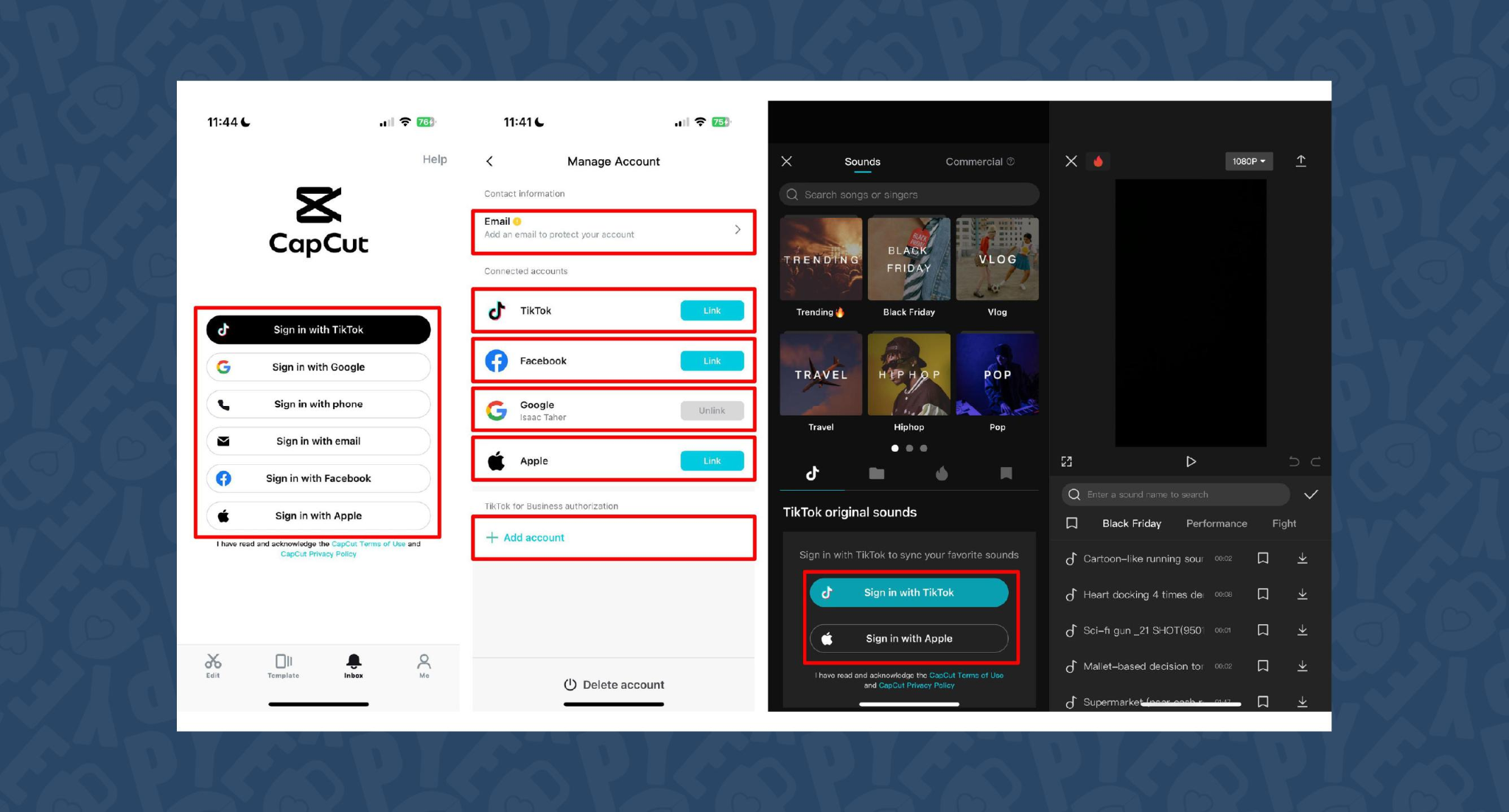
CapCut is popular because the basics are unlimited and easy. You can record voice-overs online, with no time limits, or use built-in AI for text-to-speech. It auto-generates subtitles even if the speaker’s not on screen. The editing controls let you adjust pitch, speed, volume, fades, and more, and you can mix several audio tracks. For global reach, you can use built-in AI dubbing to generate multi-language versions of your VO.
On mobile, the recording flow is in-app for iPhone (Sound > Microphone); on desktop or web, you script, record, add subtitles, edit, and export - all in one. This feels more like a professional tool than most free options.
You can use CapCut to clarify complex videos with on-screen captions, localize tutorials for other markets, or keep a consistent voice tone for social media videos.
3) VEED - best for replacing multiple tools (recording, captions, storage, sharing)
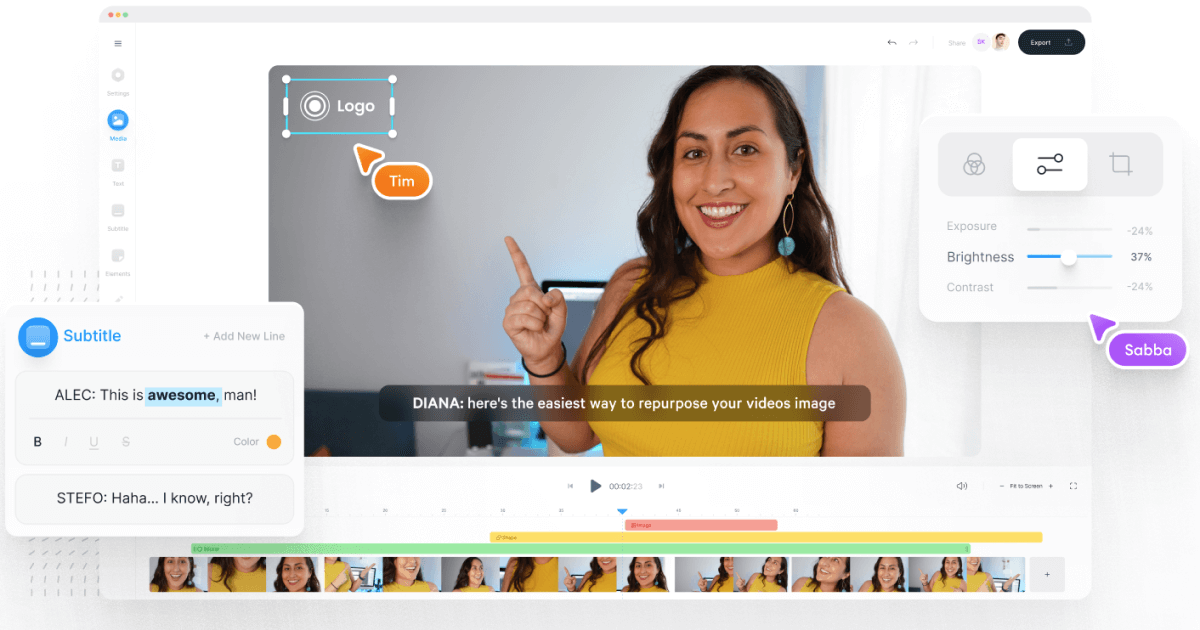
VEED has built a reputation as an all-in-one workflow. Instead of bouncing between Loom, Rev, Google Drive, and YouTube, you get everything in one place: recording, AI text-to-speech, one-click subtitle generation, and automatic audio cleanup.
User reviews are strong (4.6/5, with about a 60% reduction in editing timeaccording to one testimonial). It’s aimed at teams who need consolidated workflows and secure sharing. You edit, subtitle, and publish in one tool - no more file shuffling or switching between apps.
4) Speechify Studio - best for fast AI dubbing with a large voice library
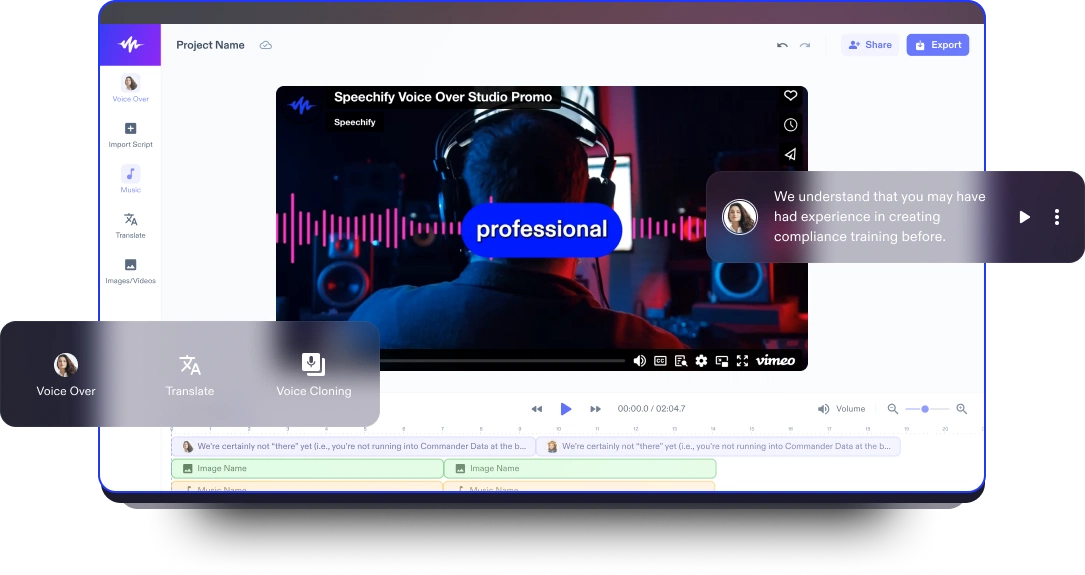
Speechify Studio focuses on AI voice versatility. You get over 200 lifelike voices in multiple accents and languages, perfect for instant dubbing or easy localization. One click dubs into new languages and generates synchronized subtitles. The editor is drag-and-drop, with templates and a vast library of royalty-free music and video assets.
Everything happens in the browser, working across platforms. You can upload your own VO or just use the AI, mix in background tracks, and export in multiple sizes (for YouTube, Instagram, etc.). For YouTube, social teasers, or education, this is one of the fastest ways to get multi-language narration without hiring VO talent.
5) ClipChamp - best free TTS variety and easy script control
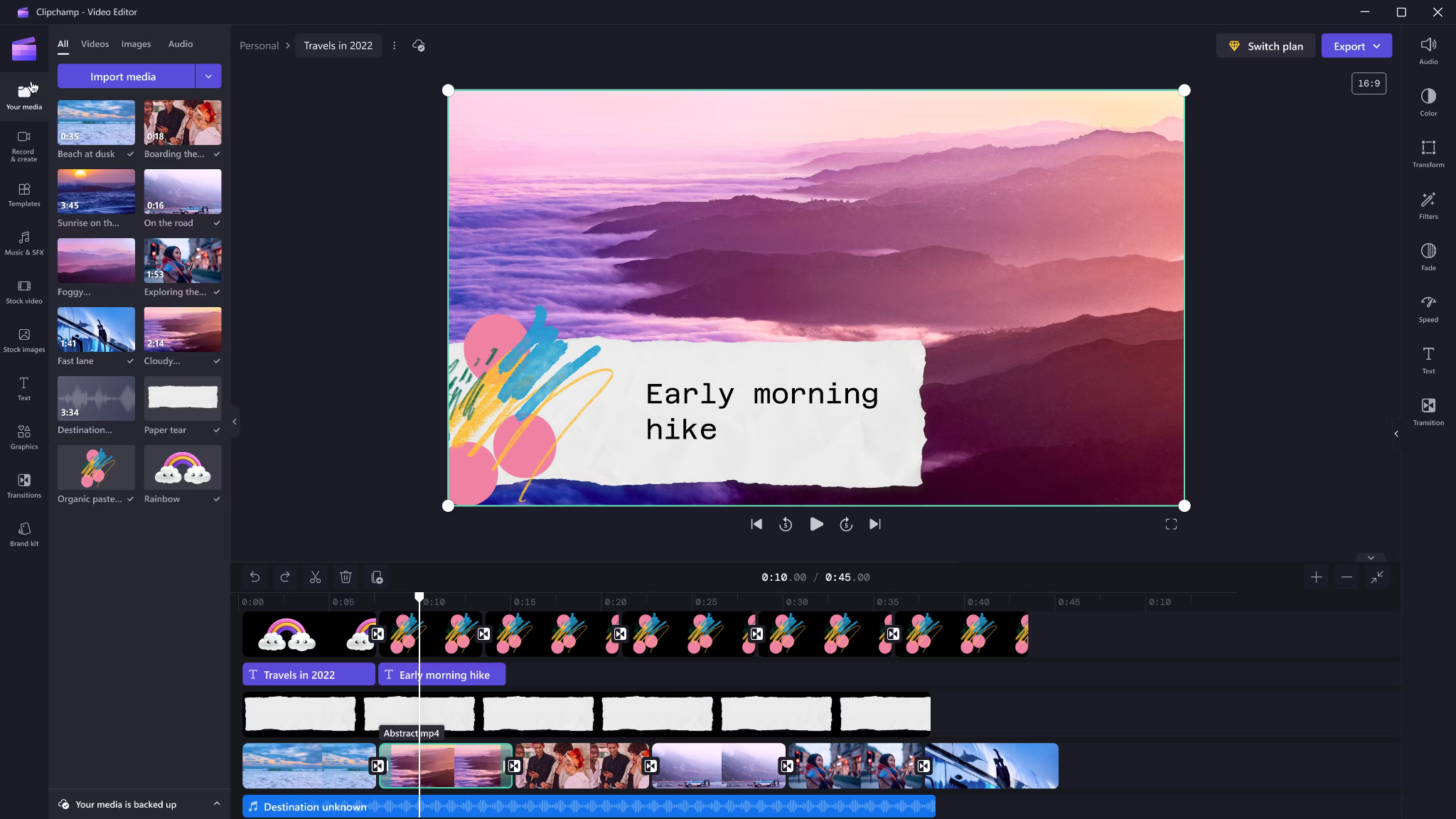
Clipchamp shines with variety and ease for AI voice-overs. It includes 400 AI voices (male, female, neutral) in 80 languages. You can tweak pitch, emotion, speed (0.5x to 2x) and control pauses/emphasis directly in your script by adding ellipses (“...”) or exclamation marks. If voices mispronounce a word, type it out phonetically.
Output options include transcript exports, subtitles, or just the audio as MP3. Every export is free and unlimited, and user reviews are high (4.8/5 from 9.5k reviews). This is a quick route for social videos, simple explainers, or business presentations.
6) Powtoon - best for animated explainers with built-in VO recording

Powtoon’s big advantage is simplicity for animated videos. It has built-in voice-over recording, lots of customizable templates, and a royalty-free music library. Major brands use it for onboarding and explainers, and it claims tens of millions of users.
You can record your narration directly in the editor, layer music, set up a branded look, and publish to social or business platforms straight from Powtoon. This works well if you want animations with matching narration, but don’t want to learn complex motion tools.
7) Wave.video - best for quick client-ready edits and layered audio tracks
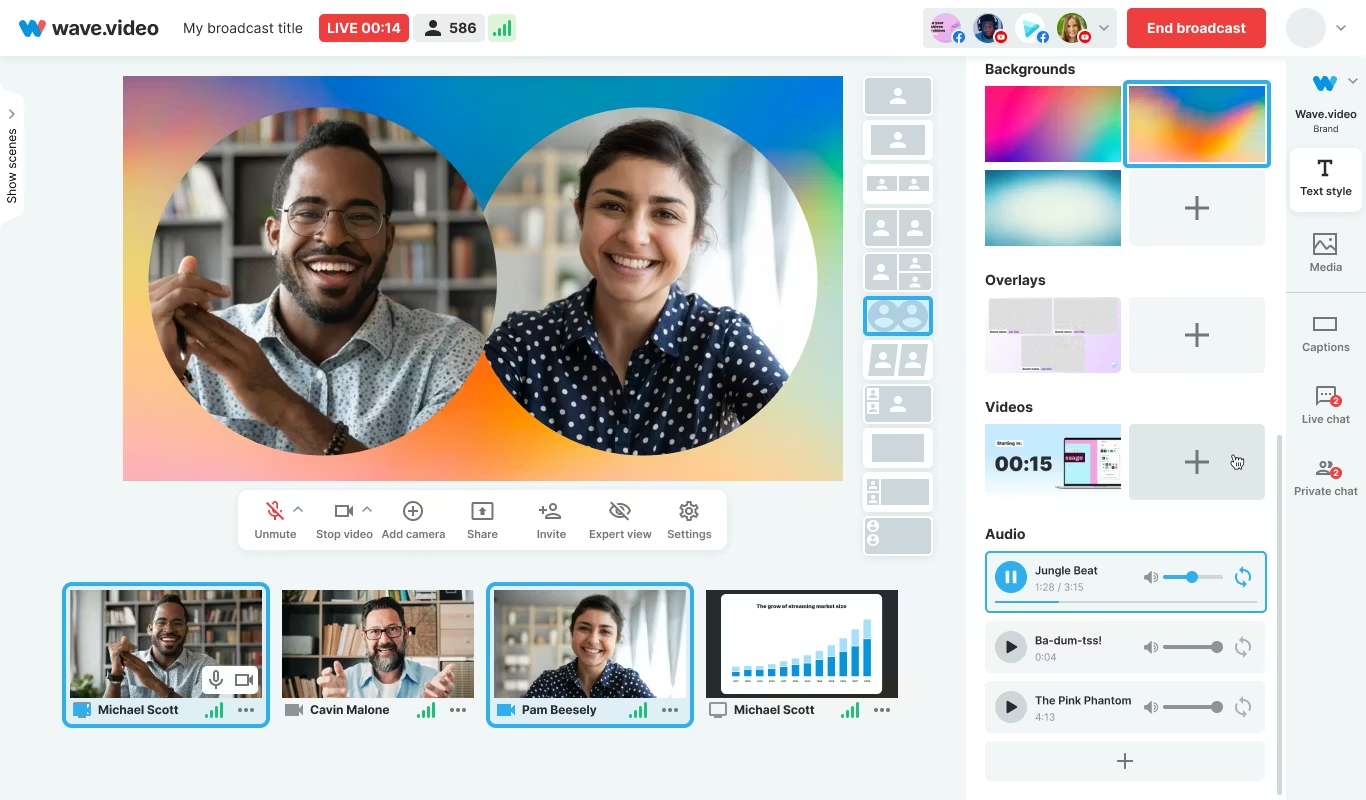
Wave.video is designed for speed and easy audio layering. You can record or upload up to three audio tracks (voice, music, sound effects), then trim and sync each on a clear timeline. Automated captions let your video communicate even if played on mute. Users report getting client-ready videos in as little as 20–30 minutes, thanks to the streamlined process.
This tool fits agencies and freelancers who need regular, clear voice-over videos with quick turnarounds.
Honorable mentions and caveats
There’s also the Voice Over Video app for iOS/iPadOS. It handles multiple VO tracks and edits, and offers a cheap lifetime unlock. However, some users find problems with longer videos: slow playback, export glitches, or audio muting bugs. It’s okay for short clips - test it before using for multi-segment training pieces.
How Colossyan maps to the needs above
I’ll be clear - most editors focus on easy voice-over for marketing or social video. Colossyan stretches further for learning and enterprise.
If you need multilingual versions, Instant Translation creates new language drafts for the whole video (script, on-screen text, interactions), maintaining layout. You can use cloned voices for brand consistency, and our Pronunciations library does what some other editors only do for one-off cases: you save pronunciation settings for product names or technical terms, and every video stays correct.
Pauses, animation markers, and script editing give you fine control over delivery and pacing - a real edge if you want natural, accurate speech. And while Clipchamp lets you control delivery with punctuation, Colossyan lets you sync these to avatar gestures and on-screen animations for even more realism.
Large teams can import docs or PowerPoints and transform them into scenes with the narration built in - saves hours compared to manual scripting. Collaboration, brand kits, and workspace organization mean even non-designers or new team members can keep everything consistent.
We support interactive learning: quizzes and branching, tracked by analytics. SCORM export means your videos fit into any LMS or training system, and our analytics track real results (scores, time watched, drop-off points). For organizations, this is a serious step up from just generating a narrated video.
Example: For compliance learning, import a policy PDF, assign a voice clone, adjust pronunciations for terms like “HIPAA,” add quizzes, export SCORM, and get analytics on where learners struggle - a complete feedback loop.
For a multilingual product rollout, create an English master, translate to Spanish and Japanese, assign native accents or avatars, export closed captions and audio-only versions for other channels, and keep all assets in sync with your brand.
For scenario-based training, use Conversation Mode to create role-play videos with branching. Learners pick responses, and you measure the impact with analytics - something most consumer editors can’t do.
The right editor for your scenario
If you’re a beginner content creator or need simple, free TTS and subtitles, CapCut or Clipchamp is enough.
Marketing teams might prefer VEED to replace multiple tools and simplify sharing, or Powtoon if you need stylish explainers fast.
If you want fast, multi-language dubbing, Speechify Studio or Clipchamp do it, but for real global training with instant translation, on-screen adaptation, and analytics, Colossyan is the stronger choice.
For building e-learning, SCORM packages, compliance training, or videos for enterprise where accuracy and engagement matter, I’d pick Colossyan every time.
Want more guidance on scripting voice-overs, localizing training, or making sure your AI voice matches your brand? Book a demo with our team and we will run through the best ways you can.
How To Make Software Training Videos: A Step-By-Step Guide

To make effective software training videos: 1) Define learner outcomes and KPIs, 2) Break workflows into bite-sized tasks, 3) Script in a conversational, step-by-step format, 4) Choose a format like screencast, avatar, or hybrid, 5) Produce with clear branding, captions, and on-screen prompts, 6) Add interactivity like quizzes and branching, track results with SCORM, 7) Localize for key languages, 8) Publish to your LMS or knowledge base, 9) Analyze watch time and pass rates, 10) Update based on analytics.
Why software training videos matter now
A lot of employees say they need better training materials. Over half - 55% - report they need more training to do their jobs well source. And people actually look for video training: 91% have watched an explainer video to learn something in 2024 source. There’s good reason for this - e-learning videos can boost retention rates by up to 82% compared to traditional methods.
This isn’t just about feels or fads. U.S. companies spend about $1,286 per learner per year on training. That’s a big investment - so it should work. Some real examples back this up: Microsoft cut its learning and development costs by about 95% (from $320 to $17 per employee) when it launched an internal video portal. Zoom cut its video creation time by 90% after moving to AI-powered video production. Berlitz made 1,700 microlearning videos in six weeks, producing faster and cutting costs by two-thirds.
The lesson: shorter, purpose-built videos not only lower costs but actually help people learn more and stay with the company.
Pick the right training video format for software workflows
Not every video needs to look the same. Choosing the best format helps learners get what they need, faster.
Screencasts are great for point-and-click steps, UI changes, or any kind of hands-on walk-through. If you’re explaining a new feature or daily workflow, a screencast with clear voice-over covers it.
AI avatar or talking-head formats add a personal touch. Use these when you need to explain why a change matters, show empathy, discuss policy, or onboard new users.
Hybrid approaches are gaining ground: start with an avatar giving context, then cut to a screencast for hands-on steps - so learners get clarity plus a human connection.
Don’t forget interactive training videos. Adding quick quizzes or branching scenarios creates active learning and gives you feedback on who actually understood the lesson.
Keep most topics to 2–7 minutes. Under 5 minutes tends to work best for engagement. Microlearning for single tasks works well at 60–90 seconds. Change scenes every 10–20 seconds and keep intros short (about 10 seconds). Always use captions.
Step-by-step: how to make software training videos efficiently
Step 1: define outcomes and KPIs
Decide what the learner should be able to do. For example: “Submit a bug ticket,” “Configure SSO,” or “Export a sales report.” KPIs might be quiz pass rate, average time to completion, watch time, or rate of errors after training.
If you use Colossyan, you can set up projects in organized folders for each workflow and use built-in analytics to track quiz scores and viewing time - especially useful if you want SCORM compliance.
Step 2: break the software workflow into micro-tasks
Split every workflow into the smallest possible tasks. This speeds up production and makes learning less overwhelming. For example, “Create a support ticket” is really several steps: open app, select project, fill summary, choose priority, submit.
With Colossyan, Templates help you scaffold these microlearning modules fast and keep things consistent, even if you don’t have a design background.
Step 3: gather your source content and SME notes
Scripts should always be based on company manuals, SOPs, or input from actual subject matter experts. Cut any fluff or redundant info.
Our Doc to video feature allows you to upload SOPs, PDFs, or even PowerPoint files; the platform then splits them into scenes, pulling out speaker notes and draft scripts.
Step 4: script a conversational, step-by-step narrative
Focus the language on step-by-step actions - don’t use confusing jargon. Keep each script to 1–3 learning objectives. Plan to include on-screen text for key steps and definitions, and change scenes quickly.
I usually rely on our AI Assistant to tighten up scripts, add Pauses for pacing, and set up Pronunciations so brand acronyms are said correctly.
Step 5: set brand and structure before recording
People trust materials that look consistent. Using Brand Kits in Colossyan, I apply the right fonts, colors, and logos across all video modules. I resize drafts to match the destination - 16:9 for LMS, 9:16 for mobile.
Step 6: produce visuals (screencast + presenter)
For actual workflows, I capture a screen recording to show the clicks and UI. Whenever possible, I add an avatar as presenter to introduce context or call out tricky steps.
In Colossyan, our Media tab supports quick screen recordings, and avatars (with custom or stock voices) let you give a consistent face/voice to the training. Conversation Mode is handy for simulating help desk chats or scenarios. Animation Markers and Shapes allow precise callouts and UI highlights.
Step 7: voice, clarity, and audio polish
Audio should be clean and clear, with no awkward pauses or filler. Colossyan has a Voices library or lets you Clone Your Voice so all videos sound consistently on-brand. You can tweak intonation and stability or download audio snippets for SME approval. A quiet music bed helps with focus, but keep it low.
Step 8: make it interactive to drive retention
Adding a quiz or decision branch makes the training stick. Interactive checks turn passive watching into active learning.
In Colossyan, you can insert Multiple Choice Questions, set branching paths (“what would you do next?”), and set pass marks that connect to SCORM tracking.
Step 9: accessibility and localization
Always include captions or transcripts - not everyone can listen, and localization helps scale training globally. Colossyan exports closed captions (SRT/VTT) and has Instant Translation to spin up language variants, matching voices and animation timing.
Step 10: review and approvals
Expect several rounds of feedback, especially in compliance-heavy orgs. You want time-stamped comments, version control, and clear roles.
Colossyan supports video commenting and workspace management - assign editor/reviewer roles to keep it structured.
Step 11: publish to LMS, portal, or knowledge base
When a module is ready, I export it as MP4 for wider compatibility or SCORM 1.2/2004 for the LMS, set up pass marks, and embed where needed. Our Analytics panel shows watch time and quiz results; you can export all this as CSV for reporting if needed.
Step 12: iterate with data
Check where people drop off or fail quizzes. Tweak scripts, visuals, or interaction. In Colossyan, you can compare video performance side by side and roll improvements out by updating Templates or Brand Kits for large programs.
Real-world patterns and examples you can use
For onboarding, I build microlearning tasks (about 60–90 seconds each): “Sign in,” “Create record,” or “Export report.” Typical structure: 8-second objective, 40-second demo, 10-second recap plus a quiz. I use Doc to video for scene drafts, add avatar intros, screen-record steps, set an 80% pass mark on the MCQ, export as SCORM, and track who completed what.
For a product rollout, the avatar explains why a new feature matters, then a screencast shows how to enable it, with branching for “Which plan are you on?” Colossyan’s Conversation Mode and Instant Translation help cover more teams with less work.
In a compliance-critical workflow (like masking PII), I use on-screen checklists, captions, and a final quiz. Shapes highlight sensitive areas. SCORM export keeps audits easy since pass/fail is tracked, and results can be exported as CSV.
How long should software training videos be?
Stick to 2–7 minutes per topic. Most people lose focus in anything longer than 20 minutes. Microlearning modules (about 60 seconds each) help people find and review single tasks fast.
Tool and budget considerations (what teams actually weigh)
Teams without heavy design skills want fast, simple tools. Expensive or complicated solutions are a nonstarter source. Platforms like Vyond are powerful but can cost more. Simple tools like Powtoon or Canva keep learning curves short.
With Colossyan, you don’t need editing or design background. Doc/PPT-to-video conversion and AI avatars keep things moving quickly - just fix the script and go. You get quizzes, SCORM export, analytics, captions, and instant translation all in one spot. Brand Kits and Templates mean everything stays consistent as the program grows.
Production checklist (ready-to-use)
Pre-production:
- Define audience, outcome, and KPIs.
- Choose format and length.
- Gather source SOPs and SME notes.
- Storyboard objectives and scenes.
- In Colossyan: Set up folder, apply Brand Kit, import doc/PPT.
Production:
- Record screens, add avatar.
- Polish scripts; add Pronunciations, Pauses, Markers.
- Add on-screen text, set up captions.
- In Colossyan: Add MCQ/Branching, music, and role-play if needed.
Post-production:
- Preview, edit pacing.
- Export captions, generate language versions.
- Collect stakeholder sign-off using comments.
- Export MP4/SCORM, upload to LMS, set pass mark.
- Review analytics, iterate.
Sample micro-script you can adapt (“create a ticket”)
Scene 1 (10 sec): Avatar intro: “In under a minute, you’ll learn to create a high-priority support ticket.”
Scene 2 (35 sec): Screencast steps, on-screen labels: “Click Create, add a clear summary, choose Priority: High. In Description, include steps to reproduce and screenshots.”
Scene 3 (10 sec): Recap + MCQ: “Which field determines escalation SLA?” Choices: Priority (correct), Reporter, Label.
Colossyan makes it easy to add Pauses, highlight fields, set quiz pass marks, captions, and export to SCORM for tracking.
Measuring success and iterating
Track watch time and where people drop off. Look at quiz pass rates - are people passing the first time or not? If possible, watch operational KPIs like error rates after training.
With Colossyan, you can review analytics by video and by learner. Export to CSV for reports, then update underperforming modules quickly using Templates.
If you’re looking to turn manuals and processes into clear, trackable, and brand-consistent training videos, it’s possible to do all of it in one platform - and you don’t need to be an expert. That’s how I build, localize, and measure software training programs at Colossyan.
How To Create Animated Videos From Text Using AI Tools
Introduction: From Text to Animation in Minutes
Turning text into animated video used to take days and a lot of design work. With text-to-animation AI, you can now enter a script, pick a style, and get a complete video - usually in minutes. This isn’t just about speed. You get consistent branding, easier localization, and it’s simple to scale training or marketing across regions and departments.
At Colossyan, we focus on L&D - helping teams quickly convert handbooks, docs, and presentations into interactive, branded, SCORM-compliant video training. Everything gets faster. You customize avatars and voices, keep everything on-brand, add quizzes, see analytics, and manage versions at scale. Here’s what I’ve found after comparing the field.
What Is Text-to-Animation AI?
Text-to-animation AI is software that builds animated scenes, visuals, motion, and AI voice narration straight from your script or document. Most tools ask for either a prompt (e.g., "Show animated coins falling into a piggy bank") or let you upload a file. They then auto-match visuals, voices, music, and subtitles. You can tweak the results without being a designer.
Common uses: training videos, explainers, tutorials, onboarding content, social videos, and ads. These aren’t just talking heads. Tools like Colossyan support different animation styles, avatars, voice cloning, captions, and language dubbing. Steve.ai reads your script, picks visuals by context, and builds social clips or onboarding in minutes. It’s almost mindless - just prep your message, and the platform does the rest.
Quick Tool Landscape and When to Use Each
Every tool has a twist. Here’s what stands out:
- Colossyan: Auto-animated L&D videos from prompts - add words like "animated" or "cartoon-style" to control look. You can generate large scripts in one pass, customize avatars, voices, quizzes, translations, and SCORM export. Trusted by enterprise users for speed and compliance.
- Animaker: Good for choice - 100M+ assets, billions of avatars, and wide templates. A marketer reported double sales conversions and 80% less production time. Free plan is useful; paid plans unlock more features.
- Steve.ai: Anyone can go from script to animated or live-action video with zero prior experience. Three steps: enter script, pick template, customize.
- Renderforest: Turns short scripts into custom scenes you can adjust - speaker, tone, or colors in real time.
- Adobe Express: Simple cartoon animations. Auto-syncs lip and arm movements, but uploads limited to two minutes per recording.
- Powtoon: Covers doc-to-video, animated avatars, translation, scriptwriting, and more. Trusted globally for enterprise scale.
For L&D, Colossyan focuses on document-to-video, branded templates, interactive quizzes, branching, analytics, SCORM support, avatars, cloned voices, pronunciation, translation, and workspace management - all to modernize and measure training content at high volume.
Step-by-Step: Create an Animated Video from Text (Generic Process)
- Write your script (300-900 words is ideal). Each scene should handle one idea (2–4 sentences).
- Choose a style. Be specific in prompts (“animated,” “cartoon-style,” “watercolor,” etc.).
- Upload or paste your script; let the AI build scenes.
- Replace or adjust visuals. Swap automated graphics with better stock or your own uploads, tweak colors, backgrounds, or add music.
- Assign a voice. Pick natural voices, and teach the tool custom pronunciations if needed.
- Add captions and translations for accessibility and localization.
- Export the video in the format you need.
Step-by-Step: Building an L&D-Ready Animated Video in Colossyan
- Upload your policy PDF - Colossyan splits it into scenes and drafts narration.
- Apply your brand fonts, colors, logos using Brand Kits.
- Drag in avatars; use two on screen for role-play scenarios.
- Assign multilingual voices; add custom pronunciations or clone a trainer’s voice.
- Rephrase or cut narration with AI Assistant, insert pauses for natural speech.
- Use animation markers for key visual timing; add shapes or icons.
- Insert stock images or screen recordings for clarity.
- Add interactive multiple-choice questions or branching scenarios.
- Translate instantly to another language while keeping timing and animations.
- Review analytics: who watched, duration, and quiz results.
- Export to SCORM for LMS tracking.
- Organize drafts, invite reviewers, manage permissions at scale.
Prompt Library You Can Adapt
- Finance: “Animated coins dropping into a piggy bank to demonstrate money-saving tips.”
- HR onboarding: “Cartoon-style animation welcoming new hires, outlining 5 core values with icons.”
- Tutorial: “Animated step-by-step demo on resetting our device, with line-art graphics and callouts.”
- Compliance: “Branching scenario showing consequences for different employee actions.”
- Safety: “Cartoon-style forklift safety checklist with do/don’t sequences.”
- Cybersecurity: “Animated phishing vs legitimate email comparison.”
- Customer service: “Two animated characters role-play de-escalation.”
- Marketing: “Watercolor 30-second spring sale promo with moving text.”
- Executive update: “Animated KPI dashboard with bar/line animations.”
- Localization: “Animate password hygiene video in English and Spanish - visuals and timings unchanged.”
Script, Voice, and Pacing Best Practices
- Keep scenes short and focused (6–12 seconds, one idea per scene).
- Write clear, spoken sentences. Use pauses, highlight key terms, fix mispronunciations.
- In Colossyan, use Script Box for pauses, animation markers, and cloned voices.
Visual Design and Branding Tips
- Apply templates and Brand Kits from the start.
- Keep on-screen text high contrast and minimal.
- Use animated shapes to highlight points. Centralize assets in Colossyan’s Content Library.
Localization and Accessibility
- Colossyan supports avatars, multilingual voices, captions, dubbing, and Instant Translation.
Interactivity, Measurement, and LMS Delivery
- Branching and MCQs improve engagement.
- Analytics show view time, quiz results, and compliance tracking. Export to SCORM.
Scaling Production Across Teams
- Organize folders, drafts, review workflows, and user roles.
- Colossyan keeps high-volume production manageable.
Troubleshooting and Pitfalls
- Watch for free tier watermarks.
- Specify animation style in prompts.
- Break long scripts into multiple scenes.
- Store licensed media in the Content Library.
FAQs
- Can I turn documents into video? Yes. Upload Word, PDF, or PowerPoint in Colossyan.
- Can I have an on-screen presenter? Yes, up to 4 avatars in Colossyan.
- How do I localize a video? Instant Translation creates language variants.
- How do I track results? Analytics and SCORM export track everything.
- Can I mix live-action and animation? Yes, screen recordings and animated avatars can coexist.
Mini-Glossary
- Text-to-speech (TTS): Converts text to voice.
- SCORM: LMS tracking standard.
- Branching: Lets viewers choose paths in a video.
- Animation markers: Cues for timing visuals.
Suggested Visuals and Alt Text
- Prompt-to-video screenshot (alt: “Text-to-animation prompt using an AI tool”)
- Before/after scene board with branding (alt: “Auto-generated animated scenes with brand colors and fonts”)
- Interaction overlay with MCQ and branches (alt: “Interactive quiz and branching paths in training video”)
- Analytics dashboard (alt: “Video analytics showing learner engagement and scores”)
Opinion: Where All This Sits Now
AI animated video creation is fast, consistent, and nearly push-button for explainer or training needs. Colossyan is ideal for L&D or enterprises needing branding, interactivity, analytics, workspace management, and compliance. For one-off social videos, other tools might suffice, but for SCORM, analytics, and enterprise control, Colossyan leads.
AI-Generated Explainer Videos: Best Tools + Examples That Convert
Why AI explainers convert in 2025
Explainer videos hold people’s attention longer than most formats - about 70% of their total length, especially if they’re short and focused. The sweet spot is 60–90 seconds [source]. That staying power is what makes AI-generated explainer videos so effective for both marketing and training.
AI tools have changed the process. Instead of days editing or filming, you can now turn a prompt or a document into a finished video in minutes. These videos support multiple languages, have natural-sounding AI presenters, and even include interactive questions. You can see exactly who watched, how long they stayed, and whether they learned anything.
When people talk about “conversion” with explainers, the meaning shifts by context:
- If it’s marketing, conversion is whether viewers sign up, request a demo, or understand what your product does.
- In L&D and training, it’s about who finishes the video, how they score on questions, and whether learning sticks. Did people pass the compliance test? Did they remember the new process change?
You don’t need to hire a studio. Platforms like Invideo AI now generate full explainer videos with voiceover, background music, product screencasts, and subtitles from a single prompt - no cameras, no actors, just a few clicks.
At Colossyan, I see L&D teams take slide decks or long SOPs and convert them straight into branded, interactive videos. With Doc to video, Templates, and Brand Kits, it’s easy to keep every video on-message. And because we track plays, watch time, quiz scores, and SCORM pass/fail data, you know exactly what’s working - and what needs a rewrite.
What makes a high-converting AI explainer
If you want explainer videos that don’t just get watched, but actually change behavior, here’s what matters.
- Keep it short: 60–90 seconds works best. Hook viewers in the first 3–5 seconds. Focus on one problem and its solution.
- Structure is key: Set up a problem, show your solution, offer proof, and end with a clear next step. Leave the hard sales pitch for another time, especially with internal training.
- Accessibility widens your reach: Add captions and create separate versions for each language. Don’t mix languages in one video; split them for clarity.
- High-quality visuals help: Natural audio, real or realistic avatars (not uncanny valley robots), clear graphics. Use stock footage and animation markers to match the voiceover with visuals.
- Make it interactive: Training videos with a quiz or branching scenario get more engagement. Good analytics let you fix weak spots fast.
A simple checklist:
- 60–90s total
- Problem/outcome in first line (the hook)
- Captions always on
- One language per version
- Clean, matched visuals
- Conclude with one clear outcome
With Colossyan, I can script out pauses and add animation cues so visuals match up with the narration exactly. If there’s a tricky product name, the Pronunciations tool gets it right every time. Voice cloning keeps the delivery consistent. And Instant Translation spins out a new language variant - script, captions, interactions - in minutes.
Interactive MCQs and branching scenarios turn passive viewers into active learners. Our Analytics panel tells you exactly how long people watched, what quiz scores they got, and which scenes you might need to tighten up.
Best AI explainer video tools (and who they’re best for)
There’s a tool for every use case. Here’s a rundown:
Invideo AI: best for quick, stock-heavy explainers with AI actors. Trusted by 25M+ users, supports 50+ languages, loads of studio-quality footage, and even lets you make your own digital twin. It’s ideal for rapid 60–90s marketing videos with real human avatars, b-roll, and subtitles. Free plan is limited but fine for light use.
simpleshow: best for turning dense topics into short, clear explainers. Their Explainer Engine generates scripts, chooses simple visuals, and adds timed narration and music. One-click translation to 20 languages. Made for anyone, no production skills needed.
Steve.AI: best for fast story-driven shorts. With over 1,000 templates and cross-device collaboration, it’s built to keep videos at the high-retention 60–90 second range. Great for social explainers with punchy hooks.
NoteGPT: best for one-click document-to-animation. Converts PDFs or Word files into animated explainers - auto voiceover, subtitles, editable scripts. Complete a training or lesson video in under 10 minutes. Used widely in education.
Synthesia: best for enterprise avatars, languages, and compliance. Has over 230 avatars, 140 languages, and top-tier compliance. Screen recording, AI dubbing, and closed captions included. If you need consistent presenters and solid security, this is it.
Imagine Explainers: best for instant, social-first explainers. You can tag @createexplainer in a tweet, and it’ll auto-generate a video from that thread. Perfect for trend-reactive marketing.
Pictory.ai: best for boiling long content into snappy explainers. Turn webinars or articles into concise, subtitled highlight videos. Huge stock library and compliance focus.
Colossyan: best for interactive, SCORM-compliant training explainers at scale. Designed for L&D to turn docs and slides into interactive, on-brand videos - quizzes, branching, analytics, full SCORM compliance, and quick brand customization. Instant Avatars and voice cloning make it easy to personalize content across large, global teams.
Real examples that convert (scripts you can adapt)
Example 1: 60-second SaaS feature explainer
Hook: “Teams lose hours each week on [problem].”
Problem: Show the frustrating workflow (screen recording helps).
Solution: Demo the streamlined steps.
Proof: Drop a client quote or key metric.
Close: Restate the outcome (“Now your team saves 5 hours a week.”).
In Colossyan, I’d import the feature’s PPT, use the built-in screen recording for the demo, then pick a template and sync animation markers to highlight UI clicks. Captions on by default, and after launch, I’d check Analytics to see where viewers dropped off or replayed.
Example 2: 90-second compliance microlearning
Hook: “Three decisions determine whether this action is compliant.”
Walk viewers through a branching scenario: each choice links to an outcome, a quick explanation, then a final quiz.
Recap the single rule at the end.
At Colossyan, I’d use Doc to video for the policy PDF, add a branching interaction for decision points, set a pass mark on the quiz, and export as SCORM to track completions in the LMS. Analytics would show which choices or wording confuse most learners.
Example 3: 75-second onboarding explainer
Hook: “New hires finish setup in under 5 minutes.”
Steps 1–3 with over-the-shoulder narration from a recognizable avatar.
Captions and translated variants for different regions.
I’d import speaker notes from the HR deck, build an Instant Avatar from the HR lead, fix system names with Pronunciations, clone the HR’s voice, and spin out Spanish/German variants for each region.
Example 4: Social explainer from a thread
Hook: “You’re doing X in 10 steps; do it in 2.”
30–45 seconds, bold text overlays, jumpy transitions.
In Colossyan, I’d start from scratch, heavy on text and shapes for emphasis, then tweak music and pacing for a vertical mobile feed.
The storyboard-to-animation gap (and practical workarounds)
A lot of creators want true “script or storyboard in, Pixar-like animated video out.” Reality: most tools still don’t hit that. Synthesia has the best avatars, but doesn’t do complex animation. Steve.AI gets closer for animation but you lose some visual polish and control.
Right now, the fastest and cleanest results come by sticking to templates, using animation markers to time scene changes, and prioritizing clear visuals over complex motion. Stock, AI-generated images, bold text, and light motion go a long way.
At Colossyan, we can tighten scenes with animation cues, use gestures (where avatars support it), and role-play conversations using Conversation Mode (two avatars, simple back-and-forth) for more dynamic scenarios - without a full animation crew.
Buyer’s checklist: pick the right AI explainer tool for your team
Languages: Need broad coverage? Synthesia, Invideo, and Colossyan all offer 20–140+ languages; Colossyan translates script, on-screen text, and interactive elements in one workflow.
Avatars/voices: Want custom avatars and consistent voices? Invideo, Synthesia, and Colossyan have depth. Instant Avatars and easy voice cloning are strengths in Colossyan.
Compliance/training: If SCORM and LMS tracking matter, Colossyan stands out: direct SCORM 1.2/2004 export with pass marks, play/quiz Analytics, CSV exports.
Speed from docs: For one-click doc-to-video, NoteGPT and Colossyan’s Doc/PPT/PDF Import take in almost any source.
Stock/assets: If you need a massive media library, Invideo and Pictory lead, but Colossyan’s Content Library keeps assets on-brand and organized for the whole team.
Collaboration/scale: Enterprise workspaces, roles, and approval are easier in Invideo’s Enterprise and Colossyan’s Workspace Management.
Free plans: Invideo free tier has limits on minutes and watermarks; Synthesia allows 36 minutes/year; NoteGPT is free to start and edit at the script/voice/subtitle level.
Step-by-step: build a high-converting explainer in Colossyan
Step 1: Start with your source material. Upload a manual, deck, or brief through Doc to video or PPT/PDF Import - Colossyan breaks it into scenes and drafts a first script.
Step 2: Apply Brand Kit - fonts, colors, logos - so even the first draft looks on-brand.
Step 3: Pick an Avatar or record an Instant Avatar from your team. Clone your presenter’s voice, and set custom Pronunciations for product or policy names.
Step 4: Don’t just tell - show. Screen record tricky software steps, then add animation markers to sync highlights with the narration.
Step 5: Insert a quiz (MCQ) or Branching scenario to make viewers think. Preview scene by scene, set pass marks, export as SCORM for the LMS, and check Analytics for engagement.
Step 6: Ready for multiple markets? Instant Translation turns a finished video into over 80 languages - script, captions, interactions - while keeping the look and structure.
Optimization tips from real-world learnings
One outcome per video works best. If you can’t compress the story to 60–90s, you’re trying to cover too much. Start with a punchy problem - don’t ease in. Use text overlays to hammer the point.
Always turn on captions - for both accessibility and higher completion. Most platforms, Colossyan included, generate these automatically.
Translate for your biggest markets. Colossyan translates everything at once and keeps the scenes clean, saving hours of reformatting.
Use analytics for continuous improvement:
- For courses: if scores are low or people drop out, rethink those scenes.
- For product demos: test new hooks or visuals and see what holds attention.
AI-generated explainers make it possible to move fast without cutting corners - whether for marketing, onboarding, or compliance. With the right approach and the right tool, you get measurable engagement and training outcomes, even as needs or languages scale. If you want on-brand, interactive L&D videos that deliver real results, I’ve seen Colossyan do it at speed and at scale.
AI Animation Video Generators From Text: 5 Tools That Actually Work

The AI boom has brought text-to-animation from science fiction into daily workflows. But with dozens of tools promising "make a video instantly from text," how do you know what actually gets results? Here, I’m cutting through the noise. These are the five best AI animation video generators from text. Each one delivers on critical points: real on-brief visuals from plain prompts, editable output, clear export and rights, and most important, actual user proof.
This isn’t a hype list. Every tool here makes text-to-video easy without constant manual fixes. If you need to turn a script into something polished fast, these are the platforms that work. Plus, if you’re building learning, onboarding, or policy explainers and need your output SCORM-ready, I’ll show you exactly where Colossyan fits.
How We Evaluated
I looked beyond the marketing pages. Each tool on this list had to meet high standards:
- Quality and control: Can you guide visual style, animation, lighting, and pacing?
- Speed and scale: How long do clips take? Are there character or scene limits? Can you batch projects?
- Audio: Are there real voice options, not just monotone bots? Is text-to-speech (TTS) language support strong?
- Editing depth: Can you swap scenes, voices, visual style, and update single scenes without starting over?
- Rights and safety: Is commercial use clear-cut, or riddled with fine print or dataset risks?
- Training readiness: Can you turn raw video into interactive, SCORM-compliant modules? (Where Colossyan shines.)
For every tool, you’ll see what it’s genuinely best at, plus practical prompt recipes and real-world results.
The Shortlist: 5 AI Text-to-Animation Tools That Deliver
- Colossyan - best for quick, automated animation videos with multilingual voiceovers
- Adobe Firefly Video - best for short, cinematic, 5-second motion with granular style controls
- Renderforest - best for template-driven explainers and branded promos
- Animaker - best for character-centric animation with a huge asset library
- InVideo - best for scene-specific edits and localized voiceover at scale
Colossyan Text-to-Animation - Fast From Prompt to Full Video
Colossyan’s text-to-animation generator stands out because it truly automates the process. You give it a script or prompt and get a video complete with AI voices, stock animation, background music, and captions. It’s quick - you might cut your editing time by 60%, according to power users.
Here’s how it works: plug in your script and use descriptors like "animated," "cartoon-style," or "graphics" to get animation (not just stock video). You get up to 5,000 TTS characters per run. Colossyan supports multiple languages and accents, so localization is simple.
Where it works best is when you need an explainer, policy video, or onboarding module fast. You can swap default footage for different animated looks—realistic, watercolor, even cyberpunk - plus add influencer-style AI avatars.
Limitations? Free exports are watermarked, and you need explicit prompts to avoid mixed stock assets. Paid unlocks more features and watermark removal.
Example prompt:
"Create a 60-second animated, cartoon-style safety explainer with bold graphics, friendly tone, and clear on-screen captions. Include watercolor-style transitions and upbeat background music. Language: Spanish."
Adapting it for training in Colossyan is simple. Turn your standard operating procedure into a module with Doc to Video. Import your assets from Colossyan drafts, apply your Brand Kit for consistent visuals, add avatars to speak the script (with multilingual output), and embed quizzes or MCQs. When it’s time to launch, export as SCORM and track real results in Colossyan Analytics.
Adobe Firefly Video - Cinematic 5-Second Motion With Precision
Adobe Firefly is about quality over quantity. It outputs five-second, 1080p clips, perfect for cinematic intro shots, product spins, or animated inserts. You get deep control over style, lighting, camera motion, and timing, so if you care about visual fidelity and brand consistency, Firefly excels.
You prompt with either text or a single image, and Firefly can animate objects into lifelike sequences. All clips are commercially usable and trained on Adobe Stock/public domain materials.
Where it excels: When you need perfect motion for product cutaways, micro-explainers, or branded short social content. Key limitation: each clip is capped at five seconds, so it’s not for full walkthroughs or longer training pieces.
Workflow: animate a 2D product render for a glossy hero shot, export, and import into your main video sequence. With Colossyan, use Firefly for motion graphics inserts, import it as a scene background, add AI avatar explanation, sync voice and visuals with Animation Markers, and drop it into an interactive scenario with Branching. Track knowledge checks via SCORM export.
Renderforest - Guided Text-to-Animation for Explainers and Promos
Renderforest is a go-to for non-designers looking for clear guidance and fast results. You go from idea or script to choosing your style and speaker, then let the AI suggest scenes. You can edit voiceover, transitions, and fonts before exporting - already in the right format for social, marketing, or internal explainers.
Their workflow is streamlined, supporting both animations and realistic videos. They’ve got big customer proof - 34 million users, 100,000+ businesses. Free to start (watermarked), then paid for higher export quality.
Use it when you want a plug-and-play template: onboarding, product demo, or startup pitch. The real value is in its guided approach. It means less choice overload, more speed.
Sample prompt:
"Text-to-animation explainer in a flat, modern style. 45 seconds. Topic: New-hire security basics. Calm, authoritative female voiceover. Include scene transitions every 7-8 seconds and bold on-screen tips."
For training, import Renderforest drafts into Colossyan’s Content Library, break up your script into slides/scenes, assign avatars for each section, and drop in MCQs. Interactive, tracked, and ready for export to any LMS.
Animaker - Character-Focused Animation at Scale
Animaker gives you sheer breadth. You can build almost any scenario - character animations for compliance, deep-dive explainers, or company-wide campaigns. The asset library is massive: over 100 million stock items, 70,000 icons, and billions of unique character options. You also get advanced tools like green screen and avatar presentations.
Real-world results stand out: GSK built 2,000+ videos, saving $1.4M. Others doubled sales or produced 70+ training modules with major time savings.
Best fit: HR, L&D, or marketing teams running recurring series with ongoing updates (e.g., new policy explainer every month, departmental updates).
Potential downside: with so many options, some users can feel lost. But for teams with a plan, it’s unmatched for animation variety.
If you’re pairing this with Colossyan, keep your visual storytelling/character arcs in Animaker, but move scripts into Colossyan for tracking, quizzes, Conversations (multi-avatar role-play), and LMS compliance.
InVideo - Scene-Specific Regeneration and Global Reach
InVideo brings scale and iteration. You can regenerate single scenes without touching the rest of the video, which is a real timesaver for last-minute tweaks. The platform covers 16 million licensed clips, AI avatars/actors in 50+ languages, and offers full commercial rights.
User reports highlight both speed and financial impact - production drops from hours to minutes, and some creators are monetizing channels in under two months.
If you want to localize, personalize, and test variants quickly, like marketing teasers or global product intros, InVideo is set up for it.
Prompt example:
"Create a 30-second animated product teaser. Energetic pacing, bold kinetic text, English narration with Spanish subtitles. Prepare variants for 1:1 and 9:16."
Use InVideo for teaser scenes or snackable intros, then build full training modules in Colossyan with your brand’s color and voice, localize at scale with Instant Translation, and add your assessment layers before SCORM export.
How These Tools Compare (Fast Facts You Can Use)
- Output length:
- Adobe Firefly: 5s, high-res
- Colossyan: full videos (TTS up to 5,000 chars/run)
- Renderforest/Animaker/InVideo: support longer storyboards
- Editing:
- Firefly: precise camera/lighting/motion
- InVideo: per-scene regeneration
- Colossyan/Renderforest/Animaker: edit scenes, swap voices, hundreds of style templates
- Voices & Languages:
- Colossyan, InVideo, Animaker: multilingual, neural TTS, subtitle/voiceover built-in
- Rights & Exports:
- Firefly: brand-safe (Adobe Stock)
- InVideo: commercial rights standard
- Others: paid plans remove watermark, unlock full exports
- Speed/Scale:
- Colossyan and Animaker users report 60–80% time savings
- Renderforest and InVideo tuned for quick, batch projects
Tip: In Colossyan, include "animated, cartoon-style" in your prompt to force animation. In Firefly, add details like "1080p, 5 seconds, slow dolly-in" for cinematic cutaways.
When You Need Training Outcomes and LMS Data, Layer in Colossyan
If you’re in Learning & Development, marketing, or HR, video is a means to an end. What really matters is how fast you can turn policy docs, safety SOPs, or onboarding decks into engaging, branded, and measurable learning.
That’s where Colossyan really helps. You can:
- Convert documents or slides into video instantly, split into scenes, generate script, apply animation, and assign an avatar for narration
- Use Brand Kits for instant visual consistency
- Add assessments (MCQs, Branching) for actual knowledge checks
- Export as SCORM (1.2/2004) and set pass marks, so every outcome is tracked in your own LMS
- Get analytics by user, video, scene - track who watched, how far, and how they scored
Example: Upload a 15-page security policy as a PDF, each page becomes a scene, assign script to avatars, and insert three knowledge checks. Create instant translations for global rollout. Export SCORM, upload to your LMS, and track completions in real time.
The Complete Guide To Choosing An e-Learning Maker In 2026
Choosing an e-learning maker in 2026 isn’t easy. There are now more than 200 tools listed on industry directories, and every product page claims a new AI breakthrough or localization milestone. The good news is certain trends have become clear. Cloud-based, AI-native tools with instant collaboration, scalable translation, and reliable SCORM/xAPI tracking are taking over - and the market is moving from slow, high-touch custom builds to simple, reusable workflows and quick updates.
This guide lays out how to navigate the choices, what matters now, how to judge features, and where video-first tools like Colossyan fit.
The 2026 landscape: why making the right choice is hard
The pace of change is the first challenge. The authoring tool market listed over 200 products by late 2025. AI isn’t a checkbox now; it's embedded everywhere. Tools like Articulate 360 use agentic AI to turn static materials into courses in minutes. Others let you upload a policy document or slide deck and see an interactive course ready almost instantly.
Cloud-native platforms are now the baseline. Their speed comes from shared asset libraries, in-tool review, and “no re-upload” updates - features that desktop tools just can’t match (Elucidat’s breakdown).
Localization quickly shifted from nice-to-have to critical. Some tools handle 30 languages, others hit 75 or 250+, and all claim “one-click” translation. Yet the quality, workflow, and voice options vary a lot.
And analytics still lag. Most systems push data to your LMS, but not all have native dashboards or support deeper learning records like xAPI.
When people compare on Reddit or in buyer guides, the same priorities keep coming up: a clean interface, fair pricing, SCORM tracking everywhere, help with translation, and the option to pilot before you buy.
What is an “e-learning maker” now?
It’s a broad term, but most fall into three camps:
- All-in-one authoring platforms: Examples are Articulate Rise/Storyline, Adobe Captivate, Elucidat, Gomo, dominKnow | ONE, Lectora, iSpring, Easygenerator, Genially, Mindsmith. These let you build, localize, and (sometimes) distribute learning modules of all types.
- Video-first or interactive video platforms: Colossyan turns Word docs, SOPs, or slides into videos with avatars, voiceovers, and quizzes, ready for LMS use. Camtasia is video-first too, but it focuses more on screen capture.
- LMS suites or hybrids: Some are bundling in authoring and distribution, but most organizations still export SCORM or xAPI to their own LMS/LXP.
Know what you need: authoring, distribution, analytics, or a mix? Map this before you start shortlisting.
A decision framework: twelve checks that matter
1. Speed to create and update.
AI script generation, document import, templates, and instant updates are the gold standard. Elucidat says templates make modules up to 4x faster; Mindsmith claims 12x. With Colossyan, you upload a doc or slide deck and get a polished video draft with avatars and voice in minutes.
2. Scale and collaboration.
Look for: simultaneous authoring, real-time comments, roles and folders, asset libraries. Colossyan lets you assign admin/editor/viewer roles and keep teams organized with shared folders.
3. Localization and translation workflow.
Don’t just count languages; check workflow. Gomo touts 250+ languages; Easygenerator does 75; Genially covers 100+; others less. Colossyan applies Instant Translation across script, screen text, and interactions, and you get control over pronunciation.
4. Distribution and update mechanism.
SCORM support is non-negotiable: 1.2 or 2004. Dynamic SCORM lets you update content in place without re-exporting (Easygenerator/Genially); Mindsmith pushes auto-updating SCORM/xAPI. Colossyan exports standard SCORM with quiz pass/fail and share links for fast access.
5. Analytics and effectiveness.
Genially provides real-time view and quiz analytics; Mindsmith reports completions and scores. Many tools still rely on the LMS. Colossyan tracks video plays, quiz scores, and time watched, and exports to CSV for reporting.
6. Interactivity and gamification.
Genially shows 83% of employees are more motivated by gamified learning; branching, simulated conversations, MCQs are now table stakes. On Colossyan, you build quizzes and branching scenarios, plus multi-avatar conversations for real-world skills practice.
7. Mobile responsiveness and UX.
True responsiveness avoids reauthoring for every screen size. Rise 360 and Captivate do this well. Colossyan lets you set canvas ratios (16:9, 9:16, 1:1) to fit device and channel.
8. Video and multimedia.
Expect slide-to-video conversion, automatic voiceover, avatars, brand kits. With Colossyan, you drag in slides, choose avatars (including your own), auto-generate script, and add music, stock video, or AI-generated images.
9. Security and privacy.
ISO 27001, GDPR, SSO, domain controls - must-haves for any regulated environment. Colossyan lets you manage user roles and permissions; check your infosec rules for more details.
10. Accessibility.
Support for closed captions, WCAG/508, high contrast, keyboard nav. Mindsmith is WCAG 2.2; Genially and Gomo publish accessibility statements. Colossyan exports SRT/VTT captions and can fine-tune pronunciations for clear audio.
11. Pricing and TCO.
Subscription, perpetual, or free/open source - factor in content volume, translation, asset limits, and hidden support costs. Open eLearning is free but manual. BHP cut risk-training spend by 80%+ using Easygenerator; Captivate is $33.99/month; iSpring is $720/year.
12. Integration with your stack.
Check for SCORM, xAPI, LTI, analytics export, SSO, and content embedding. Colossyan’s SCORM export, share links, and analytics CSV make integration straightforward.
Quick vendor snapshots: strengths and trade-offs
Articulate 360 is great for a big organization that wants AI-powered authoring and built-in distribution, but Rise 360 is limited for deeper customization. Adobe Captivate offers advanced simulations and strong responsive layouts but takes longer to learn. Elucidat is all about enterprise-scale and speed, while Mindsmith leads for AI-native authoring and multi-language packages. Genially stands out for gamified interactivity and analytics, and Gomo wins on localization breadth (250+ languages) and accessibility.
Colossyan’s core value is rapid, on-brand video creation from documents and slides - useful if you want to turn existing SOPs or decks into avatar videos for scalable training, with quizzes and analytics built in. For basic software simulation or deeply gamified paths, you might pair Colossyan with another specialized authoring tool.
Distribution, tracking, and update headaches
SCORM 1.2/2004 is still the standard - you want it for LMS tracking. Dynamic SCORM (Easygenerator, Genially) or auto-updating SCORM (Mindsmith) kill the pain of re-exports. If your LMS analytics are basic, pick a tool with at least simple dashboards and CSV export. Colossyan handles standard SCORM, as well as direct link/embed and built-in analytics.
Localization at scale
Language support ranges from 30+ to 250+ now. But don’t just count flags: test the voice quality, terminology, and whether layouts survive language expansion. Colossyan lets you generate variants with Instant Translation, pick the right AI voice, and edit separate drafts for each country. Brand terms won’t be mispronounced if you manage Pronunciations per language.
Interactivity and realism
Gamification is provable: the University of Madrid found a 13% jump in student grades and 83% of employee learners say gamified modules are more motivating. For compliance, use branching scenarios. Skills training works better with scenario practice or “conversation mode” - something you can build with multi-avatar videos in Colossyan.
Security, governance, and accessibility
Always confirm certifications and standards - ISO 27001, SOC 2, GDPR. Use role-based permissions and asset libraries to keep governance tight. Colossyan’s workspace management and access controls were built for this, but final oversight depends on your own team.
TCO and budgeting
Subscription may seem cheaper, but annual content, translation, and update workloads matter more. Easygenerator cut BHP’s risk training spend from AU$500k to under AU$100k. The real gain comes from reusable templates and dynamic update paths. Colossyan reduces ongoing spend by slashing video creation time and letting anyone with docs or slides drive production.
Picking your use cases and matching tools
Compliance needs detailed tracking and branching, so think Gomo or Captivate. For onboarding or sales, speed and multi-language are key; Colossyan lets you push out consistent playbooks across markets. Software training means screen demos - Captivate is strong here; Colossyan’s screen recording plus avatars is a good fit for guided walk-throughs.
Implementation: a 90-day plan
Start small: pilot 3–5 doc-to-video builds, test export to LMS, check analytics and language variants. Next, standardize templates, set up brand kits and permissions, integrate with your analytics. Expand to 10–20 full modules, add branching, and run A/B tests on engagement.
FAQs and final reality checks
SCORM is still necessary. Authoring tools aren’t the same as an LMS. Agentic AI means auto-structuring your content, like turning a manual into an interactive video with quizzes. Cloud is standard unless you need offline creation for rare cases. Always test your translations for voice and terminology.
Colossyan’s place in the stack
I work at Colossyan, where our focus is helping L&D and training teams turn existing content - documents, SOPs, slides - into engaging, on-brand, interactive videos quickly. You upload a file, choose an AI avatar (even your own), select a brand kit, add quizzes or branches, translate in a click, and export a SCORM module to plug into your LMS. Analytics reporting, closed captions, and branded voice controls are part of the workflow. For teams who want to move fast, localize easily, track outcomes, and deliver visually consistent training without specialist design skills, Colossyan is a strong complement or even main workhorse - with the caveat that for very deep gamification or advanced simulations, you might connect with a more specialized authoring tool.
The bottom line
Match your tool to your needs: speed, collaboration, scalable translation, interactivity, and analytics matter most. Use pilots and a detailed RFP checklist to separate real value from feature noise. And if quick, scalable, high-quality corporate training video is a core use case, Colossyan is ready to help - especially when you need to go from static resources to interactive, trackable videos without hassle.
Top Avatar Software For Training, Marketing & Personal Branding
Choosing the best avatar software comes down to what you need: live interaction, game or app development, mass video content for training or marketing, or a focus on privacy. There’s a lot out there, and most options cater to a specific use case. Here are the main categories, who they're best for, and strong examples from the market—including how we use Colossyan to streamline and scale enterprise video training.
Real-time streaming and VTubing
If you need your avatar to appear live on a stream or in a webinar, VTubing and avatar streaming tools are your answer. Animaze is one of the most mature. Over 1 million streamers, VTubers, and YouTubers use it. It works with standard webcams or even iPhones, so no special 3D setup is required. You can stream as an animated character on Twitch, YouTube, TikTok, or use it in Zoom meetings.
Animaze offers broad integration—think OBS, Streamlabs, Discord, Google Meet. It accepts lots of avatar formats, like Live2D or Ready Player Me. Advanced tracking (Leap Motion, Tobii Eye Tracker) means your digital persona can even match your hand or eye movements. You also get props, backgrounds, emotes, and a built-in editor to bring in custom 2D/3D models.
If you want free, no-frills real-time facial animation for quick Zoom or Teams sessions, Avatarify does the job. But VTubing tools aren’t made for learning management (LMS), SCORM, or detailed analytics. They’re about being “live” and engaging your audience on the spot.
Developer-grade 3D avatars for apps, games, and the metaverse
Building your own app, metaverse, or game? You need a developer ecosystem that can generate and manage custom avatars across platforms. Ready Player Me is built for exactly this—25,000+ developers use their infrastructure to get avatars to work in Unity, Unreal, and many other engines. Their value is in asset portability: you can import avatars or cosmetics without having to rebuild them for each project. Their AI will auto-fit, rig, and style assets to match.
Want a user to build an avatar from a selfie that can go straight into your game? That’s Avatar SDK. Their MetaPerson Creator runs in the browser; snap a single photo and get a full animatable 3D avatar, customizable down to facial features and clothes. There’s an SDK for Unity and Unreal, or you can run the pipeline on-premises for privacy.
Avaturn is similar. One selfie, 10,000 possible customizations, instant export to Blender, Unity, Unreal, and more. The difference is that Avaturn also focuses on making avatars instantly usable for animation and VTubing, with ARKit and Mixamo compatibility. For apps or virtual worlds needing embedded user-created avatars, either SDK will work.
But unless you’re running an app or game platform, these are usually overkill for standard L&D, marketing, or HR needs.
AI video avatar generators for training, marketing, and branding
This is where things get interesting for teams who need to modernize training, make scalable marketing explainers, or give a consistent face to brand/customer comms—especially at global scale.
Synthesia, HeyGen, D-ID, Colossyan, Elai, and Deepbrain AI are leading the way here. Colossyan stands out for training at enterprise scale. Here’s what I actually do with Colossyan to help organizations transform their process:
Imagine you have to turn a new company policy into interactive training for 12 markets in a tight timeframe. Here’s my workflow:
- I import the policy as a PDF; each slide becomes a scene.
- Doc-to-Video auto-generates narration scripts and scenes.
- I turn on Conversation Mode, so two avatars role-play employee/manager dialog—with real, recognizable faces thanks to Instant Avatars (recorded or uploaded short clips).
- For key compliance moments, I insert quiz questions and branching. Learner answers shape what happens next.
- Need terms read a certain way? I set custom pronunciations and use voice cloning to capture the real subject-matter expert's style.
- I apply the brand kit for logos, colors, and fonts, switch to 9:16 aspect for mobile delivery, and add interaction markers for well-timed visuals.
- Instant Translation lets me spin out Spanish, German, or Japanese variants, each with a native voice and consistent timing.
- I export as SCORM 2004, with pass/fail set for quizzes, upload to the LMS, and analytics show me who watched, finished, or passed—down to the name and score.
This workflow easily drops production time for interactive, localized training from weeks to hours.
Marketing teams also use Colossyan by scripting updates with Prompt-to-Video, building product explainers using the CEO’s Instant Avatar and cloned voice, and batch localizing variants with translation, all while keeping the brand visuals fixed. I can download MP4s for web or extract SRT captions. Engagement analytics let me pause (or change) production if viewers drop off early.
Privacy-first or on-device generation
Sometimes privacy matters most. RemoteFace keeps everything on your machine—images never leave the device, but you can still appear as an avatar in Zoom, Teams, or Meet. This is best for healthcare, government, or any sector with sensitive data.
How to decide: pick by use case
If you want live engagement—webinars, virtual meetups, streaming—stick to tools like Animaze or Avatarify.
If you want avatars in your product or game, Ready Player Me, Avatar SDK, or Avaturn will provide SDKs, asset management, and portability that generic “video avatar” services can’t.
If you need training videos, onboarding, multi-lingual explainer content, or standardized messaging—focus on AI video avatar generators. I’ve seen the fastest results and simplest LMS integration come from Colossyan. Features like SCORM export, quizzes, branching, analytics, and one-click translation are must-haves for compliance and L&D.
If you’re a creator or marketer focused on “digital twin” effects—i.e., your own look and cloned voice—Colossyan, HeyGen, and Synthesia all support it, but the workflow and speed are different. Colossyan’s Instant Avatars + voice lets you create a real brand spokesperson in minutes; Synthesia requires a more formal shoot, but matches on security/compliance.
On budget or just want a cool new profile image? Try creative tools like Fotor or Magic AI. Read community threads if you want to see how others stack up tools—a recent Reddit thread showed people still search for affordable AI avatar generators, VRChat options, and quick animated character tools.
Real examples
"Animaze supports advanced tracking with Leap Motion and Tobii Eye Tracker, and it integrates with OBS, Streamlabs, and Zoom—ideal for live webinars or VTubing."
"Avatar SDK’s MetaPerson Creator turns a single selfie into an in-browser, animatable 3D avatar recognizable from your photo, with Unity and Unreal integrations."
"Ready Player Me’s ‘any asset, any avatar’ infrastructure helps studios import external avatars and cosmetics without rebuilding pipelines, extending asset lifetime value."
From a 2025 industry roundup: D-ID enables real-time interactive agents with RAG and >90% response accuracy in under two seconds; Colossyan emphasizes scenario-based training, quizzes, and SCORM export; Deepbrain AI reports up to 80% time and cost reductions.
HeyGen lists 1,000+ stock avatars and a Digital Twin mode to record once and generate new videos on demand; language claims vary by source, so verify current coverage.
Which avatar software is best for corporate training?
Look for SCORM, quizzes/branching, analytics, and brand controls. Colossyan is purpose-built for this, combining document-to-video, scenario creation, instant translation, and LMS-ready exports.
What’s the difference between VTubing tools and ai video avatar generators?
VTubing is live, for streaming and engagement. AI video avatar generators like Colossyan or Synthesia create scripted, on-demand videos for structured training or marketing.
How can I create a digital twin for my brand?
In Colossyan, record a short clip to create an Instant Avatar and clone your voice. In HeyGen, use Digital Twin mode. In Synthesia, order a custom avatar; it takes about 24 hours.
How do I add avatars to my LMS course?
Produce interactive video in Colossyan, insert quizzes and branching. Export as SCORM 1.2/2004, set pass criteria, upload to your LMS, and monitor completions with Analytics.
Final thoughts
Most teams fall into one of three needs: live avatar presence for dynamic meetings and streams, developer infrastructure for in-app avatars, or scaled video creation for L&D and marketing. Colossyan is where I’ve seen L&D and comms teams get the most value. Document-to-video, customizable avatars, quizzes, instant translation, and SCORM/analytics make it possible to build, localize, and track on-brand interactive content at scale, without a production studio.
Check current pricing and language features before you commit - these change fast. And always match the tool to your real use case, not just the trend.
AI Ad Video Generators Ranked: 5 Tools That Boost Conversions
AI ad video generators have changed how businesses, agencies, and creators make ads. Five minutes of footage can mean thousands in revenue - if you get the details right. But with so many platforms, it’s easy to get lost in stats, features, and vendor promises. Here’s my honest look at the best AI video ad makers for conversion lift, what actually makes them work, and why operationalizing with your team matters as much as the software itself.
The top 5 ai ad video generators
Arcads.ai - best for direct-response teams chasing revenue
Arcads.ai stands out for teams who want scale and numbers to back it up. It offers a library of 1,000+ AI actors and localizes ads in 30+ languages, allowing you to launch, iterate, and test quickly in multiple markets. Their sponsored results are bold: campaigns like Coursiv saw 18.5K views and $90K revenue (+195%), and MellowFlow notched 25.2K views and a reported +270% revenue lift. These are vendor-reported, but the direction is clear - Arcads is built for people who want to track every click and dollar.
The fit is strongest for fast-growth D2C brands, app studios, or agencies hungry for ROI and creative scale. Arcads cards show influencer metrics too, with some accounts reporting up to +195% growth in followers.
One gap: What you see is based on what's shared by the vendor. Always validate with your own testing and attribution.
How does Colossyan help here? If your team, or your creator network, needs to follow a repeatable playbook to get similar results, we make it easy. I can turn your latest ad brief or testing framework into an interactive, trackable training video. Want your creators certified before running global campaigns? Add MCQs and analytics to ensure every market knows which hooks and formats to run. And, with Instant Translation, your training adapts as easily as Arcads’ output does - no more copy-paste errors or lost-in-translation creative.
Invideo AI - best for global scale and brand safety
Invideo AI covers the globe, with support for more than 50 languages and over 16 million licensed clips built in. You get an actor marketplace spanning the Americas, Europe, India, and more, and their privacy guardrails are layered: think consent-first avatars, actor-controlled usage blocks, face-matching to prevent unauthorized likeness, and live moderation.
If you need to avoid copyright headaches or want to ship ad variants safely to dozens of markets, you’ll find most needs covered. Invideo’s anecdotal case study claims a customer cut ad production time from six hours to thirty minutes and doubled sales. Is that a lock for every business? No. But it shows the workflow is fast.
In practice, Invideo is best for larger teams or brands who need a single system to manage rights, scale, and creative quickly.
Colossyan fits in by making your training process match this scale. I can import your playbooks from PDF or PPT and turn them into video lessons, branching based on region or campaign logic. Voices and Pronunciations features guarantee your AI actors say every branded term just the way your markets expect. And all these assets remain on-brand, thanks to Brand Kits and centralized management.
Deevid AI - best for rapid, flexible testing
Deevid AI markets itself as the no-crew, no-delay solution. You put in text, images, or even just a product URL, and get out a video with visuals, voiceover, and animation. Its most original offer is AI Outfit Changer - instantly swap clothes on your AI presenter - which means you can refresh ads for different seasons, regions, or A/B tests without a re-shoot. It’s especially useful for ecommerce, explainers, and UGC-style ads optimized for TikTok, Reels, or Shorts.
Speed is Deevid’s promise - ad variants go from idea to output in minutes. This is for marketers or agencies needing new creative every week, not once a quarter.
Brand fit may require some extra work compared to pricier, bespoke editing; and if you’re in a category where realism matters for virtual try-ons, you’ll want to validate that feature first.
When your goal is to enable your own team, or creators, to test and report on dozens of variants rapidly, Colossyan helps by translating your creative testing matrix into a micro-course. I use our interactive video and Conversation Mode to role-play feedback cycles, embed certified naming conventions, and standardize review checkpoints - all while keeping assets easy to find in our Content Library.
Amazon Ads AI video generator - best for sponsored brands speed
Amazon Ads’ AI Video Generator is purpose-built for one job: churning out Sponsored Brands ad videos at scale. It’s free, English-only (for now), and claims to generate six SB videos in up to five minutes per request. No editing skills required, and it leverages your product detail page to produce platform-ready variants.
This tool is best for U.S.-only Amazon sellers and vendors working to fill the Sponsored Brands shelf with heaps of quick, on-brand video creative. Its creative control is lighter than paid tools, but nothing matches the time-to-first-ad for this format.
Colossyan lets you bottle this repeatability for your teams - make a single spec training on what a good SB ad looks like, translate it instantly for later expansion, and track which teams complete their onboarding. LMS (SCORM) export is built in so you meet compliance or knowledge check standards.
VEED - best for ugc and model versatility
VEED stands apart for its support of multiple video AI models: talking-heads, deepfakes with lip-sync, and visually rich short clips. You can blend scenes, add narration, captions, and brand, plus pick avatars and dub into multiple languages. For user-generated content (UGC), testimonials, or rapid variant generation, the workflow is fluid and flexible. One user testimonial reports up to 60% time saved on project editing.
Its free tier comes with a watermark, and the most advanced models and exports require credits, so budget accordingly. Also, max lengths for some models are short (as little as 10 or 12 seconds), so this isn’t your full-length video suite.
If your ad workflow includes lots of short, social-first video and you need to iterate quickly, VEED covers your bases. To train your UGC creators or internal content team, I use Colossyan to turn your playbook into interactive video, with Branching to quiz when to pick which model or approach.
Why creators need more than just the tool
There’s a theme in all these platforms: Speed, variant testing, and local language support are no longer optional. But the best AI ad video generator isn’t enough if your team (or content creators) are guessing at what makes a good hook, or what passes as on-brand. That’s where I see most brands trip up - the workflows fall apart after hand-off, or scale exposes cracks in training and compliance.
This is why, at Colossyan, I focus as much on enablement as creative. We let you convert your own playbooks, test matrices, and safety protocols (no matter the format) into videos people watch and interact with. Our analytics show you who’s up to speed and who needs help, allowing you to close those gaps fast.
A few stats to remember
Don’t ignore the numbers: 78% of marketers say video has directly increased sales; 85% of consumers have decided to purchase after watching a brand video. Ideal ad length? Stick to 5-15 seconds unless you’re telling a really strong story. And remember: Speed matters, but only if you maintain quality and compliance.
Colossyan’s take: operationalizing your ad machine
The platforms above are strong - some for performance, some for speed, some for brand safety. But no tool will guarantee results if the people behind the campaigns aren’t enabled.
This is where Colossyan comes in. I use our platform to:
- Turn briefs and guidelines into interactive, certifiable training so teams and creators execute faster and with fewer errors.
- Use Instant Translation and Pronunciations so every market and language gets it right - even with complex product names.
- Keep all training and creative assets on-brand with Brand Kits and centralized content management.
- Track and audit readiness with built-in Analytics and SCORM exports.
If you want to scale conversion-winning ads, get the right generator. But if you want those results every month, pair it with a platform that enables your whole team to deliver - again and again.
Final thought
AI ad video generators are getting faster, smarter, and more powerful. Arcads gives you data-driven optimism. Invideo nails global workflows and rights. Deevid rushes ideas to production. Amazon gives you speed for SBs at no cost. VEED lets you tackle any UGC format with ease. Pair any of these with actual operational rigor - like what Colossyan brings to internal enablement - and your next campaign will lift not just conversions, but your entire creative team’s impact.
How To Make A Business Video: A Practical, Repeatable Framework
Most companies can crank out a video or two. But making business videos that are on-brand, repeatable, and work for different audiences and platforms? That’s hard. Teams get stuck coordinating scripts, branding, translations, and compliance. One video takes weeks, then needs to be completely rebuilt for next quarter or another country.
There’s a better way. Instead of reinventing the wheel for every new asset, you need a clear, ten-step framework - one you can use for explainers, compliance, product, or L&D. This framework aligns with your tools, and highlights where AI-native video creation (like Colossyan) removes bottlenecks in training and internal comms.
Here’s a complete approach that lets you plan, produce, localize, and ship business videos at scale.
The 10-step repeatable framework
1) Define the business goal and single success metric
Don’t start with the visuals or fancy script. Know why you’re making the video and how you’ll measure success. Otherwise, you get nice-looking videos that don't matter. Write a one-line goal and pick a metric - completion rate, demo signups, policy acknowledgment, or something else you can track.
Wistia’s deep video analytics that sync with HubSpot, Marketo, or Salesforce are an example - perfect when your goal is driving MQLs from video. At Colossyan, we support real measurement: set up interactive quizzes, set SCORM pass/fail rules, and monitor completion rates and scores right inside Analytics or your LMS.
2) Pinpoint audience, channel, and aspect ratio early
You need to know: Who are you targeting? Where will this run - TikTok, website, LMS? Is it vertical, square, or widescreen? If you get this wrong, you’ll redo your work later.
Invideo (with 25 million users) supports all common aspect ratios with real-time previews, so you don’t waste time reformatting. Adobe Express lets you resize for Reels, TikTok, Stories, and YouTube in the same project. In Colossyan, you just set the Canvas to 16:9, 9:16, or 1:1, and use grid alignment to keep everything sharp as you generate different platform versions.
3) Draft the script structure before visuals
Most teams jump into visuals too soon. Script clarity means less wasted effort later. Write your outline. Tools like FlexClip can auto-generate scripts or turn text/PPT/PDFs into video, and voiceover with AI. Adobe Express is built for quick script tweaks and speed changes for rough cuts.
At Colossyan, you can use Doc to video or Prompt to video to generate the first draft from a Word/PDF. With the AI Assistant, you can rewrite or simplify, and even fix grammar. Add pauses and pronunciation rules for brand or technical terms early on to avoid headaches during review.
4) Lock brand identity and visual system
Inconsistent branding slows approvals and hurts trust. Stick to your brand kit from the beginning. Invideo has thousands of customizable templates and access to 16 million+ stock assets. Adobe Express adds their own template library plus rights-cleared media.
For extra polish, MakeWebVideo lets you start with 3,500+ After Effects templates - no After Effects skills needed. In Colossyan, we use Brand Kits to auto-apply fonts, colors, and logos. All assets are stored centrally in our Content Library, and we rely on templates and shapes to keep everything visually aligned.
5) Choose voice and on-screen talent
Your narrator sets the tone, and global business often means working in multiple languages. Vimeo can translate audio and captions into dozens of languages in minutes. Wistia records and polishes your webinars and marketing content with AI.
With Colossyan, you pick from dozens of voices or even clone your own - helpful when subject matter experts or execs need to “present” without being filmed. You can create Instant Avatars from real people, correct tricky words with the Pronunciations tool, and even run up to 4 avatars in conversation mode for dialogue scenes or role-plays.
6) Assemble scenes and motion in the editor
Good pacing keeps people watching. Adobe Express handles animation, filters, and fast B-roll cuts. MakeWebVideo delivers full-HD cinematic openers in about 15 minutes.
In Colossyan, Animation Markers let you precisely time entrances or exits. Add transitions, text layers, and media, or screen record demos. Preview scene by scene or full video to tighten your pacing before publishing.
7) Add interaction for retention and assessment
Passive watching doesn’t work for training or compliance. People forget. Wistia makes webinars evergreen and interactive. Vimeo’s in-player Q&A pins answers to the exact timestamp - a lifesaver for long trainings.
At Colossyan, we add Multiple Choice Questions and Branching, set pass marks, and export videos as SCORM packages (1.2/2004) for your LMS. This makes completion and learning measurable, not just a guess.
8) Localize and make it accessible
If your workforce or customers are global, translations and accessibility can’t be an afterthought. Vimeo automates captions, SEO titles, descriptions, and more; Wistia localizes in 50+ languages.
For us at Colossyan, Instant Translation lets you adapt on-screen text, voice, and interactions. You just pick the language, choose a native-sounding voice, and export closed captions in SRT/VTT formats.
9) Collaborate, review, and version
Review cycles drag down most projects. Adobe Express solves this with real-time edits, commenting, and autosave. Vimeo offers granular privacy, time-coded comments, and version control. Invideo is built for team collaboration with 24/7 support.
In Colossyan, feedback is baked in - just comment directly on drafts or generated videos. Organize content with folders, manage access with Workspace Management, and control who sees what with roles and permissions.
10) Publish, host, and measure
You’re not done until you measure real results. Vimeo plays your videos at max resolution, ad-free, in a customizable player. Enterprise accounts get privacy (password, SSO), full compliance (SOC 2, ISO 27001, GDPR), and monetization options.
Wistia’s player gives you deep analytics and syncs to your marketing stack. Adobe Express includes a Content Scheduler for planning social posts.
At Colossyan, you can share by link or embed, export in MP4 or audio, and always get captions. Our Analytics show plays, watch time, quiz scores, or you can export CSVs for reporting. For learning, SCORM lets you track completion and scores in your LMS.
Example workflows you can reuse
A repeatable framework means you get predictable, fast results. Here’s what it looks like in practice:
48-hour compliance update: Upload your new policy PDF, import into Colossyan, use Brand Kit, correct legal terms via Pronunciations, add quiz, set pass mark, and export as SCORM. Host longer-form Q&A on Vimeo for reference. This cuts turnaround and ensures tracking.
Product launch explainer + social cutdowns: Start with a one-pager and a demo screen recording. Colossyan converts your doc to video with an Instant Avatar presenter, screen-record the demo, and quickly resize for all platforms. Use Adobe Express for a social variant and schedule the campaign. Invideo’s templates speed up teaser production using stock music and B-roll.
CEO town hall recap for global teams: Gather highlights, generate an Instant Avatar for the CEO in Colossyan, clone the voice, translate scripts into major languages, and export captions. If sharing externally, Wistia hosts the recap and ties viewer analytics back to CRM engagement.
Tooling blueprint: when to use what
- Fast edits and scheduling for social: Adobe Express
- Template-heavy, stock-rich marketing: Invideo
- Secure hosting, privacy, and compliance: Vimeo
- Cinematic After Effects look without software: MakeWebVideo
- AI-speed for converting docs and URLs: FlexClip
- Interactive training and measured compliance: Colossyan
checklists for repeatability
Pre-production: Define the goal and the metric. Decide audience and channel, aspect ratio. Sketch the script. Get brand assets and ensure accessibility is part of the plan.
Production: Import and generate your draft (Colossyan is perfect here). Assign avatars or voices. Insert media, apply style, use Animation Markers.
Interactivity and localization: Add quizzes or branching, configure SCORM, generate captions, and run Instant Translation.
Review and approvals: Use comments for feedback, control versions, and lock branded elements. Check legal and terminology.
Publish and measure: Export files, embed, upload to LMS, and monitor analytics.
Metrics that matter and how to instrument them
Measure what counts: Engagement (views, watch time), learning (quiz and completion), localization coverage (languages, captions), and speed (cycle time). Use Colossyan Analytics or export CSVs; for deep hosting analytics, look to Vimeo or Wistia.
Common pitfalls and quick fixes
- Off-brand visuals: Stick to Brand Kits and locked templates.
- Mispronunciations: Set them with Pronunciations.
- Low retention: Add Interactions, shorten scenes, use Animation Markers.
- Wrong aspect ratios: Decide up-front and preview.
- Slow localization: Run Instant Translation and use multilingual avatars.
Real-world examples from the market
Adobe Express gives you a free, browser-based editor that exports watermark-free MP4s and resizes for every channel - work with your team in real time and schedule posts (see product).
Invideo has 25 million customers, 7,000+ templates, and 16 million+ stock assets across iStock and Shutterstock - great for global teams who need content fast (see product).
Vimeo powers 287 million+ users with secure, ad-free playback, perfect privacy, and SOC/ISO compliance. Host your business videos and monetize if you need (see product).
MakeWebVideo’s 3,600+ After Effects templates get you cinematic quality without new software - Full HD downloads in minutes (see product).
FlexClip turns text, PPT, PDF, or URLs into scripts and videos with AI tools, and promises content 10x faster (see product).
Wistia is trusted by 375,000+ customers, with an ad-free player, webinars, and deep analytics for CRM attribution (see product).
Where Colossyan fits best
We see the biggest impact where training and internal communication need to scale. With Colossyan you can:
- Convert docs or PPTs straight into video, saving hours.
- Apply your Brand Kit for consistency every time.
- Use AI avatars (even your execs) or instant voice clones to keep content fresh and personal.
- Add interactive quizzes and branching for knowledge checks and feedback.
- Export SCORM and track completion/scores - critical for compliance and L&D.
- Roll out content in any language, with Instant Translation and closed captions in a few clicks.
- Keep content organized, collaborate quickly, and manage access with Workspace Management and folders.
- Pull reports and monitor engagement with detailed Analytics or CSV exports.
30-minute script template
- Hook (15 sec): “If you’re struggling with [pain], this will show you how to [outcome].”
- Problem (30 sec): Biggest friction and its cost.
- Solution (60–90 sec): Three steps with supporting visuals.
- Proof (30–45 sec): Use a data point or fast case.
- Next step (15–30 sec): Explain what to do next (quiz, review, action).
- Mark terms for Pronunciations and regional lines for localization.
Appendix: repeatable production sprint (Mon–Fri)
- Mon: Set the goal/metric, script outline, gather assets.
- Tue: Generate draft (Colossyan), style it, pick avatar/voice, preview.
- Wed: Add interaction, translate, captions, gather feedback.
- Thu: Address feedback, finalize versions, export.
- Fri: Publish, review analytics, plan next improvements.
Final thoughts
Making business videos that fit every channel, stay on-brand, and scale doesn’t have to be slow or complicated. Use this ten-step framework, choose the right tool for the job, and let smart AI platforms like Colossyan handle the grunt work. Measure what matters, iterate fast, and focus energy where your team brings the most value.
How To Use an AI Tool to Create Videos From Text Step-By-Step
When learning how to use an AI tool to create videos from text step-by-step, you're discovering technology that transforms the traditionally complex, time-consuming process of video production into something as simple as writing a document. For those intimidated by cameras, lighting, editing software, and the technical complexity of traditional video creation, AI text-to-video tools promise a revolutionary alternative—but understanding the actual workflow, potential pitfalls, and best practices separates disappointing results from professional-quality videos that drive engagement and business results.
The step-by-step process for creating videos from text using AI has become remarkably streamlined, with leading platforms enabling complete beginners to produce professional presenter-led videos in 30 minutes to 2 hours—a task that traditionally required days to weeks of work. Colossyan exemplifies this accessibility, offering an intuitive workflow where users simply write or paste their script, select an AI avatar and voice, and generate photorealistic presenter-led videos automatically—complete with natural gestures, expressions, and industry-leading lip-sync. This comprehensive step-by-step guide walks through the entire process of creating videos from text using AI, from initial planning through final export, with practical tips, common mistakes to avoid, and advanced techniques for maximizing quality and impact.
Pre-Production: Before Opening the AI Tool

Success begins before touching the AI tool—proper planning ensures better results faster.
Step 1: Define Your Video Purpose and Audience
Clarify objectives:
- What action should viewers take after watching?
- What knowledge should they gain?
- What problem does this video solve?
Examples:
- Training video: "Employees can use new CRM system confidently"
- Marketing video: "Prospects understand product value and request demo"
- Explainer video: "Viewers understand complex concept simply"
Know your audience:
- Prior knowledge level
- Preferred communication style
- Time constraints (attention span)
- Technical sophistication
Impact: Clear purpose and audience understanding improves script quality 40-60%
Step 2: Write or Outline Your Script
Script structure for video:Opening (10-15% of runtime):
- Hook viewers immediately
- State what they'll learn/gain
- Establish relevance
Body (70-80% of runtime):
- Main content organized logically
- 3-7 key points maximum
- Examples and demonstrations
- Visual descriptions where relevant
Closing (10-15% of runtime):
- Summarize key takeaways
- Clear call-to-action
- Next steps
Script writing tips:
- Write conversationally (how you'd speak, not write)
- Use short sentences (easier to follow)
- Include pauses (commas, periods create natural rhythm)
- Average speaking: 150 words per minute
- 5-minute video ≈ 750 words
Common mistake: Writing essay-style instead of conversational dialogue
Step 3: Gather Supporting Materials
If including screen recordings:
- Prepare the software/process to demonstrate
- Clean up screen (close unnecessary windows)
- Increase text size for visibility
- Practice the demo flow
If mentioning specific visuals:
- Have images/graphics ready
- Ensure licensing rights
- Optimize file sizes
If using data:
- Simplify charts and graphs
- Prepare visual representations
- Ensure data is current
Using Colossyan: Complete Step-by-Step Walkthrough
Step 1: Access Colossyan Platform
1. Create account or log in at colossyan.com2. Navigate to video creation (typically "Create Video" or "New Project" button)3. Choose creation method:
- Start from blank
- Use template (faster for beginners)
- Import script
Time: 2-3 minutes
Step 2: Input Your Script
Method A: Type or paste script directly
- Copy your prepared script
- Paste into Colossyan's text editor
- Script appears in editable format
Method B: Use AI assistance (if available)
- Provide topic and key points
- AI generates initial draft
- Edit and refine to match your needs
Method C: Import document
- Upload Word doc or text file
- Colossyan processes and formats
Pro tip: Break long scripts into scenes for easier managementTime: 5-10 minutes
Step 3: Select Your AI Avatar
Browse avatar library:
- Filter by gender, age, ethnicity, style
- Preview avatars
- Consider: Professional appearance? Matches brand? Appropriate for audience?
Selection criteria:
- Professional contexts: Business-appropriate attire, professional demeanor
- Educational content: Friendly, approachable appearance
- Marketing: Aligns with brand personality
Colossyan advantage: Photorealistic avatars with natural expressions—viewers focus on content, not technologyTime: 5-10 minutes (first time); 2-3 minutes (subsequent videos)
Step 4: Choose Voice and Language
Select voice characteristics:
- Gender (if not determined by avatar)
- Accent (American, British, Australian, etc.)
- Tone (warm, professional, energetic, calm)
- Language (80+ options in Colossyan)
Preview voices:
- Listen to voice samples
- Test with portion of your script
- Ensure clarity and naturalness
Multilingual advantage: Create same video in multiple languages by simply selecting different language—no script rewriting requiredTime: 5 minutes
Step 5: Customize Video Elements
Branding:
- Add logo
- Set brand colors
- Custom intro/outro slides
Backgrounds:
- Choose from library
- Upload custom background
- Green screen effects
Text overlays:
- Add key points as on-screen text
- Emphasize important information
- Include captions (accessibility + engagement)
Music (optional):
- Background music from library
- Set appropriate volume
- Ensure doesn't overpower narration
Time: 10-20 minutes
Step 6: Add Screen Recording (If Applicable)
Colossyan's unique feature:Record screen with avatar narration:
- Click "Add Screen Recording"
- Select screen area to capture
- Record your demonstration
- Avatar narrates automatically based on script
- Edit if needed
Why this is powerful:
- Perfect for software training (show + tell simultaneously)
- Avatar presents while screen shows demonstration
- Professional appearance without complex editing
Alternative: Upload pre-recorded screen videoTime: 15-30 minutes (depending on demo complexity)
Step 7: Review and Edit
Playback preview:
- Watch complete video
- Check for:
- Natural lip-sync (Colossyan excels here)
- Appropriate pacing
- Clear audio
- Smooth transitions
- Timing of text overlays
Common adjustments:
- Script edits: Change wording for clarity
- Pacing: Add pauses or shorten sentences
- Visuals: Adjust timing of on-screen elements
- Audio: Adjust background music volume
Pro tip: Watch as if you're the target audience—does it achieve the objective?Time: 15-30 minutes
Step 8: Generate Final Video
Click "Generate" or "Create Video":
- Colossyan AI processes your inputs
- Generates photorealistic video with avatar
- Renders all elements together
Generation time:
- Short video (2-5 min): 10-20 minutes
- Medium video (5-10 min): 20-40 minutes
- Longer video: Proportionally longer
While waiting:
- Start next video
- Work on other tasks
- Colossyan will notify when complete
Step 9: Download and Use
Export options:
- Download MP4 file (standard)
- Select resolution (1080p recommended)
- Choose format if options available
File size: Typically manageable for modern systemsUsage:
- Upload to LMS
- Embed in website
- Share via email
- Post to video platforms (YouTube, Vimeo)
- Use in presentations
Time: 5-10 minutes
Advanced Techniques
Creating Multi-Scene Videos
Why: Better for complex topics, maintains engagementHow:
- Divide script into logical scenes (3-7 typical)
- Create each scene separately in Colossyan
- Use different avatars, backgrounds, or styles per scene
- Colossyan assembles into cohesive video
Advantage: Variety maintains attention, breaks complex information into digestible chunks
Interactive Video Elements
Colossyan's interactive features:Add knowledge checks:
- Insert quiz questions
- Branching based on answers
- Reinforcement and engagement
Clickable elements:
- Buttons for more information
- Links to resources
- Navigation choices
Why it matters: Interactive videos drive 40-60% higher engagement than passive viewing
Multiple Avatars (Conversations)
Create dialogue format:
- Use 2+ avatars in same video
- Simulate interview or discussion
- Q&A format
Process:
- Write script as dialogue
- Assign lines to different avatars
- Colossyan alternates avatars automatically
Engagement benefit: Conversation format 25-35% more engaging than single presenter
Batch Video Creation
For high-volume needs:
- Create template with standard structure
- Prepare multiple scripts
- Generate series of videos efficiently
- Consistent branding across all
Use cases:
- Training library creation
- Product demo series
- Course module development
- Marketing campaign videos
Efficiency: Create 10-20 videos in time traditionally required for 1-2
Best Practices for Quality
Script Quality Matters Most
No AI tool can fix poor content:
- Invest time in script quality
- Get feedback before generation
- Test with target audience
- Iterate based on results
Rule: Spend 60-70% of time on script, 30-40% on video creation
Keep Videos Concise
Attention span reality:
- Ideal length: 3-7 minutes for most business content
- Maximum: 10-15 minutes before breaking into parts
- Social media: 30-90 seconds
Why:Completion rates drop dramatically after 10 minutes
Use Visual Variety
Maintain engagement:
- Change backgrounds between scenes
- Add relevant images/graphics
- Include screen demonstrations
- Use text overlays for emphasis
Don't: Static single shot for entire video
Optimize for Platform
Training/LMS:
- Professional appearance
- Clear explanations
- Interactive elements if supported
YouTube/Website:
- Engaging opening (hook in first 10 seconds)
- Captions/subtitles
- Call-to-action
Social Media:
- Vertical or square format
- Text overlays (sound-off viewing)
- Quick pace
Common Mistakes and Solutions
Mistake 1: Script Too Long
Problem: 3,000-word script = 20-minute video (too long)Solution:
- Break into multiple videos
- Cut unnecessary information
- Target 500-1,000 words (3-7 minutes)
Mistake 2: Not Previewing Voice
Problem: Generated video sounds wrongSolution:
- Always preview voice with portion of script
- Test different voices
- Ensure naturalness
Mistake 3: Forgetting Mobile Viewers
Problem: Video doesn't work on mobileSolution:
- Use large, readable text
- Ensure avatar visible on small screens
- Test on mobile device before finalizing
Mistake 4: Overcomplicating First Video
Problem: Trying to use every feature immediatelySolution:
- Start simple: Script + avatar + voice = video
- Add features gradually as you learn
- Master basics before advanced techniques
Time Investment Reality Check
First video (learning process):
- Planning: 1-2 hours
- Script writing: 1-2 hours
- Creating in Colossyan: 1-2 hours
- Review and refine: 30 minutes - 1 hour
- Total: 4-7 hours
Subsequent videos (proficient):
- Planning: 30 minutes - 1 hour
- Script writing: 1-2 hours
- Creating in Colossyan: 30-60 minutes
- Review: 15-30 minutes
- Total: 2.5-4.5 hours
Steady state (experienced):
- Total: 1-3 hours per video
vs. Traditional video:20-80 hours per videoTime savings: 85-95%
ROI Calculation
Traditional video production (5-minute video):
- Pre-production: 8 hours
- Filming: 4-8 hours
- Editing: 8-16 hours
- Revisions: 4-8 hours
- Total: 24-40 hours
- Cost (at $75/hour): $1,800-3,000 per video
AI tool (Colossyan) after learning curve:
- Total: 1-3 hours
- Cost: Subscription ÷ videos (~$100-200 per video)
- Savings: $1,600-2,800 per video
- Time savings: 21-37 hours per video
Annual (50 videos):
- Traditional: $90,000-150,000
- AI tool: $5,000-10,000
- Savings: $80,000-140,000 (89-93%)
Frequently Asked Questions
Do I Need Video Editing Skills?
No—that's the point of AI text-to-video tools.Colossyan requires:
- Ability to write clear scripts (if you can write emails, you can do this)
- Basic computer skills (clicking, typing, uploading files)
- No video editing knowledge
- No camera or lighting expertise
- No acting or presenting skills
Learning curve: Most users create first acceptable video in 2-4 hours
Can I Update Videos After Creation?
Yes—major advantage of AI video:Traditional video: Must re-film entirely to change content (weeks, $5,000-15,000)Colossyan: Edit script text, regenerate video (minutes, $0 beyond subscription)Example: Training process changes
- Traditional: Re-film (3-6 weeks)
- Colossyan: Edit text, regenerate (15-30 minutes)
This is game-changing for training and content that requires frequent updates
How Long Until I'm Proficient?
Timeline:
- First video: 4-7 hours (includes learning)
- Videos 2-5: 3-5 hours each (getting comfortable)
- Videos 6-10: 2-4 hours each (proficient)
- Videos 10+: 1-3 hours each (efficient)
Proficiency: Most users feel confident after 3-5 videos (typically 1-2 weeks if creating regularly)---
Start Creating Videos From Text Today
You now have a complete step-by-step guide for using an AI tool to create videos from text, from pre-production planning through final export. The process is remarkably accessible—combining thoughtful script writing with intuitive AI tools like Colossyan enables anyone to produce professional presenter-led videos without traditional production complexity, expertise, or costs.
The key insight: success depends more on script quality and clear objectives than technical skills. AI tools handle the technical complexity automatically, allowing you to focus on content value and message clarity. With practice, the process becomes as natural as writing a document—but produces video content that drives 40-60% higher engagement than text.
The transformation is substantial: organizations and individuals implementing AI text-to-video workflows report 85-95% time savings, 90-97% cost reduction, and dramatically increased video output—enabling video-first strategies previously impossible due to production constraints.
Ready to start creating videos from text?Explore Colossyan to experience the most intuitive text-to-video workflow with photorealistic AI avatars, training-specific features, and industry-leading quality that makes professional video creation accessible to everyone.
How To Choose the Best AI Avatar Maker for Personal or Business Use
When selecting the best AI avatar maker for personal or business use, you're choosing technology that will represent you or your brand in digital spaces—from video content to virtual meetings to online courses. The wrong choice results in uncanny, unprofessional avatars that undermine credibility, while the right avatar maker produces photorealistic digital humans that viewers perceive as authentic and trustworthy. With dozens of AI avatar platforms claiming cutting-edge technology, how do you systematically evaluate which delivers the quality, features, and value you need?
The AI avatar landscape has evolved dramatically from early robotic attempts to today's photorealistic digital humans that exhibit natural expressions, gestures, and speech patterns. The best avatar makers don't just create static images—they generate video avatars that can present content, conduct conversations, and convey emotion as effectively as human presenters. Colossyan exemplifies this evolution, offering photorealistic AI avatars with natural movements and industry-leading lip-sync accuracy that make them indistinguishable from human presenters in most contexts—enabling anyone to create professional presenter-led videos without cameras, actors, or filming. This comprehensive guide explains how to evaluate AI avatar makers, compares leading platforms across critical dimensions, and provides selection criteria matched to your personal or business requirements.
Understanding AI Avatar Types

Before selecting an avatar maker, understand the fundamentally different types and their appropriate applications.
1. Static Avatar Images
What they are: Still images or simple animationsTechnology: 2D image generation or basic 3D renderingUse cases:
- Social media profiles
- Forum avatars
- Gaming characters
- Basic digital identity
Examples: ReadyPlayer.me, Avatar.meLimitations: Cannot present content, speak, or convey complex information
2. Animated Character Avatars
What they are: Cartoon or stylized animated charactersTechnology: 3D character animationUse cases:
- Explainer videos
- Entertainment content
- Casual communications
- Brand mascots
Examples: Vyond, AnimakerLimitations: Less professional for business; stylized appearance
3. Photorealistic Video Avatars
What they are: Human-like digital presenters in videoTechnology: Advanced AI generating realistic humans with natural speech and movementUse cases:
- Professional training videos
- Business communications
- Educational content
- Marketing and sales
- Corporate presentations
Examples: Colossyan, Synthesia, HeyGenBest for business: Most professional, credible, and versatile option
4. Custom Digital Twins
What they are: AI avatars created from your actual appearanceTechnology: Photogrammetry + AI to create personalized avatarUse cases:
- Personal brand representation
- Celebrity/influencer content
- Executive communications
- Scaled personal outreach
Examples: Colossyan (custom avatars), Synthesia (custom)Advantage: Maintains personal identity while enabling scale
Evaluation Criteria for Avatar Makers
Quality & Realism (Most Important)
Visual Fidelity:
- Photorealism vs. obvious CGI
- Skin texture and lighting
- Natural eye movements
- Realistic hair and clothing
Movement & Gestures:
- Natural body language
- Appropriate hand gestures
- Head movements and poses
- Absence of robotic stiffness
Facial Expressions:
- Natural micro-expressions
- Emotional range
- Authentic reactions
- Smile and engagement quality
Voice & Lip-Sync:
- Natural-sounding voices
- Accurate lip synchronization
- Appropriate emphasis and intonation
- Absence of robotic artifacts
Critical: Poor quality undermines credibility—high realism essential for business use
Features & Capabilities
Core Capabilities:
- Avatar selection (variety of appearances, ages, ethnicities)
- Multiple languages and accents
- Video generation speed
- Output quality and resolution
Advanced Features:
- Custom avatar creation (your digital twin)
- Multiple avatars in single video (conversations)
- Screen recording integration
- Interactive elements
- Gesture and expression control
- Background customization
Business Features:
- Collaboration tools
- Brand control
- Analytics
- Enterprise security
- Integration capabilities
Ease of Use
Learning Curve:
- Time to create first video
- Interface intuitiveness
- Script-to-video workflow simplicity
Ongoing Usability:
- Update and edit workflow
- Template and asset management
- Rendering speed
Pricing & Value
Cost Structure:
- Subscription model
- Per-video pricing
- Custom avatar costs
- Usage limits
ROI Factors:
- Cost vs. traditional video production
- Time savings
- Scalability
- Update ease
Top AI Avatar Makers Compared
1. Colossyan: Best for Business & Training
Quality Score: 98/100Why it's best for business:Photorealistic Quality:
- Industry-leading avatar realism
- Natural expressions and gestures
- Best lip-sync accuracy
- Professional appearance suitable for any business context
Comprehensive Features:
- Screen recording integration (unique—perfect for software training)
- Interactive video elements (quizzes, branching)
- Multiple avatars in single video (conversations)
- Custom avatar creation from photos
- 80+ languages with native voices
- Collaborative workflows
Training Specialization:
- Purpose-built for learning and development
- Analytics and tracking
- LMS integration
- Enterprise security and compliance
Business Advantages:
- Instant video updates (edit text, not re-film)
- Professional quality builds credibility
- Scalable across organization
- Proven ROI in corporate settings
Pricing: Enterprise subscription based on volumeBest for:
- Corporate training and L&D
- Professional business communications
- Sales and marketing videos
- Software training
- Global organizations
Real results: Organizations report 40-60% higher engagement than text-based training using Colossyan avatars
2. Synthesia: Professional Avatar Platform
Quality Score: 95/100Strengths:
- 140+ AI avatars (largest selection)
- High-quality, professional appearance
- Custom avatar option (premium)
- Multiple languages
- Clean interface
Limitations vs. Colossyan:
- Fewer business-specific features
- Higher cost for volume
- Limited screen recording
- No interactive elements
Pricing: Starts $30/month; enterprise customBest for:
- Marketing teams
- General business communications
- Organizations wanting avatar variety
3. HeyGen: Budget-Friendly Option
Quality Score: 84/100Strengths:
- Affordable pricing ($24/month)
- Good quality for price
- Fast generation
- Easy to use
- Multiple languages
Limitations:
- Less sophisticated than premium tools
- Fewer advanced features
- Basic customization
Pricing: Starts $24/monthBest for:
- Budget-conscious businesses
- Small teams
- Testing AI avatars
- Simple content needs
4. D-ID: Personal & Creative Use
Quality Score: 78/100Strengths:
- Create avatar from single photo
- Good for personal use
- Affordable
- Quick generation
Limitations:
- Less professional quality
- Limited business features
- Basic capabilities
Pricing: Starts $5-15/monthBest for:
- Personal projects
- Social media content
- Creative experiments
- Individual creators
Selection Framework
For Business Training & L&D
Choose: ColossyanWhy:
- Training-specific features essential
- Screen recording capability unique
- Interactive elements drive engagement
- Enterprise features required
- Proven ROI in training context
Decision factors:
- Quality is paramount (credibility)
- Features must support learning
- Updates must be instant (training changes frequently)
- Scale across organization
For Marketing & Communications
Choose: Colossyan or SynthesiaWhy:
- Professional quality builds brand credibility
- Multiple avatar options for variety
- Good for diverse content types
Decision factors:
- Colossyan if need advanced features, interactivity, or training
- Synthesia if primarily marketing and want maximum avatar variety
For Budget-Conscious Teams
Choose: HeyGenWhy:
- Best quality-to-price ratio
- Adequate for most business needs
- Easy to test AI avatars affordably
Decision factors:
- Budget constraint primary concern
- Needs less sophisticated features
- Good enough quality acceptable
For Personal Use
Choose: D-ID or HeyGenWhy:
- Affordable for individuals
- Create personal avatar quickly
- Good for creative projects
Decision factors:
- Personal, not business use
- Budget-friendly essential
- Professional quality less critical
Creating Custom Avatars (Digital Twins)
Why Create Custom Avatars
Personal Brand:
- Maintain your identity in scaled content
- Build recognition and trust
- Personal connection with audience
Executive Communications:
- CEO/leadership messages at scale
- Maintain personal touch without filming every video
- Consistent executive presence
Influencer/Creator Content:
- Scale personal content creation
- Maintain authentic brand
- Create more content than humanly possible
Custom Avatar Creation Process
Colossyan Custom Avatars:Step 1: Photo/Video Capture
- Provide photos or short video of person
- High-quality images required
- Various angles and expressions
Step 2: AI Processing
- Colossyan AI creates digital twin
- Learns facial features, expressions
- Generates voice model
- Processing takes 1-2 weeks
Step 3: Avatar Ready
- Use like any Colossyan avatar
- Maintains your appearance and voice
- Can present any script in your style
Cost: Premium feature; enterprise pricingBest for:
- Executives creating regular content
- Thought leaders scaling reach
- Organizations wanting branded presenters
Use Case Examples
Corporate Training
Scenario: Global company needs training in 20 languagesTraditional approach:
- Film with human presenters in each language
- Cost: $200,000-500,000
- Time: 6-12 months
AI avatar approach (Colossyan):
- Create once with AI avatar
- Generate in 20 languages automatically
- Cost: $20,000-50,000
- Time: 2-4 weeks
- Savings: 80-90%
Executive Communications
Scenario: CEO wants weekly video updatesTraditional approach:
- Schedule filming weekly
- Requires makeup, setup, editing
- Time: 4-8 hours per video
AI avatar approach (Custom Colossyan avatar):
- CEO writes script or uses AI assistance
- Avatar presents automatically
- Time: 30 minutes per video
- Time savings: 88-94%
Marketing Content
Scenario: Create 50 product explainer videosTraditional approach:
- Hire presenter or use employee
- Film 50 videos
- Time: Months
AI avatar approach:
- Write scripts for 50 products
- Generate videos with consistent avatar
- Time: 1-2 weeks
- Consistency: Perfect across all videos
Quality Checklist
Before committing to an avatar maker, evaluate:
Visual Quality:
- [ ] Photorealistic appearance
- [ ] Natural skin texture and lighting
- [ ] Realistic eyes and expressions
- [ ] No obvious CGI artifacts
Movement Quality:
- [ ] Natural gestures and poses
- [ ] Smooth, not robotic movements
- [ ] Appropriate body language
- [ ] Realistic breathing
Voice Quality:
- [ ] Natural-sounding speech
- [ ] Accurate lip-sync
- [ ] Appropriate emphasis and intonation
- [ ] Language/accent matches avatar
Professional Appearance:
- [ ] Suitable for business context
- [ ] Builds rather than undermines credibility
- [ ] Viewers focus on content, not technology
- [ ] Professional enough for your use case
Colossyan consistently scores highest on all quality criteria
ROI Calculation
Traditional video production with human presenter:
- Cost: $5,000-15,000 per video
- Time: 3-6 weeks per video
- Updates: Re-film required ($5,000-15,000)
AI avatar approach (Colossyan):
- Cost: Subscription $15,000-30,000/year (100+ videos)
- Time: 30 minutes - 2 hours per video
- Updates: Edit text, regenerate (minutes)
Example ROI (50 videos/year):
- Traditional: $250,000-750,000
- AI: $20,000-40,000
- Savings: $230,000-710,000 (92-95%)
- ROI: 575-3,550%
Frequently Asked Questions
Do AI Avatars Look Fake?
Quality varies dramatically by platform:Best tools (Colossyan, Synthesia):
- Photorealistic appearance
- Natural movements and expressions
- Professional voice quality
- Most viewers cannot distinguish from real humans in business context
Basic tools:
- Obviously synthetic
- Robotic movements
- Uncanny valley effect
Reality: Top AI avatars (Colossyan) are used in professional training worldwide without credibility issues. Quality has reached broadcast standards.
Can I Create an Avatar That Looks Like Me?
Yes—custom avatar creation available:Colossyan custom avatars:
- Create digital twin from photos/video
- Maintains your appearance and voice
- Use for scaled content creation
Process:
- Provide images/video
- AI processes (1-2 weeks)
- Your avatar ready to use
Cost: Premium feature with enterprise plansBest for: Executives, thought leaders, influencers who want to scale personal content while maintaining identity
Will Viewers Trust AI Avatars?
Research and real-world data says yes—when quality is high:Factors affecting trust:
- Quality is critical: Photorealistic avatars (Colossyan) build trust; obvious CGI undermines it
- Context matters: Business/training context more accepting than personal storytelling
- Content quality: Viewers focus on value, not production method
Real-world evidence:
- Organizations using Colossyan report no credibility issues
- Completion rates 40-60% higher than text (proves engagement)
- Professional training worldwide uses AI avatars successfully
Best practice: Use high-quality avatars (Colossyan) for professional content; be transparent if asked---
Choosing the Best AI Avatar Maker
You now understand how to evaluate AI avatar makers across quality, features, ease of use, and value—the critical dimensions for personal or business use. The right choice depends on your primary use case, quality requirements, and budget, but Colossyan delivers the best combination for professional business applications through superior quality, comprehensive features, and proven ROI.
For corporate training and professional communications, Colossyan's photorealistic avatars, training-specific features, and enterprise capabilities make it the clear choice. For budget-conscious teams testing AI, HeyGen offers good value. For maximum avatar variety in marketing, Synthesia provides extensive selection.
The transformation is substantial: organizations implementing AI avatars report 90-95% cost reduction vs. traditional video, 40-60% better engagement, and the ability to create 10-50x more video content—enabling personalized, scaled communications previously impossible.
Ready to choose the best AI avatar maker?Explore Colossyan to experience photorealistic AI avatars with industry-leading quality—perfect for professional training, business communications, and any context where credibility matters.
AI Text-to-Video Generators: What Works, What Doesn't & What To Try Instead
When evaluating AI text-to-video generators, you need honest analysis of what actually works versus marketing hype, what limitations exist that vendors don't advertise, and what alternatives deliver better results for your specific needs. The AI video market is flooded with tools making bold promises—"generate amazing videos instantly," "professional quality in minutes," "no experience needed"—yet many deliver disappointing results that waste time and budgets while undermining your content credibility. How do you separate genuinely capable platforms from overhyped disappointments?
The reality is nuanced: some AI text-to-video generators excel for specific use cases while failing completely for others, certain features that sound impressive deliver little practical value, and the "best" solution often depends more on your content type and quality requirements than on tool capabilities. Understanding what works, what doesn't, and what to try instead requires moving beyond feature checklists to practical evaluation of real-world results. Colossyan demonstrates what actually works—photorealistic AI avatars presenting training content with natural speech and perfect lip-sync, enabling organizations to create professional presenter-led videos that drive 40-60% higher engagement than text-based alternatives. This candid analysis examines AI text-to-video generators through a critical lens, identifies what genuinely delivers value versus what disappoints, and provides actionable guidance for selecting tools that actually work for your needs.
What Actually Works
Honest assessment of where AI text-to-video genuinely delivers value.
✅ Works: AI Avatar Presenter Videos (Professional Quality)
Technology that works:
- Photorealistic AI avatars (Colossyan, Synthesia)
- Natural voice synthesis
- Perfect lip-sync
- Professional output quality
Why it works:
- Technology has reached professional broadcast quality
- Avatars appear human in business contexts
- Viewers focus on content, not production method
- Proven engagement metrics (40-60% higher than text)
Best for:
- Corporate training and education
- Professional communications
- Product demonstrations
- Explainer videos
- Global content (multilingual capability)
Evidence it works:
- Used by Fortune 500 companies worldwide
- High completion rates in training contexts
- Professional contexts accept without question
- Measurable ROI (90-95% cost reduction vs. traditional)
What to try:Colossyan (best quality, training features) or Synthesia (marketing focus)
✅ Works: Content Repurposing (Blog to Video)
Technology that works:
- AI text analysis and footage selection
- Automated editing and transitions
- Quick social media video creation
Why it works:
- Solves real problem (blog content sitting unused)
- Adequate quality for social media
- Fast turnaround enables testing
- Affordable pricing
Best for:
- Social media content
- Blog promotion
- Quick marketing videos
- Content multiplication
Limitations:
- Generic stock footage appearance
- Not professional enough for high-stakes business
- Slideshow format has engagement ceiling
What to try: Pictory (blog-to-video specialist)
✅ Works: Transcript-Based Video Editing
Technology that works:
- Edit video by editing text transcript
- AI-generated captions and subtitles
- Automated filler word removal
Why it works:
- Genuinely revolutionary editing workflow
- Saves massive time vs. timeline editing
- Makes editing accessible to non-editors
Best for:
- Podcast video creation
- Interview editing
- Commentary videos
- Content with existing footage
What to try: Descript (pioneered this approach)
What Doesn't Work (Or Works Poorly)
❌ Doesn't Work: Fully Automated "AI Creates Everything" Claims
The promise:
- "AI generates complete video from topic"
- "Just enter keywords, get professional video"
- "No input needed beyond topic"
Why it doesn't work:
- AI cannot understand your business/audience well enough
- Generic content lacks specific value
- Quality control impossible without review
- Results are amateurish
Reality:
- You still need to write good scripts
- AI assists but doesn't replace human judgment
- "Garbage in, garbage out" applies
- Quality content requires quality input
Better approach: Use AI for production (avatars, voice, editing), not content strategy
❌ Doesn't Work Well: Automated Stock Footage Selection
The promise:
- "AI selects perfect footage for your content"
- "Relevant visuals automatically"
Why it doesn't work well:
- AI often selects generic, cliché footage
- Literal interpretation misses metaphor/context
- Repetitive stock footage reduces credibility
- Generic appearance undermines message
Reality:
- Works for basic social media
- Not professional enough for business
- Manual selection still better when quality matters
Better approach: Use AI avatars (Colossyan) for human presence vs. relying on stock footage
❌ Doesn't Work: Basic Text-to-Speech for Professional Use
The promise:
- "Natural-sounding AI voices"
- "Professional narration instantly"
Why older TTS doesn't work:
- Obviously robotic voices
- Unnatural intonation
- Flat, emotionless delivery
- Undermines credibility
Reality:
- Modern neural TTS (Colossyan, Synthesia) DOES work—indistinguishable from human
- Basic TTS (older tools) doesn't work for professional use
- Quality varies dramatically between tools
Better approach: Use platforms with advanced neural voice synthesis (Colossyan)
❌ Doesn't Work: "AI Video" That's Just Slideshows
The promise:
- "Create engaging videos"
- "Professional video content"
Reality:
- Many "AI video generators" just create slideshows
- Text overlays on stock footage
- No actual video production
- Minimal engagement benefit
Why it disappoints:
- Not actually video in meaningful sense
- Limited engagement improvement
- Professional contexts recognize as basic
Better approach: Actual presenter-led video (Colossyan with AI avatars) or skip "video" entirely
What to Try Instead
Instead of Generic AI Tools → Use Specialized Platforms
Problem: Jack-of-all-trades tools mediocre at everythingSolution: Best-in-class for your specific needFor training/business:
→ Colossyan (purpose-built, training features, professional quality)
For content repurposing:
→ Pictory (specialized blog-to-video)
For video editing:
→ Descript (transcript-based editing)
Why: Specialized tools deliver better results than generalists
Instead of Automated Content → Human-Written Scripts with AI Production
Problem: AI-generated scripts are generic and low-valueSolution: Write quality scripts (or have AI assist), use AI for productionProcess:
- You write script (or AI assists with draft you refine)
- AI produces video (Colossyan generates with avatar)
- Human reviews and refines
Why: Combines human judgment with AI efficiencyResult: Quality content produced efficiently
Instead of Stock Footage Compilation → AI Avatar Presenters
Problem: Stock footage feels generic and impersonalSolution: AI avatar presenters create human connectionWhy Colossyan approach works better:
- Human presence drives engagement (2-3x vs. stock footage)
- Professional appearance builds credibility
- Consistent presenter across all videos
- Perfect multilingual capability
- Updates in minutes vs. re-filming
Result: Professional presenter-led videos without cameras, actors, or filming
Instead of One-Size-Fits-All → Matched Tool for Content Type
Training/Education:
→ Colossyan (interactive elements, screen recording, multilingual)
Marketing videos:
→ Synthesia or Colossyan (professional avatars)
Social media:
→ Lumen5 or Pictory (fast, affordable)
Podcast/Interview:
→ Descript (transcript editing)
Why: Right tool for right job delivers better results
Critical Evaluation Framework
Question 1: What's the Actual Output Quality?
Don't trust: Marketing videos and demos (cherry-picked best examples)Do evaluate:
- Request trial and create YOUR content
- Test with your actual use case
- Show to target audience for feedback
- Compare to alternatives
Red flags:
- Tool refuses trials or limits them severely
- Examples all look similar/generic
- Quality inconsistent between examples
Green flags:
- Free trial or money-back guarantee (Colossyan offers trials)
- Consistent quality across examples
- Real customer examples (not just company demos)
Question 2: Who Actually Uses This Successfully?
Don't trust: Vague "used by thousands" claimsDo evaluate:
- Specific customer case studies
- Named companies using tool
- Measurable results reported
- Use cases matching yours
Red flags:
- No specific customers named
- Only small businesses or individuals (if you're enterprise)
- No case studies with metrics
Green flags:
- Fortune 500 customers (Colossyan works with major enterprises)
- Published case studies with ROI data
- Customers in your industry
Question 3: What's the Real Learning Curve?
Don't trust: "Create videos in minutes" claimsDo evaluate:
- Time to FIRST video (might be quick)
- Time to QUALITY video (often much longer)
- Time to PROFICIENCY (what really matters)
Reality check:
- Simple tools: 1-2 hours to proficiency
- Advanced tools: 4-8 hours to proficiency
- Complex tools: 20+ hours to proficiency
Colossyan reality: 2-4 hours to create first quality training video; proficient after 3-5 videos
Question 4: What's the Total Cost of Ownership?
Don't evaluate: Just subscription priceDo calculate:
- Subscription cost
- + Time investment (learning + ongoing creation)
- + Output quality (does it actually work?)
- + Update costs (can you refine easily?)
- - Value delivered (engagement, completion, ROI)
Example: Colossyan TCO:
- Subscription: $X/year
- Time: 1-3 hours per video (vs. 40+ traditional)
- Quality: Professional (proven engagement)
- Updates: Minutes (massive advantage)
- Value: 40-60% higher engagement, 90-95% cost savings
- TCO: Highly favorable
Real-World Use Case Analysis
Use Case: Employee Training (50 videos/year)
❌ Doesn't work well:
- Generic stock footage tools (not professional enough)
- Basic slideshow generators (low engagement)
- Manual video production (too slow/expensive)
✅ What works:
- Colossyan with AI avatars
- Screen recording + avatar narration
- Interactive elements for engagement
- Multilingual auto-generation
Why: Professional quality + training features + scale + ROIResults: 40-60% higher completion, 90-95% cost savings
Use Case: Social Media Content (100+ videos/year)
❌ Doesn't work well:
- Expensive professional production (overkill, too slow)
- AI avatars (may feel impersonal for social)
✅ What works:
- Lumen5 or Pictory for high volume
- Quick turnaround matches social pace
- Adequate quality for platform
Why: Speed and volume matter more than perfection for socialResults: Consistent posting, affordable scale
Use Case: Product Demos (20 videos/year)
❌ Doesn't work well:
- Stock footage (can't show your actual product)
- Slideshow tools (need demonstration)
✅ What works:
- Colossyan screen recording + avatar narration
- Or Descript for recorded demos
Why: Shows actual product + professional presentationResults: Clear demonstrations, professional appearance
Pricing Reality Check
What vendors claim: Low monthly subscriptionWhat you actually pay:
- Subscription: $X/month
- + Time learning: $500-2,000 (your time)
- + Time creating: $50-200 per video (your time)
- + Quality issues: Lost credibility if output poor
- + Abandoned projects: Wasted investment if doesn't work
Colossyan reality:
- Clear enterprise pricing
- Fast learning curve (2-4 hours)
- Efficient creation (1-3 hours per video)
- Professional quality (no credibility risk)
- High success rate (proven ROI)
- Total cost: Justified by value delivered
Budget tools reality:
- Low subscription attractive
- Hidden costs: time, limited features, quality issues
- Often false economy if quality insufficient
Frequently Asked Questions
Are Free AI Video Tools Worth Using?
Short answer: No—for professional useWhy free tools disappoint:
- Severe watermarks
- Very limited features
- Poor quality output
- No support
- Restrictive terms
Better approach:
- Pay for capable tool ($20-200/month)
- ROI justifies investment easily
- Colossyan enterprise pricing delivers massive ROI for businesses
Reality: Even $50/month tool delivers 1,000%+ ROI vs. traditional video. "Free" costs more in wasted time and poor results.
Can AI Really Replace Video Production?
Honest answer: For 70-80% of business video, yesWhat AI handles well:
- Training and education
- Corporate communications
- Product demonstrations
- Explainer videos
- Consistent, scalable content
What still needs traditional production:
- High-stakes brand advertising
- Emotional storytelling
- Complex cinematography
- Authentic testimonials
Best approach: AI for bulk of business video (Colossyan for training/comms), traditional for special projects
Which Tool is Actually Best?
Depends entirely on your use case:Best for training/business:Colossyan (professional quality, training features, proven ROI)Best for social media: Lumen5 or Pictory (fast, affordable volume)Best for editing: Descript (transcript-based workflow)Best budget: HeyGen (good quality, affordable)No universal "best"—right tool for right job---
Making Smart AI Video Decisions
You now understand what actually works in AI text-to-video generators versus what disappoints, where limitations exist, and what to try instead. The key insight: success depends on matching capable tools to appropriate use cases rather than expecting any single tool to excel at everything.
For professional training and business communications, Colossyan delivers what actually works: photorealistic AI avatars, training-specific features, instant multilingual capability, and proven ROI that transforms how organizations create video content. For social media volume, simpler tools suffice. For editing workflows, specialized platforms excel.
The critical decision is choosing tools based on real-world results rather than marketing claims—evaluating output quality with your content, understanding true learning curves, calculating total cost of ownership, and selecting platforms with proven success in your use case.
Ready to use AI video tools that actually work?Explore Colossyan to experience what professional AI text-to-video delivers: photorealistic quality, training-optimized features, and proven business ROI that separates genuinely capable platforms from disappointing alternatives.
7 AI Generators for Videos That Creators Should Be Using in 2026
When exploring AI generators for videos as a creator in 2026, you're navigating a transformative technology that's democratizing video production—enabling individual creators, small teams, and growing businesses to produce professional content that was previously accessible only to those with expensive equipment, technical skills, and production budgets. The challenge is identifying which AI video generators actually empower creators versus which overpromise and underdeliver, understanding which tools fit different creator workflows and content types, and determining which platforms provide the best return on investment for your specific creative needs.
The creator economy has exploded to over 50 million content creators worldwide, yet video production remains intimidatingly complex and time-consuming for many. AI video generators are changing this equation dramatically—platforms like Colossyan enable creators to produce presenter-led videos with photorealistic AI avatars in minutes instead of days, creating content that drives 40-60% higher engagement than text or static images. This comprehensive guide examines seven AI video generators specifically valuable for creators, analyzes their strengths for different content types and workflows, and provides practical guidance for integrating AI video into your creative process.
What Creators Need from AI Video Generators

Understanding creator-specific requirements helps identify tools that actually support creative workflows.
Creator Requirements vs. Corporate Use
Creators prioritize:
- Affordability: Often self-funded or bootstrap budgets
- Speed: Fast turnaround for consistent content calendars
- Ease of use: Minimal learning curve (creating, not learning software)
- Creative flexibility: Ability to develop unique style and brand
- Platform optimization: Output formats for YouTube, TikTok, Instagram, etc.
Unlike corporate users who prioritize:
- Enterprise features and security
- Team collaboration
- Compliance and audit trails
- Integration with business systems
Types of Creator Content
Educational content:
- Tutorials and how-tos
- Course content
- Explainer videos
- Best AI approach: Presenter-led with screen recording
Entertainment/Commentary:
- Reactions and commentary
- Storytelling
- Vlogs and personal content
- Best AI approach: Avatar presenters or editing assistance
Marketing/Promotional:
- Product reviews
- Sponsored content
- Brand partnerships
- Best AI approach: Professional presenter videos
Social Media:
- Short-form content (TikTok, Reels, Shorts)
- Quick updates
- Trending topic responses
- Best AI approach: Fast slideshow or template-based
The 7 Best AI Video Generators for Creators
1. Colossyan: Best for Educational Creators
Why creators love it:
- Create teaching/tutorial videos without filming yourself
- Screen recording + AI avatar narration (perfect for tutorials)
- Professional quality rivals expensive production
- Fast creation enables consistent content calendar
- No camera shyness (avatar presents for you)
Key creator benefits:Educational content made easy:
- Explain concepts with AI avatar presenter
- Screen record software/process + avatar narration
- Create course content rapidly
- Update tutorials instantly (edit text, not re-film)
Multiple revenue streams:
- Course content for platforms (Udemy, Teachable, etc.)
- YouTube educational channels
- Corporate training contracts
- Membership content
Speed and consistency:
- Create videos in 1-3 hours vs. days of filming/editing
- Maintain consistent upload schedule
- Batch create content efficiently
Professional quality:
- Photorealistic AI avatars
- Broadcast-quality output
- Professional appearance without expensive equipment
Pricing: Subscription based on volume; creator-friendly tiers availableBest for:
- Educational YouTubers
- Online course creators
- Tutorial content
- Explainer videos
- Tech reviewers/demonstrators
Creator ROI: Many educational creators report 5-10x output increase with same time investment
2. HeyGen: Best Budget Option for Creators
Why creators love it:
- Most affordable AI avatar platform ($24/month)
- Fast generation for quick turnaround
- Easy to learn (create first video in 15 minutes)
- Multiple languages expand audience reach
- Good quality for price point
Key creator benefits:
- Start AI video creation affordably
- Test AI approach before bigger investment
- Scale as channel grows
- Multiple videos per month on budget
Pricing: Starts $24/monthBest for:
- Beginning creators testing AI
- Budget-conscious creators
- High-frequency posters
- Multi-language creators
Limitation: Less sophisticated than premium tools (Colossyan) but excellent value
3. Descript: Best for Podcast/Commentary Creators
Why creators love it:
- Edit video by editing transcript (revolutionary workflow)
- AI voices for narration
- Remove filler words automatically
- Screen recording with easy editing
- Repurpose content (podcast to video, long to short)
Key creator benefits:Podcast video creation:
- Add video to audio podcasts easily
- Create video clips for social promotion
- Transcription and captions automatic
Editing efficiency:
- Cut video by deleting text (no timeline editing)
- Remove "ums" and pauses automatically
- Fast turnaround for commentary videos
Content repurposing:
- Long-form to short-form conversion
- Create clips for TikTok/Reels from YouTube videos
- Maximize content value
Pricing: Starts $12/month (creator-friendly)Best for:
- Podcasters adding video
- Commentary creators
- Interview content
- Educational content requiring editing
4. Pictory: Best for Blog-to-Video Creators
Why creators love it:
- Convert blog posts to videos automatically
- AI selects stock footage matching content
- Fast creation (30 min - 2 hours)
- Repurpose written content into video format
- Social media optimization
Key creator benefits:Content multiplication:
- Every blog post becomes video
- Reach video-preferred audiences
- SEO benefits from video + text
Time efficiency:
- AI does heavy lifting (footage selection, editing)
- Fast turnaround for consistent posting
- Batch creation possible
Pricing: Starts $23/monthBest for:
- Bloggers expanding to video
- Content marketers
- Multi-platform creators
- Written content repurposing
5. Synthesia: Best for Professional Creator Brands
Why creators love it:
- Largest avatar selection (140+) for brand variety
- Professional quality for premium content
- Custom avatars available (your digital twin)
- Enterprise-quality output
Key creator benefits:
- Professional appearance for brand partnerships
- Consistent quality for paid courses
- Custom avatar for unique brand identity
- Multiple avatars for different content types
Pricing: Starts $30/monthBest for:
- Premium course creators
- Brand partnership content
- Professional creators
- Multi-channel networks
Limitation: More expensive than alternatives; best when quality justifies premium
6. Lumen5: Best for Social Media Creators
Why creators love it:
- Extremely fast (15-45 minutes per video)
- Simple interface (minimal learning curve)
- Social media optimized (square, vertical formats)
- Affordable ($19/month)
- High volume capability
Key creator benefits:
- Post consistently on social schedules
- Quick reaction to trending topics
- Batch create week's content
- Multi-platform formatting
Pricing: Starts $19/monthBest for:
- Instagram/TikTok/Facebook creators
- High-frequency posters
- Social media influencers
- Trend-responsive content
Limitation: Slideshow style (not presenter-led); best for social, not long-form
7. Runway ML: Best for Creative/Experimental Content
Why creators love it:
- AI video editing tools (background removal, effects)
- Generative AI features (create visuals from text)
- Creative effects not available elsewhere
- Cutting-edge technology
Key creator benefits:
- Unique visual effects
- Creative differentiation
- Experimental content
- AI-enhanced creativity
Pricing: Free tier, paid plans start $12/monthBest for:
- Creative/artistic creators
- Experimental content
- Visual effects enthusiasts
- Tech-forward creators
Limitation: Steeper learning curve; not for straightforward content creation
Creator Workflow Integration
Educational Content Workflow (Colossyan)
Traditional approach:
- Set up camera, lighting, audio
- Film yourself explaining concept
- Edit video (cut mistakes, add graphics)
- Re-film sections with mistakes
- Final edit and export
- Time: 6-12 hours per video
AI approach (Colossyan):
- Write script explaining concept
- Select AI avatar and voice
- Screen record demonstration
- Colossyan generates video with avatar narration
- Edit by changing text if needed
- Time: 1-3 hours per video
- Time savings: 70-85%
Commentary/Reaction Workflow (Descript)
Traditional approach:
- Film reaction/commentary
- Edit timeline (cut, transitions)
- Add captions manually
- Create social clips
- Export all formats
- Time: 4-8 hours
AI approach (Descript):
- Film reaction/commentary
- Edit transcript (deletes = video cuts)
- AI generates captions automatically
- AI creates social clips
- One-click multi-format export
- Time: 1-2 hours
- Time savings: 75-85%
Content Repurposing Workflow (Pictory)
Traditional approach:
- Blog post exists
- Manually create video script
- Film or create visuals
- Edit video
- Publish
- Time: 6-10 hours
AI approach (Pictory):
- Blog post exists
- Paste into Pictory
- AI creates video automatically (footage, narration)
- Quick review and edits
- Publish
- Time: 30 min - 2 hours
- Time savings: 80-95%
Monetization Strategies with AI Video
Online Courses
Opportunity: Create course content 5-10x faster with AIApproach:
- Use Colossyan for lesson videos
- Screen record + avatar narration for demos
- Professional quality on modest budget
Revenue impact:
- More courses = more revenue (faster creation enables catalog growth)
- Professional quality justifies premium pricing
- Easy updates keep courses current
Example: Creator using Colossyan creates 6 courses/year vs. 1-2 traditionally—3-6x revenue increase
YouTube Channel Growth
Opportunity: Consistent upload schedule with AI speedApproach:
- Use AI video generators to maintain 2-3 videos/week
- Higher consistency = better algorithm performance
- Professional quality = higher watch time
Growth impact:
- Consistency crucial for YouTube algorithm
- AI enables sustainable production schedule
- Many creators report 3-5x channel growth after adopting AI workflow
Sponsored Content
Opportunity: Deliver sponsor content faster and betterApproach:
- Use Colossyan or Synthesia for professional sponsor integrations
- Fast turnaround impresses sponsors
- Professional quality commands premium rates
Revenue impact:
- Fast delivery = more sponsor opportunities
- Quality = higher rates
- Creators report 20-40% rate increases with professional AI-generated content
Cost Analysis for Creators
Traditional Video Production Costs
Equipment:
- Camera: $500-2,000
- Lighting: $200-500
- Microphone: $100-300
- Computer/editing software: $1,000-3,000
- Total: $1,800-5,800
Time investment:
- Learning curve: 50-200 hours
- Per-video production: 6-12 hours
- Opportunity cost: Significant
AI Video Generator Approach
Tools:
- Colossyan or Synthesia: $30-100/month
- Descript (optional): $12-24/month
- Total: $42-124/month ($500-1,500/year)
Time investment:
- Learning curve: 2-8 hours
- Per-video production: 1-3 hours
- Opportunity cost: Minimal
Break-even:Month 2-4 (equipment costs avoided)Ongoing savings:$300-1,200/month in time value (4-8 hours/video × 4-8 videos/month)
Platform-Specific Optimization
YouTube Long-Form
Best tools:Colossyan (educational), Descript (commentary)Optimization:
- 16:9 format (standard)
- 1080p or 4K output
- Engaging thumbnails (can create with AI)
- Captions for accessibility (AI auto-generates)
TikTok/Reels/Shorts
Best tools:Lumen5, HeyGen (quick content)Optimization:
- 9:16 vertical format
- 15-60 seconds length
- Fast-paced editing
- Text overlays for sound-off viewing
Instagram Feed
Best tools:Lumen5, PictoryOptimization:
- 1:1 square or 4:5 vertical
- 60 seconds max for feed
- Captions essential
- Brand consistency
Frequently Asked Questions
Will AI Video Replace Traditional Creating?
No—AI complements, not replaces:AI excels for:
- Educational/tutorial content
- Consistent content schedules
- Professional presenter videos
- Rapid content creation
Traditional filming still better for:
- Personal vlogs and authenticity
- Entertainment content
- Artistic expression
- Building personal connection
Best approach:Hybrid strategy—use AI for 60-80% of content (educational, explainers, consistent output), traditional for 20-40% (personal, authentic, creative).
Do AI Videos Get Good Engagement?
Yes—when used appropriately:Evidence:
- Educational creators using Colossyan report 40-60% higher watch time than text-based content
- Consistent posting enabled by AI improves channel performance
- Professional quality increases perceived authority
Key success factors:
- Use AI for content where presenter identity less critical
- Maintain quality standards
- Focus on value delivery
- Be transparent about AI use if asked
Reality: Viewers care about value, not production method—AI enables more valuable content, faster.
Can Small Creators Afford AI Tools?
Yes—more affordable than traditional production:Entry-level options:
- Lumen5: $19/month
- Descript: $12/month
- HeyGen: $24/month
Mid-tier options:
- Colossyan: Creator-friendly subscriptions
- Pictory: $23/month
ROI justification:
- Tools pay for themselves in time savings (4-8 hours/video × $20-50/hour value)
- Enable monetization faster through consistent output
- Avoid $2,000-6,000 equipment investment
Reality: Even at $50-100/month, AI tools are cheaper and faster than traditional production for most creators.---
Empowering Creators with AI Video Generators
You now understand the seven best AI video generators that creators should be using in 2026, from educational content powerhouse Colossyan to budget-friendly HeyGen to editing revolution Descript. The right tool depends on your content type, budget, and creative workflow—but all enable dramatically faster, more consistent video production.
For educational creators and those prioritizing quality and professional appearance, Colossyan delivers exceptional results with presenter-led videos that rival expensive production. For budget-conscious creators testing AI, HeyGen offers great value. For podcasters and editors, Descript transforms workflows.
The transformation is substantial: creators implementing AI video generators report 3-10x output increases, 70-95% time savings per video, and accelerated channel growth through consistent, high-quality content. The creator economy is being democratized—professional video is no longer reserved for those with expensive equipment and technical skills.
Ready to transform your creator workflow?Explore Colossyan to see why educational creators choose it for professional training and tutorial content—combining photorealistic AI avatars, screen recording integration, and creator-friendly pricing that delivers exceptional ROI.
Best AI Face Video Generators to Create Digital Humans Instantly
When exploring the best AI face video generators to create digital humans instantly, you're evaluating technology that's revolutionizing how video content gets produced by eliminating the need for human actors, cameras, studios, and traditional filming. The ability to generate photorealistic digital humans who present content naturally opens unprecedented possibilities for training, marketing, communications, and content creation—but quality varies dramatically between platforms, and choosing the wrong generator results in uncanny, unconvincing avatars that undermine rather than enhance your message.
The best AI face video generators don't just create static digital faces—they generate complete video presenters with natural expressions, realistic gestures, perfect lip-sync across languages, and professional quality suitable for any business context. The technology has evolved from obvious CGI to photorealistic humans that viewers perceive as authentic in professional settings. Colossyan exemplifies this maturity, generating photorealistic AI face videos with industry-leading natural movements, expressions, and lip-sync accuracy—enabling organizations to create presenter-led training and communications that drive 40-60% higher engagement than text-based alternatives while reducing production costs 90-95%. This comprehensive guide examines the best AI face video generators, evaluates their quality and capabilities, and provides selection criteria for creating digital humans that actually enhance rather than undermine your content.
Understanding AI Face Video Generation
Clarifying technology and terminology prevents mismatched expectations.
What AI Face Video Generation Actually Means
Not just:
- Static face images
- Animated cartoon characters
- Face filters or effects
- Deepfake manipulation
Actually is:
- Full video generation of digital humans presenting content
- Natural speech synchronized with facial movements
- Realistic expressions and gestures
- Professional video output suitable for business use
Key Quality Dimensions
Visual Realism:
- Photorealistic appearance vs. obvious CGI
- Natural skin texture and lighting
- Realistic eye movements and blinking
- Hair and clothing realism
Movement Quality:
- Natural facial expressions
- Appropriate gestures
- Realistic head movements
- Breathing and micro-movements
Voice & Lip-Sync:
- Natural-sounding voice synthesis
- Perfect lip synchronization
- Appropriate emphasis and intonation
- Multilingual capability
Professional Polish:
- Broadcast-quality output
- Consistent appearance across videos
- No uncanny valley artifacts
- Suitable for any business context
The Best AI Face Video Generators
1. Colossyan: Best Overall Quality & Features
Why it's #1:Photorealistic Quality:
- Industry-leading visual realism
- Natural expressions and micro-movements
- Best lip-sync accuracy in the industry
- Professional appearance in any business context
Advanced Capabilities:
- 80+ languages with native pronunciation
- Multiple avatars in single video (conversations)
- Screen recording integration (unique for training)
- Interactive video elements (quizzes, branching)
- Custom avatar creation from photos
- Instant updates (edit text, not re-film)
Business Features:
- Enterprise security and compliance
- Team collaboration tools
- Analytics and reporting
- LMS integration
- Version control
Voice Synthesis:
- Neural TTS indistinguishable from human
- Natural intonation and emphasis
- Emotional range
- Perfect lip-sync across all languages
Best for:
- Corporate training and L&D
- Professional business communications
- Software and product training
- Global organizations (multilingual needs)
- Enterprise requirements
Real results:
- Organizations report 40-60% higher engagement vs. text
- 90-95% cost reduction vs. traditional video
- Professional quality accepted in Fortune 500 training
Pricing: Enterprise subscription based on volumeRating: ⭐⭐⭐⭐⭐ (best overall)
2. Synthesia: Professional Avatar Platform
Strengths:
- 140+ AI avatars (largest selection)
- Professional quality output
- Custom avatar option (premium)
- Multiple languages
- Clean, intuitive interface
Limitations vs. Colossyan:
- Fewer training-specific features
- No interactive elements
- Limited screen recording
- Higher cost for volume
Best for:
- Marketing teams wanting avatar variety
- General business communications
- Organizations not needing training features
Pricing: Starts $30/month; enterprise customRating: ⭐⭐⭐⭐
3. HeyGen: Budget-Friendly Option
Strengths:
- Affordable ($24/month starting)
- Good quality for price point
- Fast generation
- Easy to use
- Multiple languages
Limitations:
- Less sophisticated than premium tools
- Fewer advanced features
- Basic customization
- Not enterprise-focused
Best for:
- Budget-conscious teams
- Small businesses
- Testing AI face video
- Simple content needs
Pricing: Starts $24/monthRating: ⭐⭐⭐⭐
4. D-ID: Quick Face Animation
Strengths:
- Create avatar from single photo
- Very fast generation
- Affordable
- Simple interface
Limitations:
- Lower quality than leaders
- Limited professional features
- Basic capabilities
- Better for personal than business use
Best for:
- Personal projects
- Quick tests
- Creative experiments
- Individual creators
Pricing: Starts $5-15/monthRating: ⭐⭐⭐
5. Hour One: Enterprise Focus
Strengths:
- Enterprise-oriented features
- Good quality avatars
- Multiple languages
- Professional support
Limitations:
- Smaller avatar selection
- Less established than leaders
- Higher pricing
- Less training-specific than Colossyan
Best for:
- Enterprises with specific requirements
- Organizations wanting newer platform
- Teams needing white-glove support
Pricing: Enterprise customRating: ⭐⭐⭐⭐
Detailed Quality Comparison
Visual Realism
| Generator | Realism | Natural Movement | Expressions | Overall Quality ||-----------|---------|------------------|-------------|-----------------|| Colossyan | 98/100 | Excellent | Natural | ⭐⭐⭐⭐⭐ || Synthesia | 95/100 | Excellent | Good | ⭐⭐⭐⭐⭐ || HeyGen | 85/100 | Good | Good | ⭐⭐⭐⭐ || D-ID | 75/100 | Adequate | Basic | ⭐⭐⭐ || Hour One | 90/100 | Good | Good | ⭐⭐⭐⭐ |
Lip-Sync Accuracy
| Generator | Lip-Sync Quality | Multi-Language | Voice Quality ||-----------|------------------|----------------|---------------|| Colossyan | Perfect | 80+ languages | Excellent || Synthesia | Excellent | 60+ languages | Excellent || HeyGen | Good | 40+ languages | Good || D-ID | Adequate | Limited | Adequate || Hour One | Good | 40+ languages | Good |
Business Capabilities
| Generator | Enterprise Features | Training Features | Integration ||-----------|-------------------|-------------------|-------------|| Colossyan | ✅ Comprehensive | ✅ Purpose-built | ✅ Extensive || Synthesia | ✅ Good | ⚠️ Limited | ✅ Good || HeyGen | ⚠️ Basic | ❌ None | ⚠️ Limited || D-ID | ❌ None | ❌ None | ❌ Minimal || Hour One | ✅ Good | ⚠️ Basic | ✅ Good |
Use Case Recommendations
Corporate Training & L&D
Best choice:ColossyanWhy:
- Training-specific features essential
- Screen recording + avatar narration
- Interactive elements drive engagement
- Perfect lip-sync critical for learning
- Multilingual capability for global workforce
- Instant updates keep training current
Evidence: Organizations report 40-60% higher completion rates with Colossyan training videos vs. text-based content
Marketing & Communications
Best choice:Colossyan or SynthesiaWhy:
- Professional quality builds brand credibility
- Multiple avatar options for variety
- Good for diverse content types
- Consistent brand presence
Decision factor: Colossyan if need advanced features; Synthesia if primarily marketing and want maximum avatar variety
Budget-Conscious Teams
Best choice:HeyGenWhy:
- Best quality-to-price ratio
- Adequate for most business needs
- Easy to test AI face video affordably
- Professional enough for many contexts
Personal/Creative Projects
Best choice:D-IDWhy:
- Very affordable
- Create personal avatar quickly
- Good for experiments
- Low barrier to entry
Creating Custom Digital Humans
Why Custom AI Faces Matter
Personal Brand:
- Maintain your identity in scaled content
- Build recognition with your audience
- Authentic personal connection
Executive Communications:
- CEO/leadership messages at scale
- Personal touch without filming
- Consistent executive presence
Brand Ambassadors:
- Consistent spokesperson across all content
- Professional brand representation
- Eliminates talent costs and scheduling
Custom Avatar Creation Process
Colossyan Custom Avatars:Step 1: Capture
- Provide high-quality photos/video
- Multiple angles and expressions
- Professional lighting helpful
Step 2: AI Processing
- Colossyan AI creates digital twin
- Learns facial features and mannerisms
- Generates voice model
- Processing: 1-2 weeks
Step 3: Use
- Custom avatar available like any Colossyan avatar
- Maintains your appearance and voice
- Can present any script
- Perfect lip-sync in all languages
Cost: Premium enterprise featureROI Example:
- Executive creates weekly video updates
- Traditional: 4 hours/week filming = 208 hours/year
- Custom avatar: 30 min/week scripting = 26 hours/year
- Time savings: 182 hours/year (~$20,000-50,000 value)
Quality Evaluation Checklist
Before committing, evaluate:
Visual Quality:
- [ ] Photorealistic appearance
- [ ] Natural skin texture and detail
- [ ] Realistic eye movements and blinking
- [ ] No obvious CGI artifacts
- [ ] Professional in your business context
Movement Quality:
- [ ] Natural facial expressions
- [ ] Appropriate gestures
- [ ] Smooth, not robotic movements
- [ ] Realistic breathing
- [ ] Natural head movements and poses
Voice & Lip-Sync:
- [ ] Natural-sounding voice
- [ ] Perfect lip synchronization
- [ ] Appropriate emphasis and intonation
- [ ] Works across required languages
- [ ] Emotionally appropriate
Professional Suitability:
- [ ] Builds credibility (not undermines)
- [ ] Viewers focus on content, not technology
- [ ] Suitable for your specific use case
- [ ] Consistent quality across videos
Colossyan consistently scores highest across all criteria
ROI Analysis
Traditional video with human presenters:
- Cost per video: $5,000-15,000
- Time: 3-6 weeks
- Updates: Re-film required ($5,000-15,000)
- Annual capacity: 10-20 videos
AI face video (Colossyan):
- Cost per video: ~$100-300 (subscription model)
- Time: 30 min - 2 hours
- Updates: Edit text, regenerate (minutes, $0)
- Annual capacity: 200-500+ videos
Example ROI (50 training videos/year):
- Traditional: $250,000-750,000
- Colossyan: $20,000-40,000
- Savings: $230,000-710,000 (92-95%)
- ROI: 575-3,550%
Plus qualitative benefits:
- Consistent quality
- Instant updates
- Multilingual automatically
- Always available (no scheduling humans)
Implementation Best Practices
Start with Pilot
- Create 3-5 test videos with different avatars
- Show to target audience for feedback
- Measure engagement vs. current content
- Calculate ROI based on pilot results
Expected outcome: Most organizations see immediate value and scale quickly
Optimize Avatar Selection
Consider:
- Professional appearance appropriate for context
- Matches your brand personality
- Appeals to target audience
- Diversity and representation
Colossyan advantage: Large selection + custom avatar option = perfect match for any brand
Perfect Your Scripts
Quality output requires quality input:
- Write conversationally (how you'd speak)
- Use short, clear sentences
- Include natural pauses
- Test with sample audience
Reality: AI face video quality depends heavily on script quality—invest time here
Frequently Asked Questions
Do AI Faces Look Real Enough for Professional Use?
Yes—top platforms have crossed quality threshold:Colossyan quality:
- Photorealistic in all business contexts
- Used by Fortune 500 for training
- Viewers focus on content, not technology
- No credibility issues when properly implemented
Evidence:
- 40-60% higher engagement than text proves effectiveness
- Professional training worldwide uses AI faces
- Corporate communications accepted without question
Reality: Quality debate is over for top platforms—it works
Will Viewers Trust AI-Generated Presenters?
Research and experience say yes—when quality is high:Factors affecting trust:
- Quality is critical: Photorealistic (Colossyan) builds trust; obvious CGI undermines it
- Context matters: Training/education highly accepting; personal storytelling may prefer authenticity
- Content value: Viewers prioritize usefulness over production method
Real-world evidence:
- Organizations using Colossyan report no trust issues
- Completion rates higher than text-based alternatives
- Professional contexts accept readily
How Much Does Quality Really Matter?
Quality matters enormously:High quality (Colossyan):
- Builds credibility
- Drives engagement
- Professional in any context
- ROI: 1,000%+
Low quality:
- Undermines message
- Reduces engagement
- Unprofessional appearance
- Wasted investment
Reality: Quality difference between top tier (Colossyan) and budget tools is substantial and impacts results significantly---
Selecting the Best AI Face Video Generator
You now understand the best AI face video generators for creating digital humans instantly, from industry-leading quality (Colossyan) to budget-friendly options (HeyGen) to experimental tools (D-ID). The right choice depends on your quality requirements, use case, and budget—but for professional business applications, quality matters enormously.
For corporate training and professional communications, Colossyan delivers the best combination of photorealistic quality, comprehensive features, and proven business ROI. The technology has reached professional broadcast standards, with digital humans that viewers perceive as authentic and trustworthy in business contexts.
The transformation is substantial: organizations implementing AI face video generators report 90-95% cost reduction vs. traditional video, 40-60% better engagement than text-based content, and the ability to create and update video content at scales previously impossible.
Ready to create digital humans instantly?Explore Colossyan to experience photorealistic AI face video generation with industry-leading quality—perfect for professional training, business communications, and any context where credibility and engagement matter.
How To Turn Prompts Into Videos With AI (Examples & Prompt Ideas)
When learning how to turn prompts into videos with AI, you're exploring the cutting edge of video creation technology—platforms that can generate complete videos from simple text descriptions, eliminating not just filming and editing but even detailed scripting. The promise is compelling: describe what you want in plain language, and AI generates the video automatically. But understanding what's actually possible today versus future potential, which platforms deliver quality results from prompts, and how to write effective prompts that produce usable videos requires separating current reality from overhyped marketing claims.
The prompt-to-video landscape includes two distinct technologies: AI avatar platforms where prompts generate presenter-led videos (more mature and reliable), and emerging generative video AI that creates synthetic video from descriptions (cutting-edge but limited). The most practical approach for professional use combines both—platforms like Colossyan enable straightforward prompts that generate professional training videos with photorealistic AI presenters, while emerging tools like Runway explore fully generative video. This comprehensive guide explains how to turn prompts into videos effectively, provides examples and prompt ideas for different use cases, and offers realistic assessment of what works today versus what's still developing.
Understanding Prompt-Based Video Generation

Two distinct approaches serve different needs and maturity levels.
Approach 1: Prompt-Driven AI Avatar Video (Mature, Reliable)
How it works:
- Write prompt describing what avatar should say and do
- AI generates presenter-led video with avatar
- Combines script generation + video production
Technology: AI text generation + AI avatar synthesisPlatforms: Colossyan (with AI assistance), SynthesiaMaturity:Production-ready for business useExample prompt:
"Create a 3-minute training video where a professional female avatar explains the 5 key steps of our customer onboarding process, using an encouraging tone. Include a brief introduction, explain each step clearly, and end with a motivational call-to-action."
Result: Professional presenter-led training video ready to useBest for:
- Training and education
- Corporate communications
- Professional business content
- Scalable content production
Approach 2: Fully Generative Video from Descriptions (Emerging)
How it works:
- Describe visual scene and action
- AI generates synthetic video from scratch
- Creates visuals, movement, everything
Technology: Generative AI (like DALL-E but for video)Platforms: Runway Gen-2, Pika, emerging toolsMaturity:Experimental—improving but not business-ready for most usesExample prompt:
"A professional office setting, morning sunlight through windows, person at desk reviewing documents, camera slowly zooms in"
Result: Synthetic video clip (5-10 seconds typically)Limitations:
- Very short clips only (seconds, not minutes)
- Inconsistent quality
- Limited control
- Not suitable for professional training/business yet
Best for:
- Creative projects
- B-roll footage
- Experimental content
- Future potential
How To Write Effective Prompts (AI Avatar Video)
Prompt Structure That Works
Effective prompt components:1. Video Type & Length
"Create a 5-minute training video..."
2. Avatar Description
"...featuring a professional male avatar with business attire..."
3. Content Overview
"...explaining how to use our new CRM system..."
4. Tone & Style
"...using clear, step-by-step instructions with an encouraging, supportive tone..."
5. Structure
"...covering login, navigation, creating contacts, and generating reports..."
6. Special Elements
"...including a brief demo of each feature and ending with practice tips."
Complete prompt:
"Create a 5-minute training video featuring a professional male avatar with business attire explaining how to use our new CRM system, using clear, step-by-step instructions with an encouraging, supportive tone, covering login, navigation, creating contacts, and generating reports, including a brief demo of each feature and ending with practice tips."
Colossyan processes this and can:
- Generate base script from prompt (AI assistance)
- You refine and approve script
- Create video with selected avatar
- Add screen recordings for demos
- Generate final training video
Time:1-3 hours (including script refinement)
Prompt Examples for Different Use Cases
Employee Onboarding:
"Create a warm, welcoming 4-minute onboarding video with a friendly female avatar introducing new employees to our company culture, covering our mission, values, and what makes our team special. Use an enthusiastic but professional tone and end with encouragement about joining the team."
Compliance Training:
"Create a serious but not scary 6-minute compliance video with a professional avatar explaining data privacy policies. Cover what data we collect, how we protect it, employee responsibilities, and consequences of violations. Use clear, authoritative tone with examples."
Software Training:
"Create a 8-minute tutorial video showing how to create reports in our analytics dashboard. Include screen recording of the process narrated by a helpful avatar explaining each step clearly. Cover logging in, selecting data, customizing views, and exporting results."
Product Explainer:
"Create an engaging 3-minute product demo with an energetic avatar explaining how our project management tool helps teams collaborate better. Highlight 3-4 key features with brief examples and end with a trial offer call-to-action."
Sales Enablement:
"Create a confident, persuasive 5-minute sales training video teaching reps how to handle the 'too expensive' objection. Use a professional avatar to explain our value justification framework with specific language to use and examples of successful responses."
Platform Capabilities for Prompt-Based Video
Colossyan: Best Prompt-to-Professional-Video
What makes it effective:AI Script Assistance:
- Prompts can generate initial scripts
- AI suggests structure and content
- You refine for accuracy and brand voice
- Maintains quality control
Professional Output:
- Photorealistic avatars present refined script
- Screen recording integration for demos
- Interactive elements added
- Broadcast-quality result
Enterprise Workflow:
- Collaboration on script
- Review and approval
- Version control
- Analytics
Prompt capabilities:
- Describe video purpose and structure
- AI assists with script generation
- You maintain creative control
- Professional quality guaranteed
Speed:1-3 hours from prompt to professional video (including refinement)Best for:
- Training and education
- Professional business content
- Organizations needing quality + speed
- Enterprise requirements
Synthesia: Good Prompt Capabilities
Prompt support:
- Can use prompts to guide script creation
- Select avatar and generate
- Professional output
Similar to Colossyan but:
- Fewer training-specific features
- No interactive elements
- Limited screen recording
Best for: Marketing and general business communications
Runway ML: Experimental Generative Video
Prompt capabilities:
- Describe visual scenes
- Generate synthetic video
- Creative control
Limitations:
- Very short clips (seconds)
- Inconsistent results
- Not business-ready for professional use
- Experimental/creative focus
Best for:
- Creative projects
- Future potential
- Cutting-edge experimentation
Prompt Engineering Best Practices
Be Specific But Concise
Poor prompt:
"Make a training video"
Better prompt:
"Create a 4-minute training video with a professional female avatar explaining customer service best practices for phone support, covering greeting, active listening, problem solving, and professional closing. Use a warm, empathetic tone."
Why better: Specific enough for quality output, concise enough to be clear
Include Tone and Style
Examples:
- "...using an enthusiastic, motivational tone..."
- "...with a serious, authoritative style..."
- "...in a friendly, conversational manner..."
- "...maintaining a professional but approachable tone..."
Impact: Tone guidance ensures appropriate delivery style
Specify Structure
Examples:
- "...covering three main points..."
- "...starting with an introduction, then explaining steps 1-5, ending with a summary..."
- "...using a problem-solution-benefit structure..."
Impact: Structure guidance creates logical flow
Define Length
Examples:
- "...a concise 2-minute overview..."
- "...a comprehensive 10-minute deep-dive..."
- "...brief 60-second summary..."
Impact: Length constraints ensure appropriate depth
Real-World Implementation
Example 1: Creating Training Library from Prompts
Scenario: Build 50 training videos quicklyProcess:
- Write prompts for all 50 videos (outline what each should cover)
- Colossyan generates initial scripts from prompts
- Subject matter experts refine scripts
- Generate all videos with consistent avatars
- Deploy to LMS
Traditional timeline:18-24 monthsAI prompt approach:6-10 weeksTime savings: 85-95%
Example 2: Multilingual Product Demonstrations
Scenario: Product demos in 20 languagesProcess:
- Write prompt describing ideal product demo
- Refine AI-generated script
- Create video with Colossyan avatar
- Generate in 20 languages automatically
Traditional timeline:6-12 months, $400,000-800,000AI prompt approach:2-4 weeks, $20,000-40,000Savings: 90-97%
Example 3: Marketing Video Series
Scenario: 30 feature explainer videosProcess:
- Create prompt template
- Customize for each feature
- Generate series with consistent avatar
- Deploy across marketing channels
Timeline:2-4 weeks vs. 6-12 months traditionalCost:$5,000-10,000 vs. $150,000-450,000 traditional
Limitations and Realistic Expectations
What Works Well Today
AI avatar prompt-to-video (Colossyan):
- ✅ Professional presenter-led videos
- ✅ Training and education content
- ✅ Business communications
- ✅ Product demonstrations
- ✅ Consistent, scalable output
What's Still Developing
Fully generative video (Runway, Pika):
- ⚠️ Very short clips only
- ⚠️ Inconsistent quality
- ⚠️ Limited commercial use
- ⚠️ Better for creative than business
Reality: AI avatar approach (Colossyan) is production-ready; fully generative is experimental
Frequently Asked Questions
Can AI Generate Videos From Just a Simple Prompt?
Current reality:With refinement: Yes (Colossyan approach)
- Prompt generates initial script
- You refine for quality/accuracy
- AI produces professional video
- Result: Professional quality
Fully automated: Not yet for professional use
- Fully automated output too generic
- Quality control still requires human review
- Better as assistant than replacement
Best approach: Use prompts to accelerate, humans to ensure quality
How Detailed Do Prompts Need to Be?
Balance specificity with simplicity:Too vague:
"Make a training video about sales"
- AI can't produce quality output
Too detailed:
"Create a 5:23 minute video with avatar wearing blue shirt, standing at 45-degree angle, mentioning John Smith at 1:42..."
- Over-specification constrains AI unnecessarily
Optimal:
"Create a 5-minute sales training video with a confident avatar explaining our value proposition framework. Cover the three key value pillars with examples, using persuasive but not aggressive tone."
- Specific enough to guide, flexible enough for AI to optimize
Is This The Future of Video Creation?
Yes—with caveats:Future for business video (training, communications, marketing): Absolutely—proven today with platforms like ColossyanFuture for creative/artistic video: Partially—will augment, not replace human creativityTimeline:
- 2026-2027: Mainstream adoption in training (60-80%)
- 2028-2029: Standard for business video (70-80%)
- 2030+: Dominant approach (80-90%+ of business video)
Confidence: Very high—early adopters already seeing massive advantages---
Turning Prompts Into Professional Videos
You now understand how to turn prompts into videos with AI, from crafting effective prompts to selecting appropriate platforms to setting realistic expectations. The technology is production-ready for professional business use through platforms like Colossyan, while fully generative video remains experimental and creative-focused.
The key insight: prompt-based video generation with AI avatars (Colossyan approach) delivers professional results today, enabling comprehensive video strategies through simple prompts that guide script generation, which then become photorealistic presenter-led videos—all in hours instead of weeks.
The transformation is substantial: organizations using prompt-driven AI video report 85-95% faster creation, 90-97% cost reduction, and the ability to produce comprehensive video libraries from simple prompt lists—scaling video content in ways impossible with traditional production.
Ready to turn prompts into professional videos?Explore Colossyan to experience production-ready prompt-to-video capability with photorealistic AI avatars, training-optimized features, and enterprise quality that transforms simple prompts into professional video content.
AI Face & Voice Generators: Best Tools + Ethical Use Guide
When evaluating AI face and voice generators, you're exploring technology that creates synthetic humans who can present content, communicate messages, and engage audiences—powerful capabilities that offer unprecedented efficiency and scale but also raise important ethical questions about authenticity, consent, and responsible use. The best platforms don't just generate realistic faces and voices; they provide frameworks for ethical implementation, consent management, and responsible business use that protects both organizations and individuals while enabling legitimate applications that transform how video content gets created.
Modern AI face and voice generators have reached photorealistic quality that makes synthetic humans indistinguishable from real people in many contexts, creating both remarkable opportunities and serious responsibilities. Organizations using these tools responsibly report 90-95% cost reduction in video production while achieving 40-60% better engagement than text-based alternatives. Colossyan exemplifies responsible AI implementation, combining photorealistic face and voice generation with consent frameworks for custom avatars, content policies that prevent misuse, and enterprise security that ensures appropriate business use. This comprehensive guide examines the best AI face and voice generators, provides ethical use guidelines for responsible implementation, and offers practical guidance for leveraging these powerful tools appropriately.
Understanding AI Face & Voice Generation Technology
Clarifying capabilities and limitations ensures realistic expectations and responsible use.
How AI Face Generation Works
Generative Adversarial Networks (GANs):
- Generator creates synthetic faces
- Discriminator evaluates realism
- Iterative improvement until indistinguishable from real photos
- Result: Photorealistic digital humans
Modern capabilities:
- Create complete, unique digital humans
- Generate unlimited variations
- Control age, gender, ethnicity, appearance
- Natural expressions and movements
- Perfect quality every time
Leading platforms (Colossyan, Synthesia):
- Library of pre-generated professional avatars
- Custom avatar creation from real photos (with consent)
- Video-ready quality (not just static images)
- Broadcast-standard output
How AI Voice Generation Works
Neural Text-to-Speech (TTS):
- Neural networks trained on human speech
- Generate natural-sounding voices
- Appropriate intonation and emphasis
- Emotional expression capability
Modern capabilities:
- Indistinguishable from human narration
- 80+ languages with native pronunciation
- Multiple voice styles and personalities
- Emotion and tone control
- Perfect lip-sync with generated faces
Quality threshold crossed: Professional contexts accept AI voices without question
Face + Voice Combination
When combined (as in Colossyan):
- AI face speaks with AI voice
- Perfect synchronization (lip movements match audio exactly)
- Natural gestures and expressions
- Complete digital presenter
Result: Photorealistic video presenter created entirely by AI, suitable for professional business use
Best AI Face & Voice Generator Tools
1. Colossyan: Best Professional & Ethical Implementation
Why it's best:Quality Excellence:
- Photorealistic AI faces (industry-leading)
- Neural TTS voices indistinguishable from human
- Perfect lip-sync across 80+ languages
- Broadcast-quality output
Ethical Framework:
- Consent required for custom avatars
- Content policies prohibit harmful use
- Security features prevent misuse
- Audit trails for accountability
- Enterprise compliance (SOC 2, GDPR)
Responsible Use Features:
- Clear policies on acceptable use
- No impersonation without consent
- Professional contexts focus (training, comms)
- Transparent about AI nature
Business Capabilities:
- Training-specific features (screen recording, interactive elements)
- Multi-language capability
- Instant updates (edit text, not re-film)
- Collaboration and governance tools
Best for:
- Organizations prioritizing ethical AI use
- Corporate training and communications
- Professional business content
- Global organizations (multilingual)
- Enterprise security requirements
Pricing: Enterprise subscription with transparent ethical frameworkEthical Rating: ⭐⭐⭐⭐⭐ (industry-leading responsible AI)Quality Rating: ⭐⭐⭐⭐⭐ (photorealistic)
2. Synthesia: Professional Platform with Ethics Focus
Strengths:
- High-quality AI faces and voices
- 140+ avatars
- Custom avatar option (requires consent)
- Professional use policies
Ethical framework:
- Consent requirements
- Content moderation
- Acceptable use policies
Best for:
- Marketing and communications
- General business video
Pricing: Starts $30/month; enterprise customEthical Rating: ⭐⭐⭐⭐Quality Rating: ⭐⭐⭐⭐⭐
3. HeyGen: Accessible Platform
Strengths:
- Good quality for price
- Easy to use
- Affordable
- Multiple languages
Ethical considerations:
- Basic content policies
- Less sophisticated governance than leaders
Best for:
- Small businesses
- Budget-conscious teams
- Testing AI face/voice
Pricing: Starts $24/monthEthical Rating: ⭐⭐⭐Quality Rating: ⭐⭐⭐⭐
4. D-ID: Photo Animation Platform
Strengths:
- Animate existing photos
- Affordable
- Creative applications
Ethical considerations:
- User responsible for consent
- Limited governance features
Best for:
- Personal projects
- Creative content
- Social media
Pricing: Starts $5-15/monthEthical Rating: ⭐⭐Quality Rating: ⭐⭐⭐
Ethical Use Guide

Responsible implementation requires clear ethical guidelines.
Core Ethical Principles
1. Consent and AuthorizationMandatory:
- ✅ Obtain consent before creating custom avatars of real people
- ✅ Respect intellectual property (don't impersonate celebrities without permission)
- ✅ Clear ownership of content created
Colossyan approach:
- Requires documented consent for custom avatars
- Clear terms of service
- Cannot create unauthorized impersonations
2. Transparency and DisclosureBest practices:
- ✅ Be transparent when asked about AI use
- ✅ Don't misrepresent AI avatars as real people in sensitive contexts
- ✅ Disclose when appropriate (especially regulated industries)
When disclosure required:
- Regulated industries (financial, healthcare)
- Sensitive communications
- When viewers explicitly ask
When disclosure optional:
- Routine business training (viewers care about content, not production method)
- General communications
- Educational content
Colossyan guidance: Transparent about technology; provides disclosure templates3. Harmful Use PreventionProhibited:
- ❌ Malicious impersonation or fraud
- ❌ Disinformation or fake news
- ❌ Harassment or defamation
- ❌ Illegal content of any kind
Responsible platforms (Colossyan) enforce through:
- Content moderation
- Acceptable use policies
- Account termination for violations
- Cooperation with authorities
4. Data Privacy and SecurityRequirements:
- ✅ Secure storage of source materials
- ✅ Privacy compliance (GDPR, CCPA)
- ✅ Limited data retention
- ✅ User control over content
Colossyan security:
- SOC 2 Type II certified
- GDPR compliant
- Enterprise-grade security
- Data residency options
Ethical Decision Framework
Before creating AI face/voice content, ask:1. Do I have the right to create this?
- Original content? ✅
- Custom avatar? Only with consent ✅
- Impersonation? Only with permission ✅
2. Could this mislead or harm?
- Presented as authentic training/information? ✅
- Could be misinterpreted as fraud? ❌
- Used to deceive? ❌
3. Am I being transparent appropriately?
- Would disclosure help? Consider it ✅
- Would non-disclosure harm? Must disclose ✅
- Is transparency legally required? Must disclose ✅
4. Does this serve legitimate purpose?
- Business training? ✅
- Professional communication? ✅
- Education? ✅
- Malicious intent? ❌
If all checks pass: Proceed with confidence
Legitimate Business Use Cases
Corporate Training (Highly Appropriate)
Use case: Employee skills developmentEthical considerations:
- ✅ Clear business purpose
- ✅ Employees understand it's training
- ✅ No deception involved
- ✅ Legitimate efficiency gain
Platform:Colossyan (purpose-built, ethical framework)Result:Widely accepted and effective
Professional Communications (Generally Appropriate)
Use case: Executive updates, policy announcementsEthical considerations:
- ✅ Transparent about communication source
- ✅ Content is authentic organization message
- ⚠️ Consider disclosure for custom avatars of real executives
Platform:Colossyan or SynthesiaResult: Effective when implemented transparently
Marketing & Sales (Contextually Appropriate)
Use case: Product demonstrations, explainersEthical considerations:
- ✅ Truthful product information
- ✅ Not misrepresenting testimonials
- ✅ Clear that it's marketing content
- ⚠️ Disclosure if required by regulations
Platform:Colossyan or SynthesiaResult: Effective when honest and transparent
Inappropriate Uses
Never appropriate:
- ❌ Fraudulent impersonation
- ❌ Non-consensual custom avatars
- ❌ Disinformation or fake news
- ❌ Harassment or defamation
- ❌ Any illegal activity
Responsible platforms prohibit these uses
Best Practices for Responsible Implementation
Organizational Policies
Establish clear guidelines:
- Acceptable use policy for AI face/voice tools
- Approval process for custom avatars
- Consent documentation requirements
- Disclosure guidelines for different contexts
- Security protocols for sensitive content
Colossyan provides: Policy templates and governance frameworks
Training Your Team
Educate content creators on:
- Ethical principles and policies
- Consent requirements
- Appropriate use cases
- Disclosure guidelines
- Platform policies
Result: Confident, responsible use
Regular Review
Ongoing oversight:
- Review content created monthly
- Ensure policy compliance
- Update policies as needed
- Train new team members
Accountability: Clear ownership of AI video ethics
ROI of Responsible AI Use
Ethical implementation adds minimal cost:
- Policy development: 4-8 hours one-time
- Training: 2-4 hours per creator
- Ongoing governance: 2-4 hours/month
Value of ethical framework:
- Reputational protection: Prevents harmful incidents
- Legal compliance: Meets regulatory requirements
- Stakeholder confidence: Demonstrates responsibility
- Long-term sustainability: Builds trust in AI use
ROI: Ethical framework enables confident scaling vs. risky unmanaged use
Frequently Asked Questions
Is Using AI Faces and Voices Ethical?
Yes—when implemented responsibly:Ethical = Legitimate purpose + Consent + Transparency + No harmBusiness training with Colossyan AI avatars:
- ✅ Legitimate purpose (employee development)
- ✅ Consent (pre-built avatars) or obtained (custom)
- ✅ Transparent (employees know it's training)
- ✅ No harm (helpful, beneficial)
- Verdict: Ethical ✅
Malicious impersonation:
- ✅ Purpose malicious
- ❌ No consent
- ❌ Deceptive
- ❌ Harmful
- Verdict: Unethical ❌
Reality: Technology is neutral; use determines ethics
Should We Disclose AI Use?
Required disclosure:
- Regulated industries (often required)
- Sensitive communications
- When explicitly asked
- Legal requirements
Optional disclosure:
- Routine training (content matters, not production method)
- General business communications
- When transparency adds value
Harmful disclosure:
- Never (transparency is net positive or neutral)
Best practice: Be transparent when relevant; focus on content value primarily
What About Deepfake Concerns?
Legitimate concern addressed by responsible platforms:Colossyan safeguards:
- Consent required for custom avatars
- Content policies prohibit harmful use
- Security features limit misuse potential
- Audit trails enable accountability
Distinction:
- Deepfakes: Malicious impersonation without consent
- AI avatars: Legitimate business use with ethical framework
Your responsibility:
- Use platforms with ethical safeguards (Colossyan)
- Follow policies and guidelines
- Obtain consent when required
- Use transparently and honestly
---
Using AI Face & Voice Generators Responsibly
You now understand the best AI face and voice generators and how to use them ethically and responsibly. The technology delivers remarkable business value—90-95% cost reduction, 95-99% time savings, and 40-60% better engagement—while requiring thoughtful implementation that respects consent, transparency, and appropriate use.
For professional business applications, Colossyan delivers the optimal combination of quality, features, and ethical framework. The platform's photorealistic faces and natural voices enable professional training and communications, while built-in consent management, content policies, and enterprise security ensure responsible use that protects your organization.
The key insight: AI face and voice generation is powerful technology that delivers exceptional business value when implemented within clear ethical guidelines. Responsible platforms provide the frameworks; organizations must follow them.
The future of professional video increasingly relies on AI face and voice generation—not because it's novel but because it delivers measurably better results at dramatically lower cost. Organizations implementing responsibly gain competitive advantages while maintaining ethical standards.
Ready to implement AI face and voice generation responsibly?Explore Colossyan to experience photorealistic AI avatar video with industry-leading quality and comprehensive ethical framework—enabling confident, responsible use that transforms training and communications while protecting your organization and stakeholders.
AI Real-Person Generators: Are They The Future of Training & Marketing?
When examining whether AI real-person generators represent the future of training and marketing, you're evaluating technology that's fundamentally disrupting how organizations create video content—eliminating the need for human presenters, actors, filming, and traditional production while generating photorealistic digital humans that viewers perceive as authentic. The question isn't whether this technology is impressive (it clearly is), but whether it actually delivers superior business results in training and marketing contexts, whether it will become the dominant approach, and whether organizations that don't adopt it will face competitive disadvantages.
The evidence increasingly suggests yes: AI real-person generators are becoming the future of training and marketing video, not because they're novel but because they deliver measurable advantages that traditional production cannot match—90-95% cost reduction, 95-99% time savings, instant multilingual capability, and update workflows that keep content current instead of outdated. Colossyan exemplifies this future, enabling organizations to create presenter-led training videos with photorealistic AI humans that achieve 40-60% higher completion rates than text-based alternatives while enabling content creation at scales impossible with traditional production. This strategic analysis examines whether AI real-person generators are truly the future, evaluates evidence from early adopters, and provides guidance for organizations deciding whether and when to adopt this transformative technology.
Defining AI Real-Person Generators
Clarifying terminology prevents confusion about what this technology actually does.
What They Are
AI real-person generators create:
- Photorealistic digital humans (avatars)
- Complete video presenters (not just faces)
- Natural speech and movements
- Videos indistinguishable from traditional filming
What they're NOT:
- Deepfakes (malicious impersonation)
- Animated characters or cartoons
- Simple face filters
- Video editing tools
Examples: Colossyan, Synthesia, HeyGen
How They Differ from Traditional Production
Traditional video production:
- Film real people with cameras
- Requires actors, crew, equipment
- Weeks to produce, expensive to update
- Limited by physical reality
AI real-person generators:
- Create digital humans via AI
- Requires only script writing
- Hours to produce, edit text to update
- Limited only by imagination
Key distinction: Not recorded humans; generated digital humans
Evidence: The Future of Training
Why AI Real-Persons Are Becoming Training Standard
Adoption Trends:
- Major enterprises implementing: Fortune 500 companies using AI avatar training
- Growing market: AI training video market growing 40%+ annually
- L&D investment shift: Budget moving from traditional production to AI platforms
Measurable Advantages:1. Engagement & Completion:
- AI avatar video: 70-90% completion rates
- Text-based training: 40-60% completion
- Improvement: 40-60%
- Better learning outcomes drive adoption
2. Cost Efficiency:
- Traditional video: $5,000-15,000 per training video
- AI (Colossyan): $100-300 per video
- Savings: 90-97%
- Enables comprehensive training previously cost-prohibitive
3. Update Agility:
- Traditional: Re-film when content changes (weeks, $5,000-15,000)
- AI: Edit text, regenerate (minutes, $0)
- Training stays current vs. becoming outdated
- Critical advantage in fast-changing environments
4. Global Scale:
- Traditional: Film in each language or expensive dubbing
- AI (Colossyan): 80+ languages from one script automatically
- Perfect lip-sync in every language
- Global consistency impossible traditionally
5. Content Volume:
- Traditional capacity: 10-20 training videos/year typical
- AI capacity: 100-500+ videos/year feasible
- Comprehensive training libraries now achievable
Real-world evidence:Large manufacturing company:
- Before: 20 training videos, English only, rarely updated
- After (Colossyan): 300 training videos, 15 languages, updated quarterly
- Result: 15x increase, better outcomes, lower cost
Tech company:
- Before: Avoided video (too slow for rapid product changes)
- After (Colossyan): Video-first training, updated weekly
- Result: 62% reduction in support tickets
Verdict:Yes, AI real-persons are becoming training standard
Evidence: The Future of Marketing
Why AI Real-Persons Transform Marketing
Marketing Challenges AI Solves:1. Video Production Bottleneck:
- Marketing needs high video volume
- Traditional production too slow/expensive
- AI enables video at scale
2. Spokesperson Costs:
- Human talent expensive
- Scheduling complex
- Availability limited
- AI presenter always available
3. A/B Testing Impossible:
- Testing 10 video variations traditionally unfeasible
- AI generates variations in hours
- Data-driven optimization possible
4. Multilingual Marketing:
- AI (Colossyan): Same spokesperson in 80+ languages
- Perfect brand consistency globally
- Impossible with human actors
Adoption Evidence:Marketing use growing but slower than training:
- Training adoption: 60-70% of AI avatar use
- Marketing adoption: 30-40%
Why slower in marketing:
- Brand identity concerns (some brands want authentic humans)
- Creative storytelling still values human emotion
- Some audiences prefer authenticity
Why accelerating:
- Improved quality removes credibility barriers
- Cost efficiency compelling in budget-constrained environments
- Speed enables agile marketing impossible traditionally
Real-world marketing examples:SaaS company product videos:
- Before: Hired spokesperson, filmed 10 product demos
- Cost: $50,000
- After (Synthesia): AI avatar presents 50 product demos
- Cost: $8,000
- Result: 5x content, 84% savings
Global consumer brand:
- Challenge: Marketing in 30 countries
- Traditional: Film in each market separately ($500,000+)
- AI approach: One message, 30 languages automatically
- Result: 90% savings, perfect consistency
Verdict:AI real-persons becoming significant in marketing, though not dominant yet
The Future Trajectory (2026-2030)
Near-Term (2026-2027)
Prediction: Mainstream adoption in training
- 60-80% of corporate training uses AI avatars
- Traditional video for special projects only
- Quality improvements continue
- Cost decreases through competition
Confidence: Very High
Medium-Term (2028-2029)
Prediction: Standard practice in business
- AI avatars default for routine business video
- Traditional filming for strategic/creative only
- Real-time AI avatar generation
- Interactive AI presenters
Confidence: High
Long-Term (2030+)
Prediction: Dominant approach
- 80-90% of professional video uses AI
- Traditional filming niche/specialty
- Indistinguishable from human filming
- New formats we can't envision yet
Confidence: Moderate (technology evolution unpredictable)
Counter-Arguments: Why AI May Not Dominate
Authenticity Concerns
Argument: Audiences prefer "real" humansCounter: Research shows viewers prioritize content value over production method. When quality high (Colossyan), viewers don't notice or care.Reality: Authenticity matters for personal branding and emotional storytelling; less relevant for training and information delivery.
Ethical and Trust Issues
Argument: Deepfakes and misuse create distrustCounter: Responsible platforms (Colossyan) have safeguards, consent requirements, and ethical policies.Reality: Legitimate business use distinct from malicious deepfakes. Professional adoption validates technology.
Creative Limitations
Argument: Can't match human creativity and emotionCounter: True for artistic content; irrelevant for most business video.Reality:70-80% of business video doesn't require artistic creativity—it requires clear communication, which AI handles excellently.
Strategic Recommendations
For Training Organizations
Recommendation: Adopt AI real-person generators nowWhy:
- Proven ROI (90-95% cost reduction)
- Better outcomes (40-60% higher engagement)
- Competitive advantage (comprehensive training libraries)
- First-mover benefits in your industry
Platform:Colossyan (purpose-built for training, proven results)Timeline: Pilot in Q1, scale in Q2
For Marketing Organizations
Recommendation: Adopt strategically for specific use casesWhat works now:
- Product demonstrations
- Explainer videos
- Educational marketing
- Multilingual campaigns
What to keep traditional:
- High-stakes brand advertising
- Emotional storytelling
- Celebrity partnerships
- Authentic testimonials
Platform:Colossyan or Synthesia (quality matters for brand credibility)Timeline: Pilot specific use cases, expand based on results
For Budget-Conscious Teams
Recommendation: Start small, prove value, scaleApproach:
- Start with affordable platform (HeyGen $24/month)
- Create 5-10 videos
- Measure ROI and engagement
- Upgrade to Colossyan when volume/quality needs justify
- Scale based on proven results
Frequently Asked Questions
Will This Replace Human Presenters Entirely?
Not entirely, but will dominate specific contexts:AI will dominate (70-80% of business video):
- Training and education
- Corporate communications
- Product demonstrations
- Explainer content
- Routine business video
Humans will remain for (20-30%):
- Personal brand building
- High-stakes brand advertising
- Emotional storytelling
- Entertainment content
- Authentic testimonials
Reality: Most business video doesn't need human filming—AI delivers better ROI
When Should We Adopt This Technology?
Adopt now if:
- Create training video (proven ROI)
- Need multilingual content (AI massive advantage)
- High video volume needs (scale impossible traditionally)
- Budget-constrained but need quality (90% cost savings)
Wait if:
- Video needs minimal (few videos/year)
- Authenticity critical to brand (rare in business contexts)
- Artistic/creative video primary need
Reality: Early adopters gaining competitive advantages. Delaying adoption = falling behind.
What About Viewer Acceptance?
Current reality (2026):
- Professional training: Widely accepted (40-60% better engagement than text proves it works)
- Business communications: Generally accepted
- Marketing: Growing acceptance (quality now professional)
- Personal/entertainment: Still preference for authentic humans
Trajectory: Acceptance increasing as quality improves and exposure growsEvidence:Colossyan users report zero credibility issues with professional audiences---
The Verdict: AI Real-Persons and the Future
The evidence strongly supports that AI real-person generators are indeed the future of training and a growing force in marketing. The technology has reached professional quality standards, delivers measurable business advantages, and enables strategies impossible with traditional production. Organizations adopting AI avatar video—particularly platforms like Colossyan optimized for business use—report dramatic improvements in cost efficiency, content volume, global reach, and learning outcomes.
The question isn't whether to adopt but how quickly you can implement to gain competitive advantages before this becomes table-stakes. Early adopters are creating comprehensive training libraries, achieving global consistency, and delivering better learning outcomes while spending 90-95% less than traditional approaches.
The future is here: AI real-person generators are transforming how organizations create training and marketing video. The competitive gap is widening between adopters and those clinging to traditional methods.
Ready to embrace the future of video?Explore Colossyan to experience AI real-person generation that's transforming training and marketing—delivering photorealistic quality, proven business results, and ROI that makes this technology not just the future, but the smart choice today.
5 Best AI Social Media Video Generators For Viral Content
Social video is changing week by week. Now, AI does most of the heavy lifting: writing scripts, building visuals, creating digital presenters (AI avatars), syncing lip movements, translating automatically, and editing your drafts. That means anybody making content for TikTok, Reels, or YouTube Shorts can move from idea to finished video in a fraction of the time it used to take.
Plenty of tools promise viral content, but they’re not all equal. A recent Zapier roundup from August 2025 got real about the weaknesses: photo-real humans are still a challenge for most AIs. Models often lose track of objects or struggle with natural interactions. Animated or stylized avatars stay consistent, so they work better when quality at scale matters (Zapier’s reality check).
I looked at recent independent tests and what marketers and creators are actually prioritizing - speed, auto-captioning, quick resizing for vertical (9:16), native lip sync for UGC (using, for example, Google Veo 3.1 or Runway Gen-4), easy localization, and whether the outputs are brand-safe and legally usable. Here’s where the best AI social media video generators stand out and what you should expect from each.
What makes a tool “best” for viral short-form video
Viral workflows aren’t just about flashy effects - they’re about getting your video out ahead of the competition, making sure it lands right on every platform, and not blowing your whole budget or brand guidelines in the process. Here’s what matters in practice:
- Time to first draft (marketers on Reddit say “speed to first video” is their top need for Shorts/Reels/TikTok)
- Auto captions and brand-safe output for every platform
- Native 9:16 support, with instant resizing
- Accurate AI avatars and lip sync AI (critical for faceless content)
- Localized audio and text, with true language support
- Price per second and export quality
- Workflow and team editing/collaboration features
- Independent ratings: accuracy, realism, prompt consistency (from MASV’s May 2025 market test)
Let’s get to the shortlist.
The 5 best AI social media video generators
1) Colossyan
Best for: talking-avatar videos, multilingual ads, training content, and fast script-to-video creation.
Colossyan stands out by letting you generate videos from text or documents in minutes - with realistic AI avatars, voice cloning, and one-click translation into 70+ languages. You can upload your own Instant Avatar, build reusable brand-kit video templates, and even generate full videos from PDFs, briefs, or article URLs.
Editors love that Colossyan feels like a true production workflow: you write or paste the script, pick your avatar + voice, drop product media onto the timeline, and auto-export versions in 9:16, 1:1, or 16:9 for TikTok, Reels, YouTube, and ads. Teams collaborate inside the workspace with timestamp review, and analytics help you A/B test hooks or variants.
Example: turn a product comparison blog into 3 TikTok-ready video versions, then instantly translate them into Spanish and German - same timing, synced lips, no reshooting.
“Teams cut production time by 70–90% using reusable video templates and AI presenters.” (Colossyan customer results)
2) InVideo AI
Best for: script-to-video with a massive stock library and instant AI voiceovers; super quick for ad variants.
InVideo AI is popular - 25 million customers over 190 countries - and it’s easy to see why. Its AI can build a video from your script or prompt, using 16M+ stock assets, 50+ languages for VO, with solid human-sounding AI narration (and now adds avatars and multi-language).
It’s fully web-based, with multiplayer editing rolling out soon.
The free plan limits you (2 minutes per week, 1 avatar, 4 exports with watermark, no generative features), but Plus tiers unlock more time, iStock, and unlimited exports.
Example: you can generate a 9:16 TikTok by prompting “Show our product in three real-use cases,” pick a VO, and add auto-subtitles. Have three video variants in a single session for easy A/B testing.
“InVideo AI claims 25M customers. 16M+ stock assets, AI VO in 50+ languages.” (InVideo AI stats)
3) HeyGen
Best for: faceless content with highly natural lip-sync and instant global translation.
If you want to turn a selfie into a talking avatar, and translate your video (with lip sync) into 175+ languages, HeyGen does that right now. Their avatar engine is hard to beat for “realness” in synthesized faces, and you can use hundreds of stock avatars or upload your own (their Avatar IV maps from a single image).
HeyGen’s API lets agencies or brands localize at scale, and it’s fully SOC 2 Type II, GDPR, and AI Act compliant.
You get a free tier, and paid plans unlock 1080p/4K exports, interactive avatars, and more.
Example: run a “3 myths in 30 seconds” series with a photoreal avatar, then push instant language variants (Spanish, Hindi, French) with synced lips, all from your dashboard.
“Miro produced content 10x faster and 5x more videos with HeyGen.” (HeyGen case study)
4) Runway Gen-4
Best for: cinematic motion, stylish transitions, and B-roll that doesn’t look like a template.
Runway Gen-4 shines for visual storytelling. You get true camera controls, shot angles, and motion effects - good for short dramatic clips or punchy transitions (think dynamic dolly, custom lighting). It’s strong at scene-to-scene, with lip sync and body performance transfer.
Tests show it’s fast for a video model - ~10–20 minutes per clip. Plans start at $12–15/month for 1080p generation, maxing at 16 seconds per output.
Example: generate a quick dolly-in product reveal as a transition for your 20–30s Reel, or stylized B-roll to build a visual hook.
“Runway produced the best-looking first frame but had algae artifacts; camera controls and prompt creativity score high.” (MASV test insights)
5) Adobe Firefly (Video)
Best for: product B-roll, hero visuals, and outputs that won’t raise legal headaches.
Adobe Firefly only trains on licensed stock and public domain media, so “brand-safe AI video” is real here. The video model focuses on reliability, simple controls (lighting, camera, animation style), and solid 1080p MP4s - great for looping 5-second product shots or storyboards.
The free plan gives you a handful of tries; upgrades lets you buy credits for more. If you need branded short clips, this is a safe bet.
Example: animate a still mug photo into a 5s hero shot with custom camera pan and movement, export, and loop it under a trending soundtrack on Reels.
“Outputs are commercially safe - model trained with Adobe Stock and public domain only.” (Adobe product info)
Quick comparison: price, quality, and workflow
Viral video workflows worth trying now
- Hook-first scripting: open with 3 tight hooks, generate 3 versions with VEED or InVideo, test what sticks.
- Cost-controlled iteration: image-to-video for framing, then animate only the best take (MASV workflow tip).
- Faceless UGC at scale: use HeyGen or instant avatars for listicle/presenter style, then auto-localize for reach.
- Brand-legal product visuals: Firefly for 5s animated product B-roll - safe to use everywhere.
- Localization: duplicate the winner and translate + lip-sync in HeyGen or a similar platform, right from the project view.
How Colossyan fits if you want viral social from long-form content
a lot of brands and teams have libraries of training, SOPs, or docs they want to get into social video - without starting from scratch. Colossyan can help here.
We focus on turning docs, PDFs, and slide decks into ready-to-ship AI videos, fast. Doc to video means you upload an SOP or FAQ, pick out the best info, and Colossyan builds your first 30s explainer in minutes. Need every weekly short styled the same? Brand Kits and Templates keep logos, colors, and fonts locked so you don’t drift off-brand.
Going vertical (9:16) is a one-click toggle - resizing and grid overlays keep subtitles readable for TikTok or Reels. If your product names or technical terms stump most AIs, Pronunciations lets you lock in how to say “Acme X-4000” or any tricky brand word. Cloned voices keep narration on-message and consistent, whether in English, Spanish, or Japanese.
We support avatars - including Instant Avatars of real team members - so you can add a human touch even if you want a faceless UGC vibe. Conversation Mode makes short-form role-plays and “Do/Don’t” skits possible in under an hour. Instant Translation lets you duplicate your most successful shorts in other languages - that means no manual subtitle track fiddling.
For teams, Workspace Management lets you invite editors or reviewers, folders keep your videos organized, and Analytics tells you what’s working (useful for A/B testing your hook or seeing where people drop off). And, if you want to post a training short to your LMS, exporting as MP4, audio, or SCORM is direct. No extra tools required.
Which tool should you pick?
- Want to switch models and edit collaboratively: VEED
- Need huge stock and instant prompt-to-video: InVideo AI
- Faceless AI avatars in multiple languages: HeyGen
- Cinematic shots with custom camera moves: Runway Gen-4
- Need guaranteed brand-safe clips: Adobe Firefly
- Repurposing long-form/training with brand control and analytics: Colossyan
Most AI social media video generators are improving every week. If you’re building the next viral campaign, these are the tools and workflows giving real creators the speed and scale they need right now. If your team needs to move longform into social, or just wants reliable vertical video with analytics, Colossyan is ready.
7 Best Job Training Software Tools for Faster Onboarding
7 Best Job Training Software Tools for Faster Onboarding
Fast, effective onboarding matters. A good training program can cut ramp time and payroll costs, boost retention, and ensure compliance - while poor onboarding risks new hires leaving or making mistakes that cost thousands. And when onboarding is slow, teams fight fires, not just paperwork.
Job training software fixes this. But not every learning management system (LMS) or training tool works the same way, and the market is crowded. So I’ve picked seven job training platforms that stand out for speed, automation, compliance, and personalization. If your goal is to get new hires productive faster (and do it at scale), this is my honest take on the options - plus why layering AI video (like Colossyan) on top will save even more time.
Colossyan: best AI video layer for any LMS
A lot of companies ask me, “How can we make onboarding engaging without hiring a video team?” Colossyan is built for this exact problem. We take your docs, slides, or SOPs and turn them into interactive, branded training videos. Our document to video and templates mean you don’t need design skills. Add branching, scoring, quizzes, and export SCORM packages for your LMS.
We also handle multilingual video at scale - translate everything instantly, use brand kits for consistency, and nail pronunciation even with niche terms or names. Interactive scenes track quiz scores and play time. You can manage access by workspace (department/location), comment for feedback, duplicate drafts to adjust different language variants, and pull CSV analytics for any HR or audit need.
Real use case: we’ve helped clients reduce onboarding from 30 to 15 days by converting SOPs into short microvideos, adding checks, and pushing everything to their LMS. Localizing day-one training into three languages? Takes minutes, not months.
Trainual: best for SOP-centered onboarding
Trainual is more than an LMS; it wraps policies, knowledge base, and process docs into a single system. This closes the gap between writing the rules and making sure people follow them. The proof is solid: Trainual reports it can cut onboarding time by 50% - bringing a 30-day ramp down to 15. That means faster productivity and payroll savings. Its role-specific paths, e-signatures, completion certificates, and change notifications make it audit-friendly too.
I like Trainual for companies with complex policies, evolving SOPs, or growing teams that keep tripping over old Word docs. It’s trusted by 10,000 teams and has trained over a million people. Its built-in templates and AI features help you move faster. Their own stats show it: strong onboarding brings +82% new hire retention and +24% better profit margins.
Pair it with Colossyan: I’ve helped teams turn hard-to-read SOPs into Colossyan videos - with Doc2Video or PPT import, then exported as SCORM to track inside Trainual. We embed knowledge checks and even add branching scenarios for tricky procedures. If your workforce is global, our Instant Translation and Brand Kits keep everything accurate and on-brand in any language. Pronunciations and cloned Voices mean your proprietary terms sound right.
TalentLMS: best all-around SMB LMS with automation
Some teams want simplicity, not a rabbit hole of features. TalentLMS stands out here: it automates course assignment and tracking, slashing manual labor. Case in point - a dental chain cut its turnover rate from 40% to 25% after moving training into TalentLMS. Its automation saves “dozens of FTE hours.” With a massive library of short, ready-to-launch courses and AI content creation, you get speed and coverage.
ISO and GDPR certifications handle the compliance side, tiered pricing is predictable (starting free for small orgs), and 96% of users say they’re satisfied.
Pair it with Colossyan: We help clients upgrade static docs/decks to quick-hit, branded SCORM videos for TalentLMS - usually in minutes instead of days. Conversation Mode avatars let you build onboarding roleplays, and Brand Kits keep it snug to your company style. Analytics tells you exactly which scenes (and quizzes) trip people up.
Xyleme: best for multi-channel, large orgs
If you’re at a big company with tons of learning content or need to customize by role, location, or channel, Xyleme is the heavy machinery you want. It’s a single “source of truth” - every update rolls out everywhere, so you can’t distribute conflicting versions. Its XML authoring, translation tools, and xAPI analytics are for the compliance-heavy or distributed teams.
Customers use it for hundreds of solutions a year - reducing translation and maintenance costs, syncing personalized content, and tying everything together in one analytics view. The advantage is speedy updates and lower chaos.
Pair it with Colossyan: I’ve seen large orgs use Colossyan’s Doc2Video and Templates to create branded video modules, then drop them into Xyleme for delivery on any channel - HTML5, chatbots, whatever. Instant Translation covers every region fast, while SCORM/xAPI exports tie our analytics with theirs.
Rippling Learning: best hr-suite automation
Rippling Learning sits inside the HR platform, so it automates assignments, tracks compliance, and pushes the right materials at the right time. For anyone dealing with complex HR/IT onboarding steps, this matters: Rippling reports a 42% efficiency boost when learning is embedded into workflows. Pricing is transparent ($6 per user/month to start).
It shines where recurring or compliance-driven training is a must - especially in environments with deskless teams or frequent policy changes. And mobile/offline access keeps field teams in sync.
Pair it with Colossyan: We make it simple to assign Colossyan SCORM videos during HR onboarding - security, device policies, you name it. Our Workspace Management tool lets you restrict access by department or role. If you need language variants, Instant Translation and format resizing are fast. And analytics data can be exported for audits when compliance is tight.
LinkedIn Learning Hub: best for skills/social learning
LinkedIn Learning Hub isn’t just about course volume; it’s about personalizing the experience. Employees get recommendations and internal job paths, and group learning is a big deal. 91% of leaders say learning together drives success; group users watch 29x more hours.
It lacks customization for company-specific workflows, but for broad upskilling and tracking, it’s strong. The analytics let you spot gaps and trends, and it blends its own library with your content.
Pair it with Colossyan: I work with teams who supplement LinkedIn’s content with their own Colossyan-built microvideos - like onboarding rules or product stories - embedded as needed. We also build scenario MCQs/branching to put learning into context, and can export captions for accessibility.
Udemy Business: best for off-the-shelf expertise
Udemy Business brings breadth, with 13,000+ team-plan courses on technical and business skills, subtitles in dozens of languages, and frequent updates. Great for plugging gaps - cloud, AI, new tech - without building from scratch. It’s not personalized, but if you need fast, foundational knowledge, it delivers. Pricing stacks up at about $30/user/month for teams.
Pair it with Colossyan: I’ve seen teams wrap Udemy courses with internal microvideos - “how we actually do it here” - and export everything as SCORM. And for a human touch, our Instant Avatars put real managers or trainers on-screen, no film crew needed.
What metrics tell you onboarding is actually faster?
Here’s what matters: how quickly people get productive, what percentage finish assigned training, early retention, and how fast you update content as policies shift. I don’t care how “engaging” it looks if new hires still get stuck or miss details.
- Trainual’s clients report onboarding time cut in half.
- TalentLMS’s automations save real admin hours and cut turnover.
- Group learning drives real usage - learners in groups watch 29x more hours.
- Strong training cultures see up to 57% higher retention - losing a new hire can cost 3x salary.
Which tool is right for you?
There’s no universal winner. If you need detailed compliance and complex SOP tracking, Trainual or Xyleme work best. For automation and easy administration at an SMB, TalentLMS leads. For HR-driven assignments or seamless reporting, Rippling stands out. If breadth of content is your thing, look at Udemy or LinkedIn Learning.
But whatever tool you pick, layering AI video with Colossyan shortens production, adds branding, enables interactivity, and makes global rollout practical. You’ll move from static PDFs to traceable, engaging learning - at a cost that easily fits under the classic $2–$10/user LMS price range.
Summary
Faster onboarding comes down to automation, reusable content, and analytics - not just pretty interfaces. There’s no silver bullet, but combining the right LMS with AI-powered video (like Colossyan) closes the gap between written knowledge and real-world skills. Less ramp time, better retention, fewer mistakes - that’s what actually matters.
Create My Own Avatar Guide for Personal Branding and Video
When you search for ways to create my own avatar for personal branding or video, you are looking for a way to extend your presence far beyond what is physically possible. A custom AI avatar can appear in unlimited videos, speak in dozens of languages, and deliver consistent, polished messaging without requiring you to be on camera every time.
Your time and energy are limited. Your avatar’s are not.
With modern AI platforms like Colossyan, creating your own avatar is no longer science fiction. A custom avatar can capture your likeness, voice, and communication style, allowing you to record once and deploy infinitely across all your video content. This guide explains how custom avatars work, how to create your own, and how to use your digital twin to scale personal branding and communication.
Understanding Custom AI Avatars
A custom AI avatar is a digital representation trained to look and sound like you. It can present video content as if you were speaking directly to your audience.
What Custom Avatars Include
Visual likeness
- Photorealistic rendering of your face and upper body
- Natural expressions and mannerisms
- Polished professional appearance
- Multiple angles and camera perspectives
Voice replication
- Synthetic voice modeled on your real voice
- Natural pacing, tone, and intonation
- Emotional variation when needed
- Accurate pronunciation, including specialized terms
Presentation style
- Gestures that resemble your natural movements
- Eye contact patterns that feel authentic
- Head movements and emphasis cues
- Your genuine communication style reflected on screen
Result: A digital twin that presents scripts in your voice and appearance with a high level of realism.
Custom Avatar vs. Library Avatars
Library avatars (Colossyan offers more than 70):
- Ready to use immediately
- Professional quality
- No setup required
- Not based on your personal identity
- Ideal for content that does not require your presence
Custom avatar (your digital twin):
- Perfect for personal branding and leadership presence
- Looks, sounds, and communicates like you
- Requires a 2 to 4 week creation process
- Higher cost (typically 5,000 to 15,000 USD)
- Best for executives, creators, coaches, and public-facing professionals
How to Create Your Custom Avatar
Step 1: Choose Your Platform
Professional avatar creation platforms include:
Colossyan Creator
- Full custom avatar service
- Integrated video creation tools
- Support for more than 80 languages
- Enterprise-grade quality
- Strong workflow tools for teams
Recommended option for most professionals.
Other options:
- Synthesia
- HeyGen
Colossyan stands out for its avatar realism, multilingual capabilities, and complete production environment.
Step 2: Complete the Recording Session
Video requirements:
- Fifteen to thirty minutes of high-quality footage
- Multiple angles and expressions
- Reading supplied scripts that capture all speech sounds
- Professional lighting and clean background
- Filming in a studio recommended, but guided remote recording is possible
Audio requirements:
- Clean, high-quality voice recordings
- Multiple tones and speaking styles
- Scripts that include your specialized vocabulary
Time needed:
One to two hours total.
Colossyan provides detailed instructions, scripts, and recording support for both studio and remote sessions.
Step 3: AI Processing and Training
During this stage:
- The AI maps your facial structure
- A 3D model of your face is generated
- Your voice is trained for natural speech
- Your expressions and gestures are analyzed
- Quality control experts refine the model
Timeline: Two to four weeks
Your involvement: Minimal until the first preview is ready
Step 4: Review and Refinement
You receive an initial version of your avatar, which includes:
- Sample videos
- Multiple angles
- A preview of your synthesized voice
You can request refinements such as:
- Expression adjustments
- Voice tone improvements
- Gesture corrections
Once approved, your avatar is finalized and ready for use.
Step 5: Integration and Deployment
Your custom avatar becomes available inside the platform, allowing you to:
- Create videos simply by writing scripts
- Generate unlimited video content
- Maintain consistent personal branding across channels
Team members can create videos on your behalf with your approval process in place.
Colossyan also supports brand kits, template libraries, collaboration features, and analytics for performance tracking.
Strategic Applications for Custom Avatars
Thought leadership at scale
Use your avatar to publish consistent content without the burden of constant filming.
Applications:
- Weekly industry commentary
- LinkedIn thought leadership posts
- Online courses
- Webinar intros and summaries
Impact: Consistent posting frequency that is three to seven times higher than traditional filming.
Executive communications
Leaders can communicate more often without dedicating time to filming.
Applications:
- Company-wide updates
- Team-specific messages
- Strategy and vision videos
- Onboarding welcomes
Result: More visibility without increased time commitment.
Multilingual global presence
Your avatar can speak more than 80 languages with lip-sync accuracy.
Applications:
- Global product launches
- International training programs
- Multilingual marketing campaigns
A single recording session can support worldwide expansion.
Sales enablement and personalization
Create personalized outreach at scale.
Applications:
- Custom demos
- Prospect-specific follow-ups
- Video proposals
- Client thank-you messages
Result: Response rates increase five to eight times compared with traditional email.
Always-current content
Update videos instantly by editing the script.
Applications:
- Product training
- Market updates
- Company information
- Compliance and regulatory content
This eliminates the cost and time associated with re-shooting.
Custom Avatar Investment Analysis
Creation costs:
- Professional platforms: 5,000 to 15,000 USD
- DIY tools: 500 to 2,000 USD
- Enterprise packages: 15,000 to 30,000 USD
Subscription costs:
- Required for video generation
- Typically 200 to 500 USD per month depending on features
ROI Example
Traditional production:
- 500 to 2,000 USD per video
- 50 videos yearly = 25,000 to 100,000 USD
With a custom avatar:
- 10,000 USD initial investment
- 3,600 USD yearly subscription
- Unlimited videos
Break-even:
- Seven to twenty videos in year one
- As few as two to five videos in following years
The true ROI multiplies when factoring in time savings and increased output.
Best Practices for Custom Avatars
- Invest in high-quality recording for best results.
- Write strong scripts, since your avatar communicates exactly what you provide.
- Be consistent by using your avatar across all channels.
- Be transparent when appropriate to maintain trust.
- Leverage multilingual capabilities to expand your reach.
- Refresh your avatar every few years to reflect appearance changes.
Ready to Create Your Custom Avatar?
You now have a clear understanding of how to create your own avatar for personal branding and video, along with the strategic value it provides. If scaling your personal presence is important to your content strategy, a custom AI avatar can multiply your output and expand your global reach.
Colossyan Creator offers enterprise-grade custom avatar creation, the best multilingual support in the market, and a complete video production workflow. Individuals and organizations using custom avatars frequently report producing ten to fifty times more video content than ever before.
If you are ready to scale your personal video presence, start a free trial today to begin creating your digital twin and unlock unlimited video creation.
Employee Engagement Training: Quick Guide
Understanding Employee Engagement Training
Employee engagement training is more than just a buzzword; it's a cornerstone of flourishing workplace culture. At its core, employee engagement training aims to enhance the connection between employees and their work. It involves strategies and practices designed to increase employees' emotional commitment to their organization, thereby boosting productivity, reducing turnover, and improving overall job satisfaction.
In a business environment where the competition for talent is fierce, organizations must look beyond traditional management approaches. Engaged employees are those who feel a strong connection to their company's goals and values. They're motivated to contribute their best, which in turn drives company success. But how can companies systematically ensure that their workforce is engaged? This is where structured employee engagement training programs come into play.
These programs are not just about training managers to motivate their teams; they're about creating a culture where every employee feels valued and connected to the company's mission. From improving communication skills to fostering a sense of community, employee engagement training covers a broad range of areas. In this blog, we'll explore various aspects of employee engagement training, including real-world examples, implementation guides, best practices, and common challenges. We'll also examine how platforms like Colossyan can enhance these training programs through innovative AI video solutions.
The Fundamentals of Employee Engagement Training
Employee engagement training involves various strategies aimed at fostering a more connected and motivated workforce. It typically includes modules on leadership development, communication skills, and team-building activities. The goal is to cultivate an environment where employees are emotionally and intellectually invested in their work.
Effective training programs are designed to address specific organizational needs. For instance, a tech company might focus on innovation and creativity, while a healthcare facility might emphasize empathy and communication. Regardless of the industry, the key components remain the same: understanding employee needs, fostering open communication, and aligning individual goals with organizational objectives.
One successful example is Google, which uses its "Googlegeist" survey to gauge employee sentiment and engagement levels. The feedback is then used to tailor training programs that address identified gaps and enhance overall engagement. Through such targeted training, Google has managed to maintain high levels of employee satisfaction and productivity.
Implementing Employee Engagement Training: A Step-by-Step Guide
Implementing an effective employee engagement training program involves several steps:
- Assess Current Engagement Levels: Use surveys and feedback tools to identify current engagement levels and areas for improvement.
- Set Clear Objectives: Define what you aim to achieve with the training program, such as improved communication or increased job satisfaction.
- Develop Training Content: Create or curate content that addresses the identified needs. This could include workshops, e-learning modules, or AI-generated videos.
- Deliver Training: Implement the training using a blend of in-person sessions, online courses, and interactive video content.
- Evaluate and Adjust: Continuously monitor the program's effectiveness through feedback and performance metrics, making adjustments as necessary.
By following these steps, organizations can develop a robust employee engagement training program that meets their unique needs and promotes a more engaged workforce.
Best Practices for Successful Employee Engagement Training
To ensure the success of employee engagement training, consider the following best practice:
- Involve Leadership: Engagement starts from the top. Ensure leaders are actively involved in the training process and model desired behaviors.
- Encourage Feedback: Maintain open channels for employee feedback and use it to refine training programs and address concerns.
- Promote Flexibility: Offer flexible training formats that accommodate different learning styles and schedules.
- Leverage Technology: Use tools like AI video platforms to create engaging and customized training content that resonates with employees.
By incorporating these practices, organizations can create a dynamic and effective training program that boosts employee engagement and productivity.
Challenges and Solutions in Employee Engagement Training
While employee engagement training offers numerous benefits, it also presents certain challenges. One common issue is resistance to change, as employees may be hesitant to adopt new practices. To overcome this, organizations should clearly communicate the benefits of training and involve employees in the process.
Another challenge is measuring the impact of training programs. To address this, organizations can use metrics such as employee satisfaction surveys, turnover rates, and performance indicators to gauge effectiveness. Additionally, utilizing AI tools like Colossyan can help create personalized training content, increasing relevance and engagement.
By anticipating these challenges and implementing tailored solutions, organizations can enhance the effectiveness of their employee engagement training programs.
Industry Insights and Trends in Employee Engagement Training
Employee engagement training is evolving with advancements in technology and changing workforce dynamics. One significant trend is the use of AI and machine learning to personalize training experiences. AI tools can analyze employee data to provide customized learning paths, ensuring that training is relevant and impactful.
Another emerging trend is the integration of gamification elements into training programs. By incorporating game-like features, organizations can increase engagement and motivation among employees. Furthermore, there's a growing emphasis on soft skills development, as companies recognize the importance of communication, teamwork, and emotional intelligence in employee success.
As these trends continue to shape the landscape of employee engagement training, organizations must adapt and innovate to stay ahead in the competitive business environment.
Conclusion: The Future of Employee Engagement Training
Employee engagement training is pivotal for organizational success. By fostering a motivated and connected workforce, companies can achieve higher productivity, reduced turnover, and improved job satisfaction. As technology advances, tools like AI video platforms will play a crucial role in enhancing training programs, making them more engaging and effective.
Organizations that invest in comprehensive engagement training stand to reap significant benefits. By focusing on the needs and motivations of their workforce, companies can create a thriving workplace culture that drives long-term success. In a rapidly changing business landscape, employee engagement training is not just an option—it's a necessity for those who wish to remain competitive and innovative.
Employee Engagement Training Guide
Understanding Employee Engagement Training
Employee engagement training is crucial for modern workplaces. Companies recognize that engaged employees are more productive, motivated, and committed to their organizations. This training focuses on strategies to foster a workplace environment where employees feel valued and motivated to perform at their best. As businesses strive for competitive advantage, understanding and implementing effective engagement training becomes essential.
But what exactly is employee engagement? It's the emotional commitment an employee has towards their organization and its goals. Engaged employees don't just work for a paycheck; they're passionate about their work and contribute positively to the company culture. This blog explores how businesses can harness the power of employee engagement training to create a thriving workplace.
Why Employee Engagement Matters
Employee engagement affects everything from productivity to profitability. Companies with high engagement levels often see reduced turnover rates and higher customer satisfaction. Engaged employees are not only more productive but also act as brand advocates, enhancing the company's reputation.
Consider a scenario where two similar companies operate in the same industry. The one with higher engagement levels will likely outperform its competitor. Engaged employees go the extra mile, creating innovative solutions and improving customer experiences. This section delves into why engagement is a critical business metric and how training can enhance it.
- Increased productivity
- Lower absenteeism
- Improved customer satisfaction
Examples and Case Studies
Let's look at how some companies successfully implemented employee engagement training. A leading tech firm, for instance, introduced regular workshops focusing on communication and team building. As a result, they saw a 20% increase in project completion rates. Another example is a healthcare provider that integrated feedback systems into their engagement strategy, leading to higher employee satisfaction scores and better patient care outcomes.
These case studies illustrate how tailored engagement training can lead to tangible improvements in business performance. They also highlight the importance of monitoring and adjusting strategies to meet evolving employee needs.
Step-by-Step Implementation Guide
Implementing an effective employee engagement training program involves several steps. First, assess the current engagement levels through surveys and feedback sessions. Next, identify key areas for improvement and set clear objectives. Develop a training plan that includes workshops, e-learning modules, and regular follow-ups to ensure continuous engagement.
Here's a simple guide:
- Conduct an engagement survey
- Analyze results and identify gaps
- Set engagement goals
- Design and implement training programs
- Evaluate and adjust strategies based on feedback
Best Practices and Strategies
Successful employee engagement training relies on best practices and proven strategies. Encourage open communication by creating channels for employees to voice their opinions. Recognize and reward employee contributions regularly. Foster a culture of collaboration where team members support and learn from each other.
One effective strategy is to align individual goals with organizational objectives. When employees see how their work contributes to the company's success, they feel more connected and motivated. Regular feedback sessions also help employees understand their progress and areas for improvement.
Common Challenges and Solutions
Many organizations face challenges in maintaining high engagement levels. Common obstacles include lack of leadership support, insufficient communication, and inadequate resources. To overcome these, ensure leadership buy-in by demonstrating the ROI of engagement training. Improve communication through regular updates and feedback loops.
Additionally, allocate sufficient resources to training programs and ensure they are accessible to all employees. Tailor training content to meet the diverse needs of your workforce and encourage a culture of continuous learning.
Industry Insights and Trends
The landscape of employee engagement is constantly evolving. Current trends indicate a shift towards personalized learning experiences. Companies are using technology to deliver tailored training content that meets individual employee needs. Remote work has also influenced engagement strategies, with organizations focusing on virtual team-building activities and digital communication platforms.
Another trend is the integration of AI in training programs. Tools like Colossyan help companies create engaging video content that enhances learning experiences. These trends highlight the importance of adapting engagement strategies to stay relevant in a changing work environment.
Conclusion
Employee engagement training is a vital component of successful business strategies. It leads to higher productivity, lower turnover, and improved customer satisfaction. By understanding its importance and implementing effective training programs, companies can foster a motivated and committed workforce.
Examples and industry insights show that engagement training delivers tangible benefits. As organizations continue to navigate changing work dynamics, investing in employee engagement remains a top priority. By leveraging tools like Colossyan, businesses can create impactful training content that resonates with their workforce, ensuring long-term success.
Employee Engagement Training: A Complete Guide
Introduction to Employee Engagement Training
Employee engagement training is a crucial component in the modern workplace. It focuses on improving the connection between employees and their work, which leads to higher productivity and satisfaction. In today's competitive business environment, organizations are realizing the importance of investing in their workforce to drive performance and innovation. Engaged employees are not only more productive but also more committed to their company's mission and goals. This makes employee engagement training an essential strategy for any organization looking to thrive.
The concept of employee engagement goes beyond just job satisfaction. It involves creating an environment where employees feel valued, involved, and motivated to contribute to the organization's success. This training helps in identifying the factors that influence engagement and provides tools to enhance it. As companies strive to retain top talent and reduce turnover, employee engagement has become a top priority. By understanding the dynamics of engagement, organizations can implement effective training programs that align with their strategic objectives.
In this comprehensive guide, we will explore the various aspects of employee engagement training, including its benefits, implementation strategies, and challenges. We will also look at examples and case studies to illustrate its impact. Whether you are a leader in a large corporation or a manager in a small business, understanding employee engagement training is key to fostering a productive and positive workplace culture.
Understanding Employee Engagement Training
Employee engagement training is designed to enhance the relationship between staff and their work environment. It involves training sessions that focus on communication skills, leadership development, and team collaboration. These programs aim to create a workplace where employees feel connected to their roles and the organization as a whole.
One of the primary goals of employee engagement training is to improve communication within the organization. Effective communication helps in building trust and transparency, which are vital for employee engagement. Training sessions often include activities that encourage open dialogue and feedback, allowing employees to express their ideas and concerns.
Another critical aspect of this training is leadership development. Engaged leaders can inspire and motivate their teams, leading to better performance and job satisfaction. Training programs often focus on developing leadership skills such as empathy, active listening, and conflict resolution.
Team collaboration is also a key focus of employee engagement training. By fostering a collaborative environment, organizations can enhance teamwork and innovation. Training sessions often include team-building exercises and workshops that encourage employees to work together towards common goals.
Benefits of Employee Engagement Training
Employee engagement training offers numerous benefits for both employees and organizations. One of the most significant advantages is increased productivity. Engaged employees are more motivated and committed to their work, resulting in higher performance levels.
Another benefit is improved employee retention. Engaged employees are less likely to leave the organization, reducing turnover rates and associated costs. This stability allows organizations to build a strong workforce and maintain continuity in their operations.
Employee engagement training also leads to higher job satisfaction. When employees feel valued and supported, they are more likely to enjoy their work and remain loyal to the organization. This positive work environment can also enhance the organization's reputation, making it an attractive place for potential hires.
Additionally, engaged employees are more likely to contribute to innovation and problem-solving. By fostering a culture of engagement, organizations can tap into the creativity and ideas of their workforce, driving growth and competitiveness.
Implementing Employee Engagement Training: A Step-by-Step Guide
- Assess Current Engagement Levels: Begin by measuring the current state of employee engagement through surveys and feedback.
- Identify Key Areas for Improvement: Use the data collected to pinpoint areas where engagement can be enhanced.
- Develop a Training Plan: Create a comprehensive training program that addresses the identified areas and aligns with organizational goals.
- Choose the Right Training Methods: Select training methods that suit your organization's culture and the needs of your employees, such as workshops, online courses, or mentoring.
- Implement the Training Program: Roll out the training program, ensuring that all employees have access to the necessary resources and support.
- Evaluate and Adjust: Continuously assess the effectiveness of the training program and make adjustments as needed to improve outcomes.
Best Practices for Employee Engagement Training
To maximize the impact of employee engagement training, organizations should follow best practices. These include setting clear objectives, involving leadership, and providing ongoing support.
Set Clear Objectives: Clearly define the goals of the training program and communicate them to all participants. This ensures that everyone understands the purpose and expected outcomes.
Involve Leadership: Engage leaders at all levels in the training process. Their support and involvement can significantly influence the success of the program.
Provide Ongoing Support: Employee engagement is an ongoing process, not a one-time event. Provide continuous support and resources to help employees apply what they have learned.
Challenges and Solutions in Employee Engagement Training
Implementing employee engagement training can present several challenges. One common issue is resistance to change. Employees may be hesitant to adopt new practices or participate in training sessions.
To overcome this, organizations should communicate the benefits of the training clearly and involve employees in the planning process. This can help to build buy-in and reduce resistance.
Another challenge is measuring the impact of the training. Organizations may struggle to quantify the benefits of engagement training and demonstrate its value.
Solution: Use metrics such as employee satisfaction surveys, turnover rates, and productivity levels to assess the effectiveness of the training program.
Industry Insights and Current Trends
Employee engagement training is evolving with the changing workplace landscape. One trend is the increased use of technology in training programs. Online platforms and AI tools are making training more accessible and personalized.
Another trend is the focus on mental health and well-being. Organizations are recognizing the importance of supporting employees' mental health as part of their engagement strategy.
Finally, there is a growing emphasis on diversity and inclusion in engagement training. Organizations are striving to create inclusive environments where all employees feel valued and respected.
Conclusion
Employee engagement training is a powerful tool for organizations looking to enhance productivity, retention, and job satisfaction. By creating a supportive and inclusive work environment, organizations can foster a culture of engagement that drives success.
The benefits of engagement training are clear, but it requires a strategic approach to implementation. By setting clear objectives, involving leadership, and providing ongoing support, organizations can overcome challenges and achieve positive outcomes.
As the workplace continues to evolve, organizations must adapt their engagement strategies to meet the changing needs of their employees. By staying informed of industry trends and embracing new technologies, organizations can ensure that their engagement training remains effective and relevant.
In conclusion, employee engagement training is not just a trend but a vital component of a successful business strategy. By investing in their workforce, organizations can unlock the full potential of their employees and achieve long-term success.
Video Editor Resume: Essential Guide for Business Teams

Introduction: Why Hiring the Right Video Editor Matters
As video becomes central to communication, training, and marketing, hiring a skilled video editor can significantly impact your business success. Whether you're building in-house content capabilities or looking for a freelancer, the first step is evaluating a resume that tells you more than just software proficiency.
A strong video editor resume should highlight technical ability, storytelling talent, workflow efficiency, and business alignment. For HR teams and hiring managers, this guide provides the tools to evaluate resumes effectively - and for editors, it offers a framework to present your skills clearly.
What to Look For in a Video Editor Resume
1. Technical Proficiency
- Pro tools: Adobe Premiere Pro, After Effects, Final Cut Pro, DaVinci Resolve
- Motion graphics: Knowledge of animation, transitions, or visual effects
- File formats: Understanding of codecs, export settings, and platform-specific specs
2. Project Experience
- Types of videos: Corporate, training, product, explainer, social media
- Industries served: Tech, education, finance, healthcare, etc.
- Volume and pace: Ability to handle fast turnarounds and high-volume editing
3. Storytelling and Communication
- Examples of creative decision-making
- Ability to distill complex ideas into compelling narratives
- Collaboration with marketing, product, or training teams
4. Workflow and Tools
- Use of project management platforms (Asana, Trello, Monday)
- Familiarity with cloud storage and collaboration (Google Drive, Frame.io)
- Color grading, audio editing, and subtitling skills
5. Soft Skills and Business Fit
- Attention to detail
- Time management and reliability
- Adaptability across content types or branding requirements
Sample Resume Structure for a Video Editor
Name
City, State · Email · Portfolio link · LinkedIn
Summary
Creative and detail-oriented video editor with 5+ years of experience producing marketing, training, and branded content across industries. Skilled in Adobe Creative Suite and AI-assisted editing workflows.
Skills
Video editing · Motion graphics · Script collaboration · Audio mixing · Color correction · AI tools · Workflow optimization
Experience
Video Editor – XYZ Agency
May 2021 – Present
- Edited over 150 videos for corporate clients across tech and education sectors
- Collaborated with writers, designers, and producers to deliver content with 20% faster turnaround times
- Introduced new template system that improved efficiency by 30%
Freelance Video Editor
2018 – 2021
- Produced marketing videos, testimonials, and how-to content for small business clients
- Managed all aspects of post-production, including graphics and captions
Education
BA in Media Production, University of California
Certifications
Adobe Certified Professional in Premiere Pro
Portfolio
Link to 5–10 best projects with clear context
How Colossyan Fits Into the Modern Video Workflow
Even for editors, AI tools like Colossyan are changing the game:
- Editors can now build video projects using scripts and AI avatars
- Save time by generating voiceovers and subtitles automatically
- Use Colossyan for scalable, multilingual video content - especially for training or internal comms
Hiring an editor who understands how to integrate AI video tools can future-proof your content team.
Tips for Business Teams Hiring a Video Editor
- Request a Test Edit: Provide raw footage and assess turnaround, storytelling, and brand alignment
- Evaluate Communication Skills: Editors often collaborate across departments
- Prioritize Fit Over Flash: Strong storytelling and reliability often outperform flashy edits
- Check Portfolio Relevance: Look for projects similar to your business goals (e.g., training videos vs. music videos)
- Ask About AI Tools: See how comfortable they are with platforms like Colossyan, Descript, or Runway
Conclusion: Build a Content Team That Moves Fast and Looks Sharp
The right video editor does more than stitch clips together - they bring clarity, speed, and impact to your business communication. A well-written resume helps you spot not just technical talent, but strategic content creators who align with your brand and goals.
As AI continues to shape the future of video production, editors who embrace new tools and workflows will bring even more value to your team. Use this guide to build your video editing roster with confidence - and start producing content that performs.
AI Video Extender: Transform Your Business Video Production
AI Video Extender: Transform Your Business Video Production
Introduction: Making Every Video Go Further
Creating a great video takes time, effort, and resources. But what if you could stretch the value of every video you’ve already made - without starting from scratch? That’s exactly what an AI video extender helps you do.
AI video extenders use artificial intelligence to lengthen, reframe, or enhance existing videos. Whether you need to expand a training module, add more detail to a product demo, or turn a short clip into a full-length explainer, AI can take what you’ve got and intelligently build on it.
This guide explores how AI video extenders work, why they matter for modern business workflows, and how to use them effectively to boost your content strategy.
What Is an AI Video Extender?
An AI video extender is a tool that uses machine learning to analyze an existing video and automatically add more content. This can include:
- Extending narration or voiceover with new, generated segments
- Adding slides, visuals, or supplementary clips
- Enhancing context or background information
- Adapting a short version into a longer one without reshooting
Unlike traditional editing, AI can do this based on a text prompt or script input, making the process fast and repeatable.
Why Businesses Use AI Video Extenders
- Repurpose Existing Assets: Turn a 1-minute promo into a full product walkthrough. Expand training recaps into deep-dive sessions.
- Save Production Time: Avoid new filming by generating additional content based on a script or AI-generated outline.
- Support Multiple Formats: Adapt a short video for onboarding, marketing, or support with format-specific extensions.
- Localize More Easily: Extend videos in other languages or formats using AI translation and voiceover tools.
- Enhance Consistency: Use AI to ensure tone, style, and format stay aligned across extended content.
Use Cases: How AI Video Extension Works in the Real World
- L&D Teams use it to expand short training snippets into full learning modules, complete with AI narration and supplementary visuals.
- Marketing Teams add context, testimonials, or feature overviews to quick social clips for YouTube or presentations.
- Product Teams convert quick product updates into detailed internal videos with technical walkthroughs.
- Customer Support reworks FAQ clips into extended video guides that reduce ticket volume.
How to Use Colossyan as an AI Video Extender
Colossyan is an AI video platform that makes extending videos incredibly easy:
Step-by-Step Workflow:
- Upload Your Existing Video
- Start with a short clip or partially completed video.
- Add or Edit the Script
- Write additional content, explanations, or transitions you want to include.
- Choose an AI Avatar
- Let an AI presenter deliver the new content in a natural and engaging way.
- Insert Slides, Images, or Diagrams
- Supplement your extension with branded visuals and multimedia.
- Preview and Refine
- Instantly see the extended video and make edits to improve flow and pacing.
- Export and Use
- Publish to LMS, website, or marketing channels as a new asset.
Best Practices for AI Video Extension
- Define a Clear Objective: Know why you’re extending the video - whether for depth, format, or audience.
- Keep the Viewer in Mind: Ensure that additional content adds value and maintains attention.
- Maintain Visual Cohesion: Match styles, colors, and tone across original and extended segments.
- Leverage AI Narration Thoughtfully: Use avatars where appropriate but mix in visuals and pacing for variety.
- Iterate Quickly: With Colossyan, updates are fast - so test, learn, and optimize as you go.
Conclusion: Extend Smarter, Not Harder
AI video extenders are changing how businesses think about video production. Instead of creating new videos from scratch every time, teams can build on existing content to save time, reduce costs, and maintain consistency.
With tools like Colossyan, anyone - from HR to product to marketing - can take a 60-second clip and expand it into a comprehensive, professional-grade video.
More value. Less work. Smarter communication. That’s the power of AI video extension.
How SmartUp encourages active learning with Colossyan's AI-powered videos

SmartUp is the simplest learning platform to build your digital academy and deliver engaging bite-sized courses. Their easy-to-use content creation tool allows you to upload content in a range of formats so that you can create interactive micro-learning content quickly.
For example you can add images, script and video to you learning content. For creating video content you can use Colossyan Creator. Colossyan is a new AI-powered video creation tool that is making it easier to putting together exceptional content. You can create studio-quality videos with AI actors without wasting time in the studio or money on camera equipment.
.avif)
Today, we are going to show you how you can use Colossyan and SmartUp together, to create learning content easier and faster than ever. Follow the next steps and be ready to be a pro on creating your learning academy with SmartUp & Colossyan Creator.
How to use Colossyan Creator?
- Choose an actor from our ever-growing international selection. Our advanced technology uses AI to create presenter videos of unparalleled quality in minutes.
- Input your script for the actor to read. Our text-to-speech software supports more than 60 languages and accents.
- This is where the magic happens! In just a few minutes, Colossyan generates your video that is ready to watch and share.
- Any doubt follow our tutorial on YouTube.
How to use SmartUp.io and Colossyan together:
- Go to Smartup.io, and start creating your new content. Add script, images, title or even video.
- It is easy to create your video content with Colossyan. Go to Colossyan Creator and Create studio-quality videos with AI actors using your new content from SmartUp.
- Simply click on the new project button. In the editor you can preview, and pick the actor who fits your video the best. Position your actor and add your script. Once you are ready, you can preview your video, and if you are happy with it push the generate button. In a couple of minutes your video is ready.
- You just need to import the video into the blog content.Within a few minutes, you have created a brand new content module, ready to be published in a channel.
- Now you have the power to engage with your content on social media.
Start creating videos now. With Colossyan Creator, create professional videos at scale, fast. Take the learning experience to the next level with SmartUp’s built-in leaderboards and rewards features to complement your program and boost learner engagement. Now you have the power to create engaging content on SmartUp.
