


Blog
7 Best Video Editors With Built-In Voice-Over Features

Many creators and teams want to add voice-overs to their videos without piecing together three or four apps. Whether you need your own narration, AI-generated voices, or even voice clones for consistent branding, your editor should let you work all in one place. This guide looks at seven video editors that give you those built-in voice-over features - without extra complexity or lots of manual syncing.
What matters in a voice-over video editor
For this list, I looked for tools that make the process simple. The best editors let you record or generate voices, add auto-subtitles for accessibility, handle multiple languages when needed, and give you strong audio controls like volume, speed, pitch, and fades. Some go further with AI-powered dubbing, brand voice cloning, advanced analytics, or direct SCORM export for training teams.
I’ve picked options for all skill levels - beginners on mobile or desktop, agencies, marketing, and especially organizations modernizing their learning videos.
Here’s what the best editors offer:
- Record or create AI/text-to-speech voices right in the app
- Auto-generated, accurate subtitles and easy caption exports
- Tools for translating or localizing content to more than one language
- Audio controls for fine-tuning the result
- Simpler workflows: templates, script-to-VO syncing, stock media
- Collaboration features for teams, analytics where needed
- Cross-platform flexibility (web, desktop, mobile)
1) Colossyan - best for training teams who need scalable voice-over, localization, and analytics

If you need to build voice-over videos for training or learning at scale, you’ll run into problems most editors can’t handle: consistent brand pronunciation, instant translation, easy voice cloning, direct SCORM export, and analytics that measure real learning. This is where I think Colossyan stands out.
You don’t need to record your own narration. With Colossyan, you select from multilingual AI voices or even clone your own for consistency. Pronunciations for tricky names or acronyms are saved and instantly apply each time you reference them in a script.
If you’re localizing, you can use the Instant Translation feature to switch an entire video - voice, on-screen text, and all interactions - to a new language and export separate drafts for each version - a step beyond simple TTS dubbing. Timing stays in sync; you only adjust visual layout if the new language changes text length.
You can import documents, PowerPoints, or PDFs and have them auto-converted to scenes, with speaker notes turning into voice-over script instantly, which is much quicker than manual workflows found in most editors. Add pauses and script block previews to get natural delivery.
For interactivity, you can insert quizzes and branching dialogue into the video itself, set pass marks, and export as SCORM 1.2/2004 for use in any standard LMS. Real analytics track who is watching, for how long, and which questions they answer correctly.
You can also export audio-only narration or closed captions separately if you need those for compliance or accessibility.
2) CapCut - best free pick with flexible recording, AI voices, and auto-subtitles
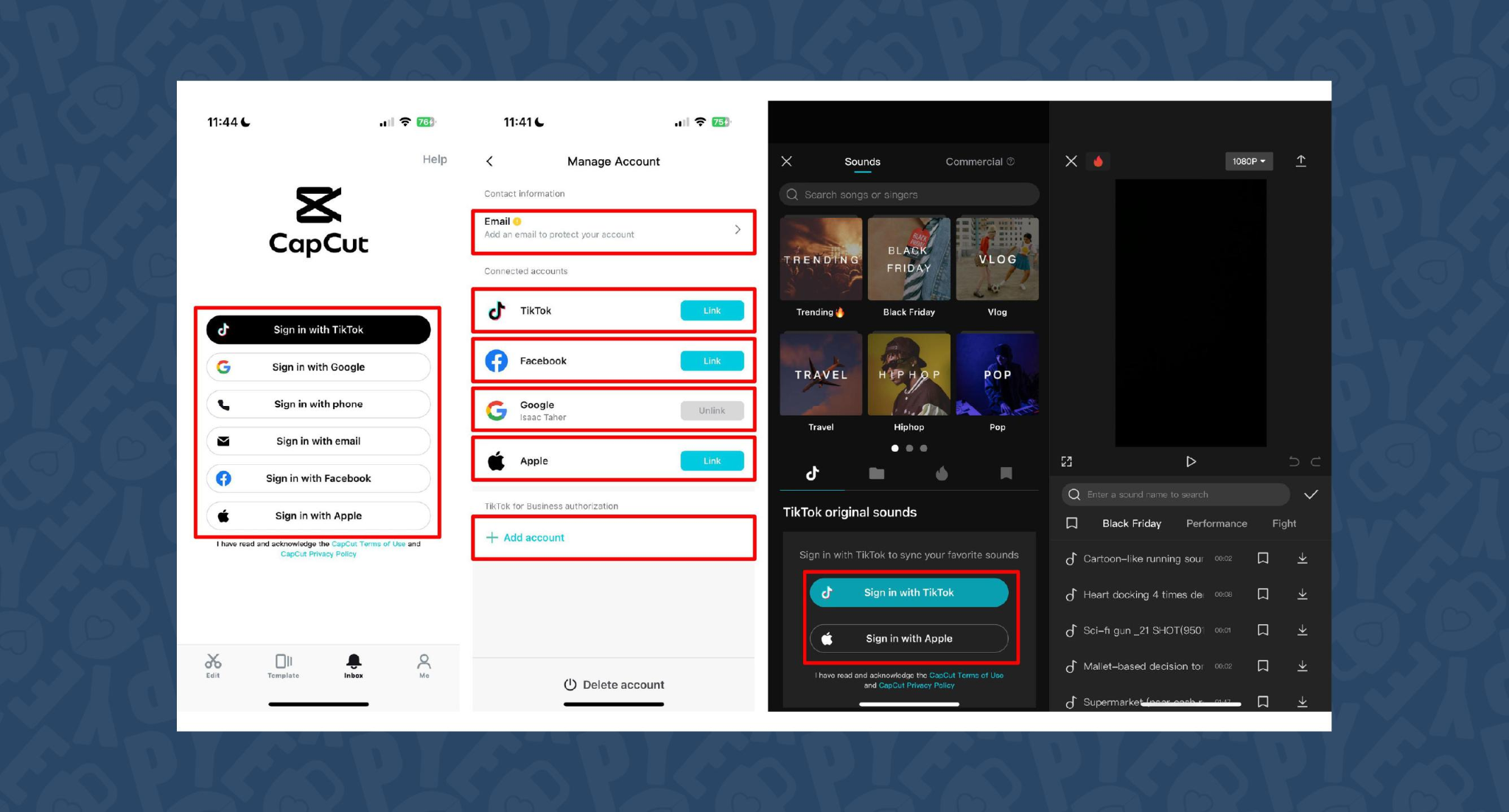
CapCut is popular because the basics are unlimited and easy. You can record voice-overs online, with no time limits, or use built-in AI for text-to-speech. It auto-generates subtitles even if the speaker’s not on screen. The editing controls let you adjust pitch, speed, volume, fades, and more, and you can mix several audio tracks. For global reach, you can use built-in AI dubbing to generate multi-language versions of your VO.
On mobile, the recording flow is in-app for iPhone (Sound > Microphone); on desktop or web, you script, record, add subtitles, edit, and export - all in one. This feels more like a professional tool than most free options.
You can use CapCut to clarify complex videos with on-screen captions, localize tutorials for other markets, or keep a consistent voice tone for social media videos.
3) VEED - best for replacing multiple tools (recording, captions, storage, sharing)
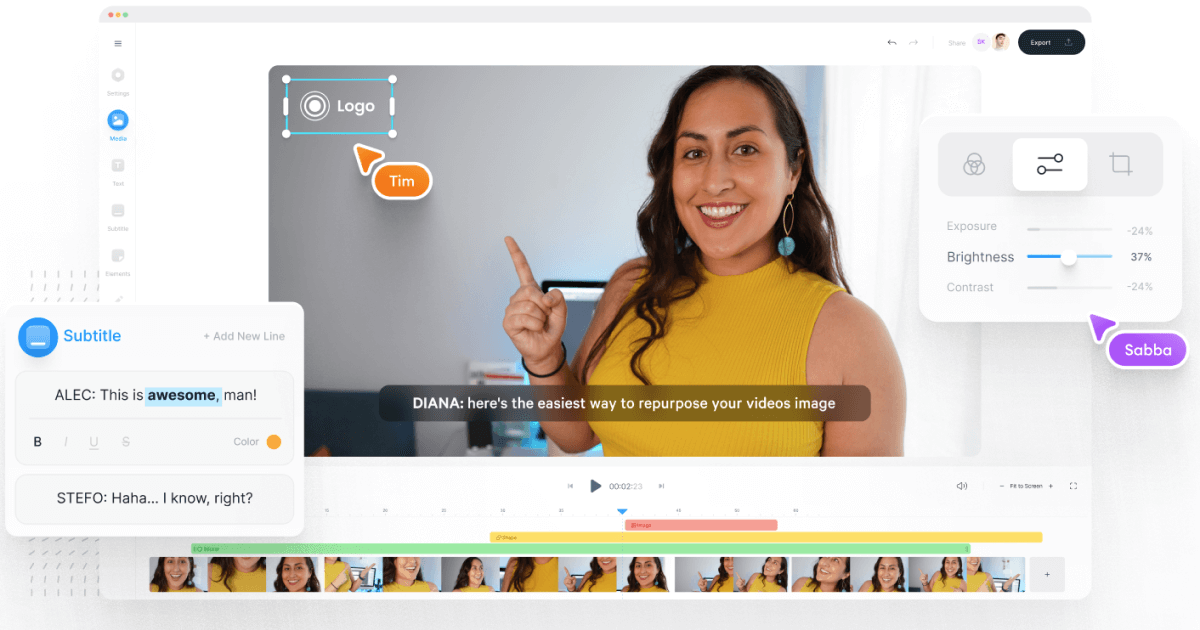
VEED has built a reputation as an all-in-one workflow. Instead of bouncing between Loom, Rev, Google Drive, and YouTube, you get everything in one place: recording, AI text-to-speech, one-click subtitle generation, and automatic audio cleanup.
User reviews are strong (4.6/5, with about a 60% reduction in editing timeaccording to one testimonial). It’s aimed at teams who need consolidated workflows and secure sharing. You edit, subtitle, and publish in one tool - no more file shuffling or switching between apps.
4) Speechify Studio - best for fast AI dubbing with a large voice library
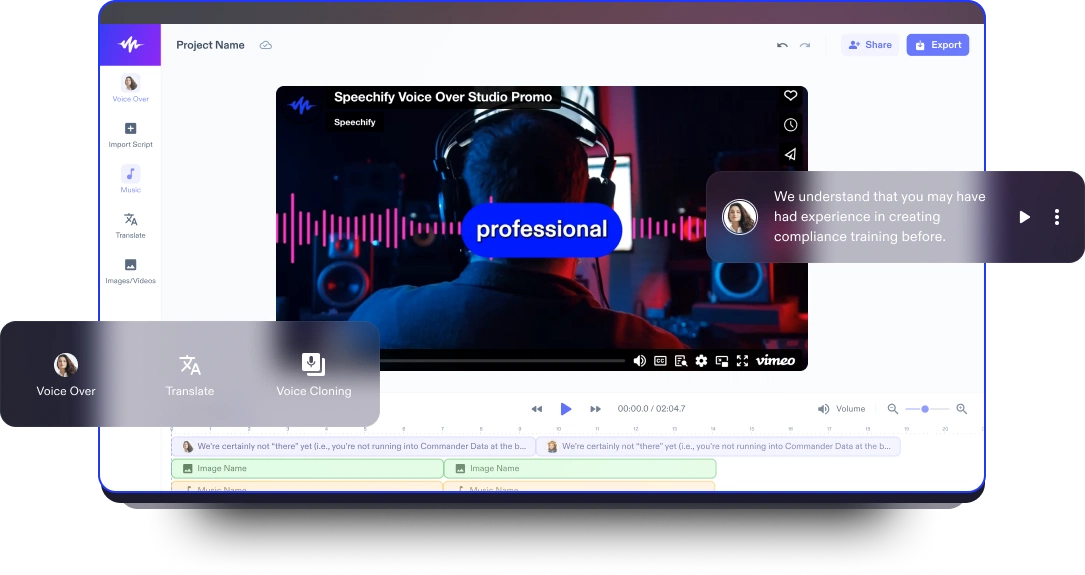
Speechify Studio focuses on AI voice versatility. You get over 200 lifelike voices in multiple accents and languages, perfect for instant dubbing or easy localization. One click dubs into new languages and generates synchronized subtitles. The editor is drag-and-drop, with templates and a vast library of royalty-free music and video assets.
Everything happens in the browser, working across platforms. You can upload your own VO or just use the AI, mix in background tracks, and export in multiple sizes (for YouTube, Instagram, etc.). For YouTube, social teasers, or education, this is one of the fastest ways to get multi-language narration without hiring VO talent.
5) ClipChamp - best free TTS variety and easy script control
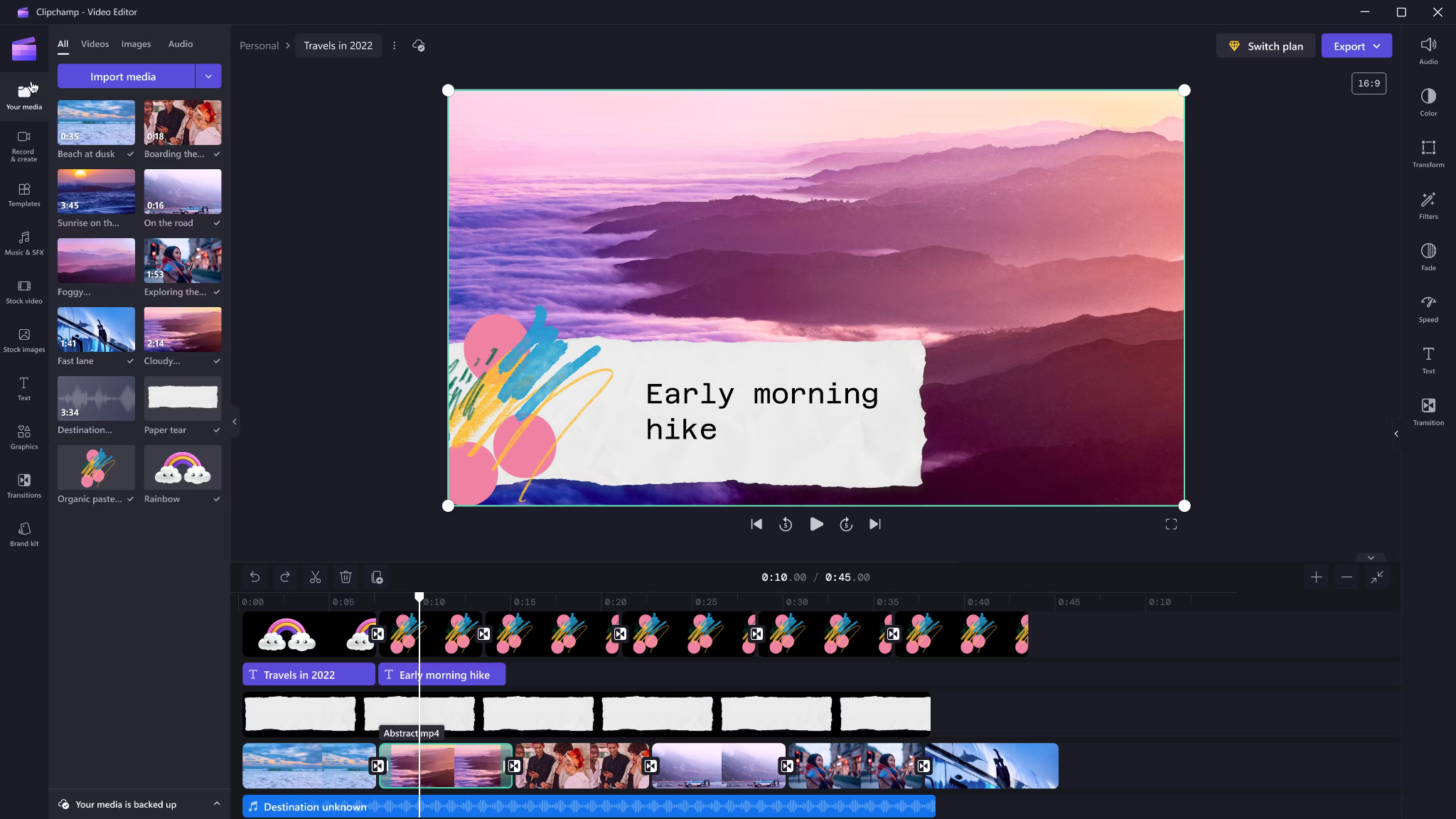
Clipchamp shines with variety and ease for AI voice-overs. It includes 400 AI voices (male, female, neutral) in 80 languages. You can tweak pitch, emotion, speed (0.5x to 2x) and control pauses/emphasis directly in your script by adding ellipses (“...”) or exclamation marks. If voices mispronounce a word, type it out phonetically.
Output options include transcript exports, subtitles, or just the audio as MP3. Every export is free and unlimited, and user reviews are high (4.8/5 from 9.5k reviews). This is a quick route for social videos, simple explainers, or business presentations.
6) Powtoon - best for animated explainers with built-in VO recording

Powtoon’s big advantage is simplicity for animated videos. It has built-in voice-over recording, lots of customizable templates, and a royalty-free music library. Major brands use it for onboarding and explainers, and it claims tens of millions of users.
You can record your narration directly in the editor, layer music, set up a branded look, and publish to social or business platforms straight from Powtoon. This works well if you want animations with matching narration, but don’t want to learn complex motion tools.
7) Wave.video - best for quick client-ready edits and layered audio tracks
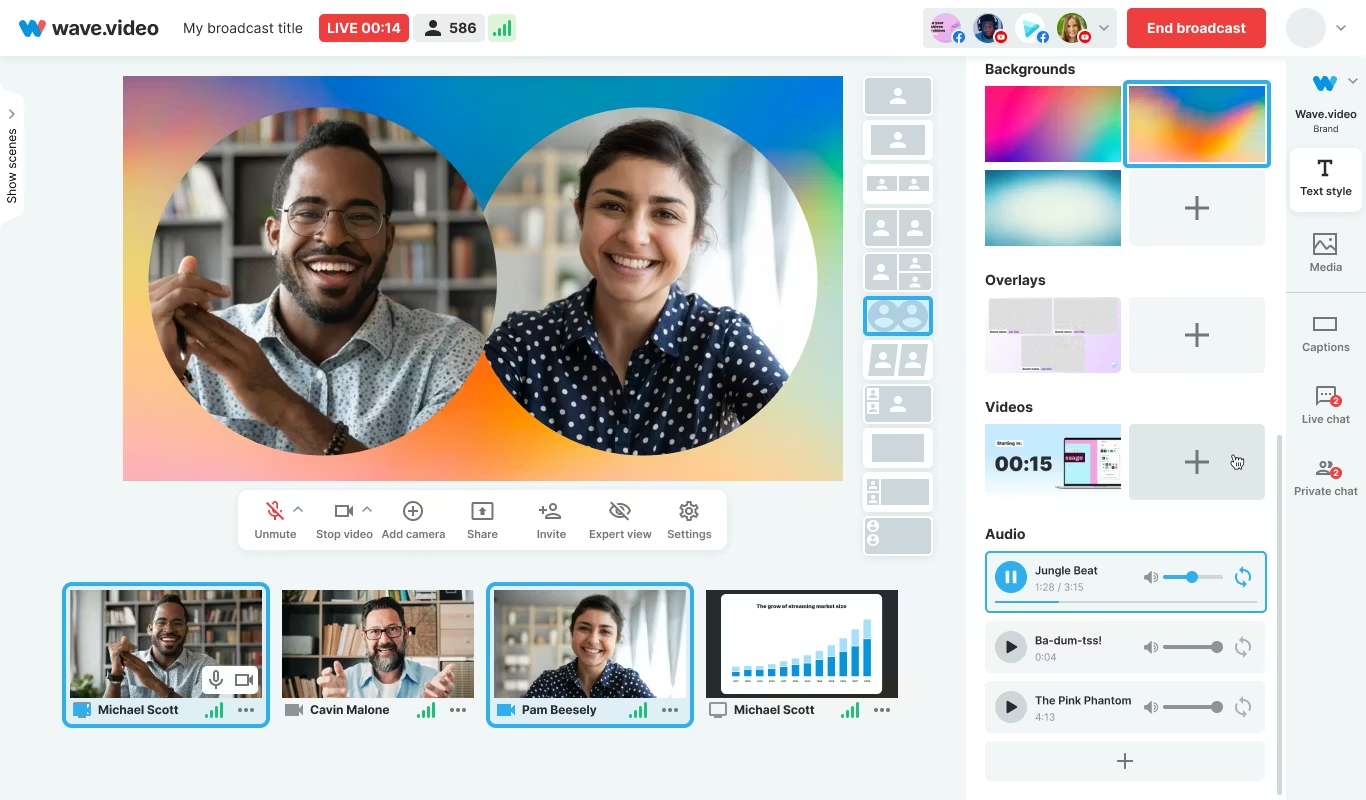
Wave.video is designed for speed and easy audio layering. You can record or upload up to three audio tracks (voice, music, sound effects), then trim and sync each on a clear timeline. Automated captions let your video communicate even if played on mute. Users report getting client-ready videos in as little as 20–30 minutes, thanks to the streamlined process.
This tool fits agencies and freelancers who need regular, clear voice-over videos with quick turnarounds.
Honorable mentions and caveats
There’s also the Voice Over Video app for iOS/iPadOS. It handles multiple VO tracks and edits, and offers a cheap lifetime unlock. However, some users find problems with longer videos: slow playback, export glitches, or audio muting bugs. It’s okay for short clips - test it before using for multi-segment training pieces.
How Colossyan maps to the needs above
I’ll be clear - most editors focus on easy voice-over for marketing or social video. Colossyan stretches further for learning and enterprise.
If you need multilingual versions, Instant Translation creates new language drafts for the whole video (script, on-screen text, interactions), maintaining layout. You can use cloned voices for brand consistency, and our Pronunciations library does what some other editors only do for one-off cases: you save pronunciation settings for product names or technical terms, and every video stays correct.
Pauses, animation markers, and script editing give you fine control over delivery and pacing - a real edge if you want natural, accurate speech. And while Clipchamp lets you control delivery with punctuation, Colossyan lets you sync these to avatar gestures and on-screen animations for even more realism.
Large teams can import docs or PowerPoints and transform them into scenes with the narration built in - saves hours compared to manual scripting. Collaboration, brand kits, and workspace organization mean even non-designers or new team members can keep everything consistent.
We support interactive learning: quizzes and branching, tracked by analytics. SCORM export means your videos fit into any LMS or training system, and our analytics track real results (scores, time watched, drop-off points). For organizations, this is a serious step up from just generating a narrated video.
Example: For compliance learning, import a policy PDF, assign a voice clone, adjust pronunciations for terms like “HIPAA,” add quizzes, export SCORM, and get analytics on where learners struggle - a complete feedback loop.
For a multilingual product rollout, create an English master, translate to Spanish and Japanese, assign native accents or avatars, export closed captions and audio-only versions for other channels, and keep all assets in sync with your brand.
For scenario-based training, use Conversation Mode to create role-play videos with branching. Learners pick responses, and you measure the impact with analytics - something most consumer editors can’t do.
The right editor for your scenario
If you’re a beginner content creator or need simple, free TTS and subtitles, CapCut or Clipchamp is enough.
Marketing teams might prefer VEED to replace multiple tools and simplify sharing, or Powtoon if you need stylish explainers fast.
If you want fast, multi-language dubbing, Speechify Studio or Clipchamp do it, but for real global training with instant translation, on-screen adaptation, and analytics, Colossyan is the stronger choice.
For building e-learning, SCORM packages, compliance training, or videos for enterprise where accuracy and engagement matter, I’d pick Colossyan every time.
Want more guidance on scripting voice-overs, localizing training, or making sure your AI voice matches your brand? Book a demo with our team and we will run through the best ways you can.
How To Make Software Training Videos: A Step-By-Step Guide

To make effective software training videos: 1) Define learner outcomes and KPIs, 2) Break workflows into bite-sized tasks, 3) Script in a conversational, step-by-step format, 4) Choose a format like screencast, avatar, or hybrid, 5) Produce with clear branding, captions, and on-screen prompts, 6) Add interactivity like quizzes and branching, track results with SCORM, 7) Localize for key languages, 8) Publish to your LMS or knowledge base, 9) Analyze watch time and pass rates, 10) Update based on analytics.
Why software training videos matter now
A lot of employees say they need better training materials. Over half - 55% - report they need more training to do their jobs well source. And people actually look for video training: 91% have watched an explainer video to learn something in 2024 source. There’s good reason for this - e-learning videos can boost retention rates by up to 82% compared to traditional methods.
This isn’t just about feels or fads. U.S. companies spend about $1,286 per learner per year on training. That’s a big investment - so it should work. Some real examples back this up: Microsoft cut its learning and development costs by about 95% (from $320 to $17 per employee) when it launched an internal video portal. Zoom cut its video creation time by 90% after moving to AI-powered video production. Berlitz made 1,700 microlearning videos in six weeks, producing faster and cutting costs by two-thirds.
The lesson: shorter, purpose-built videos not only lower costs but actually help people learn more and stay with the company.
Pick the right training video format for software workflows
Not every video needs to look the same. Choosing the best format helps learners get what they need, faster.
Screencasts are great for point-and-click steps, UI changes, or any kind of hands-on walk-through. If you’re explaining a new feature or daily workflow, a screencast with clear voice-over covers it.
AI avatar or talking-head formats add a personal touch. Use these when you need to explain why a change matters, show empathy, discuss policy, or onboard new users.
Hybrid approaches are gaining ground: start with an avatar giving context, then cut to a screencast for hands-on steps - so learners get clarity plus a human connection.
Don’t forget interactive training videos. Adding quick quizzes or branching scenarios creates active learning and gives you feedback on who actually understood the lesson.
Keep most topics to 2–7 minutes. Under 5 minutes tends to work best for engagement. Microlearning for single tasks works well at 60–90 seconds. Change scenes every 10–20 seconds and keep intros short (about 10 seconds). Always use captions.
Step-by-step: how to make software training videos efficiently
Step 1: define outcomes and KPIs
Decide what the learner should be able to do. For example: “Submit a bug ticket,” “Configure SSO,” or “Export a sales report.” KPIs might be quiz pass rate, average time to completion, watch time, or rate of errors after training.
If you use Colossyan, you can set up projects in organized folders for each workflow and use built-in analytics to track quiz scores and viewing time - especially useful if you want SCORM compliance.
Step 2: break the software workflow into micro-tasks
Split every workflow into the smallest possible tasks. This speeds up production and makes learning less overwhelming. For example, “Create a support ticket” is really several steps: open app, select project, fill summary, choose priority, submit.
With Colossyan, Templates help you scaffold these microlearning modules fast and keep things consistent, even if you don’t have a design background.
Step 3: gather your source content and SME notes
Scripts should always be based on company manuals, SOPs, or input from actual subject matter experts. Cut any fluff or redundant info.
Our Doc to video feature allows you to upload SOPs, PDFs, or even PowerPoint files; the platform then splits them into scenes, pulling out speaker notes and draft scripts.
Step 4: script a conversational, step-by-step narrative
Focus the language on step-by-step actions - don’t use confusing jargon. Keep each script to 1–3 learning objectives. Plan to include on-screen text for key steps and definitions, and change scenes quickly.
I usually rely on our AI Assistant to tighten up scripts, add Pauses for pacing, and set up Pronunciations so brand acronyms are said correctly.
Step 5: set brand and structure before recording
People trust materials that look consistent. Using Brand Kits in Colossyan, I apply the right fonts, colors, and logos across all video modules. I resize drafts to match the destination - 16:9 for LMS, 9:16 for mobile.
Step 6: produce visuals (screencast + presenter)
For actual workflows, I capture a screen recording to show the clicks and UI. Whenever possible, I add an avatar as presenter to introduce context or call out tricky steps.
In Colossyan, our Media tab supports quick screen recordings, and avatars (with custom or stock voices) let you give a consistent face/voice to the training. Conversation Mode is handy for simulating help desk chats or scenarios. Animation Markers and Shapes allow precise callouts and UI highlights.
Step 7: voice, clarity, and audio polish
Audio should be clean and clear, with no awkward pauses or filler. Colossyan has a Voices library or lets you Clone Your Voice so all videos sound consistently on-brand. You can tweak intonation and stability or download audio snippets for SME approval. A quiet music bed helps with focus, but keep it low.
Step 8: make it interactive to drive retention
Adding a quiz or decision branch makes the training stick. Interactive checks turn passive watching into active learning.
In Colossyan, you can insert Multiple Choice Questions, set branching paths (“what would you do next?”), and set pass marks that connect to SCORM tracking.
Step 9: accessibility and localization
Always include captions or transcripts - not everyone can listen, and localization helps scale training globally. Colossyan exports closed captions (SRT/VTT) and has Instant Translation to spin up language variants, matching voices and animation timing.
Step 10: review and approvals
Expect several rounds of feedback, especially in compliance-heavy orgs. You want time-stamped comments, version control, and clear roles.
Colossyan supports video commenting and workspace management - assign editor/reviewer roles to keep it structured.
Step 11: publish to LMS, portal, or knowledge base
When a module is ready, I export it as MP4 for wider compatibility or SCORM 1.2/2004 for the LMS, set up pass marks, and embed where needed. Our Analytics panel shows watch time and quiz results; you can export all this as CSV for reporting if needed.
Step 12: iterate with data
Check where people drop off or fail quizzes. Tweak scripts, visuals, or interaction. In Colossyan, you can compare video performance side by side and roll improvements out by updating Templates or Brand Kits for large programs.
Real-world patterns and examples you can use
For onboarding, I build microlearning tasks (about 60–90 seconds each): “Sign in,” “Create record,” or “Export report.” Typical structure: 8-second objective, 40-second demo, 10-second recap plus a quiz. I use Doc to video for scene drafts, add avatar intros, screen-record steps, set an 80% pass mark on the MCQ, export as SCORM, and track who completed what.
For a product rollout, the avatar explains why a new feature matters, then a screencast shows how to enable it, with branching for “Which plan are you on?” Colossyan’s Conversation Mode and Instant Translation help cover more teams with less work.
In a compliance-critical workflow (like masking PII), I use on-screen checklists, captions, and a final quiz. Shapes highlight sensitive areas. SCORM export keeps audits easy since pass/fail is tracked, and results can be exported as CSV.
How long should software training videos be?
Stick to 2–7 minutes per topic. Most people lose focus in anything longer than 20 minutes. Microlearning modules (about 60 seconds each) help people find and review single tasks fast.
Tool and budget considerations (what teams actually weigh)
Teams without heavy design skills want fast, simple tools. Expensive or complicated solutions are a nonstarter source. Platforms like Vyond are powerful but can cost more. Simple tools like Powtoon or Canva keep learning curves short.
With Colossyan, you don’t need editing or design background. Doc/PPT-to-video conversion and AI avatars keep things moving quickly - just fix the script and go. You get quizzes, SCORM export, analytics, captions, and instant translation all in one spot. Brand Kits and Templates mean everything stays consistent as the program grows.
Production checklist (ready-to-use)
Pre-production:
- Define audience, outcome, and KPIs.
- Choose format and length.
- Gather source SOPs and SME notes.
- Storyboard objectives and scenes.
- In Colossyan: Set up folder, apply Brand Kit, import doc/PPT.
Production:
- Record screens, add avatar.
- Polish scripts; add Pronunciations, Pauses, Markers.
- Add on-screen text, set up captions.
- In Colossyan: Add MCQ/Branching, music, and role-play if needed.
Post-production:
- Preview, edit pacing.
- Export captions, generate language versions.
- Collect stakeholder sign-off using comments.
- Export MP4/SCORM, upload to LMS, set pass mark.
- Review analytics, iterate.
Sample micro-script you can adapt (“create a ticket”)
Scene 1 (10 sec): Avatar intro: “In under a minute, you’ll learn to create a high-priority support ticket.”
Scene 2 (35 sec): Screencast steps, on-screen labels: “Click Create, add a clear summary, choose Priority: High. In Description, include steps to reproduce and screenshots.”
Scene 3 (10 sec): Recap + MCQ: “Which field determines escalation SLA?” Choices: Priority (correct), Reporter, Label.
Colossyan makes it easy to add Pauses, highlight fields, set quiz pass marks, captions, and export to SCORM for tracking.
Measuring success and iterating
Track watch time and where people drop off. Look at quiz pass rates - are people passing the first time or not? If possible, watch operational KPIs like error rates after training.
With Colossyan, you can review analytics by video and by learner. Export to CSV for reports, then update underperforming modules quickly using Templates.
If you’re looking to turn manuals and processes into clear, trackable, and brand-consistent training videos, it’s possible to do all of it in one platform - and you don’t need to be an expert. That’s how I build, localize, and measure software training programs at Colossyan.
How To Create Animated Videos From Text Using AI Tools
Introduction: From Text to Animation in Minutes
Turning text into animated video used to take days and a lot of design work. With text-to-animation AI, you can now enter a script, pick a style, and get a complete video - usually in minutes. This isn’t just about speed. You get consistent branding, easier localization, and it’s simple to scale training or marketing across regions and departments.
At Colossyan, we focus on L&D - helping teams quickly convert handbooks, docs, and presentations into interactive, branded, SCORM-compliant video training. Everything gets faster. You customize avatars and voices, keep everything on-brand, add quizzes, see analytics, and manage versions at scale. Here’s what I’ve found after comparing the field.
What Is Text-to-Animation AI?
Text-to-animation AI is software that builds animated scenes, visuals, motion, and AI voice narration straight from your script or document. Most tools ask for either a prompt (e.g., "Show animated coins falling into a piggy bank") or let you upload a file. They then auto-match visuals, voices, music, and subtitles. You can tweak the results without being a designer.
Common uses: training videos, explainers, tutorials, onboarding content, social videos, and ads. These aren’t just talking heads. Tools like Colossyan support different animation styles, avatars, voice cloning, captions, and language dubbing. Steve.ai reads your script, picks visuals by context, and builds social clips or onboarding in minutes. It’s almost mindless - just prep your message, and the platform does the rest.
Quick Tool Landscape and When to Use Each
Every tool has a twist. Here’s what stands out:
- Colossyan: Auto-animated L&D videos from prompts - add words like "animated" or "cartoon-style" to control look. You can generate large scripts in one pass, customize avatars, voices, quizzes, translations, and SCORM export. Trusted by enterprise users for speed and compliance.
- Animaker: Good for choice - 100M+ assets, billions of avatars, and wide templates. A marketer reported double sales conversions and 80% less production time. Free plan is useful; paid plans unlock more features.
- Steve.ai: Anyone can go from script to animated or live-action video with zero prior experience. Three steps: enter script, pick template, customize.
- Renderforest: Turns short scripts into custom scenes you can adjust - speaker, tone, or colors in real time.
- Adobe Express: Simple cartoon animations. Auto-syncs lip and arm movements, but uploads limited to two minutes per recording.
- Powtoon: Covers doc-to-video, animated avatars, translation, scriptwriting, and more. Trusted globally for enterprise scale.
For L&D, Colossyan focuses on document-to-video, branded templates, interactive quizzes, branching, analytics, SCORM support, avatars, cloned voices, pronunciation, translation, and workspace management - all to modernize and measure training content at high volume.
Step-by-Step: Create an Animated Video from Text (Generic Process)
- Write your script (300-900 words is ideal). Each scene should handle one idea (2–4 sentences).
- Choose a style. Be specific in prompts (“animated,” “cartoon-style,” “watercolor,” etc.).
- Upload or paste your script; let the AI build scenes.
- Replace or adjust visuals. Swap automated graphics with better stock or your own uploads, tweak colors, backgrounds, or add music.
- Assign a voice. Pick natural voices, and teach the tool custom pronunciations if needed.
- Add captions and translations for accessibility and localization.
- Export the video in the format you need.
Step-by-Step: Building an L&D-Ready Animated Video in Colossyan
- Upload your policy PDF - Colossyan splits it into scenes and drafts narration.
- Apply your brand fonts, colors, logos using Brand Kits.
- Drag in avatars; use two on screen for role-play scenarios.
- Assign multilingual voices; add custom pronunciations or clone a trainer’s voice.
- Rephrase or cut narration with AI Assistant, insert pauses for natural speech.
- Use animation markers for key visual timing; add shapes or icons.
- Insert stock images or screen recordings for clarity.
- Add interactive multiple-choice questions or branching scenarios.
- Translate instantly to another language while keeping timing and animations.
- Review analytics: who watched, duration, and quiz results.
- Export to SCORM for LMS tracking.
- Organize drafts, invite reviewers, manage permissions at scale.
Prompt Library You Can Adapt
- Finance: “Animated coins dropping into a piggy bank to demonstrate money-saving tips.”
- HR onboarding: “Cartoon-style animation welcoming new hires, outlining 5 core values with icons.”
- Tutorial: “Animated step-by-step demo on resetting our device, with line-art graphics and callouts.”
- Compliance: “Branching scenario showing consequences for different employee actions.”
- Safety: “Cartoon-style forklift safety checklist with do/don’t sequences.”
- Cybersecurity: “Animated phishing vs legitimate email comparison.”
- Customer service: “Two animated characters role-play de-escalation.”
- Marketing: “Watercolor 30-second spring sale promo with moving text.”
- Executive update: “Animated KPI dashboard with bar/line animations.”
- Localization: “Animate password hygiene video in English and Spanish - visuals and timings unchanged.”
Script, Voice, and Pacing Best Practices
- Keep scenes short and focused (6–12 seconds, one idea per scene).
- Write clear, spoken sentences. Use pauses, highlight key terms, fix mispronunciations.
- In Colossyan, use Script Box for pauses, animation markers, and cloned voices.
Visual Design and Branding Tips
- Apply templates and Brand Kits from the start.
- Keep on-screen text high contrast and minimal.
- Use animated shapes to highlight points. Centralize assets in Colossyan’s Content Library.
Localization and Accessibility
- Colossyan supports avatars, multilingual voices, captions, dubbing, and Instant Translation.
Interactivity, Measurement, and LMS Delivery
- Branching and MCQs improve engagement.
- Analytics show view time, quiz results, and compliance tracking. Export to SCORM.
Scaling Production Across Teams
- Organize folders, drafts, review workflows, and user roles.
- Colossyan keeps high-volume production manageable.
Troubleshooting and Pitfalls
- Watch for free tier watermarks.
- Specify animation style in prompts.
- Break long scripts into multiple scenes.
- Store licensed media in the Content Library.
FAQs
- Can I turn documents into video? Yes. Upload Word, PDF, or PowerPoint in Colossyan.
- Can I have an on-screen presenter? Yes, up to 4 avatars in Colossyan.
- How do I localize a video? Instant Translation creates language variants.
- How do I track results? Analytics and SCORM export track everything.
- Can I mix live-action and animation? Yes, screen recordings and animated avatars can coexist.
Mini-Glossary
- Text-to-speech (TTS): Converts text to voice.
- SCORM: LMS tracking standard.
- Branching: Lets viewers choose paths in a video.
- Animation markers: Cues for timing visuals.
Suggested Visuals and Alt Text
- Prompt-to-video screenshot (alt: “Text-to-animation prompt using an AI tool”)
- Before/after scene board with branding (alt: “Auto-generated animated scenes with brand colors and fonts”)
- Interaction overlay with MCQ and branches (alt: “Interactive quiz and branching paths in training video”)
- Analytics dashboard (alt: “Video analytics showing learner engagement and scores”)
Opinion: Where All This Sits Now
AI animated video creation is fast, consistent, and nearly push-button for explainer or training needs. Colossyan is ideal for L&D or enterprises needing branding, interactivity, analytics, workspace management, and compliance. For one-off social videos, other tools might suffice, but for SCORM, analytics, and enterprise control, Colossyan leads.
AI-Generated Explainer Videos: Best Tools + Examples That Convert
Why AI explainers convert in 2025
Explainer videos hold people’s attention longer than most formats - about 70% of their total length, especially if they’re short and focused. The sweet spot is 60–90 seconds [source]. That staying power is what makes AI-generated explainer videos so effective for both marketing and training.
AI tools have changed the process. Instead of days editing or filming, you can now turn a prompt or a document into a finished video in minutes. These videos support multiple languages, have natural-sounding AI presenters, and even include interactive questions. You can see exactly who watched, how long they stayed, and whether they learned anything.
When people talk about “conversion” with explainers, the meaning shifts by context:
- If it’s marketing, conversion is whether viewers sign up, request a demo, or understand what your product does.
- In L&D and training, it’s about who finishes the video, how they score on questions, and whether learning sticks. Did people pass the compliance test? Did they remember the new process change?
You don’t need to hire a studio. Platforms like Invideo AI now generate full explainer videos with voiceover, background music, product screencasts, and subtitles from a single prompt - no cameras, no actors, just a few clicks.
At Colossyan, I see L&D teams take slide decks or long SOPs and convert them straight into branded, interactive videos. With Doc to video, Templates, and Brand Kits, it’s easy to keep every video on-message. And because we track plays, watch time, quiz scores, and SCORM pass/fail data, you know exactly what’s working - and what needs a rewrite.
What makes a high-converting AI explainer
If you want explainer videos that don’t just get watched, but actually change behavior, here’s what matters.
- Keep it short: 60–90 seconds works best. Hook viewers in the first 3–5 seconds. Focus on one problem and its solution.
- Structure is key: Set up a problem, show your solution, offer proof, and end with a clear next step. Leave the hard sales pitch for another time, especially with internal training.
- Accessibility widens your reach: Add captions and create separate versions for each language. Don’t mix languages in one video; split them for clarity.
- High-quality visuals help: Natural audio, real or realistic avatars (not uncanny valley robots), clear graphics. Use stock footage and animation markers to match the voiceover with visuals.
- Make it interactive: Training videos with a quiz or branching scenario get more engagement. Good analytics let you fix weak spots fast.
A simple checklist:
- 60–90s total
- Problem/outcome in first line (the hook)
- Captions always on
- One language per version
- Clean, matched visuals
- Conclude with one clear outcome
With Colossyan, I can script out pauses and add animation cues so visuals match up with the narration exactly. If there’s a tricky product name, the Pronunciations tool gets it right every time. Voice cloning keeps the delivery consistent. And Instant Translation spins out a new language variant - script, captions, interactions - in minutes.
Interactive MCQs and branching scenarios turn passive viewers into active learners. Our Analytics panel tells you exactly how long people watched, what quiz scores they got, and which scenes you might need to tighten up.
Best AI explainer video tools (and who they’re best for)
There’s a tool for every use case. Here’s a rundown:
Invideo AI: best for quick, stock-heavy explainers with AI actors. Trusted by 25M+ users, supports 50+ languages, loads of studio-quality footage, and even lets you make your own digital twin. It’s ideal for rapid 60–90s marketing videos with real human avatars, b-roll, and subtitles. Free plan is limited but fine for light use.
simpleshow: best for turning dense topics into short, clear explainers. Their Explainer Engine generates scripts, chooses simple visuals, and adds timed narration and music. One-click translation to 20 languages. Made for anyone, no production skills needed.
Steve.AI: best for fast story-driven shorts. With over 1,000 templates and cross-device collaboration, it’s built to keep videos at the high-retention 60–90 second range. Great for social explainers with punchy hooks.
NoteGPT: best for one-click document-to-animation. Converts PDFs or Word files into animated explainers - auto voiceover, subtitles, editable scripts. Complete a training or lesson video in under 10 minutes. Used widely in education.
Synthesia: best for enterprise avatars, languages, and compliance. Has over 230 avatars, 140 languages, and top-tier compliance. Screen recording, AI dubbing, and closed captions included. If you need consistent presenters and solid security, this is it.
Imagine Explainers: best for instant, social-first explainers. You can tag @createexplainer in a tweet, and it’ll auto-generate a video from that thread. Perfect for trend-reactive marketing.
Pictory.ai: best for boiling long content into snappy explainers. Turn webinars or articles into concise, subtitled highlight videos. Huge stock library and compliance focus.
Colossyan: best for interactive, SCORM-compliant training explainers at scale. Designed for L&D to turn docs and slides into interactive, on-brand videos - quizzes, branching, analytics, full SCORM compliance, and quick brand customization. Instant Avatars and voice cloning make it easy to personalize content across large, global teams.
Real examples that convert (scripts you can adapt)
Example 1: 60-second SaaS feature explainer
Hook: “Teams lose hours each week on [problem].”
Problem: Show the frustrating workflow (screen recording helps).
Solution: Demo the streamlined steps.
Proof: Drop a client quote or key metric.
Close: Restate the outcome (“Now your team saves 5 hours a week.”).
In Colossyan, I’d import the feature’s PPT, use the built-in screen recording for the demo, then pick a template and sync animation markers to highlight UI clicks. Captions on by default, and after launch, I’d check Analytics to see where viewers dropped off or replayed.
Example 2: 90-second compliance microlearning
Hook: “Three decisions determine whether this action is compliant.”
Walk viewers through a branching scenario: each choice links to an outcome, a quick explanation, then a final quiz.
Recap the single rule at the end.
At Colossyan, I’d use Doc to video for the policy PDF, add a branching interaction for decision points, set a pass mark on the quiz, and export as SCORM to track completions in the LMS. Analytics would show which choices or wording confuse most learners.
Example 3: 75-second onboarding explainer
Hook: “New hires finish setup in under 5 minutes.”
Steps 1–3 with over-the-shoulder narration from a recognizable avatar.
Captions and translated variants for different regions.
I’d import speaker notes from the HR deck, build an Instant Avatar from the HR lead, fix system names with Pronunciations, clone the HR’s voice, and spin out Spanish/German variants for each region.
Example 4: Social explainer from a thread
Hook: “You’re doing X in 10 steps; do it in 2.”
30–45 seconds, bold text overlays, jumpy transitions.
In Colossyan, I’d start from scratch, heavy on text and shapes for emphasis, then tweak music and pacing for a vertical mobile feed.
The storyboard-to-animation gap (and practical workarounds)
A lot of creators want true “script or storyboard in, Pixar-like animated video out.” Reality: most tools still don’t hit that. Synthesia has the best avatars, but doesn’t do complex animation. Steve.AI gets closer for animation but you lose some visual polish and control.
Right now, the fastest and cleanest results come by sticking to templates, using animation markers to time scene changes, and prioritizing clear visuals over complex motion. Stock, AI-generated images, bold text, and light motion go a long way.
At Colossyan, we can tighten scenes with animation cues, use gestures (where avatars support it), and role-play conversations using Conversation Mode (two avatars, simple back-and-forth) for more dynamic scenarios - without a full animation crew.
Buyer’s checklist: pick the right AI explainer tool for your team
Languages: Need broad coverage? Synthesia, Invideo, and Colossyan all offer 20–140+ languages; Colossyan translates script, on-screen text, and interactive elements in one workflow.
Avatars/voices: Want custom avatars and consistent voices? Invideo, Synthesia, and Colossyan have depth. Instant Avatars and easy voice cloning are strengths in Colossyan.
Compliance/training: If SCORM and LMS tracking matter, Colossyan stands out: direct SCORM 1.2/2004 export with pass marks, play/quiz Analytics, CSV exports.
Speed from docs: For one-click doc-to-video, NoteGPT and Colossyan’s Doc/PPT/PDF Import take in almost any source.
Stock/assets: If you need a massive media library, Invideo and Pictory lead, but Colossyan’s Content Library keeps assets on-brand and organized for the whole team.
Collaboration/scale: Enterprise workspaces, roles, and approval are easier in Invideo’s Enterprise and Colossyan’s Workspace Management.
Free plans: Invideo free tier has limits on minutes and watermarks; Synthesia allows 36 minutes/year; NoteGPT is free to start and edit at the script/voice/subtitle level.
Step-by-step: build a high-converting explainer in Colossyan
Step 1: Start with your source material. Upload a manual, deck, or brief through Doc to video or PPT/PDF Import - Colossyan breaks it into scenes and drafts a first script.
Step 2: Apply Brand Kit - fonts, colors, logos - so even the first draft looks on-brand.
Step 3: Pick an Avatar or record an Instant Avatar from your team. Clone your presenter’s voice, and set custom Pronunciations for product or policy names.
Step 4: Don’t just tell - show. Screen record tricky software steps, then add animation markers to sync highlights with the narration.
Step 5: Insert a quiz (MCQ) or Branching scenario to make viewers think. Preview scene by scene, set pass marks, export as SCORM for the LMS, and check Analytics for engagement.
Step 6: Ready for multiple markets? Instant Translation turns a finished video into over 80 languages - script, captions, interactions - while keeping the look and structure.
Optimization tips from real-world learnings
One outcome per video works best. If you can’t compress the story to 60–90s, you’re trying to cover too much. Start with a punchy problem - don’t ease in. Use text overlays to hammer the point.
Always turn on captions - for both accessibility and higher completion. Most platforms, Colossyan included, generate these automatically.
Translate for your biggest markets. Colossyan translates everything at once and keeps the scenes clean, saving hours of reformatting.
Use analytics for continuous improvement:
- For courses: if scores are low or people drop out, rethink those scenes.
- For product demos: test new hooks or visuals and see what holds attention.
AI-generated explainers make it possible to move fast without cutting corners - whether for marketing, onboarding, or compliance. With the right approach and the right tool, you get measurable engagement and training outcomes, even as needs or languages scale. If you want on-brand, interactive L&D videos that deliver real results, I’ve seen Colossyan do it at speed and at scale.
AI Animation Video Generators From Text: 5 Tools That Actually Work

The AI boom has brought text-to-animation from science fiction into daily workflows. But with dozens of tools promising "make a video instantly from text," how do you know what actually gets results? Here, I’m cutting through the noise. These are the five best AI animation video generators from text. Each one delivers on critical points: real on-brief visuals from plain prompts, editable output, clear export and rights, and most important, actual user proof.
This isn’t a hype list. Every tool here makes text-to-video easy without constant manual fixes. If you need to turn a script into something polished fast, these are the platforms that work. Plus, if you’re building learning, onboarding, or policy explainers and need your output SCORM-ready, I’ll show you exactly where Colossyan fits.
How We Evaluated
I looked beyond the marketing pages. Each tool on this list had to meet high standards:
- Quality and control: Can you guide visual style, animation, lighting, and pacing?
- Speed and scale: How long do clips take? Are there character or scene limits? Can you batch projects?
- Audio: Are there real voice options, not just monotone bots? Is text-to-speech (TTS) language support strong?
- Editing depth: Can you swap scenes, voices, visual style, and update single scenes without starting over?
- Rights and safety: Is commercial use clear-cut, or riddled with fine print or dataset risks?
- Training readiness: Can you turn raw video into interactive, SCORM-compliant modules? (Where Colossyan shines.)
For every tool, you’ll see what it’s genuinely best at, plus practical prompt recipes and real-world results.
The Shortlist: 5 AI Text-to-Animation Tools That Deliver
- Colossyan - best for quick, automated animation videos with multilingual voiceovers
- Adobe Firefly Video - best for short, cinematic, 5-second motion with granular style controls
- Renderforest - best for template-driven explainers and branded promos
- Animaker - best for character-centric animation with a huge asset library
- InVideo - best for scene-specific edits and localized voiceover at scale
Colossyan Text-to-Animation - Fast From Prompt to Full Video
Colossyan’s text-to-animation generator stands out because it truly automates the process. You give it a script or prompt and get a video complete with AI voices, stock animation, background music, and captions. It’s quick - you might cut your editing time by 60%, according to power users.
Here’s how it works: plug in your script and use descriptors like "animated," "cartoon-style," or "graphics" to get animation (not just stock video). You get up to 5,000 TTS characters per run. Colossyan supports multiple languages and accents, so localization is simple.
Where it works best is when you need an explainer, policy video, or onboarding module fast. You can swap default footage for different animated looks—realistic, watercolor, even cyberpunk - plus add influencer-style AI avatars.
Limitations? Free exports are watermarked, and you need explicit prompts to avoid mixed stock assets. Paid unlocks more features and watermark removal.
Example prompt:
"Create a 60-second animated, cartoon-style safety explainer with bold graphics, friendly tone, and clear on-screen captions. Include watercolor-style transitions and upbeat background music. Language: Spanish."
Adapting it for training in Colossyan is simple. Turn your standard operating procedure into a module with Doc to Video. Import your assets from Colossyan drafts, apply your Brand Kit for consistent visuals, add avatars to speak the script (with multilingual output), and embed quizzes or MCQs. When it’s time to launch, export as SCORM and track real results in Colossyan Analytics.
Adobe Firefly Video - Cinematic 5-Second Motion With Precision
Adobe Firefly is about quality over quantity. It outputs five-second, 1080p clips, perfect for cinematic intro shots, product spins, or animated inserts. You get deep control over style, lighting, camera motion, and timing, so if you care about visual fidelity and brand consistency, Firefly excels.
You prompt with either text or a single image, and Firefly can animate objects into lifelike sequences. All clips are commercially usable and trained on Adobe Stock/public domain materials.
Where it excels: When you need perfect motion for product cutaways, micro-explainers, or branded short social content. Key limitation: each clip is capped at five seconds, so it’s not for full walkthroughs or longer training pieces.
Workflow: animate a 2D product render for a glossy hero shot, export, and import into your main video sequence. With Colossyan, use Firefly for motion graphics inserts, import it as a scene background, add AI avatar explanation, sync voice and visuals with Animation Markers, and drop it into an interactive scenario with Branching. Track knowledge checks via SCORM export.
Renderforest - Guided Text-to-Animation for Explainers and Promos
Renderforest is a go-to for non-designers looking for clear guidance and fast results. You go from idea or script to choosing your style and speaker, then let the AI suggest scenes. You can edit voiceover, transitions, and fonts before exporting - already in the right format for social, marketing, or internal explainers.
Their workflow is streamlined, supporting both animations and realistic videos. They’ve got big customer proof - 34 million users, 100,000+ businesses. Free to start (watermarked), then paid for higher export quality.
Use it when you want a plug-and-play template: onboarding, product demo, or startup pitch. The real value is in its guided approach. It means less choice overload, more speed.
Sample prompt:
"Text-to-animation explainer in a flat, modern style. 45 seconds. Topic: New-hire security basics. Calm, authoritative female voiceover. Include scene transitions every 7-8 seconds and bold on-screen tips."
For training, import Renderforest drafts into Colossyan’s Content Library, break up your script into slides/scenes, assign avatars for each section, and drop in MCQs. Interactive, tracked, and ready for export to any LMS.
Animaker - Character-Focused Animation at Scale
Animaker gives you sheer breadth. You can build almost any scenario - character animations for compliance, deep-dive explainers, or company-wide campaigns. The asset library is massive: over 100 million stock items, 70,000 icons, and billions of unique character options. You also get advanced tools like green screen and avatar presentations.
Real-world results stand out: GSK built 2,000+ videos, saving $1.4M. Others doubled sales or produced 70+ training modules with major time savings.
Best fit: HR, L&D, or marketing teams running recurring series with ongoing updates (e.g., new policy explainer every month, departmental updates).
Potential downside: with so many options, some users can feel lost. But for teams with a plan, it’s unmatched for animation variety.
If you’re pairing this with Colossyan, keep your visual storytelling/character arcs in Animaker, but move scripts into Colossyan for tracking, quizzes, Conversations (multi-avatar role-play), and LMS compliance.
InVideo - Scene-Specific Regeneration and Global Reach
InVideo brings scale and iteration. You can regenerate single scenes without touching the rest of the video, which is a real timesaver for last-minute tweaks. The platform covers 16 million licensed clips, AI avatars/actors in 50+ languages, and offers full commercial rights.
User reports highlight both speed and financial impact - production drops from hours to minutes, and some creators are monetizing channels in under two months.
If you want to localize, personalize, and test variants quickly, like marketing teasers or global product intros, InVideo is set up for it.
Prompt example:
"Create a 30-second animated product teaser. Energetic pacing, bold kinetic text, English narration with Spanish subtitles. Prepare variants for 1:1 and 9:16."
Use InVideo for teaser scenes or snackable intros, then build full training modules in Colossyan with your brand’s color and voice, localize at scale with Instant Translation, and add your assessment layers before SCORM export.
How These Tools Compare (Fast Facts You Can Use)
- Output length:
- Adobe Firefly: 5s, high-res
- Colossyan: full videos (TTS up to 5,000 chars/run)
- Renderforest/Animaker/InVideo: support longer storyboards
- Editing:
- Firefly: precise camera/lighting/motion
- InVideo: per-scene regeneration
- Colossyan/Renderforest/Animaker: edit scenes, swap voices, hundreds of style templates
- Voices & Languages:
- Colossyan, InVideo, Animaker: multilingual, neural TTS, subtitle/voiceover built-in
- Rights & Exports:
- Firefly: brand-safe (Adobe Stock)
- InVideo: commercial rights standard
- Others: paid plans remove watermark, unlock full exports
- Speed/Scale:
- Colossyan and Animaker users report 60–80% time savings
- Renderforest and InVideo tuned for quick, batch projects
Tip: In Colossyan, include "animated, cartoon-style" in your prompt to force animation. In Firefly, add details like "1080p, 5 seconds, slow dolly-in" for cinematic cutaways.
When You Need Training Outcomes and LMS Data, Layer in Colossyan
If you’re in Learning & Development, marketing, or HR, video is a means to an end. What really matters is how fast you can turn policy docs, safety SOPs, or onboarding decks into engaging, branded, and measurable learning.
That’s where Colossyan really helps. You can:
- Convert documents or slides into video instantly, split into scenes, generate script, apply animation, and assign an avatar for narration
- Use Brand Kits for instant visual consistency
- Add assessments (MCQs, Branching) for actual knowledge checks
- Export as SCORM (1.2/2004) and set pass marks, so every outcome is tracked in your own LMS
- Get analytics by user, video, scene - track who watched, how far, and how they scored
Example: Upload a 15-page security policy as a PDF, each page becomes a scene, assign script to avatars, and insert three knowledge checks. Create instant translations for global rollout. Export SCORM, upload to your LMS, and track completions in real time.
The Complete Guide To Choosing An e-Learning Maker In 2026
Choosing an e-learning maker in 2026 isn’t easy. There are now more than 200 tools listed on industry directories, and every product page claims a new AI breakthrough or localization milestone. The good news is certain trends have become clear. Cloud-based, AI-native tools with instant collaboration, scalable translation, and reliable SCORM/xAPI tracking are taking over - and the market is moving from slow, high-touch custom builds to simple, reusable workflows and quick updates.
This guide lays out how to navigate the choices, what matters now, how to judge features, and where video-first tools like Colossyan fit.
The 2026 landscape: why making the right choice is hard
The pace of change is the first challenge. The authoring tool market listed over 200 products by late 2025. AI isn’t a checkbox now; it's embedded everywhere. Tools like Articulate 360 use agentic AI to turn static materials into courses in minutes. Others let you upload a policy document or slide deck and see an interactive course ready almost instantly.
Cloud-native platforms are now the baseline. Their speed comes from shared asset libraries, in-tool review, and “no re-upload” updates - features that desktop tools just can’t match (Elucidat’s breakdown).
Localization quickly shifted from nice-to-have to critical. Some tools handle 30 languages, others hit 75 or 250+, and all claim “one-click” translation. Yet the quality, workflow, and voice options vary a lot.
And analytics still lag. Most systems push data to your LMS, but not all have native dashboards or support deeper learning records like xAPI.
When people compare on Reddit or in buyer guides, the same priorities keep coming up: a clean interface, fair pricing, SCORM tracking everywhere, help with translation, and the option to pilot before you buy.
What is an “e-learning maker” now?
It’s a broad term, but most fall into three camps:
- All-in-one authoring platforms: Examples are Articulate Rise/Storyline, Adobe Captivate, Elucidat, Gomo, dominKnow | ONE, Lectora, iSpring, Easygenerator, Genially, Mindsmith. These let you build, localize, and (sometimes) distribute learning modules of all types.
- Video-first or interactive video platforms: Colossyan turns Word docs, SOPs, or slides into videos with avatars, voiceovers, and quizzes, ready for LMS use. Camtasia is video-first too, but it focuses more on screen capture.
- LMS suites or hybrids: Some are bundling in authoring and distribution, but most organizations still export SCORM or xAPI to their own LMS/LXP.
Know what you need: authoring, distribution, analytics, or a mix? Map this before you start shortlisting.
A decision framework: twelve checks that matter
1. Speed to create and update.
AI script generation, document import, templates, and instant updates are the gold standard. Elucidat says templates make modules up to 4x faster; Mindsmith claims 12x. With Colossyan, you upload a doc or slide deck and get a polished video draft with avatars and voice in minutes.
2. Scale and collaboration.
Look for: simultaneous authoring, real-time comments, roles and folders, asset libraries. Colossyan lets you assign admin/editor/viewer roles and keep teams organized with shared folders.
3. Localization and translation workflow.
Don’t just count languages; check workflow. Gomo touts 250+ languages; Easygenerator does 75; Genially covers 100+; others less. Colossyan applies Instant Translation across script, screen text, and interactions, and you get control over pronunciation.
4. Distribution and update mechanism.
SCORM support is non-negotiable: 1.2 or 2004. Dynamic SCORM lets you update content in place without re-exporting (Easygenerator/Genially); Mindsmith pushes auto-updating SCORM/xAPI. Colossyan exports standard SCORM with quiz pass/fail and share links for fast access.
5. Analytics and effectiveness.
Genially provides real-time view and quiz analytics; Mindsmith reports completions and scores. Many tools still rely on the LMS. Colossyan tracks video plays, quiz scores, and time watched, and exports to CSV for reporting.
6. Interactivity and gamification.
Genially shows 83% of employees are more motivated by gamified learning; branching, simulated conversations, MCQs are now table stakes. On Colossyan, you build quizzes and branching scenarios, plus multi-avatar conversations for real-world skills practice.
7. Mobile responsiveness and UX.
True responsiveness avoids reauthoring for every screen size. Rise 360 and Captivate do this well. Colossyan lets you set canvas ratios (16:9, 9:16, 1:1) to fit device and channel.
8. Video and multimedia.
Expect slide-to-video conversion, automatic voiceover, avatars, brand kits. With Colossyan, you drag in slides, choose avatars (including your own), auto-generate script, and add music, stock video, or AI-generated images.
9. Security and privacy.
ISO 27001, GDPR, SSO, domain controls - must-haves for any regulated environment. Colossyan lets you manage user roles and permissions; check your infosec rules for more details.
10. Accessibility.
Support for closed captions, WCAG/508, high contrast, keyboard nav. Mindsmith is WCAG 2.2; Genially and Gomo publish accessibility statements. Colossyan exports SRT/VTT captions and can fine-tune pronunciations for clear audio.
11. Pricing and TCO.
Subscription, perpetual, or free/open source - factor in content volume, translation, asset limits, and hidden support costs. Open eLearning is free but manual. BHP cut risk-training spend by 80%+ using Easygenerator; Captivate is $33.99/month; iSpring is $720/year.
12. Integration with your stack.
Check for SCORM, xAPI, LTI, analytics export, SSO, and content embedding. Colossyan’s SCORM export, share links, and analytics CSV make integration straightforward.
Quick vendor snapshots: strengths and trade-offs
Articulate 360 is great for a big organization that wants AI-powered authoring and built-in distribution, but Rise 360 is limited for deeper customization. Adobe Captivate offers advanced simulations and strong responsive layouts but takes longer to learn. Elucidat is all about enterprise-scale and speed, while Mindsmith leads for AI-native authoring and multi-language packages. Genially stands out for gamified interactivity and analytics, and Gomo wins on localization breadth (250+ languages) and accessibility.
Colossyan’s core value is rapid, on-brand video creation from documents and slides - useful if you want to turn existing SOPs or decks into avatar videos for scalable training, with quizzes and analytics built in. For basic software simulation or deeply gamified paths, you might pair Colossyan with another specialized authoring tool.
Distribution, tracking, and update headaches
SCORM 1.2/2004 is still the standard - you want it for LMS tracking. Dynamic SCORM (Easygenerator, Genially) or auto-updating SCORM (Mindsmith) kill the pain of re-exports. If your LMS analytics are basic, pick a tool with at least simple dashboards and CSV export. Colossyan handles standard SCORM, as well as direct link/embed and built-in analytics.
Localization at scale
Language support ranges from 30+ to 250+ now. But don’t just count flags: test the voice quality, terminology, and whether layouts survive language expansion. Colossyan lets you generate variants with Instant Translation, pick the right AI voice, and edit separate drafts for each country. Brand terms won’t be mispronounced if you manage Pronunciations per language.
Interactivity and realism
Gamification is provable: the University of Madrid found a 13% jump in student grades and 83% of employee learners say gamified modules are more motivating. For compliance, use branching scenarios. Skills training works better with scenario practice or “conversation mode” - something you can build with multi-avatar videos in Colossyan.
Security, governance, and accessibility
Always confirm certifications and standards - ISO 27001, SOC 2, GDPR. Use role-based permissions and asset libraries to keep governance tight. Colossyan’s workspace management and access controls were built for this, but final oversight depends on your own team.
TCO and budgeting
Subscription may seem cheaper, but annual content, translation, and update workloads matter more. Easygenerator cut BHP’s risk training spend from AU$500k to under AU$100k. The real gain comes from reusable templates and dynamic update paths. Colossyan reduces ongoing spend by slashing video creation time and letting anyone with docs or slides drive production.
Picking your use cases and matching tools
Compliance needs detailed tracking and branching, so think Gomo or Captivate. For onboarding or sales, speed and multi-language are key; Colossyan lets you push out consistent playbooks across markets. Software training means screen demos - Captivate is strong here; Colossyan’s screen recording plus avatars is a good fit for guided walk-throughs.
Implementation: a 90-day plan
Start small: pilot 3–5 doc-to-video builds, test export to LMS, check analytics and language variants. Next, standardize templates, set up brand kits and permissions, integrate with your analytics. Expand to 10–20 full modules, add branching, and run A/B tests on engagement.
FAQs and final reality checks
SCORM is still necessary. Authoring tools aren’t the same as an LMS. Agentic AI means auto-structuring your content, like turning a manual into an interactive video with quizzes. Cloud is standard unless you need offline creation for rare cases. Always test your translations for voice and terminology.
Colossyan’s place in the stack
I work at Colossyan, where our focus is helping L&D and training teams turn existing content - documents, SOPs, slides - into engaging, on-brand, interactive videos quickly. You upload a file, choose an AI avatar (even your own), select a brand kit, add quizzes or branches, translate in a click, and export a SCORM module to plug into your LMS. Analytics reporting, closed captions, and branded voice controls are part of the workflow. For teams who want to move fast, localize easily, track outcomes, and deliver visually consistent training without specialist design skills, Colossyan is a strong complement or even main workhorse - with the caveat that for very deep gamification or advanced simulations, you might connect with a more specialized authoring tool.
The bottom line
Match your tool to your needs: speed, collaboration, scalable translation, interactivity, and analytics matter most. Use pilots and a detailed RFP checklist to separate real value from feature noise. And if quick, scalable, high-quality corporate training video is a core use case, Colossyan is ready to help - especially when you need to go from static resources to interactive, trackable videos without hassle.
Top Avatar Software For Training, Marketing & Personal Branding
Choosing the best avatar software comes down to what you need: live interaction, game or app development, mass video content for training or marketing, or a focus on privacy. There’s a lot out there, and most options cater to a specific use case. Here are the main categories, who they're best for, and strong examples from the market—including how we use Colossyan to streamline and scale enterprise video training.
Real-time streaming and VTubing
If you need your avatar to appear live on a stream or in a webinar, VTubing and avatar streaming tools are your answer. Animaze is one of the most mature. Over 1 million streamers, VTubers, and YouTubers use it. It works with standard webcams or even iPhones, so no special 3D setup is required. You can stream as an animated character on Twitch, YouTube, TikTok, or use it in Zoom meetings.
Animaze offers broad integration—think OBS, Streamlabs, Discord, Google Meet. It accepts lots of avatar formats, like Live2D or Ready Player Me. Advanced tracking (Leap Motion, Tobii Eye Tracker) means your digital persona can even match your hand or eye movements. You also get props, backgrounds, emotes, and a built-in editor to bring in custom 2D/3D models.
If you want free, no-frills real-time facial animation for quick Zoom or Teams sessions, Avatarify does the job. But VTubing tools aren’t made for learning management (LMS), SCORM, or detailed analytics. They’re about being “live” and engaging your audience on the spot.
Developer-grade 3D avatars for apps, games, and the metaverse
Building your own app, metaverse, or game? You need a developer ecosystem that can generate and manage custom avatars across platforms. Ready Player Me is built for exactly this—25,000+ developers use their infrastructure to get avatars to work in Unity, Unreal, and many other engines. Their value is in asset portability: you can import avatars or cosmetics without having to rebuild them for each project. Their AI will auto-fit, rig, and style assets to match.
Want a user to build an avatar from a selfie that can go straight into your game? That’s Avatar SDK. Their MetaPerson Creator runs in the browser; snap a single photo and get a full animatable 3D avatar, customizable down to facial features and clothes. There’s an SDK for Unity and Unreal, or you can run the pipeline on-premises for privacy.
Avaturn is similar. One selfie, 10,000 possible customizations, instant export to Blender, Unity, Unreal, and more. The difference is that Avaturn also focuses on making avatars instantly usable for animation and VTubing, with ARKit and Mixamo compatibility. For apps or virtual worlds needing embedded user-created avatars, either SDK will work.
But unless you’re running an app or game platform, these are usually overkill for standard L&D, marketing, or HR needs.
AI video avatar generators for training, marketing, and branding
This is where things get interesting for teams who need to modernize training, make scalable marketing explainers, or give a consistent face to brand/customer comms—especially at global scale.
Synthesia, HeyGen, D-ID, Colossyan, Elai, and Deepbrain AI are leading the way here. Colossyan stands out for training at enterprise scale. Here’s what I actually do with Colossyan to help organizations transform their process:
Imagine you have to turn a new company policy into interactive training for 12 markets in a tight timeframe. Here’s my workflow:
- I import the policy as a PDF; each slide becomes a scene.
- Doc-to-Video auto-generates narration scripts and scenes.
- I turn on Conversation Mode, so two avatars role-play employee/manager dialog—with real, recognizable faces thanks to Instant Avatars (recorded or uploaded short clips).
- For key compliance moments, I insert quiz questions and branching. Learner answers shape what happens next.
- Need terms read a certain way? I set custom pronunciations and use voice cloning to capture the real subject-matter expert's style.
- I apply the brand kit for logos, colors, and fonts, switch to 9:16 aspect for mobile delivery, and add interaction markers for well-timed visuals.
- Instant Translation lets me spin out Spanish, German, or Japanese variants, each with a native voice and consistent timing.
- I export as SCORM 2004, with pass/fail set for quizzes, upload to the LMS, and analytics show me who watched, finished, or passed—down to the name and score.
This workflow easily drops production time for interactive, localized training from weeks to hours.
Marketing teams also use Colossyan by scripting updates with Prompt-to-Video, building product explainers using the CEO’s Instant Avatar and cloned voice, and batch localizing variants with translation, all while keeping the brand visuals fixed. I can download MP4s for web or extract SRT captions. Engagement analytics let me pause (or change) production if viewers drop off early.
Privacy-first or on-device generation
Sometimes privacy matters most. RemoteFace keeps everything on your machine—images never leave the device, but you can still appear as an avatar in Zoom, Teams, or Meet. This is best for healthcare, government, or any sector with sensitive data.
How to decide: pick by use case
If you want live engagement—webinars, virtual meetups, streaming—stick to tools like Animaze or Avatarify.
If you want avatars in your product or game, Ready Player Me, Avatar SDK, or Avaturn will provide SDKs, asset management, and portability that generic “video avatar” services can’t.
If you need training videos, onboarding, multi-lingual explainer content, or standardized messaging—focus on AI video avatar generators. I’ve seen the fastest results and simplest LMS integration come from Colossyan. Features like SCORM export, quizzes, branching, analytics, and one-click translation are must-haves for compliance and L&D.
If you’re a creator or marketer focused on “digital twin” effects—i.e., your own look and cloned voice—Colossyan, HeyGen, and Synthesia all support it, but the workflow and speed are different. Colossyan’s Instant Avatars + voice lets you create a real brand spokesperson in minutes; Synthesia requires a more formal shoot, but matches on security/compliance.
On budget or just want a cool new profile image? Try creative tools like Fotor or Magic AI. Read community threads if you want to see how others stack up tools—a recent Reddit thread showed people still search for affordable AI avatar generators, VRChat options, and quick animated character tools.
Real examples
"Animaze supports advanced tracking with Leap Motion and Tobii Eye Tracker, and it integrates with OBS, Streamlabs, and Zoom—ideal for live webinars or VTubing."
"Avatar SDK’s MetaPerson Creator turns a single selfie into an in-browser, animatable 3D avatar recognizable from your photo, with Unity and Unreal integrations."
"Ready Player Me’s ‘any asset, any avatar’ infrastructure helps studios import external avatars and cosmetics without rebuilding pipelines, extending asset lifetime value."
From a 2025 industry roundup: D-ID enables real-time interactive agents with RAG and >90% response accuracy in under two seconds; Colossyan emphasizes scenario-based training, quizzes, and SCORM export; Deepbrain AI reports up to 80% time and cost reductions.
HeyGen lists 1,000+ stock avatars and a Digital Twin mode to record once and generate new videos on demand; language claims vary by source, so verify current coverage.
Which avatar software is best for corporate training?
Look for SCORM, quizzes/branching, analytics, and brand controls. Colossyan is purpose-built for this, combining document-to-video, scenario creation, instant translation, and LMS-ready exports.
What’s the difference between VTubing tools and ai video avatar generators?
VTubing is live, for streaming and engagement. AI video avatar generators like Colossyan or Synthesia create scripted, on-demand videos for structured training or marketing.
How can I create a digital twin for my brand?
In Colossyan, record a short clip to create an Instant Avatar and clone your voice. In HeyGen, use Digital Twin mode. In Synthesia, order a custom avatar; it takes about 24 hours.
How do I add avatars to my LMS course?
Produce interactive video in Colossyan, insert quizzes and branching. Export as SCORM 1.2/2004, set pass criteria, upload to your LMS, and monitor completions with Analytics.
Final thoughts
Most teams fall into one of three needs: live avatar presence for dynamic meetings and streams, developer infrastructure for in-app avatars, or scaled video creation for L&D and marketing. Colossyan is where I’ve seen L&D and comms teams get the most value. Document-to-video, customizable avatars, quizzes, instant translation, and SCORM/analytics make it possible to build, localize, and track on-brand interactive content at scale, without a production studio.
Check current pricing and language features before you commit - these change fast. And always match the tool to your real use case, not just the trend.
AI Ad Video Generators Ranked: 5 Tools That Boost Conversions
AI ad video generators have changed how businesses, agencies, and creators make ads. Five minutes of footage can mean thousands in revenue - if you get the details right. But with so many platforms, it’s easy to get lost in stats, features, and vendor promises. Here’s my honest look at the best AI video ad makers for conversion lift, what actually makes them work, and why operationalizing with your team matters as much as the software itself.
The top 5 ai ad video generators
Arcads.ai - best for direct-response teams chasing revenue
Arcads.ai stands out for teams who want scale and numbers to back it up. It offers a library of 1,000+ AI actors and localizes ads in 30+ languages, allowing you to launch, iterate, and test quickly in multiple markets. Their sponsored results are bold: campaigns like Coursiv saw 18.5K views and $90K revenue (+195%), and MellowFlow notched 25.2K views and a reported +270% revenue lift. These are vendor-reported, but the direction is clear - Arcads is built for people who want to track every click and dollar.
The fit is strongest for fast-growth D2C brands, app studios, or agencies hungry for ROI and creative scale. Arcads cards show influencer metrics too, with some accounts reporting up to +195% growth in followers.
One gap: What you see is based on what's shared by the vendor. Always validate with your own testing and attribution.
How does Colossyan help here? If your team, or your creator network, needs to follow a repeatable playbook to get similar results, we make it easy. I can turn your latest ad brief or testing framework into an interactive, trackable training video. Want your creators certified before running global campaigns? Add MCQs and analytics to ensure every market knows which hooks and formats to run. And, with Instant Translation, your training adapts as easily as Arcads’ output does - no more copy-paste errors or lost-in-translation creative.
Invideo AI - best for global scale and brand safety
Invideo AI covers the globe, with support for more than 50 languages and over 16 million licensed clips built in. You get an actor marketplace spanning the Americas, Europe, India, and more, and their privacy guardrails are layered: think consent-first avatars, actor-controlled usage blocks, face-matching to prevent unauthorized likeness, and live moderation.
If you need to avoid copyright headaches or want to ship ad variants safely to dozens of markets, you’ll find most needs covered. Invideo’s anecdotal case study claims a customer cut ad production time from six hours to thirty minutes and doubled sales. Is that a lock for every business? No. But it shows the workflow is fast.
In practice, Invideo is best for larger teams or brands who need a single system to manage rights, scale, and creative quickly.
Colossyan fits in by making your training process match this scale. I can import your playbooks from PDF or PPT and turn them into video lessons, branching based on region or campaign logic. Voices and Pronunciations features guarantee your AI actors say every branded term just the way your markets expect. And all these assets remain on-brand, thanks to Brand Kits and centralized management.
Deevid AI - best for rapid, flexible testing
Deevid AI markets itself as the no-crew, no-delay solution. You put in text, images, or even just a product URL, and get out a video with visuals, voiceover, and animation. Its most original offer is AI Outfit Changer - instantly swap clothes on your AI presenter - which means you can refresh ads for different seasons, regions, or A/B tests without a re-shoot. It’s especially useful for ecommerce, explainers, and UGC-style ads optimized for TikTok, Reels, or Shorts.
Speed is Deevid’s promise - ad variants go from idea to output in minutes. This is for marketers or agencies needing new creative every week, not once a quarter.
Brand fit may require some extra work compared to pricier, bespoke editing; and if you’re in a category where realism matters for virtual try-ons, you’ll want to validate that feature first.
When your goal is to enable your own team, or creators, to test and report on dozens of variants rapidly, Colossyan helps by translating your creative testing matrix into a micro-course. I use our interactive video and Conversation Mode to role-play feedback cycles, embed certified naming conventions, and standardize review checkpoints - all while keeping assets easy to find in our Content Library.
Amazon Ads AI video generator - best for sponsored brands speed
Amazon Ads’ AI Video Generator is purpose-built for one job: churning out Sponsored Brands ad videos at scale. It’s free, English-only (for now), and claims to generate six SB videos in up to five minutes per request. No editing skills required, and it leverages your product detail page to produce platform-ready variants.
This tool is best for U.S.-only Amazon sellers and vendors working to fill the Sponsored Brands shelf with heaps of quick, on-brand video creative. Its creative control is lighter than paid tools, but nothing matches the time-to-first-ad for this format.
Colossyan lets you bottle this repeatability for your teams - make a single spec training on what a good SB ad looks like, translate it instantly for later expansion, and track which teams complete their onboarding. LMS (SCORM) export is built in so you meet compliance or knowledge check standards.
VEED - best for ugc and model versatility
VEED stands apart for its support of multiple video AI models: talking-heads, deepfakes with lip-sync, and visually rich short clips. You can blend scenes, add narration, captions, and brand, plus pick avatars and dub into multiple languages. For user-generated content (UGC), testimonials, or rapid variant generation, the workflow is fluid and flexible. One user testimonial reports up to 60% time saved on project editing.
Its free tier comes with a watermark, and the most advanced models and exports require credits, so budget accordingly. Also, max lengths for some models are short (as little as 10 or 12 seconds), so this isn’t your full-length video suite.
If your ad workflow includes lots of short, social-first video and you need to iterate quickly, VEED covers your bases. To train your UGC creators or internal content team, I use Colossyan to turn your playbook into interactive video, with Branching to quiz when to pick which model or approach.
Why creators need more than just the tool
There’s a theme in all these platforms: Speed, variant testing, and local language support are no longer optional. But the best AI ad video generator isn’t enough if your team (or content creators) are guessing at what makes a good hook, or what passes as on-brand. That’s where I see most brands trip up - the workflows fall apart after hand-off, or scale exposes cracks in training and compliance.
This is why, at Colossyan, I focus as much on enablement as creative. We let you convert your own playbooks, test matrices, and safety protocols (no matter the format) into videos people watch and interact with. Our analytics show you who’s up to speed and who needs help, allowing you to close those gaps fast.
A few stats to remember
Don’t ignore the numbers: 78% of marketers say video has directly increased sales; 85% of consumers have decided to purchase after watching a brand video. Ideal ad length? Stick to 5-15 seconds unless you’re telling a really strong story. And remember: Speed matters, but only if you maintain quality and compliance.
Colossyan’s take: operationalizing your ad machine
The platforms above are strong - some for performance, some for speed, some for brand safety. But no tool will guarantee results if the people behind the campaigns aren’t enabled.
This is where Colossyan comes in. I use our platform to:
- Turn briefs and guidelines into interactive, certifiable training so teams and creators execute faster and with fewer errors.
- Use Instant Translation and Pronunciations so every market and language gets it right - even with complex product names.
- Keep all training and creative assets on-brand with Brand Kits and centralized content management.
- Track and audit readiness with built-in Analytics and SCORM exports.
If you want to scale conversion-winning ads, get the right generator. But if you want those results every month, pair it with a platform that enables your whole team to deliver - again and again.
Final thought
AI ad video generators are getting faster, smarter, and more powerful. Arcads gives you data-driven optimism. Invideo nails global workflows and rights. Deevid rushes ideas to production. Amazon gives you speed for SBs at no cost. VEED lets you tackle any UGC format with ease. Pair any of these with actual operational rigor - like what Colossyan brings to internal enablement - and your next campaign will lift not just conversions, but your entire creative team’s impact.
How To Make A Business Video: A Practical, Repeatable Framework
Most companies can crank out a video or two. But making business videos that are on-brand, repeatable, and work for different audiences and platforms? That’s hard. Teams get stuck coordinating scripts, branding, translations, and compliance. One video takes weeks, then needs to be completely rebuilt for next quarter or another country.
There’s a better way. Instead of reinventing the wheel for every new asset, you need a clear, ten-step framework - one you can use for explainers, compliance, product, or L&D. This framework aligns with your tools, and highlights where AI-native video creation (like Colossyan) removes bottlenecks in training and internal comms.
Here’s a complete approach that lets you plan, produce, localize, and ship business videos at scale.
The 10-step repeatable framework
1) Define the business goal and single success metric
Don’t start with the visuals or fancy script. Know why you’re making the video and how you’ll measure success. Otherwise, you get nice-looking videos that don't matter. Write a one-line goal and pick a metric - completion rate, demo signups, policy acknowledgment, or something else you can track.
Wistia’s deep video analytics that sync with HubSpot, Marketo, or Salesforce are an example - perfect when your goal is driving MQLs from video. At Colossyan, we support real measurement: set up interactive quizzes, set SCORM pass/fail rules, and monitor completion rates and scores right inside Analytics or your LMS.
2) Pinpoint audience, channel, and aspect ratio early
You need to know: Who are you targeting? Where will this run - TikTok, website, LMS? Is it vertical, square, or widescreen? If you get this wrong, you’ll redo your work later.
Invideo (with 25 million users) supports all common aspect ratios with real-time previews, so you don’t waste time reformatting. Adobe Express lets you resize for Reels, TikTok, Stories, and YouTube in the same project. In Colossyan, you just set the Canvas to 16:9, 9:16, or 1:1, and use grid alignment to keep everything sharp as you generate different platform versions.
3) Draft the script structure before visuals
Most teams jump into visuals too soon. Script clarity means less wasted effort later. Write your outline. Tools like FlexClip can auto-generate scripts or turn text/PPT/PDFs into video, and voiceover with AI. Adobe Express is built for quick script tweaks and speed changes for rough cuts.
At Colossyan, you can use Doc to video or Prompt to video to generate the first draft from a Word/PDF. With the AI Assistant, you can rewrite or simplify, and even fix grammar. Add pauses and pronunciation rules for brand or technical terms early on to avoid headaches during review.
4) Lock brand identity and visual system
Inconsistent branding slows approvals and hurts trust. Stick to your brand kit from the beginning. Invideo has thousands of customizable templates and access to 16 million+ stock assets. Adobe Express adds their own template library plus rights-cleared media.
For extra polish, MakeWebVideo lets you start with 3,500+ After Effects templates - no After Effects skills needed. In Colossyan, we use Brand Kits to auto-apply fonts, colors, and logos. All assets are stored centrally in our Content Library, and we rely on templates and shapes to keep everything visually aligned.
5) Choose voice and on-screen talent
Your narrator sets the tone, and global business often means working in multiple languages. Vimeo can translate audio and captions into dozens of languages in minutes. Wistia records and polishes your webinars and marketing content with AI.
With Colossyan, you pick from dozens of voices or even clone your own - helpful when subject matter experts or execs need to “present” without being filmed. You can create Instant Avatars from real people, correct tricky words with the Pronunciations tool, and even run up to 4 avatars in conversation mode for dialogue scenes or role-plays.
6) Assemble scenes and motion in the editor
Good pacing keeps people watching. Adobe Express handles animation, filters, and fast B-roll cuts. MakeWebVideo delivers full-HD cinematic openers in about 15 minutes.
In Colossyan, Animation Markers let you precisely time entrances or exits. Add transitions, text layers, and media, or screen record demos. Preview scene by scene or full video to tighten your pacing before publishing.
7) Add interaction for retention and assessment
Passive watching doesn’t work for training or compliance. People forget. Wistia makes webinars evergreen and interactive. Vimeo’s in-player Q&A pins answers to the exact timestamp - a lifesaver for long trainings.
At Colossyan, we add Multiple Choice Questions and Branching, set pass marks, and export videos as SCORM packages (1.2/2004) for your LMS. This makes completion and learning measurable, not just a guess.
8) Localize and make it accessible
If your workforce or customers are global, translations and accessibility can’t be an afterthought. Vimeo automates captions, SEO titles, descriptions, and more; Wistia localizes in 50+ languages.
For us at Colossyan, Instant Translation lets you adapt on-screen text, voice, and interactions. You just pick the language, choose a native-sounding voice, and export closed captions in SRT/VTT formats.
9) Collaborate, review, and version
Review cycles drag down most projects. Adobe Express solves this with real-time edits, commenting, and autosave. Vimeo offers granular privacy, time-coded comments, and version control. Invideo is built for team collaboration with 24/7 support.
In Colossyan, feedback is baked in - just comment directly on drafts or generated videos. Organize content with folders, manage access with Workspace Management, and control who sees what with roles and permissions.
10) Publish, host, and measure
You’re not done until you measure real results. Vimeo plays your videos at max resolution, ad-free, in a customizable player. Enterprise accounts get privacy (password, SSO), full compliance (SOC 2, ISO 27001, GDPR), and monetization options.
Wistia’s player gives you deep analytics and syncs to your marketing stack. Adobe Express includes a Content Scheduler for planning social posts.
At Colossyan, you can share by link or embed, export in MP4 or audio, and always get captions. Our Analytics show plays, watch time, quiz scores, or you can export CSVs for reporting. For learning, SCORM lets you track completion and scores in your LMS.
Example workflows you can reuse
A repeatable framework means you get predictable, fast results. Here’s what it looks like in practice:
48-hour compliance update: Upload your new policy PDF, import into Colossyan, use Brand Kit, correct legal terms via Pronunciations, add quiz, set pass mark, and export as SCORM. Host longer-form Q&A on Vimeo for reference. This cuts turnaround and ensures tracking.
Product launch explainer + social cutdowns: Start with a one-pager and a demo screen recording. Colossyan converts your doc to video with an Instant Avatar presenter, screen-record the demo, and quickly resize for all platforms. Use Adobe Express for a social variant and schedule the campaign. Invideo’s templates speed up teaser production using stock music and B-roll.
CEO town hall recap for global teams: Gather highlights, generate an Instant Avatar for the CEO in Colossyan, clone the voice, translate scripts into major languages, and export captions. If sharing externally, Wistia hosts the recap and ties viewer analytics back to CRM engagement.
Tooling blueprint: when to use what
- Fast edits and scheduling for social: Adobe Express
- Template-heavy, stock-rich marketing: Invideo
- Secure hosting, privacy, and compliance: Vimeo
- Cinematic After Effects look without software: MakeWebVideo
- AI-speed for converting docs and URLs: FlexClip
- Interactive training and measured compliance: Colossyan
checklists for repeatability
Pre-production: Define the goal and the metric. Decide audience and channel, aspect ratio. Sketch the script. Get brand assets and ensure accessibility is part of the plan.
Production: Import and generate your draft (Colossyan is perfect here). Assign avatars or voices. Insert media, apply style, use Animation Markers.
Interactivity and localization: Add quizzes or branching, configure SCORM, generate captions, and run Instant Translation.
Review and approvals: Use comments for feedback, control versions, and lock branded elements. Check legal and terminology.
Publish and measure: Export files, embed, upload to LMS, and monitor analytics.
Metrics that matter and how to instrument them
Measure what counts: Engagement (views, watch time), learning (quiz and completion), localization coverage (languages, captions), and speed (cycle time). Use Colossyan Analytics or export CSVs; for deep hosting analytics, look to Vimeo or Wistia.
Common pitfalls and quick fixes
- Off-brand visuals: Stick to Brand Kits and locked templates.
- Mispronunciations: Set them with Pronunciations.
- Low retention: Add Interactions, shorten scenes, use Animation Markers.
- Wrong aspect ratios: Decide up-front and preview.
- Slow localization: Run Instant Translation and use multilingual avatars.
Real-world examples from the market
Adobe Express gives you a free, browser-based editor that exports watermark-free MP4s and resizes for every channel - work with your team in real time and schedule posts (see product).
Invideo has 25 million customers, 7,000+ templates, and 16 million+ stock assets across iStock and Shutterstock - great for global teams who need content fast (see product).
Vimeo powers 287 million+ users with secure, ad-free playback, perfect privacy, and SOC/ISO compliance. Host your business videos and monetize if you need (see product).
MakeWebVideo’s 3,600+ After Effects templates get you cinematic quality without new software - Full HD downloads in minutes (see product).
FlexClip turns text, PPT, PDF, or URLs into scripts and videos with AI tools, and promises content 10x faster (see product).
Wistia is trusted by 375,000+ customers, with an ad-free player, webinars, and deep analytics for CRM attribution (see product).
Where Colossyan fits best
We see the biggest impact where training and internal communication need to scale. With Colossyan you can:
- Convert docs or PPTs straight into video, saving hours.
- Apply your Brand Kit for consistency every time.
- Use AI avatars (even your execs) or instant voice clones to keep content fresh and personal.
- Add interactive quizzes and branching for knowledge checks and feedback.
- Export SCORM and track completion/scores - critical for compliance and L&D.
- Roll out content in any language, with Instant Translation and closed captions in a few clicks.
- Keep content organized, collaborate quickly, and manage access with Workspace Management and folders.
- Pull reports and monitor engagement with detailed Analytics or CSV exports.
30-minute script template
- Hook (15 sec): “If you’re struggling with [pain], this will show you how to [outcome].”
- Problem (30 sec): Biggest friction and its cost.
- Solution (60–90 sec): Three steps with supporting visuals.
- Proof (30–45 sec): Use a data point or fast case.
- Next step (15–30 sec): Explain what to do next (quiz, review, action).
- Mark terms for Pronunciations and regional lines for localization.
Appendix: repeatable production sprint (Mon–Fri)
- Mon: Set the goal/metric, script outline, gather assets.
- Tue: Generate draft (Colossyan), style it, pick avatar/voice, preview.
- Wed: Add interaction, translate, captions, gather feedback.
- Thu: Address feedback, finalize versions, export.
- Fri: Publish, review analytics, plan next improvements.
Final thoughts
Making business videos that fit every channel, stay on-brand, and scale doesn’t have to be slow or complicated. Use this ten-step framework, choose the right tool for the job, and let smart AI platforms like Colossyan handle the grunt work. Measure what matters, iterate fast, and focus energy where your team brings the most value.
The Tech Stack Behind AI Video Generation Explained

Colossyan is a synthetic media company that provides a world-class video-editing platform that uses AI actors to tell your story. These AI avatars allow you to facilitate human connection while also creating large amounts of content at scale.
Colossyan is a powerful tool with many different feature offerings – and more constantly being added. We built our tech stack by leveraging different open source AI solutions, trained with our actors, built into a complete SaaS product.
In this blog, we'll provide a glimpse into the engineering problems and solutions we encounter at Colossyan.
Introduction to AI video generation
AI video generation is a rapidly evolving field that leverages artificial intelligence and machine learning to create high-quality videos. This cutting-edge technology has a wide range of applications, from training videos to social media content creation and more.
By automating the video creation process, an AI video generator allows you to create more engaging content more quickly and cost effectively than traditional videos. With an AI avatar as your video host, you won't have to hire human actors, spend hours filming them, and even more time editing all of your footage together. Instead, you can skip the lengthy and manual video creation process with a text-to-speech AI actors, allowing you to create content in minutes instead of weeks.
This technology not only streamlines the video production process, but also opens up opportunities for creative storytelling and interactive content that wouldn't be possible with a traditional video.

What are AI actors?
Before we jump to the full stack, let's talk about the heart of our product: the AI actors.
Different AI models such as our actors require compute power to run. Usually these models compromise on either quality and speed: the better the quality of the actor, the longer a user has to wait for it to be generated. Also, the underlying compute resources can vary a lot based on what the chosen (cloud) provider can offer.
As GPUs are also quite expensive in the cloud, we have to own a flexible setup: autoscaling of instances using GPUs is a must for any company running AI models at scale in production.
We use AWS, and we run G4 EC2 instances that have GPUs in it. For automatic scaling we leverage AWS ECS, and taking it one step further we benefit from AWS Batch for batch processing the work. We did not immediately start off with stream based processing as GPU-based instance scaling is still a bottleneck most of the time. However as our models and other parts of the stack are being improved, we get closer and closer to achieving real-time actor synthetisation.
Colossyan currently offers a diverse range of more than 150 AI avatars to choose from on our platform. These AI actors are ready to be used in your videos, so you're able to select whichever actor best represents your audience or message.

Or, you can create an AI avatar of yourself using our new instant avatar feature. Instant avatars can be created instantly using just seconds of footage.
The AI technology stack
Besides all the actor AI models, there are plenty of well-known industry-standard components that we build our stack upon. From the top to the bottom, our React UI kit was brought to the customers at a very fast pace – just check out our changelog powered by Canny. There's usually a major UI update every 2 weeks.
Our web backend and API is bundled in a NodeJS container, orchestrated in Kubernetes. Kubernetes comes with a lot of features to ship our product easily (like rolling upgrades), and also many auxiliary services help us in our everyday work: Prometheus for monitoring, Nginx for ingress, logging, etc.
Our product metrics related analytics platform is Mixpanel, providing us with a lot of insights. We pay significant attention to the numbers and raise the bar higher and higher every week. We are actively monitoring many product-related metrics and detecting any anomalies that occur.
Our infrastructure has just recently been put to the test: our Hide the pain Harold prank video campaign. We peaked at several thousand of videos generated in a single day, without major interruption or more than 15 minutes queueing time, but that story will be told in a future blog post.

The future of our AI tech stack
We’ll actively work on creating proper SLAs in the future, by the time we reach product maturity we have to get ready to provide an excellent service to our customers. Failed video generation or major UI flaws all fall into this category.
There are also plenty of new features in our roadmap. From an engineering perspective they differ in complexity, we will uncover them in later blog posts.
What's next?
Want to know how AI models are assembled? How were we able to improve the scalability and robustness of the system? Stay tuned, and follow our channel to get notified about our upcoming blog posts that will dive deep into many more engineering topics!
Interested in seeing Colossyan in action? Try the platform for free here.
How Higher Ed Partners successfully enhances their educational content with AI video

About Higher Ed Partners UK

Higher Ed Partners Limited helps universities in Europe, Middle East and North Africa expand access to their high-quality degrees and short learning programmes through the online delivery of instruction. They help institutions sustainably grow their online enrolment and revenue at scale.
HEP is part of a global family of dynamic and market-leading online programme management organizations, collectively partnering with more than 100 academic institutions on four continents and helping hundreds of thousands of students worldwide attain their educational goals.
The Challenge
HEP’s mission is to improve the lives of people, in the UK and across the EMENA region by providing access to affordably priced online education of an exceptional standard that can be studied from anywhere and at any time completely removing the traditional barriers to studying.
The HEP Academic Services team supports university’s academic staff and instructional design teams with evidence-based best practices in online teaching and learning, guidance around strategic programme planning, and ongoing professional development and training opportunities.
.avif)
Based upon needs analysis and in collaboration with programme leaders, the team guides online programme design and planning, assists in module mapping and development, module delivery, quality reviews, and utilization and deployment of learning tools and technologies, all with the clear aim of ensuring the best possible student experience and student outcomes.
HEP’s approach is entirely tailored to the needs of each partner and is built around the principle of scalability. It is further focused on capacity building, equipping the academic teams at the university with the knowledge, tools and resources to help them design and deliver successful online programmes in a virtual learning environment.
A key component of the online learning programmes developed by HEP is video content. Production of high-quality presentation videos, however, is pricey. It requires significant time and effort to design, produce and edit such content.
The Solution
With the help of Colossyan, Jeremy Boucher, Director of Academic Services at HEP, managed to scale the company’s video production and provide access to high-quality presentation videos. Using Colossyan Creator saves a huge amount of time in preparation and post-production of video content. With the adoption of this new way of content creation process, HEP saves on massive production costs, while maintaining the high-quality of content thanks to Colossyan.
Jeremy notes:
“I have found the Colossyan team to be extremely responsive and helpful, and appreciate their engagement with customers through various channels. I am very impressed with their product focus and their innovation. They are a dynamic and rapidly developing company. The online studio is simple to engage with and use, and the outputs are high quality and impactful.”
Summary
By the use of Colossyan, Higher Ed Partners managed to scale the production of high quality presentation videos to support their clients from all over the world. They use videos generated with Colossyan Creator to support more than 100 academic institutions on four continents and help hundreds of thousands of students worldwide attain their educational goals.
4 Best Product Demo Video Makers for Clear, High-Impact Walkthroughs
Product demo videos matter. Whether you’re an indie dev or part of a SaaS team, you know demos help people understand what a product does. Great demos get people interested. But most people struggle with making videos that look good, sound clear, and don’t take forever to create. Issues keep coming up: writing scripts, recording voiceovers, capturing screens without messy backgrounds, editing for clarity, and getting the right captions or translations. Publishing and tracking what happens next is often an afterthought.
This guide solves that. Here's a practical shortlist of four demo video makers - each with proven results, clear use cases, and examples you can copy. You’ll get a workflow you can plug into your process, too. It's straightforward advice: what to use, when, and why.
Typical demo video length? 60–90 seconds for social (quicker, shareable hits), 1–2 minutes for product highlights, and 3–5 minutes if you want to go deeper or break things into different branches. Let’s get into tool selection.
How we ranked the tools
To make this list, each tool needed to be easy to use, easily shareable, and capable of capturing high-quality video or screen content. Good branding support, reliable captions, translation, and analytics were mandatory. Extra points if it saves you time, supports AI voice/avatars, lets you build interactive branches, or helps your team collaborate.
Some teams need quick “record and ship” workflows. Others want more customization or data about who watched. We compared at least three tools for each use case, checked integration options, and considered KPIs you can track: total views, unique viewers, completion rates, dropoffs, engagement, leads, and session duration (for example, Supademo lays out these metrics).
Quick picks (best for…)
Colossyan is best for teams needing scalable, on-brand demos with AI avatars, doc-to-video conversion, analytics, branching, and easy multi-language exports - especially when you need interactivity and training-grade results.
Loom is your go-to for instant screen plus webcam walkthroughs, fast edits, and simple sharing.
VEED is the best all-in-one for captions, translation, and brand consistency across many social platforms.
Supademo stands out for interactive, click-through product tours built to increase conversions.
The 4 best product demo video makers
1) Colossyan
Colossyan uses AI for video creation. You upload a document, prompt, PPT, or even a PDF. It converts your specs into a video draft, breaking content into scenes for you. You can use AI avatars (or make one from video - say, your own PM’s face), and select from dozens of voices. If your brand has tough-to-pronounce acronyms, you add the right pronunciation.
We let you pick a Brand Kit so every demo follows your company fonts, colors, and logos, no fuss. Templates help non-designers get started with clean, on-brand layouts fast.
Want interaction? Add multiple-choice questions or branching - maybe you want viewers to follow the path that matches their job role (Admin vs. End User, for example). You track all of it with analytics: plays, time watched, quiz scores, and where people drop off. If you need multilingual variants, hit Instant Translation and we spin up a Spanish, French, or any other supported version without you redoing the entire video. If your demo is part of onboarding or compliance training, export to SCORM and upload into any LMS.
Example: You create a single master demo, branch it into paths for Admin, End User, and Exec Buyer. You track where people stop watching - if everyone bails at scene 5 for End Users, you know what to fix next.
When people on Reddit say “voiceovers keep messing up our branded terms,” or comment that “workflows feel clunky and slow,” this is what they’re struggling with - and this is how Colossyan helps.
Some real things you can do:
- Use Doc-to-Video to spin up a storyboard from your written documentation.
- Assign AI voices, fix pronunciation, and add pauses or animation markers so speech matches actions on screen.
- Set up branching for different persona paths.
- Instantly translate your demo into other languages.
- Stick to your style guide using Brand Kits and templates.
- Use analytics to see which scene gets skipped the most, and improve that step.
- Export for SCORM and get insights from your LMS about completion and scores.
The drag-and-drop, one-click workflow saves a lot of manual work you'd usually do in three or four different apps.
2) Loom
Loom is a simple way to record your screen (and optionally your face), then share the link right away. Works in the browser, desktop, or on mobile.
You get up to 4K resolution, fast trimming, comments right on the video, and even AI to remove filler words or assign action items. There’s a free plan; paid tiers start a little over $12/month if billed yearly. Teams like how quickly you can shoot, edit, and ship. According to Atlassian, Loom and similar tools save hours per video versus old-school production.
Typical use: Shoot a 1–2 minute highlight demo and reuse it in sales emails, onboarding, or on landing pages. You can reply to comments, track who watched. No need for specialized gear or post-production.
3) VEED
VEED is a web-based video editor that brings recording, captions, translations, and branding tools together.
Auto-captions speed up subtitle creation for accessibility and silent viewing. You can add your logo, pick your signature colors and fonts, and resize the same demo for different platforms (Instagram, LinkedIn, YouTube, etc.) - essential for companies posting the same video everywhere.
Enterprise brands use VEED for these reasons. Users report ~60% less time spent editing. The interface is simple: trim, add callouts, drop in branding, export in multiple aspect ratios at once.
Example: You keep your demo under 2 minutes, add lower-third text for each feature, auto-caption for accessibility, and resize for each social channel without recreating the video each time.
4) Supademo
Supademo focuses on interactive product tours: demos people can click through. Dynamic variables and branching guide viewers based on role, interest, or geography, with AI voiceovers and translation in 15+ languages.
Reported impact: VRIFY cut enablement content production time by 75% and saved $100k+ in staffing costs; Bullhorn saw 50% faster creation and 20% higher viewer engagement; beehiiv bumped conversions 50%, leading to thousands of new signups. These are strong numbers.
Supademo’s analytics track granular metrics - how many people started, finished, dropped off, or interacted with key steps.
Example: Instead of one-size-fits-all, you let viewers follow their own path and measure exactly where appetites drop. You fix/remove what isn’t working, and see viewership step counts improve the next week.
Runners-up
Some alternatives worth mentioning:
Clipchamp offers a fast 5-step workflow, easy brand kit, AI voice/subtitles, and works well for social videos that are 60–90 seconds. You can turn demos into GIFs for newsletters, or ads.
Screen Story (Mac-only) claims to cut demo creation from 3–5 weeks down to under 10 minutes, with 4K/60fps exports and AI captions.
When to pick which tool
Pick Supademo or Colossyan if you need interactivity and analytics for who watched, where - and you plan to improve based on this data.
Go with Loom if your main goal is to get something out the door fast.
Choose VEED or Clipchamp for consistent, branded videos across many social feeds.
If you want a human presenter (or multiple) in many languages with compliance controls, go with Colossyan.
Screen Story makes sense if you need Mac-based, high-frame-rate demos offline.
Step-by-step workflow for a modern product demo
1. Set a clear goal (length, who it’s for).
2. Write a concise script - hook early, show benefits, include proof, end with a call-to-action (use the scripting template below).
3. Capture your screen in 1080p or 4K, clear desktop, quiet background.
4. Use AI voice or a real mic; check pronunciations for tricky brand words.
5. Edit tightly: remove dead spots, add lower-thirds for key points, caption/translate for accessibility.
6. Export in all needed aspect ratios (16:9, square, vertical) for each channel.
7. Publish everywhere: embed on your site, in-app, via email, on social.
8. Track performance - views, completions, drop-off steps, engagement - and improve the slowest points.
Assets you can use
Minimal gear: USB mic, pop filter, basic lighting, 1080p screen, large cursor.
Script template:
- Scene 1 (0–10s): Hook - state pain and what gets fixed
- Scene 2 (10–30s): Feature/benefit
- Scene 3 (30–60s): Another feature + proof (quote, stat)
- Scene 4 (60–90s): Sum up, tell them what to do next
Post-production checklist: Tight cuts, on-brand lower thirds, cursor highlights, captions, translations, multiple aspect ratios, audio check, SEO transcript, hosting/embedding with tracked links.
How I use Colossyan to do this
I start by uploading a help doc or spec and use Doc-to-Video to break it into scenes. I pick a branded template, assign an AI avatar (or use an Instant Avatar for a real face), and let the auto-script write the lines. If our product name needs a weird pronunciation, I fix it up in our Pronunciations tool. For narration, I can adjust pauses or add animation markers so visuals and speech match up perfectly.
Next, I add branching - say, what the Admin should see versus what the End User should see. I check the preview scene by scene, tweak for pacing, and, if we need it in other countries, instantly translate and switch to a multilingual avatar/voice.
If something’s easier to show than to tell, I use the screen record tool to capture that part. All media, logos, and colors are handled by the Brand Kit section - I don’t have to restyle things for every video.
Once done, I share the draft with teammates for comments, store it in our organized folders, and manage team roles so the whole process stays clean.
After publishing, I pull analytics for plays, time watched, and quiz scores, and export them as a CSV for reports. If a certain path (say, End User) keeps getting skipped, I adjust that scene and re-publish. For training, I export a SCORM package for the LMS and track completion against compliance requirements.
We distribute everywhere - directly, embedded, or as download links with proper captions. The workflow keeps us fast and consistent, and the data tells us what’s working (or not).
Bottom line
Pick the tool that fits your priority: quick speed (Loom), consistent branding (VEED), interactive tour with data (Supademo, Colossyan), multilingual avatar-led scale (Colossyan), or on-brand demos with advanced analytics and full training output (Colossyan).
Use the workflow and checklist above to get from plan to published demo - as quickly and cleanly as possible. Don’t overthink it: pick, script, capture, caption, translate, and hit “publish.” Then measure and fix the weakest spot. That’s how good demo videos get made.
5 Best Video Translator Software Options for Global Content Reach
When evaluating video translator software for global content reach, you're addressing one of the most significant barriers to international expansion: creating multilingual video content traditionally requires filming separate versions in each language or expensive voiceover services, making global video strategies prohibitively costly for most organizations. The right video translator software eliminates these barriers by automatically translating, voicing, and even adapting your videos for different languages and cultures—but choosing the wrong tool results in awkward translations, unnatural voiceovers, or lip-sync problems that undermine your message and brand credibility.
Modern video translator software leverages AI to provide capabilities that were impossible just years ago: automatic transcription, neural translation, voice cloning that maintains your speaker's tone across languages, and even lip-sync adjustment so dubbed videos appear natural. The best platforms don't just translate words—they localize content, adapt cultural references, and deliver videos that resonate with global audiences as effectively as the original. Colossyan exemplifies this evolution, enabling organizations to create training videos in one language and automatically generate versions in 80+ languages—complete with photorealistic AI avatars that speak each language natively, eliminating the need for multilingual filming or voiceover work entirely. This comprehensive guide examines five leading video translator software options, compares their capabilities and limitations, and provides selection criteria for achieving true global content reach.
Understanding Video Translation Approaches

Different translation approaches suit different content types and objectives.
Approach 1: Subtitle/Caption Translation
How it works:
- Transcribe original audio
- Translate transcription
- Generate subtitles in target language
- Viewer reads subtitles while hearing original audio
Advantages:
- Fastest and most affordable
- Preserves original speaker's voice and authenticity
- Good for content where authenticity matters
Limitations:
- Requires viewers to read (cognitive load)
- Not accessible for vision-impaired
- Reading reduces engagement with visuals
- Completion rates 20-30% lower than native language video
Best for: Authentic testimonials, entertainment content, documentary
Approach 2: Voiceover/Dubbing
How it works:
- Transcribe and translate content
- Record new audio in target language (human or AI)
- Replace original audio with translated version
Advantages:
- Viewers hear content in their language
- Higher engagement than subtitles
- Professional when done well
Limitations:
- Traditional: Expensive ($2,000-10,000 per language)
- Lip-sync issues (mouth doesn't match audio)
- Voiceover talent varies in quality
- Time-consuming to produce
Best for: Professional content where quality justifies investment
Approach 3: AI Avatar Regeneration (Revolutionary)
How it works:
- Create original video with AI avatar (e.g., Colossyan)
- Translate script
- Regenerate video with same avatar speaking new language natively
- Perfect lip-sync automatically
Advantages:
- Perfect lip-sync (avatar speaks each language natively)
- Same visual presenter across all languages (brand consistency)
- Extremely cost-effective (no per-language charges)
- Update all languages simultaneously
- 80+ languages from single source
Limitations:
- Only works with AI-generated videos
- Requires using AI avatar platform initially
Best for: Training, education, corporate communications where you control productionWhy it's revolutionary: Traditional multilingual video requires filming in each language or expensive dubbing. AI avatar approach generates perfect native-language versions automatically.
The 5 Best Video Translator Software Options
1. Colossyan: Best for Training & Enterprise
Score: 95/100Why it's best:Native Multilingual Generation:
- Create video once with AI avatar
- Generate in 80+ languages automatically
- Avatar speaks each language natively (perfect lip-sync)
- Same professional presenter across all versions
- No translation services needed—built into platform
How it works:
- Write script in source language
- Select AI avatar and voice
- Generate video
- Click "Translate" → select target languages
- Colossyan generates native versions automatically
Unique advantages:Perfect Lip-Sync:
- Avatar's mouth movements match each language perfectly
- No dubbing artifacts or sync issues
- Natural appearance in every language
Brand Consistency:
- Same avatar presents across all languages
- Consistent visual identity globally
- Professional quality maintained
Update Efficiency:
- Change source script
- All language versions update automatically
- Minutes instead of weeks/months
Enterprise Features:
- Team collaboration
- Version control
- Analytics per language
- Security and compliance
Pricing: Enterprise subscription; cost-per-language dramatically lower than alternativesBest for:
- Corporate training (multilingual workforce)
- Global organizations
- E-learning companies
- Professional communications
- Any scenario where you control video production
Real results: Organizations report 90-95% cost reduction vs. traditional multilingual video productionWhy #1: Only solution that generates native-language videos with perfect quality automatically. Game-changing for global training and communications.
2. Papercup: Best AI Dubbing Service
Score: 82/100Strengths:
- AI-generated voiceovers in multiple languages
- Human QA and editing
- Good voice quality
- Faster than traditional dubbing
How it works:
- Upload existing video
- Papercup transcribes and translates
- AI generates voiceover
- Human editors refine
- Receive dubbed video
Advantages:
- Works with existing video footage
- Professional quality output
- Multiple language options
- Human oversight improves quality
Limitations:
- Lip-sync issues (mouth doesn't match)
- Still expensive (thousands per video)
- Turnaround time: days to weeks
- Cannot update easily
Pricing: Custom quotes; typically $2,000-5,000 per language per videoBest for:
- Marketing videos with existing footage
- Documentary content
- Entertainment content
- When you must use existing human-filmed video
3. Rask AI: AI Video Localization
Score: 78/100Strengths:
- Automated translation and voiceover
- Voice cloning (maintains speaker's tone)
- Multiple languages
- Faster than traditional
How it works:
- Upload video
- AI transcribes and translates
- AI voice clones original speaker
- Generated dubbed version
Advantages:
- Voice cloning maintains authenticity
- Affordable vs. traditional dubbing
- Fast turnaround (hours)
- Multiple output formats
Limitations:
- Lip-sync problems
- Voice cloning quality variable
- AI translation may miss nuance
- Not enterprise-focused
Pricing: Subscription ~$60-200/month depending on usageBest for:
- Content creators
- E-learning companies
- Marketing teams
- SMBs needing affordability
4. Checksub: Subtitle Translation Platform
Score: 72/100Strengths:
- Automated subtitle generation and translation
- Multiple language support
- Affordable
- Fast turnaround
How it works:
- Upload video
- AI generates subtitles in original language
- Translates to target languages
- Download video with translated subtitles
Advantages:
- Very affordable ($30-100/month)
- Fast (minutes to hours)
- Accurate subtitling
- Easy to use
Limitations:
- Subtitles only (not voiceover)
- Requires viewers to read
- Lower engagement than native audio
- Basic features
Pricing: $30-100/month subscriptionBest for:
- Budget-constrained teams
- Social media content
- Quick turnaround needs
- Content where reading acceptable
5. Google Cloud Video Intelligence + Translation
Score: 68/100Strengths:
- Powerful transcription
- High-quality translation (Google Translate)
- API access for custom workflows
- Scalable infrastructure
How it works:
- Use Video Intelligence API for transcription
- Use Translation API for text translation
- Build custom workflow (requires development)
- Generate output as needed
Advantages:
- Highly scalable
- High-quality translation
- Flexible (custom workflows)
- Pay-as-you-go pricing
Limitations:
- Requires technical development (not turnkey)
- No voiceover generation (text only)
- Complex implementation
- No user interface
Pricing: API-based; varies by usageBest for:
- Enterprises with dev resources
- Custom integration needs
- High-volume requirements
- Technical teams
Detailed Comparison
Selection Framework
By Content Type
Training & E-Learning:
→ Colossyan (purpose-built, perfect lip-sync, update efficiency)
Marketing Videos (existing footage):
→ Papercup (quality) or Rask AI (affordability)
Social Media Content:
→ Checksub (subtitles, affordable) or Rask AI
Documentary/Entertainment:
→ Papercup (human QA, quality)
Technical/API Integration:
→ Google Cloud (scalability, customization)
By Budget
$500-2,000/month:
→ Checksub or Rask AI
$2,000-10,000/month:
→ Colossyan (if creating new content) or Rask AI (existing content)
$10,000+/month:
→ Colossyan (enterprise) or Papercup (high volume existing footage)
By Technical Resources
No technical team:
→ Colossyan, Rask AI, or Checksub (turnkey solutions)
Development resources:
→ Google Cloud (custom integration)
ROI Analysis: Multilingual Training Example
Scenario: Create training in 10 languages
Traditional Approach
Option A: Film in each language
- 10 separate filming sessions
- Cost: $50,000-150,000
- Time: 6-12 months
Option B: Professional dubbing
- Film once, dub 9 languages
- Cost: $30,000-90,000
- Time: 3-6 months
- Lip-sync issues
AI Approach (Colossyan)
Process:
- Create once with AI avatar
- Generate all 10 languages automatically
- Cost: $5,000-15,000
- Time: 1-2 weeks
- Perfect lip-sync in all languages
Savings:
- Cost: 80-95% reduction
- Time: 90-97% reduction
- Quality: Superior (perfect lip-sync)
- Updates: Minutes vs. re-filming/dubbing
Subtitle Approach (Checksub)
Process:
- Create once (any method)
- Generate subtitles in 10 languages
- Cost: $500-2,000
- Time: 1-3 days
Tradeoffs:
- Lowest cost
- Fastest
- Lower engagement (reading required)
- 20-30% lower completion rates
Implementation Best Practices
Optimizing Translation Quality
Script preparation:
- Avoid idioms and colloquialisms (don't translate well)
- Use clear, simple language
- Define technical terms upfront
- Consider cultural differences
Review translated content:
- Have native speakers review
- Check for cultural appropriateness
- Verify technical accuracy
- Test with target audience
Testing Across Markets
Pilot approach:
- Create in source language
- Translate to 2-3 priority languages
- Test with local teams
- Gather feedback
- Refine before full rollout
Metrics to track:
- Completion rates by language
- Assessment scores (if applicable)
- Viewer feedback
- Engagement metrics
Update Strategy
With Colossyan:
- Update source content
- Regenerate all languages automatically
- Deploy globally simultaneously
- Time: Minutes to hours
With traditional dubbing:
- Update source
- Re-dub each language separately
- Time: Weeks to months
- Cost: $2,000+ per language
Advantage: AI approach enables continuous improvement; traditional makes updates painful (often skipped)
Frequently Asked Questions
Is AI Translation Accurate Enough for Professional Use?
Yes—for most business content:AI translation quality (2026):
- Near-human quality for common language pairs (English↔Spanish, English↔French, etc.)
- Good quality for most major languages
- Improving rapidly with neural models
When human review recommended:
- Legal/compliance content
- Marketing copy (creative/persuasive)
- Cultural sensitivity required
- Specialized technical content
Best practice: AI translates, native speakers review and refine
Do AI Voices Sound Natural?
Quality varies dramatically:Best tools (Colossyan, Papercup):
- Very natural sounding voices
- Appropriate intonation and emphasis
- Multiple voice options per language
- Most listeners cannot distinguish from human
Basic tools:
- Obviously robotic
- Flat intonation
- Unnatural pacing
Reality: Top-tier AI voices (like Colossyan's) are indistinguishable from human narration for most listeners
Can I Translate Videos I've Already Created?
Yes—but approach depends on original format:If originally filmed with humans:
→ Use Papercup or Rask AI for dubbing
→ Use Checksub for subtitles
→ Expect lip-sync issues with dubbing
If not yet created:
→ Use Colossyan from the start
→ Get perfect multilingual versions automatically
→ Much better ROI
Recommendation: For new video projects where you control production, use Colossyan from the beginning for dramatically better multilingual capability.---
Achieving Global Content Reach with Video Translation
You now understand the five best video translator software options for global content reach, from revolutionary AI avatar regeneration (Colossyan) to traditional dubbing services (Papercup) to budget-friendly subtitle tools (Checksub). The right choice depends on your content type, budget, quality requirements, and whether you're creating new content or translating existing videos.
For organizations creating training, education, or corporate communications, Colossyan delivers unprecedented capabilities: generate native-language videos in 80+ languages with perfect lip-sync, brand consistency, and update efficiency that's impossible with traditional approaches. For existing video footage requiring dubbing, Papercup or Rask AI offer quality options. For budget-conscious subtitle generation, Checksub provides adequate solutions.
The transformation is substantial: organizations implementing AI video translation report 80-95% cost reduction vs. traditional multilingual production, 90-97% time savings, and the ability to serve global audiences at scale—enabling international reach previously limited to the largest enterprises with massive budgets.
Ready to achieve global content reach?Explore Colossyan to experience revolutionary multilingual video capability—create training once and automatically generate perfect native-language versions in 80+ languages, with photorealistic AI avatars speaking each language naturally and updates that deploy globally in minutes.
10 Top Training Software Solutions for Teams of Any Size
When evaluating training software for your team, you're making a decision that impacts employee capability, engagement, productivity, and ultimately business performance. Yet with hundreds of platforms available—ranging from simple course libraries to comprehensive talent suites—the sheer variety creates decision paralysis. How do you identify which solution actually matches your team's size, budget, content needs, and technical capabilities while providing room to grow without requiring costly platform migrations?
The reality is that no single training software solution dominates across all scenarios. A 20-person startup needs radically different capabilities than a 5,000-employee enterprise, and what works for office-based knowledge workers fails for distributed field teams. Modern training software spans a spectrum from simple, affordable platforms perfect for small teams to sophisticated AI-powered ecosystems that enterprises require. Platforms like Colossyan demonstrate how specialized AI video tools complement traditional training platforms by enabling any size team to produce professional presenter-led training videos at unprecedented speed and scale. This comprehensive guide examines ten leading training software solutions, categorizes them by ideal team size and use case, and provides a selection framework to match your specific requirements.
Understanding the Training Software Landscape

Before comparing specific platforms, understanding the market structure prevents mismatched selections.
Platform Categories by Team Size
Small Team Solutions (10-100 employees):
- Priority: Affordable, simple, fast deployment
- Key features: Basic LMS, easy authoring, mobile access
- Price range: $1,000-5,000/year
- Examples: TalentLMS, iSpring Learn
Mid-Market Solutions (100-1,000 employees):
- Priority: Scalable, capable, reasonable cost
- Key features: Advanced features, integrations, good UX
- Price range: $5,000-30,000/year
- Examples: 360Learning, LearnUpon, Absorb LMS
Enterprise Solutions (1,000+ employees):
- Priority: Comprehensive, robust, globally scalable
- Key features: AI personalization, advanced analytics, multi-tenancy
- Price range: $30,000-200,000+/year
- Examples: Docebo, Cornerstone, SAP SuccessFactors
Specialized Solutions (any size):
- Priority: Specific use case excellence
- Key features: Purpose-built for niche needs
- Examples: Lessonly (sales), Colossyan (video content)
Core vs. Advanced Features
Core features (every team needs):
- Course creation and delivery
- User management and enrollment
- Progress tracking and reporting
- Mobile accessibility
- Basic integrations (SSO, HRIS)
Advanced features (larger teams/specific needs):
- AI-powered personalization
- Skills mapping and gap analysis
- Advanced business intelligence
- Multi-tenancy and white-labeling
- Complex workflow automation
- Advanced content authoring tools
Selection principle:Start with core excellence; grow into advanced features as needed.
The 10 Top Training Software Solutions
1. TalentLMS: Best for Small to Mid-Size Teams

Ideal team size:20-500 employeesWhy teams choose it:
- Exceptional ease of use: Minimal learning curve
- Affordable pricing: $69-429/month (transparent)
- Fast deployment: Operational in 1-2 weeks
- Scales smoothly: Grows from 20 to 1,000+ users
Key strengths:
- Clean, modern interface
- Built-in authoring tools
- Mobile app
- Good integrations (Zoom, Slack, Salesforce)
- SCORM/xAPI compliant
- Gamification options
Best for:
- Limited L&D resources (0.5-1 FTE)
- Need quick deployment
- Budget-conscious quality focus
- Growth trajectory to hundreds of employees
Pricing:$69/month (40 users) to $429/month (1,000 users)Integration with Colossyan: Import AI-generated training videos for engaging content
2. Docebo: Best for AI-Powered Learning
Ideal team size:500+ employeesWhy teams choose it:
- Best-in-class AI: Personalized content recommendations
- Excellent UX: Top user satisfaction ratings
- Comprehensive: LMS + LXP combined
- Robust analytics: Advanced reporting
Key strengths:
- AI-powered learning paths and suggestions
- Social learning features
- Content marketplace access
- Strong integration ecosystem
- Multi-language support
- Scalable architecture
Best for:
- Mid-to-large organizations
- Value AI-driven personalization
- Need sophisticated analytics
- Want platform that won't be outgrown
Pricing: Custom quotes; typically $25,000-100,000+/year
3. 360Learning: Best for Collaborative Content Creation
Ideal team size:100-1,000+ employeesWhy teams choose it:
- Fastest authoring: Create courses in hours
- Distributed creation: SMEs build training directly
- Peer learning culture: Collaboration built-in
- Reduces L&D bottleneck: Training scales with headcount
Key strengths:
- Intuitive course builder
- Collaborative feedback workflows
- Reaction-based improvements
- Good mobile experience
- Social learning features
Best for:
- Rapid growth requiring scalable training
- Limited centralized L&D team
- Culture valuing peer learning
- Need to capture tribal knowledge
Pricing: Custom quotes; typically $8-15/user/month
4. Absorb LMS: Best User Experience
Ideal team size:200-5,000+ employeesWhy teams choose it:
- Award-winning design: Beautiful, intuitive interface
- Highest completion rates: 30-40% above average (superior UX)
- Excellent mobile app: Best-in-class mobile experience
- Strong search: Find content effortlessly
Key strengths:
- Outstanding user experience
- Good analytics and reporting
- Reliable performance
- Strong integrations
- Excellent customer support
Best for:
- Value design and UX highly
- Need high completion rates
- Want employees to enjoy platform
- Mid-to-large organizations
Pricing: Custom quotes; typically $15,000-50,000/year
5. iSpring Learn: Best for PowerPoint-Based Teams
Ideal team size:30-500 employeesWhy teams choose it:
- Leverage PowerPoint: Build courses in familiar tool
- Zero learning curve: PowerPoint skills = training creation
- Most affordable: $2.87/user/month
- Fast deployment: Operational in 1-2 weeks
Key strengths:
- iSpring Suite authoring included
- Convert PowerPoint to e-learning instantly
- Screen recording tools
- Good mobile experience
- SCORM compliant
Best for:
- Significant PowerPoint content library
- Limited budget
- Non-technical content creators
- Need quick deployment
Pricing:$2.87/user/month (billed annually)—most affordable full-featured platform
6. LearnUpon: Best for Multi-Audience Training
Ideal team size:100-1,000+ employeesWhy teams choose it:
- Multi-portal capability: Different experiences per audience
- Professional: White-labeling for branded training
- One platform: Multiple use cases
- Excellent support: Responsive service
Key strengths:
- Clean, intuitive interface
- Multi-portal architecture
- Good compliance features
- Strong reporting
- Integration capabilities
Best for:
- Train employees AND customers/partners
- Need professional branded experiences
- B2B with training as competitive advantage
- Value excellent support
Pricing: Custom quotes; typically $500-1,500/month
7. SAP Litmos: Best for Rapid Deployment
Ideal team size:100-10,000+ employeesWhy teams choose it:
- Fastest deployment: "Go-live in a day"
- Pre-built content: 2,500+ courses included
- Good integrations: Major business systems
- Scalable: Handles thousands of users
Key strengths:
- Extensive content library
- Modern interface
- Good mobile app
- Strong for compliance training
- Established, reliable platform
Best for:
- Need training deployed urgently
- Value pre-built content library
- Compliance-heavy industries
- Want proven platform
Pricing: Custom quotes; typically $5-15/user/year
8. Cornerstone OnDemand: Best for Enterprise

Ideal team size:1,000-100,000+ employeesWhy teams choose it:
- Comprehensive talent suite: Learning + performance + succession + recruiting
- Enterprise-grade: Handles massive scale
- Advanced analytics: Business intelligence
- Global capabilities: Multi-language, multi-region
Key strengths:
- Full talent management platform
- Learning connected to career development
- Sophisticated features
- Strong for regulated industries
- Mature, stable technology
Best for:
- Large enterprises
- Need comprehensive talent management
- Highly regulated industries
- Complex organizational structures
- Global operations
Pricing: Custom quotes; typically $100,000+/year for full suiteNote: More complex than pure LMS; requires dedicated team
9. Lessonly (by Seismic): Best for Sales Teams
Ideal team size:50-5,000+ employees (sales-focused)Why teams choose it:
- Sales-specific: Purpose-built for revenue teams
- Practice tools: Role-play and coaching
- Fast sales ramp: 20-30% reduction in time-to-quota
- CRM integration: Training connected to sales workflows
Key strengths:
- Excellent practice and reinforcement
- Manager feedback workflows
- Fast content creation for sales leaders
- Good analytics on training impact
- Clean, simple interface
Best for:
- Growing sales organizations
- Need faster rep onboarding
- Value practice and feedback loops
- Want training connected to CRM
Pricing: Custom quotes; typically $10,000-30,000/year
10. Colossyan: Best for Video Training Content
Ideal team size:Any size prioritizing video engagementWhy teams choose it:
- Rapid professional video: Create in minutes not weeks
- No video skills needed: AI avatars present training
- Instant updates: Edit by changing text (no re-filming)
- Scales content creation: Small team produces enterprise volume
Key strengths:
- AI avatars present naturally
- Create from simple scripts
- Screen recording integration
- 80+ languages from one script
- No cameras, actors, or editing required
- 90% cost reduction vs traditional video
Unique position: Not a traditional LMS—specialized video creation platform complementing your LMSBest implementation: Create engaging videos with Colossyan, deliver through your chosen LMSWhy it matters:
- Video completion rates 40-60% higher than text
- 25-35% better retention
- Most engaging format (preferred by 80%+ of learners)
- AI removes production barriers
Best for:
- Any team prioritizing engagement
- Recognize video's effectiveness
- Lack video production resources
- Need rapid content updates
- Global/multilingual teams
Feature Comparison Matrix
| Platform | Team Size | Pricing | Deployment | User Experience | Content Creation | Best For ||----------|-----------|---------|------------|-----------------|------------------|----------|| TalentLMS | 20-500 | $$ | 1-2 weeks | ⭐⭐⭐⭐⭐ | ⭐⭐⭐⭐ | Ease & value || Docebo | 500+ | $$$$$ | 8-12 weeks | ⭐⭐⭐⭐⭐ | ⭐⭐⭐⭐ | AI personalization || 360Learning | 100-1,000 | $$$$ | 4-6 weeks | ⭐⭐⭐⭐ | ⭐⭐⭐⭐⭐ | Rapid authoring || Absorb LMS | 200-5,000 | $$$$ | 6-8 weeks | ⭐⭐⭐⭐⭐ | ⭐⭐⭐ | User experience || iSpring Learn | 30-500 | $ | 1-2 weeks | ⭐⭐⭐⭐ | ⭐⭐⭐⭐⭐ | PowerPoint conversion || LearnUpon | 100-1,000 | $$$ | 4-6 weeks | ⭐⭐⭐⭐ | ⭐⭐⭐ | Multi-audience || SAP Litmos | 100-10,000 | $$$ | 1-2 weeks | ⭐⭐⭐⭐ | ⭐⭐⭐ | Pre-built content || Cornerstone | 1,000+ | $$$$$ | 12-20 weeks | ⭐⭐⭐ | ⭐⭐⭐ | Enterprise suite || Lessonly | 50-5,000 | $$$ | 3-4 weeks | ⭐⭐⭐⭐ | ⭐⭐⭐⭐ | Sales training || Colossyan | Any | $$$ | 1 week | ⭐⭐⭐⭐⭐ | ⭐⭐⭐⭐⭐ | Video creation |$ = <$5K/year | $$ = $5-15K | $$$ = $15-30K | $$$$ = $30-60K | $$$$$ = $60K+
Selection Framework by Team Size
Small Teams (10-100 employees)
Priorities:
- Affordable pricing
- Fast deployment
- Ease of use
- Minimal administration
Best options:
- TalentLMS (best overall value)
- iSpring Learn (most affordable, PowerPoint-based)
- + Colossyan (for engaging video content)
Budget range:$2,000-8,000/year
Mid-Size Teams (100-500 employees)
Priorities:
- Scalability
- Good feature set
- Reasonable cost
- Integration capabilities
Best options:
- 360Learning (collaborative authoring)
- LearnUpon (multi-audience capability)
- TalentLMS (ease and value)
- + Colossyan (video content creation)
Budget range:$8,000-30,000/year
Large Teams (500-2,000 employees)
Priorities:
- Advanced features
- Strong analytics
- Robust integrations
- Proven scalability
Best options:
- Docebo (AI-powered excellence)
- Absorb LMS (best user experience)
- LearnUpon (versatile platform)
- + Colossyan (video content at scale)
Budget range:$25,000-75,000/year
Enterprise Teams (2,000+ employees)
Priorities:
- Enterprise-grade capabilities
- Global scalability
- Comprehensive features
- Advanced security/compliance
Best options:
- Docebo (modern enterprise LMS)
- Cornerstone (comprehensive talent suite)
- SAP Litmos (established, reliable)
- + Colossyan (multilingual video at scale)
Budget range:$75,000-200,000+/year
Specialized Needs (any size)
Sales training:
→ Lessonly + Colossyan (video practice scenarios)
Customer training:
→ LearnUpon (multi-portal) + Colossyan (professional videos)
Video-first strategy:
→ Colossyan (content creation) + TalentLMS/Docebo (delivery)
PowerPoint-heavy:
→ iSpring Learn (instant conversion)
Implementation Timeline by Platform
Quick deployment (1-2 weeks):
- TalentLMS
- iSpring Learn
- SAP Litmos
- Colossyan
Standard deployment (4-8 weeks):
- 360Learning
- LearnUpon
- Absorb LMS
- Lessonly
Extended deployment (8-20 weeks):
- Docebo
- Cornerstone
Factors affecting timeline:
- Integration complexity
- Content migration volume
- Customization requirements
- Organizational readiness
ROI Considerations
Small team ROI example (100 employees):
- Investment: $5,000/year platform + $3,000 implementation
- Value: Faster onboarding ($30,000), training cost savings ($15,000), consistency improvements ($10,000)
- ROI: 590%
Mid-size team ROI example (500 employees):
- Investment: $20,000/year platform + $8,000 implementation
- Value: Onboarding efficiency ($150,000), content savings ($80,000), compliance risk reduction ($50,000)
- ROI: 900%
Key value drivers:
- 20-30% faster employee onboarding
- 60-80% reduction in training delivery costs
- 40-60% lower per-course development costs
- Improved compliance and risk management
- Better employee performance and retention
Frequently Asked Questions
How Do We Decide Between Multiple Good Options?
Decision framework:
- Match team size to platform sweet spot:
- Don't overpay for enterprise features you won't use
- Don't outgrow platform in 2 years
- Prioritize your #1 requirement:
- Fastest deployment? → TalentLMS, SAP Litmos
- Best UX? → Absorb LMS, Docebo
- Most affordable? → iSpring Learn
- Video content? → Colossyan + LMS
- Test with pilot:
- Most platforms offer trials
- Test with 20-50 actual users
- Measure completion rates and satisfaction
- Consider total cost:
- Platform fees
- Implementation costs
- Internal time investment
- Content creation costs
Should We Prioritize All-in-One or Best-of-Breed?
All-in-one approach:
- Single platform handles everything
- Pros: One vendor, single contract, integrated experience
- Cons: Compromise on specialized features, vendor lock-in
- Best for: Small teams, limited resources
Best-of-breed approach:
- Specialized tools for different needs
- Pros: Best capabilities per function, flexibility
- Cons: More vendors, integration requirements
- Best for: Larger teams, specific priorities
Recommended hybrid:LMS for delivery (TalentLMS, Docebo) + Colossyan for video content
- Combines core platform with specialized video creation
- Best results from each tool
- Manageable complexity
What About Free or Open-Source Options?
Free platforms (Moodle, Canvas, etc.):
- Pros: No licensing costs
- Cons: Requires technical expertise, hosting costs, maintenance burden, dated UX
- Reality: "Free" often costs more in time and resources
Small team free tiers:
- TalentLMS (5 users free)
- Good for testing, not production use
Recommendation: Invest in proper platform—ROI justifies cost many times over
How Important Is Video Content Really?
Data is conclusive:Completion rates:
- Text-based: 40-60%
- Video-based: 70-90%
- Improvement: 40-60%
Engagement:
- Video: 2-3x higher engagement
- Learner preference: 80%+ prefer video
Retention:
- Video: 25-35% better retention
Historical barrier: Production cost ($5,000-15,000/hour) and time (weeks)Modern solution:Colossyan AI video removes barrier:
- 90% cost reduction
- 95% time reduction
- No expertise required
Bottom line: Video dramatically improves outcomes, and AI makes it accessible to all teams regardless of size or budget.---
Selecting Your Training Software
You now understand the ten top training software solutions spanning small teams to global enterprises, from affordable options like iSpring Learn and TalentLMS to sophisticated platforms like Docebo and Cornerstone. The right choice depends on your team size, budget, technical requirements, and content strategy—particularly whether video-based training is a priority.
The most effective approach for many teams combines a robust LMS matched to your size (TalentLMS for small, Docebo for large) with specialized video creation via Colossyan. This hybrid delivers enterprise-quality learning experiences at appropriate budget levels.
The business impact is substantial: organizations implementing the right training software report 20-30% improvement in completion rates, 25-40% reduction in time-to-competency, and measurable improvements in employee performance—delivering ROI of 300-900% in the first year alone.
Ready to transform your team's training?Explore Colossyan to see how AI-powered video creation can make your training content dramatically more engaging without traditional production complexity or costs.
10 Best Training Software Solutions for Companies
When selecting training software for companies, you're investing in infrastructure that shapes workforce capability, organizational agility, and competitive advantage for years to come. Poor platform choices lead to low adoption, wasted budgets, frustrated employees, and training programs that fail to drive business results—yet the right solution transforms how your company develops talent, closes skill gaps, adapts to market changes, and maintains performance standards at scale. With hundreds of vendors and confusing feature matrices, how do you identify which platform actually delivers measurable business value for your specific company profile?
The challenge is that "best" varies dramatically based on company size, industry, workforce distribution, content strategy, and whether training is primarily for compliance, skills development, customer education, or competitive differentiation. Modern training software has evolved from simple course repositories into comprehensive ecosystems featuring AI-powered personalization, advanced analytics, mobile-first design, and integrations that embed learning into daily workflows. Platforms like Colossyan exemplify how specialized AI tools complement traditional LMS platforms by enabling companies to produce professional training videos at unprecedented speed—transforming weeks of traditional production into hours of simple script writing. This comprehensive guide examines ten leading training software solutions optimized for companies, analyzes their value propositions across different business contexts, and provides a selection framework aligned to corporate objectives.
What Companies Need from Training Software
Understanding corporate requirements prevents selecting platforms optimized for different contexts (education, consumer learning, etc.).
Critical Corporate Requirements
Business Impact Measurement:
- Connect training completion to business KPIs
- Track skill development aligned to strategic goals
- Measure ROI through performance improvements
- Prove training value to executive leadership
Scale and Performance:
- Support hundreds to tens of thousands of employees
- Handle peak usage without degradation
- Accommodate rapid growth
- Global availability and uptime
Enterprise Integration:
- HRIS systems (automatic user management)
- Single sign-on (SSO) with corporate identity
- Performance management systems
- CRM and business applications
- APIs for custom workflows
Compliance and Security:
- SOC 2, ISO 27001 certified
- GDPR, CCPA, regional privacy compliance
- Audit trails for regulatory requirements
- Role-based access control
- Data residency options
Content Creation at Scale:
- Enable rapid course development
- Support multiple content creators
- Version control and governance
- Multi-language content management
- Update workflows without disrupting delivery
Analytics and Reporting:
- Executive dashboards
- Custom reports for different stakeholders
- Predictive analytics
- Skills gap identification
- Learning path effectiveness measurement
Corporate vs. Other Use Cases
What makes corporate different:
- Mandatory training (not purely voluntary)
- Business performance primary metric (not just completion)
- Integration requirements (complex tech stacks)
- Compliance needs (regulatory, certification, audit)
- Scale challenges (often global, multi-language, diverse roles)
The 10 Best Training Software for Companies
1. Docebo: AI-Powered Enterprise Learning
Best for: Mid-to-large companies wanting cutting-edge learning technologyCorporate value proposition:
- AI that drives engagement: Personalized recommendations increase discretionary learning 30-40%
- Comprehensive platform: LMS + LXP + content hub combined
- Executive-ready analytics: Business intelligence dashboards
- Scales globally: Multi-language, multi-region deployment
Key corporate strengths:
- Excellent user experience drives high adoption
- Social learning builds company culture
- Content marketplace (thousands of courses)
- Robust API and integration ecosystem
- Regular innovation and updates
Business impact:
- Higher completion rates: 80-85% for mandatory training
- Increased voluntary learning: 30-40% above previous systems
- Measurable skill development: Skills tracking and gap analysis
- Reduced support burden: Intuitive interface minimizes tickets
Ideal company profile:
- 500-50,000+ employees
- Budget: $25,000-100,000+/year
- Values innovation and AI capabilities
- Need sophisticated analytics for C-suite
- Want platform that supports growth
Pricing: Custom quotes based on users and featuresIntegration: Works seamlessly with Colossyan for engaging video training content
2. Cornerstone OnDemand: Comprehensive Talent Suite
Best for: Large enterprises needing full talent management integrationCorporate value proposition:
- Complete talent lifecycle: Learning + performance + succession + recruiting unified
- Enterprise-grade reliability: Proven at massive scale
- Deep analytics: Business intelligence and predictive capabilities
- Compliance strength: Robust for regulated industries
Key corporate strengths:
- Learning integrated with performance reviews
- Career pathing and succession planning
- Global capabilities (multi-language, multi-currency, data residency)
- Strong for complex organizational structures
- Mature, stable platform
Business impact:
- Single source of truth: All talent data unified
- Strategic alignment: Learning connected to business goals
- Compliance confidence: Audit trails and documentation
- Reduced vendor complexity: One platform, one contract
Ideal company profile:
- 1,000-100,000+ employees
- Budget: $100,000-500,000+/year
- Need comprehensive talent management
- Highly regulated industry
- Complex, global operations
Pricing: Custom quotes for full suiteNote: More complex than pure LMS; requires dedicated L&D and IT resources
3. SAP SuccessFactors Learning: Enterprise Integration
Best for: Companies with SAP ecosystem already deployedCorporate value proposition:
- Seamless SAP integration: Native connection to SuccessFactors HR
- Enterprise-proven: Used by world's largest companies
- Global capabilities: Multi-language, multi-region, compliance
- Comprehensive features: Advanced learning management
Key corporate strengths:
- Tight integration with SAP HR and business systems
- Strong compliance and certification tracking
- Robust reporting and analytics
- Mobile learning capabilities
- Extensive configuration options
Business impact:
- Simplified tech stack: Leverages existing SAP investment
- Data consistency: Single HR/learning data model
- Global standardization: Consistent experience worldwide
- Compliance management: Strong audit and regulatory support
Ideal company profile:
- 1,000-100,000+ employees
- Existing SAP SuccessFactors deployment
- Budget: $100,000+/year
- Need tight HR/learning integration
- Global operations
Pricing: Custom quotes; typically bundled with SuccessFactors HR
4. 360Learning: Collaborative Corporate Learning
Best for: Companies prioritizing agility and peer learning cultureCorporate value proposition:
- Fastest content creation: 4-6x faster than traditional LMS authoring
- Distributed authoring: Subject matter experts create training directly
- Collaborative culture: Peer learning and knowledge sharing
- Reduces L&D bottleneck: Training scales without proportional staff
Key corporate strengths:
- Intuitive course builder anyone can use
- Collaborative feedback and improvement
- Reaction-based content updates (learners flag issues)
- Good mobile experience
- Social learning features
Business impact:
- Training velocity: Launch new training in hours not weeks
- Knowledge capture: Tribal knowledge documented systematically
- High completion: 70-80% rates (above industry average)
- Culture building: Collaborative learning strengthens company culture
Ideal company profile:
- 100-10,000+ employees
- Budget: $50,000-200,000/year (depends on size)
- Rapid growth or change requiring agile training
- Culture valuing collaboration
- Limited centralized L&D team
Pricing: Custom quotes; typically $8-15/user/month
5. Absorb LMS: User Experience Excellence
Best for: Companies where employee experience is strategic priorityCorporate value proposition:
- Award-winning UX: Consistently highest satisfaction ratings
- Highest completion rates: 30-40% above industry average
- Outstanding mobile: Best-in-class mobile application
- Strong analytics: Executive-ready reporting
Key corporate strengths:
- Beautiful, intuitive interface
- Excellent content discovery and search
- Reliable performance and uptime
- Good integration capabilities
- Responsive customer support
Business impact:
- High adoption without forcing: Employees want to use it
- Better completion: Superior UX drives 30-40% improvement
- Reduced support costs: Intuitive design minimizes help tickets
- Executive visibility: Clear analytics demonstrate value
Ideal company profile:
- 200-10,000+ employees
- Budget: $15,000-75,000/year
- Value design and user experience
- Need high completion rates
- Want employees to enjoy learning
Pricing: Custom quotes based on users
6. LearnUpon: Multi-Audience Corporate Training
Best for: Companies training employees, customers, and partnersCorporate value proposition:
- Multi-portal architecture: Different training experiences per audience
- Professional branding: White-labeling for customer-facing training
- One platform, multiple use cases: Efficiency and cost savings
- Excellent support: Responsive, helpful service
Key corporate strengths:
- Clean, professional interface
- Multi-portal without complexity
- Good compliance and certification features
- Strong reporting per audience
- Reliable performance
Business impact:
- Revenue opportunity: Customer training as product differentiator or revenue stream
- Reduced costs: One platform serves multiple audiences (30-50% savings vs. separate systems)
- Consistent quality: Same platform quality for all audiences
- Partner enablement: Scale channel training efficiently
Ideal company profile:
- 100-5,000+ employees
- Budget: $20,000-80,000/year
- Train customers or partners in addition to employees
- B2B companies
- Training as competitive advantage
Pricing: Custom quotes; typically $1,500-6,000/month
7. SAP Litmos: Rapid Deployment at Scale
Best for: Companies needing fast time-to-value with pre-built contentCorporate value proposition:
- Fastest deployment: "Go-live in a day" claimed
- Extensive content library: 2,500+ pre-built courses included
- Proven scalability: Handles thousands to hundreds of thousands of users
- Strong integrations: Connects to major business systems
Key corporate strengths:
- Modern, professional interface
- Pre-built content eliminates creation burden
- Good mobile experience
- Strong for compliance training
- Reliable, established platform
Business impact:
- Immediate value: Launch training weeks faster than build-from-scratch
- Content savings: Pre-built courses save $250,000-1,000,000 in development
- Compliance confidence: Regulatory training covered
- Fast ROI: Operational quickly
Ideal company profile:
- 100-10,000+ employees
- Budget: $25,000-150,000/year
- Need training deployed urgently
- Value pre-built content
- Compliance-heavy requirements
Pricing: Custom quotes; typically $5-15/user/year
8. TalentLMS: Flexible Corporate Solution

Best for: Small to mid-size companies wanting enterprise features at SMB pricesCorporate value proposition:
- Exceptional value: Enterprise capabilities at affordable pricing
- Fast deployment: Operational in 1-2 weeks
- Scales smoothly: 20 to 1,000+ employees
- Easy administration: Minimal training required
Key corporate strengths:
- Clean, modern interface
- Built-in authoring tools
- Good mobile app
- Strong integrations (Zoom, Slack, Salesforce, etc.)
- Gamification and engagement features
- Transparent pricing
Business impact:
- Achieves 75-80% completion despite simplicity
- Low total cost of ownership: Platform + minimal admin time
- Flexible: Adapts to various corporate use cases
- No surprises: Predictable, scalable pricing
Ideal company profile:
- 20-1,000 employees
- Budget: $5,000-20,000/year
- Need enterprise features at SMB budget
- Limited L&D resources
- Want proven, reliable platform
Pricing:$69-429/month (transparent tiers)
9. Lessonly by Seismic: Sales & Customer-Facing Training
Best for: Companies prioritizing revenue team effectivenessCorporate value proposition:
- Sales-specific design: Purpose-built for revenue teams
- Practice and coaching: Role-play and feedback tools
- Faster sales ramp: 20-30% reduction in time-to-quota
- CRM integration: Training connected to sales workflows
Key corporate strengths:
- Excellent practice and reinforcement tools
- Manager feedback and coaching workflows
- Fast content creation for sales leaders
- Analytics showing training impact on revenue
- Clean, focused interface
Business impact:
- Revenue acceleration: Reps productive faster
- Higher attainment: Better-trained reps exceed quota more consistently
- Reduced turnover: Structured onboarding improves retention
- Measurable ROI: Connect training to revenue metrics
Ideal company profile:
- Growing to enterprise sales organizations
- Budget: $30,000-150,000/year
- Sales/customer-facing training priority
- Need faster rep productivity
- Want training connected to CRM (Salesforce, HubSpot)
Pricing: Custom quotes based on user count
10. Colossyan: Corporate Video Training at Scale
Best for: Companies prioritizing engagement through professional video contentCorporate value proposition:
- Rapid professional video creation: Minutes not weeks
- No production expertise required: AI avatars present training
- Instant content updates: Edit by changing text (no re-filming)
- Global scale: 80+ languages from single source
- Cost transformation: 90% reduction vs. traditional video
Key corporate strengths:
- AI avatars deliver consistent, professional presentation
- Screen recording integration for software training
- Collaborative review and approval workflows
- No cameras, studios, or editing required
- Enterprise security and compliance
Business impact:
- Engagement transformation: 40-60% higher completion than text-based training
- Content velocity: Update training 10x faster when processes change
- Global consistency: Same quality training in every language
- Cost efficiency: Produce 10x more video content on same budget
Unique positioning: Not a traditional LMS—specialized video creation platform that complements your learning management systemBest implementation: Create engaging training videos with Colossyan, deliver through your corporate LMS (Docebo, Cornerstone, SAP, etc.)Why it matters: Video is proven most engaging format (2-3x higher completion, 25-35% better retention), but production complexity prevented most companies from using it extensively. Colossyan completely removes this barrier.Ideal company profile:
- Any size company prioritizing engagement
- Recognize video's effectiveness
- Lack video production infrastructure
- Need rapid content updates
- Global workforce requiring multilingual training
- Want professional quality on reasonable budget
Selection Framework for Companies
By Company Size
Small Companies (50-250 employees):
→ TalentLMS (value) or 360Learning (if rapid growth)
Mid-Size Companies (250-1,000 employees):
→ Absorb LMS (UX) or LearnUpon (multi-audience) or 360Learning (collaboration)
Large Companies (1,000-10,000 employees):
→ Docebo (modern) or SAP Litmos (scale + content)
Enterprise (10,000+ employees):
→ Docebo (innovation) or Cornerstone (comprehensive) or SAP SuccessFactors (if SAP ecosystem)
All sizes:+ Colossyan for video content creation
By Primary Objective
Maximize engagement/completion:
→ Absorb LMS (best UX) + Colossyan (video content)
Scale training creation:
→ 360Learning (collaborative authoring) + Colossyan (rapid video)
Fast deployment:
→ TalentLMS or SAP Litmos + Colossyan
Customer training:
→ LearnUpon (multi-portal) + Colossyan (professional videos)
Sales effectiveness:
→ Lessonly + Colossyan (video practice scenarios)
Comprehensive talent management:
→ Cornerstone or SAP SuccessFactors
By Industry
Technology/SaaS:
→ Docebo or 360Learning + Colossyan
Financial Services:
→ Cornerstone or SAP SuccessFactors (compliance)
Healthcare:
→ SAP Litmos or Cornerstone (regulatory)
Manufacturing:
→ SAP SuccessFactors or Absorb LMS + Colossyan (multilingual)
Professional Services:
→ LearnUpon or 360Learning
Retail:
→ Absorb LMS or SAP Litmos + Colossyan (frontline video training)
Corporate ROI Analysis
Mid-Size Company Example (500 employees)
Investment:
- Platform: $30,000/year
- Implementation: $15,000 one-time
- Administration: 1.5 FTE ($120,000/year)
- Total Year 1: $165,000
Value Delivered:Faster onboarding:
- 25% reduction in time-to-productivity
- 50 new hires/year × $3,000 savings each = $150,000
Training content savings:
- Avoided vendor costs: 10 courses × $15,000 = $150,000
- With Colossyan: Additional 20 video courses × $10,000 saved = $200,000
Compliance risk reduction:
- Documented training reduces liability exposure
- Value: $100,000+ (risk avoidance)
Performance improvement:
- Better training → 5% productivity gain
- Value: $500,000 (conservative estimate)
Total Value:$1,000,000+ROI: 505%
Enterprise Example (10,000 employees)
Investment:
- Platform: $200,000/year
- Implementation: $100,000 one-time
- Administration: 8 FTE ($800,000/year)
- Total Year 1: $1,100,000
Value Delivered:Training at scale:
- 1,000 new hires/year × $5,000 faster productivity = $5,000,000
- Global consistency: Reduced errors, improved quality = $2,000,000
- Content savings: $3,000,000 avoided vendor/travel costs
- Compliance management: Risk reduction = $1,000,000
Total Value:$11,000,000+ROI: 900%
Frequently Asked Questions
Should We Build or Buy Training Content?
Corporate best practice: 70% buy, 30% buildBuy off-the-shelf:
- Generic compliance (harassment, security, privacy)
- Common business skills (Excel, communication)
- Leadership fundamentals
- Platforms with content: SAP Litmos (2,500+ courses)
Build custom with AI tools:
- Company-specific processes
- Product/service training
- Proprietary methodologies
- Use Colossyan for rapid video creation
Rationale: Focus internal resources on high-value unique training; purchase commodity content.
How Important Is Mobile Access Really?
Critical for corporate training:Usage data:
- 40-60% of corporate training accessed on mobile
- Frontline workers: 80%+ mobile-only access
- Knowledge workers: Mobile for on-demand, just-in-time learning
Business impact:
- Mobile-optimized training: 75-90% completion
- Desktop-only training: 40-60% completion
- Difference: 30-40% due to accessibility
All platforms reviewed have mobile capabilities—quality varies significantly. Test on actual devices before selecting.
What About AI and Personalization?
AI value increases with company size:Smaller companies (50-500):
- Basic AI features sufficient
- Focus on core capabilities first
Mid-size companies (500-2,000):
- AI recommendations provide value
- Consider Docebo for AI strengths
Large companies (2,000+):
- AI personalization significant impact
- 30-40% increase in discretionary learning
- Skills mapping and gap analysis valuable
Reality: AI is valuable but not essential for smaller companies; becomes increasingly important at scale.
How Do We Measure Training Business Impact?
Multi-level measurement:Level 1 - Reaction: Satisfaction scores (basic)Level 2 - Learning: Assessment scores, knowledge gain (important)Level 3 - Behavior: On-job application, manager observation (valuable)Level 4 - Business Results: Performance metrics, revenue, quality (critical)Corporate focus: Levels 3 & 4—connect training to business outcomesPlatforms with strong analytics: Docebo, Cornerstone, Absorb LMSBest approach:
- Track completion and assessment scores (table stakes)
- Correlate training with performance metrics (valuable)
- A/B test training approaches (optimal)
- Connect training to business KPIs (executive-level proof)
---
Selecting Training Software for Your Company
You now understand the ten best training software solutions for companies, from comprehensive enterprise suites like Cornerstone and SAP SuccessFactors to flexible mid-market platforms like Docebo, 360Learning, and LearnUpon. The right choice depends on your company size, budget, strategic priorities, and whether specific needs like customer training, sales effectiveness, or video engagement are critical.
The most effective corporate approach combines a robust LMS matched to your size and needs with specialized tools for content creation. The winning combination for many companies: Enterprise-appropriate LMS (Docebo, Cornerstone, etc.) + Colossyan for rapid, engaging video content creation.
The business impact is substantial: companies implementing the right training software report 20-30% faster onboarding, 40-60% improvement in completion rates, and measurable performance gains that deliver ROI of 300-900% in the first year—transforming training from cost center to strategic advantage.
Ready to transform corporate training?Explore Colossyan to see how AI-powered video creation enables companies to produce engaging training content at enterprise scale without traditional production complexity or costs.
8 Best Training Platforms for Employees Compared
When evaluating training platforms for employees, you're making a decision that directly impacts workforce performance, engagement, and your organization's ability to adapt to market changes. The wrong platform leads to low completion rates, frustrated learners, wasted training investment, and skill gaps that undermine business objectives—yet the right solution transforms how your organization develops talent, closes capability gaps, and maintains competitive advantage through continuous learning. With dozens of vendors claiming to solve all training challenges, how do you identify which platform actually delivers measurable results for your specific employee population?
The truth is that the "best" training platform varies dramatically based on your organization size, existing tech stack, content strategy, and whether your workforce is office-based, remote, frontline, or hybrid. Modern training platforms have evolved far beyond simple course libraries into comprehensive ecosystems featuring AI-powered personalization, mobile-first design, social learning, skills tracking, and analytics that connect training to business outcomes. Platforms like Colossyan demonstrate how AI video technology is transforming training content creation, enabling organizations to produce engaging presenter-led training videos at 10x the speed and 1/10th the cost of traditional production. This comprehensive comparison examines eight leading training platforms, analyzes their strengths for different use cases, and provides a selection framework tailored to your employee training needs.
What Makes a Training Platform "Best" for Employees

Before comparing platforms, understand what drives success from the learner perspective.
Critical Success Factors (Employee View)
Exceptional User Experience:
- Intuitive navigation requiring zero training on platform itself
- Fast, responsive performance on all devices
- Clean, modern interface that doesn't feel outdated
- Seamless login (ideally SSO with company credentials)
Impact: Platforms with poor UX see 30-50% lower completion rates even with identical contentMobile-First Design:
- Not mobile "compatible"—mobile excellent
- Touch-optimized interactions
- Works flawlessly on phones and tablets
- Offline capability for download-and-go learning
- 40-60% of employee training now happens on mobile
Engaging Content:
- Video-based learning (completion rates 2-3x higher than text)
- Interactive elements (quizzes, scenarios, simulations)
- Microlearning format (3-7 minute modules)
- Relevant, practical content (not just theory)
Personalization:
- Recommended content based on role, interests, progress
- Learning paths tailored to career goals
- Just-in-time training when employees need it
- Skip irrelevant content
Clear Progress Tracking:
- Visual indicators showing completion status
- Achievements and certifications
- Progress toward goals visible at glance
- Motivational elements (points, badges if appropriate)
Business Requirements (Organizational View)
Rapid Deployment:
- Operational within 4-8 weeks (not months)
- Minimal IT involvement required
- Pre-built content and templates accelerate launch
Scalable Content Creation:
- Enables rapid course development
- Subject matter experts can create training
- AI-assisted authoring reduces time by 60-80%
- Easy updates when content changes
Robust Analytics:
- Completion and engagement tracking
- Assessment performance analysis
- Skills gap identification
- Business impact measurement
- Predictive analytics for at-risk learners
Integration Capabilities:
- HRIS systems (automatic user provisioning)
- Single sign-on (SSO)
- Performance management systems
- CRM and business applications
- API for custom integrations
Compliance and Security:
- Data security and privacy (SOC 2, GDPR compliant)
- Audit trails for compliance training
- Role-based access control
- Data residency requirements
The 8 Best Training Platforms Compared
1. Docebo: AI-Powered Learning Excellence
Best for: Mid-to-large organizations wanting cutting-edge learning experiencesKey employee benefits:
- AI recommendations: Personalized content suggestions based on role, skills, interests
- Excellent UX: Consistently highest user satisfaction ratings
- Social learning: Discussions, peer interaction, knowledge sharing
- Mobile app: Outstanding mobile experience
- Content marketplace: Access to external course library
Key organizational benefits:
- LMS + LXP combined (learning management + experience platform)
- Comprehensive analytics and business intelligence
- Robust integration ecosystem
- Skills management and gap analysis
- Multi-language support
Why employees love it:
- Netflix-style interface feels modern and intuitive
- AI surfaces relevant content proactively
- Can follow colleagues and see what they're learning
- Mobile app works offline
Why organizations love it:
- 30-40% higher discretionary learning engagement
- Sophisticated reporting proves training ROI
- Scales from hundreds to tens of thousands of users
- Regular platform updates and innovation
Ideal for:
- 500+ employees
- Can invest $25,000+/year
- Value AI-driven personalization
- Need sophisticated analytics
- Want platform that won't be outgrown
Pricing: Custom quotes; typically $25,000-100,000+/year depending on users and featuresIntegration with Colossyan: Import AI-generated video training for engaging content library
2. 360Learning: Collaborative Learning Culture
Best for: Organizations prioritizing peer learning and rapid content creationKey employee benefits:
- Learning from colleagues: Peer-created content feels authentic
- Ask questions: Built-in discussion and feedback
- Contributes to learning: Can flag outdated content, suggest improvements
- Mobile-friendly: Good experience across devices
Key organizational benefits:
- Fastest authoring: Create courses in hours instead of days/weeks
- Distributed creation: Subject matter experts build training directly
- Collaborative improvement: Content evolves based on learner feedback
- Reduces bottleneck: L&D curates instead of creating everything
Why employees love it:
- Content feels relevant (created by colleagues who do the work)
- Can contribute knowledge and get recognition
- Social features make learning collaborative
- Feedback drives real improvements
Why organizations love it:
- 4-6x faster course creation
- Training scales without proportional L&D staff increase
- 70-80% completion rates (above industry average)
- Company knowledge captured systematically
Ideal for:
- 100-1,000+ employees
- Rapid growth requiring scalable training
- Culture valuing peer learning
- Limited centralized L&D team
- Need to capture tribal knowledge
Pricing: Custom quotes; typically $8-15/user/month
3. TalentLMS: Simple, Effective, Affordable
Best for: Small to mid-size organizations wanting quick deployment and resultsKey employee benefits:
- Exceptionally easy to use: Intuitive interface, minimal confusion
- Fast load times: Responsive performance
- Mobile app: Solid on-the-go experience
- Gamification: Optional points, badges, leaderboards
Key organizational benefits:
- Fast deployment: Operational in 1-2 weeks
- Affordable pricing: $69-429/month for up to 1,000 users
- Easy administration: Minimal training required
- Solid core features: Covers essential LMS needs well
Why employees love it:
- Doesn't feel complicated or overwhelming
- Works reliably without technical issues
- Clear indication of what's required vs. optional
- Mobile app works well
Why organizations love it:
- Achieves 75-80% completion rates despite simplicity
- Minimal support burden (users figure it out)
- Affordable for smaller budgets
- Scales smoothly as headcount grows
Ideal for:
- 50-500 employees
- Limited L&D resources
- Need operational quickly
- Budget-conscious but quality-focused
- Want employees to actually use it
Pricing:$69-429/month (transparent, predictable)
4. SAP Litmos: Rapid Deployment Specialist
Best for: Organizations needing fast time-to-value with pre-built contentKey employee benefits:
- Extensive content library: Pre-built courses on common topics
- Good mobile app: Solid experience across devices
- Modern interface: Clean, professional design
- Certificates: Automatic generation upon completion
Key organizational benefits:
- Fastest deployment: Claims "go-live in a day"
- Pre-built content: 2,500+ courses included
- Good integrations: Connects with major business systems
- Scalable: Handles thousands of users
Why employees love it:
- Professional content quality
- Consistent experience across courses
- Clear progress tracking
- Mobile app works offline
Why organizations love it:
- Eliminates content creation burden initially
- Fast ROI from rapid deployment
- Reduces time-to-competency through quality content
- Strong for compliance training
Ideal for:
- 100-5,000+ employees
- Need training deployed urgently
- Value pre-built content library
- Compliance-heavy industries
- Want proven, battle-tested platform
Pricing: Custom quotes; typically $5-15/user/year
5. Absorb LMS: User Experience Champion

Best for: Organizations where employee experience is top priorityKey employee benefits:
- Award-winning design: Beautiful, intuitive interface
- Excellent search: Find content quickly and easily
- Outstanding mobile: Best-in-class mobile app
- Personalized homepage: Relevant content surfaced automatically
Key organizational benefits:
- Highest completion rates: 30-40% above industry average from superior UX
- Strong analytics: Detailed reporting and insights
- Good integrations: Connects with major platforms
- Reliable performance: Consistently high uptime
Why employees love it:
- Genuinely enjoy using the platform
- Feels modern, not outdated
- Mobile app is genuinely excellent
- Finding content is effortless
Why organizations love it:
- High adoption without forcing engagement
- Fewer support tickets (intuitive design)
- Strong completion metrics
- Excellent customer service
Ideal for:
- 200-5,000+ employees
- Value design and user experience highly
- Can invest mid-market budget
- Want employees to actually enjoy training platform
- Need high completion rates
Pricing: Custom quotes; typically $15,000-50,000/year
6. LearnUpon: Multi-Audience Specialist
Best for: Organizations training employees, customers, and partnersKey employee benefits:
- Clean interface: Professional, easy to navigate
- Good mobile: Works well across devices
- Certificates: Professional credentialing
- Progress tracking: Clear visibility into completion status
Key organizational benefits:
- Multi-portal architecture: Different training experiences per audience
- White-labeling: Branded experiences for external audiences
- Good compliance features: Strong for regulated industries
- Excellent support: Responsive customer service
Why employees love it:
- Professional appearance instills confidence
- Reliable performance
- Clear communication of requirements
- Certificates they can share
Why organizations love it:
- One platform serves multiple audiences
- Professional enough for customers/partners
- 70-75% completion rates
- Strong for compliance tracking
Ideal for:
- 100-1,000+ employees
- Train customers or partners in addition to employees
- Need branded, professional experiences
- Value support and service
- B2B companies with training as competitive advantage
Pricing: Custom quotes; typically $500-1,500/month
7. Cornerstone OnDemand: Enterprise-Grade Platform
Best for: Large enterprises needing comprehensive talent managementKey employee benefits:
- Comprehensive features: Learning integrated with performance, succession, recruiting
- Career pathing: Connect learning to advancement
- Skills tracking: Visibility into development progress
- Extensive content: Large course library
Key organizational benefits:
- Full talent suite: LMS + performance + succession + recruiting
- Advanced analytics: Business intelligence and predictive analytics
- Compliance strength: Robust for highly regulated industries
- Global capabilities: Multi-language, multi-currency, data residency
Why employees love it (when implemented well):
- Learning connected to career goals
- Development visible to managers
- Comprehensive skill tracking
- Professional development resources
Why organizations love it:
- Single platform for all talent management
- Enterprise-grade: Handles tens of thousands of users
- Strong for complex organizational structures
- Mature, stable platform
Ideal for:
- 1,000-100,000+ employees
- Large enterprises with complex needs
- Want comprehensive talent management suite
- Highly regulated industries
- Global organizations
Pricing: Custom quotes; typically $100,000+/year for full suiteNote: More complex than pure LMS options; requires dedicated team
8. Colossyan: AI Video Training Transformation
Best for: Organizations prioritizing engaging video contentKey employee benefits:
- Engaging video content: Presenter-led training feels professional
- Consistent quality: AI avatars deliver consistent experiences
- Multilingual: Access training in native language
- Modern format: Video preferred by 80%+ of learners
Key organizational benefits:
- Rapid video creation: Professional training videos in minutes not weeks
- No production skills needed: AI avatars eliminate filming, editing complexity
- Instant updates: Change videos by editing text (no re-recording)
- Scales content creation: Small team produces enterprise volume
- 80+ languages: Global training from single source
Why employees love it:
- Video completion rates 40-60% higher than text-based training
- Engaging, human-like presentation
- Can watch on mobile, pause, replay easily
- Feels professional and well-produced
Why organizations love it:
- 10x faster video production than traditional methods
- 90% cost reduction versus professional video production
- Update training immediately when processes change
- Enable video-first strategy without video budget
Unique position: Not a traditional LMS—specialized video creation platform that complements your LMSBest implementation: Create engaging training videos with Colossyan, deliver through your chosen employee training platform (Docebo, TalentLMS, etc.)Why it matters: Video is the most engaging format, but production complexity prevented most organizations from using it extensively. Colossyan removes this barrier completely.
Head-to-Head Comparison
| Platform | Best For | Pricing | Deployment Time | Key Strength | Employee Rating ||----------|----------|---------|-----------------|--------------|-----------------|| Docebo | Mid-to-large orgs | $$$$$ | 8-12 weeks | AI personalization | ⭐⭐⭐⭐⭐ || 360Learning | Collaborative culture | $$$$ | 4-6 weeks | Rapid authoring | ⭐⭐⭐⭐ || TalentLMS | Small-mid orgs | $$ | 1-2 weeks | Ease of use | ⭐⭐⭐⭐⭐ || SAP Litmos | Rapid deployment | $$$ | 1-2 weeks | Pre-built content | ⭐⭐⭐⭐ || Absorb LMS | UX priority | $$$$ | 6-8 weeks | User experience | ⭐⭐⭐⭐⭐ || LearnUpon | Multi-audience | $$$ | 4-6 weeks | Versatility | ⭐⭐⭐⭐ || Cornerstone | Enterprise | $$$$$ | 12-20 weeks | Comprehensive suite | ⭐⭐⭐ || Colossyan | Video content | $$$ | 1 week | Video creation | ⭐⭐⭐⭐⭐ |$ = $0-5K/year | $$ = $5-15K | $$$ = $15-30K | $$$$ = $30-60K | $$$$$ = $60K+
Selection Framework
Step 1: Define Your Primary Objective
Maximize completion rates:
→ Absorb LMS, TalentLMS (superior UX)
→ + Colossyan for engaging video content
Scale training creation:
→ 360Learning (collaborative authoring)
→ + Colossyan for rapid video production
Fast deployment with pre-built content:
→ SAP Litmos, TalentLMS
Train multiple audiences:
→ LearnUpon, Docebo
Comprehensive talent management:
→ Cornerstone OnDemand
Step 2: Assess Organization Size
50-200 employees:
→ TalentLMS, LearnUpon
200-1,000 employees:
→ 360Learning, SAP Litmos, Absorb LMS, LearnUpon
1,000-5,000 employees:
→ Docebo, Absorb LMS, Cornerstone
5,000+ employees:
→ Docebo, Cornerstone, SAP Litmos
Step 3: Evaluate Budget Reality
$3,000-10,000/year:
→ TalentLMS
$10,000-30,000/year:
→ LearnUpon, 360Learning, SAP Litmos
$30,000-60,000/year:
→ Absorb LMS, Docebo
$60,000+/year:
→ Docebo, Cornerstone
Plus: Budget separately for Colossyan if video content is priority
Step 4: Consider Employee Population
Remote/distributed workforce:
→ Prioritize excellent mobile experience (Absorb LMS, TalentLMS, Docebo)
Frontline workers:
→ Mobile-first design critical (Absorb LMS)
→ Microlearning video via Colossyan ideal
Office-based knowledge workers:
→ Most platforms work well
→ Prioritize AI features (Docebo)
Global, multilingual:
→ Multi-language support essential (Docebo, Cornerstone)
→ Colossyan generates training in 80+ languages
Implementation Success Factors
Week 1-4: Foundation
- Configure integrations (HRIS, SSO)
- Set up organizational structure
- Establish admin team and workflows
- Import/create initial content
Week 5-8: Content Development
- Build essential training courses
- Create video content with Colossyan
- Develop assessments and certifications
- Test all content thoroughly
Week 9-12: Pilot Launch
- Deploy to pilot group (50-100 users)
- Gather feedback and metrics
- Refine based on employee input
- Fix identified issues
Week 13+: Full Rollout
- Company-wide deployment
- Communication campaign
- Support resources available
- Monitor metrics closely
Ongoing: Optimization
- Review completion rates monthly
- Update content quarterly
- Add new training regularly
- Celebrate successes publicly
Frequently Asked Questions
What Completion Rate Should We Expect?
Industry benchmarks:
- Poor implementation: 30-50%
- Average implementation: 50-70%
- Excellent implementation: 75-90%
Factors affecting completion:
- User experience quality (biggest factor)
- Content relevance and quality
- Mobile accessibility
- Manager support and accountability
- Consequences (or lack thereof) for non-completion
Best results: Excellent platform (like Absorb LMS, Docebo, or TalentLMS) + engaging content (video via Colossyan) + manager accountability = 80-90% completion
How Important Is Video Content Really?
Data is conclusive:
- 40-60% higher completion rates versus text
- 25-35% better retention of information
- 2-3x higher engagement metrics
- Employees prefer video consistently (80%+ report video as preferred format)
Historical barrier: Video production expensive and time-consumingModern solution: AI video generation (Colossyan) makes video creation as easy as writing a document:
- Hours instead of weeks
- No video expertise required
- 90% cost reduction
Bottom line: Video is proven superior format, and AI makes it accessible to all organizations
Can Employees Access Training on Mobile?
All modern platforms claim mobile support—quality varies dramatically:Excellent mobile experience:
- Absorb LMS (best-in-class mobile app)
- TalentLMS (solid mobile app)
- Docebo (excellent mobile experience)
Good mobile experience:
- 360Learning, LearnUpon, SAP Litmos
Mobile considerations:
- 40-60% of training now accessed on mobile
- Frontline workers especially dependent on mobile
- Test platform on actual mobile devices before selecting
- Offline capability valuable for inconsistent connectivity
Should We Build or Buy Training Content?
Buy off-the-shelf for:
- Generic compliance (harassment, data privacy, security awareness)
- Common business skills (Excel, presentations, time management)
- Universal topics (leadership fundamentals, communication skills)
Build custom for:
- Company-specific processes and systems
- Product/service training
- Proprietary methodologies
- Competitive differentiators
Best approach:70% buy, 30% build
- Platforms like SAP Litmos include extensive content libraries
- Purchase commodity content saves $5,000-10,000 per course
- Build high-value custom training with tools like Colossyan
---
Selecting the Right Training Platform for Your Employees
You now understand the eight best training platforms for employees, from budget-friendly options like TalentLMS to enterprise-grade solutions like Cornerstone and Docebo. The right choice depends on your organization size, budget, technical requirements, and content strategy—particularly whether video-based training is a priority.
The most effective approach combines a robust platform for delivery and management with specialized tools for content creation. For example: TalentLMS or LearnUpon for platform + Colossyan for engaging video content = enterprise-quality training at mid-market budget.
The business impact is substantial: organizations implementing the right training platform report 20-30% improvement in completion rates, 25-40% reduction in time-to-competency for new hires, and measurable improvements in employee performance and retention. These outcomes justify the investment many times over.
Ready to transform employee training?Explore Colossyan to see how AI-powered video creation can make your training content dramatically more engaging without traditional video production complexity or costs.
Training Creation Software: A Beginner's Guide to Building Courses
When you're exploring training creation software for the first time, you're facing a critical decision that will shape how your organization develops, delivers, and scales employee learning. The right software transforms course creation from a complex, technical challenge into an intuitive process that subject matter experts can manage independently—but the wrong choice leads to abandoned projects, frustrated content creators, and training programs that never launch. With dozens of platforms claiming to simplify course creation, how do you identify which actually delivers on that promise for beginners?
The landscape of training creation software has evolved dramatically. Modern platforms don't just provide templates and quizzes—they offer AI-powered content generation, video creation tools, interactive simulations, and automated workflows that reduce course development time by 60-80% compared to traditional methods. Tools like Colossyan demonstrate how AI video technology is revolutionizing training creation, enabling beginners to produce professional presenter-led training videos without cameras, actors, or video editing skills. This comprehensive beginner's guide explains what training creation software actually does, which features matter most when starting out, and how to select and implement your first platform successfully.
Understanding Training Creation Software

Training creation software (also called authoring tools or course development platforms) enables non-technical users to build structured learning experiences without programming or instructional design expertise.
Core Capabilities Explained
Content Structure and Organization:
- Create multi-module course hierarchies
- Organize lessons into logical learning paths
- Build branching scenarios based on learner choices
- Sequence content for optimal knowledge progression
Media Integration:
- Upload videos, images, audio, and documents
- Embed presentations and screencasts
- Add interactive elements (quizzes, clickable hotspots, drag-and-drop)
- Import existing content from various formats
Assessment Creation:
- Build quizzes with multiple question types
- Create knowledge checks throughout courses
- Design final assessments and certifications
- Track scores and completion requirements
Publishing and Delivery:
- Export courses in standard formats (SCORM, xAPI, HTML5)
- Publish directly to learning management systems (LMS)
- Create standalone training modules
- Generate mobile-responsive content automatically
Why Traditional Methods Fall Short for Beginners
PowerPoint presentations:
- Not interactive or trackable
- Require separate distribution method
- No built-in assessments
- Difficult to update consistently
Video recording alone:
- Time-consuming filming and editing
- Expensive to update when content changes
- Limited interactivity
- Requires technical video skills
Manual HTML/coding:
- Steep learning curve
- Maintenance nightmare
- Not scalable
- Requires developer resources
Modern training creation software eliminates these barriers by providing intuitive interfaces that handle technical complexity automatically.
Essential Features for Beginners
When evaluating your first training creation platform, certain features dramatically accelerate the learning curve and initial productivity.
Must-Have Features
Template Library:
- Pre-built course structures for common training types
- Proven instructional design patterns
- Reduces "blank page" overwhelm
- Accelerates initial course creation by 70-80%
Good platforms offer 20+ templates covering onboarding, compliance, product training, and skills development.
Drag-and-Drop Interface:
- Visual content arrangement
- No coding required
- Immediate preview of changes
- Intuitive for non-technical users
Impact: Reduces learning curve from weeks to hours—beginners can build first course in 1-2 days instead of weeks.Built-In Media Library:
- Stock images, icons, and graphics
- Audio clips and background music
- Video backgrounds and transitions
- Eliminates need for separate asset sourcing
AI-Powered Video Creation:
Platforms integrating AI video tools like Colossyan enable beginners to create professional training videos by simply typing scripts:
- AI avatars present content naturally
- No filming or video editing required
- Update videos by editing text (no re-recording)
- Generate videos in 80+ languages from one script
This is transformative for beginners who find video production intimidating but recognize video's 2-3x higher engagement versus text-only courses.
Interactive Elements:
- Quiz builders with multiple question types
- Knowledge checks and assessments
- Clickable interactions and hotspots
- Scenario-based learning tools
Responsive Design:
- Automatic mobile optimization
- Works across devices without extra effort
- Critical since 40-60% of corporate learning happens on mobile
Nice-to-Have Features (for Growth)
Collaboration Tools:
- Multi-author course development
- Review and approval workflows
- Version control and change tracking
Analytics and Tracking:
- Course effectiveness metrics
- Learner engagement data
- Assessment performance analysis
Custom Branding:
- Add logos, colors, and fonts
- Create consistent visual identity
- Professional appearance
Translation and Localization:
- Multi-language course creation
- Right-to-left language support
- Localized content variations
Top Training Creation Software for Beginners
1. Articulate Rise 360: Easiest Starting Point
Best for: Complete beginners wanting fastest path to first courseWhy beginners love it:
- Browser-based: Nothing to install, works anywhere
- Block-based building: Add content blocks like building with LEGO
- Gorgeous templates: Professional design automatic
- Responsive by default: Perfect on all devices
Key strengths:
- Create full course in 2-4 hours (versus days with traditional tools)
- Automatically beautiful without design skills
- SCORM export for any LMS
- Excellent support and documentation
Limitations:
- Less customization than desktop tools
- Cannot create highly complex interactions
- Subscription required (no perpetual license)
Pricing: $1,299/year (part of Articulate 360 suite with Storyline)Best beginner use case: Rapid deployment of straightforward training modules with professional appearance
2. iSpring Suite: PowerPoint-Based Creation
Best for: Teams already comfortable with PowerPointWhy beginners love it:
- Works within PowerPoint: Familiar interface
- Zero learning curve if you know PowerPoint
- One-click quiz creation: Extremely simple assessments
- Screen recording included: Easy tutorial creation
Key strengths:
- Leverage existing PowerPoint skills immediately
- Convert existing presentations to e-learning instantly
- Excellent video studio for screencasts
- Affordable for small teams
Limitations:
- Tied to PowerPoint (Windows/Mac application required)
- Design limited by PowerPoint capabilities
- Not cloud-based (files stored locally)
Pricing: $970/year per authorBest beginner use case: Converting existing presentation content into trackable e-learning courses
3. Easygenerator: True Beginner Focus
Best for: Subject matter experts with zero training creation experienceWhy beginners love it:
- AI course builder: Generates course structure from outline
- Extremely simple interface: Minimal options reduce overwhelm
- Built-in hosting: No need for separate LMS initially
- Collaborative: Easy to work with reviewers
Key strengths:
- AI helps structure content logically
- Built-in templates for 20+ course types
- Automatic WCAG accessibility compliance
- Good analytics even without LMS
Limitations:
- Fewer customization options than advanced tools
- Interaction types somewhat limited
- Smaller user community than major platforms
Pricing: $149/month (Professional plan)Best beginner use case: Subject matter experts creating first courses without instructional design support
4. Colossyan: AI Video Training Creation
Best for: Beginners prioritizing video-based training contentWhy beginners love it:
- No video skills needed: Type script, generate professional video
- AI avatars as presenters: Realistic human presence without filming
- Rapid updates: Edit video by changing text (no re-recording)
- Multilingual: Instant translation to 80+ languages
Key strengths:
- Transform text into presenter-led video in minutes
- Professional video quality without equipment or skills
- Screen recording integration for software training
- Built-in collaboration and review tools
Unique advantage: Video production typically requires specialized skills and expensive equipment—Colossyan makes video creation as simple as writing a document, perfect for beginners who recognize video's superior engagement but lack production resources.Best beginner use case: Creating engaging video training when you lack video production skills or equipmentIntegration: Works alongside other authoring tools—create courses in traditional authoring software and embed Colossyan-generated videos for best of both worlds
Step-by-Step: Creating Your First Course

A practical walkthrough of the course creation process to set realistic expectations.
Phase 1: Planning (Before Software)
Define learning objectives (1-2 hours):
- What should learners be able to DO after training?
- What knowledge is required vs. nice-to-have?
- How will you measure successful learning?
Example objectives:
- "Complete customer onboarding call using new script" (behavioral)
- "Identify and escalate security threats per policy" (knowledge + judgment)
- "Process returns in system within 2 minutes" (skills + speed)
Outline content structure (2-3 hours):
- Break topic into 3-7 main modules
- Identify 3-5 lessons per module
- Note where assessments are needed
- Plan videos, interactions, and media
Gather source materials:
- Existing documentation
- Subject matter expert interviews
- Screenshots and media
- Assessment questions from SMEs
Time investment:5-10 hours before touching software
Phase 2: Building First Module (Learning Software)
Select template (30 minutes):
- Choose pre-built structure matching your content type
- Review example content to understand flow
- Customize branding if desired
Add content to first lesson (2-3 hours):
- Replace placeholder text with your content
- Upload or create media (images, videos)
- Add interactive elements
- Build knowledge check quiz
Preview and refine (1 hour):
- Test on desktop and mobile
- Check all interactions work correctly
- Verify assessments function properly
- Review as if you're a learner
Time for first module:4-6 hours (includes learning software)
Phase 3: Completing Full Course
Repeat for remaining modules (faster now):
- Modules 2-7: 2-3 hours each (faster as you learn)
- Consistency improves with templates
- Copy/paste reduces repetitive work
Add assessments and quizzes:
- Knowledge checks within lessons (5-10 questions each)
- Module end quizzes (10-15 questions)
- Final assessment if needed (20-30 questions)
Create final touches:
- Welcome/introduction section
- Course completion message
- Certificates if applicable
- Help and resource sections
Time to complete 5-module course:20-30 hours for first course, 10-15 hours for subsequent courses as proficiency increases
Phase 4: Publishing and Deployment
Export to LMS:
- Generate SCORM 1.2 or 2004 package (or xAPI)
- Test upload to LMS
- Verify tracking works correctly
- Check all content displays properly
Alternative: Direct hosting:
- Use platform's built-in hosting
- Generate shareable link
- Embed in intranet or website
Pilot with small group:
- 5-10 learners for feedback
- Collect completion data and feedback
- Identify confusing sections
- Make refinements before full rollout
Time investment:3-5 hours
Common Beginner Mistakes (and How to Avoid Them)
Mistake 1: Starting Too Complex
What beginners do: Try to build perfect, feature-rich course immediatelyWhy it fails: Overwhelm leads to abandoned projectsBetter approach:
- Build minimal viable course first
- Launch with core content only
- Gather learner feedback
- Enhance based on actual needs
Aim for: Simple, complete course that launches in 2-3 weeks rather than perfect course that never finishes
Mistake 2: Ignoring Instructional Design Basics
What beginners do: Dump all information into course without structureWhy it fails: Information overload prevents learningBetter approach:
- Follow template structures (they embed good instructional design)
- Chunk content into 5-7 minute segments
- Add knowledge checks every 2-3 lessons
- Include practical application examples
Mistake 3: Text-Heavy Courses
What beginners do: Convert documents directly into course slidesWhy it fails: Engagement drops dramatically; completion rates sufferBetter approach:
- Use video for explanations (tools like Colossyan make this easy)
- Add interactive scenarios instead of long text blocks
- Include visual diagrams and infographics
- Break content with varied activities
Impact: Video-based courses see 40-60% higher completion versus text-only courses
Mistake 4: Skipping Mobile Testing
What beginners do: Only test on desktop computerWhy it fails:40-60% of learners access training on mobile devicesBetter approach:
- Test every course on mobile device before launch
- Use responsive templates (most modern software handles this)
- Avoid interactions that don't work on touch screens
- Keep file sizes reasonable for mobile networks
Mistake 5: No Assessment Strategy
What beginners do: Add random quiz questions without thoughtWhy it fails: Can't measure learning effectiveness or identify gapsBetter approach:
- Write assessments based on learning objectives
- Include questions that require application (not just recall)
- Set passing scores aligned with job requirements
- Use assessment data to improve course
Maximizing ROI of Training Creation Software
Cost comparison:Traditional course development:
- External vendor: $10,000-50,000 per course
- Development time: 8-16 weeks
- Updates: Require vendor engagement ($2,000-10,000 each)
In-house with training creation software:
- Software cost: $1,000-3,000/year
- First course time: 20-30 hours (2-4 weeks calendar time)
- Subsequent courses: 10-15 hours (1-2 weeks)
- Updates: Hours instead of weeks, done in-house
Break-even calculation:
- Avoided vendor cost: $30,000 (3 courses)
- Software + time cost: $5,000 (software + 60 hours internal time)
- ROI: 500% in first year
Scaling benefits:
- Course 1: 30 hours
- Course 5: 12 hours (60% reduction)
- Course 10: 8 hours (73% reduction)
The efficiency gains compound as your team's proficiency increases.
Frequently Asked Questions
Do I Need Instructional Design Skills to Use Training Creation Software?
Short answer: Helpful but not required for basic coursesWhy: Modern platforms embed instructional design best practices through:
- Templates based on proven learning models
- Guided workflows that structure content logically
- Built-in interaction patterns that work
- AI suggestions for content organization
Recommendation: Start with templates, learn design principles gradually as you create more courses. Most beginners produce acceptable courses immediately and improve to excellent within 3-5 courses.
How Long Does It Take to Learn Training Creation Software?
Initial proficiency:2-5 days to create first simple courseComfortable competence:3-5 courses (typically 1-2 months)Advanced mastery:6-12 months of regular useFactors affecting learning time:
- Previous PowerPoint/document experience: Reduces learning time 30-40%
- Platform complexity: Simple tools (Rise, Easygenerator) faster to learn
- Available training resources: Quality documentation and tutorials accelerate learning
Can I Create Video Training Without Video Production Skills?
Yes—this is now possible with AI video tools.
Platforms like Colossyan enable complete beginners to create professional presenter-led training videos:
- Write your training script
- Select AI avatar and voice
- Generate video in minutes
- Edit by changing text (no video editing needed)
Traditional video production requirements:
- Camera equipment
- Lighting and sound setup
- On-camera talent
- Video editing software and skills
- 40+ hours per finished hour of video
AI video creation:
- Just a script
- 1-2 hours per finished hour of video
- Update in minutes by editing text
This removes the biggest barrier preventing beginners from creating video-based training, which drives 2-3x higher engagement than text-only courses.
What If My Organization Already Has an LMS?
Training creation software complements your LMS:LMS handles:
- User management and enrollment
- Course delivery to learners
- Completion tracking and reporting
- Learning path management
Training creation software handles:
- Building the actual course content
- Creating interactive experiences
- Generating video training
- Packaging for LMS upload
Workflow:
- Create course in authoring tool
- Export as SCORM/xAPI package
- Upload to LMS
- Assign to learners via LMS
Most training creation platforms export to all major LMS platforms (check SCORM 1.2 or 2004 compatibility).
Should I Build Custom Courses or Buy Off-the-Shelf Content?
Off-the-shelf content works well for:
- Generic compliance training (harassment, data privacy)
- Common business skills (Excel, presentation skills)
- Universal safety training
Custom creation essential for:
- Company-specific processes and systems
- Product and service training
- Role-specific workflows
- Proprietary methodologies
- Competitive differentiators
Best approach: Buy generic, build custom
- Purchase off-the-shelf for universal topics (saves $5,000-10,000 per course)
- Invest authoring tools for organization-specific content
- Focus internal resources on high-value custom training
---
Ready to Start Creating Training?
You now understand what training creation software does, which features matter for beginners, and how to select and use your first platform successfully. The right choice depends on your technical comfort, content type (video vs. interactive vs. presentation-based), and whether you need standalone capability or LMS integration.
For beginners, platforms with strong templates, intuitive interfaces, and AI-powered features like Colossyan's video creation dramatically reduce the learning curve and time-to-first-course. The key is starting simple: build one complete, functional course before attempting advanced features or complex interactions.
The transformation in productivity is significant: organizations that implement training creation software report 60-80% reduction in course development time and 70-90% reduction in per-course costs compared to vendor-developed training. These efficiency gains enable training programs that would be cost-prohibitive with traditional methods.
Ready to build your first training course?Explore Colossyan to see how AI-powered video creation makes professional training accessible to beginners without video production skills or experience.
10 Training Content Development Tools to Improve Learning Outcomes
When selecting training content development tools to improve learning outcomes, you're investing in capabilities that determine whether your training actually changes employee behavior and performance—or simply checks a compliance box. Poor content development tools limit you to text-heavy slides and basic quizzes, producing boring training that employees resent and don't retain. Great tools enable engaging, interactive, multi-media content that employees actually complete, remember, and apply on the job—driving measurable business improvements.
The challenge is that "development tools" spans a broad spectrum: authoring platforms, video creators, assessment builders, interactive element generators, collaboration tools, and more. Organizations trying to improve learning outcomes need to understand which tool types actually drive better results, which specific platforms excel in each category, and how to combine complementary tools into a comprehensive content development toolkit. Tools like Colossyan demonstrate how specialized AI capabilities can transform specific aspects of content development—enabling anyone to create professional presenter-led training videos that drive 40-60% higher completion than text-based content, all in minutes instead of weeks. This practical guide examines ten essential training content development tools, explains how each improves learning outcomes, and provides a framework for building your optimal toolkit.
Understanding Learning Outcomes

Before evaluating tools, clarify what "better learning outcomes" actually means for your organization.
The Four Levels of Learning Outcomes
Level 1: Reaction (Satisfaction)
- Did learners like the training?
- Was it engaging and relevant?
- Measurement: Satisfaction surveys
- Business value: Low (satisfaction ≠ learning)
Level 2: Learning (Knowledge Acquisition)
- Did learners acquire the knowledge/skills?
- Can they demonstrate understanding?
- Measurement: Assessments, quizzes, demonstrations
- Business value: Medium (knowledge ≠ application)
Level 3: Behavior (Application)
- Do learners apply learning on the job?
- Has behavior changed?
- Measurement: Manager observation, performance data
- Business value: High (application drives results)
Level 4: Results (Business Impact)
- Did training improve business metrics?
- What's the ROI?
- Measurement: KPIs, revenue, quality, efficiency
- Business value: Highest (proves training value)
Focus: Tools that drive Levels 2-4—learning, application, and business impact
What Drives Better Outcomes
Research-proven factors:Engagement:
- Video vs. text: +40-60% completion, +25-35% retention
- Interactive vs. passive: +50-80% retention
- Personalized vs. generic: +15-25% effectiveness
Practice and Application:
- Scenarios and simulations: +60-90% application rate
- Spaced repetition: +40-60% long-term retention
- Immediate feedback: +30-50% learning speed
Quality and Clarity:
- Professional production: +20-30% perceived credibility
- Clear explanations: +40-60% understanding
- Multi-media variety: +25-35% engagement
Tools that enable these factors improve outcomes
The 10 Essential Content Development Tools
1. Articulate Rise 360: Rapid Professional Courses
What it does: Create beautiful, responsive e-learning courses quicklyHow it improves outcomes:
- Professional design: Automatic visual quality increases credibility and engagement
- Responsive: Works flawlessly on all devices (40-60% of learning on mobile)
- Engagement blocks: Interactive elements drive active learning
- Fast creation: Enables comprehensive training libraries
Key capabilities:
- Template-based building
- Interactive blocks (scenarios, timelines, flip cards)
- Knowledge checks throughout
- Beautiful visual design automatic
- SCORM export for any LMS
Learning outcome impact:
- Completion rates: 70-85% (vs. 40-60% for basic content)
- Engagement: Medium-high
- Retention: 20-30% better than text-only
Best for: Professional-quality courses created quicklyPricing:$1,299/year (includes Storyline 360)
2. Colossyan: AI-Powered Video Training
What it does: Create professional presenter-led training videos from scripts using AI avatarsHow it improves outcomes:
- Human presence: AI avatars create personal connection 2-3x more engaging than text
- Video engagement: 40-60% higher completion rates than text-based training
- Multilingual: 80+ languages from one script enables global consistency
- Rapid updates: Edit video by changing text (no re-filming) keeps content current
Key capabilities:
- AI avatars present training naturally
- Create from simple scripts in minutes
- Screen recording with avatar narration
- Interactive elements in video
- Instant updates (edit text, regenerate)
- Collaborative review workflows
Learning outcome impact:
- Completion rates: 75-90% (video superiority)
- Engagement: Very high (human presence)
- Retention: 25-35% better than text (video + personal connection)
- Application: Higher (better engagement → better understanding → better application)
Best for: Organizations prioritizing engagement and global reachWhy it's transformative: Traditional video was prohibitively expensive ($5,000-15,000 per hour of finished content) and time-consuming (weeks). Colossyan reduces cost 90% and time 95%, making video-first strategies accessible to all organizations—enabling the most effective training format at scale.Pricing: Subscription based on video volume
3. Articulate Storyline 360: Advanced Interactive Learning
What it does: Create complex, highly interactive e-learning with branching and simulationsHow it improves outcomes:
- Branching scenarios: Learners practice decision-making in realistic situations
- Simulations: Safe practice environment for high-stakes skills
- Adaptive learning: Content adjusts based on learner responses
- Deep interactivity: Engagement drives retention
Key capabilities:
- Unlimited interaction design
- Complex branching logic
- Software simulations
- Variables and conditions
- Custom animations
- Gamification elements
Learning outcome impact:
- Completion rates: 75-85% (high engagement)
- Engagement: Very high (interactive practice)
- Retention: 60-80% (active learning)
- Application: High (practiced in realistic scenarios)
Best for: Complex skills training requiring extensive practicePricing:$1,299/year (includes Rise 360)
4. Camtasia: Screen Recording and Video Editing

What it does: Create software tutorials and training videos through screen captureHow it improves outcomes:
- Show, don't just tell: Visual demonstration 3-4x more effective than text instructions
- Easy editing: Polish videos for clarity
- Annotations: Highlight important elements
- Quizzes in video: Interactive elements maintain engagement
Key capabilities:
- Screen and webcam recording
- Video editing
- Annotations and callouts
- Transitions and effects
- Interactive quizzes
- Multi-format export
Learning outcome impact:
- Completion rates: 70-80% (video engagement)
- Understanding: 40-60% better for software training (visual demonstration)
- Application: High (clear step-by-step guidance)
Best for: Software and technical trainingPricing:$299 one-time or $25/month subscription
5. ProProfs Quiz Maker: Assessment Creation
What it does: Create engaging quizzes and assessments to measure learningHow it improves outcomes:
- Immediate feedback: Accelerates learning 30-50%
- Varied question types: Tests different cognitive levels
- Performance data: Identifies knowledge gaps for remediation
- Spaced repetition: Enables retention-focused reassessment
Key capabilities:
- Multiple question types
- Immediate scoring and feedback
- Detailed analytics
- Question randomization
- Certificate generation
- Integration with LMS
Learning outcome impact:
- Learning verification: Proves knowledge acquisition (Level 2)
- Retention: Retrieval practice improves retention 40-60%
- Remediation: Identifies gaps enabling targeted improvement
Best for: Knowledge verification and reinforcementPricing:$20-100/month
6. H5P: Interactive Content Creation
What it does: Create interactive HTML5 content (free, open-source)How it improves outcomes:
- Interactivity: Engages learners actively
- Variety: 40+ interaction types
- Cost: Free enables extensive interactive content
- Standards-based: Works with any modern LMS
Key capabilities:
- Interactive videos
- Drag-and-drop activities
- Timeline interactions
- Interactive presentations
- Branching scenarios
- Quiz variations
Learning outcome impact:
- Engagement: Medium-high (interactivity)
- Retention: 30-40% better than passive content
- Cost-effectiveness: Free enables more interactive content
Best for: Budget-conscious teams wanting interactivityPricing:Free (open-source)
7. Canva: Visual Design Tool
What it does: Create professional graphics, infographics, and visual contentHow it improves outcomes:
- Visual learning: 65% of people are visual learners
- Information retention: Visuals improve retention 40-60%
- Engagement: Attractive content drives engagement
- Branding: Professional appearance increases credibility
Key capabilities:
- Templates for presentations, infographics, social posts
- Drag-and-drop design
- Photo editing
- Brand kit management
- Team collaboration
Learning outcome impact:
- Engagement: Higher (visual appeal)
- Understanding: Better (complex information visualized)
- Retention: 30-50% better with quality visuals
Best for: Visual content to support trainingPricing:$13/month Pro, $30/month team plans
8. Loom: Asynchronous Video Communication
What it does: Create quick screen recording videos with webcamHow it improves outcomes:
- Just-in-time training: Rapid creation enables timely support
- Personal touch: Webcam creates connection
- Accessibility: Employees watch when needed
- Efficiency: Replace lengthy emails/meetings
Key capabilities:
- Screen + webcam recording
- Instant sharing
- Comments and timestamps
- Transcriptions
- Analytics
Learning outcome impact:
- Timeliness: Immediate training when needed
- Clarity: Visual demonstration 3x clearer than written
- Application: Just-in-time learning applied immediately
Best for: Microlearning and just-in-time supportPricing:Free for basic, $8/month Pro
9. Notion or Confluence: Knowledge Base
What it does: Create searchable, organized knowledge repositoriesHow it improves outcomes:
- Self-service learning: Employees find answers independently
- Always current: Easy updates ensure accuracy
- Reinforcement: Reference material supports application
- Collaboration: Team knowledge captured
Key capabilities:
- Structured documentation
- Search functionality
- Version history
- Team collaboration
- Rich media support
Learning outcome impact:
- Application support: Reference materials aid on-job performance
- Reinforcement: Easy access strengthens retention
- Efficiency: Self-service reduces support burden
Best for: Reference materials and knowledge managementPricing:$8-16/user/month
10. Vyond: Animated Video Creation
What it does: Create animated explainer and training videosHow it improves outcomes:
- Engagement: Animation captures attention
- Simplification: Complex concepts visualized simply
- Consistency: No live actors = consistent quality
- Universal: Animation transcends cultural differences
Key capabilities:
- Character animation
- Scene templates
- Lip-sync and voices
- Import images and video
- Multi-format export
Learning outcome impact:
- Engagement: High (animation appeal)
- Understanding: Better for complex concepts
- Completion: 70-80% (entertainment value)
Best for: Explainer videos and concept visualizationPricing:$49-89/month
Building Your Content Development Toolkit
Minimum Viable Toolkit ($3,000-5,000/year)
For small teams/limited budget:
- Authoring: Articulate Rise 360 ($1,300)
- Video: Colossyan (varies with usage)
- Visual design: Canva Pro ($156)
- Screen recording: Loom Pro ($96)
- Assessment: ProProfs ($240)
Total: ~$3,000-5,000 depending on Colossyan volumeCovers: Professional courses, engaging videos, visuals, tutorials, assessments
Professional Toolkit ($5,000-10,000/year)
For established L&D teams:
- Rapid authoring: Articulate Rise 360 ($1,300)
- Advanced authoring: Articulate Storyline 360 (included)
- Video creation: Colossyan (volume pricing)
- Screen recording: Camtasia ($300)
- Interactive content: H5P (free)
- Visual design: Canva Team ($360)
- Assessment: ProProfs ($600)
Total: ~$7,000-10,000Covers: Full spectrum of content types and complexity levels
Enterprise Toolkit ($15,000+/year)
For large organizations:
- All professional tools
- Multiple Articulate licenses
- Colossyan enterprise tier
- Vyond for animation ($1,068)
- Advanced assessment tools
- Knowledge management (Notion/Confluence)
Total: $15,000-30,000+Covers: Enterprise-scale content development with specialized capabilities
Measuring Impact on Learning Outcomes
Completion Rate Improvements
Typical improvements with modern tools:Before (basic text-based):
- Completion: 40-60%
After (professional toolkit):
- Completion: 70-85% (+40-50% improvement)
Value: 1,000 employees × 10 courses × $100 value per completion × 30% improvement = $300,000 additional value
Retention Improvements
Before (passive content):
- Retention at 30 days: 20-30%
After (video + interactive):
- Retention at 30 days: 60-75% (+150-200% improvement)
Value: Better retention = better performance = measurable business improvements
Application Improvements
Before (knowledge-only training):
- On-job application: 30-40%
After (scenario-based practice):
- On-job application: 60-80% (+100% improvement)
Value: Training that's actually applied delivers business results
ROI Calculation
Investment: Content development toolkitValue Delivered:
- Higher completion: More employees trained effectively
- Better retention: Knowledge retained and available
- Stronger application: Training changes behavior
- Business impact: Performance improvements
Example ROI:
- Investment: $8,000/year toolkit
- Completion value: $300,000
- Performance improvement: $200,000
- Total value: $500,000
- ROI: 6,150%
Frequently Asked Questions
Which Single Tool Improves Outcomes Most?
Video creation (Colossyan) has strongest evidence:
- +40-60% completion vs. text
- +25-35% retention
- +30-50% engagement
- Most dramatic single improvement
But: Comprehensive toolkit > single toolRecommended: Start with video (Colossyan) + basic authoring (Rise 360)
How Do We Prove Tools Improved Outcomes?
Measurement approach:
- Baseline metrics before new tools:
- Completion rates
- Assessment scores
- Time to competency
- Implement new tools and create content
- Measure same metrics after:
- Track changes in completion
- Compare assessment performance
- Measure time to competency
- Calculate improvement:
- 30% completion improvement = tools working
- 25% better assessment scores = better learning
- 20% faster competency = business impact
- Connect to business metrics:
- Improved performance
- Reduced errors
- Faster onboarding
Should We Build In-House Capability or Outsource?
For most organizations: Build in-house capability with modern toolsWhy:
- Cost: In-house 70-90% cheaper than ongoing vendor use
- Speed: Create and update in hours/days vs. weeks/months
- Agility: Respond immediately to business changes
- Ownership: Content library is asset you control
When to outsource:
- One-time complex projects (VR, serious games)
- Lack internal resources entirely
- Need specialized expertise for specific project
Best approach:In-house for 80% of content, outsource 20% for specialized needs---
Building Your Content Development Toolkit
You now understand the ten essential training content development tools that improve learning outcomes, from rapid authoring platforms to AI video creators to interactive element generators. The right toolkit depends on your budget, team size, and content complexity needs.
For most organizations, the winning combination is Articulate 360 for structured courses + Colossyan for engaging video content + supporting tools for visuals and assessments. This approach delivers professional, engaging training that drives measurable improvements in completion, retention, and application.
The impact is substantial: organizations implementing comprehensive content development toolkits report 40-60% improvement in completion rates, 25-35% better knowledge retention, and measurable business performance gains—delivering ROI that easily justifies the investment.
Ready to improve your learning outcomes?Explore Colossyan to see how AI-powered video creation delivers the single biggest improvement in learning outcomes—the engagement and retention power of presenter-led video—without traditional production complexity or costs.
Top Text-to-Video Tools for Beginners, Creators & Businesses
When exploring text-to-video tools as a beginner, creator, or business, you're looking for platforms that transform written content into engaging videos without requiring traditional video production skills, equipment, or budgets. The challenge is identifying which tools actually deliver professional results versus which produce amateurish slideshows, understanding which platforms suit different skill levels and use cases, and determining which provide the best value for your specific needs—whether you're an individual creator testing video content, a small business scaling marketing, or an enterprise deploying training at scale.
The text-to-video landscape spans from simple slideshow generators perfect for beginners to sophisticated AI avatar platforms suitable for professional business use. The best tools don't just automate existing workflows—they enable entirely new approaches to video creation, making professional quality accessible to users with zero video experience. Colossyan exemplifies advanced capabilities, enabling users to create presenter-led training videos with photorealistic AI avatars from simple scripts—delivering professional quality that beginners can achieve in 30 minutes to 2 hours while providing enterprise features that businesses require for scale. This comprehensive guide examines top text-to-video tools organized by user type, compares their capabilities and learning curves, and provides selection guidance matched to your skill level and objectives.
Understanding Text-to-Video Tool Categories

Different tools serve different needs—understanding categories prevents mismatched expectations.
For Beginners: Simple Slideshow Creators
What they do: Convert text/articles into slideshow-style videos with stock footageExamples: Lumen5, InVideo (basic tier)Characteristics:
- Very simple interface
- Fast creation (15-45 minutes)
- Affordable ($15-30/month)
- Template-based
- Limited customization
Output: Social media videos, simple marketing contentBest for: Complete beginners testing video content
For Creators: Enhanced Content Tools
What they do: Repurpose content with more sophisticated editing and featuresExamples: Pictory, Descript, InVideo (pro tier)Characteristics:
- Moderate learning curve
- Good quality output
- More customization
- Content repurposing features
- Moderate pricing ($50-150/month)
Output: YouTube content, course materials, marketing videosBest for: Content creators building video libraries
For Businesses: Professional AI Avatar Platforms
What they do: Generate presenter-led videos with photorealistic AI avatarsExamples: Colossyan, Synthesia, HeyGenCharacteristics:
- Professional quality output
- AI avatar presenters
- Enterprise features
- Training-specific capabilities (Colossyan)
- Higher pricing but exceptional ROI
Output: Professional training, corporate communications, marketingBest for: Businesses requiring professional quality and scale
Top Tools for Beginners
1. Lumen5: Easiest Starting Point
Why beginners love it:
- Extremely simple: Paste text, tool does the rest
- Fast results: 15-30 minutes to first video
- Templates: Pre-designed styles for different purposes
- Stock media: Automatic footage selection
Learning curve:15 minutes to create first videoBest beginner use case:
- Social media posts
- Blog-to-video conversion
- Simple announcements
- Testing video marketing
Limitations:
- Basic slideshow only
- No AI avatars
- Limited professional use
- Generic appearance
Pricing: Free tier available; paid starts $19/monthBeginner rating: ⭐⭐⭐⭐⭐ (easiest)
2. InVideo (Starter Tier): Budget-Friendly Option
Why beginners love it:
- Very affordable ($15/month)
- Large template library
- Simple drag-and-drop
- Good for learning basics
Learning curve:30 minutes to comfortable creationBest beginner use case:
- Social media content
- Basic marketing videos
- Learning video creation
- Budget testing
Limitations:
- Template-dependent
- Basic quality
- Watermark on free tier
Pricing: Free with watermark; $15/month removes watermarkBeginner rating: ⭐⭐⭐⭐
3. Canva Video: Familiar Interface
Why beginners love it:
- Many know Canva already
- Comfortable interface
- Simple video creation
- Integrated with Canva designs
Learning curve:Immediate if you know CanvaBest beginner use case:
- Social media videos
- Simple animations
- Brand-consistent content
- Quick visual content
Pricing: Free tier; Pro $13/monthBeginner rating: ⭐⭐⭐⭐
Top Tools for Creators
1. Pictory: Content Repurposing Specialist
Why creators love it:
- Converts blog posts to videos automatically
- Repurposes long-form to short-form
- Good for YouTube to TikTok conversion
- AI selects relevant footage
Learning curve:1-2 hours to proficiencyBest creator use case:
- Blog-to-YouTube conversion
- Podcast clips for social
- Content multiplication
- SEO video creation
Pricing: Starts $23/monthCreator rating: ⭐⭐⭐⭐⭐ (best for repurposing)
2. Descript: Edit-by-Transcript Revolution
Why creators love it:
- Edit video by editing transcript (game-changing)
- AI voices for narration
- Powerful editing features
- Great for podcast video
Learning curve:2-4 hours to proficiencyBest creator use case:
- Podcast video creation
- Commentary/reaction videos
- Interview content
- Educational content requiring editing
Pricing: Starts $12/monthCreator rating: ⭐⭐⭐⭐⭐ (best for editing efficiency)
3. HeyGen: Budget AI Avatar Option
Why creators love it:
- AI avatars at affordable price ($24/month)
- Good quality for cost
- Fast generation
- Multiple languages
Learning curve:1-2 hours to first quality videoBest creator use case:
- Educational content without showing face
- Consistent presenter videos
- Multilingual content
- Professional appearance on budget
Pricing: Starts $24/monthCreator rating: ⭐⭐⭐⭐ (best budget AI avatar)
Top Tools for Businesses
1. Colossyan: Professional Training & Enterprise
Why businesses choose it:
- Photorealistic AI avatars (industry-leading quality)
- Training-specific features (screen recording, interactive elements)
- 80+ languages from one script
- Instant updates (edit text, not re-film)
- Enterprise security and collaboration
Learning curve:2-4 hours to proficiency; intuitive for business usersBest business use case:
- Corporate training and L&D
- Professional communications
- Compliance and policy training
- Software and product training
- Global organizations (multilingual)
- Onboarding programs
Key business advantages:ROI:
- 90-95% cost reduction vs. traditional video
- 40-60% higher completion than text-based training
- Update training in minutes vs. weeks/months
Quality:
- Broadcast-quality output
- Professional in any business context
- Builds credibility, doesn't undermine it
Scale:
- Create 100-500+ videos/year feasibly
- Consistent quality across all content
- Multilingual deployment automatically
Pricing: Enterprise subscription based on volume; exceptional ROIBusiness rating: ⭐⭐⭐⭐⭐ (best for professional business use)Why #1 for business: Combines professional quality + training features + enterprise capabilities + proven ROI
2. Synthesia: Marketing-Focused Platform
Why businesses choose it:
- 140+ AI avatars (largest selection)
- Professional quality
- Good for varied marketing
- Custom avatars available
Learning curve:2-3 hours to proficiencyBest business use case:
- Marketing videos
- General business communications
- Varied content types
Limitations vs. Colossyan:
- Fewer training-specific features
- Higher cost for volume
- No interactive elements
Pricing: Starts $30/month; enterprise customBusiness rating: ⭐⭐⭐⭐
3. 360Learning: Collaborative Training Platform
Why businesses choose it:
- Distributed authoring (subject matter experts create)
- Fastest course creation
- Built-in LMS
- Peer learning features
Learning curve:1-2 hours to start creatingBest business use case:
- Organizations scaling training rapidly
- Companies with limited L&D resources
- Peer learning culture
- Frequent content updates
Pricing: $8-15/user/month (all users, includes LMS)Business rating: ⭐⭐⭐⭐
Quick Comparison Table
| Tool | Best For | Difficulty | Speed | Quality | Price | Rating ||------|----------|------------|-------|---------|-------|--------|| Lumen5 | Beginners | ⭐ | Very Fast | Basic | $ | ⭐⭐⭐⭐⭐ || InVideo | Beginners | ⭐ | Fast | Basic | $ | ⭐⭐⭐⭐ || Canva Video | Beginners | ⭐ | Fast | Basic | $ | ⭐⭐⭐⭐ || Pictory | Creators | ⭐⭐ | Fast | Good | $$ | ⭐⭐⭐⭐⭐ || Descript | Creators | ⭐⭐⭐ | Moderate | Good | $$ | ⭐⭐⭐⭐⭐ || HeyGen | Creators | ⭐⭐ | Fast | Good | $$ | ⭐⭐⭐⭐ || Colossyan | Business | ⭐⭐ | Fast | Excellent | $$$ | ⭐⭐⭐⭐⭐ || Synthesia | Business | ⭐⭐ | Fast | Excellent | $$$$ | ⭐⭐⭐⭐ || 360Learning | Business | ⭐⭐ | Very Fast | Good | $$$ | ⭐⭐⭐⭐ |Difficulty: ⭐=Easiest ⭐⭐⭐⭐⭐=Most ComplexPrice: $=<$30/mo | $$=$30-100/mo | $$$=$100-500/mo | $$$$=$500+/mo
Selection Guide
If You're a Complete Beginner
Start with:Lumen5 or Canva VideoWhy:
- Easiest learning curve
- Fast results build confidence
- Affordable for testing
- Good for learning video basics
Upgrade to: Pictory or HeyGen when ready for more sophistication
If You're a Content Creator
Best choice:Pictory (repurposing) or Descript (editing) or HeyGen (AI avatars)Why:
- Match your primary workflow
- Creator-friendly pricing
- Professional enough for monetization
- Scale content production
Consider:Colossyan if educational content is primary focus (best for tutorials/courses)
If You're a Small Business
Best choice:HeyGen (budget) or Colossyan (quality/ROI)Why:
- Professional appearance
- Affordable for small business
- Create marketing and training
- Scale as you grow
When to choose Colossyan: Training is priority, need multilingual, want best quality/ROI
If You're an Enterprise
Best choice:Colossyan (training focus) or Synthesia (marketing variety)Why:
- Enterprise features required
- Professional quality essential
- Scale and security needs
- ROI justifies investment
Colossyan advantages: Training-specific features, interactive elements, instant updates, proven enterprise ROI
Getting Started: Step-by-Step
Week 1: Tool Selection and First Videos
Day 1-2:
- Try 2-3 tools (most offer free trials)
- Create same video in each
- Compare results and ease
Day 3-5:
- Choose primary tool
- Create 3-5 test videos
- Gather feedback
Target: First acceptable videos by end of week
Week 2-3: Building Skills
- Create 10-15 videos
- Test different formats and styles
- Develop templates and workflows
- Train team if business use
Target: Proficiency and repeatable process
Week 4+: Scaling Production
- Increase volume based on needs
- Optimize based on performance data
- Expand use cases
- Measure ROI
Expected output:
- Beginners: 2-4 videos/week
- Creators: 5-10 videos/week
- Businesses: 10-50+ videos/month
Common Questions
Can I Really Create Professional Videos as a Beginner?
Yes—with the right tool:Beginner-friendly tools (Lumen5, InVideo):
- Create acceptable videos immediately
- Professional enough for social media
- Not suitable for high-stakes business use
AI avatar tools (Colossyan, HeyGen):
- Create broadcast-quality videos as beginner
- Professional enough for any business context
- Learning curve 2-4 hours to first quality video
Reality: Technology has made professional video accessible to complete beginners
How Long Until I'm Creating Videos Regularly?
Timeline:Week 1: Awkward, slow, learningWeek 2-3: Comfortable, faster, improvingWeek 4+: Confident, efficient, quality outputSteady state:
- Simple tools: 30 min - 1 hour per video
- AI avatar tools: 1-3 hours per video (including script)
- Complex tools: 2-4 hours per video
Proficiency: Most users confident after 10-15 videos
What's the Best Tool Overall?
Depends on your context:Best for beginners:Lumen5 (easiest)Best for creators:Pictory (repurposing) or Descript (editing)Best for businesses:Colossyan (training/enterprise) or Synthesia (marketing variety)Best value:HeyGen (good quality, affordable)Best quality:Colossyan (photorealistic, professional)---
Start Creating Videos from Text Today
You now understand the top text-to-video tools for beginners, creators, and businesses—from simple slideshow generators to professional AI avatar platforms. The right choice depends on your skill level, content needs, and quality requirements, but all enable video creation without traditional production complexity.
For beginners, Lumen5 provides the easiest starting point. For creators, Pictory and Descript offer powerful content workflows. For businesses prioritizing professional quality and ROI, Colossyan delivers photorealistic AI avatars, training-specific features, and enterprise capabilities that transform video production from cost center to strategic advantage.
The key insight: text-to-video tools have democratized professional video creation. Quality that once required expensive production is now accessible to beginners, creators with modest budgets achieve professional results, and businesses create training and communications at scales previously impossible.
Ready to start creating videos from text?Explore Colossyan to experience professional text-to-video creation with photorealistic AI avatars—perfect for businesses, creators focusing on education, and anyone prioritizing quality and ROI in their video strategy.
Text-To-Video Software: 7 Picks for Fast, Studio-Quality Content
When searching for text-to-video software that delivers fast, studio-quality content, you're looking to eliminate the traditional trade-off between speed and quality—historically, you could create videos quickly with amateur results or achieve professional quality through slow, expensive production. Modern text-to-video software powered by AI promises to deliver both: studio-quality output in time frames that traditional production cannot match. But separating platforms that actually deliver on this promise from those that overpromise and underdeliver requires understanding what "studio quality" actually means and which technologies genuinely achieve it.
The best text-to-video software doesn't just automate slideshow creation—it generates professional presenter-led videos with photorealistic digital humans, natural voice synthesis, and production values suitable for any professional context. Colossyan exemplifies this capability, producing training and communications videos with broadcast-quality AI avatars in 30 minutes to 2 hours—a process that traditional studio production requires 3-6 weeks to accomplish. This focused guide examines seven text-to-video software platforms that actually deliver studio-quality results quickly, compares their capabilities and limitations, and provides selection criteria for achieving professional output without traditional production timelines or costs.
Defining "Studio Quality" for Video
Clear standards prevent misunderstanding what "studio quality" means.
Studio Quality Criteria
Visual Quality:
- 1080p minimum resolution (4K preferred)
- Professional color grading
- Proper lighting and exposure
- No visual artifacts or compression issues
- Broadcast-standard output
Audio Quality:
- Clear, professional narration
- Proper audio levels and mixing
- No background noise or artifacts
- Broadcast-standard audio
Production Value:
- Professional appearance and polish
- Smooth transitions and pacing
- Appropriate graphics and branding
- Consistent quality throughout
Content Credibility:
- Appears professionally produced
- Builds rather than undermines credibility
- Suitable for any business context
- Viewers focus on content, not production quality
Speed Requirement:
- Significantly faster than traditional (hours/days vs. weeks/months)
- Without sacrificing quality standards above
The 7 Best Text-to-Video Software for Studio Quality
1. Colossyan: Best Studio Quality + Speed
Why it delivers studio quality:Visual Excellence:
- Photorealistic AI avatars (broadcast quality)
- 1080p and 4K output options
- Professional lighting and composition
- Zero visual artifacts
Audio Excellence:
- Neural TTS indistinguishable from professional narration
- Perfect audio mixing
- Perfect lip-sync across 80+ languages
- Broadcast-quality audio
Production Polish:
- Professional templates and styling
- Smooth transitions
- Brand customization
- Consistent quality across all videos
Speed Advantage:
- Create studio-quality video in 30 min - 2 hours
- Traditional studio: 3-6 weeks for same quality
- 95-99% faster without quality compromise
Enterprise Features:
- Screen recording integration
- Interactive video elements
- Multi-language capability
- Instant updates (edit text, not re-film)
- Collaboration tools
- Analytics
Best for:
- Corporate training requiring studio quality
- Professional business communications
- Organizations needing speed AND quality
- Global content (multilingual)
Real results:
- Fortune 500 companies use for training
- 40-60% higher engagement than text
- 90-95% cost savings vs. traditional production
Pricing: Enterprise subscription; exceptional ROIStudio Quality Rating: ⭐⭐⭐⭐⭐ (broadcast standard)Speed Rating: ⭐⭐⭐⭐⭐ (30 min - 2 hours)
2. Synthesia: Professional Avatar Platform
Studio quality strengths:
- High-quality AI avatars (140+ options)
- Professional output
- Good audio quality
- Multiple languages
Speed:
- 1-3 hours per video
Limitations vs. Colossyan:
- Fewer training-specific features
- No interactive elements
- Higher cost for volume
Best for:
- Marketing videos needing avatar variety
- General business communications
Pricing: Starts $30/month; enterprise customStudio Quality Rating: ⭐⭐⭐⭐⭐Speed Rating: ⭐⭐⭐⭐
3. Descript: High-Quality Editing Platform
Studio quality strengths:
- Professional video editing capabilities
- High-quality output (4K support)
- AI voice generation
- Transcript-based editing
Speed:
- 2-5 hours (depends on editing complexity)
Limitations:
- Not pure text-to-video (requires footage)
- More editing-focused than generation
- Steeper learning curve
Best for:
- Editing existing high-quality footage
- Podcast video with professional polish
- Content requiring precise editing
Pricing: Starts $12/monthStudio Quality Rating: ⭐⭐⭐⭐⭐Speed Rating: ⭐⭐⭐
4. Adobe Premiere Pro + AI Extensions: Professional Suite
Studio quality strengths:
- Industry-standard professional quality
- Complete control over all aspects
- High-end effects and capabilities
- AI extensions adding automation
Speed:
- 8-40+ hours per video
- AI features improve some workflows
- Still requires significant expertise
Limitations:
- Not fast (defeats "fast" requirement)
- Expensive
- Steep learning curve
- Manual production still required
Best for:
- Maximum quality control needed
- Artistic/creative projects
- Professional video editors
Pricing: $54.99/monthStudio Quality Rating: ⭐⭐⭐⭐⭐Speed Rating: ⭐ (too slow for "fast" category)
5. Pictory: Polished Content Repurposing
Studio quality strengths:
- Clean, professional appearance
- Good for social media
- Professional templates
- Smooth editing
Speed:
- 30 min - 2 hours
Limitations:
- Stock footage limits customization
- Not presenter-led (slideshow style)
- Less professional than AI avatar platforms
Best for:
- Blog-to-video conversion
- Social media content with polish
- Marketing videos
Pricing: Starts $23/monthStudio Quality Rating: ⭐⭐⭐⭐ (professional for social, not training)Speed Rating: ⭐⭐⭐⭐⭐
6. Vyond: Professional Animation
Studio quality strengths:
- Professional animation quality
- Polished, consistent output
- Good for explainers
- Brand customization
Speed:
- 4-12 hours per video
Limitations:
- Animation style not suitable for all contexts
- Slower than AI avatar tools
- Learning curve
Best for:
- Animated explainer videos
- Concept visualization
- Organizations wanting animation style
Pricing: Starts $49/monthStudio Quality Rating: ⭐⭐⭐⭐Speed Rating: ⭐⭐⭐
7. HeyGen: Budget Studio Quality
Studio quality strengths:
- Good quality AI avatars (not quite Colossyan level)
- Professional enough for most business use
- Fast generation
- Affordable
Speed:
- 15 min - 1 hour
Limitations:
- Quality step below Colossyan/Synthesia
- Fewer advanced features
- Basic customization
Best for:
- Budget-conscious teams needing professional appearance
- Testing AI video before major investment
- Simple content needs
Pricing: Starts $24/monthStudio Quality Rating: ⭐⭐⭐⭐ (good, not broadcast)Speed Rating: ⭐⭐⭐⭐⭐
Quality vs. Speed Matrix
| Software | Studio Quality | Speed | Best For ||----------|---------------|-------|----------|| Colossyan | Broadcast ⭐⭐⭐⭐⭐ | 30m-2h ⭐⭐⭐⭐⭐ | Training, professional business || Synthesia | Broadcast ⭐⭐⭐⭐⭐ | 1-3h ⭐⭐⭐⭐ | Marketing, communications || Descript | Broadcast ⭐⭐⭐⭐⭐ | 2-5h ⭐⭐⭐ | Editing, podcasts || Adobe Premiere | Cinema ⭐⭐⭐⭐⭐ | 8-40h ⭐ | Maximum control || Pictory | Social ⭐⭐⭐⭐ | 30m-2h ⭐⭐⭐⭐⭐ | Social media || Vyond | Professional ⭐⭐⭐⭐ | 4-12h ⭐⭐⭐ | Animation || HeyGen | Business ⭐⭐⭐⭐ | 15m-1h ⭐⭐⭐⭐⭐ | Budget option |
Use Case Selection
Corporate Training (Studio Quality Essential)
Best choice:ColossyanWhy:
- Training demands professional quality (credibility matters)
- Speed enables comprehensive training libraries
- Interactive elements drive engagement
- Multilingual critical for global workforce
- Updates must be fast (training changes frequently)
Quality delivered: Broadcast-standard, suitable for any training contextSpeed delivered:30 min - 2 hours per video
Marketing & Communications
Best choice:Colossyan (highest quality) or Synthesia (avatar variety)Why:
- Professional appearance builds brand credibility
- Fast turnaround matches marketing pace
- Consistent quality across campaigns
Alternative:Pictory for social media where speed >> perfection
Budget-Conscious Professional Use
Best choice:HeyGenWhy:
- Best quality-to-price ratio
- Professional enough for most business contexts
- Fast generation
- Affordable testing
When to upgrade: When quality difference impacts results (training, high-stakes comms)
Achieving Studio Quality: Best Practices
Input Quality Matters
Studio output requires quality input:Script Quality:
- Professional writing
- Clear, conversational language
- Appropriate length and pacing
Brand Assets:
- High-resolution logos
- Professional graphics
- Consistent styling
Planning:
- Clear objectives
- Audience understanding
- Content structure
Reality: AI tools produce studio-quality OUTPUT from quality input. "Garbage in, garbage out" still applies.
Platform Optimization
Colossyan optimization:
- Select appropriate avatar for context
- Use professional voices
- Add brand elements
- Include screen recordings where relevant
- Test interactive elements
- Review before finalizing
Result: Broadcast-quality output in 30 min - 2 hours
Quality Control Process
Before publishing:
- Preview completely (don't skip)
- Check audio levels (consistent throughout)
- Verify branding (correct logos, colors)
- Test on target devices (mobile if applicable)
- Get stakeholder approval (when required)
Colossyan advantage: Easy to regenerate if changes needed (edit text, not re-film)
ROI of Studio-Quality Text-to-Video
Traditional studio production:
- Cost: $10,000-50,000 per video
- Time: 3-8 weeks per video
- Updates: Re-film required ($10,000-50,000)
Studio-quality text-to-video (Colossyan):
- Cost: $100-300 per video (subscription model)
- Time: 30 min - 2 hours per video
- Updates: Edit text, regenerate (minutes, $0)
Example ROI (30 studio-quality training videos/year):
- Traditional: $300,000-1,500,000
- Colossyan: $20,000-40,000
- Savings: $280,000-1,460,000 (93-97%)
- Time savings: 90-240 weeks
Plus strategic advantages:
- Create comprehensive training library (not just few videos)
- Update easily (training stays current)
- Multilingual (global reach)
- Consistent quality (no variation between videos)
Frequently Asked Questions
Is AI-Generated Video Really "Studio Quality"?
Yes—top platforms (Colossyan, Synthesia) produce broadcast-standard output:Evidence:
- Used by Fortune 500 for professional training
- Passes quality standards of major corporations
- Viewers focus on content, not production method
- 40-60% higher engagement than text proves effectiveness
Reality: Technology has crossed quality threshold. The question isn't "is it good enough?" but "which platform delivers best quality?"Answer:Colossyan consistently delivers highest quality
Can You Really Create Studio Quality in Hours?
Yes—this is the revolutionary aspect:Traditional studio timeline:
- Pre-production: 1-2 weeks
- Production (filming): 1-3 days
- Post-production: 2-4 weeks
- Total: 4-7+ weeks
Colossyan timeline:
- Script writing: 1-3 hours
- Video generation: 30 min - 1 hour
- Review/refinement: 30 min
- Total: 2-4.5 hours
Why it's possible:
- AI eliminates filming entirely
- No studio setup or teardown
- No actor scheduling or retakes
- Automated post-production
- Perfect first-take quality
Reality: Speed without quality sacrifice is the transformational value proposition
What About Creative Control?
Honest answer:What you control:
- Script and message (complete control)
- Avatar selection
- Voice and language
- Branding and styling
- Scene structure
What's automated:
- Avatar performance
- Lip-sync
- Basic camera work
- Lighting
- Audio mixing
Tradeoff:
- Less creative control than full studio production
- More than adequate for most business content
- Faster and cheaper by 95%+
Best approach: AI for 80% of content (Colossyan), traditional studio for 20% requiring artistic direction---
Achieving Studio Quality at Speed
You now understand the seven best text-to-video software options that deliver fast, studio-quality content, from broadcast-standard AI avatar platforms (Colossyan, Synthesia) to professional editing tools (Descript) to budget options (HeyGen). The right choice depends on your quality requirements, use case, and budget—but for professional business content requiring both studio quality and speed, Colossyan delivers the optimal combination.
The transformation is substantial: organizations implementing studio-quality text-to-video software report 93-97% cost reduction and 95-99% time savings vs. traditional studio production while maintaining or exceeding professional quality standards. This enables comprehensive video strategies previously impossible due to production constraints.
The key insight: modern AI has eliminated the traditional trade-off between speed and quality. Top platforms deliver broadcast-standard results in timeframes that enable entirely new approaches to video content.
Ready for studio-quality content at speed?Explore Colossyan to experience broadcast-standard text-to-video that delivers professional quality in 30 minutes to 2 hours—transforming how organizations create training and communications without traditional production timelines or costs.
6 Top Staff Training Software Solutions for Growing Businesses
When searching for staff training software for your growing business, you're addressing a critical challenge: your team has outgrown informal training approaches like shadowing and shared documents, but enterprise learning management systems feel overwhelming and overpriced for your current size. You need professional training capabilities that scale with growth, enable rapid course creation without dedicated L&D staff, and deliver measurable results—all at a price point that makes sense for businesses still optimizing every dollar. How do you find software sophisticated enough to be effective yet simple enough that your lean team can actually implement and manage it?
Growing businesses face unique training requirements: rapid onboarding as headcount expands, consistent training delivery across locations, limited training budget and personnel, and the need to adapt quickly as products and processes evolve. The right staff training software addresses these challenges through intuitive interfaces, fast deployment, affordable pricing models, and features like AI-powered content creation that multiply small teams' productivity. Tools like Colossyan demonstrate how AI video technology enables businesses to produce professional training content at unprecedented speed—turning weeks of traditional video production into hours of simple script writing. This focused guide examines six staff training software solutions optimized for growing businesses, compares their value propositions, and provides a selection framework matched to your specific constraints and objectives.
What Growing Businesses Actually Need

Understanding your unique requirements prevents wasting resources on wrong-fit solutions.
Critical Requirements for Growing Businesses
Fast Time-to-Value:
- Operational within 2-4 weeks (you can't afford months-long implementations)
- Pre-built templates enable immediate content creation
- Minimal IT involvement required
- Quick wins that demonstrate value to leadership
Affordable, Transparent Pricing:
- $3,000-15,000/year realistic budget range
- Predictable, scalable pricing as headcount grows
- No surprise fees or expensive add-ons
- Clear value relative to cost
Minimal Administrative Burden:
- Manageable by 0.5-1 person part-time (not dedicated team)
- Intuitive admin interface requiring no specialized training
- Automated workflows reduce manual work
- Doesn't create additional operational overhead
Rapid Content Creation:
- Non-experts can build training courses
- Hours to days (not weeks or months) for course development
- Easy updates without starting over
- AI assistance to accelerate creation
Scalability Without Migration:
- Supports 20-500+ employees without platform change
- Performance stays strong as usage grows
- Features available as needs mature
- Won't outgrow platform in 2-3 years
Essential (Not Advanced) Features:
- Course creation and organization
- User management and tracking
- Mobile access (40-60% of training happens on mobile)
- Basic reporting and analytics
- Integration with core tools (email, calendar, basic SSO)
What You Don't Need Yet
Enterprise features that add cost without current value:
- Advanced AI personalization engines
- Complex multi-tenancy for dozens of organizations
- Sophisticated business intelligence dashboards
- Integration with niche enterprise software
- White-label customization for external customers
Smart approach: Start with strong core capabilities; add sophistication as you scale.
The 6 Top Staff Training Software Solutions
1. TalentLMS: Best Overall Value for Growing Businesses
Why it's perfect for growing businesses:
- Exceptional ease of use: Launch without extensive training
- Affordable pricing: $69-429/month for up to 1,000 users
- Fast deployment: Operational in 1-2 weeks
- Scales smoothly: Grows from 10 to 1,000+ users seamlessly
Core strengths:
- Clean, intuitive interface for admins and learners
- Built-in course authoring tools
- Mobile app for on-the-go training
- Good integration options (Zoom, Slack, Salesforce, etc.)
- SCORM/xAPI support for flexibility
- Responsive customer support
Content creation:
- Drag-and-drop course builder
- Video, slides, documents, quizzes
- Templates for common training types
- Works with Colossyan for rapid video creation
Why businesses choose it:
- Launch in 1-2 weeks from purchase to first courses delivered
- Achieves 75-80% completion rates consistently
- Users navigate without extensive training
- Pricing transparent and affordable
Growth path:
- Free tier for testing (5 users)
- $69/month (40 users) when starting
- $159/month (100 users) as you grow
- $429/month (1,000 users) at scale
Ideal for:
- 20-500 employees
- Limited training personnel (0.5-1 FTE)
- Budget-conscious but quality-focused
- Need operational quickly
- Plan to scale headcount
Pricing:$69-429/month (transparent, predictable)
2. iSpring Learn: Best for PowerPoint-Based Businesses
Why it's perfect for growing businesses:
- Leverage existing content: Convert PowerPoint presentations to e-learning instantly
- Zero learning curve: If you know PowerPoint, you can create training
- Cost-effective: $2.87/user/month (very affordable)
- Quick deployment: Operational in 1-2 weeks
Core strengths:
- iSpring Suite authoring tools included
- Convert PowerPoint to interactive courses
- Screen recording and video tools
- Good mobile experience
- SCORM compliant for flexibility
- Excellent customer support
Content creation:
- Build courses directly in PowerPoint (familiar interface)
- Add quizzes, interactions, branching scenarios
- Record screen and narration easily
- Generate realistic dialogs and role-plays
Why businesses choose it:
- Massive time savings converting existing PowerPoint content
- No need to learn new authoring tools
- Extremely affordable at scale
- Professional-quality output
Unique advantage: Most businesses have years of PowerPoint presentations that can become e-learning courses instantly—eliminates content creation barrier.Ideal for:
- 30-500 employees
- Significant PowerPoint content library
- Limited budget for software and training
- Non-technical staff creating content
- Want familiar, comfortable tools
Pricing:$2.87/user/month (billed annually) for complete solution—one of most affordable full-featured platforms
3. 360Learning: Best for Rapid Content Scaling
Why it's perfect for growing businesses:
- Distributed content creation: Subject matter experts build training directly
- Fastest authoring: Create courses in hours instead of days
- Reduces training bottleneck: Doesn't require dedicated L&D team
- Peer learning culture: Leverage collective knowledge
Core strengths:
- Intuitive course builder anyone can use
- Collaborative feedback and improvement workflows
- Reaction-based content updates (learners flag issues)
- Good mobile experience
- Social learning features
Content creation:
- Template-based rapid authoring
- Collaborative review and iteration
- AI suggestions for structure
- Video embedding and interactive elements
Why businesses choose it:
- Training scales with headcount without proportional staff increase
- 4-6x faster course creation versus traditional methods
- Company knowledge captured systematically
- 70-80% completion rates
Growth advantage: As business grows, more employees can contribute training—content library expands organically.Ideal for:
- 50-1,000+ employees
- Rapid growth phase requiring scalable training
- Culture valuing peer learning
- Want to capture tribal knowledge
- Limited centralized training team
Pricing: Custom quotes; typically $8-15/user/month
4. LearnUpon: Best for Multi-Audience Training
Why it's perfect for growing businesses:
- Multi-portal capability: Train employees AND customers/partners
- Professional appearance: White-labeling for branded experiences
- One platform fee: Multiple use cases
- Good support: Responsive customer service
Core strengths:
- Clean, intuitive interface
- Multi-portal architecture (separate experiences per audience)
- Good compliance and certification features
- Strong reporting and analytics
- Integration with common business tools
Content creation:
- Built-in authoring tools
- SCORM/xAPI import
- Video and multimedia support
- Assessment and quiz builders
Why businesses choose it:
- Customer training becomes revenue opportunity or product differentiator
- Professional enough for external audiences
- 70-75% completion rates
- Scales across multiple use cases
Unique advantage: Many growing businesses need to train customers/partners—LearnUpon handles both audiences without needing separate platforms.Ideal for:
- 50-500 employees
- Train customers/partners in addition to staff
- Need professional, branded experiences
- B2B businesses with training as competitive advantage
- Value excellent support
Pricing: Custom quotes; typically $500-1,500/month
5. Lessonly (by Seismic): Best for Sales Teams
Why it's perfect for growing businesses:
- Sales-focused design: Built specifically for revenue teams
- Practice and feedback: Role-play and coaching tools
- Fast sales onboarding: Reduce time-to-productivity
- CRM integration: Connects training to sales workflows
Core strengths:
- Excellent practice and reinforcement tools
- Manager feedback and coaching workflows
- Fast content creation for sales leaders
- Good analytics on training impact
- Clean, simple interface
Content creation:
- Simple authoring for sales-specific content
- Lessons, activities, and assessments
- Video and document upload
- Practice scenarios
Why businesses choose it:
- 20-30% reduction in sales rep ramp time
- Training stays current with sales process
- Managers create timely training easily
- Connects learning to pipeline/revenue
Unique advantage: Growing sales organizations waste massive resources on slow rep ramp—Lessonly specifically addresses this expensive problem.Ideal for:
- Growing sales organizations (any size)
- Need faster sales rep onboarding
- Value practice and feedback
- Want training connected to CRM
- Sales enablement priority
Pricing: Custom quotes; typically $10,000-30,000/year
6. Colossyan: Best for Engaging Video Training
Why it's perfect for growing businesses:
- Rapid professional video creation without video skills or equipment
- Small team produces enterprise volume: AI avatars present training
- Instant updates: Edit videos by changing text (no re-filming)
- Budget-friendly: 90% cost reduction versus traditional video production
Core strengths:
- AI avatars present training naturally
- Create videos from simple scripts in minutes
- Screen recording integration for software training
- 80+ languages from one script
- No cameras, actors, or video editing required
- Collaborative review and approval
Content creation:
- Write script or use AI assistance
- Select avatar and voice
- Generate professional video automatically
- Edit by changing text (no re-recording)
Why businesses choose it:
- Video completion rates 40-60% higher than text-based training
- Enables video-first strategy without video budget
- Update training in hours (not weeks) when processes change
- Professional quality without expertise
Unique advantage: Video is proven most engaging format, but production complexity and cost prevented most growing businesses from using it. Colossyan completely removes these barriers.Implementation model: Create engaging video content with Colossyan, deliver through your chosen LMS (TalentLMS, LearnUpon, etc.)Ideal for:
- Any size business prioritizing engagement
- Recognize video's effectiveness but lack video resources
- Need rapid content creation and updates
- Global teams requiring multilingual training
- Want professional training on modest budget
Why it matters: Studies show video drives 2-3x higher engagement than text. Growing businesses need maximum training ROI—video delivers better results per training dollar invested.
Quick Comparison Table
| Solution | Best For | Monthly Cost | Deployment | Key Advantage ||----------|----------|-------------|------------|---------------|| TalentLMS | General staff training | $69-429 | 1-2 weeks | Ease of use & value || iSpring Learn | PowerPoint-heavy orgs | ~$150-300 | 1-2 weeks | Leverage existing content || 360Learning | Rapid content scaling | $800-1,500 | 3-4 weeks | Collaborative authoring || LearnUpon | Multi-audience training | $500-1,500 | 4-6 weeks | Customer + employee training || Lessonly | Sales team training | $800-2,500 | 3-4 weeks | Faster sales ramp || Colossyan | Video content creation | Varies | 1 week | AI video generation |
*Monthly costs estimated for ~100 users*
Selection Framework for Your Business
Step 1: Identify Primary Training Need
General staff training (onboarding, processes, compliance):
→ TalentLMS (best overall value)
Leverage existing PowerPoint content:
→ iSpring Learn (fastest content library)
Need rapid content creation at scale:
→ 360Learning (collaborative authoring)
Train customers/partners in addition to staff:
→ LearnUpon (multi-audience capability)
Sales team training:
→ Lessonly (sales-specific features)
Priority on engagement via video:
→ Colossyan for content + TalentLMS/LearnUpon for delivery
Step 2: Assess Your Budget Reality
$1,000-5,000/year:
→ iSpring Learn, TalentLMS (smaller tiers)
$5,000-15,000/year:
→ TalentLMS, LearnUpon, 360Learning
$15,000-30,000/year:
→ 360Learning, LearnUpon, Lessonly
Plus: Budget separately for Colossyan if video content priority
Step 3: Consider Your Resources
0.5 FTE or less for training:
→ TalentLMS, iSpring Learn (minimal administration)
1 FTE for training:
→ 360Learning, LearnUpon (more powerful, manageable)
Multiple people creating content:
→ 360Learning (distributed authoring)
Step 4: Evaluate Content Creation Needs
Have significant PowerPoint content:
→ iSpring Learn (instant conversion)
Need to create video training:
→ Colossyan (AI-powered video creation)
Need training created quickly:
→ 360Learning (collaborative rapid authoring)
Limited content creation skills:
→ TalentLMS (templates and simplicity)
Implementation Roadmap for Growing Businesses
Week 1-2: Setup and Configuration
- Configure basic settings and branding
- Set up user structure (departments, roles)
- Integrate with key tools (email, calendar)
- Train admin and power users
Week 3-4: Initial Content Development
- Create 3-5 essential courses using templates
- Convert existing content (PowerPoint, documents)
- Create video content with Colossyan if applicable
- Build assessments and quizzes
Week 5-6: Pilot with Small Group
- Deploy to 20-50 employee pilot
- Gather feedback through surveys
- Monitor completion and engagement
- Identify and fix issues
Week 7-8: Full Rollout
- Company-wide deployment
- Communication campaign
- Support resources available
- Monitor metrics closely
Ongoing: Content Expansion
- Add 2-3 new courses monthly
- Update existing content quarterly
- Respond to feedback and requests
- Celebrate wins publicly
Timeline:Fully operational in 2 months from selection to company-wide deployment
ROI for Growing Businesses
Typical investment:
- Platform: $5,000-15,000/year
- Implementation: $1,000-3,000 one-time
- Content creation time: 40-80 hours first year
Value delivered:Faster onboarding:
- 20-30% reduction in time-to-productivity
- For 20 new hires: $30,000-60,000 value
Reduced training delivery costs:
- Eliminate in-person training travel and time
- $10,000-25,000/year savings
Consistent training quality:
- Every employee receives same quality training
- Reduces errors and inconsistencies
- $15,000-40,000 value
Captured knowledge:
- Tribal knowledge documented and accessible
- Reduces dependency on key individuals
- Hard to quantify but significant
Total first-year ROI:300-600% for typical growing business
Frequently Asked Questions
Can We Really Implement This Ourselves?
Yes—these platforms designed for self-implementation.What you need:
- 4-8 hours/week for 4-6 weeks during implementation
- Basic technical comfort (if you can use Gmail and Dropbox, you're fine)
- Clear idea of initial training content needed
- Executive support for project
What you don't need:
- IT department involvement (helpful but not required)
- Instructional design expertise (templates provide structure)
- Large budget for consultants
- Dedicated training team
Reality check: Thousands of growing businesses implement these platforms successfully without external help. Vendors provide documentation, support, and implementation guidance.
How Do We Create Training Content Without L&D Experience?
Multiple approaches work:Templates: All platforms provide pre-built structures following instructional design best practicesConvert existing content:
- PowerPoint → courses (especially with iSpring Learn)
- Documents → lessons
- Videos → training modules
AI assistance:
- Colossyan turns scripts into professional training videos
- No video production skills required
- Hours instead of weeks
Start simple:
- First courses will be basic—that's expected
- Quality improves with practice (3-5 courses)
- Functional training better than no training
Reality: Most successful growing business training created by non-L&D staff using templates and AI tools.
What If We Outgrow the Platform?
Choose platforms with growth headroom:Won't outgrow:
- TalentLMS: Scales to thousands smoothly
- 360Learning: Serves 100 to 10,000+ users
- LearnUpon: Handles growth well
May eventually outgrow:
- iSpring Learn: Excellent to ~500 users
Migration considerations:
- SCORM-compliant content migrates easily
- User data exports from all platforms
- Migration typically 2-4 weeks if needed
Best approach: Select platform suitable for 2-3 years of anticipated growth. Migrating later is manageable if needed, but choosing scalable platform avoids it.
Should We Create Video Content?
Data strongly supports video:Completion rates:
- Text-based courses: 40-60% completion
- Video-based courses: 70-90% completion
- Improvement: 40-60%
Knowledge retention:
- Text: Baseline retention
- Video: 25-35% better retention
- Learners prefer video (80%+ report preference)
Traditional barrier: Video production expensive ($5,000-15,000 per finished hour) and time-consuming (weeks)Modern solution: AI video (Colossyan) reduces cost 90% and time 95% (hours instead of weeks)Bottom line: Video dramatically improves results, and AI makes it accessible to all budgets. Growing businesses should absolutely prioritize video content.---
Choosing the Right Staff Training Software
You now understand the six top staff training software solutions optimized for growing businesses, from budget-friendly options like iSpring Learn and TalentLMS to specialized platforms like Lessonly and Colossyan. The right choice depends on your team size, budget, existing content, and whether specific use cases like sales training or customer education are priorities.
For most growing businesses, the winning approach is: solid, affordable LMS for content delivery (TalentLMS or LearnUpon) combined with AI video creation via Colossyan for engaging content. This combination delivers enterprise-quality training at small business budgets.
The business impact is substantial: growing businesses implementing the right training software report 25-35% faster onboarding, 40-60% reduction in training costs, and measurable improvements in consistency and quality—all managed by less than 1 FTE. These efficiency gains free resources for growth while improving workforce capabilities.
Ready to implement professional staff training?Explore Colossyan to see how AI-powered video creation enables growing businesses to produce engaging training content without video production budgets or expertise.
Rapid Authoring Tools Explained + 6 Tools That Speed Up Course Production
When exploring rapid authoring tools to speed up course production, you're addressing one of the most persistent L&D challenges: training needs outpace your team's capacity to create content. Traditional course development takes 40-160 hours per training hour, creating bottlenecks that leave critical training unbuilt, updates delayed for months, and subject matter expertise trapped in people's heads rather than accessible to all employees. Rapid authoring tools promise to transform development from weeks-long projects into hours-long tasks—but understanding what "rapid" actually means, which tools deliver on this promise, and how to avoid sacrificing quality for speed requires cutting through marketing hype to focus on practical capabilities.
True rapid authoring tools combine intuitive interfaces, template-based structures, and automated design to enable non-instructional designers to create professional e-learning in hours instead of days or weeks. Modern innovations like Colossyan represent the next evolution—AI-powered video creation that produces presenter-led training in minutes instead of hours, making video (the most engaging format) as quick to create as text slides. This comprehensive guide explains what rapid authoring tools are, how they accelerate production, reviews six leading platforms that actually deliver speed without sacrificing quality, and provides implementation guidance for maximizing their impact.
What Makes Authoring Tools "Rapid"
Understanding what creates speed helps evaluate which tools truly deliver.
Speed Factors in Course Development
Traditional course development timeline:
- Content planning: 8-16 hours
- Instructional design: 16-32 hours
- Content creation/writing: 20-40 hours
- Multimedia production: 16-40 hours
- Review and revisions: 12-24 hours
- Total: 72-152 hours per course
Rapid authoring reduces this through:1. Template-Based Structure
- Pre-built course frameworks
- Proven instructional design patterns
- Eliminates blank-page problem
- Time savings: 50-70% on design and structure
2. Intuitive Interfaces
- Drag-and-drop building
- No coding or technical skills required
- Visual editing with immediate preview
- Time savings: 40-60% on execution
3. Built-In Assets
- Stock images, icons, graphics
- Character libraries
- Pre-designed interactions
- Time savings: 60-80% on asset sourcing
4. Automated Design
- Professional styling automatic
- Responsive design built-in
- Consistent formatting
- Time savings: 70-90% on design work
5. Fast Publishing
- One-click SCORM export
- Automatic mobile optimization
- Quick updates and republishing
- Time savings: 80-90% on publishing
Result:8-24 hours per course instead of 72-152 hours (70-85% time reduction)
Rapid vs. Traditional Authoring
| Factor | Traditional Tools | Rapid Authoring Tools ||--------|------------------|----------------------|| Learning Curve | Weeks to months | Hours to days || Course Creation Time | 72-152 hours | 8-24 hours || Technical Skills Required | High | Low to none || Design Flexibility | Very high | Moderate || Output Quality | Variable | Consistently professional || Update Speed | Days to weeks | Minutes to hours || Ideal User | Instructional designers | Subject matter experts |Tradeoff: Less customization for dramatically faster creation and easier use
The 6 Best Rapid Authoring Tools
1. Articulate Rise 360: Industry Standard
Why it's rapid:
- Block-based building: Add content blocks like building with LEGO (extremely intuitive)
- Gorgeous templates: Professional design automatic (no design skills needed)
- Browser-based: No software installation, work anywhere
- Responsive by default: Mobile optimization automatic
Speed capabilities:
- Typical course: 4-12 hours (vs. 40-80 traditional)
- Simple course: 2-4 hours
- Complex course: 12-20 hours
Key features:
- Extensive block library (text, media, interactions, scenarios)
- Knowledge checks throughout
- Built-in engagement elements
- SCORM export for any LMS
- Excellent visual quality
Best for:
- L&D teams wanting professional quality fast
- Non-designers creating courses
- Organizations needing consistent brand
- Teams building comprehensive libraries
Learning curve:Very low (create first course in 4-8 hours)Pricing:$1,299/year (includes Storyline 360)Speed rating: ⭐⭐⭐⭐⭐ (excellent)
2. 360Learning: Fastest Collaborative Creation
Why it's rapid:
- Simplest interface: Minimal options reduce overwhelm and decisions
- Collaborative authoring: Subject matter experts create directly
- Peer feedback: Iterative improvement built-in
- Reaction-based updates: Learners flag issues, prompting immediate fixes
Speed capabilities:
- Typical course: 2-8 hours (fastest traditional authoring)
- Simple course: 1-3 hours
- Complex course: 8-15 hours
- Updates: Minutes (extremely fast iteration)
Key features:
- Very intuitive course builder
- Distributed authoring model
- Collaborative review workflows
- Built-in LMS capabilities
- Good mobile experience
Best for:
- Organizations with many subject matter experts
- Companies needing training to scale faster than L&D capacity
- Peer learning cultures
- Frequent content updates
Unique advantage:Distributed authoring means training creation scales with company growth without proportional L&D staff increaseLearning curve:Very low (create first course in 2-4 hours)Pricing: Custom quotes; $8-15/user/month (includes LMS)Speed rating: ⭐⭐⭐⭐⭐ (fastest traditional authoring)
3. iSpring Suite: PowerPoint-Based Rapid Authoring
Why it's rapid:
- Works within PowerPoint: Leverage existing skills (zero learning curve)
- Convert existing content: PowerPoint → e-learning instantly
- Familiar interface: If you know PowerPoint, you're ready
- One-click publishing: SCORM export is immediate
Speed capabilities:
- Converting PowerPoint: 1-3 hours (incredibly fast)
- Creating from scratch: 6-16 hours
- Quiz creation: 30 minutes - 2 hours
- Screen recording: 1-4 hours
Key features:
- PowerPoint add-in
- Quiz maker (14 question types)
- Dialogue simulations
- Screen recording tool
- Video studio
Best for:
- Organizations with extensive PowerPoint content
- Teams comfortable with PowerPoint
- Need to convert existing presentations quickly
- Budget-conscious implementations
Unique advantage:Fastest conversion of existing PowerPoint libraries to e-learningLearning curve:None if you know PowerPointPricing:$970/year (most affordable full-featured tool)Speed rating: ⭐⭐⭐⭐⭐ (fastest for PowerPoint conversion)
4. Easygenerator: Simplicity-Focused Rapid Tool
Why it's rapid:
- Extreme simplicity: Absolute minimum interface complexity
- AI structure suggestions: AI helps organize content
- Built-in hosting: No separate LMS needed initially
- Automatic accessibility: WCAG compliance built-in
Speed capabilities:
- Typical course: 3-10 hours
- Simple course: 2-4 hours
- Updates: Minutes to hours
Key features:
- Very simple authoring interface
- AI course builder
- Good template selection
- Automatic WCAG accessibility
- Built-in analytics
Best for:
- Occasional course creators
- Subject matter experts without L&D support
- Extremely limited authoring experience
- Small teams wanting simplicity
Learning curve:Extremely low (easiest tool to learn)Pricing:$149/month ProfessionalSpeed rating: ⭐⭐⭐⭐ (simple = fast)
5. Colossyan: Revolutionary AI Video Rapid Creation

Why it's rapid:
- AI avatars eliminate filming: No cameras, actors, studios, or editing required
- Create from scripts: Type what you want said, AI generates professional video
- Instant updates: Edit text and regenerate (no re-filming)
- 80+ languages: Multilingual from single source in minutes
Speed capabilities:
- Typical training video: 30 minutes - 2 hours (vs. 40+ hours traditional video)
- Simple explainer: 15-45 minutes
- Complex training: 2-4 hours
- Updates: Minutes (edit text, click regenerate)
Key features:
- AI avatars present training naturally
- Screen recording with avatar narration
- Interactive elements in video
- Collaborative review
- Instant multilingual generation
- No video production skills required
Best for:
- Organizations prioritizing engagement (video 40-60% higher completion than text)
- Global teams needing multilingual content
- Rapid content updates required
- No video production resources
Unique advantage:Traditional video: weeks to produce, expensive, difficult to update. Colossyan: minutes to hours, affordable, instant updates. Enables video-first strategies at text-content speed.Learning curve:Extremely low (create first video in <1 hour)Pricing: Subscription based on video volumeSpeed rating: ⭐⭐⭐⭐⭐ (fastest video creation by far)Revolutionary aspect: Makes the most engaging content format (video) as fast to create as text, removing the traditional barrier that kept video from being widely used despite its proven superiority for engagement and retention.
6. Adobe Captivate (Responsive Projects): Rapid for Technical Training
Why it's rapid (for software training):
- Automatic capture: Record software, Captivate creates training automatically
- Three modes generated: Demo, training, assessment from one capture
- Responsive design: Mobile optimization automatic
- Smart learning: Creates practice scenarios automatically
Speed capabilities:
- Software simulation: 4-12 hours (vs. 20-40 traditional)
- Interactive module: 8-20 hours
- Updates: Moderate (easier than traditional tools)
Key features:
- Software simulation capture
- Automatic demo/practice/test mode creation
- Responsive design
- Advanced interactions
- VR project support
Best for:
- Software and technical training
- Organizations teaching applications
- Need simulations and practice
- Complex technical content
Learning curve:Moderate-high (more complex than other rapid tools)Pricing:$34/month or $1,299 one-timeSpeed rating: ⭐⭐⭐⭐ (rapid for software training specifically)
Speed Comparison: Real-World Scenarios
Scenario 1: Employee Onboarding Module
Content: Company introduction, culture, policies (30-minute course)| Tool | Creation Time | Quality | Best For ||------|--------------|---------|----------|| Articulate Rise | 6-10 hours | Excellent | Professional structure || 360Learning | 4-8 hours | Good | Collaborative creation || iSpring Suite | 8-12 hours | Good | PowerPoint-based || Colossyan | 2-4 hours | Excellent | Video-focused approach || Traditional | 40-60 hours | Variable | Complex customization |Fastest: Colossyan (video onboarding) - 2-4 hours
Scenario 2: Compliance Training
Content: Policy explanation, scenarios, assessment (45-minute course)| Tool | Creation Time | Quality | Best For ||------|--------------|---------|----------|| Articulate Rise | 8-12 hours | Excellent | Structured compliance || 360Learning | 5-10 hours | Good | Fast deployment || iSpring Suite | 10-14 hours | Good | Quiz-heavy content || Easygenerator | 6-10 hours | Adequate | Simple compliance || Colossyan | 3-6 hours | Excellent | Engaging policy explanation || Traditional | 50-80 hours | Variable | Complex interactions |Fastest: Colossyan (for explanation) + simple quiz tool - 4-8 hours total
Scenario 3: Software Application Training
Content: Step-by-step software tutorial (1-hour course)| Tool | Creation Time | Quality | Best For ||------|--------------|---------|----------|| Adobe Captivate | 6-12 hours | Excellent | Software simulations || iSpring Suite | 8-14 hours | Good | Screen recordings || Colossyan | 4-8 hours | Excellent | Narrated walkthrough || Traditional | 60-100 hours | Variable | Complex simulations |Fastest: Colossyan (screen record + avatar narration) - 4-8 hours
Implementation Strategy for Maximum Speed
Week 1: Setup and Training
Day 1-2: Tool Selection and Setup
- Select rapid authoring tool(s) based on content types
- Set up accounts and licensing
- Configure templates and branding
- Create asset library (logos, images, graphics)
Day 3-5: Team Training
- Train content creators (4-8 hours sufficient for rapid tools)
- Practice creating sample module
- Establish workflow and approval process
- Create style guide and standards
Week 2-4: Initial Production
Prioritize high-impact content:
- Critical onboarding: New hire essentials
- Compliance requirements: Mandatory training
- Common questions: FAQ-based training
- Process training: Key workflows
Production approach:
- Use templates: Don't start from scratch
- Leverage AI: Colossyan for video, AI suggestions
- Iterate quickly: Launch imperfect, improve based on feedback
- Parallelize: Multiple creators working simultaneously
Realistic output:5-15 courses in 2-4 weeks (vs. months traditionally)
Month 2-3: Scaling Production
Expand creation capacity:
- Enable subject matter experts to create
- Establish content creator community
- Share templates and best practices
- Build reusable component library
Increase output:
- Month 2: 10-20 additional courses
- Month 3: 15-30 additional courses
- Steady state: 20-40 courses per month
Key success factor: Rapid tools enable this scale; traditional tools cannot
Ongoing: Continuous Improvement
Monthly:
- Review analytics (completion, engagement, assessments)
- Update underperforming content (rapid tools make this feasible)
- Add new training as needs emerge
Quarterly:
- Refresh outdated content
- Improve based on learner feedback
- Expand content library
Maintenance burden:40-60% lower with rapid tools (fast updates vs. painful revisions)
ROI of Rapid Authoring Tools
Investment:
- Tool cost: $1,000-5,000/year (depending on tool and team size)
- Training: 40-80 hours one-time
- Ongoing: Minimal (tools are easy to use)
Value delivered:Development efficiency:
- Traditional: 80 hours/course × 40 courses = 3,200 hours (2 FTE)
- Rapid tools: 10 hours/course × 40 courses = 400 hours (0.25 FTE)
- Savings: 1.75 FTE = $140,000-175,000/year
Content volume:
- Traditional: 40 courses possible
- Rapid tools: 200+ courses possible with same resources
- Value: 5x more training = comprehensive library
Update agility:
- Traditional: Updates delayed or skipped (too painful)
- Rapid tools: Updates in minutes/hours
- Value: Training stays current, reducing errors and confusion
Example ROI:
- Investment: $3,000/year tools
- Value: $150,000 efficiency + $200,000 (more content/better outcomes)
- ROI: 11,567%
Frequently Asked Questions
Do Rapid Tools Sacrifice Quality?
No—when used properly, quality equals or exceeds traditional development:Quality factors:Design: Rapid tools automate professional design (often better than untrained designers' manual work)Instructional design: Templates embed proven pedagogical approachesConsistency: Automated styling ensures consistency (variable in manual development)Content quality: Same—depends on subject matter expertise and writing, not toolReality: Rapid tools often produce more consistent quality by automating design and standardizing structure.When quality suffers: Rushing without proper content development or ignoring best practices (tool problem, not user problem)
Can Subject Matter Experts Really Use These?
Yes—that's the point of rapid authoring tools:Evidence:
- 360Learning: Designed specifically for SME authoring
- Rise 360: SMEs create professional courses after 4-8 hour training
- Colossyan: Non-video people create professional videos in minutes
- iSpring Suite: PowerPoint skills = e-learning capability
Success factors:
- Provide basic training (4-8 hours)
- Give templates and examples
- Establish style guide
- Offer L&D support for review
Result: SMEs create 80% of content, L&D provides guidance and polish
Should We Use Multiple Rapid Tools?
Yes—for most organizations, toolkit approach delivers best results:Recommended combination:
- Primary authoring: Rise 360 or 360Learning (general courses)
- Video creation: Colossyan (engaging presenter-led content)
- Screen recording: iSpring Suite or Camtasia (software training)
Why multiple tools:
- Right tool for right content type
- Each excels at specific formats
- Combined speed > compromising with single tool
Total toolkit cost:$3,000-8,000/year (still far cheaper than traditional development or outsourcing)---
Accelerating Course Production with Rapid Authoring Tools
You now understand what makes authoring tools "rapid," which six platforms actually deliver speed without sacrificing quality, and how to implement them for maximum impact. The right choice depends on your content types, team skills, and whether video engagement is a priority—but all rapid authoring tools dramatically accelerate production compared to traditional development.
For most organizations, the winning combination is rapid authoring platform (Rise 360 or 360Learning) for structured courses + Colossyan for video content + screen recording tools. This approach enables 70-85% faster development while maintaining or improving quality.
The transformation is substantial: organizations implementing rapid authoring tools report creating 5-10x more training with the same resources, updating content 10-20x faster, and enabling comprehensive training libraries previously impossible due to time constraints. The result is training that's actually available when needed, current with business realities, and comprehensive enough to drive performance—all at a fraction of traditional development time and cost.
Ready to accelerate your course production?Explore Colossyan to see how AI-powered video creation represents the next evolution of rapid authoring—professional presenter-led training created in minutes instead of hours, making video as fast to produce as text.
Online Training Development Software Guide: Features, Pricing, Benefits
When evaluating online training development software, you're investing in tools that determine how quickly your organization can create training, how engaging that content will be, and ultimately whether employees actually learn and apply what you teach. Poor development software creates bottlenecks—training takes weeks to produce, updates are painful, and the resulting content feels outdated and boring. Great development software transforms training creation from a specialized, time-consuming process into something any subject matter expert can accomplish in hours, producing professional, engaging content that drives completion and retention.
The online training development software market spans simple PowerPoint converters to sophisticated authoring suites to revolutionary AI-powered video creators—each with different capabilities, learning curves, and price points. Understanding which features actually matter, what pricing models make sense for your situation, and which benefits justify investment requires cutting through marketing claims to focus on practical capabilities. Tools like Colossyan demonstrate how AI is revolutionizing training development by enabling anyone to create professional presenter-led training videos in minutes instead of weeks—transforming video from a specialty content type into an accessible format for all training developers. This comprehensive guide examines online training development software across all categories, analyzes features that drive results, explains pricing models, and quantifies the benefits your organization can expect.
Understanding Training Development Software Categories
Not all development tools serve the same purpose—selecting the right category is the first critical decision.
Category 1: Presentation Converters
What they do: Convert PowerPoint/documents into e-learning coursesExamples: iSpring Suite, Adobe PresenterBest for:
- Organizations with extensive PowerPoint libraries
- Quick conversion projects
- Teams comfortable with PowerPoint
- Budget-conscious implementations
Strengths:
- Familiar interface (PowerPoint)
- Fast conversion of existing content
- Low learning curve
- Affordable pricing ($500-1,000/year)
Limitations:
- Design constrained by PowerPoint
- Limited interactivity options
- May feel dated compared to modern tools
Category 2: Rapid Authoring Tools
What they do: Purpose-built course creation with templates and pre-built interactionsExamples: Articulate Rise, Adobe Captivate, Articulate StorylineBest for:
- Professional instructional designers
- Organizations building courses from scratch
- Teams needing advanced interactions
- Quality-focused projects
Strengths:
- Professional output quality
- Extensive interaction options
- Responsive design built-in
- Strong SCORM/xAPI compliance
Limitations:
- Steeper learning curve
- Higher cost ($1,000-2,000+/year)
- Can be time-consuming for simple content
Category 3: Collaborative Authoring Platforms
What they do: Enable distributed course creation by multiple authorsExamples: 360Learning, Easygenerator, LessonlyBest for:
- Organizations scaling training creation
- Companies with distributed subject matter experts
- Fast-moving businesses requiring agility
- Teams without dedicated instructional designers
Strengths:
- Fastest content creation (hours vs. days/weeks)
- Distributed authoring reduces bottlenecks
- Collaborative improvement workflows
- Cloud-based accessibility
Limitations:
- Less design customization
- Requires cultural buy-in
- Quality varies by author
Category 4: AI-Powered Video Creation
What they do: Generate professional presenter-led training videos from scriptsExamples: Colossyan, SynthesiaBest for:
- Organizations prioritizing engagement
- Companies lacking video production resources
- Global teams needing multilingual content
- Teams requiring frequent content updates
Strengths:
- Rapid video creation (minutes vs. weeks)
- No video production skills required
- Easy updates (edit text, not re-film)
- Multilingual capability (80+ languages)
- Professional quality output
Limitations:
- Focused on video (not complete course authoring)
- Best when combined with LMS for delivery
Why it matters: Video drives 40-60% higher completion than text, but traditional production was prohibitively expensive and time-consuming. AI removes these barriers.
Category 5: Screen Recording and Demo Tools
What they do: Capture software workflows and create tutorial videosExamples: Camtasia, Loom, SnagitBest for:
- Software training and tutorials
- Process documentation
- IT and technical training
- Quick how-to videos
Strengths:
- Easy software training creation
- Quick capture and share
- Good for technical audiences
- Affordable ($0-300/year)
Limitations:
- Limited to screen capture format
- Basic editing capabilities
- Not suitable for all training types
Essential Features That Drive Results
Core Authoring Capabilities
Template Library ✓
- Pre-built course structures
- Proven instructional design patterns
- Accelerates creation by 70-80%
- Why it matters: Blank page is biggest creation barrier
Multi-Media Support ✓
- Video, audio, images, documents
- Interactive elements (quizzes, hotspots, drag-drop)
- Animations and transitions
- Why it matters: Variety drives engagement
Responsive Design ✓
- Automatic mobile optimization
- Touch-friendly interactions
- Consistent experience across devices
- Why it matters: 40-60% of training accessed on mobile
Assessment Tools ✓
- Multiple question types
- Branching based on responses
- Immediate feedback options
- Why it matters: Assessments prove learning effectiveness
Collaboration and Workflow
Multi-Author Support ✓
- Multiple people work on same course
- Version control and change tracking
- Review and approval workflows
- Why it matters: Scales content creation
Cloud-Based Access ✓
- Work from anywhere
- No software installation
- Automatic updates
- Why it matters: Enables distributed teams
Content Reusability ✓
- Save and reuse elements
- Template sharing across organization
- Asset libraries
- Why it matters: Accelerates subsequent projects
Output and Integration
SCORM/xAPI Compliance ✓
- Export to standard formats
- Works with any LMS
- Tracking and reporting capability
- Why it matters: Future-proofs content investment
Multi-Language Support ✓
- Interface in multiple languages
- Right-to-left language support
- Translation workflows
- Why it matters: Critical for global organizations
Integration Capabilities ✓
- Import from existing tools
- Export to multiple formats
- API access for custom workflows
- Why it matters: Fits into existing tech stack
Comparing Leading Solutions
Articulate Rise 360: Professional Standard
Best for: Instructional designers and L&D teams wanting high-quality outputKey features:
- Beautiful, modern templates
- Browser-based authoring
- Block-based building (intuitive)
- Responsive by default
- Part of Articulate 360 suite
Pricing:$1,299/year (includes Storyline 360)Development speed:4-12 hours for typical courseBest use case: Professional-looking courses created by L&D teams
iSpring Suite: PowerPoint-Based Development
Best for: Teams with PowerPoint expertise and existing contentKey features:
- Works within PowerPoint
- Instant PowerPoint-to-e-learning conversion
- Screen recording tools
- Quiz maker
- Video studio
Pricing:$970/year per authorDevelopment speed:2-6 hours (if converting existing PowerPoint)Best use case: Converting PowerPoint libraries to e-learning quickly
360Learning: Collaborative Rapid Authoring
Best for: Organizations enabling distributed content creationKey features:
- Intuitive course builder
- Collaborative authoring and feedback
- Reaction-based improvements
- Social learning features
- Built-in LMS capabilities
Pricing: Custom quotes; $8-15/user/monthDevelopment speed:1-4 hours for typical course (fastest)Best use case: Scaling training creation through subject matter experts
Colossyan: AI-Powered Video Development
Best for: Organizations prioritizing engaging video trainingKey features:
- AI avatars present training
- Create from simple scripts
- No filming or editing required
- 80+ languages from one source
- Screen recording integration
- Instant updates (edit text, not re-film)
Pricing: Subscription based on video volumeDevelopment speed:30 minutes - 2 hours per video (incredibly fast)Best use case: Engaging video training without production resourcesWhy it's revolutionary: Traditional video production: 40+ hours per finished hour, requires expensive skills and equipment. Colossyan: 1-2 hours per finished hour, requires only script-writing ability. Video completion rates 40-60% higher than text-based training—now accessible to all organizations.
Easygenerator: Subject Matter Expert-Focused
Best for: Non-trainers creating training contentKey features:
- Extremely simple interface
- AI course structure suggestions
- Built-in hosting option
- WCAG accessibility automatic
- Good for occasional authors
Pricing:$149/month (Professional plan)Development speed:2-6 hours for typical courseBest use case: Subject matter experts without L&D support
Adobe Captivate: Advanced Authoring
Best for: Technical training and complex simulationsKey features:
- Software simulations
- Virtual reality capabilities
- Advanced interactions
- Responsive design
- Powerful but complex
Pricing:$1,299 one-time or $34/month subscriptionDevelopment speed:8-20 hours (complex features require time)Best use case: Technical training requiring sophisticated interactions
Pricing Models Explained
Per-Author Licensing
How it works: Pay per person who creates contentExamples:
- iSpring Suite: $970/year per author
- Articulate 360: $1,299/year per author
- Adobe Captivate: $34/month per author
Best for:
- Small L&D teams (1-5 authors)
- Predictable cost
- Unlimited content creation
Cost example: 3 authors = $2,900-3,900/year
Usage-Based Pricing
How it works: Pay based on volume (learners, videos, courses)Examples:
- Colossyan: Based on video minutes created
- Some platforms: Based on active learners
Best for:
- Variable content needs
- Prefer OpEx to CapEx
- Want to scale costs with usage
Cost example: Varies widely; often $3,000-15,000/year for typical usage
Platform Licensing
How it works: Access for entire organizationExamples:
- 360Learning: $8-15/user/month for all users
- Easygenerator: $149/month for team plan
Best for:
- Many content creators
- Collaborative authoring model
- Need LMS included
Cost example: 500 users = $48,000-90,000/year (includes LMS)
One-Time Purchase
How it works: Buy software, own foreverExamples:
- Adobe Captivate: $1,299 one-time
- Some screen recording tools
Best for:
- Long-term use with stable needs
- Prefer CapEx to OpEx
- Don't need frequent updates
Cost example:$1,299 upfront, maintenance costs later
Benefits: Expected Outcomes
Content Creation Efficiency
Traditional approach:
- Instructor-led training: 40-160 hours development per training hour
- External vendor e-learning: 100-200 hours per course
- Internal basic e-learning: 40-80 hours per course
With modern development software:iSpring Suite (PowerPoint conversion):
- 8-20 hours per course (existing PowerPoint)
- Efficiency gain: 60-75%
Articulate Rise:
- 12-24 hours per course (from scratch)
- Efficiency gain: 50-70%
360Learning (collaborative):
- 4-12 hours per course
- Efficiency gain: 70-85%
Colossyan (AI video):
- 1-3 hours per video
- Efficiency gain: 90-95% vs. traditional video
Real-world impact: Organization creating 20 courses/year
- Traditional: 1,600 hours (1 FTE)
- With modern tools: 400 hours (0.25 FTE)
- Savings: 0.75 FTE = $60,000-90,000/year
Engagement and Completion
Traditional text-based e-learning:
- Completion rates: 40-60%
- Engagement scores: Baseline
- Knowledge retention: Standard
With modern authoring tools:
- Completion rates: 60-75% (better design)
- Engagement scores: 20-30% higher
- Knowledge retention: 10-15% better
With video content (Colossyan):
- Completion rates: 70-90% (40-60% improvement)
- Engagement scores: 2-3x higher
- Knowledge retention: 25-35% better
Business impact: 1,000 employees × $500 value per completed training × 30% completion improvement = $150,000 additional value
Update Agility
Traditional approach:
- Minor updates: 1-2 weeks
- Major updates: 4-8 weeks
- Often postponed due to effort
With modern tools:
- Minor updates: Hours
- Major updates: Days
- Frequent updates feasible
With AI video (Colossyan):
- Video updates: Minutes (edit text, regenerate)
- Traditional video updates: Weeks (re-film, re-edit)
- Impact: 90-95% time reduction
Business value: Training stays current with business, reducing errors and confusion
Cost Efficiency
Example: 20-course training libraryTraditional vendor development:
- Cost: 20 courses × $15,000 = $300,000
- Timeline: 12-18 months
- Updates: $3,000-5,000 per course
With development software:
- Software: $3,000-5,000/year
- Internal time: 400 hours × $75/hour = $30,000
- Total: $35,000 first year
- Updates: Minimal cost (internal time only)
Savings: $265,000 first year, $50,000-100,000/year ongoing
Implementation Best Practices
Getting Started (Weeks 1-2)
- Select primary tool category based on needs
- Trial 2-3 specific platforms (most offer free trials)
- Test with real project (not demo content)
- Evaluate ease of use (can subject matter experts use it?)
- Check output quality (professional enough?)
Building Capability (Weeks 3-8)
- Train content creators (4-8 hours typically sufficient)
- Create templates for common training types
- Establish style guide for consistency
- Build asset library (logos, images, graphics)
- Develop workflow (creation → review → publish)
Scaling Production (Months 3-6)
- Identify content backlog (prioritize by business impact)
- Assign ownership (who creates what)
- Create initial library (10-20 core courses)
- Gather feedback from learners
- Iterate and improve based on data
Continuous Optimization (Ongoing)
- Review analytics monthly (completion, engagement, assessment scores)
- Update underperforming content quarterly
- Refresh outdated content as business changes
- Add new training as needs emerge
- Share best practices across creators
Frequently Asked Questions
Should We Invest in Multiple Development Tools?
Yes—for most organizations, a toolkit approach works best:Recommended combination:
- Primary authoring tool: Articulate Rise, 360Learning, or iSpring Suite (for general courses)
- Video creation: Colossyan (for engaging presenter-led content)
- Screen recording: Loom or Camtasia (for software training)
Why multiple tools:
- Each excels at specific content types
- Combined capability > single platform
- Total cost still reasonable ($5,000-10,000/year)
Alternative: Single platform if budget very limited (360Learning includes most capabilities)
What's More Important: Features or Ease of Use?
For most organizations: Ease of use wins.Reality:
- Complex tool with amazing features but steep learning curve: Used reluctantly, content creation stalls
- Simple tool with good-enough features: Used frequently, robust training library
Best approach:
- Ensure core features covered
- Prioritize tool people will actually use
- Completed simple training > planned perfect training
Exception: Large L&D teams with dedicated instructional designers can leverage complex tools effectively
How Do We Calculate ROI?
ROI formula:ROI = (Value Delivered - Investment) / InvestmentInvestment:
- Software costs
- Implementation time
- Training for creators
- Ongoing administration
Value Delivered:
- Cost avoidance: Vendor courses not purchased
- Efficiency gains: Internal time saved
- Business impact: Performance improvements
- Agility value: Faster responses to training needs
Example ROI calculation:
- Investment: $10,000 software + $15,000 internal time = $25,000
- Value: $200,000 avoided vendor costs + $75,000 efficiency gains = $275,000
- ROI: 1,000%
Typical ROI range:300-1,200% in first year---
Selecting Online Training Development Software
You now understand the categories of online training development software, essential features that drive results, pricing models, and expected benefits. The right choice depends on your content creation volume, team capabilities, budget, and whether video engagement is a priority.
For most organizations, the winning approach combines a primary authoring tool matched to your team (Articulate Rise for L&D professionals, iSpring Suite for PowerPoint users, 360Learning for distributed creation) with AI video creation via Colossyan for engaging presenter-led content.
The transformation in training capability is substantial: organizations implementing modern development software report 60-80% reduction in content creation time, 40-60% improvement in engagement and completion, and cost savings of $100,000-500,000 annually—enabling comprehensive training programs previously impossible due to time and budget constraints.
Ready to transform training development?Explore Colossyan to see how AI-powered video creation can make professional training video accessible to your team without traditional production complexity or costs.
Online Employee Training Software: What Actually Works
When evaluating online employee training software for your organization, you're confronting a market saturated with platforms making bold promises about engagement, completion rates, and business impact—yet many deliver underwhelming results that waste budgets and frustrate both trainers and learners. The challenge isn't finding software; it's identifying which platforms actually drive measurable learning outcomes, achieve high completion rates, and deliver ROI that justifies the investment. With hundreds of vendors claiming to be the solution, how do you cut through marketing claims to find what genuinely works?
The truth is that "what works" varies dramatically based on your organization size, content strategy, learner demographics, and whether you're prioritizing compliance training versus skills development. However, certain features and approaches consistently separate high-performing implementations from failures: intuitive user experience, mobile accessibility, engaging content formats (especially video), robust analytics, and seamless integration with existing systems. Platforms like Colossyan demonstrate how AI-powered video creation can transform training effectiveness by enabling rapid production of engaging presenter-led content that drives 40-60% higher completion versus text-based courses. This guide examines what actually works in online employee training software, identifies the features that drive results, and provides a framework for selecting the right platform for your specific needs.
What "Actually Works" Means (Defining Success)
Before evaluating software, establish clear success criteria aligned with business objectives.
Key Performance Indicators That Matter
Completion Rates:
- Industry baseline: 50-60% for mandatory training
- High-performing platforms: 75-90% completion
- What drives difference: User experience, content quality, mobile access
- Why it matters: Incomplete training provides zero value
Time to Competency:
- How quickly do employees reach performance standards?
- Can you measure behavior change post-training?
- Is knowledge retention measurable after 30/60/90 days?
Engagement Metrics:
- Average time spent in content (indicator of attention vs. clicking through)
- Assessment scores: Are learners actually learning?
- Content interaction rates: Do they engage with videos, simulations, exercises?
Business Impact:
- Reduced error rates in processes post-training
- Decreased time to productivity for new hires
- Lower support tickets for trained topics
- Measurable skill improvement in target areas
Administrative Efficiency:
- Time required to create and update training
- Admin hours saved through automation
- Reporting efficiency: Can you get insights quickly?
Effective training software excels across multiple dimensions—not just deployment.
Core Features That Drive Results
1. Exceptional User Experience (The Non-Negotiable)
Why it matters:Poor UX is the #1 cause of low completion ratesWhat actually works:
- Intuitive navigation: Learners find content without training on the platform itself
- Fast load times: <3 seconds on standard internet connections
- Clear progress tracking: Visual indicators showing completion status
- Minimal clicks to content: 2-3 clicks maximum from login to learning
Red flags to avoid:
- Confusing menus or unclear course hierarchies
- Frequent technical issues or broken features
- Cluttered interfaces overwhelming users
- Poor search functionality
Impact: Platforms with excellent UX achieve 30-50% higher completion versus those with mediocre interfaces, even with identical content.
2. Mobile-First Design (Not Mobile "Compatible")

Why it matters:40-60% of training now accessed on mobile devicesWhat actually works:
- Responsive design: Adapts perfectly to all screen sizes
- Touch-optimized: Interactions designed for touch (not mouse)
- Offline capability: Download courses for access without connectivity
- Mobile-appropriate content: Videos and interactions that work on small screens
What doesn't work:
- Desktop-first platforms that "technically" work on mobile but provide poor experience
- Content requiring Flash or plugins not available on mobile
- Tiny text or buttons difficult to tap
- Interactions requiring precise cursor control
Reality check: If your platform isn't delightful on mobile, 40-60% of your workforce gets subpar training experience.
3. Video-Based Learning (The Engagement Game-Changer)
Why it matters: Video drives 2-3x higher engagement and completion versus textWhat actually works:
- Short-form videos: 3-7 minute segments (not hour-long lectures)
- Professional production quality: Clear audio and video
- Presenter-led content: Human presence increases connection
- Interactive video: Clickable hotspots, embedded quizzes, branching
The AI video revolution:
Platforms like Colossyan enable organizations to scale video training without traditional production bottlenecks:
- Create professional presenter-led videos from scripts
- Update content by editing text (no re-filming)
- Generate multilingual versions automatically
- Produce video at 10x traditional speed and 1/10th cost
Traditional barrier: Video production expensive and time-consumingModern solution: AI-generated video brings video quality to all trainingImpact: Organizations shifting to video-primary training report 40-60% improvement in completion rates and 25-35% better knowledge retention.
4. Powerful (But Simple) Content Creation
Why it matters: Training needs constant updates; slow creation kills agilityWhat actually works:
- Intuitive authoring tools: Non-technical staff can create courses
- Template libraries: Pre-built structures for common training types
- AI assistance: Content suggestions, video generation, quiz creation
- Rapid update capability: Edit and republish in hours, not weeks
What doesn't work:
- Tools requiring specialized skills or IT involvement
- Platforms where minor updates take days to implement
- Inflexible templates that force content into rigid structures
Business impact: Organizations with easy authoring tools create 3-5x more training content, keeping pace with business changes.
5. Analytics That Drive Decisions (Not Just Data Dumps)
Why it matters: Can't improve what you can't measureWhat actually works:
- Completion tracking with granular detail (which lessons completed, when)
- Assessment performance: Identify struggling learners or confusing content
- Engagement metrics: Time spent, videos watched, interactions completed
- Business impact correlation: Link training to performance outcomes
- Automated reporting: Scheduled reports to stakeholders
- Predictive analytics: Identify at-risk learners before they fail
What doesn't work:
- Basic reports showing only completion percentages
- Metrics that don't connect to business outcomes
- Data that's difficult to export or analyze
- Reports requiring manual compilation
ROI impact: Data-driven training optimization improves effectiveness 20-30% by identifying and fixing problems systematically.
6. Integration Capabilities (The Hidden Critical Feature)
Why it matters: Training isolated from HR systems creates administrative nightmaresWhat actually works:
- HRIS integration: Automatic user provisioning/deprovisioning
- Single sign-on (SSO): No separate login credentials
- API access: Custom integrations with internal systems
- Calendar integration: Training sessions sync with employee calendars
- Performance management connection: Link training to development plans
Administrative time savings:40-60% reduction in user management overhead
Software Platforms That Actually Work
1. 360Learning: Collaborative Learning at Scale
Best for: Organizations prioritizing peer learning and rapid content creationWhat works exceptionally well:
- Fastest authoring: Subject matter experts create courses without training team bottleneck
- Collaborative culture: Built-in discussion, peer review, and knowledge sharing
- Reaction-based improvement: Learners flag issues, prompting immediate updates
- Decent mobile experience: Works well on phones and tablets
Results customers report:
- 4-6x faster course creation versus traditional LMS
- 70-80% completion rates (above industry average)
- 75% reduction in training team workload through distributed authoring
Limitations:
- Requires cultural shift to collaborative learning model
- Less structured than traditional LMS for compliance-heavy organizations
- Course quality varies when many authors contribute
Pricing: Custom quotes; typically $8-15 per user/month
2. Docebo: AI-Powered Learning Excellence
Best for: Mid-to-large organizations wanting sophisticated learning experiencesWhat works exceptionally well:
- AI recommendations: Personalized content suggestions drive 35-50% more learning
- Excellent user experience: Consistently rated top for interface and navigation
- Comprehensive features: LMS + LXP + content authoring combined
- Strong analytics: Detailed insights into learning effectiveness
- Robust integrations: Connects with major business platforms
Results customers report:
- 80-85% completion rates for mandatory training
- 30-40% increase in discretionary learning versus previous platforms
- 50% reduction in support tickets about platform usage (intuitive interface)
Limitations:
- Higher price point suitable for larger organizations
- Feature richness can overwhelm smaller teams
- Implementation requires planning and configuration
Pricing: Custom quotes; typically $25,000+/yearIntegration opportunity: Import Colossyan-generated video libraries for engaging content
3. TalentLMS: Simple, Effective, Affordable
Best for: Small to mid-size businesses wanting quick deployment and resultsWhat works exceptionally well:
- Exceptional ease of use: Minimal learning curve for admins and learners
- Fast deployment: Running in days, not months
- Clean, intuitive interface: Learners navigate without training
- Affordable pricing: Accessible for smaller organizations
- Solid core features: Covers essential needs without bloat
Results customers report:
- Operational in 1-2 weeks from purchase to first courses delivered
- 75-80% completion rates with no gamification or complex engagement tactics
- High user satisfaction scores due to simplicity
Limitations:
- Fewer advanced features than enterprise platforms
- Customization somewhat limited
- Reporting less sophisticated than premium competitors
Pricing:$69-429/month for up to 1,000 usersWhy it works: Excels by doing core LMS functions exceptionally well rather than trying to be everything to everyone.
4. LearnUpon: Mid-Market Sweet Spot
Best for: Organizations outgrowing simple tools but not needing enterprise complexityWhat works exceptionally well:
- Multi-portal capability: Different training experiences for different audiences
- Excellent support: Responsive customer service consistently praised
- Good balance: Sophisticated enough but not overwhelming
- Strong compliance features: Works well for regulated industries
- White-labeling: Create branded learning experiences
Results customers report:
- 70-75% completion rates across diverse learner populations
- Successful multi-audience training (employees, customers, partners)
- 40-50% reduction in training administration time
Pricing: Custom quotes; typically $500-1,500/month depending on users
5. Colossyan: AI Video Training Revolution
Best for: Organizations prioritizing engaging video content without production resourcesWhat works exceptionally well:
- Rapid video creation: Professional presenter-led videos from scripts in minutes
- No video skills required: AI avatars eliminate need for cameras, actors, editing
- Instant updates: Change video by editing text (no re-recording)
- Multilingual: Generate same training in 80+ languages automatically
- Screen recording integration: Software training with avatar narration
Results customers report:
- Video production time reduced from weeks to hours
- Completion rates 40-60% higher than text-based courses
- Training update time reduced 80-90% (edit text vs. re-film)
- Global training deployment in all languages simultaneously
Unique advantage: Solves video production bottleneck—enables organizations to leverage video's superior engagement without traditional cost and complexity barriers.Best implementation: Use alongside traditional LMS—create engaging video content with Colossyan, deliver through your existing training platform.Why it works: Video consistently outperforms other formats for engagement, but production complexity prevented many organizations from using it. AI video generation removes this barrier.
Implementation Best Practices (What Actually Gets Results)
Phase 1: Pilot with Clear Success Metrics (Weeks 1-4)
What works:
- Deploy to 50-100 user pilot group
- Measure completion rates, user satisfaction, time savings
- Gather qualitative feedback through surveys and interviews
- Identify technical issues in controlled environment
What doesn't work:
- Immediate company-wide rollout (magnifies problems)
- Pilot without defined success criteria
- Ignoring feedback because "we already purchased"
Phase 2: Iterate Based on Data (Weeks 5-8)
What works:
- Address top 3-5 pain points identified in pilot
- Improve content based on engagement data
- Refine workflows and integrations
- Prepare expanded rollout with lessons learned
Phase 3: Phased Rollout (Weeks 9-16)
What works:
- Deploy by department, location, or function (not all at once)
- Provide clear communication and support resources
- Monitor metrics closely during each phase
- Scale support based on actual needs
Phase 4: Continuous Optimization (Ongoing)
What works:
- Monthly review of completion and engagement metrics
- Quarterly content refresh based on performance data
- Regular user feedback collection
- Ongoing training quality improvement
Organizations following this approach achieve 20-30% better results than those doing immediate full deployment.
Common Failure Patterns (and How to Avoid Them)
Failure Pattern 1: Technology Before Strategy
What happens: Purchase platform without clear training strategyResult: Expensive software with low utilizationSuccess approach:
- Define training objectives and required outcomes
- Identify content types and delivery methods needed
- Document integration requirements
- THEN select software matching these requirements
Failure Pattern 2: Ignoring Change Management
What happens: Implement new platform without preparing usersResult: Low adoption, resentment, continued use of old methodsSuccess approach:
- Communicate changes 4-6 weeks before launch
- Provide platform training for admins and learners
- Create easy reference materials
- Offer support during transition
- Celebrate early wins publicly
Failure Pattern 3: Text-Heavy, Boring Content
What happens: Migrate existing PowerPoint presentations directly to new platformResult: Completion rates remain low despite new technologySuccess approach:
- Redesign content for online delivery
- Incorporate video (tools like Colossyan make this accessible)
- Add interactive elements
- Break long courses into microlearning modules
- Test content with real users before full deployment
Reality: Platform can't overcome bad content—invest in both
Failure Pattern 4: No Ongoing Optimization
What happens: Deploy platform, then treat it as "done"Result: Initial enthusiasm fades, engagement declinesSuccess approach:
- Assign dedicated training program management
- Review analytics monthly
- Refresh underperforming content quarterly
- Continuously add new, relevant training
- Share learner success stories
Calculating Real ROI
Cost components:Platform costs:
- Software: $5,000-100,000/year depending on size and features
- Implementation: $5,000-50,000 one-time
- Ongoing administration: 0.5-2 FTE depending on org size
Value delivered:Training development cost reduction:
- Traditional vendor-developed course: $10,000-50,000 each
- In-house with good platform + AI video: $2,000-5,000 each
- Savings: $8,000-45,000 per course
Administration time savings:
- Manual training coordination: 20-40 hours/month
- Automated platform: 5-10 hours/month
- Savings: 15-30 hours monthly = $25,000-60,000/year
Business impact:
- Faster time-to-productivity: 20-30% reduction in new hire ramp time
- Reduced errors: 15-25% fewer mistakes in trained processes
- Compliance risk reduction: Documented, trackable training
Example ROI (500-employee organization):
- Investment: $30,000/year (platform + admin time)
- Value: $150,000/year (course savings + time savings + productivity gains)
- ROI: 400%
Frequently Asked Questions
How Long Does Implementation Actually Take?
Simple platforms (TalentLMS, 360Learning):2-4 weeks to operationalMid-market platforms (LearnUpon):4-8 weeksEnterprise platforms (Docebo):8-16 weeksFactors affecting timeline:
- Complexity of integrations (HRIS, SSO)
- Amount of existing content to migrate
- Customization requirements
- Organization size and structure
Realistic expectation: Plan 3 months from selection to full rollout including pilot phase.
Can We Migrate Existing Training Content?
Yes, but quality varies:Easy migrations:
- SCORM packages from other LMS
- Video files
- PDF documents
- PowerPoint presentations
Challenging migrations:
- Custom-built courses in proprietary formats
- Flash-based content (obsolete)
- Highly customized interactive content
Best approach: Migrate recent, high-value content; use migration as opportunity to refresh outdated material with modern formats (like video via Colossyan).
Do We Need a Dedicated Training Team?
Minimum: 0.5-1 FTE for platform administration, content curation, and reportingIdeal: 2-5 FTE (depending on org size) for:
- Content creation and maintenance
- Platform administration
- Learner support
- Analytics and optimization
- Strategic training program management
Reality: Organizations investing in dedicated training resources achieve 40-60% better results than those treating training as collateral duty.
How Do We Measure Training Effectiveness (Not Just Completion)?
Level 1 - Reaction: Satisfaction surveys after trainingLevel 2 - Learning: Assessment scores and knowledge checksLevel 3 - Behavior: Manager observations, process audits, error rate trackingLevel 4 - Results: Business metrics (sales, productivity, quality, etc.)What actually works:
- Pre/post assessments showing knowledge gain
- 30/60/90-day follow-up assessments measuring retention
- Correlation between training completion and performance metrics
- A/B testing different training approaches
- Manager feedback on behavior change
Advanced platforms provide tools for multi-level measurement; basic platforms may require external tracking.---
Finding What Actually Works for Your Organization
You now understand what separates online employee training software that delivers results from platforms that disappoint. The key differentiators aren't marketing claims but proven capabilities: exceptional user experience, mobile-first design, engaging content formats (especially video), actionable analytics, and seamless integrations.
The right platform choice depends on your organization size, technical resources, content creation capabilities, and whether video-based training is a priority. For organizations recognizing video's superior engagement but lacking production resources, tools like Colossyan remove traditional barriers by enabling rapid creation of professional presenter-led training from simple scripts.
Success requires both capable technology and smart implementation: pilot before full rollout, iterate based on data, invest in quality content creation, and optimize continuously. Organizations following these practices achieve completion rates of 75-90% and measurable business impact—not just training deployed but learning that drives performance.
Ready to implement training software that actually works?Explore Colossyan to see how AI-powered video creation can transform your training content from text-based to engaging video without video production complexity or costs.
9 Best Learning Development Software Tools for Growing Teams
When searching for the best learning development software for growing teams, you're addressing a critical inflection point: your organization has outgrown ad-hoc training approaches, but traditional enterprise learning platforms are too complex and expensive for your current size. You need tools that scale efficiently, enable rapid content creation without dedicated L&D staff, and deliver professional learning experiences without enterprise-level budgets. The challenge is identifying which platforms provide enterprise capabilities at mid-market prices while remaining simple enough that small teams can implement and manage them effectively.
Growing teams face unique learning development challenges: headcount expansion requires faster onboarding, skill gaps emerge as roles evolve, distributed teams need consistent training access, and limited budgets demand high ROI from training investments. Modern learning development software addresses these challenges through intuitive content creation, AI-powered efficiency gains, mobile-first delivery, and analytics that prove training impact. Platforms like Colossyan exemplify how AI video technology enables small teams to produce professional training content at unprecedented speed—transforming what once required weeks of production into hours of work. This guide reviews nine outstanding learning development platforms optimized for growing teams, compares their strengths for different use cases, and provides selection criteria for your specific needs.
What Growing Teams Need (Different from Enterprises)
Understanding your unique requirements prevents wasting money on wrong-fit solutions.
Key Requirements for Growing Teams
Fast Time-to-Value:
- Operational within 2-4 weeks (not months)
- Pre-built templates for immediate content creation
- Minimal training required to use platform
- Quick wins that build stakeholder confidence
Affordable Pricing:
- $2,000-15,000/year budget range (not $50,000+)
- Transparent, predictable pricing
- Per-user costs that scale proportionally
- No hidden implementation or consulting fees
Simple Administration:
- Manageable by 0.5-1 FTE (not dedicated team)
- Intuitive admin interface
- Automated user management
- Minimal ongoing maintenance
Rapid Content Creation:
- Non-L&D professionals can create training
- Hours to days (not weeks) to build courses
- Easy content updates without technical skills
- AI-assisted creation to accelerate development
Scalability:
- Grows from 50 to 500+ users without platform change
- Features expand as needs mature
- Performance remains strong as content library grows
Essential Analytics:
- Completion tracking and assessment scores
- Identify training gaps
- Basic ROI measurement
- Not enterprise-grade business intelligence (yet)
What You Don't Need (Yet)
Enterprise features that add cost without value for growing teams:
- Complex multi-tenancy for dozens of sub-organizations
- Advanced API customization requiring developers
- White-label customization for external customers
- Sophisticated learning experience platforms with AI curation
- Integration with obscure enterprise systems
Reality check: Start with strong core capabilities; add sophistication as you grow.
The 9 Best Learning Development Software Tools
1. TalentLMS: Best Overall for Growing Teams
Why it's ideal for growth:
- Perfect balance: Sophisticated enough, not overwhelming
- Exceptional ease: Minimal learning curve for admins and learners
- Fast deployment: Running in 1-2 weeks
- Affordable: $69-429/month for up to 1,000 users
Key strengths:
- Clean, modern interface learners navigate intuitively
- Built-in course creation tools
- Mobile app for on-the-go learning
- Strong integration ecosystem
- Excellent customer support
Growth-friendly features:
- Starts small (even free tier for tiny teams)
- Scales to thousands without performance issues
- Pricing grows proportionally with users
- Feature set expands as needs mature
Ideal customer profile:
- 50-500 employees
- Limited L&D resources (0.5-1 person)
- Need operational quickly
- Budget-conscious but quality-focused
- Want room to grow
Pricing: Free for 5 users; $69/month (40 users) to $429/month (1,000 users)
2. 360Learning: Best for Collaborative Creation
Why it's ideal for growth:
- Distributed content creation: Subject matter experts build training directly
- Fastest authoring: Create courses in hours instead of days
- Reduces L&D bottleneck: Training team curates instead of creates everything
- Peer learning culture: Built-in collaboration and knowledge sharing
Key strengths:
- Intuitive course builder anyone can use
- Collaborative feedback and improvement workflows
- Reaction-based content updates (learners flag issues)
- Strong mobile experience
- Gamification and social learning
Growth advantage:
- Training scales with headcount without proportional L&D staff increase
- 4-6x faster content creation versus traditional approaches
- Company knowledge captured in training library automatically
Ideal customer profile:
- 100-1,000 employees
- Rapid growth requiring scalable training
- Limited centralized L&D team
- Culture valuing peer learning
- Need to capture tribal knowledge
Pricing: Custom quotes; typically $8-15/user/month
3. LearnUpon: Best for Multi-Audience Training
Why it's ideal for growth:
- Portal capability: Different experiences for employees, customers, partners
- Scales across audiences: One platform for multiple training needs
- Professional appearance: White-labeling for branded experiences
- Excellent support: Responsive customer service
Key strengths:
- Multi-portal architecture without complexity
- Good compliance and certification features
- Strong reporting and analytics
- Integration with common business tools
- Reliable performance at scale
Growth advantage:
- Start with employee training, expand to customer training as you grow
- One platform fee covers multiple use cases
- Professional enough for external audiences
Ideal customer profile:
- 100-500 employees
- Plan to train customers or partners (now or soon)
- Need professional, branded training experiences
- Value support and service
- B2B companies with training as product differentiator
Pricing: Custom quotes; typically $500-1,500/month
4. Docebo: Best for Teams Growing into Enterprise
Why it's ideal for growth:
- Enterprise capabilities at approachable pricing for larger mid-market
- AI-powered: Content recommendations and personalization
- Sophisticated yet usable: Complex features, intuitive interface
- Room to grow: Won't outgrow platform
Key strengths:
- Excellent user experience (consistently top-rated)
- Comprehensive LMS + LXP features
- Strong AI capabilities
- Robust integration ecosystem
- Content marketplace access
Growth advantage:
- Invest once in platform that serves 500 to 5,000+ users
- Advanced features available when ready
- No platform migration as you scale to enterprise
Ideal customer profile:
- 300-1,000+ employees growing to enterprise size
- Can invest in learning platform ($25,000+/year)
- Value AI-powered personalization
- Need sophisticated analytics
- Anticipate complex future requirements
Pricing: Custom quotes; typically $25,000-50,000+/year
5. Colossyan: Best for Video Training Content
Why it's ideal for growth:
- Rapid video production: Create professional presenter-led videos in minutes
- No production skills needed: AI avatars eliminate cameras, actors, editing
- Scales content creation: Small team produces enterprise volume
- Instant updates: Change videos by editing text (no re-filming)
Key strengths:
- AI avatars present training naturally
- Screen recording integration for software training
- 80+ languages from one script
- Built-in collaboration and review
- Professional quality without video expertise
Growth advantage:
- Video completion rates 40-60% higher than text-based training
- Content creation scales without hiring video production staff
- Update training 10x faster than traditional video
- Enable video-first strategy without video budget
Ideal customer profile:
- Any size team prioritizing engagement
- Recognize video's superior effectiveness
- Lack video production resources
- Need rapid content creation and updates
- Global teams requiring multilingual training
Unique position: Not a traditional LMS—specialized video creation platform that complements your LMS by providing engaging content.Best implementation: Create training videos with Colossyan, deliver through your chosen LMS platform.Why it matters: Video consistently outperforms other formats, but production complexity prevented most growing teams from using it. Colossyan removes this barrier.
6. Teachable: Best for Revenue-Generating Training
Why it's ideal for growth:
- Monetization built-in: Sell training to customers or external audiences
- Beautiful course experience: Apple-like design aesthetic
- Simple course creation: Intuitive builder
- Payment processing included: Accept payments globally
Key strengths:
- Gorgeous learner experience
- Easy video and content upload
- Certificate generation
- Student management
- Integrated marketing tools
Growth advantage:
- Training becomes revenue stream not just cost center
- One platform for internal and revenue-generating training
- Professional enough for paying customers
Ideal customer profile:
- B2B SaaS with customer training needs
- Professional services offering certified training
- Growing teams that can monetize expertise
- Want training to fund L&D investment
Pricing:$39-$119/month + transaction fees (or $499/month with zero transaction fees)
7. Absorb LMS: Best for User Experience Excellence
Why it's ideal for growth:
- Award-winning UX: Consistently highest user satisfaction ratings
- Intuitive administration: Easy to manage
- Strong mobile app: Excellent on-the-go experience
- Scalable architecture: Grows smoothly
Key strengths:
- Beautiful, modern interface
- Excellent search and content discovery
- Good analytics and reporting
- Strong integration capabilities
- Reliable customer support
Growth advantage:
- High completion rates from superior UX (30-40% above average)
- Users require minimal training on platform itself
- Scales efficiently to thousands of users
Ideal customer profile:
- 200-1,000+ employees
- Value design and user experience highly
- Can invest mid-market budget
- Want platform employees actually enjoy using
Pricing: Custom quotes; typically $15,000-40,000/year
8. Lessonly (by Seismic): Best for Sales Training
Why it's ideal for growth:
- Sales-focused: Purpose-built for revenue team training
- Practice and feedback: Role-play and coaching tools
- Fast content creation: Sales leaders build training directly
- CRM integration: Connect to Salesforce, HubSpot
Key strengths:
- Excellent practice and reinforcement tools
- Manager feedback and coaching workflows
- Strong for onboarding sales teams quickly
- Good analytics on training impact
- Clean, simple interface
Growth advantage:
- Faster sales rep ramp (20-30% reduction in time-to-quota)
- Training evolves with sales process
- Managers easily create timely training
Ideal customer profile:
- Growing sales organizations
- Need to onboard reps rapidly
- Value practice and feedback loops
- Want training connected to CRM
Pricing: Custom quotes; typically $10,000-30,000/year
9. iSpring Learn: Best for PowerPoint-Based Teams
Why it's ideal for growth:
- PowerPoint familiarity: Build courses directly in PowerPoint
- Low learning curve: If you know PowerPoint, you can create training
- Cost-effective: One of most affordable full-featured platforms
- Quick conversion: Existing presentations become e-learning
Key strengths:
- iSpring Suite authoring tools included
- Convert PowerPoint to e-learning instantly
- Screen recording and video tools
- Good mobile experience
- SCORM compliant for flexibility
Growth advantage:
- Leverage existing assets: Years of PowerPoint content becomes training
- Zero learning curve for content creation
- Extremely affordable scaling
Ideal customer profile:
- 50-500 employees
- Significant PowerPoint content library
- Limited budget for tools and training
- Non-technical team creating content
- Need quick deployment
Pricing:$2.87/user/month (billed annually) for complete solution
Feature Comparison: What Matters Most
| Feature | Critical for Growth | Why It Matters ||---------|-------------------|----------------|| Ease of Use | ⭐⭐⭐⭐⭐ | Small teams can't afford complex administration || Rapid Authoring | ⭐⭐⭐⭐⭐ | Limited resources require efficient content creation || Mobile Access | ⭐⭐⭐⭐⭐ | 40-60% of learning happens on mobile || Video Support | ⭐⭐⭐⭐ | Drives 2-3x higher engagement || Analytics | ⭐⭐⭐⭐ | Prove ROI to justify investment || Integrations | ⭐⭐⭐ | Important but not critical initially || Advanced AI | ⭐⭐⭐ | Nice-to-have; not essential at smaller scale || White Labeling | ⭐⭐ | Only critical if training external audiences |
Selection Framework for Your Team
Step 1: Define Your Primary Use Case
Internal employee training only:
→ TalentLMS, 360Learning, LearnUpon
Employee + customer training:
→ LearnUpon, Teachable, Docebo
Sales-focused training:
→ Lessonly, 360Learning
Video-heavy training strategy:
→ Colossyan (for content) + TalentLMS/LearnUpon (for delivery)
Step 2: Assess Your Resources
Minimal L&D capacity (0.5 FTE or less):
→ TalentLMS, 360Learning, iSpring Learn
Growing L&D team (1-2 FTE):
→ LearnUpon, 360Learning, Absorb LMS
Established L&D function (2+ FTE):
→ Docebo, Absorb LMS, Lessonly
Step 3: Consider Your Budget
$3,000-10,000/year:
→ TalentLMS, iSpring Learn, Teachable
$10,000-25,000/year:
→ 360Learning, LearnUpon, Lessonly
$25,000+/year:
→ Docebo, Absorb LMS
Plus: Colossyan for video content creation ($$ varies by volume)
Step 4: Evaluate Growth Trajectory
50-200 employees (current):
→ TalentLMS, iSpring Learn
200-500 employees:
→ 360Learning, LearnUpon, Absorb LMS
500-1,000+ employees (or growing rapidly toward):
→ Docebo, Absorb LMS, LearnUpon
Implementation Best Practices
Week 1-2: Foundation
- Configure user management and integrations
- Establish branding and customization
- Create admin and power user accounts
- Import or migrate critical existing content
Week 3-4: Content Development
- Build 3-5 essential courses using templates
- Create video content with Colossyan if video-focused
- Develop initial assessments and certifications
- Test all content on desktop and mobile
Week 5-6: Pilot Launch
- Deploy to 50-100 user pilot group
- Gather feedback through surveys
- Monitor completion and engagement metrics
- Identify and fix issues
Week 7-8: Refinement and Rollout
- Address pilot feedback
- Refine content and workflows
- Prepare company-wide communications
- Launch to full organization
Ongoing: Optimization
- Review metrics monthly
- Update underperforming content quarterly
- Add new training regularly
- Celebrate successes and wins
ROI for Growing Teams
Typical investment:
- Platform: $5,000-15,000/year
- Implementation: $2,000-5,000 one-time
- Content creation time: 40-120 hours first year
Value delivered:Onboarding efficiency:
- 20-30% faster time-to-productivity
- Value: $50,000-100,000/year (10 new hires)
Training content savings:
- Avoided vendor costs: $8,000-15,000 per course
- Create 5-10 courses: $40,000-150,000 value
Compliance and risk:
- Documented training reduces liability
- Consistent delivery ensures quality
- Value: Hard to quantify but significant
Total ROI:300-800% in first year for typical growing team
Frequently Asked Questions
How Do We Create Training Content Without L&D Expertise?
Templates are your friend:
- All platforms provide pre-built course structures
- Follow proven instructional design patterns
- Copy what works, customize content
AI video accelerates creation:
- Colossyan enables professional video from scripts
- No filming, editing, or video skills required
- Hours instead of weeks for video content
Start simple:
- First courses will be basic—that's fine
- Quality improves with practice
- Launch functional training rather than waiting for perfect
Leverage subject matter experts:
- Platforms like 360Learning enable SME-created content
- L&D curates rather than creates everything
- Scales training development
Can We Start Small and Scale?
Yes—that's the point of these platforms.Start:
- 5-50 users on entry tier
- 2-5 core courses
- Basic features only
Grow:
- Add users as headcount increases
- Expand feature usage as needs mature
- Build content library over time
- Increase budget proportionally
Most platforms designed for this path: Small business today, enterprise tomorrow.
Should We Build or Buy Training Content?
Buy for:
- Generic compliance (harassment, security awareness)
- Common business skills (Excel, presentations)
- Universal safety topics
Build for:
- Company-specific processes and systems
- Product and service training
- Proprietary methodologies
- Competitive differentiators
Best approach:70% buy, 30% build
- Purchase commodity content (saves $5,000-10,000 per course)
- Build unique, valuable training in-house
- Focus resources on high-impact custom content
How Important Is Video Really?
Extremely important—data is clear:
- 40-60% higher completion rates versus text
- 25-35% better retention of information
- 2-3x higher engagement scores
- Learners prefer video consistently
The barrier was production complexity—AI solves this:
- Traditional video: 40+ hours per finished hour, requires expertise
- AI video (Colossyan): 1-2 hours per finished hour, no expertise
- Cost reduction: 90%+
- Time reduction: 95%+
For growing teams: Video no longer luxury for large L&D teams—accessible to everyone via AI.---
Selecting Your Learning Development Platform
You now understand the nine best learning development software tools optimized for growing teams, from budget-friendly options like TalentLMS and iSpring Learn to more sophisticated platforms like Docebo and Absorb LMS. The right choice depends on your team size, L&D resources, budget, and whether customer training or video content is a priority.
For most growing teams, the winning combination is: solid LMS platform for delivery and management (TalentLMS, 360Learning, or LearnUpon) paired with AI video creation via Colossyan for engaging content. This approach provides enterprise-quality learning experiences without enterprise budgets or complexity.
The transformation in training capability is dramatic: growing teams that implement modern learning development software report 20-30% faster onboarding, 40-60% reduction in training costs, and measurable improvements in employee performance—all while managing training with minimal dedicated resources.
Ready to scale training for your growing team?Explore Colossyan to see how AI-powered video creation enables small teams to produce engaging training content at unprecedented speed and scale.
Internal Training Platforms: What to Look For (Checklist + Examples)
When evaluating internal training platforms for your organization, you're making a decision that shapes employee capability, knowledge consistency, and operational efficiency for years to come. Yet the abundance of options—each touting different features, philosophies, and pricing models—creates analysis paralysis. Without clear evaluation criteria, you risk selecting platforms based on impressive demos rather than alignment with your actual internal training needs. How do you systematically assess which platform truly fits your organization's requirements, constraints, and growth trajectory?
The challenge is that internal training differs fundamentally from external education: you control the audience, content focuses on company-specific processes and culture, completion is often mandatory rather than voluntary, and success metrics center on job performance rather than course satisfaction. These differences demand specialized evaluation criteria beyond generic LMS features. Platforms like Colossyan exemplify emerging AI capabilities that transform internal training efficiency—enabling organizations to create professional presenter-led training videos in minutes instead of weeks, making video-first internal training accessible regardless of team size or budget. This practical guide provides a comprehensive evaluation checklist for internal training platforms, examines real-world examples across different organization types, and delivers a decision framework that matches platforms to your specific internal requirements.
Understanding Internal Training Platform Requirements
Before evaluating platforms, clarify what makes internal training unique and what that means for platform requirements.
Internal vs. External Training: Key Differences
Audience Control:
- Internal: Known employees with established credentials
- External: Unknown users requiring registration/authentication
- Platform implication: Integration with company identity systems (SSO) critical
Content Ownership:
- Internal: Company creates most content (processes, systems, culture)
- External: Often purchased or licensed content
- Platform implication: Intuitive authoring tools essential
Completion Dynamics:
- Internal: Often mandatory with accountability
- External: Voluntary with self-motivation
- Platform implication: Tracking, reporting, manager visibility crucial
Success Metrics:
- Internal: Job performance, error reduction, compliance
- External: Satisfaction, completion, certification
- Platform implication: Analytics connecting training to business outcomes needed
Update Frequency:
- Internal: Frequent updates as processes evolve
- External: Relatively stable content
- Platform implication: Fast, easy content updates essential
Comprehensive Evaluation Checklist
Category 1: Core Platform Capabilities
Course Management ✓
- Create and organize training courses
- Multi-module course structures
- Prerequisites and learning paths
- Course versioning and updates
- Content library organization
User Management ✓
- Automatic user provisioning from HRIS
- Role-based access control
- Department/team organizational structures
- Manager hierarchy visibility
- Bulk user operations
Progress Tracking ✓
- Individual completion tracking
- Assessment scores and attempts
- Time spent in content
- Manager view of team progress
- Automated reminders for incomplete training
Reporting and Analytics ✓
- Completion rates by course/department/role
- Assessment performance analysis
- Training hours and engagement metrics
- Exportable reports
- Executive dashboards
Mobile Access ✓
- Responsive design or dedicated mobile app
- Offline content access
- Mobile-optimized interactions
- Push notifications
- Equal functionality across devices
Category 2: Content Creation and Management
Built-In Authoring ✓
- Intuitive course builder
- Templates for common training types
- Multimedia support (video, images, documents)
- Quiz and assessment builders
- Interaction types (drag-drop, hotspots, scenarios)
Content Import/Export ✓
- SCORM 1.2 and 2004 support
- xAPI (Tin Can) compatibility
- PowerPoint import
- Video upload and hosting
- Document and PDF support
AI-Assisted Creation ✓
- AI video generation (e.g., Colossyan integration)
- Content suggestions and templates
- Automated quiz generation
- Translation assistance
Version Control ✓
- Track content changes
- Roll back to previous versions
- Preview before publishing
- Scheduled content updates
Collaboration Features ✓
- Multi-author course development
- Review and approval workflows
- Comments and feedback
- Content sharing across departments
Category 3: User Experience
Ease of Navigation ✓
- Intuitive interface requiring minimal training
- Clear course organization
- Effective search functionality
- Quick access to required training
- Visible progress indicators
Engagement Features ✓
- Gamification (points, badges, leaderboards) if desired
- Social learning (discussions, peer interaction)
- Personalized recommendations
- Interactive content types
- Multimedia variety
Accessibility ✓
- WCAG 2.1 AA compliance minimum
- Screen reader compatibility
- Keyboard navigation
- Closed captions for video
- Adjustable text size and contrast
Performance ✓
- Fast page load times (<3 seconds)
- Reliable uptime (99.9%+)
- Smooth video playback
- No technical errors or bugs
- Scales during peak usage
Category 4: Technical Integration
Identity Management ✓
- Single Sign-On (SSO) - SAML 2.0
- Active Directory / LDAP integration
- OAuth support
- Multi-factor authentication compatibility
HRIS Integration ✓
- Automatic user provisioning/deprovisioning
- Department and role synchronization
- Manager hierarchy import
- Custom field mapping
Business System Connections ✓
- Calendar integration (Outlook, Google Calendar)
- Collaboration tools (Slack, Teams)
- CRM (Salesforce, HubSpot)
- Performance management systems
API Access ✓
- RESTful API
- Webhooks for event notifications
- Custom integration capability
- API documentation quality
Data Security ✓
- SOC 2 Type II certified
- GDPR, CCPA compliance
- Data encryption in transit and at rest
- Regular security audits
- Data residency options
Category 5: Administration and Support
Admin Interface ✓
- Intuitive administration dashboard
- Bulk operations support
- Automated workflows
- Minimal training required for admins
- Clear error messages and help
Vendor Support ✓
- Responsive customer support (response time <24 hours)
- Multiple support channels (email, phone, chat)
- Comprehensive documentation
- Video tutorials and training
- Active user community
Implementation Services ✓
- Onboarding and setup assistance
- Data migration support
- Training for administrators
- Integration consulting
- Change management resources
Platform Reliability ✓
- Uptime guarantee (99.9%+ SLA)
- Regular maintenance windows communicated
- Disaster recovery plan
- Performance monitoring
- Incident response procedures
Category 6: Scalability and Flexibility
Growth Capacity ✓
- Supports current user count with room for growth
- Performance maintained as usage scales
- Pricing structure accommodates expansion
- Features available as needs mature
Customization Options ✓
- Branding (logo, colors, styling)
- Custom fields and data
- Workflow customization
- Email template editing
- UI language options
Multi-Language Support ✓
- Platform interface in multiple languages
- Content translation tools
- RTL language support if needed
- Locale-specific date/time formats
Compliance Features ✓
- Audit trails and logs
- Certification and recertification tracking
- Signature and attestation workflows
- Compliance reporting
- Regulatory templates
Platform Examples by Organization Size
Small Organizations (50-250 employees)
Example Platform: TalentLMSWhy it fits:
- Affordable: $69-159/month for 40-100 users
- Fast deployment: Operational in 1-2 weeks
- Easy to use: Minimal admin training required
- Scales smoothly: Grows to 1,000+ users
Checklist highlights:
- ✅ Excellent core capabilities
- ✅ Built-in authoring tools
- ✅ Good mobile experience
- ✅ Basic but sufficient integrations
- ✅ Intuitive administration
- ✅ Room for growth
Best for: Teams wanting enterprise features at small business pricesAdd Colossyan for: Rapid creation of engaging video training
Mid-Size Organizations (250-1,000 employees)
Example Platform: 360LearningWhy it fits:
- Collaborative authoring: Distributed content creation
- Fast course development: 4-6x faster than traditional
- Scales with headcount: Training capacity grows organically
- Good mobile experience: Access anywhere
Checklist highlights:
- ✅ Strong core capabilities
- ✅ Excellent content creation tools
- ✅ Collaborative features
- ✅ Good integrations
- ✅ Peer learning culture
- ✅ Scalable to 10,000+ users
Best for: Growing companies needing rapid content scalingAdd Colossyan for: Professional video content without video team
Large Organizations (1,000-10,000 employees)
Example Platform: Docebo
Why it fits:
- AI-powered: Personalized recommendations drive engagement
- Comprehensive: LMS + LXP features combined
- Strong analytics: Executive-ready reporting
- Robust integrations: Enterprise tech stack connections
Checklist highlights:
- ✅ Advanced core capabilities
- ✅ Good built-in authoring
- ✅ Excellent user experience
- ✅ Strong technical integration
- ✅ Sophisticated administration
- ✅ Enterprise scalability
Best for: Large companies wanting modern, innovative platformAdd Colossyan for: Global video training in 80+ languages
Enterprise (10,000+ employees)
Example Platform: Cornerstone OnDemandWhy it fits:
- Comprehensive talent suite: Learning + performance + succession
- Enterprise-proven: Massive scale deployment
- Global capabilities: Multi-region, multi-language
- Strong compliance: Audit and regulatory features
Checklist highlights:
- ✅ Advanced core capabilities
- ✅ Multiple content options
- ✅ Enterprise integrations
- ✅ Robust security and compliance
- ✅ Complex administration tools
- ✅ Unlimited scalability
Best for: Enterprises needing full talent management integrationAdd Colossyan for: Rapid updates to global training content
Industry-Specific Considerations
Manufacturing
Critical checklist items:
- ✅ Mobile-first design (frontline workforce)
- ✅ Offline access (factory floors may lack connectivity)
- ✅ Multi-language support (diverse workforce)
- ✅ Video content capability (demonstrate procedures)
- ✅ Compliance tracking (safety certifications)
Platform recommendation:Absorb LMS + Colossyan (multilingual video procedures)
Healthcare
Critical checklist items:
- ✅ Compliance and certification tracking
- ✅ Continuing education credits
- ✅ HIPAA compliance
- ✅ Audit trails and reporting
- ✅ Mobile access for shift workers
Platform recommendation:SAP Litmos or Cornerstone (compliance strength)
Financial Services
Critical checklist items:
- ✅ Strong security and compliance
- ✅ Detailed audit trails
- ✅ Regulatory training library
- ✅ Assessment rigor
- ✅ Integration with compliance systems
Platform recommendation:Cornerstone or SAP SuccessFactors
Technology/SaaS
Critical checklist items:
- ✅ Fast content updates (rapid product changes)
- ✅ Video capability (product training)
- ✅ Customer training (multi-audience)
- ✅ API and integrations (tech stack complexity)
- ✅ Modern user experience
Platform recommendation:Docebo + Colossyan or LearnUpon + Colossyan
Retail
Critical checklist items:
- ✅ Mobile-first (store associates)
- ✅ Microlearning (short, focused modules)
- ✅ Video training (product knowledge, procedures)
- ✅ High scalability (large, distributed workforce)
- ✅ Fast onboarding (high turnover)
Platform recommendation:Absorb LMS + Colossyan (engaging mobile video training)
Decision Framework
Step 1: Size Your Requirements
User count:
- 50-250: TalentLMS, iSpring Learn, LearnUpon
- 250-1,000: 360Learning, LearnUpon, Absorb LMS
- 1,000-10,000: Docebo, Absorb LMS, SAP Litmos
- 10,000+: Cornerstone, SAP SuccessFactors, Docebo
Content volume:
- Low (<50 courses): Any platform works
- Medium (50-200 courses): Need good organization and search
- High (200+ courses): Require strong search, AI recommendations
Update frequency:
- Occasional: Standard authoring sufficient
- Frequent: Need fast editing tools
- Constant: Require collaborative authoring (360Learning) and AI video (Colossyan)
Step 2: Prioritize Your Top 3 Requirements
Example: Manufacturing company
- Mobile-first design
- Multilingual content
- Video capability
Platform match:Absorb LMS + ColossyanExample: Growing tech company
- Fast content creation
- Collaborative authoring
- Scales with growth
Platform match:360Learning + ColossyanExample: Enterprise with compliance focus
- Comprehensive compliance features
- Strong audit trails
- Integration with HR systems
Platform match:Cornerstone or SAP SuccessFactors
Step 3: Assess Budget Reality
$3,000-10,000/year:
- TalentLMS, iSpring Learn
$10,000-30,000/year:
- 360Learning, LearnUpon, TalentLMS (higher tiers)
$30,000-75,000/year:
- Absorb LMS, Docebo, SAP Litmos
$75,000-200,000+/year:
- Cornerstone, SAP SuccessFactors, Docebo (enterprise)
Plus: Budget separately for Colossyan if video content is priority
Step 4: Test Before Committing
Pilot approach:
- Shortlist 2-3 platforms meeting must-have requirements
- Request trials/demos (most offer 30-day trials)
- Deploy to 50-100 users with real content
- Measure:
- User satisfaction scores
- Completion rates
- Admin ease of use
- Technical performance
- Select based on data, not demos
Implementation Checklist
Pre-Launch (Weeks 1-4):
- ✅ Configure integrations (SSO, HRIS)
- ✅ Set up organizational structure
- ✅ Define roles and permissions
- ✅ Customize branding
- ✅ Import user data
- ✅ Train administrators
Content Development (Weeks 5-8):
- ✅ Create initial course library (5-10 essential courses)
- ✅ Develop video content with Colossyan if applicable
- ✅ Build assessments and quizzes
- ✅ Test all content thoroughly
- ✅ Gather feedback from SMEs
Pilot Launch (Weeks 9-12):
- ✅ Deploy to pilot group (10-15% of org)
- ✅ Communicate expectations clearly
- ✅ Monitor completion and engagement
- ✅ Gather user feedback
- ✅ Identify and fix issues
Full Rollout (Weeks 13+):
- ✅ Company-wide deployment
- ✅ Communication campaign
- ✅ Support resources available
- ✅ Monitor metrics closely
- ✅ Continuous improvement
Frequently Asked Questions
How Long Does Implementation Really Take?
Realistic timelines:Simple platforms (TalentLMS, iSpring Learn):
- 2-4 weeks to operational
Mid-market platforms (360Learning, LearnUpon, Absorb LMS):
- 6-10 weeks to operational
Enterprise platforms (Docebo, Cornerstone, SAP):
- 12-20 weeks to operational
Factors extending timeline:
- Complex integrations
- Large content migration
- Extensive customization
- Change management requirements
- Multiple stakeholder alignment
Accelerators:
- Clear requirements upfront
- Dedicated project team
- Executive sponsorship
- Pilot approach
- Vendor implementation support
Should We Prioritize Video Content Capability?
Yes—data strongly supports video:Completion rates:
- Text-based training: 40-60%
- Video-based training: 70-90%
- Improvement: 40-60%
Engagement:
- Video: 2-3x higher engagement scores
- Learner preference: 80%+ prefer video
Retention:
- Video: 25-35% better knowledge retention
Historical barrier: Production cost and complexityModern solution:Colossyan removes barrier:
- Create professional presenter-led videos in minutes
- Update by editing text (no re-filming)
- 90% cost reduction vs. traditional video
- No video expertise required
Bottom line: Video capability should be high priority for internal training. Use Colossyan to make video creation fast and affordable.
Do We Need Customer Training Capability?
Consider if:
- ✅ B2B company with complex product/service
- ✅ Training is competitive differentiator
- ✅ Customer success depends on effective use
- ✅ Plan to monetize training eventually
If yes, choose multi-audience platform:
- LearnUpon (multi-portal design)
- Docebo (can separate audiences)
If no:
- Focus on employee-only platforms
- Can add customer training later if needed
How Important Are Integrations Really?
Critical integrations:
- SSO: Eliminates login friction (essential)
- HRIS: Automates user management (saves 10-20 hours/month)
Valuable integrations:
- Calendar (training reminders in Outlook/Google)
- Collaboration tools (training notifications in Slack/Teams)
- Video tools (Zoom, Teams for live sessions)
Nice-to-have integrations:
- CRM, performance management, analytics tools
Reality: Start with critical integrations; add others as value becomes clear.---
Selecting Your Internal Training Platform
You now have a comprehensive evaluation checklist for internal training platforms, real-world examples matched to organization sizes and industries, and a systematic decision framework. The key is matching platform capabilities to your specific internal requirements rather than being swayed by impressive but irrelevant features.
For most organizations, the winning approach combines a robust LMS matched to your size and needs with specialized AI video creation via Colossyan. This combination delivers engaging, effective internal training without the traditional bottlenecks of content creation and video production.
The business impact is substantial: organizations implementing the right internal training platform report 20-30% faster onboarding, 40-60% improvement in completion rates, and measurable performance gains—transforming internal training from administrative burden to strategic capability.
Ready to select your internal training platform?Explore Colossyan to see how AI-powered video creation can transform your internal training content from text-based to engaging video without traditional production complexity or costs.
Top Employee Training Tools Every HR Team Should Be Using
When HR teams search for the best employee training tools, they're addressing one of their most strategic responsibilities: building workforce capability that drives business performance. Yet with hundreds of tools available—from full learning management systems to specialized content creation platforms to assessment tools—HR professionals face overwhelming choice without clear guidance on which tools actually deliver results. What should HR teams prioritize to create training programs that employees complete, remember, and apply on the job?
The most effective HR training strategies don't rely on a single platform but instead combine complementary tools that address different aspects of the training lifecycle: content creation, delivery, engagement, assessment, and analytics. This toolkit approach enables HR teams to select best-in-class solutions for each function rather than compromising with one-size-fits-all platforms that excel at nothing. Tools like Colossyan demonstrate how specialized AI video creation transforms HR's ability to produce engaging training content—enabling small HR teams to create professional presenter-led videos at unprecedented speed without video production skills or budgets. This practical guide identifies the top employee training tools every HR team should evaluate, explains how they work together, and provides implementation guidance specific to HR responsibilities.
Essential Tool Categories for HR Teams
Understanding the training technology stack helps HR teams build comprehensive yet manageable solutions.
The Core Tool Categories
1. Learning Management Systems (LMS)
- Function: Deliver and track training at scale
- HR value: Compliance documentation, completion tracking, reporting
- Examples: TalentLMS, Docebo, 360Learning
2. Content Creation Tools
- Function: Enable course development without technical skills
- HR value: Rapid training creation, easy updates
- Examples: Articulate Rise, iSpring Suite, Colossyan
3. Video Training Tools
- Function: Create engaging video content efficiently
- HR value: Higher completion rates, better engagement
- Examples: Colossyan (AI video), Loom, Camtasia
4. Assessment and Testing Tools
- Function: Evaluate knowledge acquisition and retention
- HR value: Prove training effectiveness, identify gaps
- Examples: ProProfs, Kahoot!, Quizizz
5. Analytics and Reporting Tools
- Function: Measure training impact and ROI
- HR value: Demonstrate value to executives, optimize programs
- Examples: Built into LMS, Power BI, Tableau
6. Collaboration and Social Learning
- Function: Enable peer-to-peer learning and knowledge sharing
- HR value: Scale training through distributed expertise
- Examples: Slack, Microsoft Teams, 360Learning
Top Tools by Category
Category 1: Learning Management Systems
#### TalentLMS: Best for Small-Mid Size HR Teams
Why HR teams love it:
- Exceptional ease: Minimal training required for HR admins
- Affordable: $69-429/month (transparent pricing)
- Fast deployment: Operational in 1-2 weeks
- Good reporting: Completion and compliance tracking
- Scales smoothly: Grows with company
HR-specific strengths:
- Simple user management
- Automated compliance tracking
- Manager visibility into team training
- Export reports for HR records
- Easy to explain to executives
Best for:
- 50-1,000 employees
- Limited HR/L&D team
- Compliance training focus
- Need quick deployment
Pricing:$69-429/month
#### Docebo: Best for Larger HR Teams
Why HR teams love it:
- AI recommendations: Employees get personalized content
- Strong analytics: Executive-ready reporting
- Comprehensive: LMS + learning experience platform
- Good integrations: Connects with HRIS systems
HR-specific strengths:
- Automated skills tracking
- Career pathing visibility
- Advanced reporting for C-suite
- Multi-language support
- Strong security and compliance
Best for:
- 500+ employees
- Mature HR/L&D function
- Strategic learning initiatives
- Budget for premium platform
Pricing: Custom quotes; typically $25,000+/year
#### 360Learning: Best for Collaborative Learning Culture
Why HR teams love it:
- Distributed authoring: Reduces HR bottleneck
- Fastest content creation: Courses in hours
- Peer learning: Builds company culture
- Good completion rates: 70-80%
HR-specific strengths:
- HR facilitates rather than creates all training
- Company knowledge captured systematically
- Collaborative improvement culture
- Reduces L&D headcount needs
Best for:
- 100-10,000+ employees
- Rapid growth companies
- Want collaborative culture
- Limited centralized L&D
Pricing: Custom quotes; $8-15/user/month
Category 2: Content Creation Tools
#### Colossyan: Best for Video Training Content
Why HR teams love it:
- No video skills required: HR creates professional videos
- Rapid creation: Minutes instead of weeks
- Easy updates: Edit by changing text (no re-filming)
- Multilingual: 80+ languages from one script
- Professional quality: AI avatars present naturally
HR-specific strengths:
- Transform HR productivity: Small team creates enterprise volume
- Onboarding videos updated constantly without vendor
- Policy explanations feel personal with avatar presenter
- Global training in every employee language simultaneously
- Cost efficiency: 90% reduction vs. traditional video
Key use cases:
- New hire onboarding
- Policy and compliance training
- Benefits enrollment explanations
- Company culture and values
- Manager training and development
Why it's essential: Video drives 40-60% higher completion than text. Colossyan makes video creation accessible to HR teams without production resources.Implementation: Create videos in Colossyan, deliver through your LMSPricing: Subscription based on video volume
#### Articulate Rise 360: Best for Interactive Courses
Why HR teams love it:
- Beautiful templates: Professional design automatic
- Browser-based: No software to install
- Block-based building: Like building with LEGO
- Responsive: Perfect on all devices
HR-specific strengths:
- Create attractive courses without design skills
- Fast course development (hours)
- SCORM export for any LMS
- Good for onboarding programs
Best for: HR teams creating interactive, multi-media coursesPricing:$1,299/year (includes Storyline 360)
#### iSpring Suite: Best for PowerPoint-Based HR Teams
Why HR teams love it:
- PowerPoint integration: Build courses in familiar tool
- Zero learning curve: If you know PowerPoint, you're ready
- Most affordable: $970/year per author
- Quick conversion: Existing presentations become training
HR-specific strengths:
- Leverage existing HR PowerPoint content
- Fast course creation for compliance training
- Screen recording for system training
- Quiz builder for knowledge checks
Best for: HR teams with significant PowerPoint content librariesPricing:$970/year per author
Category 3: Assessment and Testing Tools
#### ProProfs Quiz Maker: Best for Knowledge Checks
Why HR teams love it:
- Simple quiz creation
- Various question types
- Immediate feedback to learners
- Good reporting
HR use cases:
- Compliance knowledge verification
- Training effectiveness measurement
- Skills assessment
- Pre/post training evaluation
Pricing:$20-100/month
#### Kahoot!: Best for Engagement
Why HR teams love it:
- Game-based learning format
- High engagement in live sessions
- Great for onboarding events
- Fun, competitive atmosphere
HR use cases:
- New hire orientation games
- Team building through learning
- Manager training sessions
- Company knowledge quizzes
Pricing:$10-40/month
Category 4: Collaboration and Social Learning
#### Slack + Learning Integrations: Best for Distributed Teams
Why HR teams love it:
- Training where employees already work
- Microlearning through messages
- Peer support and questions
- Integration with learning platforms
HR use cases:
- Daily learning tips and reminders
- Policy updates and Q&A
- Peer mentoring
- Training completion notifications
Pricing:$6.67-12.50/user/month (Slack pricing)
#### Microsoft Teams: Best for Microsoft-Centric Organizations
Why HR teams love it:
- Integrated with existing Microsoft stack
- Live training sessions via Teams
- Document collaboration
- Training community spaces
HR use cases:
- Virtual training delivery
- Manager coaching sessions
- HR FAQ channels
- Training resource libraries
Pricing: Included with Microsoft 365
The Essential HR Training Tech Stack
Small HR Teams (50-250 employees)
Recommended stack:
- TalentLMS (LMS - $69-159/month)
- Colossyan (Video creation - efficient pricing)
- Google Workspace (Collaboration - included)
- ProProfs (Assessments - $20-40/month)
Total cost:$3,000-10,000/yearWhy this works:
- Covers all essential functions
- Affordable for small companies
- Easy for HR to manage
- Scales as company grows
Mid-Size HR Teams (250-1,000 employees)
Recommended stack:
- 360Learning or LearnUpon (LMS - $15,000-40,000/year)
- Colossyan (Video creation - scales with usage)
- Microsoft Teams or Slack (Collaboration - $7,000-15,000/year)
- Articulate Rise (Course creation - $1,300/year per author)
Total cost:$25,000-60,000/yearWhy this works:
- Professional capabilities
- Supports growth
- Good analytics for proving ROI
- Creates comprehensive training
Large HR Teams (1,000+ employees)
Recommended stack:
- Docebo or Cornerstone (LMS - $50,000-200,000/year)
- Colossyan (Video at scale - enterprise pricing)
- Microsoft 365 (Collaboration - included)
- Power BI (Advanced analytics - $10/user/month for creators)
- Articulate 360 (Course authoring - multiple licenses)
Total cost:$75,000-250,000+/yearWhy this works:
- Enterprise-grade capabilities
- Comprehensive analytics
- Supports complex organizations
- Integrates with HR tech stack
HR Implementation Guide
Phase 1: Planning (Weeks 1-2)
Define requirements:
- ✅ Training types needed (onboarding, compliance, skills)
- ✅ User count and growth projection
- ✅ Budget available
- ✅ Integration requirements (HRIS, SSO)
- ✅ Success metrics
Select tools:
- ✅ Shortlist 2-3 options per category
- ✅ Request trials and demos
- ✅ Test with real HR team members
- ✅ Check references
Secure budget:
- ✅ Build business case with ROI
- ✅ Present to leadership
- ✅ Get approval
Phase 2: Setup (Weeks 3-6)
LMS configuration:
- ✅ Set up organizational structure
- ✅ Configure integrations (SSO, HRIS)
- ✅ Customize branding
- ✅ Import users
- ✅ Train HR administrators
Content creation:
- ✅ Identify initial training needs (5-10 courses)
- ✅ Create onboarding program with Colossyan videos
- ✅ Develop compliance training
- ✅ Build assessments
- ✅ Test all content
Phase 3: Pilot (Weeks 7-10)
Pilot launch:
- ✅ Deploy to pilot group (50-100 employees)
- ✅ Communicate clearly about pilot
- ✅ Monitor completion and feedback
- ✅ HR team available for support
- ✅ Gather data and feedback
Refinement:
- ✅ Address technical issues
- ✅ Improve content based on feedback
- ✅ Refine processes and workflows
- ✅ Prepare for full rollout
Phase 4: Rollout (Weeks 11-14)
Company-wide deployment:
- ✅ Communication campaign
- ✅ Manager briefings
- ✅ Support resources available
- ✅ Monitor closely
- ✅ Celebrate completions
Ongoing optimization:
- ✅ Review metrics monthly
- ✅ Update content quarterly
- ✅ Add new training regularly
- ✅ Report results to leadership
HR-Specific Success Metrics
Operational Metrics
Training Completion:
- Target: 75-90% for mandatory training
- How to measure: LMS completion reports
- Why it matters: Incomplete training provides zero value
Time to Competency:
- Target: 20-30% reduction vs. previous methods
- How to measure: Manager assessments, performance data
- Why it matters: Faster productivity = ROI
Training Hours Delivered:
- Target: 10-40 hours per employee per year
- How to measure: LMS time tracking
- Why it matters: Shows training investment level
Business Impact Metrics
Employee Retention:
- Target: 10-15% improvement for trained employees
- How to measure: HR retention data vs. training completion
- Why it matters: Training investment reduces turnover costs
Performance Improvement:
- Target: 15-25% improvement in trained skills
- How to measure: Performance reviews, skills assessments
- Why it matters: Training should drive performance
Compliance Status:
- Target: 100% compliant workforce
- How to measure: Compliance training completion + recertification
- Why it matters: Reduces legal and regulatory risk
HR Efficiency Metrics
Training Creation Time:
- Target: 60-80% reduction with AI tools
- How to measure: Hours from conception to deployment
- Why it matters: Faster creation = more comprehensive training
Cost Per Training Hour:
- Target: 50-70% reduction vs. instructor-led
- How to measure: Total cost / total training hours delivered
- Why it matters: Proves ROI to finance
HR Time on Training Admin:
- Target: 40-60% reduction through automation
- How to measure: HR hours spent on training tasks
- Why it matters: Frees HR for strategic work
Frequently Asked Questions
What's the Minimum Budget for Effective Employee Training Tools?
Small company minimum (50-100 employees):
- $3,000-5,000/year covers essentials:
- Basic LMS (TalentLMS - $1,000-2,000)
- Video creation (Colossyan - $1,500-2,500)
- Collaboration (existing tools - $0-500)
Reality: This budget delivers professional training capabilities that previously required $50,000-100,000 and dedicated L&D teams.
How Much Time Should HR Allocate to Training Management?
Depends on organization size:50-250 employees:0.5-1 FTE
- Manage platform
- Create core content
- Support employees
- Report to leadership
250-1,000 employees:1-3 FTE
- Dedicated L&D coordinator or manager
- Content development
- Platform administration
- Analytics and optimization
1,000+ employees:3-10+ FTE
- L&D team with specialized roles
- Content creators, instructional designers
- Platform administrators
- Analysts and strategists
Tools like Colossyan reduce these needs by making content creation 10x faster.
Should HR Create or Buy Training Content?
HR best practice: 70% buy, 30% createBuy off-the-shelf:
- Generic compliance (harassment, security, privacy)
- Common skills (Excel, communication, leadership basics)
- Industry-standard certifications
Create custom:
- Company-specific processes and systems
- Onboarding and culture
- Product/service knowledge
- Proprietary methodologies
Tool recommendation:
- Colossyan makes custom creation fast and affordable
- Use LMS content libraries (SAP Litmos has 2,500+ courses)
- License professional content for common topics
How Do We Prove Training ROI to Leadership?
Build business case with multiple metrics:Cost avoidance:
- Training vs. external courses: Save $5,000-15,000 per course
- Reduced turnover: Save $50,000-150,000 per year
- Fewer errors: Save $25,000-100,000 per year
Performance improvement:
- Faster onboarding: 20-30% time-to-productivity reduction
- Better skills: 15-25% performance improvement
- Higher compliance: Risk reduction (hard to quantify but significant)
Executive dashboard:
- Show completion rates trending up
- Demonstrate business impact correlation
- Highlight efficiency gains
- Share employee feedback
Example ROI statement:
"Training investment of $50,000 delivered $250,000 in value through faster onboarding ($100,000), reduced turnover ($100,000), and compliance risk reduction ($50,000). ROI: 400%."
---
Building Your HR Training Toolkit
You now understand the top employee training tools HR teams should evaluate, from comprehensive LMS platforms to specialized content creation tools like Colossyan. The most effective approach combines complementary tools rather than relying on a single platform—selecting best-in-class solutions for each function.
For most HR teams, the winning combination is: robust LMS matched to organization size (TalentLMS, Docebo, 360Learning) + AI video creation via Colossyan for engaging content + collaboration tools already in use. This approach delivers enterprise-quality training at appropriate budget levels.
The transformation in HR capabilities is substantial: HR teams implementing the right training tools report 60-80% reduction in training creation time, 40-60% improvement in completion rates, and measurable business impact—enabling strategic HR contribution rather than pure administration.
Ready to modernize your HR training toolkit?Explore Colossyan to see how AI-powered video creation enables HR teams to produce engaging training content at unprecedented speed without video production expertise or budgets.
5 Best E-Learning Development Software Tools to Build Interactive Learning
When selecting e-learning development software to build interactive learning experiences, you're choosing tools that determine whether your training engages learners, facilitates knowledge retention, and ultimately changes behavior—or falls flat as another boring click-through exercise employees resent. Poor development tools limit interactivity to basic multiple-choice quizzes, creating passive learning experiences with low completion and minimal impact. Great e-learning development software enables rich interactions—simulations, branching scenarios, gamified elements, and adaptive pathways—that transform passive content consumption into active learning that sticks.
The challenge is that "interactive" means different things: simple click-and-reveal interactions versus complex simulations, basic quizzes versus adaptive assessments, linear progression versus branching scenarios. Different development tools offer vastly different levels of interactivity, ranging from template-based rapid authoring to programming-level custom development. Modern innovations like Colossyan demonstrate how AI can add a new dimension of engagement—creating presenter-led video training with interactive elements that combines the personal connection of instructor-led training with the scalability of e-learning, all in minutes instead of weeks. This focused guide examines five leading e-learning development software tools optimized for interactive learning, compares their interaction capabilities, and provides selection criteria based on your team's technical skills and interaction requirements.
Understanding Interactive E-Learning Types

Before selecting development tools, clarify what level of interactivity your learning requires.
Interaction Complexity Levels
Level 1: Basic Interactions (Passive)
- Click to advance slides
- Simple multiple-choice quizzes
- PDF downloads
- Show/hide content
- Engagement: Low-medium
- Tools needed: Any authoring tool
Level 2: Moderate Interactions (Engaging)
- Drag-and-drop activities
- Clickable hotspots and images
- Tabs and accordions
- Flip cards and matching
- Knowledge checks throughout
- Engagement: Medium-high
- Tools needed: Modern authoring tools
Level 3: Advanced Interactions (Immersive)
- Branching scenarios based on choices
- Realistic simulations
- Gamified elements (points, badges, leaderboards)
- Interactive video with decision points
- Complex assessments with adaptive feedback
- Engagement: High
- Tools needed: Advanced authoring tools
Level 4: Highly Complex Interactions (Specialized)
- Virtual reality environments
- Complex software simulations
- AI-adaptive learning paths
- Serious games
- Augmented reality
- Engagement: Very high
- Tools needed: Specialized development platforms
Most organizations need Level 2-3: Engaging to immersive interactions that drive completion and retention without requiring specialized development skills.
Why Interactivity Matters
Learning science is clear:Passive learning (reading, watching):
- Retention: 10-20% after 30 days
- Engagement: Low
- Application: Minimal
Active learning (interacting, practicing):
- Retention: 60-80% after 30 days (3-4x improvement)
- Engagement: High
- Application: Strong
Business impact:
- Higher retention = better job performance
- Better engagement = higher completion rates (40-60% improvement)
- Stronger application = faster ROI
The 5 Best E-Learning Development Software Tools
1. Articulate Storyline 360: Most Powerful Interactions
Best for: Instructional designers building complex, highly interactive coursesInteraction capabilities:Advanced:
- ✅ Custom branching scenarios
- ✅ Software simulations
- ✅ Complex variables and conditions
- ✅ Interactive timelines
- ✅ Custom animations
- ✅ Gamification elements
- ✅ Screen recordings with interactivity
Moderate:
- ✅ Drag-and-drop
- ✅ Hotspots
- ✅ Slider interactions
- ✅ Dial interactions
- ✅ Tabs and lightboxes
Why it excels:
- Most flexible tool for creating custom interactions
- PowerPoint-like interface (familiar yet powerful)
- Extensive trigger and variable system
- Active user community with shared templates
- Part of Articulate 360 suite
Learning curve:Moderate-steep (1-2 weeks to proficiency)Development time:12-40 hours per course (depending on complexity)Best use case: Complex training requiring sophisticated interactions and branching logicPricing:$1,299/year (includes Rise 360)Limitation: More time-intensive than rapid authoring tools
2. Articulate Rise 360: Best Balance of Ease and Interactivity
Best for: L&D teams wanting professional interactive courses without complexityInteraction capabilities:Moderate (built-in blocks):
- ✅ Labeled graphics
- ✅ Process and timeline interactions
- ✅ Sorting and matching activities
- ✅ Flip cards
- ✅ Tabs and accordions
- ✅ Interactive scenario blocks
- ✅ Knowledge checks throughout
- ✅ Embed Storyline interactions
Why it excels:
- Easiest professional tool to use
- Beautiful, modern design automatic
- Block-based building (intuitive)
- Responsive by default
- Fast course creation (4-12 hours)
Learning curve:Low (hours to get started)Development time:4-12 hours per courseBest use case: Professional interactive courses created quickly by non-designersPricing:$1,299/year (includes Storyline 360)Strength: Best time-to-quality ratio
3. Adobe Captivate: Best for Software Simulations
Best for: Technical training and software application teachingInteraction capabilities:Advanced:
- ✅ Software simulations (try-me, watch-me, test-me modes)
- ✅ Virtual reality projects
- ✅ Interactive video
- ✅ Branching scenarios
- ✅ Advanced quiz types
- ✅ Drag-and-drop
- ✅ Click-box and text-entry interactions
Unique strengths:
- Best software simulation capture in industry
- Automatic creation of practice and test modes
- Advanced responsive design
- 360° and VR capability
- Powerful but complex
Learning curve:Steep (2-4 weeks to proficiency)Development time:16-40 hours per courseBest use case: Software training and complex technical simulationsPricing:$34/month or $1,299 one-timeLimitation: Interface less intuitive than competitors
4. iSpring Suite: Best PowerPoint-Based Interactivity
Best for: Teams with PowerPoint expertise wanting to add interactionsInteraction capabilities:Moderate:
- ✅ Advanced quiz types (14 question types)
- ✅ Interactive scenarios with branching
- ✅ Dialogue simulations
- ✅ Screen recordings with hotspots
- ✅ Interactive books and catalogs
- ✅ Timeline interactions
- ✅ Flip cards
Why it excels:
- Works within PowerPoint (familiar interface)
- Zero learning curve if you know PowerPoint
- Add interactivity to existing PowerPoint content
- Good quiz maker
- Affordable
Learning curve:Very low (immediate if you know PowerPoint)Development time:6-16 hours per courseBest use case: PowerPoint-based courses needing interactive elementsPricing:$970/yearStrength: Fastest path to interactive e-learning for PowerPoint users
5. Colossyan: Best Interactive Video Training
Best for: Organizations prioritizing engagement through interactive presenter-led videoInteraction capabilities:Video-specific:
- ✅ Interactive video scenarios with branching
- ✅ Knowledge checks within videos
- ✅ Clickable elements in video
- ✅ Screen recording with avatar narration
- ✅ Multiple languages from one source
Unique strengths:
- AI avatars present training naturally
- Create professional presenter-led videos in minutes
- No filming, acting, or video editing required
- Update videos by editing text (no re-filming)
- 80+ languages from single script
- Screen recordings with avatar presenter
Why it's revolutionary:Traditional interactive video:
- Requires filming with actors
- Branching requires filming all paths
- Updates require expensive re-shoots
- Cost: $10,000-50,000 per interactive video
- Time: Weeks to months
Colossyan interactive video:
- AI avatars eliminate filming
- Branching paths created from scripts
- Updates: edit text and regenerate
- Cost: Fraction of traditional
- Time: Hours
Learning curve:Very low (create first video in <1 hour)Development time:1-3 hours per videoBest use case: Engaging video training with human presence, particularly onboarding, compliance, and policy trainingPricing: Subscription based on video volumeUnique value:Video completion rates 40-60% higher than text-based learning. Colossyan makes video creation accessible without production expertise or budgets.
Feature Comparison: Interaction Types
| Interaction Type | Storyline | Rise | Captivate | iSpring | Colossyan ||------------------|-----------|------|-----------|---------|-----------|| Drag-and-Drop | ⭐⭐⭐⭐⭐ | ⭐⭐⭐ | ⭐⭐⭐⭐ | ⭐⭐⭐ | ➖ || Hotspots | ⭐⭐⭐⭐⭐ | ⭐⭐⭐⭐ | ⭐⭐⭐⭐ | ⭐⭐⭐ | ⭐⭐⭐ || Branching Scenarios | ⭐⭐⭐⭐⭐ | ⭐⭐⭐ | ⭐⭐⭐⭐ | ⭐⭐⭐⭐ | ⭐⭐⭐⭐ || Software Simulations | ⭐⭐⭐⭐ | ➖ | ⭐⭐⭐⭐⭐ | ⭐⭐⭐⭐ | ➖ || Interactive Video | ⭐⭐⭐ | ⭐⭐ | ⭐⭐⭐⭐ | ⭐⭐ | ⭐⭐⭐⭐⭐ || Quiz Variety | ⭐⭐⭐⭐⭐ | ⭐⭐⭐⭐ | ⭐⭐⭐⭐⭐ | ⭐⭐⭐⭐⭐ | ⭐⭐⭐ || Gamification | ⭐⭐⭐⭐ | ⭐⭐⭐ | ⭐⭐⭐ | ⭐⭐⭐ | ⭐⭐ || Custom Variables | ⭐⭐⭐⭐⭐ | ➖ | ⭐⭐⭐⭐ | ⭐⭐ | ➖ |
Selection Framework
By Team Skills
Instructional designers with technical skills:
→ Storyline 360 (most powerful) or Adobe Captivate (if software training)
L&D professionals without technical background:
→ Rise 360 (best balance) or iSpring Suite (if PowerPoint experts)
Subject matter experts creating own training:
→ Rise 360 (intuitive) or Colossyan (if video focus)
No development experience:
→ Colossyan (easiest for engaging content)
By Content Type
Compliance and policy training:
→ Rise 360 + Colossyan (engaging presentation)
Software application training:
→ Adobe Captivate (best simulations) or iSpring Suite (screen recordings)
Soft skills and behavioral training:
→ Storyline 360 (branching scenarios) or Colossyan (video role-plays)
Onboarding:
→ Rise 360 (structure) + Colossyan (welcoming videos)
Product knowledge:
→ Rise 360 or Colossyan (depending on complexity)
By Budget
$1,000-2,000/year:
→ iSpring Suite ($970) + Colossyan (varies)
$2,000-5,000/year:
→ Articulate 360 ($1,299) + Colossyan + screen recording tool
$5,000+/year:
→ Multiple tools for different content types
By Development Time Available
Fast turnaround required (hours to days):
→ Rise 360 or Colossyan (fastest)
Standard timeline (days to weeks):
→ iSpring Suite or Rise 360
Can invest time for quality (weeks to months):
→ Storyline 360 or Adobe Captivate
Implementation Best Practices
Creating Effective Interactions
Match interaction to learning objective:
- Knowledge recall: Quizzes, matching
- Application: Scenarios, simulations
- Decision-making: Branching scenarios
- Process learning: Step-by-step simulations
Don't over-interact:
- Interactions should serve learning, not just "be interactive"
- Too many interactions = cognitive overload
- Balance with exposition and practice
Provide meaningful feedback:
- Explain why answers are right/wrong
- Guide learners to correct understanding
- Use branching to remediate misconceptions
Test thoroughly:
- Every interaction path
- All devices (desktop, tablet, mobile)
- Various browsers
- With actual learners before full rollout
Building Your First Interactive Course
Week 1: Planning
- Define learning objectives
- Map content structure
- Identify interaction opportunities
- Sketch key scenarios
Week 2: Development
- Build course structure
- Add content and media
- Create interactions
- Develop assessments
Week 3: Refinement
- Test all interactions
- Get stakeholder feedback
- Refine based on input
- Finalize and publish
Timeline:3 weeks for first interactive course (gets faster with practice)
ROI of Interactive E-Learning
Completion rates:
- Basic e-learning: 40-60%
- Interactive e-learning: 70-85% (+40% improvement)
Knowledge retention:
- Passive learning: 20% after 30 days
- Interactive learning: 65% after 30 days (+225% improvement)
Time to competency:
- Passive learning: Baseline
- Interactive learning: 25-35% faster
Example ROI (1,000 employees):Investment:
- Software: $3,000/year
- Development time: 200 hours × $75/hour = $15,000
- Total: $18,000
Value delivered:
- Completion improvement: 300 more completions × $500 value each = $150,000
- Retention improvement: Better performance = $100,000 conservative estimate
- Total value: $250,000
ROI: 1,289%
Frequently Asked Questions
Do We Need Multiple Development Tools?
Yes—for most organizations, combination approach works best:Recommended toolkit:
- Rapid authoring: Rise 360 or iSpring Suite (general courses)
- Video creation: Colossyan (engaging presenter-led content)
- Screen recording: Loom (quick tutorials)
Total cost:$3,000-5,000/yearWhy multiple tools:
- Each excels at specific content types
- Flexibility for different projects
- Right tool for right job
How Much Interactivity Is Enough?
Research-backed guidelines:Minimum (every course):
- Knowledge checks every 3-5 minutes
- Interactive elements every 5-10 minutes
- Practical application exercises
Optimal (when possible):
- Scenario-based practice for application skills
- Branching paths for decision-making skills
- Simulations for technical/process skills
Too much:
- Interactions that don't serve learning objectives
- Complex interactions that confuse rather than clarify
- Interactivity for interactivity's sake
Rule of thumb: If interaction serves learning objective and aids retention, include it. If it's just "cool," skip it.
Should We Prioritize Video or Other Interactions?
Both have value—prioritize based on content:Video (Colossyan) excels for:
- Personal connection (onboarding, leadership)
- Explaining concepts
- Demonstrating procedures
- Policy and compliance (feels personal vs. corporate)
Other interactions excel for:
- Skills practice (drag-and-drop, simulations)
- Knowledge assessment (varied quiz types)
- Decision-making (branching scenarios)
- Technical training (software simulations)
Best approach:Video + interactions
- Use Colossyan for explanation and demonstration
- Add interactive elements for practice and assessment
- Combine strengths of both
---
Selecting E-Learning Development Software
You now understand the five best e-learning development software tools for building interactive learning, from powerful platforms like Storyline 360 to fast video creation with Colossyan. The right choice depends on your team's technical skills, content types, budget, and the level of interactivity your learning requires.
For most organizations, the winning combination is rapid authoring tool (Rise 360 or iSpring Suite) for structured courses + Colossyan for engaging video content. This approach delivers professional interactive learning without requiring instructional design expertise or extensive development time.
The impact is substantial: organizations implementing interactive e-learning report 40% higher completion rates, 225% better retention, and 25-35% faster time-to-competency—delivering measurable business results that justify the investment many times over.
Ready to build interactive learning that engages?Explore Colossyan to see how AI-powered video creation adds the most engaging interaction type—human connection—to your e-learning without traditional production complexity or costs.
E-Learning Authoring Tools Compared: Which One Is Worth Your Budget?
When comparing e-learning authoring tools to determine which justifies your investment, you're evaluating not just features and pricing but the fundamental return each tool delivers: can your team actually use it effectively, how quickly can you create quality content, and will the resulting training drive measurable business results? Many organizations purchase expensive authoring tools that languish unused because they're too complex, or conversely, select simple tools that can't produce the engaging content employees will actually complete. Finding the tool worth your budget requires matching capabilities to your specific context—team skills, content volume, quality requirements, and budget constraints.
The e-learning authoring market spans from basic PowerPoint converters costing hundreds of dollars to sophisticated platforms costing thousands, with vastly different capabilities, learning curves, and outcomes. Understanding which features actually drive ROI versus which are impressive but unused helps focus evaluation on practical value. Tools like Colossyan represent emerging alternatives that don't fit traditional authoring categories—specialized AI video creators that enable any organization to produce engaging presenter-led training at unprecedented speed and affordability, making them worth evaluating alongside traditional authoring tools. This practical comparison examines leading e-learning authoring tools, analyzes their value propositions, calculates true cost of ownership, and provides a framework for determining which tool is worth your specific budget.
Defining "Worth Your Budget"

Value isn't just about software cost—it's about outcomes delivered relative to total investment.
Total Cost of Ownership
Software licensing:
- Purchase price or subscription fee
- Annual maintenance (if perpetual license)
- Per-author or per-learner fees
Implementation costs:
- Training for content creators
- Initial setup and configuration
- Template and asset library development
- Migration of existing content
Ongoing operational costs:
- Time to create content
- Time to update and maintain
- Support and troubleshooting
- Version upgrades
Opportunity costs:
- Projects delayed by slow creation
- Quality compromised by tool limitations
- Training not created due to complexity
Value Delivered
Content creation efficiency:
- Hours saved per course
- Number of courses feasible to create
- Speed of updates when content changes
Learning effectiveness:
- Completion rates achieved
- Knowledge retention
- Behavior change and application
Business impact:
- Faster employee onboarding
- Reduced errors and quality issues
- Compliance confidence
- Performance improvements
"Worth it" = (Value Delivered - Total Cost) is strongly positive
Tools Compared: Full Analysis
1. Articulate 360: Premium All-in-One Suite
What you get:
- Storyline 360 (advanced authoring)
- Rise 360 (rapid authoring)
- Studio 360 (PowerPoint/video tools)
- Review 360 (feedback and approval)
- Replay 360 (screen recording)
- Peek 360 (mobile screen capture)
- Content library (millions of assets)
Pricing:$1,299/year per authorBest for:
- Professional L&D teams
- High volume content creation
- Need both rapid and advanced authoring
- Quality-focused organizations
Budget analysis:Investment (3 authors, 40 courses/year):
- Licensing: $3,897/year
- Training: 60 hours × $75 = $4,500 (one-time)
- Development: 600 hours × $75 = $45,000
- Total Year 1: $53,397
Value delivered:
- Avoided vendor costs: 40 courses × $12,000 = $480,000
- Higher completion rates: +30% = $150,000 additional impact
- Total value: $630,000
ROI: 1,080%Worth the budget?Yes—if you have skilled team and high volume needs
2. iSpring Suite: Best Value for PowerPoint Users
What you get:
- iSpring Suite authoring tools
- Integration with PowerPoint
- Quiz maker
- Dialogue simulations
- Screen recorder
- Video studio
- Content library
Pricing:$970/year per authorBest for:
- PowerPoint-comfortable teams
- Existing PowerPoint content libraries
- Limited budget
- Fast conversion projects
Budget analysis:Investment (2 authors, 30 courses/year):
- Licensing: $1,940/year
- Training: 20 hours × $75 = $1,500 (minimal—PowerPoint familiarity)
- Development: 400 hours × $75 = $30,000
- Total Year 1: $33,440
Value delivered:
- Avoided vendor costs: 30 courses × $10,000 = $300,000
- PowerPoint conversion value: $100,000 (existing content becomes training)
- Total value: $400,000
ROI: 1,096%Worth the budget?Yes—especially strong value for PowerPoint-heavy organizations
3. Adobe Captivate: Advanced Technical Training
What you get:
- Advanced authoring capabilities
- Software simulation capture
- VR project support
- Responsive design
- Advanced interactions
- Extensive question types
Pricing:$34/month ($408/year) or $1,299 perpetualBest for:
- Software and technical training
- Complex simulations
- VR/360° projects
- Technical training teams
Budget analysis:Investment (2 authors, 20 technical courses/year):
- Licensing: $816/year (2 subscriptions)
- Training: 80 hours × $75 = $6,000 (steeper learning curve)
- Development: 600 hours × $75 = $45,000 (complex content)
- Total Year 1: $51,816
Value delivered:
- Avoided vendor costs: 20 courses × $20,000 = $400,000 (technical training expensive from vendors)
- Software training efficiency: $100,000
- Total value: $500,000
ROI: 865%Worth the budget?Yes—for organizations with significant software/technical training needsCaveat: Requires more technical aptitude and time investment
4. Colossyan: AI-Powered Video Training
What you get:
- AI avatar presenter creation
- Script-to-video generation
- 80+ languages from one script
- Screen recording with avatar narration
- Interactive elements in video
- Collaborative review
- Instant video updates (edit text, not re-film)
Pricing: Subscription based on video volumeBest for:
- Organizations prioritizing engagement
- Video-first training strategies
- Global/multilingual teams
- Rapid content updates needed
- No video production resources
Budget analysis:Investment (50 training videos/year):
- Licensing: $10,000-15,000/year (estimated for volume)
- Training: 20 hours × $75 = $1,500 (very low learning curve)
- Development: 150 hours × $75 = $11,250 (extremely fast video creation)
- Total Year 1: $22,750-27,750
Value delivered:
- Avoided video vendor costs: 50 videos × $8,000 = $400,000 (professional video production)
- Higher completion rates: +50% vs. text = $250,000 additional impact
- Multilingual value: $150,000 (simultaneous global deployment)
- Total value: $800,000
ROI: 2,780%Worth the budget?Yes—exceptional ROI, especially for:
- Organizations recognizing video's engagement advantage
- Global companies needing multilingual content
- Teams lacking video production capabilities
Unique value: Traditional video was cost-prohibitive ($5,000-15,000 per hour of finished content). Colossyan reduces cost 90% while maintaining professional quality, making video-first strategies accessible to all budgets.
5. 360Learning: Collaborative Platform
What you get:
- LMS + authoring platform combined
- Collaborative course creation
- Peer learning features
- Fast course development
- Built-in hosting and delivery
- Good mobile experience
Pricing:$8-15/user/month (all users, not just authors)Best for:
- Growing companies
- Distributed authoring model
- Limited L&D resources
- Peer learning culture
Budget analysis:Investment (500 users, 60 courses/year):
- Licensing: $60,000/year (500 users × $10/month avg)
- Training: 40 hours × $75 = $3,000 (intuitive platform)
- Development: 300 hours × $75 = $22,500 (very fast collaborative authoring)
- Total Year 1: $85,500
Value delivered:
- Avoided LMS + authoring costs: $80,000 (two platforms consolidated)
- Content creation efficiency: 60 courses × $8,000 saved = $480,000
- Collaborative culture value: $100,000 (knowledge sharing, reduced silos)
- Total value: $660,000
ROI: 672%Worth the budget?Yes—for mid-size to large organizations wanting distributed authoringNote: Higher price due to all-user licensing, but includes LMS functionality
6. Easygenerator: Simplicity-Focused
What you get:
- Very simple authoring interface
- AI course structure assistance
- Built-in hosting option
- Automatic WCAG accessibility
- Good for non-experts
Pricing:$149/month Professional, $299/month CorporateBest for:
- Subject matter experts without L&D support
- Occasional course creation
- Simple content needs
- Very limited budget
Budget analysis:Investment (1 author, 15 courses/year):
- Licensing: $1,788/year (Professional)
- Training: 10 hours × $75 = $750 (minimal learning curve)
- Development: 200 hours × $75 = $15,000
- Total Year 1: $17,538
Value delivered:
- Avoided vendor costs: 15 courses × $8,000 = $120,000
- SME efficiency: $30,000 (subject matter experts create directly vs. bottleneck through L&D)
- Total value: $150,000
ROI: 755%Worth the budget?Yes—for smaller teams or distributed SME creation model
Head-to-Head Comparison
| Tool | Annual Cost (typical) | Learning Curve | Dev Speed | Output Quality | Best ROI For ||------|----------------------|----------------|-----------|----------------|--------------|| Articulate 360 | $1,300/author | Medium | Medium-Fast | Excellent | High-volume professional teams || iSpring Suite | $970/author | Low | Very Fast | Good | PowerPoint-based organizations || Adobe Captivate | $410/author | High | Slow | Excellent | Software/technical training || Colossyan | Varies (usage) | Very Low | Extremely Fast | Excellent | Video engagement priority || 360Learning | $6,000-9,000/50 users | Low-Medium | Very Fast | Good | Collaborative/distributed authoring || Easygenerator | $1,800-3,600 | Very Low | Fast | Adequate | Simple needs, SME authors |
Selection Framework: Which is Worth YOUR Budget?
Step 1: Assess Your Context
Team profile:
- Skilled instructional designers: Articulate 360, Adobe Captivate
- PowerPoint experts: iSpring Suite
- Subject matter experts: Easygenerator, 360Learning, Colossyan
- No authoring experience: Colossyan (video), 360Learning
Content volume:
- <20 courses/year: Easygenerator, iSpring Suite
- 20-50 courses/year: iSpring Suite, Articulate 360
- 50+ courses/year: Articulate 360, 360Learning, + Colossyan
Content type:
- Software/technical: Adobe Captivate, iSpring Suite
- Compliance/policy: Colossyan (video), Articulate Rise
- Soft skills: Articulate 360, Colossyan
- Onboarding: Colossyan (engaging videos), Articulate 360
Update frequency:
- Occasional: Any tool works
- Frequent: Colossyan (instant video updates), 360Learning
- Constant: Colossyan, 360Learning
Step 2: Calculate Your Specific ROI
Investment formula:
Annual licensing + (Development hours × $75) + Training costs
Value formula:
(Courses created × Avoided vendor cost) + (Efficiency gains) + (Business impact)
Is ROI > 300%? → Probably worth the budgetIs ROI < 200%? → Consider cheaper alternatives or reassess needs
Step 3: Test Before Committing
Trial approach:
- Identify 2-3 finalist tools
- Request trials (most offer 14-30 days)
- Create same course in each (real project, not demo)
- Measure:
- Time to complete
- Quality of output
- Ease of use
- Team satisfaction
- Calculate specific ROI based on trial data
Select tool with best combination of:
- Usability (team will actually use it)
- Output quality (drives completion/retention)
- ROI (value >> cost)
Budget Recommendations by Organization Size
Small Organizations (20-200 employees)
Budget: $1,000-3,000/yearRecommended:
- iSpring Suite ($970) + Colossyan (budget tier)
- Alternative: Easygenerator ($1,800)
Why: Best value for limited budget, covers most needs
Mid-Size Organizations (200-1,000 employees)
Budget: $3,000-15,000/yearRecommended:
- Articulate 360 ($1,300 × 2-3 authors) + Colossyan
- Alternative: 360Learning (all-in-one)
Why: Professional capabilities, scales with growth
Large Organizations (1,000+ employees)
Budget: $15,000-50,000+/yearRecommended:
- Articulate 360 (multiple licenses) + Adobe Captivate (technical) + Colossyan (video at scale)
- Alternative: 360Learning + Colossyan
Why: Comprehensive toolkit for diverse needs
Frequently Asked Questions
Should We Buy Multiple Authoring Tools?
Yes—for many organizations, a toolkit approach delivers better ROI:Common winning combination:
- Primary authoring: Articulate 360 or iSpring Suite (general courses)
- Video creation: Colossyan (engaging presenter-led content)
- Screen recording: Loom or built-in tools (quick tutorials)
Why multiple tools:
- Right tool for right content type
- Combined ROI > single expensive tool
- Flexibility for different projects
Total toolkit cost:$5,000-10,000/year (still far cheaper than outsourcing)
What If We Can't Afford Any of These?
Ultra-budget options:Free/very low cost:
- Google Slides + export to SCORM (very basic)
- H5P (open-source interactive content)
- Loom (free video screen recording)
Reality: Even limited budget tools deliver strong ROI vs. vendor-developed content or no training.But: Consider that iSpring Suite at $970/year or Easygenerator at $1,800/year typically delivers 500-1,000% ROI—the question is less "can we afford it?" and more "can we afford not to?"
How Do We Justify the Budget to Leadership?
Build business case:The Ask:
"$X,000 for authoring tool investment"
The Justification:
"Delivers $Y,000 in value through:"
- Cost avoidance: Vendor courses not purchased ($Z savings)
- Efficiency gains: Faster creation and updates
- Business impact: Higher completion rates, better retention, improved performance
The ROI:
"ROI of X%—for every dollar invested, we get $X back"
The Alternative:
"Without this investment, we either:"
- Pay vendors ($X,000-Y,000 per course)
- Don't create needed training (performance gaps, compliance risk)
- Spend 10x longer with inadequate tools
Example pitch:
"Investing $5,000 in Articulate 360 + Colossyan enables us to create 30 courses we need. Outsourcing would cost $300,000. Our ROI is 5,900%. Without it, we can't deliver the training our business needs."
---
Determining Which Tool is Worth Your Budget
You now understand how to compare e-learning authoring tools by calculating total cost of ownership and value delivered—the true measure of whether a tool is worth your investment. The right choice depends on your team's skills, content volume and types, update frequency, and of course, budget.
For most organizations, the winning approach combines a primary authoring tool matched to team capabilities (Articulate 360 for professionals, iSpring Suite for PowerPoint users, 360Learning for distributed creation) with Colossyan for engaging video content—delivering professional training at a fraction of traditional costs.
The key insight: even "expensive" authoring tools typically deliver ROI of 500-2,000% by avoiding vendor content costs and enabling rapid, effective training creation. The question isn't whether they're worth the budget—it's selecting which tool delivers the best ROI for your specific context.
Ready to invest in tools worth your budget?Explore Colossyan to see how AI-powered video creation delivers exceptional ROI by making the most engaging training format—video—accessible without traditional production costs.
7 Best Text-to-Video AI Generators for 2026 (Ranked & Reviewed)
When searching for the best text-to-video AI generator in 2026, you're looking to transform written content into engaging videos without traditional filming, editing, or production complexity. The challenge is that "text-to-video" encompasses vastly different capabilities—from simple slideshows assembling stock footage to sophisticated platforms generating photorealistic AI presenters who deliver your script naturally. Understanding which generators actually deliver professional quality, which features drive real business value, and which platforms provide the best ROI for your specific needs requires moving beyond marketing claims to evidence-based evaluation.
The text-to-video AI landscape has matured dramatically, with leading platforms now producing results that rival traditional video production in quality while delivering unprecedented speed and cost advantages. The best generators enable anyone to create professional presenter-led videos, instructional content, or marketing materials in minutes to hours instead of days to weeks. Colossyan exemplifies this maturity, generating training videos with photorealistic AI avatars that present scripts as naturally as human actors—all while enabling instant updates by simply editing text rather than costly re-filming. This comprehensive ranking examines seven leading text-to-video AI generators, evaluates them across critical dimensions, and provides selection guidance matched to your specific video needs.
Ranking Methodology
Transparent methodology ensures rankings reflect practical value for real-world use.
Evaluation Dimensions
Output Quality (35% weight):
- Visual realism and production value
- Avatar naturalness (if applicable)
- Voice quality and naturalness
- Professional appearance
- Technical quality (resolution, encoding)
Feature Capabilities (25% weight):
- Core text-to-video functionality
- Advanced features (interactivity, customization)
- Language support
- Export options and formats
- Integration capabilities
Ease of Use (20% weight):
- Learning curve and time-to-first-video
- Interface intuitiveness
- Documentation and support quality
- Update and edit workflow
Value & Pricing (20% weight):
- Cost relative to capabilities
- Pricing transparency
- ROI potential vs. traditional video
- Scalability of pricing
Ranked & Reviewed: Top 7 Text-to-Video AI Generators
#1. Colossyan - Best Overall (Score: 94/100)
Quality: 98/100 | Features: 95/100 | Ease: 94/100 | Value: 90/100Why it's ranked #1:Unmatched Output Quality:
- Photorealistic AI avatars with natural expressions, gestures, and movements
- Industry-leading lip-sync accuracy
- Professional-grade voice synthesis in 80+ languages
- Broadcast-quality output suitable for any professional context
Comprehensive Feature Set:
- Screen recording integration (unique—perfect for software training)
- Interactive video elements (quizzes, branching scenarios)
- Multiple avatars in single video (conversations, interviews)
- Custom avatar creation from photos
- Collaborative workflows (review, approval, version control)
- Enterprise security and compliance
Specialized for Training:
- Purpose-built features for learning and development
- Interactive elements drive engagement
- Analytics and reporting
- LMS integration capabilities
Instant Update Capability:
- Edit video by changing text (no re-filming)
- Update in minutes vs. weeks for traditional
- Version control and change tracking
Speed:30 minutes - 2 hours per professional training videoPricing: Enterprise subscription based on volume; transparent ROIBest for:
- Corporate training and L&D teams
- Professional business communications
- Compliance and policy training
- Software and product training
- Global organizations (multilingual)
- Enterprise requirements
Real-world results:
- Organizations report 90%+ reduction in video production time
- 40-60% higher completion rates than text training
- $200,000-500,000 annual savings vs. traditional video production
Why #1: Combines highest quality + most comprehensive features + enterprise capabilities + proven ROI. Not just text-to-video—complete professional video production solution.
#2. Synthesia - Best for Marketing (Score: 87/100)
Quality: 95/100 | Features: 83/100 | Ease: 89/100 | Value: 81/100Strengths:
- 140+ AI avatars (largest selection in industry)
- Professional output quality
- Clean, intuitive interface
- Custom avatar option (premium tier)
- Multiple languages
- Good for general business use
Limitations vs. Colossyan:
- Fewer training-specific features
- No interactive video elements
- Limited screen recording capabilities
- Higher cost for high-volume use
- Less sophisticated collaboration tools
Speed:1-3 hours per videoPricing: Starts $30/month; enterprise custom (often higher than Colossyan)Best for:
- Marketing teams
- Corporate communications
- General business videos
- Organizations wanting avatar variety
Why #2: Excellent quality and avatar selection, but less comprehensive features and higher cost reduce overall value vs. Colossyan.
#3. HeyGen - Best Budget Option (Score: 81/100)
Quality: 84/100 | Features: 76/100 | Ease: 91/100 | Value: 87/100Strengths:
- Most affordable AI avatar platform ($24/month starting)
- Very fast video generation
- Extremely easy to learn (create first video in 15 minutes)
- Good quality for price point
- Multiple languages
- Simple, clean interface
Limitations:
- Less sophisticated than premium tools
- Fewer advanced features
- Basic editing capabilities
- Limited customization options
- Not enterprise-focused
Speed:15 minutes - 1 hour per short videoPricing: Starts $24/monthBest for:
- Budget-conscious teams
- Small businesses and startups
- Social media content
- Quick marketing videos
- Testing AI video before bigger investment
Why #3: Best value proposition for budget-constrained users; quality adequate for most uses even if not premium.
#4. Pictory - Best for Content Repurposing (Score: 75/100)
Quality: 68/100 | Features: 79/100 | Ease: 87/100 | Value: 73/100Strengths:
- Automatically converts blog posts/articles to video
- AI selects relevant stock footage
- Fast turnaround (30 min - 2 hours)
- Good for content marketers
- Automatic captions
- Social media optimization
Limitations:
- No AI avatars (stock footage only)
- Generic stock footage feel
- Not suitable for professional training
- Limited for presenter-led content
Speed:30 minutes - 2 hours per videoPricing: Starts $23/monthBest for:
- Content marketing teams
- Blog-to-video conversion
- Social media content
- Repurposing written content
Why #4: Specialized niche (content repurposing) well-served, but limited for broader professional video needs.
#5. Descript Video - Best for Editing (Score: 73/100)
Quality: 74/100 | Features: 84/100 | Ease: 73/100 | Value: 68/100

Strengths:
- Revolutionary edit-by-transcript approach
- AI voice generation for narration
- Powerful editing features
- Good for podcast/interview content
- Screen recording capability
- Remove filler words automatically
Limitations:
- Not primarily text-to-video (more editing tool)
- Still requires filming original content
- Steeper learning curve
- AI avatars not primary feature
Speed:1-4 hours (editing-focused)Pricing: Starts $12/monthBest for:
- Podcast creators
- Interview and discussion videos
- Content requiring precise editing
- Creators with existing footage
Why #5: Powerful for specific use case (editing) but doesn't fully solve text-to-video generation problem.
#6. Lumen5 - Best for Social Volume (Score: 69/100)
Quality: 63/100 | Features: 70/100 | Ease: 89/100 | Value: 74/100Strengths:
- Extremely simple slideshow creation
- Very fast turnaround (15-45 minutes)
- High-volume capability
- Affordable ($19/month starting)
- Social media optimization
- Template-based workflow
Limitations:
- Basic slideshow only (not presenter-led)
- No AI avatars
- Limited sophistication
- Generic appearance
- Not suitable for professional business training
Speed:15-45 minutes per short videoPricing: Starts $19/monthBest for:
- Social media managers
- High-frequency content needs
- Budget social content
- Simple marketing videos
Why #6: Good for specific use case (social slideshows) but limited capabilities reduce ranking.
#7. InVideo - Entry-Level Tool (Score: 67/100)
Quality: 64/100 | Features: 67/100 | Ease: 84/100 | Value: 69/100Strengths:
- Very affordable ($15/month)
- Large template library
- Simple interface
- Good for beginners
- Social media focus
Limitations:
- Basic quality output
- No AI avatars
- Limited professional applications
- Template-dependent results
Speed:30 minutes - 2 hoursPricing: Starts $15/monthBest for:
- Individual creators
- Small business social media
- Entry-level video creation
- Template-based content
Why #7: Entry-level tool adequate for basic needs but limited for professional or sophisticated use.
Detailed Comparison Matrix
| Rank | Tool | Overall | Quality | Features | Ease | Value | Best For ||------|------|---------|---------|----------|------|-------|----------|| #1 | Colossyan | 94 | 98 | 95 | 94 | 90 | Professional training || #2 | Synthesia | 87 | 95 | 83 | 89 | 81 | Marketing videos || #3 | HeyGen | 81 | 84 | 76 | 91 | 87 | Budget option || #4 | Pictory | 75 | 68 | 79 | 87 | 73 | Content repurposing || #5 | Descript | 73 | 74 | 84 | 73 | 68 | Video editing || #6 | Lumen5 | 69 | 63 | 70 | 89 | 74 | Social slideshows || #7 | InVideo | 67 | 64 | 67 | 84 | 69 | Entry-level |
Use Case Decision Matrix
Corporate Training & Learning
#1 Choice:ColossyanWhy:
- Training-specific features (screen recording, interactive elements)
- Enterprise security and collaboration
- Highest quality output
- Instant update capability (critical for training)
- Proven ROI in training context
ROI: Organizations report 40-60% better engagement than text-based training
Marketing & Communications
#1 Choice:Synthesia or ColossyanWhy:
- Professional quality for brand credibility
- Multiple avatar options for variety
- Good for varied marketing content
Budget Alternative:HeyGen (good quality, affordable)
Social Media Content
#1 Choice:HeyGen (quality) or Lumen5 (volume)Why:
- Fast turnaround for social schedules
- Affordable for high volume
- Social-optimized output
Content Repurposing
#1 Choice:PictoryWhy:
- Specialized blog-to-video capability
- Automatic stock footage selection
- Fast conversion workflow
Budget-Constrained Teams
#1 Choice:HeyGenWhy:
- Best quality-to-price ratio
- Capable features at affordable price
- Easy to use with fast results
ROI Analysis by Tool
Traditional video production baseline:
- Cost: $5,000-15,000 per video
- Time: 3-6 weeks
- Annual capacity: 10-20 videos
#1 Colossyan:
- Cost: ~$100-300 per video (subscription model)
- Time: 30 min - 2 hours
- Annual capacity: 200-500+ videos
- Savings: 90-97% cost, 95-99% time
- Additional value: Instant updates, multilingual, interactive
#3 HeyGen:
- Cost: ~$50-150 per video
- Time: 15 min - 1 hour
- Annual capacity: 300-600+ videos
- Savings: 92-98% cost, 96-99% time
#6 Lumen5:
- Cost: ~$20-60 per video
- Time: 15-45 minutes
- Annual capacity: 400-800+ videos
- Savings: 95-99% cost, 97-99% time
- Quality tradeoff: Significant (slideshow vs. presenter-led)
2026 Trends Affecting Rankings
AI Avatar Photorealism
Trend: Avatars approaching indistinguishable from humansImpact:
- Colossyan and Synthesia widening quality gap vs. competitors
- Lower-quality tools becoming less competitive
Interactive Video Demand
Trend: Video becoming interactive (quizzes, branching, clickable elements)Impact:
- Colossyan's interactive features major differentiator
- Static video tools falling behind business needs
Enterprise Adoption
Trend: Businesses requiring security, compliance, collaborationImpact:
- Enterprise-ready platforms (Colossyan) gaining market share
- Consumer-focused tools less suitable for business
Multilingual Content
Trend: Global video content essentialImpact:
- 80+ language support (Colossyan) significant advantage
- Limited language tools losing competitiveness
Implementation Recommendations
For Training & L&D Teams
- Choose Colossyan (purpose-built for training)
- Start with 3-5 pilot videos
- Measure completion vs. text-based training
- Scale based on proven results
- Expected outcome: 40-60% engagement improvement
For Marketing Teams
- Choose Synthesia (avatar variety) or Colossyan (enterprise features)
- Create 10-20 video library
- A/B test vs. existing content
- Optimize based on performance
- Expected outcome: 2-3x engagement vs. static content
For Budget Teams
- Choose HeyGen (best value)
- Test with 5-10 videos
- Evaluate quality vs. needs
- Scale or upgrade based on results
- Expected outcome: 10-20x output increase
Frequently Asked Questions
Why Isn't [Other Tool] on This List?
Criteria for inclusion:
- Must offer true text-to-video generation (not just editing)
- Must have AI avatar or equivalent capability
- Must be actively maintained and updated
- Must have established user base and reviews
Notable exclusions:
- Tools focused only on editing (not generation)
- Very new tools without established track record
- Tools without professional business application
Can These Replace All Video Production?
AI text-to-video excels for (80% of business video):
- Training and education
- Corporate communications
- Explainer videos
- Product demonstrations
- Consistent, repeatable content
Traditional filming still better for (20%):
- Emotional brand storytelling
- Artistic/creative projects
- Authentic testimonials
- Complex cinematography
Best approach: AI for bulk of business video, traditional for special projects
How Much Can Organizations Really Save?
Conservative estimate (50 training videos/year):Traditional:
- Production: $250,000-750,000
- Time: 150-300 weeks of production work
AI (Colossyan):
- Subscription: $15,000-30,000/year
- Time: 75-150 hours of work
- Savings: $220,000-720,000 (88-96%)
Realistic ROI:700-2,400% in first yearPlus ongoing advantages:
- Update training in minutes (vs. $5,000-15,000 to re-film)
- Create multilingual versions instantly
- Maintain consistent quality at scale
---
Selecting the Best Text-to-Video AI Generator
You now understand why Colossyan ranks #1 as the best text-to-video AI generator for 2026, delivering superior quality, comprehensive features, and exceptional ROI—particularly for professional business applications like training and corporate communications. For marketing-focused use, Synthesia (#2) offers excellent quality with extensive avatar selection. Budget-conscious teams achieve strong results with HeyGen (#3).
The key insight: the best generator depends on your primary use case, but Colossyan delivers the most complete solution for organizations prioritizing professional quality, training effectiveness, and long-term value. The combination of photorealistic avatars, training-specific features, instant update capability, and proven business ROI makes it the clear choice for sophisticated business video production.
The transformation is substantial: organizations implementing top text-to-video AI generators report 88-97% cost reduction, 95-99% time savings, and 40-60% better engagement—enabling video-first strategies that drive measurable business improvements previously impossible with traditional production constraints.
Ready to experience the #1 ranked text-to-video AI generator?Explore Colossyan to see why it's the top choice for professional business video in 2026—combining unmatched quality, comprehensive features, and exceptional ROI that transforms how organizations create training and communications.
7 Best AI Video Creator Tools To Produce Videos Fast
When searching for the best AI video creator tools to produce videos fast, you're addressing one of content creation's most persistent bottlenecks: video production traditionally requires expensive equipment, technical expertise, and weeks of work—yet video consistently outperforms all other formats for engagement, retention, and conversion. Organizations recognize that video drives 40-60% higher completion rates and 2-3x better engagement than text, but traditional production constraints prevented most from leveraging video's power at scale. How do you identify which AI video creators actually deliver professional quality at unprecedented speed without traditional production complexity?
The AI video creation landscape has exploded with platforms claiming to revolutionize production, but capabilities vary dramatically—from simple slideshow generators to sophisticated tools creating presenter-led training with realistic AI avatars. The best AI video creators don't just automate existing workflows; they fundamentally reimagine what's possible, enabling anyone to produce professional videos in minutes instead of weeks. Colossyan exemplifies this transformation, enabling users to create presenter-led training videos with AI avatars that look and sound remarkably human—all from simple scripts, with no filming, actors, or video editing required. This comprehensive guide examines seven leading AI video creators, compares their capabilities and use cases, and provides selection criteria to match your specific video production needs.
Understanding AI Video Creation Technology

Before evaluating specific tools, understand what makes AI video creation transformative.
How AI Video Creators Work
Traditional video production:
- Script writing
- Storyboarding
- Location scouting and setup
- Filming with camera crew and talent
- Video editing and post-production
- Rendering and export
- Time: Weeks to months
- Cost: $5,000-50,000 per video
- Skills required: Extensive
AI video creation:
- Script writing (or AI assistance)
- Select AI avatar/style
- AI generates video automatically
- Edit if needed (change text, not re-film)
- Export final video
- Time: Minutes to hours
- Cost: Subscription pricing (often under $100/video)
- Skills required: Minimal (can type a script)
Types of AI Video Creators
1. Text-to-Slideshow (Basic)
- Converts text/articles into simple slideshow videos
- Stock footage + text overlays + music
- Use case: Social media content, simple marketing
- Examples: Lumen5, InVideo
2. AI Avatar Presenters (Advanced)
- Realistic AI humans present your content
- Natural gestures and expressions
- Multiple languages and voices
- Use case: Training, education, corporate communications
- Examples: Colossyan, Synthesia, HeyGen
3. Animated Video Generators
- Create animated explainer videos
- Character animation and motion graphics
- Use case: Product demos, concept explanation
- Examples: Vyond, Animaker
4. Stock Footage Assemblers
- AI selects relevant stock footage for your script
- Automated editing and transitions
- Use case: Marketing videos, social content
- Examples: Pictory, Descript Video
Best for professional training and business: AI Avatar Presenters (human connection drives engagement)
The 7 Best AI Video Creator Tools
1. Colossyan: Best for Professional Training Videos
What makes it best:
- Photorealistic AI avatars: Most natural-looking and sounding avatars in the industry
- Training-focused features: Screen recording integration, interactive elements, branching scenarios
- Instant updates: Edit video by changing text (no re-filming ever)
- 80+ languages: Create multilingual videos from one script
- Enterprise-ready: Security, compliance, team collaboration
Key capabilities:
- AI avatars with natural gestures and expressions
- Screen capture with avatar narration (perfect for software training)
- Multiple avatars in one video (conversations, interviews)
- Custom avatar creation (your team members as AI avatars)
- Interactive video elements (quizzes, branching)
- Collaborative review and approval workflows
Speed:30 minutes - 2 hours per training video (vs. 40+ hours traditional)Best for:
- Corporate training and L&D teams
- Employee onboarding
- Compliance and policy training
- Software and product training
- Global organizations (multilingual needs)
- Professional communications
Why it's #1: Combines professional quality + training-specific features + fastest creation + enterprise capabilities. Not just video generation—complete training video solution.Real impact:
- Organizations report 90% reduction in video production time
- Video completion rates 40-60% higher than text-based training
- Update training in minutes when processes change (massive advantage)
Pricing: Subscription based on video volume; enterprise tiers available
2. Synthesia: Best for Marketing and Communications
What makes it good:
- Large avatar library (140+ AI avatars)
- Professional quality output
- Easy to use interface
- Good for general business videos
Key capabilities:
- AI avatar presenters
- Multiple languages
- Custom avatars (paid feature)
- Screen recording
- Collaboration features
Speed:1-3 hours per videoBest for:
- Marketing teams
- Corporate communications
- General business videos
- Companies wanting variety of avatar options
Limitations vs. Colossyan:
- Less training-specific features
- No interactive elements
- Higher learning curve
- More expensive for training volume
Pricing: Starts ~$30/month, enterprise custom
3. HeyGen: Best for Quick Social Content
What makes it good:
- Very fast generation
- Affordable pricing
- Easy interface
- Good for short videos
Key capabilities:
- AI avatars
- Quick video generation
- Multiple languages
- Simple editing
Speed:15 minutes - 1 hour per short videoBest for:
- Social media content
- Marketing teams on budget
- Quick announcements
- Short explainer videos
Limitations:
- Less sophisticated than Colossyan/Synthesia
- Basic features only
- Not ideal for complex training
Pricing: Starts ~$24/month
4. Pictory: Best for Repurposing Content
What makes it good:
- Converts articles/blogs to videos automatically
- Selects relevant stock footage via AI
- Good for content marketers
- Fast turnaround
Key capabilities:
- Text-to-video from articles/scripts
- Auto-selects stock footage
- AI voiceover
- Automatic captions
- Social media formatting
Speed:30 minutes - 2 hours per videoBest for:
- Content marketing teams
- Repurposing blog content
- Social media videos
- Quick marketing videos
Limitations:
- No AI avatars (stock footage only)
- Less professional for training
- Generic stock footage feel
Pricing: Starts ~$23/month
5. Descript Video: Best for Podcast/Interview Videos
What makes it good:
- Edit video by editing transcript (revolutionary)
- Good for interview/podcast content
- AI voices for narration
- Powerful editing features
Key capabilities:
- Transcript-based editing
- AI voice generation
- Screen recording
- Multi-track editing
- Automatic captions
Speed:1-4 hours (more editing-focused)Best for:
- Podcast creators
- Interview videos
- Educational content with talking heads
- Content requiring precise editing
Limitations:
- Not primarily AI generation (more editing tool)
- Still requires filming original content
- Learning curve for full features
Pricing: Starts ~$12/month
6. Lumen5: Best for Social Media at Scale
What makes it good:
- Very simple slideshow video creation
- Good for high volume social content
- Affordable
- Fast turnaround
Key capabilities:
- Text to slideshow video
- Auto-selects stock media
- Brand templates
- Social media formatting
- Music library
Speed:15-45 minutes per short videoBest for:
- Social media managers
- High volume content needs
- Budget-conscious teams
- Simple marketing videos
Limitations:
- Basic slideshow only (not presenter-led)
- Not suitable for professional training
- Limited sophistication
Pricing: Starts ~$19/month
7. Vyond: Best for Animated Explainers
What makes it good:
- Professional animation
- Character-based videos
- Good for concept explanation
- Established platform
Key capabilities:
- Character animation
- Scene building
- Lip-sync animation
- Professional templates
- Extensive asset library
Speed:4-12 hours per video (animation takes time)Best for:
- Animated explainer videos
- Concept visualization
- Product demonstrations
- Educational content
Limitations:
- Slower than AI avatar tools
- Animation style may not fit all brands
- Steeper learning curve
- More expensive
Pricing: Starts ~$49/month
Detailed Comparison
| Tool | Best For | Speed | Quality | Price Range | Key Strength ||------|----------|-------|---------|-------------|--------------|| Colossyan | Training & Corporate | ⭐⭐⭐⭐⭐ | ⭐⭐⭐⭐⭐ | $$$ | Training features, enterprise-ready || Synthesia | Marketing & Comms | ⭐⭐⭐⭐ | ⭐⭐⭐⭐⭐ | $$$$ | Avatar variety, professional quality || HeyGen | Quick Social | ⭐⭐⭐⭐⭐ | ⭐⭐⭐⭐ | $$ | Speed and affordability || Pictory | Content Repurposing | ⭐⭐⭐⭐ | ⭐⭐⭐ | $$ | Blog-to-video automation || Descript | Podcast/Interview | ⭐⭐⭐ | ⭐⭐⭐⭐ | $$ | Transcript-based editing || Lumen5 | High-Volume Social | ⭐⭐⭐⭐⭐ | ⭐⭐⭐ | $ | Simplicity and volume || Vyond | Animated Explainers | ⭐⭐⭐ | ⭐⭐⭐⭐ | $$$ | Animation quality |$ = <$30/mo | $$ = $30-70/mo | $$$ = $70-200/mo | $$$$ = $200+/mo
Selection Framework
By Primary Use Case
Corporate training:
→ Colossyan (training-specific features, enterprise-ready)
Marketing videos:
→ Synthesia (polished, professional) or HeyGen (fast, affordable)
Social media content:
→ Lumen5 (high volume) or HeyGen (quick turnaround)
Animated explainers:
→ Vyond (animation quality)
Content repurposing:
→ Pictory (blog-to-video automation)
By Organization Type
Enterprises & Large Companies:
→ Colossyan (enterprise features, security, scale) or Synthesia (established, professional)
SMBs & Startups:
→ HeyGen (affordable, capable) or Pictory (marketing focus)
Content Creators & Agencies:
→ Descript (editing power) or Lumen5 (volume)
Training & L&D Teams:
→ Colossyan (purpose-built for training, best ROI)
By Video Volume
<10 videos/month:
→ Any tool based on use case
10-50 videos/month:
→ Subscription-based tools (Colossyan, Synthesia, HeyGen)
50+ videos/month:
→ Colossyan or Lumen5 (scale-friendly pricing)
Implementation Best Practices
Week 1: Setup and First Videos
Day 1-2: Platform setup
- Select tool based on primary use case
- Create account and explore interface
- Review templates and avatars
- Set up brand elements
Day 3-5: Create first videos
- Start with simple scripts
- Test different avatars/styles
- Gather team feedback
- Refine approach
Target:3-5 test videos completed
Week 2-4: Scaling Production
Build video library:
- Create 10-20 core videos
- Establish workflow and templates
- Train team members
- Document best practices
Quality improvements:
- Test with actual audience
- Gather completion data
- Iterate based on feedback
Target:20-30 production videos
Month 2+: Optimization
Measure impact:
- Completion rates vs. text-based content
- Engagement metrics
- Business outcomes
- ROI calculation
Continuous improvement:
- Update videos easily (AI advantage)
- Add new content regularly
- Expand use cases
- Train more team members
ROI Calculation
Traditional video production:
- Cost: $5,000-15,000 per video
- Time: 3-6 weeks per video
- Updates: Require re-filming ($5,000-15,000 again)
- Annual capacity: 10-20 videos
AI video creation (Colossyan example):
- Cost: $5,000-15,000/year subscription
- Time: 1-3 hours per video
- Updates: Minutes (edit text, regenerate)
- Annual capacity: 100-500+ videos
ROI example (50 training videos):
- Traditional: $250,000-750,000
- AI: $10,000-20,000
- Savings: $230,000-730,000 (92-97% cost reduction)
- ROI: 1,150-3,650%
Plus time savings:
- Traditional: 150-300 weeks of production time
- AI: 50-150 hours of production time
- 97% time reduction
Frequently Asked Questions
Do AI-Generated Videos Look Fake?
Quality varies by platform:Best tools (Colossyan, Synthesia):
- Photorealistic avatars
- Natural movements and expressions
- Professional voice synthesis
- Most viewers can't distinguish from real people
Basic tools:
- May appear obviously synthetic
- Limited expressions
- Robotic movements
Reality: Top AI video tools produce broadcast-quality content. Colossyan avatars used in professional training worldwide without credibility issues.
Can AI Replace All Video Production?
AI excels for:
- Presenter-led training and education
- Corporate communications
- Explainer videos
- Product demonstrations
- Consistent, repeatable content
Traditional filming still better for:
- Emotional storytelling
- Brand advertising requiring artistic direction
- Complex cinematography
- Authentic testimonials
- Unique creative visions
Best approach:AI for 70-80% of business video needs, traditional for 20-30% requiring artistic production
How Long Does It Take to Learn?
AI video tools are remarkably easy:Colossyan/Synthesia/HeyGen:
- Create first video: 30 minutes - 1 hour
- Proficiency: 3-5 videos
- Mastery: 10-20 videos
Traditional video editing:
- Create first video: 20-40 hours
- Proficiency: 3-6 months
- Mastery: 1-2 years
Reality: If you can type a script, you can create AI videos—learning curve is minimal.---
Selecting the Best AI Video Creator
You now understand the seven best AI video creator tools for producing videos fast, from training-focused platforms like Colossyan to social media tools like Lumen5 and HeyGen. The right choice depends on your primary use case, organization size, video volume needs, and quality requirements.
For corporate training and professional business use, Colossyan delivers the best combination of quality, speed, training-specific features, and enterprise capabilities. For marketing and social media, HeyGen or Synthesia offer great alternatives. For high-volume social content, Lumen5 excels.
The transformation is substantial: organizations implementing AI video creators report 90-97% reduction in production time and costs, 40-60% higher engagement than text-based content, and the ability to produce 10-50x more videos than traditional methods—enabling video-first strategies that were previously impossible due to cost and time constraints.
Ready to produce videos fast?Explore Colossyan to see why it's the #1 choice for professional training videos—combining photorealistic AI avatars, training-specific features, and enterprise capabilities that deliver exceptional ROI.
7 Best AI Text to Video Generators Ranked for 2026
When searching for the best AI text to video generator for 2026, you're evaluating tools that promise to transform written content into professional videos automatically—potentially revolutionizing how organizations create video content at scale. The challenge is distinguishing genuinely capable platforms from overhyped slideshow makers, understanding which features actually drive results versus marketing claims, and identifying which generator delivers the best ROI for your specific video needs. With dozens of platforms claiming AI superiority, how do you systematically evaluate and rank which truly deserve your investment?
The AI text-to-video landscape has matured significantly, with leading platforms now producing remarkably realistic results that rival traditional video production quality. The best generators don't just assemble stock footage with text overlays—they create presenter-led videos with photorealistic AI avatars, generate contextually relevant visuals, and enable sophisticated editing through simple text changes. Colossyan exemplifies this evolution, generating professional presenter-led training videos from scripts with AI avatars that look and sound authentically human—all while enabling instant updates by simply editing text rather than re-filming. This comprehensive ranking examines seven leading AI text-to-video generators evaluated across quality, features, ease of use, pricing, and real-world results to identify which truly deliver the best value in 2026.
Evaluation Criteria for Ranking
Understanding evaluation methodology ensures rankings reflect practical value, not just impressive demos.
Quality Metrics (40% of ranking)
Avatar/Visual Realism:
- Photorealism of AI avatars (if applicable)
- Natural movements and expressions
- Voice quality and naturalness
- Lip-sync accuracy
- Weight: Critical—poor quality undermines credibility
Output Production Value:
- Professional appearance
- Smooth transitions
- Appropriate pacing
- Visual consistency
- Weight: High—determines viewer perception
Feature Capabilities (25% of ranking)
Core Features:
- Text-to-video generation speed
- Customization options
- Language support
- Export formats and resolution
Advanced Features:
- Screen recording integration
- Interactive elements
- Multi-speaker capability
- Custom avatar creation
- Collaboration tools
Ease of Use (20% of ranking)
Learning Curve:
- Time to create first video
- Interface intuitiveness
- Documentation quality
- Support availability
Ongoing Usability:
- Update/edit workflow
- Template quality
- Asset management
Pricing & Value (15% of ranking)
Cost Structure:
- Subscription pricing
- Per-video costs
- Usage limits
- Enterprise options
ROI Potential:
- Value vs. traditional video production
- Cost vs. competitor platforms
- Total cost of ownership
Ranked: The 7 Best AI Text to Video Generators
#1. Colossyan: Best Overall AI Text to Video Generator
Overall Score: 95/100
- Quality: 98/100
- Features: 95/100
- Ease of Use: 96/100
- Value: 92/100
Why it's #1:Unmatched Quality:
- Photorealistic AI avatars with natural expressions and gestures
- Best lip-sync accuracy in the industry
- Professional-grade voice synthesis in 80+ languages
- Broadcast-quality output
Training-Focused Features:
- Screen recording with avatar narration (unique)
- Interactive elements in video (quizzes, branching)
- Multiple avatars in single video (conversations)
- Custom avatar creation from photos
- Collaborative review workflows
Instant Updates:
- Edit video by changing text—no re-filming ever
- Update in minutes vs. weeks for traditional video
- Version control and change tracking
Enterprise-Ready:
- Security and compliance features
- Team collaboration tools
- Analytics and reporting
- SSO and integrations
Speed:30 minutes - 2 hours per training videoBest for:
- Corporate training and L&D
- Professional business communications
- Compliance and policy videos
- Software training
- Global organizations (multilingual needs)
Real-world results:
- Users report 90%+ reduction in video production time
- 40-60% higher completion rates than text-based training
- $200,000-500,000 annual savings vs. traditional video
Pricing: Enterprise subscription based on volumeWhy it ranks #1: Combines highest quality + most comprehensive features + training specialization + enterprise capabilities. Not just text-to-video—complete professional video production platform.
#2. Synthesia: Best for Marketing Videos
Overall Score: 88/100
- Quality: 95/100
- Features: 85/100
- Ease of Use: 90/100
- Value: 82/100
Strengths:
- 140+ AI avatars (largest selection)
- Professional quality output
- Clean, intuitive interface
- Custom avatar option (premium)
- Good for general business videos
Limitations vs. Colossyan:
- Limited training-specific features
- No interactive video elements
- Higher cost for volume use
- Less sophisticated screen recording
Speed:1-3 hours per videoBest for:
- Marketing teams
- Corporate communications
- General business videos
- Companies wanting avatar variety
Pricing: Starts $30/month, enterprise custom (typically higher than Colossyan)Ranking rationale: Excellent quality but less feature-rich for training use cases; higher cost reduces value score.
#3. HeyGen: Best Budget Option
Overall Score: 82/100
- Quality: 85/100
- Features: 75/100
- Ease of Use: 92/100
- Value: 88/100
Strengths:
- Very affordable pricing
- Fast generation
- Easy to learn
- Good quality for price point
- Multiple languages
Limitations:
- Less sophisticated than top-tier tools
- Fewer advanced features
- Basic editing capabilities
- Limited customization
Speed:15 minutes - 1 hour per short videoBest for:
- Budget-conscious teams
- Social media content
- Quick announcements
- Marketing videos
- SMBs and startups
Pricing: Starts $24/monthRanking rationale: Best value for budget-conscious users; quality/features adequate but not premium.
#4. Pictory: Best for Content Repurposing
Overall Score: 76/100
- Quality: 70/100
- Features: 80/100
- Ease of Use: 88/100
- Value: 75/100
Strengths:
- Converts blog posts/articles to video automatically
- AI selects relevant stock footage
- Fast turnaround
- Good for content marketers
- Automatic captions
Limitations:
- No AI avatars (stock footage only)
- Generic stock footage feel
- Not suitable for professional training
- Limited customization
Speed:30 minutes - 2 hours per videoBest for:
- Content marketing teams
- Blog-to-video conversion
- Social media videos
- Quick marketing content
Pricing: Starts $23/monthRanking rationale: Specialized use case (content repurposing) but limited for professional business video.
#5. Descript Video: Best for Editing Flexibility
Overall Score: 74/100
- Quality: 75/100
- Features: 85/100
- Ease of Use: 75/100
- Value: 70/100
Strengths:
- Edit video by editing transcript (revolutionary)
- AI voice generation for narration
- Powerful editing features
- Good for podcast/interview content
- Screen recording capability
Limitations:
- Not primarily text-to-video (more editing tool)
- Still requires original footage
- Steeper learning curve
- AI avatars not primary feature
Speed:1-4 hours (editing-focused)Best for:
- Podcast creators
- Interview videos
- Content requiring precise editing
- Educational content with talking heads
Pricing: Starts $12/monthRanking rationale: Powerful editing but not pure text-to-video generator; different use case.
#6. Lumen5: Best for High-Volume Social
Overall Score: 70/100
- Quality: 65/100
- Features: 70/100
- Ease of Use: 90/100
- Value: 75/100
Strengths:
- Very simple slideshow creation
- Fast turnaround
- High volume capability
- Affordable
- Social media optimization
Limitations:
- Basic slideshow only (not presenter-led)
- No AI avatars
- Limited sophistication
- Generic feel
Speed:15-45 minutes per short videoBest for:
- Social media managers
- High-volume content needs
- Budget-conscious teams
- Simple marketing videos
Pricing: Starts $19/monthRanking rationale: Good for specific use case (social slideshows) but limited capabilities.
#7. InVideo: Budget Social Media Tool
Overall Score: 68/100
- Quality: 65/100
- Features: 68/100
- Ease of Use: 85/100
- Value: 70/100
Strengths:
- Very affordable
- Large template library
- Simple interface
- Good for social media
Limitations:
- Basic quality output
- No AI avatars
- Limited professional use
- Template-dependent
Speed:30 minutes - 2 hoursBest for:
- Individual creators
- Small business social media
- Budget video creation
- Template-based content
Pricing: Starts $15/monthRanking rationale: Entry-level tool; adequate for basic needs but limited for professional use.
Detailed Comparison Matrix
| Rank | Tool | Quality | Features | Ease | Value | Best For | Price ||------|------|---------|----------|------|-------|----------|-------|| #1 | Colossyan | 98 | 95 | 96 | 92 | Professional training | $$$ || #2 | Synthesia | 95 | 85 | 90 | 82 | Marketing videos | $$$$ || #3 | HeyGen | 85 | 75 | 92 | 88 | Budget option | $$ || #4 | Pictory | 70 | 80 | 88 | 75 | Content repurposing | $$ || #5 | Descript | 75 | 85 | 75 | 70 | Video editing | $$ || #6 | Lumen5 | 65 | 70 | 90 | 75 | Social slideshows | $ || #7 | InVideo | 65 | 68 | 85 | 70 | Budget social | $ |
Use Case Recommendations
Corporate Training & L&D
Best choice:Colossyan (#1)Why:
- Purpose-built for training
- Screen recording + avatar narration
- Interactive elements
- Enterprise features
- Instant updates critical for training
ROI: Highest—training video drives 40-60% better engagement than text
Marketing & Communications
Best choice:Synthesia (#2) or Colossyan (#1)Why:
- Professional quality
- Multiple avatar options
- Good for varied marketing content
- Brand consistency
Alternative:HeyGen (#3) if budget-constrained
Social Media Content
Best choice:HeyGen (#3) or Lumen5 (#6)Why:
- Fast turnaround
- Affordable for volume
- Social-optimized output
- Simple workflow
Content Repurposing
Best choice:Pictory (#4)Why:
- Specialized blog-to-video
- Automatic stock footage selection
- Fast conversion
- Content marketing focus
Budget-Conscious Teams
Best choice:HeyGen (#3)Why:
- Best quality-to-price ratio
- Capable features
- Easy to use
- Affordable for SMBs
2026 Trends Influencing Rankings
AI Avatar Quality Improvements
Trend: Photorealism approaching indistinguishable from humansImpact on rankings:
- Tools with best avatars (Colossyan, Synthesia) increasingly valuable
- Quality gap widening between leaders and basic tools
Interactive Video Capabilities
Trend: Video becoming interactive (quizzes, branching, clickable elements)Impact on rankings:
- Colossyan's interactive features significant differentiator
- Static video tools falling behind
Multilingual Demand
Trend: Global video content essentialImpact on rankings:
- 80+ language support (Colossyan) major advantage
- Single-language tools becoming less competitive
Enterprise Requirements
Trend: Security, compliance, collaboration increasingly criticalImpact on rankings:
- Enterprise-ready platforms (Colossyan) gaining market share
- Consumer-focused tools less suitable for business
ROI Comparison
Traditional video production:
- Cost: $5,000-15,000 per video
- Time: 3-6 weeks
- Annual capacity: 10-20 videos
#1 Colossyan:
- Cost: ~$100-300 per video (subscription model)
- Time: 30 min - 2 hours
- Annual capacity: 200-500+ videos
- Savings: 90-97%
#3 HeyGen:
- Cost: ~$50-150 per video
- Time: 15 min - 1 hour
- Annual capacity: 300-600+ videos
- Savings: 92-98%
#6 Lumen5:
- Cost: ~$20-60 per video
- Time: 15-45 minutes
- Annual capacity: 400-800+ videos
- Savings: 95-99%
- Quality tradeoff: Significant (slideshow vs. presenter-led)
Frequently Asked Questions
Why Is Colossyan Ranked #1 Over Synthesia?
Colossyan advantages:
- Training-specific features (screen recording, interactive elements)
- Better update workflow (instant text edits)
- Enterprise capabilities (security, collaboration, SSO)
- Superior ROI for training use cases
- More comprehensive platform (not just video generation)
When Synthesia might be better:
- Marketing-only use case
- Want largest avatar selection
- No training-specific needs
Reality: For most business use (training, communications), Colossyan delivers better overall value.
Are Free AI Text to Video Generators Worth Using?
Short answer: No—for professional useFree tools:
- Very limited features
- Poor quality output
- Watermarks
- Restrictive usage terms
- No support
Budget paid options:
- HeyGen ($24/month) delivers good quality
- Lumen5 ($19/month) for simple social
- ROI easily justifies modest investment
Reality: Even basic paid tools deliver 1,000%+ ROI vs. traditional video. Free tools save money but cost credibility.
How Do These Compare to Traditional Video Production?
Quality:
- Top AI tools (Colossyan, Synthesia): Comparable to professional video
- Mid-tier tools: Adequate for most business use
- Budget tools: Acceptable for social media
Speed:
- AI: Minutes to hours
- Traditional: Weeks to months
- Advantage: 95-99% faster
Cost:
- AI: $20-300 per video
- Traditional: $5,000-50,000 per video
- Advantage: 90-99% cheaper
Flexibility:
- AI: Instant updates (edit text, regenerate)
- Traditional: Re-filming required ($$$)
- Advantage: Massive (Colossyan users update training in minutes vs. weeks)
When traditional still wins:
- Artistic/emotional storytelling
- Complex cinematography
- Brand advertising requiring creative direction
- Authentic customer testimonials
Best approach:AI for 80% of business video, traditional for 20% requiring artistic production---
Selecting the Best AI Text to Video Generator for 2026
You now understand why Colossyan ranks #1 as the best AI text to video generator for 2026, delivering unmatched quality, comprehensive features, and exceptional ROI—particularly for corporate training and professional business communications. For marketing-focused teams, Synthesia (#2) offers excellent quality with extensive avatar selection. Budget-conscious teams achieve great results with HeyGen (#3).
The key insight: the best generator depends on your primary use case, but Colossyan delivers the most complete solution for organizations prioritizing training effectiveness, enterprise capabilities, and long-term value. The combination of photorealistic avatars, training-specific features, instant update capability, and proven ROI makes it the clear choice for professional business video production.
The transformation is substantial: organizations implementing top-tier AI text to video generators report 90-97% cost reduction, 95-99% time savings, and 40-60% better engagement compared to traditional approaches—enabling video-first strategies that drive measurable business improvements.
Ready to experience the #1 ranked AI text to video generator?Explore Colossyan to see why it's the top choice for professional training and business video in 2026—combining unmatched quality, comprehensive features, and exceptional ROI.
How AI Voice & Face Generators Are Changing Video Production Forever
When examining how AI voice and face generators are changing video production forever, you're witnessing a technological revolution that's dismantling the traditional barriers to professional video creation. For decades, video production required expensive equipment, skilled crews, on-camera talent, extensive post-production—limiting high-quality video to those with substantial budgets and expertise. AI voice and face generators eliminate these requirements entirely, enabling anyone to create presenter-led videos with photorealistic digital humans who speak naturally in any language, all without cameras, studios, actors, or traditional production workflows.
The transformation isn't just incremental improvement—it's fundamental disruption of how video content gets made. Organizations that once produced 10-20 videos annually with traditional methods now create hundreds with AI, reaching global audiences in 80+ languages, updating content in minutes instead of months, and spending 90-95% less while maintaining or improving quality. Colossyan exemplifies this revolution, combining photorealistic AI face generation with natural voice synthesis to create presenter-led training videos indistinguishable from traditional filming—all from simple text scripts, with instant multilingual capability and update workflows that transform how organizations approach video at scale. This comprehensive analysis examines how AI voice and face generators are fundamentally changing video production, the implications for businesses and creators, and what this transformation means for the future of content creation.
The Technology Behind the Revolution

Understanding the technology clarifies why this represents fundamental change, not incremental improvement.
AI Face Generation Evolution
2015-2018: Early Attempts
- Obvious CGI appearance
- Robotic movements
- Uncanny valley effect
- Limited practical use
2019-2021: Significant Progress
- Improved realism
- Better facial expressions
- Still noticeable as AI
- Growing adoption for basic use
2022-2024: Photorealistic Quality
- Near-indistinguishable from humans
- Natural micro-expressions
- Realistic eye movements and blinking
- Professional broadcast quality
2025-2026: Indistinguishable Reality (Current)
- Photorealistic in all contexts
- Perfect natural movements
- Emotional expression range
- No perceptible difference from filming
- Platforms like Colossyan lead this era
Voice Synthesis Advancement
Traditional Text-to-Speech:
- Robotic, mechanical sound
- Unnatural intonation
- No emotional range
- Obviously synthetic
Modern Neural Voice Synthesis:
- Natural human-like quality
- Appropriate emphasis and intonation
- Emotional expression capability
- Indistinguishable from human narration
- Multiple languages with native pronunciation
Key breakthrough: Neural networks trained on massive voice datasets produce natural speech patterns, breathing, and micro-variations that make AI voices sound authentically human.
Lip-Sync Technology
Traditional problem:
- Dubbing always has sync issues
- Mouth movements don't match audio
- Expensive to correct
- Never perfect
AI solution:
- Perfect lip-sync automatically
- Mouth movements generated to match audio precisely
- Works across all languages
- Zero manual correction needed
Colossyan advantage: Industry-leading lip-sync accuracy makes avatars appear to speak each language natively
How This Changes Video Production Forever
Change 1: Elimination of Traditional Production Barriers
Traditional video production requirements:
- Camera equipment ($2,000-50,000)
- Lighting ($500-5,000)
- Audio equipment ($500-3,000)
- Studio or location
- Camera operator
- On-camera talent
- Makeup and wardrobe
- Director
- Editor
- Total barrier: $50,000-200,000+ in equipment and skills
AI face and voice generation requirements:
- Computer (already have)
- Script (written content)
- AI platform subscription ($50-500/month)
- Total barrier: $600-6,000/year
Impact:95-99% reduction in barriers to entryResult: Organizations and individuals who couldn't afford video now produce at scale
Change 2: Speed Transformation
Traditional production timeline:
- Pre-production: 1-2 weeks
- Production (filming): 1-5 days
- Post-production: 1-3 weeks
- Total: 3-7 weeks per video
AI production timeline:
- Script writing: 1-4 hours
- Video generation: 30 min - 2 hours
- Review/refinement: 30 min - 1 hour
- Total: 2-7 hours per video
Impact:95-99% faster productionResult: Content creation velocity increases 10-50x
Change 3: Update Economics Revolution
Traditional video updates:
- Must re-film entirely
- Cost: $5,000-50,000 per update
- Time: 3-7 weeks
- Result: Updates often skipped (too expensive/slow)
AI video updates:
- Edit script text
- Regenerate video
- Cost: $0 (beyond subscription)
- Time: 15-60 minutes
- Result: Continuous improvement feasible
Impact: Content stays current instead of becoming outdatedReal example: Training video needs quarterly updates
- Traditional: $20,000-200,000/year in update costs
- AI: Minutes of work, no additional cost
- Savings: 95-100%
Change 4: Multilingual Capability
Traditional multilingual video:
- Film in each language separately, OR
- Professional dubbing ($2,000-10,000 per language)
- Lip-sync never perfect
- Cost for 10 languages: $50,000-500,000
AI multilingual video (Colossyan approach):
- Create once
- Generate in 80+ languages automatically
- Perfect lip-sync in each language
- Same avatar presents in all versions
- Cost: Included in subscription
Impact:90-99% cost reduction, perfect qualityResult: True global reach becomes accessible to all organizations, not just enterprises
Change 5: Scalability Without Proportional Cost
Traditional scaling:
- 10 videos → Hire crew 10 times
- 100 videos → Hire crew 100 times
- Linear cost scaling
AI scaling:
- 10 videos → 10 script-writing sessions
- 100 videos → 100 script-writing sessions
- Marginal cost near zero after subscription
- Non-linear efficiency gains
Impact: Content volume limited by script writing, not production capacityResult: Organizations create 10-50x more video with same resources
Business Implications
Training & Development Transformation
Traditional constraints:
- 10-20 training videos/year typical (cost/time limits)
- Outdated content (updates too expensive)
- Text-based training dominant (video too hard)
- Single language only
AI-enabled reality:
- 100-500 training videos/year feasible
- Always current (easy updates)
- Video-first strategies (production accessible)
- Global multilingual training standard
Business impact:
- Better trained workforce (40-60% higher completion with video)
- Faster onboarding (25-35% time reduction)
- Global consistency
- ROI: 500-2,000% vs. traditional video training
Example: Large enterprise
- Before: 20 training videos, English only, rarely updated
- After: 300 training videos, 15 languages, updated quarterly
- Result: 15x content increase, better outcomes, lower cost
Marketing & Communications Revolution
Traditional constraints:
- Video expensive (reserved for major campaigns)
- Spokesperson/talent needed
- Long production cycles miss opportunities
- Updates prohibitively expensive
AI-enabled reality:
- Video affordable for all communications
- Consistent AI avatar as brand voice
- Rapid production matches news cycles
- Easy updates and A/B testing
Business impact:
- Video everywhere (proven 2-3x engagement vs. text)
- Consistent brand presence
- Agile messaging
- Increased conversion rates
Creator Economy Democratization
Traditional reality:
- Video production skill/cost barrier
- Limited to those with equipment/expertise
- Personal filming required (camera shyness barrier)
- Time-consuming production limits output
AI-enabled reality:
- Anyone can create professional video
- No equipment or training needed
- AI avatars eliminate need to appear on camera
- 10x output increase common
Impact:
- More creators can compete
- Higher content quality accessible
- Consistent production schedules feasible
- Monetization opportunities expand
Real-World Transformations
Case Study: Global Manufacturing Company
Challenge: Train 15,000 employees across 40 countries in safety proceduresTraditional approach considered:
- Film safety videos in 25 languages
- Estimated cost: $750,000
- Timeline: 18 months
- Updates: Additional $500,000+ when procedures change
Colossyan implementation:
- Created comprehensive safety training with AI avatars
- Generated automatically in 25 languages
- Cost: $75,000 (subscription + development)
- Timeline: 3 months
- Updates: Minutes to regenerate all languages
Results:
- 90% cost savings
- 83% faster deployment
- 72% completion rate vs. 45% with text-based training
- Easy quarterly updates maintain current content
Case Study: SaaS Company Product Training
Challenge: Customer training videos for rapidly evolving productTraditional approach:
- Filmed training every 6 months (product changes made more frequent updates unfeasible)
- Cost: $40,000/year
- Customer confusion with outdated content
Colossyan implementation:
- AI avatar-led product training
- Weekly updates as features release
- Screen recording + avatar narration
- Customers always have current training
Results:
- 85% cost reduction
- Training always current
- 62% reduction in support tickets
- Higher customer satisfaction and retention
Case Study: Educational Content Creator
Challenge: Create course content while maintaining full-time jobTraditional approach:
- Film on weekends
- Output: 1-2 courses/year
- Camera-shy, filming stressful
Colossyan implementation:
- Write scripts, AI avatar presents
- No filming needed
- Output: 12 courses/year
Results:
- 6-12x output increase
- Eliminated filming stress
- Better consistency
- Revenue increase: 400%+
Ethical Considerations
Transparency and Disclosure
Best practices:
- Disclose AI use when asked or relevant
- Don't misrepresent AI avatars as real people in contexts where it matters
- Be transparent in sensitive contexts
Reality: Most business training and education contexts don't require disclosure—viewers care about content quality, not production method
Deepfake Concerns
Legitimate concern: Technology could be misusedResponsible platforms (like Colossyan):
- Require consent for custom avatars
- Content policies prohibit harmful use
- Security features prevent misuse
- Audit trails for accountability
Responsible use:
- Create content you have right to create
- Don't impersonate without consent
- Follow platform terms of service
Job Impact on Video Professionals
Reality check:Displaced: Some traditional video production roles reduceCreated: New roles emerge
- AI video strategists
- Content designers
- Script writers
- AI tool specialists
Enhanced: Professionals using AI become more productive
- Directors focus on creative direction
- Producers manage larger portfolios
- Editors do higher-value work
Historical pattern: Technology transforms roles, doesn't eliminate human creativity and judgment
Future Trajectory (2026-2030)
Near-Term Evolution (2026-2027)
Expected advances:
- Further quality improvements (already photorealistic, approaching perfection)
- More emotional range in avatars
- Better gesture control
- Faster generation (minutes → seconds)
- Lower costs through competition
Medium-Term (2028-2029)
Likely developments:
- Real-time generation (live AI avatars)
- Interactive AI presenters (respond to questions)
- Hyper-personalization (content adapts to viewer)
- Mainstream adoption (majority of business video uses AI)
Long-Term (2030+)
Possible futures:
- Indistinguishable from reality in all contexts
- Virtual presenters as common as human presenters
- Personalized video at scale (millions of unique versions)
- New content formats we can't envision yet
Getting Started with AI Voice & Face Generation
Step 1: Choose Right Platform
For training and professional business:
→ Colossyan (best quality, features, ROI)
For marketing variety:
→ Synthesia or Colossyan
For budget testing:
→ HeyGen
Step 2: Create Pilot Videos
- Start with 3-5 videos
- Test different use cases
- Gather feedback
- Measure against current methods
Step 3: Measure Results
Key metrics:
- Completion rates (vs. text or traditional video)
- Production time and cost savings
- Update frequency (enabled by AI)
- Viewer feedback and satisfaction
Step 4: Scale Based on Results
- Expand to more content types
- Increase production volume
- Train more team members
- Optimize workflows
Expected outcome: Most organizations achieve ROI of 500-2,000% in first year
Frequently Asked Questions
Will This Technology Replace Human Presenters Entirely?
No—but it will transform when humans are needed:AI avatars better for:
- Training and education (consistency, updates, multilingual)
- Professional communications
- Explainer content
- High-volume content needs
Human presenters still better for:
- Authentic personal storytelling
- High-stakes executive communications requiring personal touch
- Entertainment and emotional content
- Building personal brand and connection
Future:70-80% of business video uses AI; 20-30% uses humans strategically
How Good Is the Quality Really?
Top platforms (Colossyan) quality in 2026:
- Photorealistic appearance
- Natural voice indistinguishable from human
- Perfect lip-sync
- Professional broadcast standard
Evidence:
- Used in Fortune 500 training worldwide
- Viewers focus on content, not technology
- 40-60% higher completion than text proves engagement
- Professional contexts accept without question
Reality: Quality has crossed threshold where it's no longer limiting factor
What's the Actual Cost Savings?
Real numbers (typical enterprise, 50 training videos/year):Traditional:
- Production: $250,000-750,000
- Updates: $50,000-150,000/year
- Total: $300,000-900,000/year
AI (Colossyan):
- Subscription: $20,000-40,000/year
- Internal time: $10,000-20,000
- Total: $30,000-60,000/year
Savings: $270,000-840,000/year (90-93%)ROI: 450-1,400%---
Embracing the Video Production Revolution
You now understand how AI voice and face generators are fundamentally changing video production forever—eliminating traditional barriers, enabling unprecedented speed and scale, revolutionizing update economics, and democratizing professional video creation. This isn't incremental improvement; it's transformation that enables strategies and possibilities impossible with traditional production.
Organizations and creators implementing AI voice and face generation report 90-95% cost reduction, 95-99% time savings, 10-50x content volume increases, and measurable improvements in engagement and business outcomes. The technology has reached professional broadcast quality, with platforms like Colossyan delivering photorealistic AI avatars that enable training, communications, and content strategies previously limited to the largest enterprises.
The revolution is here, and the gap is widening between organizations embracing AI video production and those clinging to traditional methods. The question isn't whether to adopt—it's how quickly you can transform your video strategy to leverage these capabilities.
Ready to join the video production revolution?Explore Colossyan to experience photorealistic AI face and voice generation that's transforming how leading organizations create training and communications—delivering professional quality, unprecedented speed, and exceptional ROI that changes video production forever.
